2019 MERCEDES-BENZ AMG GT ROADSTER manual transmission
[x] Cancel search: manual transmissionPage 4 of 298
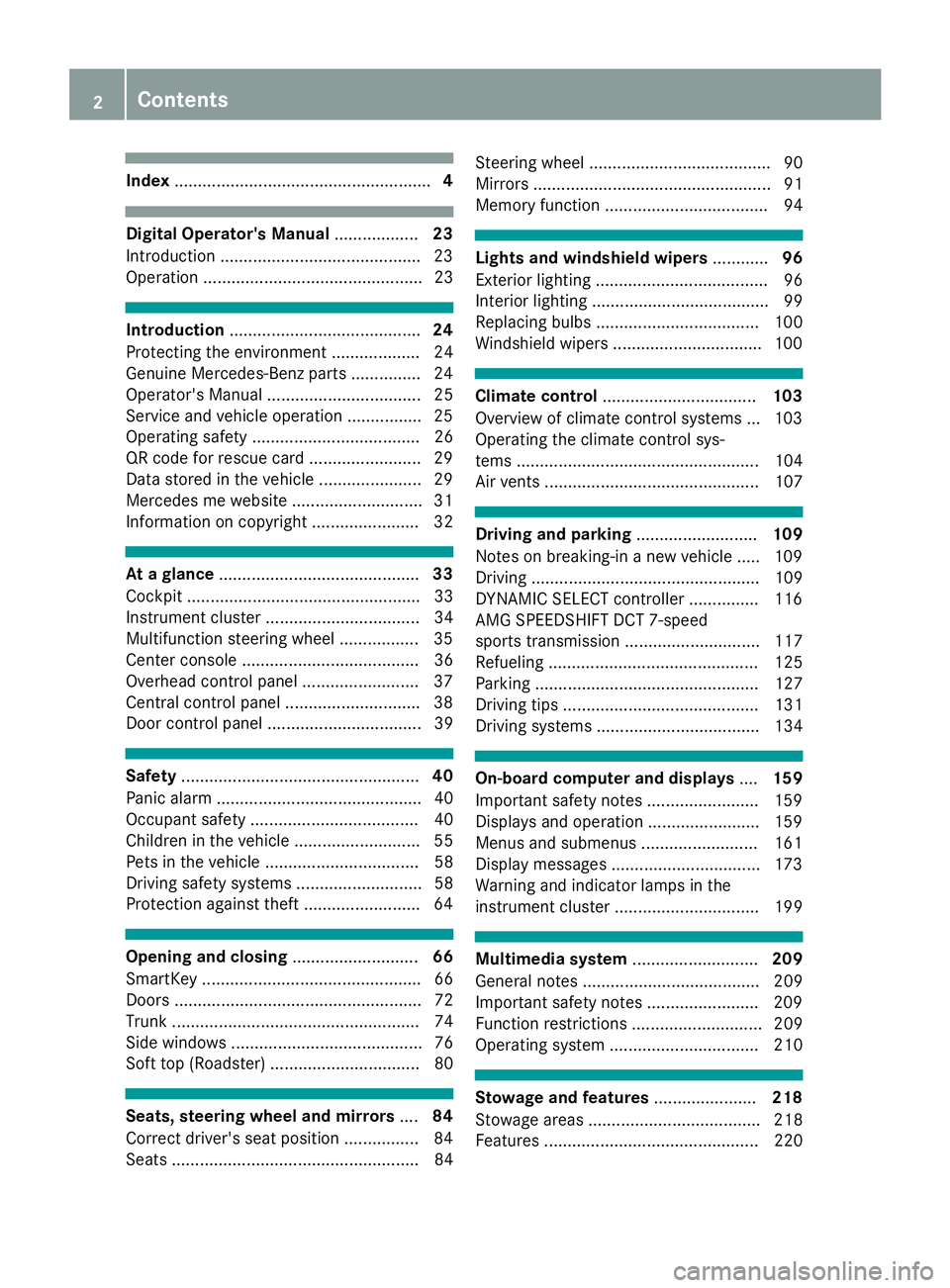
Index
....................................................... 4Digital Operator's Manual
..................23
Introduction .......................................... .23
Operation ............................................... 23 Introduction
......................................... 24
Protecting the environment ...................24
Genuine Mercedes-Benz parts .............. .24
Operator's Manual ................................. 25
Service and vehicle operation ................25
Operating safety .................................... 26
QR code for rescue card ........................ 29
Data stored in the vehicle ......................29
Mercedes me website ............................31
Information on copyright ....................... 32 At a glance
........................................... 33
Cockpit .................................................. 33
Instrument cluster .................................34
Multifunction steering wheel ................. 35
Center console ...................................... 36
Overhead control panel .........................37
Central control panel ............................ .38
Door control panel ................................. 39 Safety
................................................... 40
Panic alarm ............................................ 40
Occupant safety .................................... 40
Children in the vehicle ........................... 55
Pets in the vehicle ................................. 58
Driving safety systems ........................... 58
Protection against theft ........................ .64Opening and closing
...........................66
SmartKey ............................................... 66
Doors ..................................................... 72
Trunk ..................................................... 74
Side windows ......................................... 76
Soft top (Roadster) ................................ 80 Seats, steering wheel and mirrors
....84
Correct driver's seat position ................84
Seats ..................................................... 84 Steering wheel ....................................... 90
Mirrors ................................................... 91
Memory function ................................... 94 Lights and windshield wipers
............96
Exterior lighting ..................................... 96
Interior lighting ...................................... 99
Replacing bulbs ................................... 100
Windshield wipers ................................ 100 Climate control
................................. 103
Overview of climate control systems ... 103
Operating the climate control sys-
tems .................................................... 104
Air vents .............................................. 107 Driving and parking
..........................109
Notes on breaking-in a new vehicle ..... 109
Driving ................................................. 109
DYNAMIC SELECT controller ............... 116
AMG SPEEDSHIFT DCT 7-speed
sports transmission ............................. 117
Refueling ............................................. 125
Parking ................................................ 127
Driving tips .......................................... 131
Driving systems ................................... 134 On-board computer and displays
....159
Important safety notes ........................ 159
Displays and operation ........................ 159
Menus and submenus ......................... 161
Display messages ................................ 173
Warning and indicator lamps in the
instrument cluster ............................... 199 Multimedia system
...........................209
General notes ...................................... 209
Important safety notes ........................ 209
Function restrictions ............................ 209
Operating system ................................ 210 Stowage and features
......................218
Stowage areas ..................................... 218
Features .............................................. 220 2
Contents
Page 7 of 298
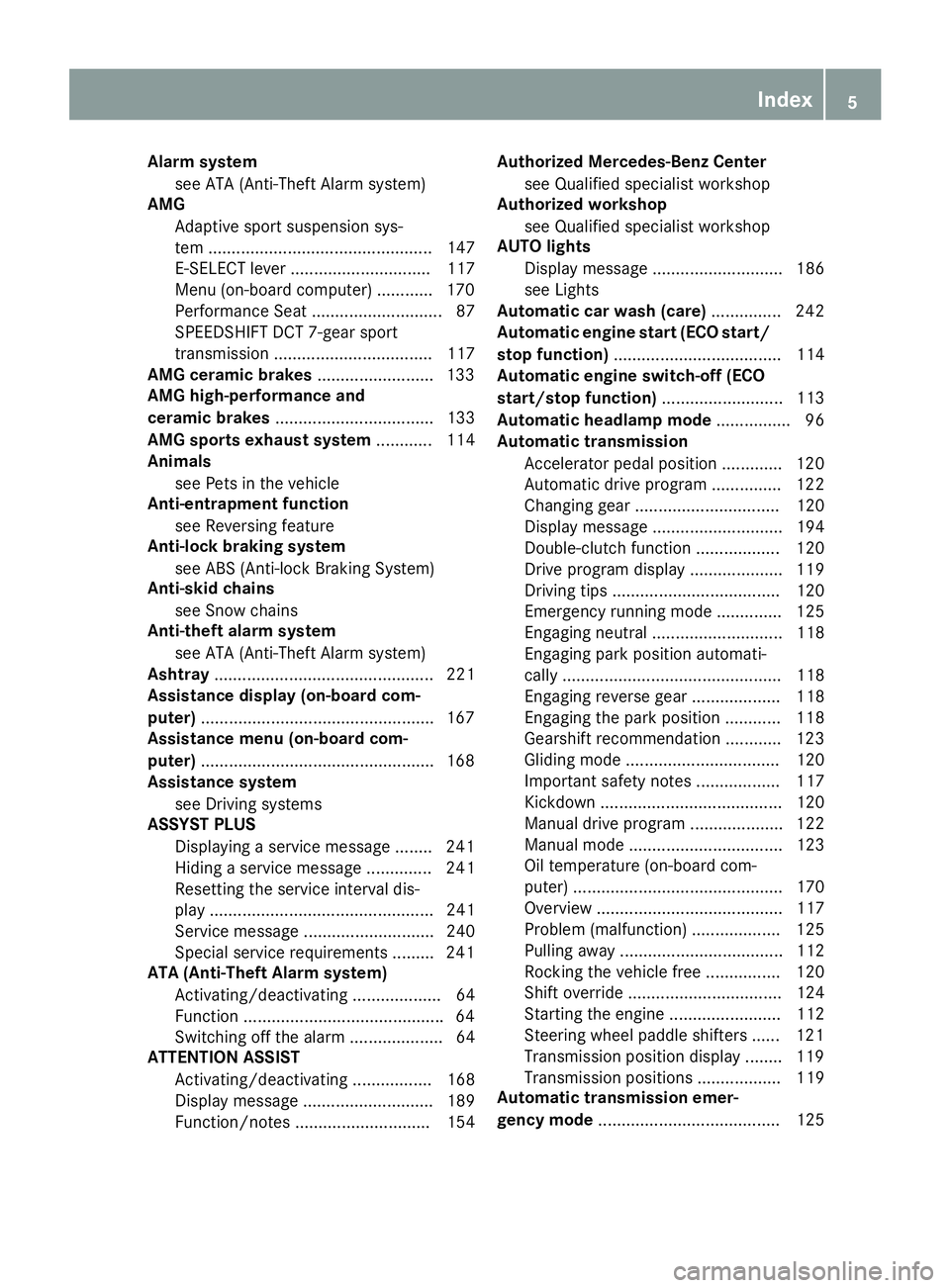
Alarm system
see ATA (Anti-Theft Alarm system)
AMG
Adaptive sport suspension sys-
tem ................................................ 147
E-SELECT lever .............................. 117
Menu (on-board computer) ............ 170
Performance Seat ............................ 87
SPEEDSHIFT DCT 7-gear sport
transmission .................................. 117
AMG ceramic brakes .........................133
AMG high-performance and
ceramic brakes .................................. 133
AMG sports exhaust system ............ 114
Animals
see Pets in the vehicle
Anti-entrapment function
see Reversing feature
Anti-lock braking system
see ABS (Anti-lock Braking System)
Anti-skid chains
see Snow chains
Anti-theft alarm system
see ATA (Anti-Theft Alarm system)
Ashtray ............................................... 221
Assistance display (on-board com-
puter) ................................................. .167
Assistance menu (on-board com-
puter) ................................................. .168
Assistance system
see Driving systems
ASSYST PLUS
Displaying a service message ....... .241
Hiding a service message .............. 241
Resetting the service interval dis-
play ................................................ 241
Service message ............................ 240
Special service requirements ......... 241
ATA (Anti-Theft Alarm system)
Activating/deactivating ................... 64
Function .......................................... .64
Switching off the alarm .................... 64
ATTENTION ASSIST
Activating/deactivating ................. 168
Display message ............................ 189
Function/note s............................. 154 Authorized Mercedes-Benz Center
see Qualified specialist workshop
Authorized workshop
see Qualified specialist workshop
AUTO lights
Display message ............................ 186
see Lights
Automatic car wash (care) ............... 242
Automatic engine start (ECO start/
stop function) .................................... 114
Automatic engine switch-off (ECO
start/stop function) .......................... 113
Automatic headlamp mode ................ 96
Automatic transmission
Accelerator pedal position ............. 120
Automatic drive program ............... 122
Changing gear ............................... 120
Display message ............................ 194
Double-clutch function .................. 120
Drive program display .................... 119
Driving tips .................................... 120
Emergency running mode .............. 125
Engaging neutral ............................ 118
Engaging park position automati-
cally ............................................... 118
Engaging reverse gear ................... 118
Engaging the park position ............ 118
Gearshift recommendation ............ 123
Gliding mod e................................. 120
Important safety notes .................. 117
Kickdown ....................................... 120
Manual drive progra m.................... 122
Manual mod e................................. 123
Oil temperature (on-board com-
puter) ............................................. 170
Overview ........................................ 117
Problem (malfunction) ................... 125
Pulling away ................................... 112
Rocking the vehicle free ................ 120
Shift override ................................. 124
Starting the engine ........................ 112
Steering wheel paddle shifters ...... 121
Transmission position display ........ 119
Transmission positions .................. 119
Automatic transmission emer-
gency mode ....................................... 125 Index
5
Page 15 of 298
From inside (central locking but-
ton) .................................................. 72
see KEYLESS-GO
Locking centrally
see Central locking
Locking the vehicle
Trunk lid separately ......................... 76
Low-beam headlamps
Display messag e............................ 186
Switching on/of f.............................. 97
Lubricant additives
see Additives (engine oil) M
M button ............................................. 121
M+S tires ............................................ 265
Malfunction message
see Display messages
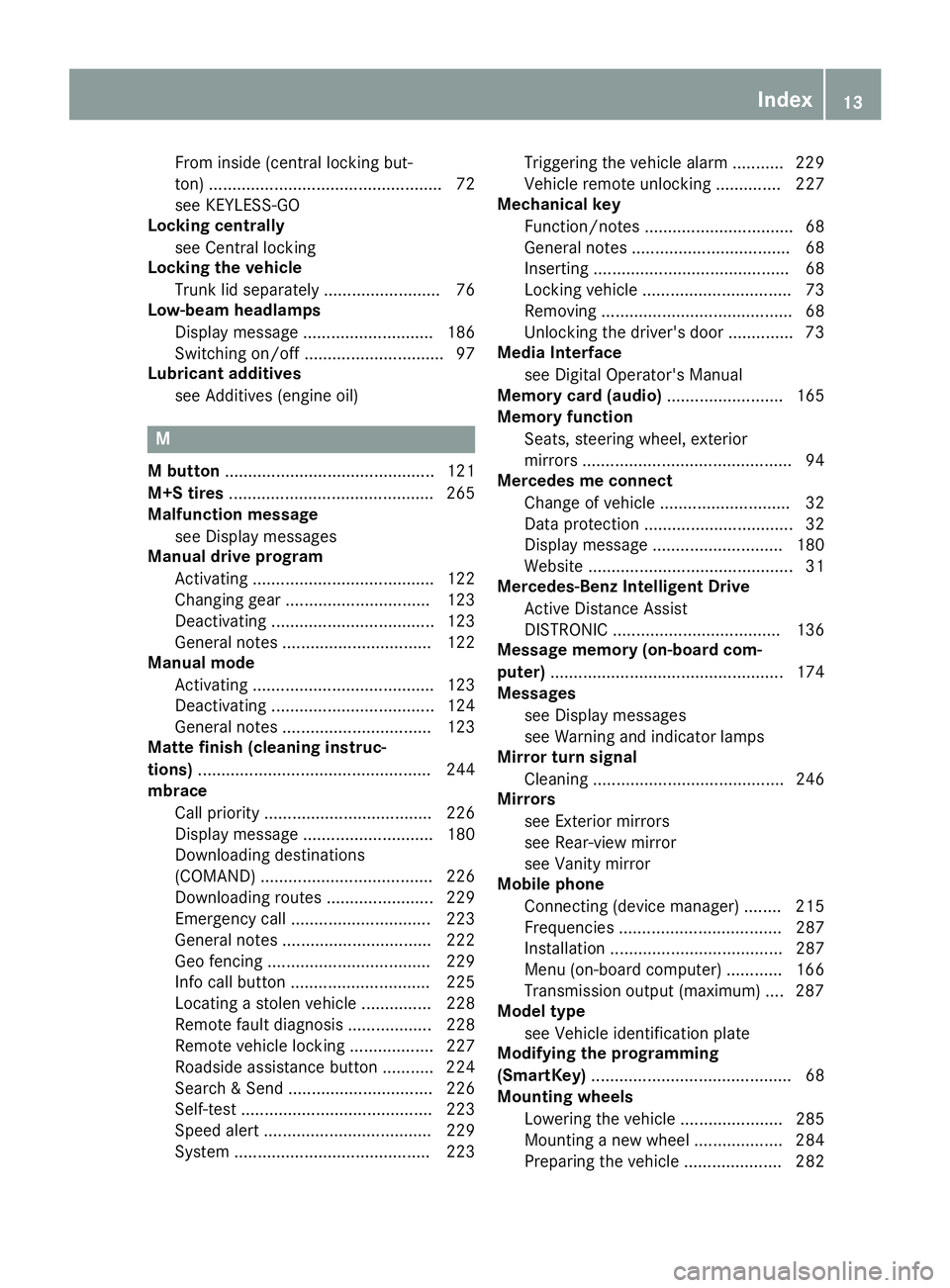
Manual drive program
Activating ....................................... 122
Changing gear ............................... 123
Deactivating ................................... 123
General notes ................................ 122
Manual mode
Activating ....................................... 123
Deactivating ................................... 124
General notes ................................ 123
Matte finish (cleaning instruc-
tions) .................................................. 244
mbrace
Call priority .................................... 226
Display message ............................ 180
Downloading destinations
(COMAND) ..................................... 226
Downloading routes ....................... 229
Emergency call .............................. 223
General notes ................................ 222
Geo fencing ................................... 229
Info call button .............................. 225
Locating a stolen vehicle ............... 228
Remote fault diagnosi s.................. 228
Remote vehicle locking .................. 227
Roadside assistance button ........... 224
Search & Send ............................... 226
Self-test ......................................... 223
Speed alert .................................... 229
System .......................................... 223 Triggering the vehicle alarm ........... 229
Vehicle remote unlocking .............. 227
Mechanical key
Function/note s................................ 68
General notes .................................. 68
Inserting .......................................... 68
Locking vehicle ................................ 73
Removing ......................................... 68
Unlocking the driver's doo r.............. 73
Media Interface
see Digital Operator's Manual
Memory card (audio) ......................... 165
Memory function
Seats, steering wheel, exterior
mirrors ............................................. 94
Mercedes me connect
Change of vehicle ............................ 32
Data protection ................................ 32
Display message ............................ 180
Website ............................................ 31
Mercedes-Benz Intelligent Drive
Active Distance Assist
DISTRONIC .................................... 136
Message memory (on-board com-
puter) .................................................. 174
Messages
see Display messages
see Warning and indicator lamps
Mirror turn signal
Cleaning ......................................... 246
Mirrors
see Exterior mirrors
see Rear-view mirror
see Vanity mirror
Mobile phone
Connecting (device manager) ........ 215
Frequencies ................................... 287
Installation ..................................... 287
Menu (on-board computer) ............ 166
Transmission output (maximum) .... 287
Model type
see Vehicle identification plate
Modifying the programming
(SmartKey) ........................................... 68
Mounting wheels
Lowering the vehicle ...................... 285
Mounting a new wheel ................... 284
Preparing the vehicle ..................... 282 Index
13
Page 17 of 298
Operator's Manual
Overview .......................................... 25
Vehicle equipment ........................... 25
Outside temperature display ........... 159
Overhead control panel ......................37P
Paddle shifters see Steering wheel paddle shifters
Paint code number ............................287
Paintwork (cleaning instructions) ... 243
Panic alarm .......................................... 40
Parking
Engaging park position .................. 118
Important safety notes .................. 127
Parking brake ................................ 129
Position of exterior mirror, front-
passenger side ................................. 93
Rear view camera .......................... 151
Switching off the engine ................ 128
see Parking Assist PARKTRONIC
Parking aid
see Exterior mirrors
see Parking Assist PARKTRONIC
Parking Assist PARKTRONIC
Deactivating/activating ................. 150
Driving system ............................... 148
Important safety notes .................. 148
Problems (malfunctions) ................ 150
Sensor range ................................. 148
Warning displa y............................. 149
Parking assistance
see Parking Assist PARKTRONIC
Parking brake
Applying automaticall y................... 129
Applying or releasing manually ...... 129
Display message ............................ 177
Electric parking brake .................... 129
Emergency braking ........................ 130
General notes ................................ 129
Releasing automaticall y................. 130
Warning lamp ................................. 203
Parking lamps
Switching on/of f.............................. 97
PASSENGER AIR BAG
Display message ............................ 184
Indicator lamps ................................ 41 Problems (malfunction) .................. 184
Pets in the vehicle ............................... 58
Phone book
see also Digital Operator's Man-
ual .................................................. 209
Plastic trim (cleaning instruc-
tions) .................................................. 247
Power washers .................................. 243
Power windows
see Side windows
Pre-emptive safety
see PRE-SAFE ®
(anticipatory
occupant protection)
PRE-SAFE ®
(anticipatory occupant
protection)
Display message ............................ 181
Operation ......................................... 54
Protection against theft
ATA (Anti-Theft Alarm system )......... 64
Immobilizer ...................................... 64
Protection of the environment
General notes .................................. 24
Pulling away
Automatic transmission ................. 112
General notes ................................ 112
Hill start assist ............................... 112 Q
QR code Mercedes-Benz Guide App ................. 1
Rescue card ..................................... 29
Qualified specialist workshop ........... 28
Quick access for audio and tele-
phone
Changing the station/music
track .............................................. 212 R
RACE START Activating ....................................... 146
Activation conditions ..................... 146
Important safety notes .................. 146
RACE TIMER (on-board computer,
Mercedes-AMG vehicles) .................. 172
Radio
Selecting a station ......................... 164 Index
15
Page 19 of 298
Important safety guidelines .............42
Introduction .....................................41
Releasin g......................................... 44
Warning lamp ................................. 199
Warning lamp (function) ................... 44
Seat function
see Seat
Seats
Adjusting (electrically) ..................... 86
Adjusting (manually) ........................ 85
Adjusting (Performance Seat) .......... 87
Adjusting lumbar support ................ 86
Adjusting the head restraint ............ 86
Calling up a stored setting (mem-
ory function) .................................... 95
Cleaning the cover ......................... 248
Important safety notes .................... 84
Seat heating problem ...................... 89
Seat ventilation problem .................. 89
Storing settings (memory func-
tion) ................................................. 94
Switching AIRSCARF on/of f............ 89
Switching seat heating on/of f......... 87
Switching seat ventilation on/of f.... 88
Selecting a gear
see Automatic transmission
Selector lever
Cleaning ......................................... 247
Positions ........................................ 117
Sensors (cleaning instructions) ....... 246
Service menu (on-board com-
puter) .................................................. 168
Service message
see ASSYST PLUS
Service products
Brake fluid ..................................... 291
Coolant (engine) ............................ 292
Engine oil ....................................... 291
Fuel ................................................ 289
Important safety notes .................. 289
Refrigerant (air-conditioning sys-
tem) ............................................... 293
Washer fluid ................................... 292
Setting the date/time format
see also Digital Operator's Man-
ual .................................................. 209 Setting the language
see also Digital Operator's Man-
ual .................................................. 209
Setting the time
see also Digital Operator's Man-
ual .................................................. 209
Settings
Factory (on-board computer) ......... 170
On-board computer ....................... 168
SETUP (on-board computer,
Mercedes-AMG vehicles) .................. 171
Side impact air bag ............................. 47
Side marker lamp (display mes-
sage) ................................................... 186
Side windows
Cleaning ......................................... 245
Convenience closing feature ............ 78
Convenience opening feature .......... 78
Important safety information ........... 76
Opening/closing .............................. 77
Problem (malfunction) ..................... 79
Resetting ......................................... 78
Reversing feature ............................. 77
SIRIUS services
see also Digital Operator's Man-
ual .................................................. 209
SmartKey
Changing the battery ....................... 69
Changing the programming ............. 68
Checking the battery ....................... 69
Convenience closing feature ............ 78
Convenience opening feature .......... 78
Display message ............................ 197
Door central locking/unlocking ....... 66
Important safety notes .................... 66
KEYLESS-GO start function .............. 67
Loss ................................................. 70
Mechanical key ................................ 68
Opening/closing soft top ................. 81
Overview .......................................... 66
Positions (ignition lock) ................. 111
Problem (malfunction) ..................... 70
Starting the engine ........................ 112
SMS
see also Digital Operator's Man-
ual .................................................. 209
Snow chains ...................................... 265 Index
17
Page 21 of 298
Information .................................... 287
Tires/wheels .................................2
85
Vehicle data ................................... 293
Telephone
Accepting a call (multifunction
steering wheel) .............................. 167
Authorizing a mobile phone (con-
necting) ......................................... 216
Connecting a mobile phone
(device manager) ........................... 215
Display message ............................ 197
Introduction ................................... 166
Menu (on-board computer) ............ 166
Number from the phone book ....... .167
Redialing ........................................ 167
Rejecting/ending a call ................. 167
see also Digital Operator's Man-
ual ................................................. .209
Temperature
Coolant (display in the instrumentcluster) .......................................... 159
Engine oil (on-board computer) ...... 170
Outside temperature ..................... .159
Setting (climate control) ................ 105
Transmission oil (on-board com-
puter) ............................................. 170
Timing (RACETIMER) ......................... 172
Tire pressure
Calling up (on-board computer) ..... 269
Checking manually ........................ 268
Display message ............................ 192
Maximum ....................................... 268
Not reached (TIREFIT) .................... 253
Notes ............................................. 267
Reached (TIREFIT) .......................... 253
Recommended ............................... 266
Tire pressure monitor
Checking the tire pressure elec-
tronically ........................................ 270
Function/notes ............................ .269
General notes ................................ 269
Important safety notes .................. 269
Restarting ...................................... 271
Warning lamp ................................. 207
Warning message .......................... 270
Tire-change tool kit ........................... 250
TIREFIT kit
Important safety notes .................. 251 Storage location ............................ 250
Tire pressure not reached .............. 253
Tire pressure reached .................... 253
Using ............................................. 251
Tires
Aspect ratio (definition) ................. 280
Average weight of the vehicle
occupants (definition) .................... 279
Bar (definition) ............................... 279
Changing a wheel .......................... 281
Characteristics .............................. 279
Checking ........................................ 264
Curb weight (definition) ................. 280
Definition of terms ......................... 279
Direction of rotation ..................... .281
Display message ............................ 192
Distribution of the vehicle occu-
pants (definition) ............................ 281
DOT (Department of Transporta-
tion) (definition) ............................ .279
DOT, Tire Identification Number
(TIN) ............................................... 278
GAWR (Gross Axle Weight Rating)
(definition) ..................................... 279
GVW (Gross Vehicle Weight) (def-
inition) .......................................... .280
GVWR (Gross Vehicle Weight Rat-
ing) (definition) .............................. 280
Important safety notes .................. 263
Increased vehicle weight due to
optional equipment (definition) ...... 279
Information on driving .................... 263
Kilopascal (kPa) (definition) ........... 280
Labeling (overview )........................ 276
Load bearing index (definition) ...... 281
Load index ..................................... 278
Load index (definition) ................... 280
Maximum load on a tire (defini-
tion) ............................................... 280
Maximum loaded vehicle weight
(definition) ..................................... 280
Maximum permissible tire pres-
sure (definition) ............................. 280
Maximum tire load ......................... 278
Maximum tire load (definition) ....... 280
Notes on sport tire s....................... 263
Optional equipment weight (defi-
nition) ............................................ 281 Index
19
Page 68 of 298
SmartKey
Important safety notes
G
WARNING
If children are left unsupervised in the vehicle, they could:
R open the doors, thus endangering other
people or road users.
R get out and disrupt traffic.
R operate the vehicle's equipment.
Additionally, children could set the vehicle in
motion if, for example, they:
R release the parking brake.
R shifting the automatic transmission out of
park position P
R Start the engine.
There is a risk of an accident and injury.
When leaving the vehicle, always take the
SmartKey with you and lock the vehicle. Never
leave children or animals unattended in the
vehicle. Always keep the SmartKey out of
reach of children. G
WARNING
If you attach heavy or large objects to the
SmartKey, the SmartKey could be uninten-
tionally turned in the ignition lock. This could
cause the engine to be switched off. There is a risk of an accident.
Do not attach any heavy or large objects to the
SmartKey. Remove any bulky key rings before
inserting the SmartKey into the ignition lock.
! Keep the SmartKey away from strong mag-
netic fields. Otherwise, the remote control
function could be affected.
Strong magnetic fields can occur in the vicin- ity of powerful electrical installations.
Do not keep the SmartKey: R with electronic devices, e.g. a mobile phone
or another SmartKey
R with metallic objects, e.g. coins or metal foil
R inside metallic objects, e.g. a metal case
This can affect the functionality of the Smart-
Key. Vehicles with KEYLESS-GO start function:
do
not keep the SmartKey in the trunk. Otherwise, the SmartKey may not be detected, e.g. when
starting the engine using the Start/Stop button.
A brief radio connection between the vehicle
and the SmartKey determines whether a valid
SmartKey is in, or in the direct vicinity of, the
vehicle.
This occurs, for example:
R when starting the engine
R while driving
R when using the trunk lid unlocking sensor
R when the external door handles are touched
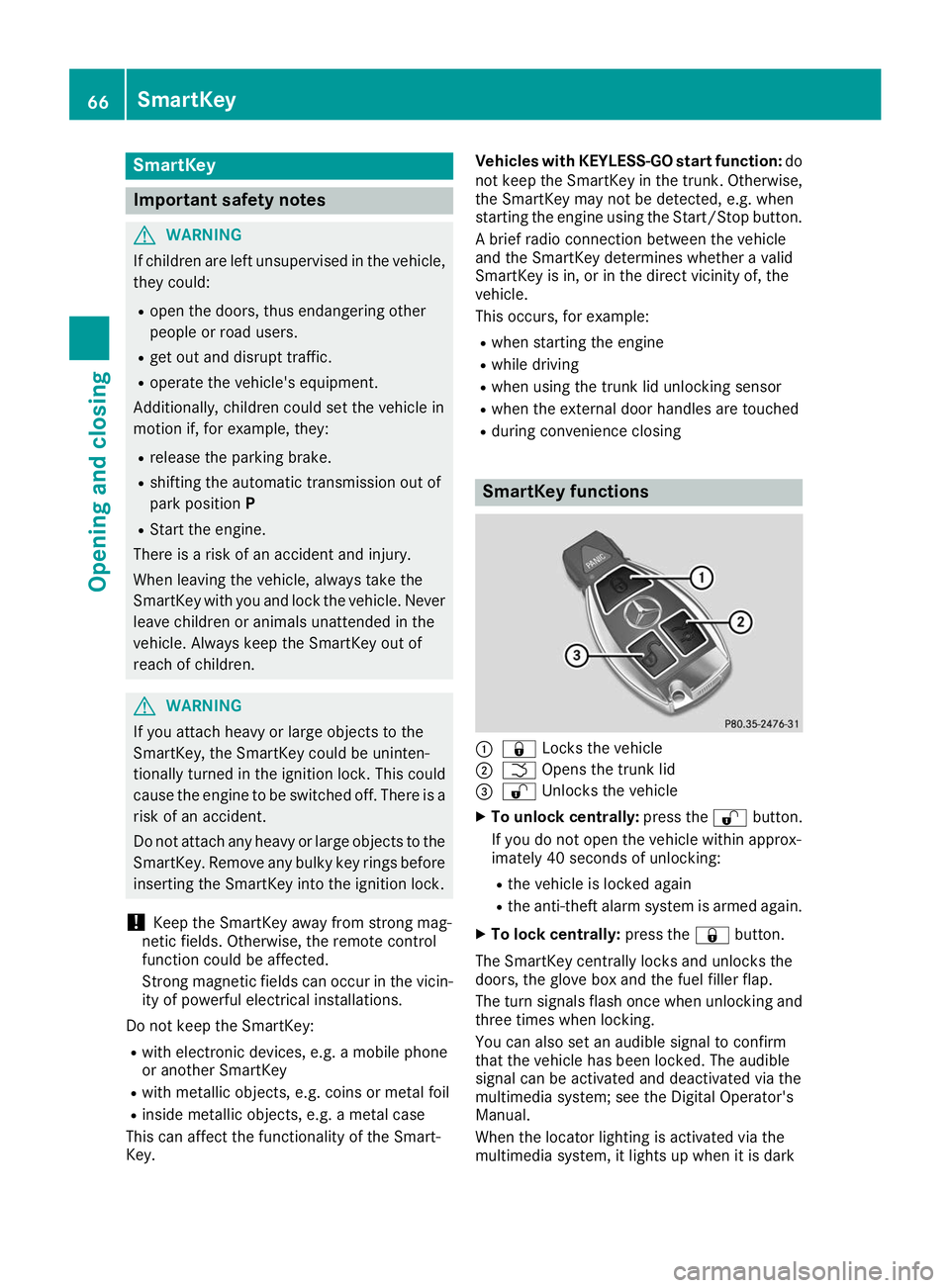
R during convenience closing SmartKey functions
0043
0037 Locks the vehicle
0044 0054 Opens the trunk lid
0087 0036 Unlocks the vehicle
X To unlock centrally: press the0036button.
If you do not open the vehicle within approx-
imately 40 seconds of unlocking:
R the vehicle is locked again
R the anti-theft alarm system is armed again.
X To lock centrally: press the0037button.
The SmartKey centrally locks and unlocks the
doors, the glove box and the fuel filler flap.
The turn signals flash once when unlocking and three times when locking.
You can also set an audible signal to confirm
that the vehicle has been locked. The audible
signal can be activated and deactivated via the
multimedia system; see the Digital Operator's
Manual.
When the locator lighting is activated via the
multimedia system, it lights up when it is dark 66
SmartKeyOpening and closing
Page 114 of 298
General notes
The catalytic converter is preheated for up to
30 seconds after a cold start. The sound of the
engine may change during this time.
AMG SPEEDSHIFT DCT 7-speed sport
transmission X
Shift the transmission to position 005D
(Y page 117).
The transmission position indicator on the
multifunction display shows 005D
(Y page 119).
You can start the engine in transmission posi-
tion 005Dand 005C.
Starting procedure with the Start/Stop button The Start/Stop button can be used to start the
vehicle manually without inserting the SmartKey into the ignition lock. You merely need to carry
the SmartKey on your person. This mode for
starting the engine operates independently of
the ECO start/stop automatic engine start func- tion.
You can start the engine if a valid SmartKey is in
the vehicle. Switch off the engine and always
take the SmartKey with you when leaving the
vehicle, even if you only leave it for a short time.
Pay attention to the important safety notes.
X Depress the brake pedal and keep it
depressed.
X Press the Start/Stop button once
(Y page 110).
The engine starts.
Starting procedure with the SmartKey X
Turn the SmartKey to position 0049in the igni-
tion lock (Y page 111) and release it as soon
as the engine is running.
If the engine will not start: X Remove the SmartKey from the ignition lock.
X Reinsert the SmartKey into the ignition lock
after a short waiting period. X
Turn the SmartKey to position 0048in the igni-
tion lock (Y page 111).
The indicator lamps in the instrument cluster light up (Y page 199).
X Turn the SmartKey to position 0049in the igni-
tion lock (Y page 111) and release it as soon
as the engine is running. Pulling away
General notes G
WARNING
If the engine speed is above the idling speed
and you engage transmission position 003A
or 0046, the vehicle could pull away suddenly.
There is a risk of an accident.
When engaging transmission position 003Aor
0046, always firmly depress the brake pedal
and do not simultaneously accelerate.
Depress the accelerator carefully when pulling
away.
The vehicle locks centrally once you have pulled
away. The locking knobs in the doors drop down.
You can open the doors from the inside at any
time.
You can also deactivate the automatic locking
feature (Y page 73).
It is only possible to shift the transmission from position 005Dto the desired position if:
R the engine is running and
R you depress the brake pedal
If you do not depress the brake pedal, the E-
SELECT lever can still be moved but the parking
lock remains engaged.
Information on the automatic release of the
electric parking brake (Y page 130).
Hill start assist Hill start assist helps you when pulling away
forward or in reverse on an uphill gradient. It
holds the vehicle for a short time after you have removed your foot from the brake pedal. This
gives you enough time to move your foot from
the brake pedal to the accelerator pedal and to
depress it before the vehicle begins to roll. 112
DrivingDriving and parking