2019 MERCEDES-BENZ AMG GT ROADSTER brake light
[x] Cancel search: brake lightPage 7 of 298
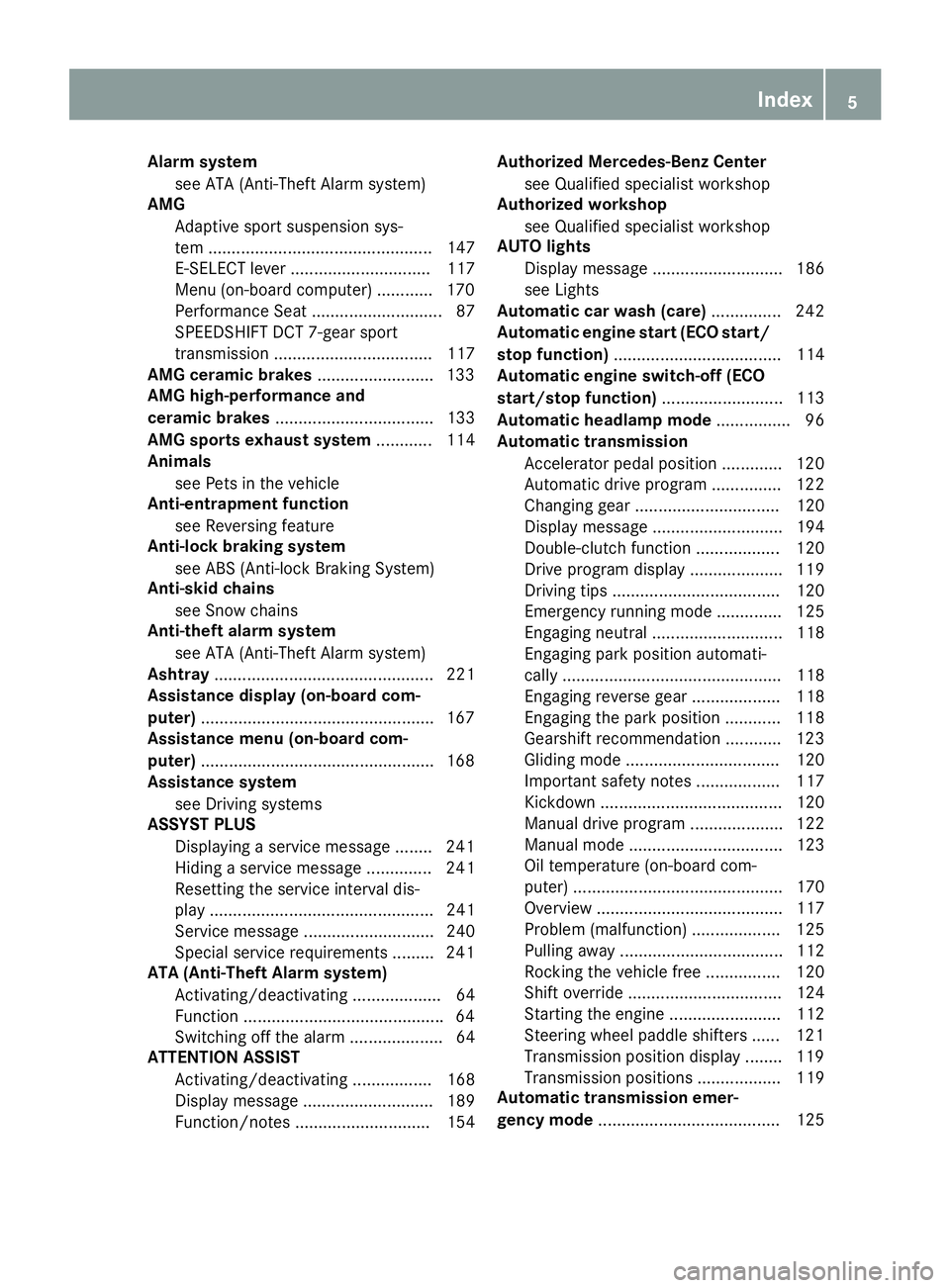
Alarm system
see ATA (Anti-Theft Alarm system)
AMG
Adaptive sport suspension sys-
tem ................................................ 147
E-SELECT lever .............................. 117
Menu (on-board computer) ............ 170
Performance Seat ............................ 87
SPEEDSHIFT DCT 7-gear sport
transmission .................................. 117
AMG ceramic brakes .........................133
AMG high-performance and
ceramic brakes .................................. 133
AMG sports exhaust system ............ 114
Animals
see Pets in the vehicle
Anti-entrapment function
see Reversing feature
Anti-lock braking system
see ABS (Anti-lock Braking System)
Anti-skid chains
see Snow chains
Anti-theft alarm system
see ATA (Anti-Theft Alarm system)
Ashtray ............................................... 221
Assistance display (on-board com-
puter) ................................................. .167
Assistance menu (on-board com-
puter) ................................................. .168
Assistance system
see Driving systems
ASSYST PLUS
Displaying a service message ....... .241
Hiding a service message .............. 241
Resetting the service interval dis-
play ................................................ 241
Service message ............................ 240
Special service requirements ......... 241
ATA (Anti-Theft Alarm system)
Activating/deactivating ................... 64
Function .......................................... .64
Switching off the alarm .................... 64
ATTENTION ASSIST
Activating/deactivating ................. 168
Display message ............................ 189
Function/note s............................. 154 Authorized Mercedes-Benz Center
see Qualified specialist workshop
Authorized workshop
see Qualified specialist workshop
AUTO lights
Display message ............................ 186
see Lights
Automatic car wash (care) ............... 242
Automatic engine start (ECO start/
stop function) .................................... 114
Automatic engine switch-off (ECO
start/stop function) .......................... 113
Automatic headlamp mode ................ 96
Automatic transmission
Accelerator pedal position ............. 120
Automatic drive program ............... 122
Changing gear ............................... 120
Display message ............................ 194
Double-clutch function .................. 120
Drive program display .................... 119
Driving tips .................................... 120
Emergency running mode .............. 125
Engaging neutral ............................ 118
Engaging park position automati-
cally ............................................... 118
Engaging reverse gear ................... 118
Engaging the park position ............ 118
Gearshift recommendation ............ 123
Gliding mod e................................. 120
Important safety notes .................. 117
Kickdown ....................................... 120
Manual drive progra m.................... 122
Manual mod e................................. 123
Oil temperature (on-board com-
puter) ............................................. 170
Overview ........................................ 117
Problem (malfunction) ................... 125
Pulling away ................................... 112
Rocking the vehicle free ................ 120
Shift override ................................. 124
Starting the engine ........................ 112
Steering wheel paddle shifters ...... 121
Transmission position display ........ 119
Transmission positions .................. 119
Automatic transmission emer-
gency mode ....................................... 125 Index
5
Page 8 of 298
B
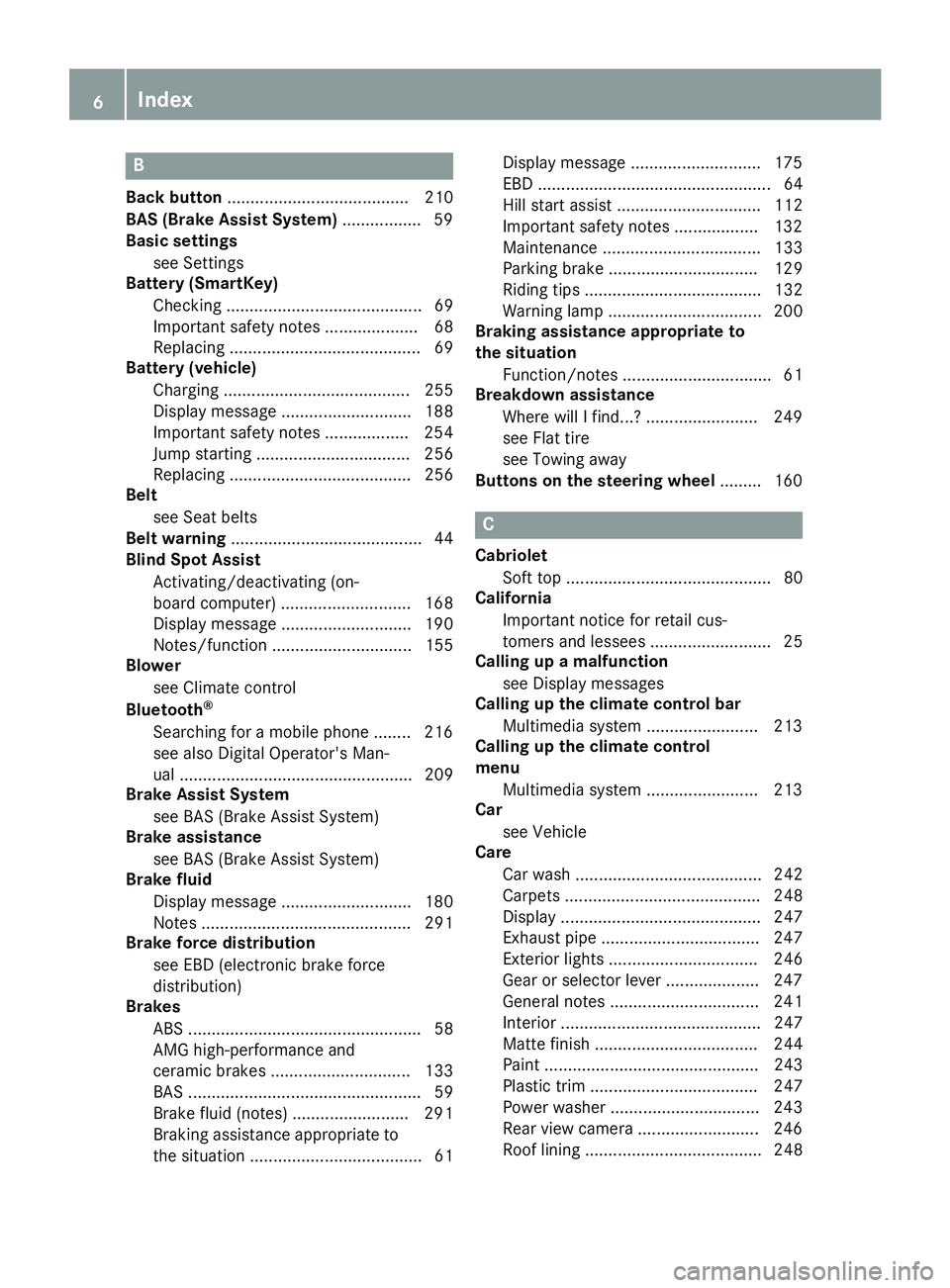
Back button ....................................... 210
BAS (Brake Assist System) ................. 59
Basic settings
see Settings
Battery (SmartKey)
Checking .......................................... 69
Important safety notes .................... 68
Replacing ......................................... 69
Battery (vehicle)
Charging ........................................ 255
Display message ............................ 188
Important safety notes .................. 254
Jump starting ................................. 256
Replacing ....................................... 256
Belt
see Seat belts
Belt warning ......................................... 44
Blind Spot Assist
Activating/deactivating (on-
board computer) ............................ 168
Display message ............................ 190
Notes/function .............................. 155
Blower
see Climate control
Bluetooth ®
Searching for a mobile phone ........ 216
see also Digital Operator's Man-
ual .................................................. 209
Brake Assist System
see BAS (Brake Assist System)
Brake assistance
see BAS (Brake Assist System)
Brake fluid
Display message ............................ 180
Notes ............................................. 291
Brake force distribution
see EBD (electronic brake force
distribution)
Brakes
ABS .................................................. 58
AMG high-performance and
ceramic brakes .............................. 133
BAS .................................................. 59
Brake fluid (notes) ......................... 291
Braking assistance appropriate to
the situation ..................................... 61 Display message ............................ 175
EBD .................................................. 64
Hill start assist ............................... 112
Important safety notes .................. 132
Maintenance .................................. 133
Parking brake ................................ 129
Riding tips ...................................... 132
Warning lamp ................................. 200
Braking assistance appropriate to
the situation
Function/note s................................ 61
Breakdown assistance
Where will I find...? ........................ 249
see Flat tire
see Towing away
Buttons on the steering wheel ......... 160 C
Cabriolet Soft top ............................................ 80
California
Important notice for retail cus-
tomers and lessees .......................... 25
Calling up a malfunction
see Display messages
Calling up the climate control bar
Multimedia system ........................ 213
Calling up the climate control
menu
Multimedia system ........................ 213
Car
see Vehicle
Care
Car wash ........................................ 242
Carpets .......................................... 248
Display ........................................... 247
Exhaust pipe .................................. 247
Exterior lights ................................ 246
Gear or selector lever .................... 247
General notes ................................ 241
Interior ........................................... 247
Matte finish ................................... 244
Paint .............................................. 243
Plastic trim .................................... 247
Power washe r................................ 243
Rear view camera .......................... 246
Roof lining ...................................... 248 6
Index
Page 12 of 298
Electronic Traction System
see ETS (Electronic Traction System)
Emergency
Automatic measures after an acci-
dent ................................................ .55
Emergency braking
see BAS (Brake Assist System)
Emergency release
Driver's door .................................... 73
Trunk .............................................. .76
Vehicle .............................................73
Emergency Tensioning Devices
Activation ........................................ .52
Emissions control
Service and warranty information .... 25
Engine
Check Engine warning lamp .......... .204
Display message ............................ 187
ECO start/stop function ................ 113
Engine number ............................... 288
Irregular running ............................ 115
Jump-starting ................................. 256
Starting problems .......................... 115
Starting the engine with the
SmartKey ....................................... 112
Starting with the Start/Stop but-
ton ................................................. 112
Switching off .................................. 128
Tow-starting (vehicle) ..................... 261
Engine electronics
Notes ............................................. 287
Problem (malfunction) ................... 115
Engine oil
Adding .......................................... .238
Additives ........................................ 291
Checking the oil level ..................... 236
Checking the oil level using the
dipstick .......................................... 236
Checking the oil level using the
on-board computer ........................ 237
Display message ............................ 188
Filling capacity ............................... 291
Notes about oil grades ................... 291
Notes on oil level/consumption .... 236
Temperature (on-board com-
puter) ............................................. 170
Engine oil additives
see Additives (engine oil) Entering an address
see also Digital Operator's Man-
ual ................................................. .209
ESC (Electronic Stability Control)
see ESP ®
(Electronic Stability Program)
ESP ®
(Electronic Stability Pro-
gram)
AMG menu (on-board computer) ... 171
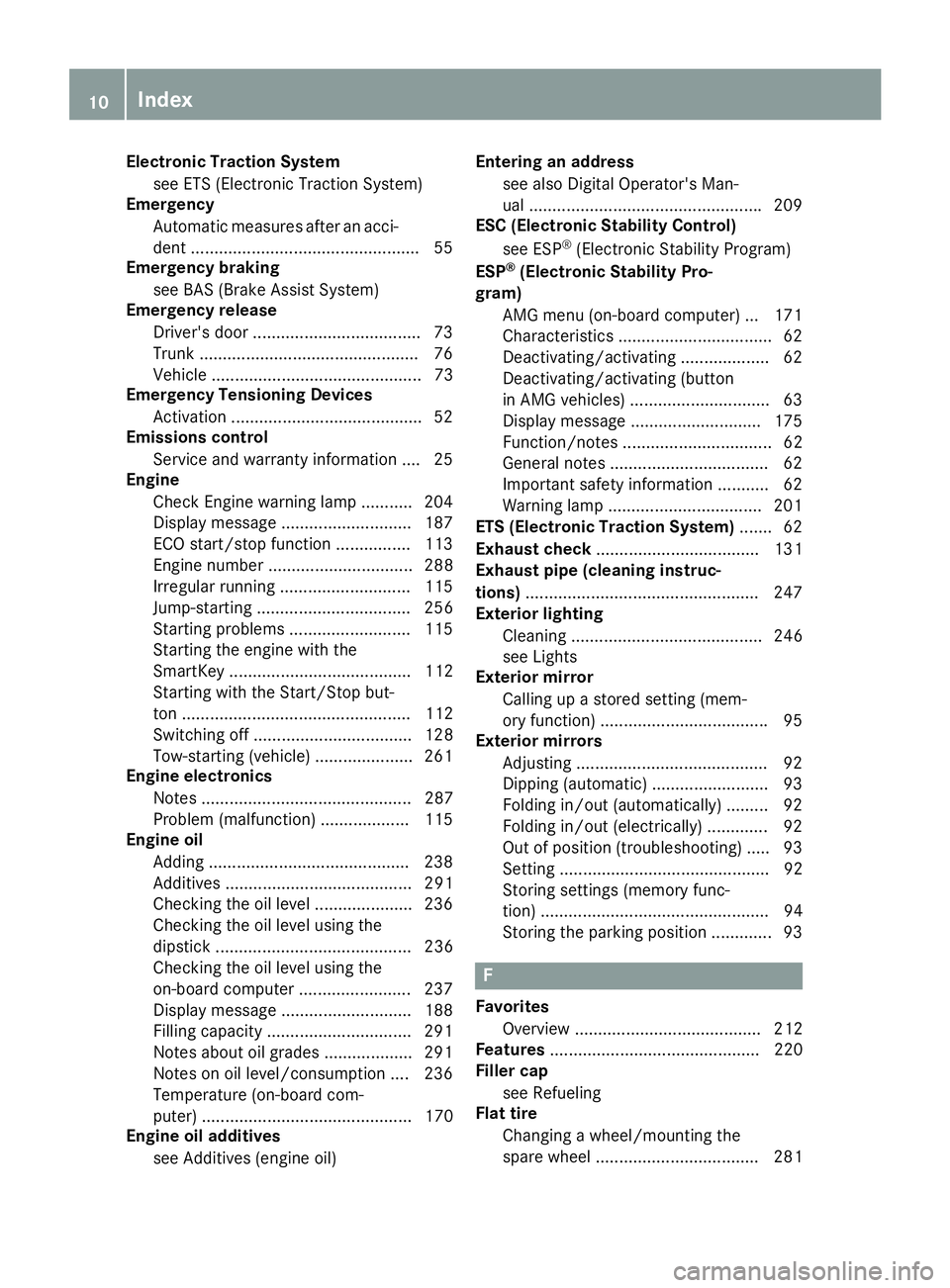
Characteristics ................................. 62
Deactivating/activating ................... 62
Deactivating/activating (button
in AMG vehicles) .............................. 63
Display message ............................ 175
Function/notes ................................ 62
General notes .................................. 62
Important safety information ........... 62
Warning lamp ................................. 201
ETS (Electronic Traction System) ....... 62
Exhaust check ................................... 131
Exhaust pipe (cleaning instruc-
tions) ................................................. .247
Exterior lighting
Cleaning ......................................... 246
see Lights
Exterior mirror
Calling up a stored setting (mem-
ory function) ................................... .95
Exterior mirrors
Adjusting ........................................ .92
Dipping (automatic) ........................ .93
Folding in/out (automatically )......... 92
Folding in/out (electrically) ............. 92
Out of position (troubleshooting) ..... 93
Setting ............................................. 92
Storing settings (memory func-
tion) ................................................. 94
Storing the parking position ............. 93 F
Favorites Overview ........................................ 212
Features ............................................. 220
Filler cap
see Refueling
Flat tire
Changing a wheel/mounting the
spare wheel ................................... 281 10
Index
Page 31 of 298
If NHTSA receives similar complaints, it may
open an investigation, and if it finds that a safety
defect exists in a group of vehicles, it may order a recall and remedy campaign. However, NHTSA cannot become involved in individual problems
between you, your dealer, or Mercedes-Benz
USA, LLC.
To contact NHTSA, you may call the Vehicle
Safety Hotline toll-free at 1-888-327-4236
(TTY: 1-800-424-9153); go to http://
www.safercar.gov; or write to: Administrator,
NHTSA, 400 Seventh Street, SW., Washington,
DC 20590.
You can also obtain other information about
motor vehicle safety at:
http://www.safercar.gov Limited Warranty
! Observe the notes in this Operator's Manual
regarding the correct operation of your vehi-
cle and possible damage to the vehicle. Dam-
age to the vehicle which is caused by violation
of these notes is not covered by the
Mercedes-Benz implied warranty or the new
or used-vehicle warranty. QR code for rescue card
The QR codes are secured in the fuel filler flap
and on the opposite side on the B-pillar. In the
event of an accident, rescue services can use
the QR code to quickly find the appropriate res-
cue card for your vehicle. The current rescue
card contains the most important information
about your vehicle in a compact form, e.g. the
routing of the electric cables.
You can find more information at
www.mercedes-benz.de/qr-code. Data stored in the vehicle
Electronic control units
There are electronic control units installed in
your vehicle. Some of these are necessary for
your vehicle to operate safely, while some offer
support during driving (driver assistance sys-
tems). In addition, your vehicle offers comfort
and entertainment functions that are also made possible by electronic control units. Electronic control units contain data storage
systems that can temporarily or permanently
save technical information concerning the vehi-
cle's condition, component stress and mainte-
nance requirements as well as technical events
and malfunctions.
This information generally documents the con-
dition of a component, a module, a system or the
surroundings, such as:
R Operating states of system components (e.g.
fill levels, battery status, tire pressure)
R Status messages concerning the vehicle or its
individual components (e.g. wheel rpm/
speed, deceleration, lateral acceleration, indi-
cation of whether seat belts are fastened)
R Malfunctions and defects in important system
components (e.g. lights, brakes)
R Information about events leading to vehicle
damage
R System responses in special driving situa-
tions (e.g. air bag deployment, intervention of
stability control systems)
R Ambient conditions (e.g. temperature, rain
sensor)
In addition to performing the actual control unit function, this data is used by manufacturers to
detect and rectify malfunctions and to optimize
vehicle functions. Most of this data is volatile
and processed only in the vehicle itself. Only a
small part of the data is stored in event or mal-
function memories.
When you use services, the technical data from
the vehicle can be read out by service network
employees (e.g. workshops, manufacturers) or
third parties (e.g. breakdown services). Services can include repair services, maintenance pro-
cesses, warranty cases and quality assurance
measures. The data are read out via the con-
nection for the diagnostics connection in the
vehicle, which is required by law. The relevant
offices in the service network or third parties
collect, process and use the data. This data
documents the vehicle's technical states, is
used to help in finding malfunctions and improv-
ing quality and is sent to the manufacturer
where necessary. In addition, the manufacturer is subject to product liability. The manufacturer
needs technical data from vehicles for this pur-
pose.
Malfunction memories in the vehicle can be
reset by a service center during repair or service work. Data stored in the vehicle
29Introduction Z
Page 35 of 298
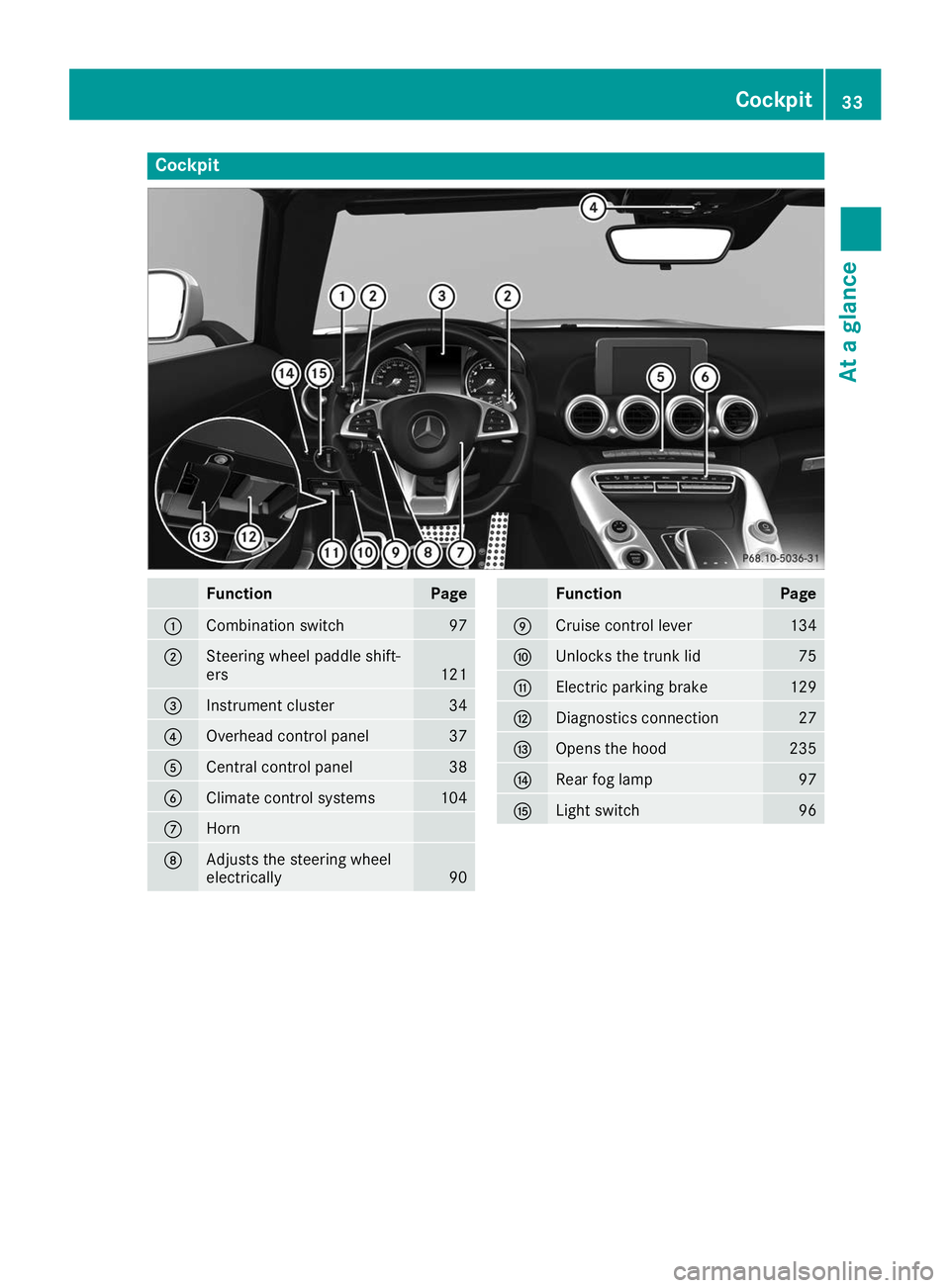
Cockpit
Function Page
0043
Combination switch 97
0044
Steering wheel paddle shift-
ers
121
0087
Instrument cluster 34
0085
Overhead control panel 37
0083
Central control panel 38
0084
Climate control systems 104
006B
Horn
006C
Adjusts the steering wheel
electrically 90 Function Page
006D
Cruise control lever 134
006E
Unlocks the trunk lid 75
006F
Electric parking brake 129
0070
Diagnostics connection 27
0071
Opens the hood 235
0072
Rear fog lamp 97
0073
Light switch 96Cockpit
33At a glance
Page 36 of 298
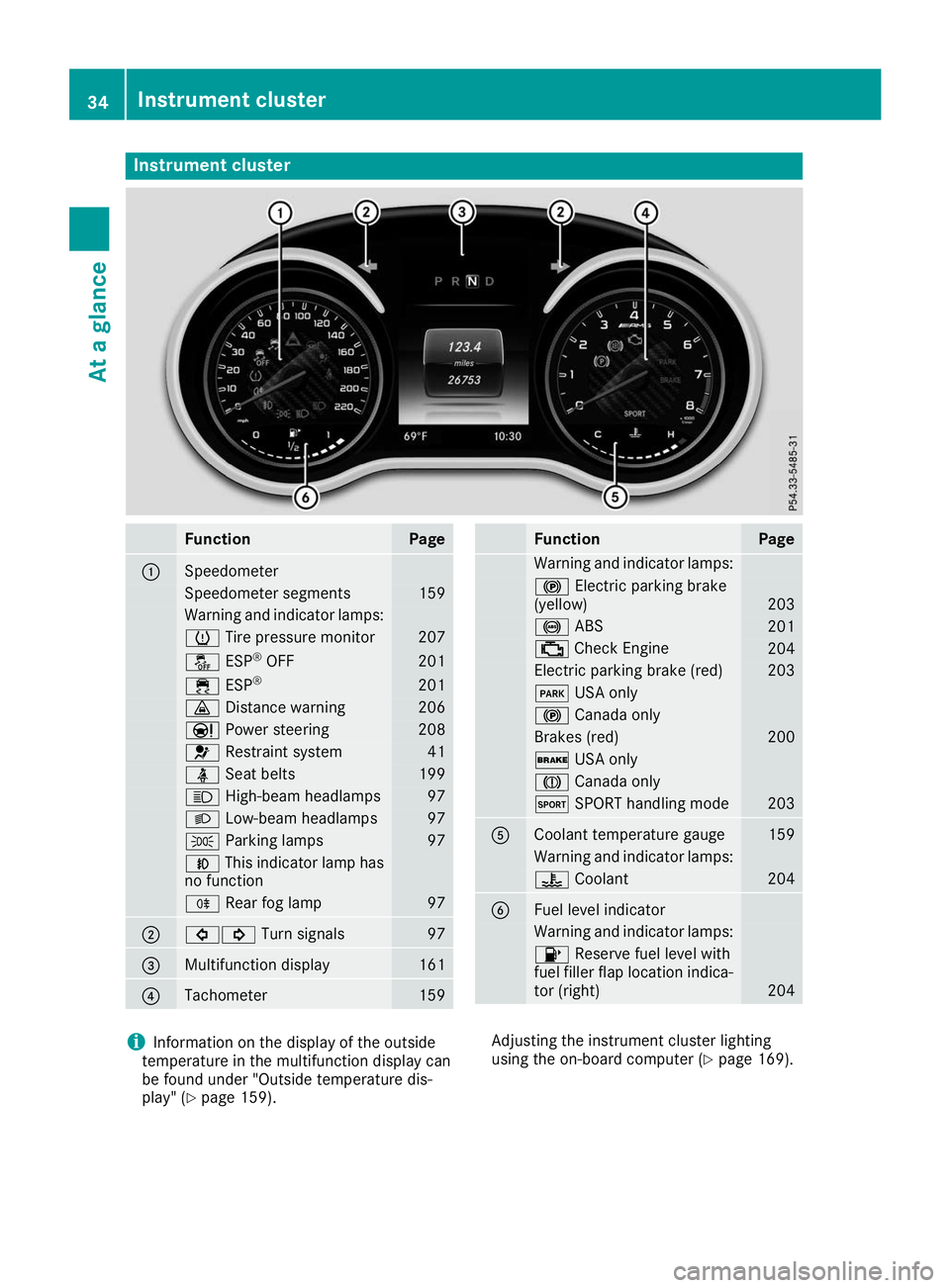
Instrument cluster
Function Page
0043
Speedometer
Speedometer segments 159
Warning and indicator lamps:
0077
Tire pressure monitor 207
00BB
ESP®
OFF 201
00E5
ESP® 201
00BA
Distance warning 206
00CC
Power steering 208
0075
Restraint system 41
00E9
Seat belts 199
0057
High-beam headlamps 97
0058
Low-beam headlamps 97
0060
Parking lamps 97
005A
This indicator lamp has
no function 005E
Rear fog lamp 97
0044
003E003D
Turn signals 97
0087
Multifunction display 161
0085
Tachometer 159 Function Page
Warning and indicator lamps:
0024
Electric parking brake
(yellow) 203
0025
ABS 201
00B9
Check Engine 204
Electric parking brake (red) 203
0049
USA only 0024
Canada only Brakes (red) 200
0027
USA only 004D
Canada only 0074
SPORT handling mode 203
0083
Coolant temperature gauge 159
Warning and indicator lamps:
00AC
Coolant 204
0084
Fuel level indicator
Warning and indicator lamps:
00B6
Reserve fuel level with
fuel filler flap location indica-
tor (right) 204
i
Information on the display of the outside
temperature in the multifunction display can
be found under "Outside temperature dis-
play" (Y page 159). Adjusting the instrument cluster lighting
using the on-board computer (Y page 169).34
Instrument clusterAt a glance
Page 57 of 298
If the seat belt pre-tensioning is not reduced:
X Move the seat backrest or seat back slightly
when the vehicle is stationary.
The seat belt pre-tensioning is reduced and
the locking mechanism is released.
The seat-belt adjustment is an integral part of
the PRE-SAFE ®
convenience function. Informa-
tion about the convenience function can be
found under "Belt adjustment" (Y page 44).Automatic measures after an acci-
dent
Immediately after an accident, the following
measures are implemented, depending on the
type and severity of the impact:
R the hazard warning lamps are switched on
R the emergency lighting is activated
R the vehicle doors are unlocked
R the front side windows are lowered
R vehicles with a memory function: the electri-
cally adjustable steering wheel is raised when
the driver's door is opened
R the engine is switched off and the fuel supply
is cut off
R vehicles with Mercedes me connect: auto-
matic emergency call Children in the vehicle
Important safety notes
If a child younger than twelve years old and
under 5 ft (1.50 m) in height is traveling in the
vehicle: R always secure the child in a child restraint
system suitable for Mercedes-Benz vehicles.
The child restraint system must be appropri-
ate to the age, weight and size of the child.
R be sure to observe the instructions and safety
notes in this section in addition to the child
restraint system manufacturer's installation
instructions.
R always observe the instructions and safety
notes on the "Occupant classification system
(OCS)". (Y page 48) G
WARNING
If you leave children unsupervised in the vehi- cle, they could set it in motion, for example by:
R releasing the parking brake
R shifting the transmission to the neutral
position
R starting the engine
In addition, they may operate vehicle equip-
ment and become trapped. There is a risk of
an accident and injury.
When leaving the vehicle, always take the
SmartKey with you and lock the vehicle. Never leave children unsupervised in the vehicle. G
WARNING
If persons, particularly children are subjected to prolonged exposure to extreme heat or
cold, there is a risk of injury, possibly even
fatal. Never leave children unattended in the
vehicle. G
WARNING
If the child restraint system is subjected to
direct sunlight, parts may get very hot. Chil-
dren may burn themselves on these parts,
particularly on the metal parts of the child
restraint system. There is a risk of injury.
If you leave the vehicle, taking the child with
you, always ensure that the child restraint
system is not exposed to direct sunlight. Pro- tect it with a blanket, for example. If the child
restraint system has been exposed to direct
sunlight, let it cool down before securing the
child in it. Never leave children unattended in the vehicle.
Always ensure that all vehicle occupants have
their seat belts fastened correctly and are sitting properly. Particular attention must be paid to
children.
Observe the safety notes on the seat belt
(Y page 42) and the notes on correct use of seat
belts (Y page 43).
A booster seat may be necessary to achieve
proper seat belt positioning for children over
40 lbs (18 kg) until they reach a height where a Children in the vehicle
55Safety Z
Page 60 of 298
Pets in the vehicle
G
WARNING
If you leave animals unsupervised or unse-
cured in the vehicle, they may press buttons
or switches, for instance.
In this way, animals may:
R activate vehicle equipment and become
trapped, for example
R switch systems on or off and thereby
endanger other road users
Furthermore, unsecured animals may be flung
around inside the vehicle in the event of an
accident or abrupt steering or braking maneu- ver, and thereby injure vehicle occupants.
There is a risk of accident and injury.
Never leave animals unattended in the vehi-
cle.
Always secure animals properly when driving,
for instance with a suitable pet carrier. Driving safety systems
Overview of driving safety systems
In this section, you will find information about
the following driving safety systems: R ABS ( Anti-lock BrakingSystem)
(Y page 58)
R BAS ( Brake Assist System) (Y page 59)
R Active Brake Assist (Y page 59)
R ESP ®
(Electronic StabilityProgram)
(Y page 62)
R EBD ( Electronic Brake force Distribution)
(Y page 64)
R ADAPTIVE BRAKE (Y page 64)Important safety notes
If you fail to adapt your driving style or if you are
inattentive, the driving safety systems can nei-
ther reduce the risk of an accident nor override the laws of physics. Driving safety systems are
merely aids designed to assist driving. You are
responsible for maintaining the distance to the
vehicle in front, for vehicle speed, for braking in good time, and for staying in lane. Always adapt
your driving style to suit the prevailing road and
weather conditions and maintain a safe distance from the vehicle in front. Drive carefully.
The driving safety systems described only work
as effectively as possible when there is ade-
quate contact between the tires and the road
surface. Please pay special attention to the
notes on tires, recommended minimum tire
tread depths, etc. (Y page 263).
In wintry driving conditions, always use winter
tires (M+S tires) and if necessary, snow chains.
Only in this way will the driving safety systems
described in this section work as effectively as
possible. ABS (Anti-lock Braking System)
General information ABS regulates brake pressure in such a way that
the wheels do not lock when you brake. This
allows you to continue steering the vehicle when braking.
The 0025 ABS warning lamp in the instrument
cluster lights up when the ignition is switched
on. It goes out when the engine is running.
ABS works from a speed of about 5 mph
(8 km/h), regardless of road-surface conditions.
ABS works on slippery surfaces, even when you only brake gently.
Important safety notes i
Observe the "Important safety notes" sec-
tion (Y page 58). G
WARNING
If ABS is faulty, the wheels could lock when
braking. The steerability and braking charac-
teristics may be severely impaired. Addition-
ally, further driving safety systems are deac-
tivated. There is an increased danger of skid- ding and accidents.
Drive on carefully. Have ABS checked imme-
diately at a qualified specialist workshop.
When ABS is malfunctioning, other systems,
including driving safety systems, will also
become inoperative. Observe the information
on the ABS warning lamp (Y page 201) and dis-58
Driving safety systemsSafety