Page 274 of 532
274 3-1. Using the air conditioning system and defogger
WARNING
■To prevent the windshield from fogging up
Do not set the air outlet selection dial to during cool air op eration in
extremely humid weather. The difference between the temperature of the
outside air and that of the windshield can cause the outer surface of the
windshield to fog up, blocking your vision.
NOTICE
■ To prevent battery discharge
Do not leave the air conditioning system on longer than necessa ry when the
engine is stopped.
Page 283 of 532
283
3-1. Using the air condit
ioning system and defogger
3
Interior features
■Ventilation and air conditioning odors
●To let fresh air in, set the air conditioning system to the out side air mode.
● During use, various odors from inside and outside the vehicle may enter
into and accumulate in the air conditioning system. This may then cause
odor to be emitted from the vents.
● To reduce potential odors from occurring:
• It is recommended that the air conditioning system be set to outside air
mode prior to turning the vehicle off.
• The start timing of the blower may be delayed for a short peri od of time
immediately after the air conditioning system is started in automatic
mode.
■ Air conditioning filter
P. 360
WARNING
■To prevent the windshield from fogging up
Do not use during cool air operation in extremely humid weathe r. T h e
difference between the temperature of the outside air and that of the wind-
shield can cause the outer surface of the windshield to fog up, blocking your
vision.
NOTICE
■ To prevent battery discharge
Do not leave the air conditioning system on longer than necessa ry when the
engine is stopped.
Page 285 of 532

285
3-1. Using the air condit
ioning system and defogger
3
Interior features
■The defoggers can b e operated when
Vehicles without a smart key system
The engine switch is in the “ON” position.
Vehicles with a smart key system
The “ENGINE START STOP” switch is in IGNITION ON mode.
■ The outside rear view mirror def oggers (vehicles with outside rear view
mirror defoggers)
Turning the rear window defogger on will turn the outside rear view mirror
defoggers on.
■ When continuous operation is set (vehicles with an automatic air con-
ditioning system)
During continuous operation, the defogger stops operating for 2 minutes
after every 15 minutes of continual operation. Even during the 2 minutes that
operation stops, the operating light remains illuminated. The r ear window
defogger will continue to operate in this cycle until it is tur ned off.
■ Customization that can be config ured at Toyota dealer (vehicles with
an automatic air conditioning system)
The rear window defogger can be set to 15-minute operation or c ontinuous
operation. (Customizable features P. 487)
WARNING
■When the outside rear view mirror defoggers are on (vehicles wi th out-
side rear view mirror defoggers)
Do not touch the outside surface of the rear view mirrors, as they can
become very hot and burn you.
NOTICE
■ To prevent battery discharge
Do not leave the rear window defogger on longer than necessary when the
engine is stopped.
Page 287 of 532
287
3-2. Using the audio system
3
Interior features
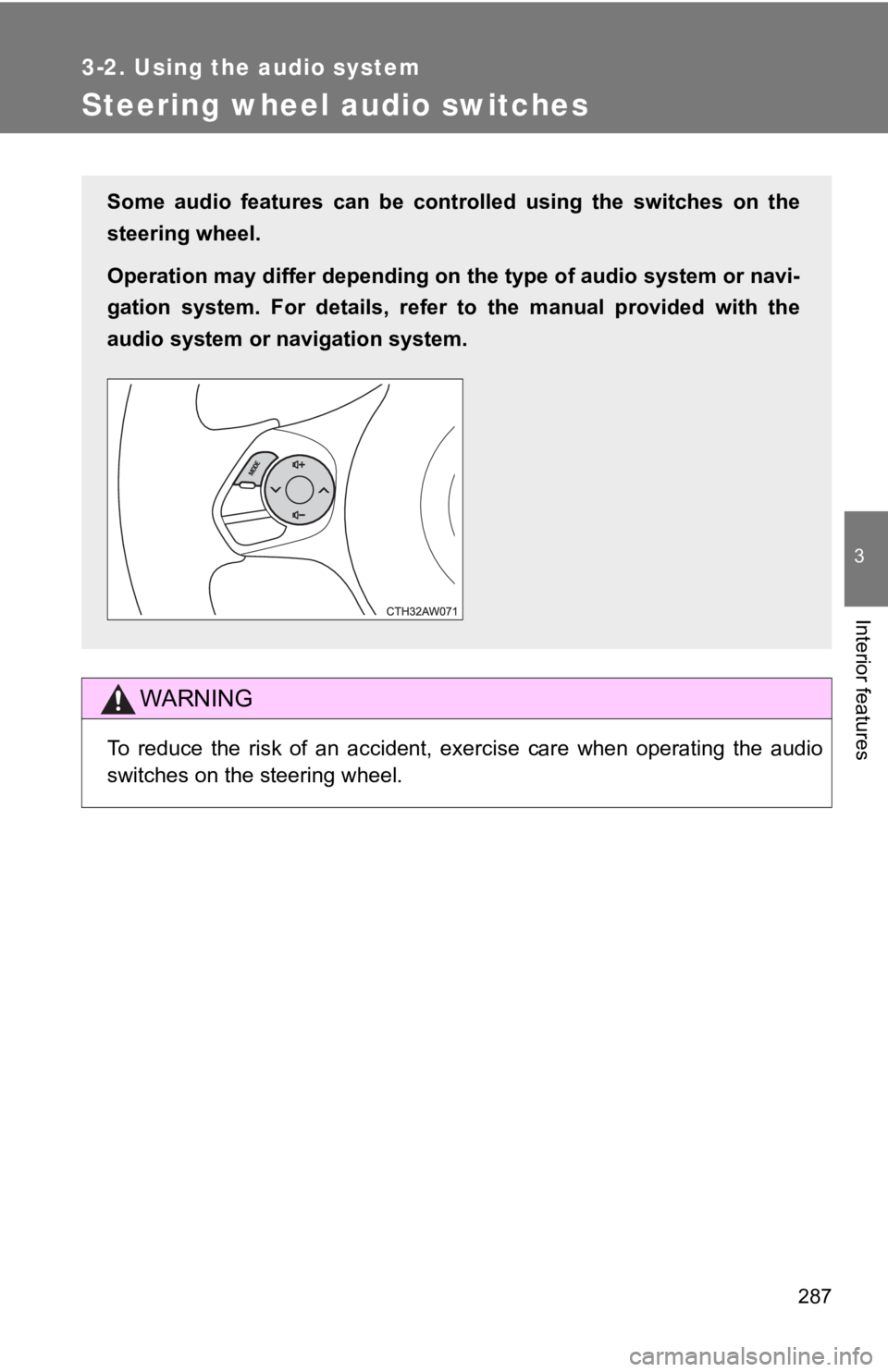
Steering wheel audio switches
WARNING
To reduce the risk of an accident, exercise care when operating the audio
switches on the steering wheel.
Some audio features can be controlled using the switches on the
steering wheel.
Operation may differ depending on the type of audio system or n avi-
gation system. For details, refer to the manual provided with the
audio system or navigation system.
Page 291 of 532
291
3
Interior features
3-4. Using the storage features
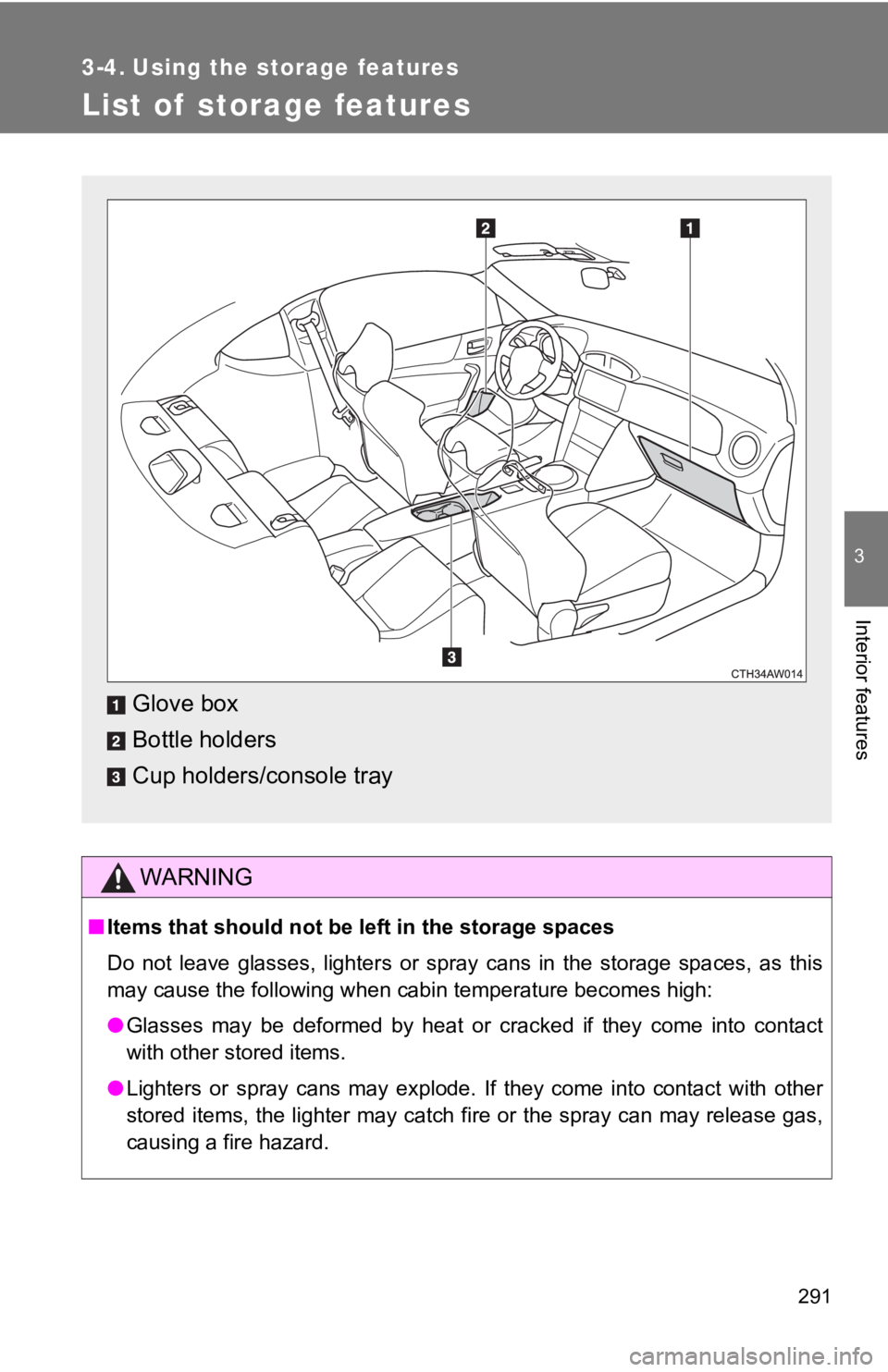
List of storage features
WARNING
■Items that should not be left in the storage spaces
Do not leave glasses, lighters or spray cans in the storage spa ces, as this
may cause the following when cabin temperature becomes high:
● Glasses may be deformed by heat or cracked if they come into co ntact
with other stored items.
● Lighters or spray cans may explode. If they come into contact w ith other
stored items, the lighter may catch fire or the spray can may r elease gas,
causing a fire hazard.
Glove box
Bottle holders
Cup holders/console tray
Page 292 of 532
292 3-4. Using the storage features
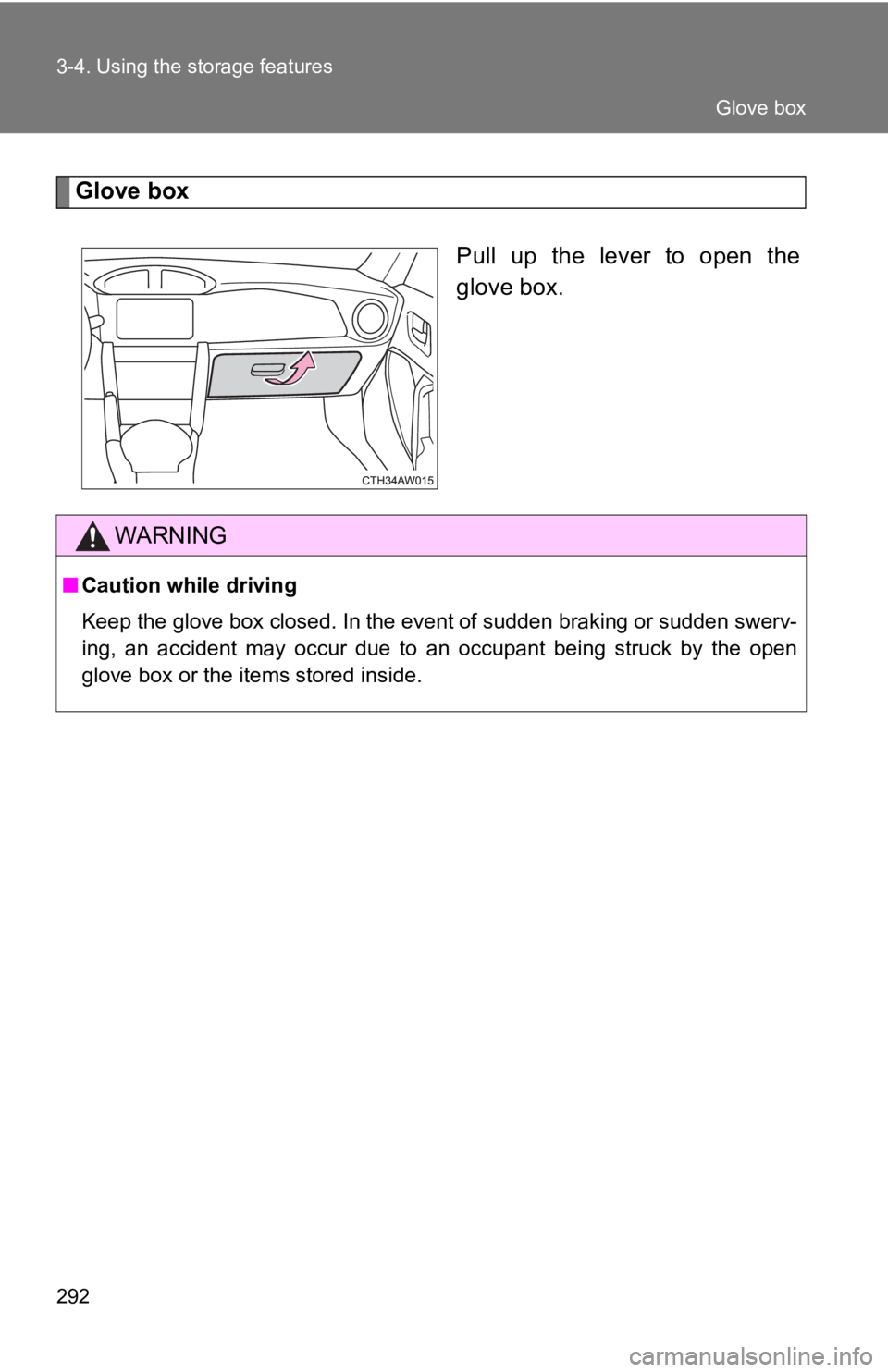
Glove boxPull up the lever to open the
glove box.
WARNING
■Caution while driving
Keep the glove box closed. In the event of sudden braking or su dden swerv-
ing, an accident may occur due to an occupant being struck by t he open
glove box or the items stored inside.
Glove box
Page 293 of 532
293
3-4. Using the storage features
3
Interior features
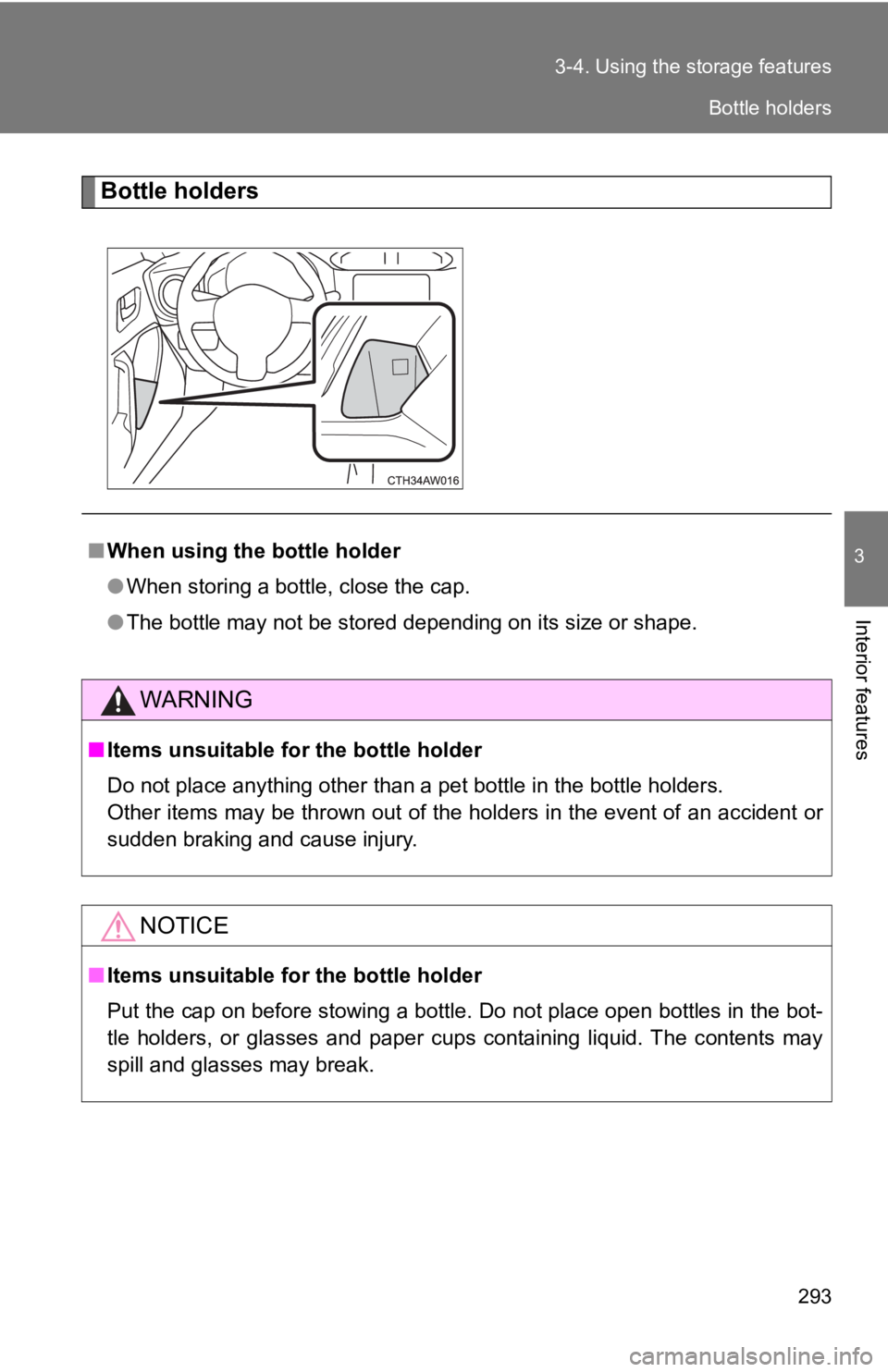
Bottle holders
■
When using the bottle holder
●When storing a bottle, close the cap.
● The bottle may not be stored depending on its size or shape.
WARNING
■Items unsuitable for the bottle holder
Do not place anything other than a pet bottle in the bottle hol ders.
Other items may be thrown out of the holders in the event of an accident or
sudden braking and cause injury.
NOTICE
■ Items unsuitable for the bottle holder
Put the cap on before stowing a bottle. Do not place open bottles in the bot-
tle holders, or glasses and paper cups containing liquid. The c ontents may
spill and glasses may break.
Bottle holders
Page 295 of 532
295
3-4. Using the storage features
3
Interior features
WARNING
■
Caution while driving
Observe the following precautions.
Failure to do so may cause an accident resulting in death or se rious injury.
● Before driving, place the cup holder in the rear position so th at it does not
hinder shift lever operation.
■ Items unsuitable for the cup holder
Do not place anything other than cups or aluminum cans in the c up holders.
Other items may be thrown out of the holders in the event of an accident or
sudden braking, causing injury. If possible, cover hot drinks t o prevent burns.
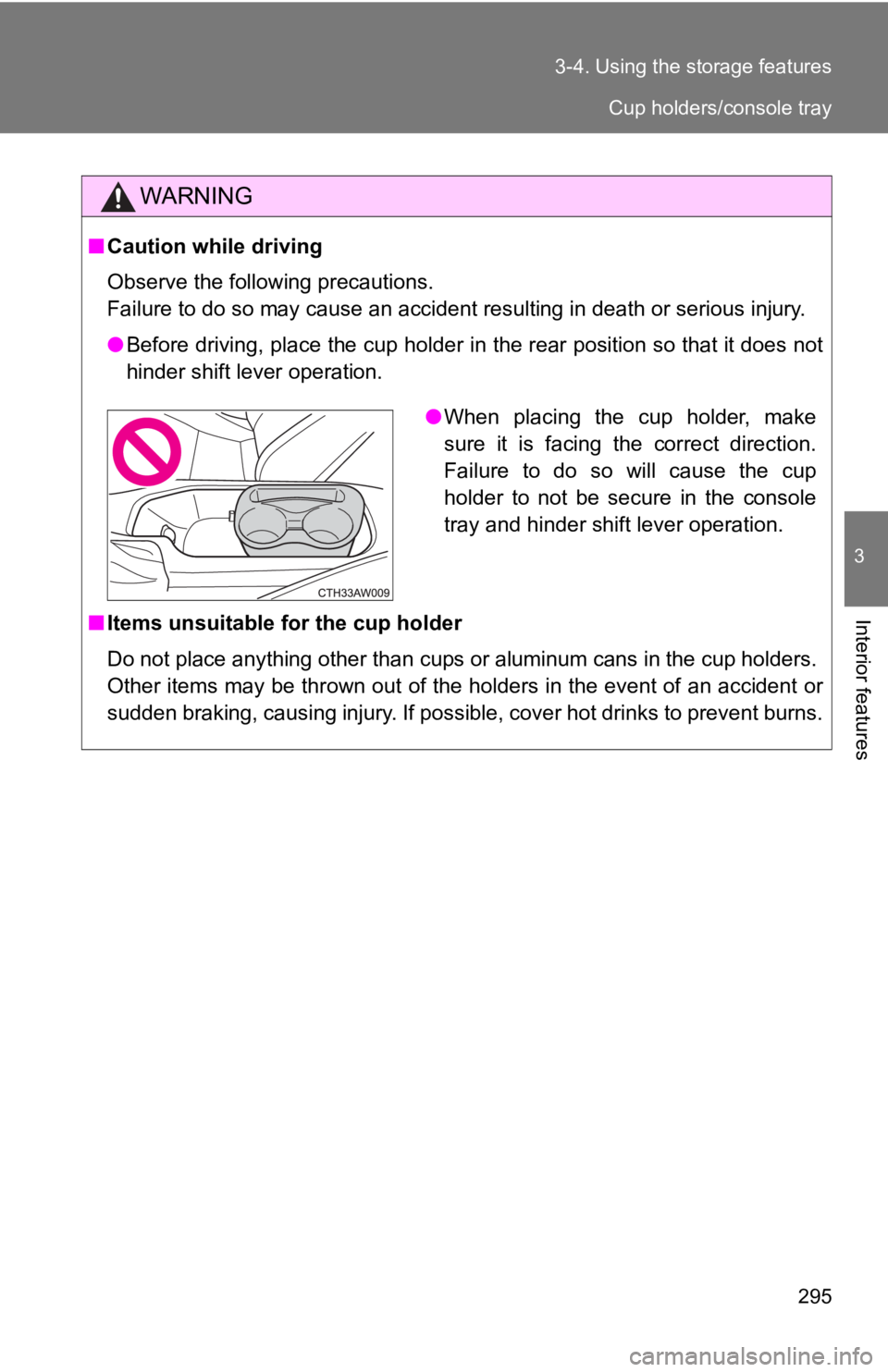
●When placing the cup holder, make
sure it is facing the correct direction.
Failure to do so will cause the cup
holder to not be secure in the console
tray and hinder shift lever operation.
Cup holders/console tray