Page 209 of 532
209
2-2. Instrument cluster
2
When driving
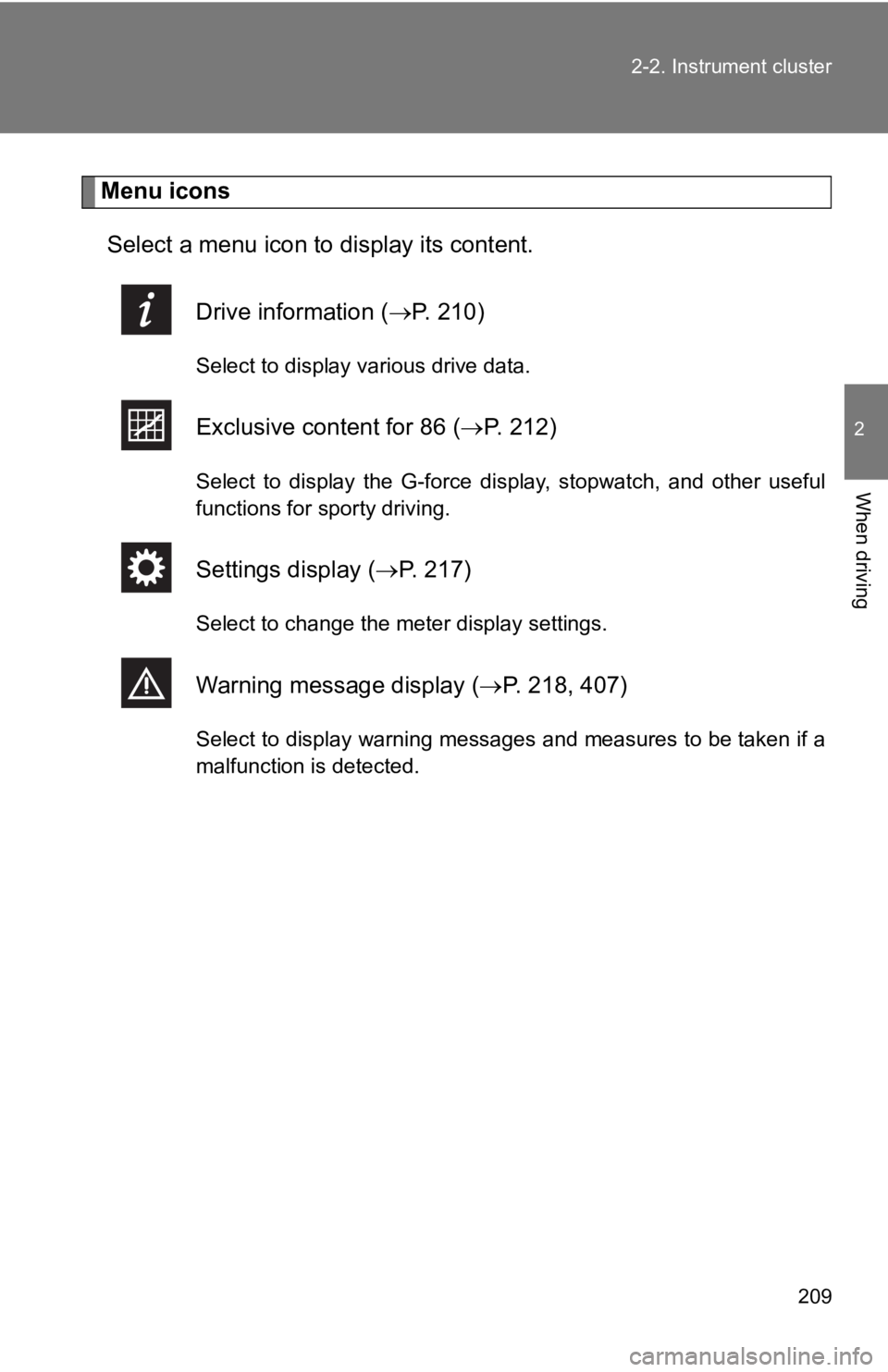
Menu icons
Select a menu icon to display its content.
Drive info rmation (P. 210)
Select to display various drive data.
Exclusive cont ent for 86 (P. 2 1 2 )
Select to display the G-force display, stopwatch, and other use ful
functions for sporty driving.
Settings display ( P. 217)
Select to change the meter display settings.
Warning message display ( P. 218, 407)
Select to display warning messages and measures to be taken if a
malfunction is detected.
Page 211 of 532
211
2-2. Instrument cluster
2
When driving
■
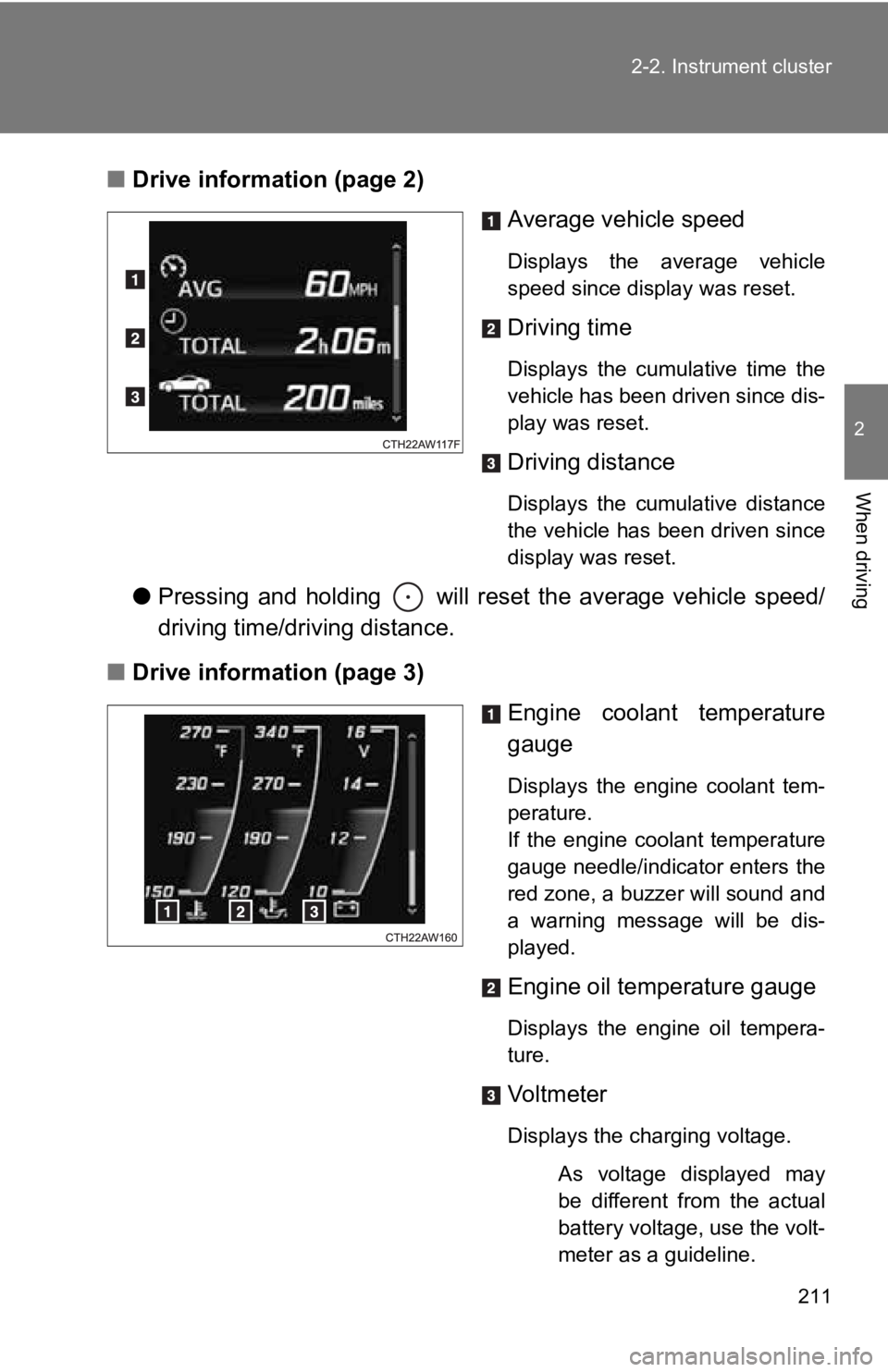
Drive information (page 2)
Average vehicle speed
Displays the average vehicle
speed since display was reset.
Driving time
Displays the cumulative time the
vehicle has been driven since dis-
play was reset.
Driving distance
Displays the cumulative distance
the vehicle has been driven since
display was reset.
●Pressing and holding will reset the average vehicle speed/
driving time/driving distance.
■ Drive information (page 3)
Engine coolant temperature
gauge
Displays the engine coolant tem-
perature.
If the engine coolant temperature
gauge needle/indicator enters the
red zone, a buzzer will sound and
a warning message will be dis-
played.
Engine oil temperature gauge
Displays the engine oil tempera-
ture.
Vol tm et er
Displays the charging voltage.
As voltage displayed may
be different from the actual
battery voltage, use the volt-
meter as a guideline.
Page 218 of 532
218 2-2. Instrument cluster
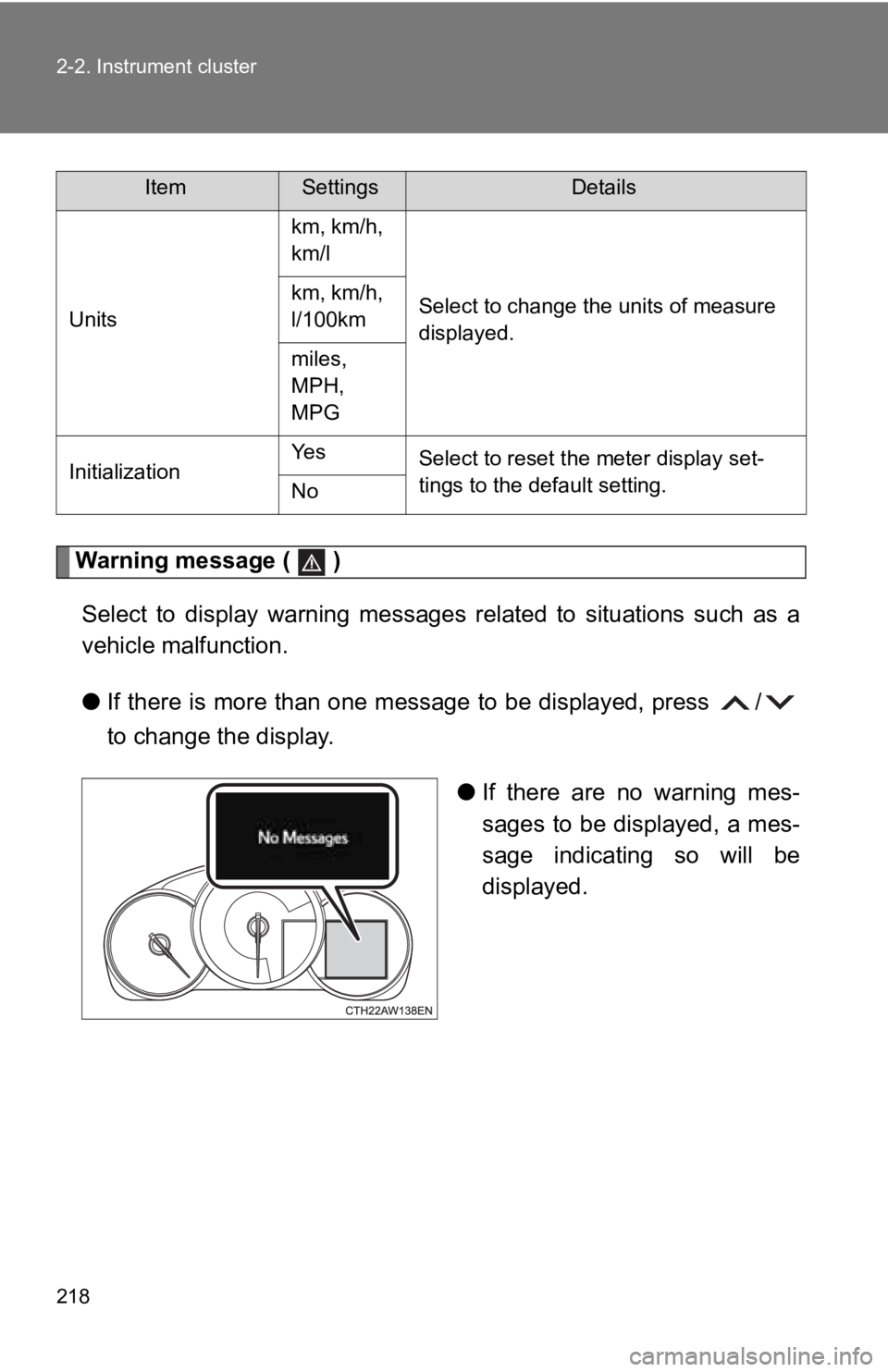
Warning message ( )Select to display warning messages related to situations such a s a
vehicle malfunction.
● If there is more than one message to be displayed, press /
to change the display.
●If there are no warning mes-
sages to be displayed, a mes-
sage indicating so will be
displayed.
Units km, km/h,
km/l
Select to change the units of measure
displayed.
km, km/h,
l/100km
miles,
MPH,
MPG
Initialization Ye s
Select to reset the meter display set-
tings to the default setting.
No
ItemSettingsDetails
Page 220 of 532

220 2-2. Instrument cluster
■G-force display
●Depending on the vehicle usage conditions, the brake fluid pres sure dis-
play may not reach its maximum reading even though the brake pedal is
fully depressed.
● If a battery terminal is disconnected and reconnected, the stee ring
amount display may be disabled te mporarily. After driving the vehicle for
a while, the display will be enabled.
■ Suspension of the settings display
●The settings cannot be changed while driving. When changing set tings,
park the vehicle in a safe place.
● If a warning message is displayed, operation of the settings di splay will
be suspended.
■ Using the stopwatch
If the engine is stopped while the stopwatch is operating, the stopwatch will
stop and the time up to that point will be recorded.
■ Outside temperature display
●In the following situations, the correct outside temperature ma y not be
displayed.
• When the vehicle is very hot, such as when under the sun.
• When the vehicle is idling or being driven at low speeds such as in a
traffic jam or when the engine is stopped and then restarted immedi-
ately afterward.
• When the actual outside temperature is outside of the indicato r range.
● If “ ” is displayed for approximately 1 minute or more or if the out side
temperature is not displayed, the system may be malfunctioning. Have
the vehicle inspected by your Toyota dealer.
■ Liquid crystal display
Small spots or light spots may appear on the display. This phenomenon is
characteristic of liquid crystal displays, and there is no prob lem continuing to
use the display.
Page 221 of 532
221
2-2. Instrument cluster
2
When driving
WARNING
■
Caution for use while driving
●When operating the multi-information display while driving, pay extra
attention to the safety of the area around the vehicle.
● Do not look continuously at the multi-information display while driving as
you may fail to see pedestrians, objects on the road, etc. ahea d of the
vehicle.
■ The information display at low temperatures
Allow the interior of the vehicle to warm up before using the liquid crystal
information display. At extremely low temperatures, the informa tion display
monitor may respond slowly, and display changes may be delayed.
For example, there is a lag between the driver’s shifting and t he new gear
number appearing on the display. This lag could cause the drive r to down-
shift again, causing rapid and excessive engine braking and possibly an
accident resulting in death or injury.
■ Cautions during setting up the display
As the engine needs to be running during setting up the display , ensure that
the vehicle is parked in a place with adequate ventilation. In a closed area
such as a garage, exhaust gases including harmful carbon monoxi de (CO)
may collect and enter the vehicle. This may lead to death or a serious health
hazard.
NOTICE
■ While setting up the display
To prevent battery discharge, ensure that the engine is running while setting
up the display features.
Page 230 of 532
230 2-3. Operating the lights and windshield wipers
■The windshield wipers and w asher can be operated when
Vehicles without a smart key system
The engine switch is in the “ON” position.
Vehicles with a smart key system
The “ENGINE START STOP” switch is in IGNITION ON mode.
■ If no windshield washer fluid sprays
Check that the washer nozzles are not blocked if there is washe r fluid in the
windshield washer fluid tank.
WARNING
■ Caution regarding the use of washer fluid
When it is cold, do not use the washer fluid until the windshield becomes
warm. The fluid may freeze on the windshield and cause low visi bility. This
may lead to an accident, resulting in death or serious injury.
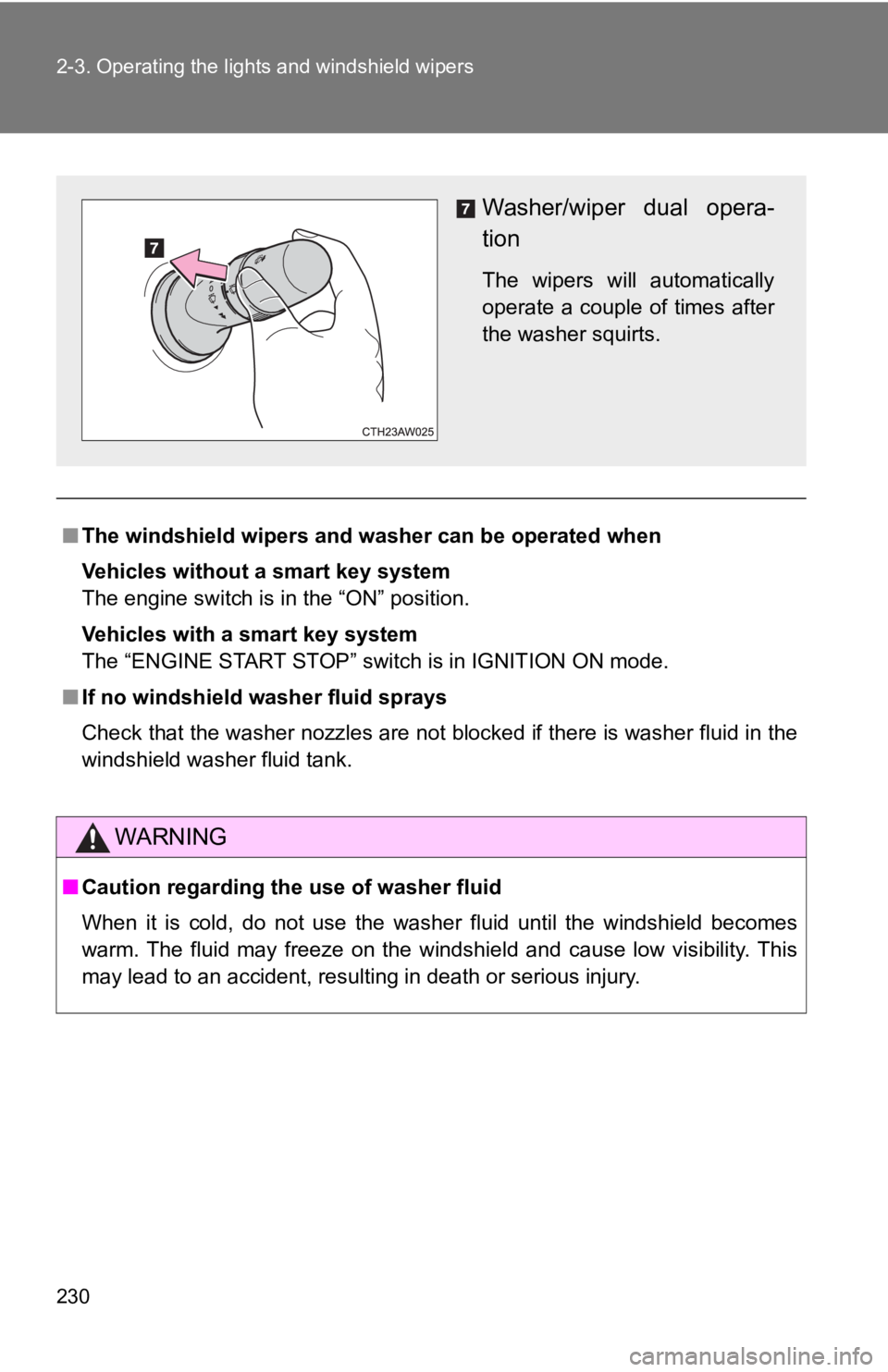
Washer/wiper dual opera-
tion
The wipers will automatically
operate a couple of times after
the washer squirts.
Page 236 of 532
236 2-4. Using other driving systems
WARNING
■To avoid operating the cruise control by mistake
Switch the cruise control off using the “ON-OFF” button when not in use.
■ Situations unsuitable for cruise control
Do not use cruise control in any of the following situations.
Doing so may result in loss of control and could cause an accident resulting
in death or serious injury.
●In heavy traffic
● On roads with sharp bends
● On winding roads
● On slippery roads, such as those covered with rain, ice or snow
● On steep hills
Vehicle speed may exceed the set speed when driving down a stee p hill.
● During emergency towing
Page 243 of 532

243
2-4. Using other driving systems
2
When driving
WARNING
■
When using the rear view monitor system
Observe the following precautions to avoid an accident that cou ld result in
death or serious injuries.
● The rear view monitor system is a supplement device intended to assist
back up. Never depend solely on the rear view monitor system wh en
reversing. Always check visually and with the mirrors to confir m your
intended path is clear. Use caution just as you would when back ing up any
vehicle.
● The camera has a special lens. Depicted distances between objec ts and
flat surfaces differ from actual distances.
● Always check the vehicle surrounding area, because the guide li nes are
ancillary lines.
● The guide lines are ancillary lines and do not change even if t he steering
wheel is turned.
● Do not use the system if the trunk is open.
■ Conditions which may affect t he rear view monitor system
● If the back of the vehicle has been hit, the camera’s position and mounting
angle may have changed. Have the vehicle inspected by your Toyota
dealer.
● When the outside temperature is low, the displayed image may be come
faint or dark, and moving images will be distorted, or not entirely visible.
● Rapid temperature changes, such as when hot water is poured on the
vehicle in cold weather, may cause the system to function abnor mally.
● If the camera lens is dirty, it cannot transmit a clear image. Rinse with
water and wipe with a soft cloth. If the camera lens is extreme ly dirty, wash
with a mild cleanser and rinse.
● If the tire size is changed, the area displayed on the screen may change.
● Do not do the following. Doing so may scratch the lens, which may have a
negative effect on the image displayed on the screen.
• Rub the camera lens hard
• Use a hard brush to scrub the camera lens
• Scrub the lens with abrasive cleaners