2018 PEUGEOT 5008 bluetooth
[x] Cancel search: bluetoothPage 325 of 364
11
Telephone
MirrorLinkTM smartphone
connection
As a safety measure and because it
r equires sustained attention by the driver,
using a
smartphone when driving is
prohibited.
All operations must be done with the
vehicle stationary .
The synchronisation of a
personal
smartphone allows users to display
applications adapted for the smartphone's
MirrorLink
TM technology on the vehicle
screen.
The processes and standards
are constantly changing. For the
communication process between the
smartphone and the system to operate,
it is essential that the smartphone be
unlocked; update the operating system
of the smar tphone as well as the date
and time of the smar tphone and the
system .
For the list of eligible smartphones, go
to the Brand's internet website in your
c o u nt r y. As a
safety measure, applications can
only be viewed with the vehicle stationary;
display is interrupted once the vehicle is
moving.
The "MirrorLink
TM" function requires
a
compatible smartphone and
applications.
Telephone not connected by
Bluetooth®
Connect a USB cable. The
sm artphone charges when
connected by a
USB cable.
From the system, press
" Telephone " to display the primary
page.
Press " MirrorLink
TM" to start the
application in the system.
Depending on the smartphone, it may be
necessary to activate the " MirrorLink
™"
function.
During the procedure, several
screen pages relating to certain
functions are displayed.
Accept to start and complete the
connection. When connecting a
smartphone
to the system, it is recommended
that Bluetooth
® be started on the
smartphone.
Telephone connected by
Bluetooth®
From the system, press
" Telephone " to display the primary
page.
Press the " PHONE" button to display the
secondary page.
Press "MirrorLink
TM" to start the
application in the system.
Once the connection is established, a page
is displayed with the applications already
downloaded to your smartphone and adapted
to MirrorLink
TM technology.
Access to the different audio sources remains
accessible in the margin of the MirrorLink
TM
display, using touch buttons in the upper bar.
Access to the menus for the system is possible
at any time using the dedicated buttons.
There may be a
wait for the availability of
applications, depending on the quality of
your network.
.
PEUGEOT Connect Radio
Page 326 of 364
12
CarPlay® smartphone
connection
As a safety measure and because it
r equires sustained attention by the driver,
using a
smartphone when driving is
prohibited.
All operations must be done with the
vehicle stationary .
The synchronisation of a
personal
smartphone allows users to display
applications compatible with the
smartphone's CarPlay
® technology on the
vehicle screen when the smartphone's
CarPlay
® function has been previously
activated.
As the processes and standards are
constantly changing, it is recommended
that you keep your smar tphone's
operating system updated .
For the list of eligible smartphones, go
to the Brand's internet website in your
c o u nt r y.
Connect a
USB cable. The
smartphone charges when
connected by a
USB cable.
From the system, press Telephone
to display the CarPlay
® inter face. Or
If the smartphone is already
connected by Bluetooth
®.
Connect a
USB cable. The
smartphone charges when
connected by a
USB cable.
From the system, press
" Telephone " to display the primary
page.
Press the " PHONE" button to go to the
secondary page.
Press "CarPlay " to display the
CarPlay
® inter face.
On connecting the USB cable, the
CarPlay
® function deactivates the
system's Bluetooth® mode.
You can go to the CarPlay
®
navigation at any time by pressing
the system's Navigation button.
Android Auto smartphone
connection
As a safety measure and because it
r equires sustained attention by the driver,
using a
smartphone when driving is
prohibited.
All operations must be done with the
vehicle stationary .
On your smartphone, download the
Android Auto application.
The synchronisation of a
personal
smartphone allows users to display
applications adapted for the smartphone's
Android Auto technology on the vehicle
screen.
The processes and standards
are constantly changing. For the
communication process between the
smartphone and the system to operate,
it is essential that the smartphone be
unlocked; update the operating system
of the smar tphone as well as the date
and time of the smar tphone and the
system .
For the list of eligible smartphones, go
to the Brand's internet website in your
c o u nt r y.
PEUGEOT Connect Radio
Page 327 of 364
13
As a safety measure, applications can
o nly be viewed with the vehicle stationary;
display is interrupted once the vehicle is
moving.
The "Android Auto" function requires the
use of a
compatible smartphone and
applications.
Telephone not connected by
Bluetooth®
Connect a USB cable. The
sm artphone charges when
connected by a
USB cable.
From the system, press
" Telephone " to display the primary
page.
Press " Android Auto " to start the
application in the system.
Depending on the smartphone, it may be
necessary to activate the " Android Auto"
function.
During the procedure, several
screen pages relating to certain
functions are displayed.
Accept to start and complete the
connection. When connecting a
smartphone
to the system, it is recommended
that Bluetooth
® be started on the
smartphone
Telephone connected by
Bluetooth®
From the system, press
" Telephone " to display the primary
page.
Press the " PHONE" button to display the
secondary page.
Press "Android Auto " to start the
application in the system.
Different audio sources remain accessible in
the margin of the Android Auto display, using
touch buttons in the upper bar.
Access to the menus for the system is possible
at any time using the dedicated buttons.
There may be a
wait for the availability of
applications, depending on the quality of
your network.
Pairing a Bluetooth®
telephone
As a safety measure and because it
r equires sustained attention by the
driver, the pairing of a
Bluetooth mobile
telephone with the Bluetooth hands-free
system of your audio system must be
done with the vehicle stationary and the
ignition on.
Activate the Bluetooth function on the
telephone and ensure that it is "visible to
all" (telephone configuration).
Procedure from the telephone
Select the name of the system in the
list of devices detected.
In the system, accept the connection request
from the telephone.
To complete the pairing, whichever
procedure is used (from the telephone or
from the system), ensure that the code
is the same in the system and in the
telephone.
.
PEUGEOT Connect Radio
Page 328 of 364
14
Procedure from the system
Press Telephone to display the
primary page.
Press " Bluetooth search ".
The list of telephones detected is
displayed.
Select the name of the chosen
telephone in the list.
If the pairing procedure fails, it is recommended
that you deactivate and then reactivate the
"Bluetooth" function in your telephone.
Depending on the type of telephone, you
may be asked to accept or not the transfer
of your contacts and messages.
Automatic reconnection
On return to the vehicle, if the last
telephone connected is present again, it is
automatically recognised and within about
30
seconds of switching on the ignition,
the connection is established without any
action on your part (Bluetooth activated). To modify the connection profile:
Press Telephone to display the
primary page.
Press the " PHONE" button to go to the
secondary page.
Press "Bluetooth connection " to
display the list of paired devices.
Press the "details" button of a paired
device.
The system offers to connect the telephone
with 3
profiles:
- "
Telephone " (hands-free kit, telephone
only),
- "
Streaming " (streaming: wireless playing of
the audio files on the telephone),
- "
Internet data ".
Select one or more profiles.
Press " OK" to confirm. The ability of the system to connect to just
one profile depends on the telephone.
All three profiles may connect by default.
The services available depend on
the network, the SIM card and the
compatibility of the Bluetooth devices
used. Check the instructions for your
telephone and with your service provider
for the ser vices to which you have access.
The profiles compatible with the system
are: HFP, OPP, PBAP, A 2DP, AVRCP,
MAP and PAN.
Go to the Brand's website for more information
(compatibility, additional help, etc.).Managing paired telephones
This function allows the connection or
disconnection of a peripheral device as
well as the deletion of a
pairing.
Press Telephone to display the
primary page.
PEUGEOT Connect Radio
Page 329 of 364
15
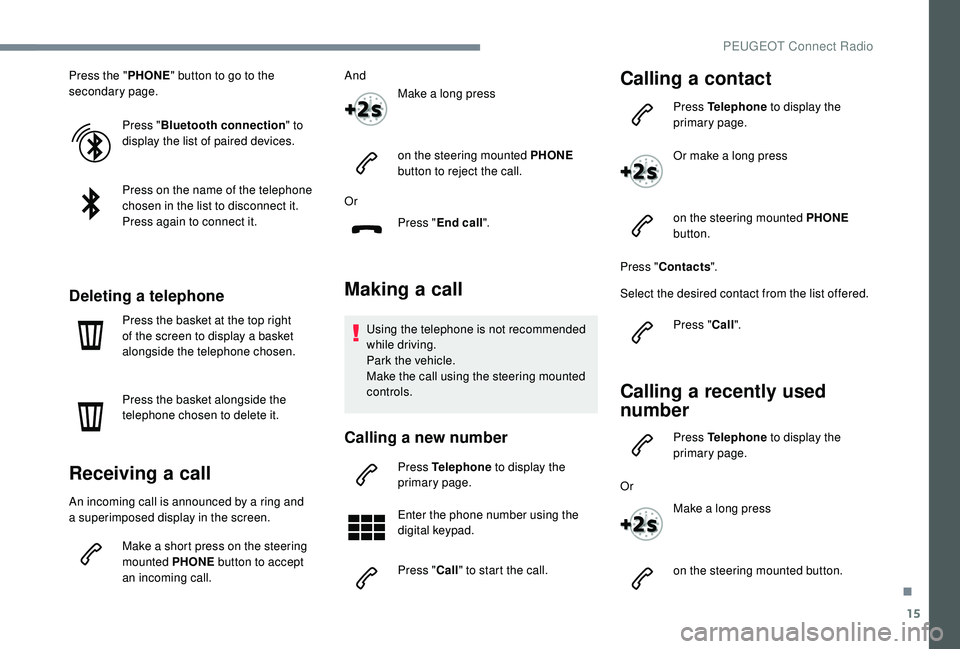
Press the "PHONE" button to go to the
secondary page.
Press "Bluetooth connection " to
display the list of paired devices.
Press on the name of the telephone
chosen in the list to disconnect it.
Press again to connect it.
Deleting a telephone
Press the basket at the top right
of the screen to display a
basket
alongside the telephone chosen.
Press the basket alongside the
telephone chosen to delete it.
Receiving a call
An incoming call is announced by a ring and
a superimposed display in the screen.
Make a
short press on the steering
mounted PHONE button to accept
an incoming call. And
Make a long press
on the steering mounted PHONE
button to reject the call.
Or Press "End call".
Making a call
Using the telephone is not recommended
while driving.
Park the vehicle.
Make the call using the steering mounted
controls.
Calling a new number
Press Telephone to display the
primary page.
Enter the phone number using the
digital keypad.
Press " Call" to start the call.
Calling a contact
Press Telephone to display the
primary page.
Or make a
long press
on the steering mounted PHONE
button.
Press " Contacts ".
Select the desired contact from the list offered.
Press "Call".
Calling a recently used
n umber
Press Telephone to display the
primary page.
Or Make a
long press
on the steering mounted button.
.
PEUGEOT Connect Radio
Page 334 of 364
20
Media
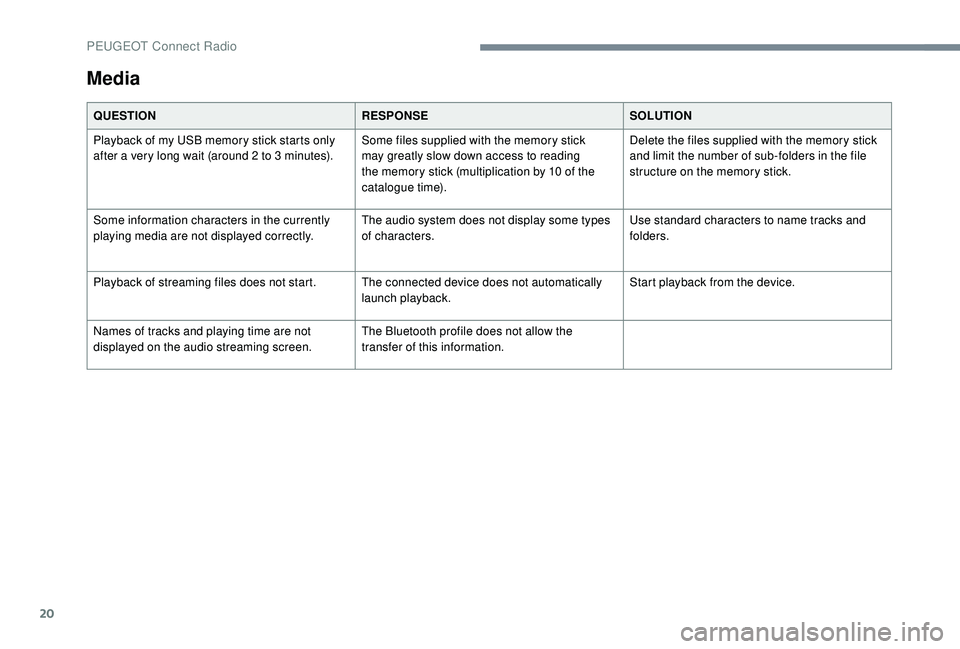
QUESTIONRESPONSESOLUTION
Playback of my USB memory stick starts only
after a
very long wait (around 2 to 3 minutes).Some files supplied with the memory stick
may greatly slow down access to reading
the memory stick (multiplication by 10
of the
catalogue time). Delete the files supplied with the memory stick
and limit the number of sub-folders in the file
structure on the memory stick.
Some information characters in the currently
playing media are not displayed correctly. The audio system does not display some types
of characters.Use standard characters to name tracks and
folders.
Playback of streaming files does not start. The connected device does not automatically launch playback.Start playback from the device.
Names of tracks and playing time are not
displayed on the audio streaming screen. The Bluetooth profile does not allow the
transfer of this information.
PEUGEOT Connect Radio
Page 335 of 364
21
Telephone
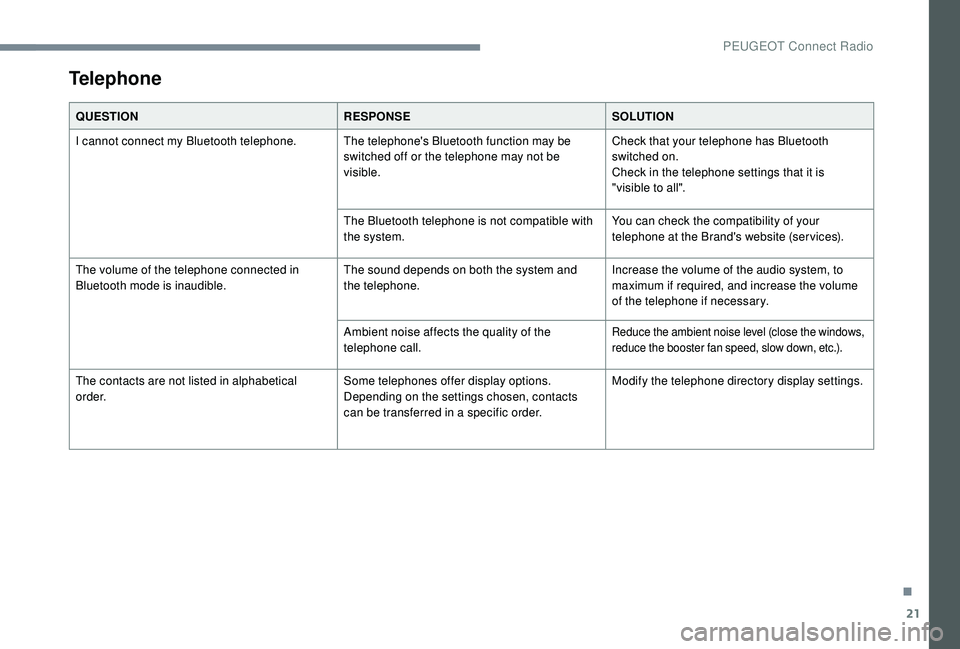
QUESTIONRESPONSESOLUTION
I cannot connect my Bluetooth telephone. The telephone's Bluetooth function may be switched off or the telephone may not be
visible.Check that your telephone has Bluetooth
switched on.
Check in the telephone settings that it is
"visible to all".
The Bluetooth telephone is not compatible with
the system. You can check the compatibility of your
telephone at the Brand's website (services).
The volume of the telephone connected in
Bluetooth mode is inaudible. The sound depends on both the system and
the telephone.Increase the volume of the audio system, to
maximum if required, and increase the volume
of the telephone if necessary.
Ambient noise affects the quality of the
telephone call.
Reduce the ambient noise level (close the windows,
reduce the booster fan speed, slow down, etc.).
The contacts are not listed in alphabetical
o r d e r. Some telephones offer display options.
Depending on the settings chosen, contacts
can be transferred in a
specific order.Modify the telephone directory display settings.
.
PEUGEOT Connect Radio
Page 337 of 364
1
Bluetooth® audio system
Contents
First steps
2
S
teering mounted controls
2
M
enus
4
R
adio
4
D
AB radio (Digital Audio Broadcasting)
6
M
edia
7
T
elephone
1
0
Frequently asked questions
1
4 The different functions and settings
described vary according to the version
and configuration of your vehicle.
As a
safety measure and because it
requires sustained attention by the
driver, the pairing of a Bluetooth mobile
telephone with the Bluetooth hands-free
system of your audio system must be
done with the vehicle stationary and the
ignition on.
Your audio system is coded in such a way
that it will only operate in your vehicle.
All work on the system must be
carried out exclusively by a dealer or a
qualified workshop, to avoid any risk of
electrocution, fire or mechanical faults.
To avoid discharging the battery, the audio
system may switch off after a
few minutes
if the engine is not running.
.
Bluetooth® audio system