2018 MERCEDES-BENZ CLA COUPE ECU
[x] Cancel search: ECUPage 157 of 326
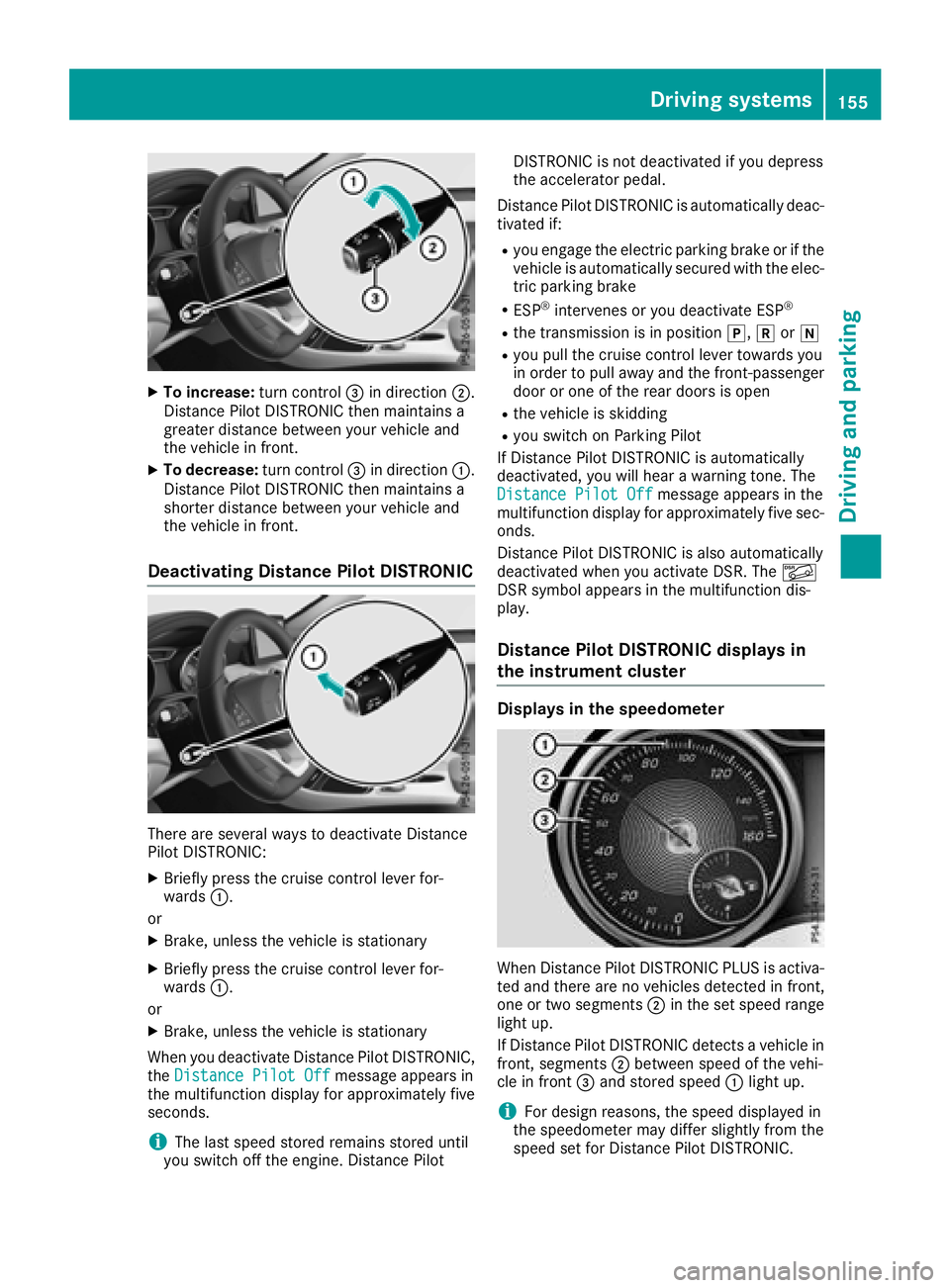
XTo increase:turn control=in direction ;.
Distance Pilo tDISTRONIC then maintains a
greate rdistance between your vehicl eand
the vehicl einfront.
XTo decrease: turn control=in direction :.
Distance Pilo tDISTRONIC then maintains a
shorter distance between your vehicl eand
the vehicl einfront.
Deactivating Distance Pilo tDISTRONIC
There are severa lwaystod eactivate Distance
Pilo tDISTRONIC:
XBriefly press the cruis econtroll ever for-
wards :.
or
XBrake, unless the vehicl eisstationary
XBriefly press the cruis econtroll ever for-
wards :.
or
XBrake, unless the vehicl eisstationary
Whe nyou deactivate Distance Pilo tDISTRONIC,
the Distance Pilot Off
message appears in
the multifunctio ndisplay for approximatelyf ive
seconds.
iThe last speed stored remains stored until
yo us witch off the engine. Distance Pilot DISTRONIC is not deactivate
difyoudepress
the accelerato rpedal.
Distance Pilo tDISTRONIC is automaticall ydeac-
tivated if:
Ryo ue ngage the electri cparking brake or if the
vehicl eisautomaticall ysecured with the elec-
tric parking brake
RESP®intervene soryoudeactivate ESP®
Rthe transmission is in position j,kori
Ryoup ullt he cruis econtroll ever toward syou
in order to pull away and the front-passenger
door or one of the reard oors is open
Rthe vehicl eisskidding
Ryous witch on Parking Pilot
If Distance Pilo tDISTRONIC is automatically
deactivated, yo uwillh earaw arning tone. The
Distance Pilot Off
message appears in the
multifunctio ndisplay for approximatelyf ives ec-
onds.
Distance Pilo tDISTRONIC is also automatically
deactivate dwheny ou activate DSR. The Ã
DSR symbo lappea rs in the multifunctio ndis-
play.
Distance Pilo tDISTRONICd isplaysin
the instrument cluster
Displays in the speedometer
Whe nDistance Pilo tDISTRONIC PLUSisa ctiva-
ted and ther eare no vehicles detectedinf ront,
one or two segments ;in the set speed range
light up.
If Distance Pilo tDISTRONIC detects avehicl ein
front, segments ;between speed of the vehi-
cle in front =and stored speed :light up.
iFor design reasons,t he speed displayed in
the speedometer mayd iffer slightlyf rom the
speed set for Distance Pilo tDISTRONIC.
Driving systems155
Driving an dparking
Z
Page 158 of 326
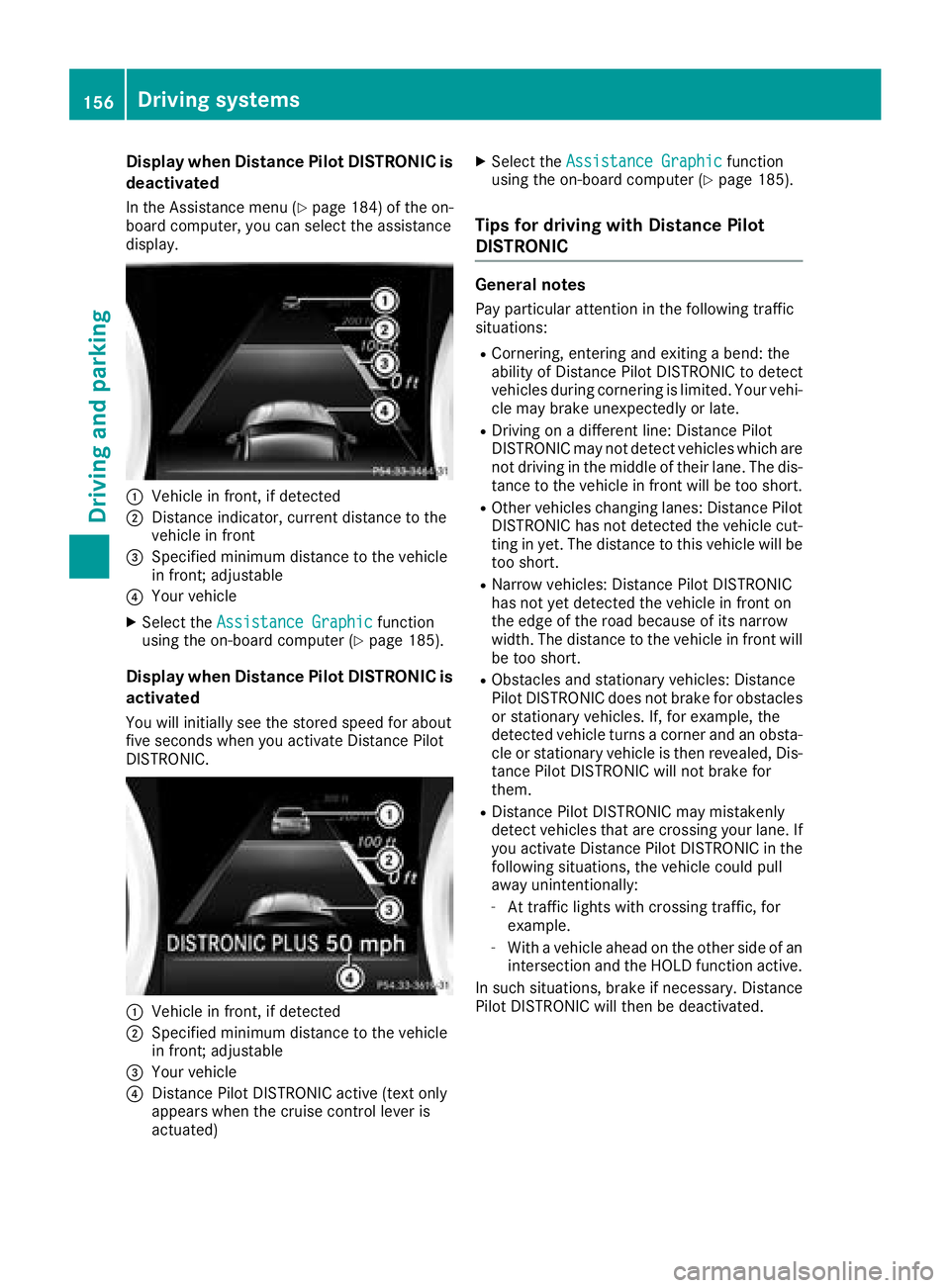
Display when DistancePilot DISTRONIC is
deactivate d
In theAssistance men u(Ypage 184) of th eon-
boar dcom puter, you can select th eassistanc e
display.
:Vehicl einfront,ifd etecte d
;Distanc eind icator, curren tdistanc etothe
vehicl einfront
=Specified minimum distanc etothevehicl e
in front; adjustable
?Your vehicl e
XSelectthe Assistanc eGraphi cfunction
usin gthe on-boar dcom puter (Ypage 185).
Display when Distanc ePilot DISTRONIC is
activate d
You will initially see th estoreds peed fo rabout
fiv es econds when you activat eDistance Pilot
DISTRONIC.
:Vehicl einfront,ifd etecte d
;Specified minimum distanc etothevehicl e
in front; adjustable
=Your vehicl e
?DistancePilotD ISTR ONIC active (tex tonly
appears when th ecruise control lever is
actuated)
XSelec tthe Assistanc eGraphi cfunction
usin gthe on-boar dcom puter (Ypage 185).
Tips for drivin gwithD istanc ePilot
DISTRONIC
General notes
Pay particular attention in th efollowing traffic
situations:
RCornering, enterin gand exitin gabend: th e
abilit yofD istance PilotDISTR ONIC to detec t
vehicles during cornering is limited. Your vehi-
cle may brak eunexpectedly or late.
RDriving on adifferen tline: Distanc ePilot
DISTRONIC may no tdetec tvehicles whic hare
no td rivin gint hemiddle of their lane. The dis-
tance to th evehicl einf rontwill be to oshort .
ROther vehicles changin glanes: Distanc ePilot
DISTRONIC has no tdetecte dthe vehicl ecut-
ting in yet .The distanc etothisv ehicl ewill be
to os hort .
RNarrow vehicles: Distanc ePilotD ISTR ONIC
has no tyet detecte dthe vehicl einfronton
th ee dgeoft heroa dbecause of it snarrow
width. The distanc etothevehicl einfrontwill
be to oshort .
RObstacles and stationary vehicles: Distanc e
Pilo tDISTR ONIC doe snotbrak efor obstacles
or stationary vehicles. If ,for example, th e
detecte dvehicl eturns acorner and an obsta-
cle or stationary vehicl eisthenr evealed ,Dis-
tance Pilo tDISTR ONIC will no tbrak efor
them.
RDistanc ePilotD ISTR ONIC may mistakenly
detec tvehicles th at are crossin gyour lane. If
you activat eDistance PilotDISTR ONIC in th e
following situations, th evehicl ecould pull
away unintentionally:
-At traffic lights wit hcrossin gtraffic, fo r
example.
-Wit hav ehicl eahead on th eother side of an
intersection and th eHOLDf unction active .
In suc hsituations, brak eifnecessary. Distanc e
Pilo tDISTR ONIC will then be deactivated.
156Driving systems
Driving an dparking
Page 159 of 326
HOLD function
General notes
The HOLD function can assist the driverint he
following situations:
Rwhen pulling away, especially on steep slopes
Rwhen maneuvering on steep slopes
Rwhen waiting in traffic
The vehicleisk ept stationary without the driver
having to depress the brake pedal.
The braking effect is cancele dand the HOLD
function deactivated when you depress the
accelerator pedaltop ulla way.
Important safety notes
GWARNING
When leaving the vehicle, it can still roll away despite being braked by the HOLD function if:
Rthere is amalfunction in the system or in
the voltag esupply.
Rthe HOLD function has been deactivated by
pressing the accelerator pedalort he brake
pedal, e.g. by avehicleo ccupant.
Rthe electrical system in the engine com-
partment, the battery or the fuse shave
been tampere dwith.
Rthe battery is disconnected
There is arisk of an accident.
If you wis htoexit the vehicle, alway sturn off
the HOLD function and secure the vehicle
against rolling away.
!When Distance Pilot DISTRONIC or the
HOLD function is activated, the vehicle
brakes automatically in certain situations.
To avoi ddamage to the vehicle, deactivate
Distance Pilot DISTRONIC and the HOLD
function in the following or similar situations:
Rwhen towing the vehicle
Rin the car wash
Deactivating the HOLD function (
Ypage1 57).
Activation conditions
You can activate the HOLD function if:
Rthe vehicleiss tationary
Rthe engine is running or if it has been auto-
matically switched off by the ECO start/stop
function
Rthe driver's door is closed or you rseat belti s
fastened
Rthe electric parking brake is released
RDistance Pilot DISTRONIC is deactivated
Rthe transmission is in position h,kori
on vehicles with automatic transmission
Activating the HOLD function
XMake sure that the activation conditions are
met.
XDepress the brake pedal.
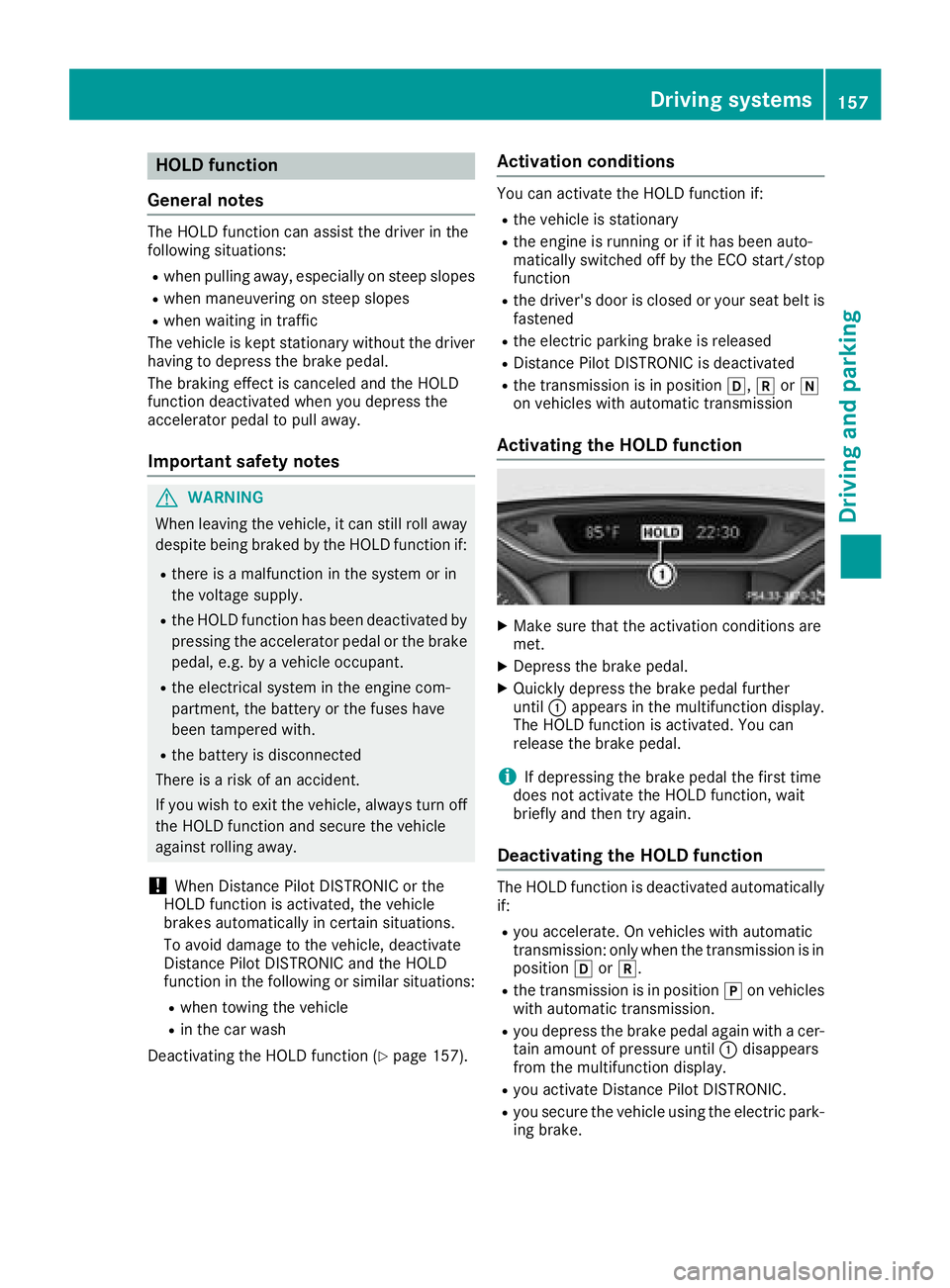
XQuickly depress the brake pedalf urther
until :appears in the multifunction display.
The HOLD function is activated. You can
release the brake pedal.
iIf depressing the brake pedalt he first time
does not activate the HOLD function, wait
briefly and then try again.
Deactivatin gthe HOLD function
The HOLD function is deactivated automatically
if:
Ryou accelerate. On vehicles with automatic
transmission: only when the transmission is in
position hork.
Rthe transmission is in position jon vehicles
with automatic transmission.
Ryou depress the brake pedala gain withacer-
tain amount of pressure until :disappears
from the multifunction display.
Ryou activate Distance Pilot DISTRONIC.
Ryou secure the vehicleu sing the electric park-
ing brake.
Driving systems157
Driving and parking
Z
Page 160 of 326
iAfteratime ,the electri cparking brake
secures the vehicl eand relieves the service
brake.
Whe nthe HOLD functio nisa ctivated,t he trans-
mission is automaticall yshifted to position j
if:
Rthe driver's sea tbeltisn ot fasteneda nd the
driver's door is open.
Rthe engine is switched off, unless it is auto-
maticall yswitched off by the ECO start/stop
function.
The electri cparking brake secures the vehicle
automaticall yifthe HOLD functio nisa ctivated
when the vehicl eisstationar yand:
Ras ystem malfunctio noccurs.
Rthe powe rsuppl yisi nsufficient.
Start-off Assist (except Mercedes-
AMGvehicles)
Important safety notes
GWARNING
If yo uusestart-off assist, individual wheels
mays tart to spi nand the vehicl emayskid. If
ESP
®is deactivated,t hereisag reaterdanger
of skidding and having an accident. Make sure
thatnop ersons or obstacle sarein the vicinity
of the vehicle.
Start-off assist enables optimu macceleration
from astandstill .For this, asuitabl yhigh-grip
roads urface is required ,along with the tire sand
vehicl ebeing in prope roperating condition.
Do not activate start-off assist on public roads.
Observ ethe safety notes on driving safety sys-
tems (
Ypage 61).
Be sure to rea dthe safety notes and information
on ESP
®(Ypage 64).
Activatin gstart-off assist
XDeactivate ESP®(Ypage 185).
XTurn the steering whee ltothe straight-ahead
position.
XDepres sthe brake peda lhardw ithy ourleft
foo tand kee pitdepressed.
XShift the transmission to position D.
XUse the DYNAMIC SELECTb utton to select
the Sdrive program(Ypage 128).
XQuickly depress the accelerator peda lfully.
XTake your foo toff the brake, bu tkeept he
accelerator peda ldep ressed.
The vehicl epulls away at maximu macceler-
ation.
iActivate ESP®as soo nasthe acceleration
proces shasended .ESP®will otherwise not
be able to stabilize the vehicl eifthe vehicle
starts to skidoraw heelstarts to spin.
Canceling start-off assist
XRemove your foo tfrom the accelerator pedal.
XReactivate ESP®.
RAC ESTART (Mercedes-AM Gvehi-
cles)
Important safety notes
iRAC ESTARTm ustn ot be used on normal
roads. RAC ESTARTm usto nlybea ctivated
and used on dedicate droadc ircuits, outside
of public roadu se.
iRAC ESTARTiso nlyavailable in
Mercedes‑AM Gvehicles.
GWARNING
If yo uuseRAC ESTART, individual tire smay
start to spi nand the vehicl ecould skid.
Depending on the selecte dESP
®mode, there
is an increased ris kofskidding and having an
accident. Make sure thatnop ersons, animals
or obstacle sarewithinr ange of the vehicle.
RAC ESTARTe nables optima lacceleratio nfrom
as tanding start. For this, asuitabl yhigh-grip
roads urface is required and the vehicl eand tires
must be in goo dworking order.
iObserv ethe safety notes on driving safety
system s(Ypage 61).
Be sure to rea dthe safety notes and informa-
tio nonE SP
®(Ypage 64).
158Driving systems
Driving an dparking
Page 167 of 326
GWARNING
If there are objects above the detection range:
RParking Pilot may steer in too early
Rthe vehiclem ay not stop in front of these
objects
You may caus eacollision as aresult. There is
ar isk of an accident.
If objects are located above the detection
range, stop and deactivate Parking Pilot.
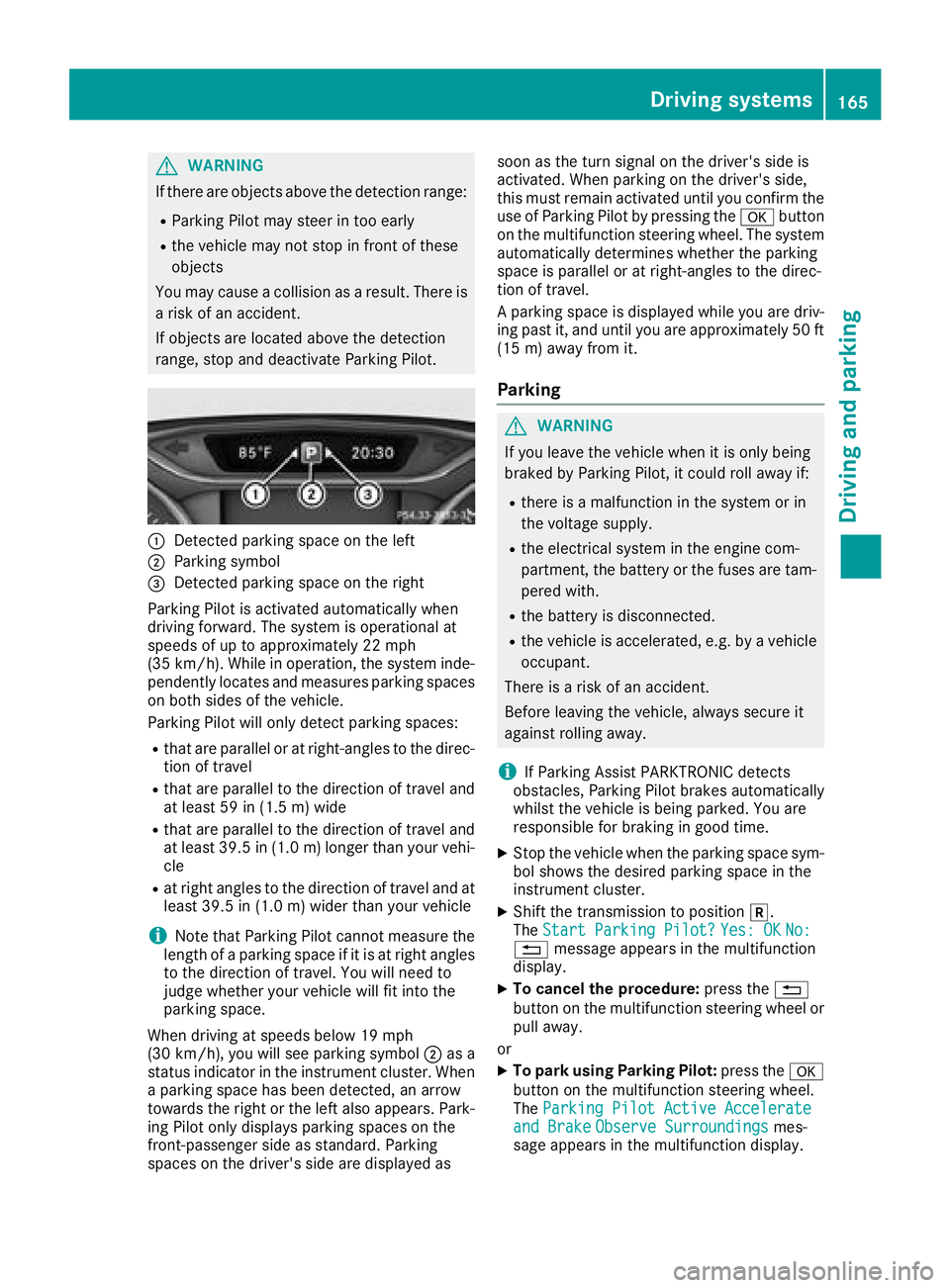
:Detected parking space on the left
;Parking symbol
=Detected parking space on the right
Parking Pilot is activated automatically when
driving forward. The system is operational at
speeds of up to approximately 22 mph
(35 km/h) .Whileino peration, the system inde-
pendently locates and measures parking spaces on both sidesoft he vehicle.
Parking Pilot wil lonly detect parking spaces:
Rthat are paralleloratr ight-angles to the direc-
tion of travel
Rthat are paralleltot he direction of travel and
at least 59 in (1.5 m) wide
Rthat are paralleltot he direction of travel and
at least 39.5 in (1.0 m)longer than your vehi-
cle
Rat right angles to the direction of travel and at
least 39.5i n(1.0m )wider than your vehicle
iNotet hat Parking Pilot cannot measure the
lengt hofap arking space if it is at right angles
to the direction of travel. You will need to
judge whether your vehicle will fit int othe
parking space.
When drivingats peeds below 19 mph
(30 km/h), you will see parking symbol ;as a
status indicator in the instrumentc luster. When
ap arking space has been detected, an arrow
towards the right or the left also appears. Park-
ing Pilot only displays parking spaces on the
front-passenge rside as standard. Parking
spaces on the driver's side are displayed as soon as the turn signal on the driver's side is
activated. When parking on the driver's side,
this must remain activated until you confirm the
use of Parking Pilot by pressing the
abutton
on the multifunction steeringw heel. The system
automatically determines whether the parking
space is parallel or at right-angles to the direc-
tion of travel.
Ap arking spac
e is displayed while you are driv-
ing past it, and until you are approximately 50 ft
(15 m) away fromi t.
Parking
GWARNING
If you leave the vehicle when it is only being
braked by Parking Pilot,itc ould roll away if:
Rthere isamalfunction in the system or in
the voltage supply.
Rthe electrical system in the engin ecom-
partment, the battery or the fuses are tam-
pered with.
Rthe battery is disconnected.
Rthe vehicle is accelerated, e.g. by avehicle
occupant.
There is arisk of an accident.
Before leavingt he vehicle, always secur eit
against rollinga way.
iIf Parking Assist PARKTRONIC detects
obstacles, Parking Pilot brakes automatically
whilst the vehicle is being parked. You are
responsible for braking in good time.
XStop the vehicle when the parking space sym- bol shows the desiredp arking space in the
instrumentc luster.
XShiftthe transmission to position k.
The StartP arking Pilot?Yes: OKNo:%message appears in the multifunction
display.
XTo cancel th eprocedure: press the %
button on the multifunction steeringw heel or
pull away.
or
XTo park using Parking Pilot: press thea
button on the multifunction steeringw heel.
The Parking PilotA ctive Accelerate
and BrakeObserve Surroundingsmes-
sage appears in the multifunction display.
Driving systems165
Driving and parking
Z
Page 182 of 326
Trip menu
Standard display
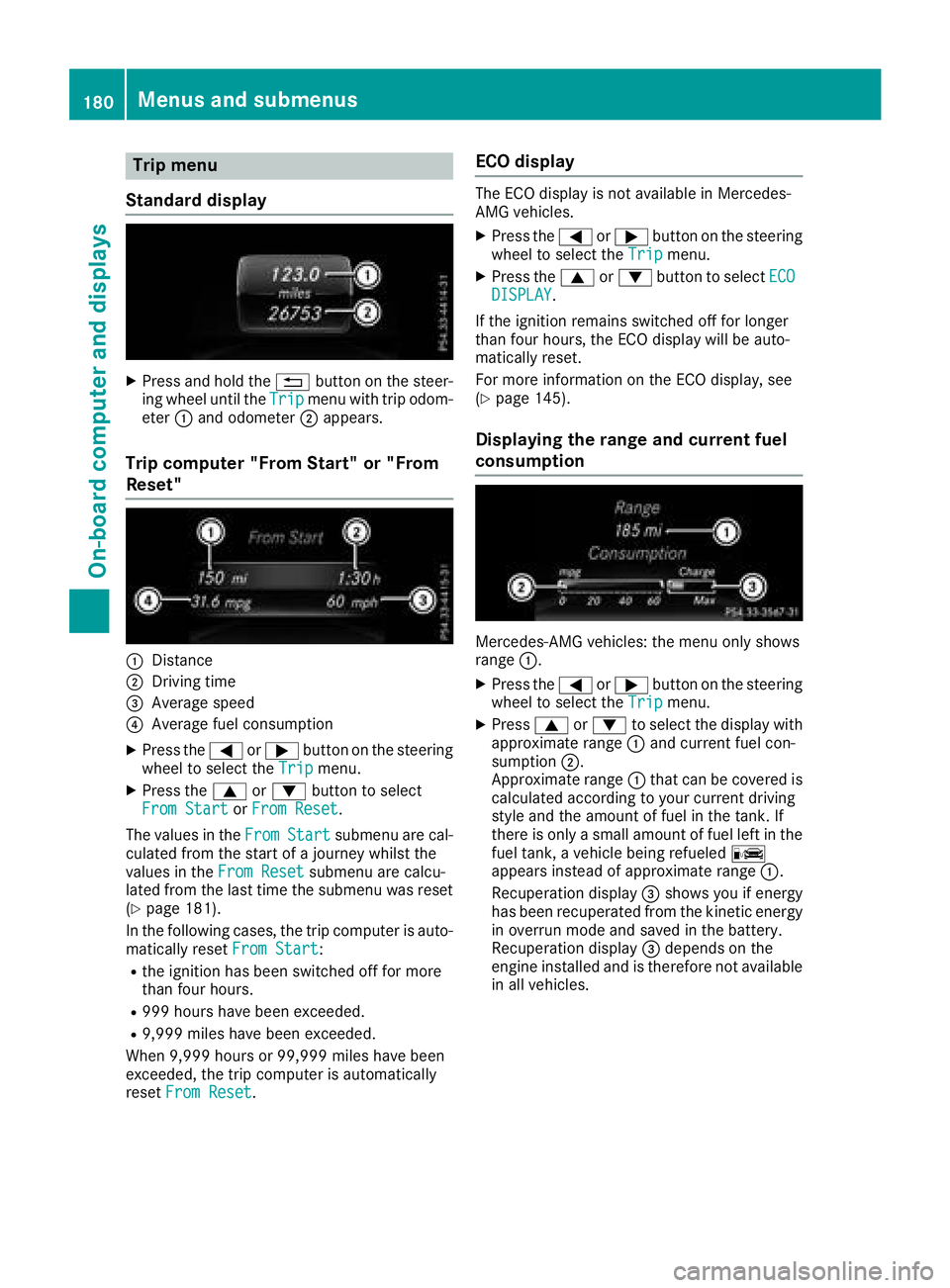
XPress and hol dthe % button on the steer-
ing whee lunti lthe Tripmenu with trip odom-
eter :and odometer ;appears.
Trip computer" From Start" or "From
Reset"
:Distance
;Driving time
=Averag espeed
?Averag efuelconsumption
XPress the =or; button on the steering
whee ltoselect the Tripmenu.
XPress the 9or: button to select
FromS tartorFromR eset.
The values in the From
Startsubmenu arecal-
culate dfromt he start of ajourney whilst the
values in the FromReset
submenu ar ecalcu-
lated fromt he last time the submenu wa sreset
(
Ypage 181).
In the following cases, the trip compute risauto-
maticall yreset FromS tart
:
Rthe ignition hasb eens witched off for more
thanf ourh ours.
R999 hours have been exceeded.
R9,999 miles have been exceeded.
When 9,999 hours or 99,999 miles have been
exceeded ,the trip compute risautomatically
reset FromR eset
.
ECOd isplay
The ECO displa yisnot availabl einMercedes-
AMG vehicles.
XPress the =or; button on the steering
whee ltoselect the Tripmenu.
XPress the 9or: button to select ECODISPLAY.
If the ignition remains switched off for longer
thanf ourh ours, the ECO displa ywillbea uto-
maticall yreset.
For mor einformatio nonthe ECO display, see
(
Ypage 145).
Displaying the rangea nd currentfuel
consumption
Mercedes-AMG vehicles: the menu onl yshows
range :.
XPress the =or; button on the steering
whee ltoselect the Tripmenu.
XPress9or: to select the displa ywith
approximate range :and current fuel con-
sumption ;.
Approximate range :thatc an be covered is
calculate daccording to your current driving
style and the amount of fuel in the tank. If
there is onl yasmall amount of fuel left in the
fuel tank, avehicl ebeing refueled C
appear sinstea dofa pproximate range :.
Recuperatio ndisplay =shows yo uifenergy
hasb eenr ecuperated fromt he kinetic energy
in overrunm odea nd saved in the battery.
Recuperatio ndisplay =depends on the
engine installe dand is therefore not available
in al lvehicles.
180Menus and submenus
On-board computer and displays
Page 197 of 326
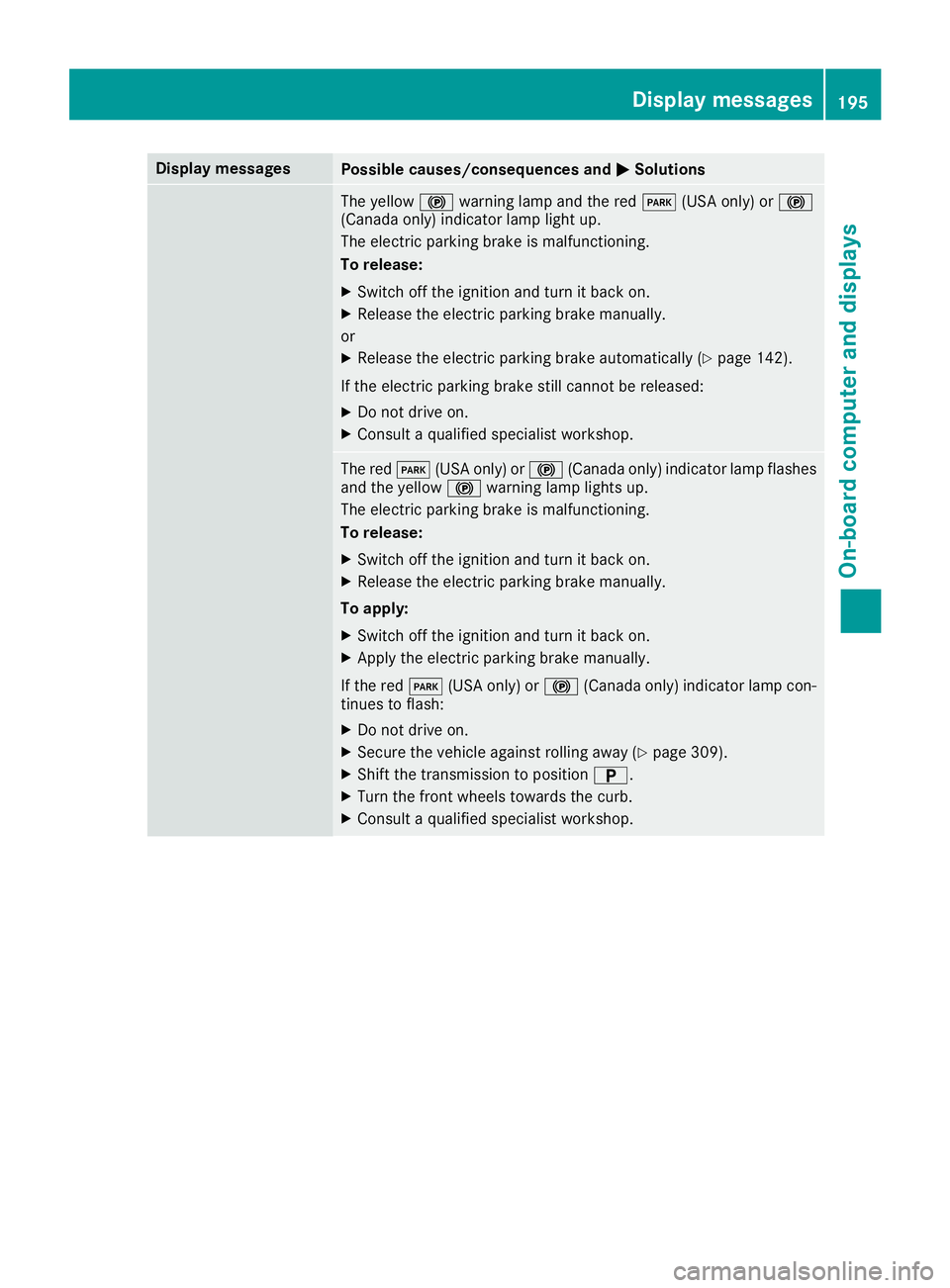
Display messagesPossible causes/consequences andMSolutions
The yellow!warning lamp and th ered F (USAonly) or !
(Canada only) indicator lamp ligh tup.
The electric parking brak eismalfunctioning .
To release:
XSwitc hoff th eignition and tur nitbacko n.
XReleas ethe electric parking brak emanually.
or
XReleas ethe electric parking brak eautomatically (Ypage 142).
If th eelectric parking brak estill canno tbereleased:
XDo no tdrive on .
XConsult aqualified specialist workshop .
The redF(USAonly) or ! (Canada only) indicator lamp flashes
and th eyellow !warning lamp lights up.
The electric parking brak eismalfunctioning .
To release:
XSwitc hoff th eignition and tur nitbacko n.
XReleas ethe electric parking brak emanually.
To apply :
XSwitchoff th eignition and tur nitbacko n.
XApply th eelectric parking brak emanually.
If th ered F (USAonly) or ! (Canada only) indicator lamp con-
tinue stof lash:
XDo no tdrive on .
XSecurethe vehicl eagainst rollin gaway (Ypage 309).
XShift th etransmission to position B.
XTurn thefront wheels toward sthe curb.
XConsult aqualified specialist workshop .
Display messages195
On-boardc omputer andd isplays
Z
Page 199 of 326
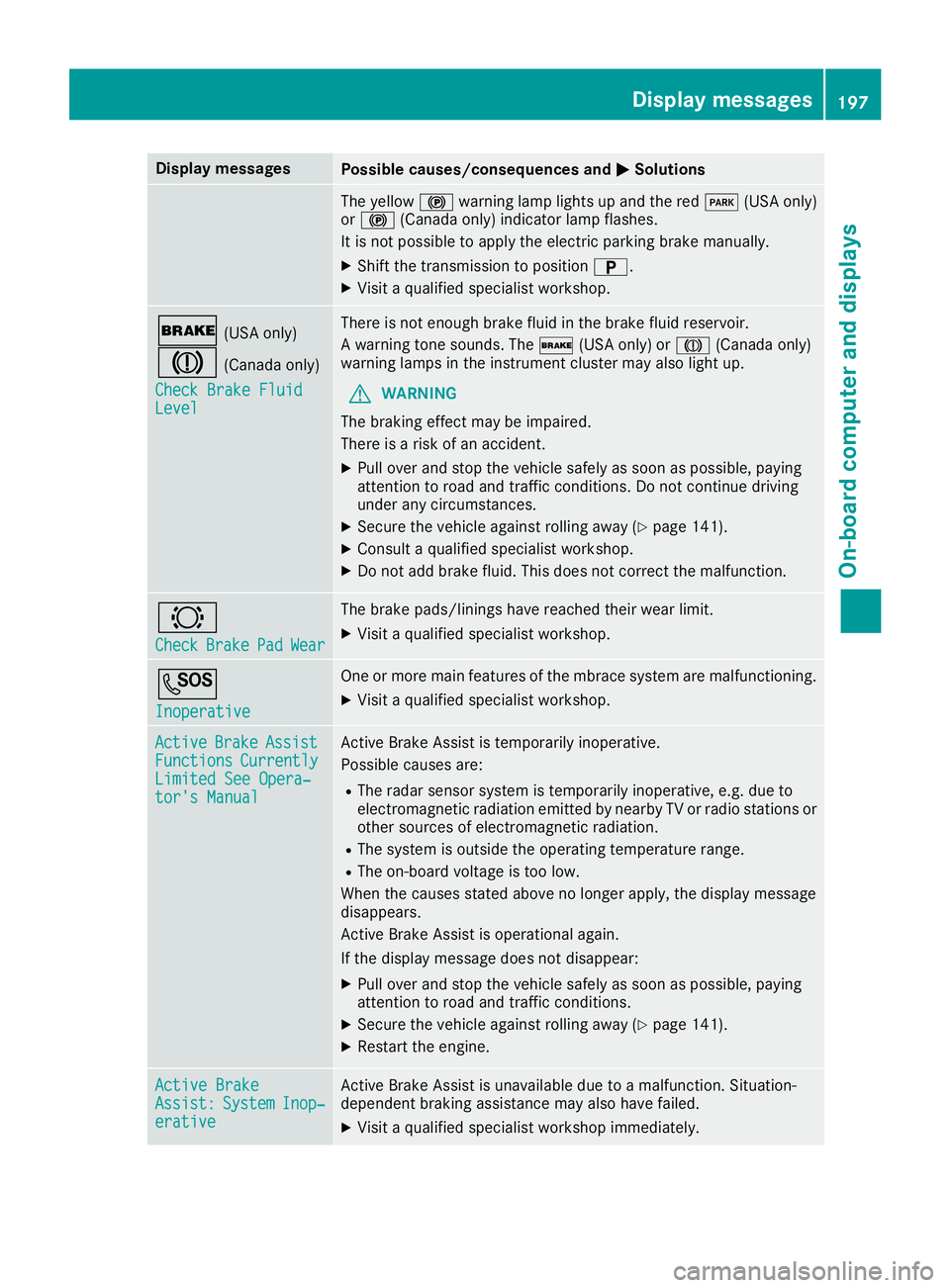
Display messagesPossible causes/consequences andMSolutions
The yellow!warning lamp lights up and th ered F (USAonly)
or ! (Canada only) indicator lamp flashes .
It is no tpossibl etoapply th eelectric parking brak emanually.
XShift th etransmission to position B.
XVisitaqualified specialist workshop .
$(USAonly)
J(Canada only)
Check Brake Fluid
Level
There is no tenough brak efluidint hebrak efluid reservoir .
Aw arning tone sounds. The $(USAonly) or J (Canada only)
warning lamp sintheinstrumen tcluste rmay also ligh tup.
GWARNIN G
The braking effec tmay be impaired.
There is ariskofana ccident.
XPull overand stop th evehicl esafely as soo naspossible, payin g
attention to roa dand traffic conditions. Do no tcontinue driving
under any circumstances.
XSecur ethe vehicl eagainst rollin gaway (Ypage 141).
XConsult aqualified specialist workshop .
XDo notadd brak efluid .This does no tcorrect them alfunction .
#
CheckBrakePadWear
The brak epads/linings hav ereached their wear limit.
XVisit aqualified specialist workshop .
G
Inoperative
Oneorm orem ain features of th embrace system are malfunctioning .
XVisitaqualified specialist workshop .
ActiveBrakeAssistFunctionsCurrentlyLimitedSee Opera‐tor's Manual
Active Brake Assis tistemporarily inoperative.
Possibl ecauses are:
RThe radar sensor system is temporarily inoperative, e.g. due to
electromagneti cradiation emitted by nearby TV or radi ostation sor
other source sofelectromagneti cradiation .
RThe system is outside th eoperating temperature range.
RThe on-boar dvoltag eistoolow.
Whe nthe causes state dabov enol onger apply, th edisplay message
disappears.
Active Brake Assis tisoperational again .
If th edisplay message does no tdisappear :
XPull overand stop th evehicl esafely as soo naspossible, payin g
attention to roa dand traffic conditions.
XSecur ethe vehicl eagainst rollin gaway (Ypage 141).
XRestart th eengine.
Active BrakeAssist :SystemInop‐erative
Active Brake Assis tisunavailable due to amalfunction .Situation -
dependen tbraking assistanc emay also hav efailed.
XVisit aqualified specialist workshop immediately.
Display messages197
On-boardc omputer andd isplays
Z