2018 MERCEDES-BENZ CLA COUPE ECU
[x] Cancel search: ECUPage 135 of 326
Transmission positions
BPark position
Thisprevents the vehicl efromr olling
away when stopped.
Onlys hift the transmission to posi-
tion jwhen the vehicl eisstation-
ary. The parkin gloc ks houl dnot be
used as abrake when parking.
Alway sapply the electronic parking
brake in additio ntothe parkin gloc k
in order to secur ethe vehicle.
In the event of amalfunctio nofthe
vehicle's electronics ,the transmis-
sion mayl ockinp osition j.H ave
the vehicl eelectronics checked
immediatel yataqualified specialist
workshop.
Park position jis automatically
engaged if:
Ryo us witch off the engine using the
SmartKeya nd remove the Smart-
Key
Ryo us witch off the engine using the
SmartKeyoru sing the Start/Stop
button and open the driver's door
or front-passenge rdoor
Ryouo pent he driver's door when
the vehicl eisstationar yorwhen
drivin gatav eryl ow spee dand the
transmission is in position hor
k
CRevers egear
Onlys hift the transmission into posi-
tion kwhen the vehicl eisstation-
ary.
ANeutral
Do not shift the transmission to i
whil edriving. The automatic trans-
mission could otherwis ebedam-
aged.
No powe ristransmitted fromt he
engine to the drive wheels.
Releasing the brakes will allo wyouto
mov ethe vehicl efreely, e.g .topush
it or tow it.
If ESP
®is deactivated or faulty: shift
the transmission to position iif the
vehicl eisind angerofs kidding,e.g.
on icy roads.
If yo uswitch the engine off with the
transmission in position korh,
the automatic transmission shifts to
i automatically.
!Coasting in neutral imay
cause damage to the drive train.
7Drive
The automatic transmission changes
gear automatically. All forward gears
ar ea vailable.
Driving tips
Changin ggear
The automatic transmission shifts throug hthe
individual gear sautomaticall ywhenitisint rans-
mission position h.Thisa utomatic gear shift-
ing behavio risdetermine dby:
Rthe selecte ddrive program
Rthe positio nofthe accelerator pedal
Rthe roa dspeed
Accelerator peda lposition
Your style of drivin ginfluences how the auto-
matic transmission shifts gear:
Rlittle throttle :early upshifts
Rmor ethrottle :lat eu pshifts
Automati ctransmission133
Driving an dparking
Z
Page 143 of 326
Parking
Important safety notes
GWARNING
Flammable material such as leaves, grass or
twigs may ignite if they come into contact with
hot parts of the exhaust system or exhaust
gas flow. There is arisk of fire.
Park the vehicle so that no flammable mate-
rials come into contact with parts of the vehi-
cle which are hot. Take particular care not to
park on dry grassland or harvested grain
fields.
GWARNING
If you leave children unsupervised in the vehi-
cle, they could set it in motion by, for example:
Rrelease the parking brake.
Rshift the automatic transmission out of the
parking position P.
Rstart the engine.
In addition, they may operate vehicle equip-
ment and become trapped. There is arisk of
an accident and injury.
When leaving the vehicle, always take the
SmartKey with you and lock the vehicle. Never
leave children unsupervised in the vehicle.
!Always secure the vehicle correctly against
rolling away.O therwise, the vehicle or its driv-
etrain could be damaged.
To ensure that the vehicle is secured against
rolling away unintentionally:
Rthe electric parking brake must be applied.
Rthe transmission must be in position jand
the transmission position display must show
j in the multifunction display.
Rthe SmartKey must be removed from the igni-
tion lock.
Ron uphill or downhill gradients, the front
wheels must be turned towards the curb.
Switching off the engine
Important safety notes
GWARNING
The automatic transmission switches to neu-
tral position Nwhen you switch off the engine.
The vehicle may roll away.T here isarisk of an
accident.
After switching off the engine, always switch
to parking position P.Prevent the parked vehi-
cle from rolling away by applying the parking
brake.
Automatic transmission
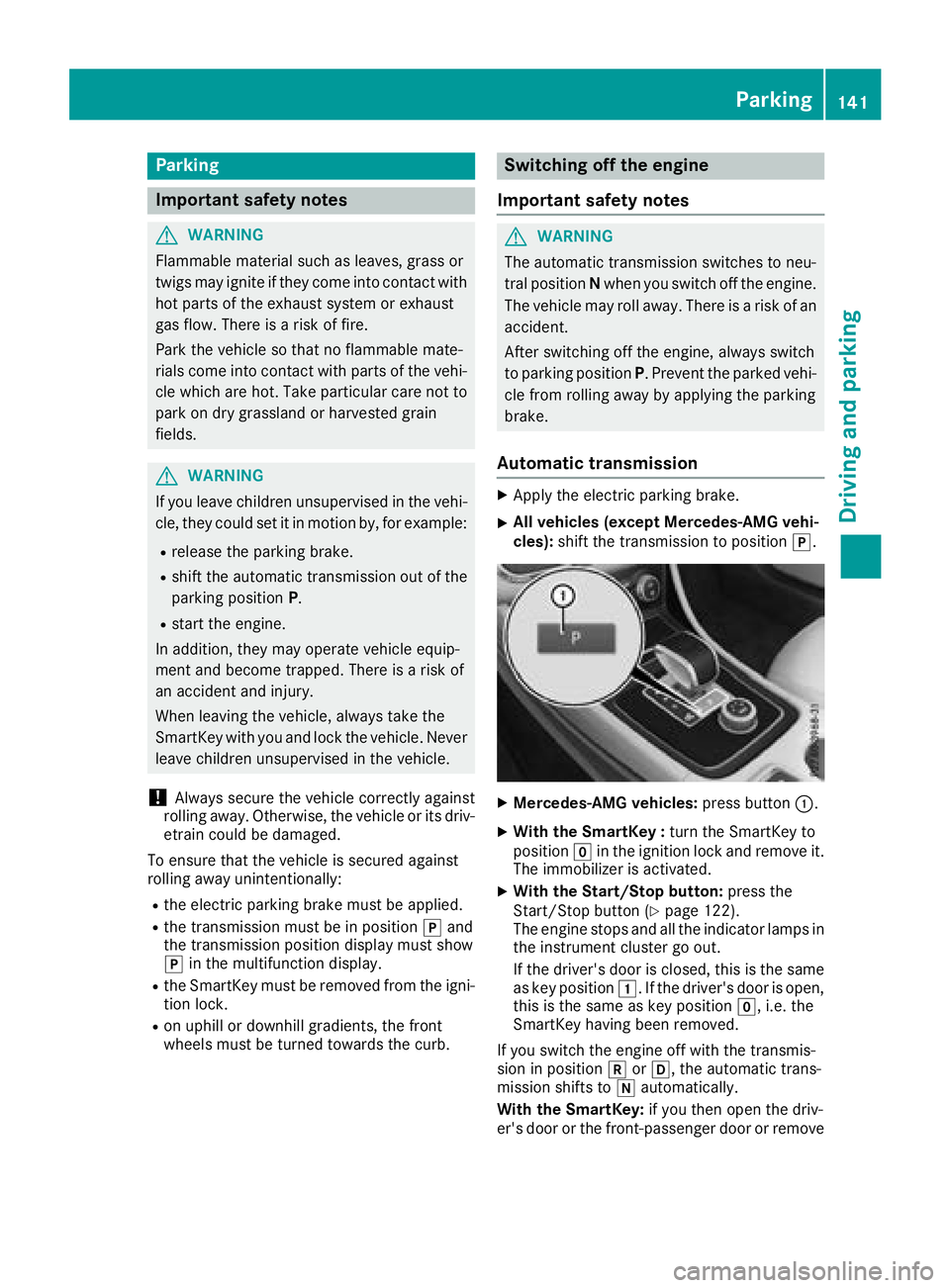
XApply the electric parking brake.
XAll vehicles (except Mercedes-AMG vehi-
cles): shift the transmission to position j.
XMercedes-AMG vehicles:press button:.
XWith the SmartKey : turn the SmartKey to
position gin the ignition lock and remove it.
The immobilizer is activated.
XWith the Start/Stop button: press the
Start/Stop button (Ypage 122).
The engine stops and all the indicator lamps in
the instrumentc luster go out.
If the driver's door is closed, this is the same
as key position 1.Ifthe driver's door is open,
this is the same as key position g,i.e. the
SmartKey having been removed.
If you switch the engine off with the transmis-
sion in position korh,t he automatic trans-
mission shifts to iautomatically.
With the SmartKey: if you then open the driv-
er's door or the front-passenger door or remove
Parking141
Driving and parking
Z
Page 144 of 326
the SmartKeyfromthe ignition, the automatic
transmission shifts to jautomatically.
With the Start/Stopb utton:if youtheno pen
the driver's door or the front-passenge rdoor,
the automatic transmission shifts to jauto-
matically.
If yo uwantthe automatic transmission to
remai ninneutral i,e.g.w henh avingt he vehi-
cle cleane dinanautomatic car wash with a
towing system:
XVehicle switht he Start-Stopb utton:
remove the Start-Stop button fromt he igni-
tio nlock.
XInsert the SmartKeyi nto the ignition lock.
XAllv eh icles: switch the ignition on.
XDepres sthe brake peda land kee pit
depressed.
XEngage neutral i.
XReleasethe brake pedal.
XReleas ethe electri cparking brake.
XSwitch off the ignition and leav ethe SmartKey
in the ignition lock.
Electric parking brake
General notes
GWARNING
If yo uleave children unsupervised in the vehi-
cle ,theyc ould setitinm otion by,for example:
Rrelease the parking brake.
Rshift the automatic transmission ou tofthe
parking position P.
Rstart the engine.
In addition, theym ayoperate vehicl eequip-
ment and become trapped .There is arisko f
an accident and injury.
When leaving the vehicle, always take the
SmartKeyw ithy ou and lock the vehicle. Never
leav echildren unsupervised in the vehicle. The functio
nofthe electric parking brake is
dependent on the on-board voltage. If the on-
boar dvoltag eislowor there is amalfunctio nin
the system, it mayn ot be possibletoapplythe
releasedp arking brake.
XIf thisist he case, onl yparkt he vehicl eon
level ground and secur eittoprevent it rolling
away.
XShift the automatic transmission to position
j.
It mayn ot be possibl etorelease an applied
parking brake if the on-board voltag eislowor
there is amalfunctio ninthe system. Contact a
qualified specialis tworkshop.
The electric parking brake performs afunction
tes tatr egular intervals whil ethe engine is
switched off .The sound sthatc an be he ar
dw hile
th
isiso ccurring ar enormal.
Applyin gorreleasing manually
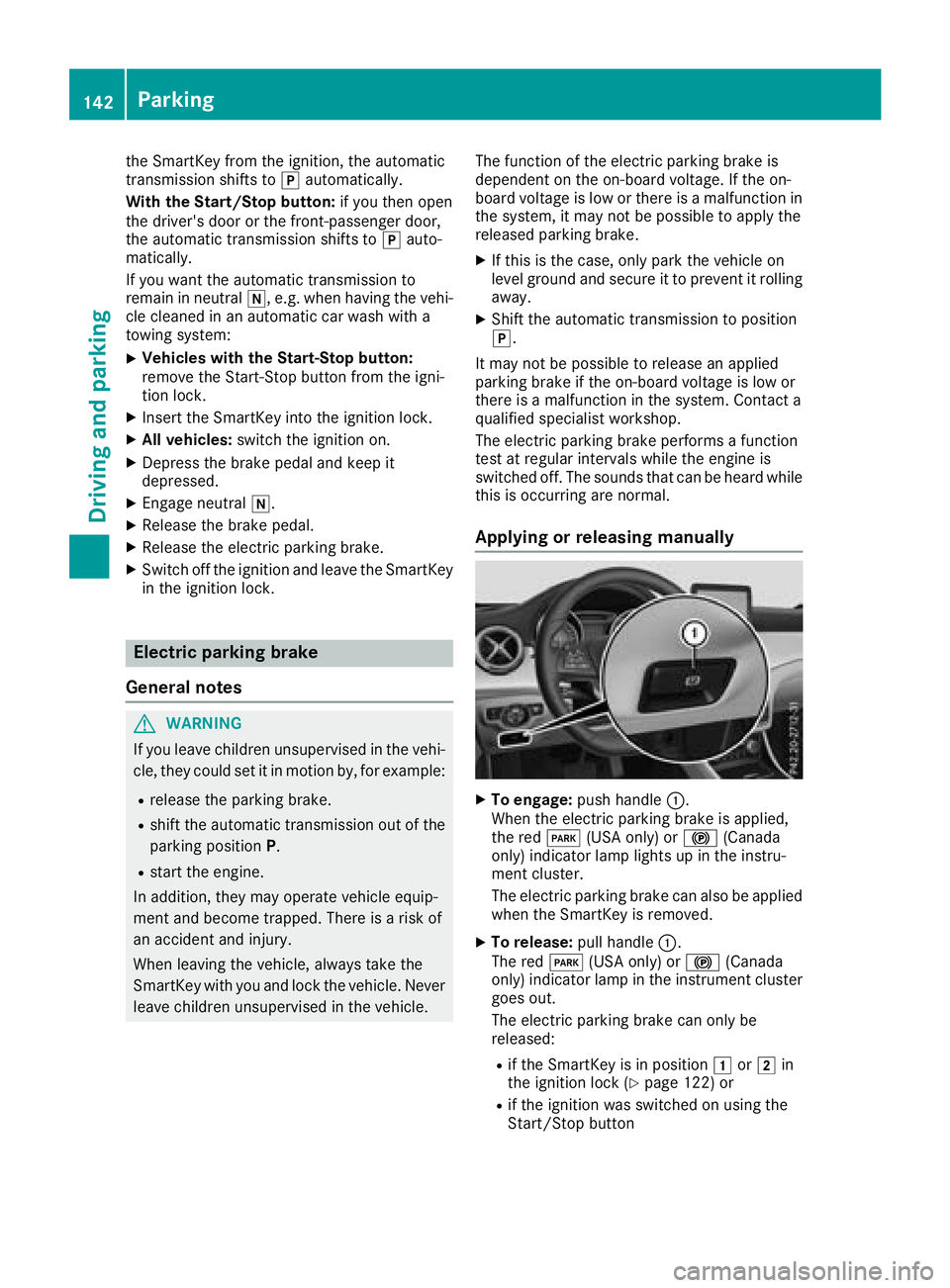
XTo engage: push handle :.
When the electric parking brake is applied,
the red F(USA only) or !(Canada
only) indicator lamp lights up in the instru-
ment cluster.
Th ee lectric parking brake can also be applied
when the SmartKeyisr emoved.
XTo release:pull handle:.
The red F(USA only) or !(Canada
only) indicator lamp in the instrument cluster
goes out.
Th ee lectric parking brake can onl ybe
released:
Rif the SmartKeyisinp osition 1or2 in
the ignition lock (Ypage 122 )or
Rif the ignition wa sswitched on using the
Start/Stop button
142Parking
Driving an dparking
Page 147 of 326
ECO display
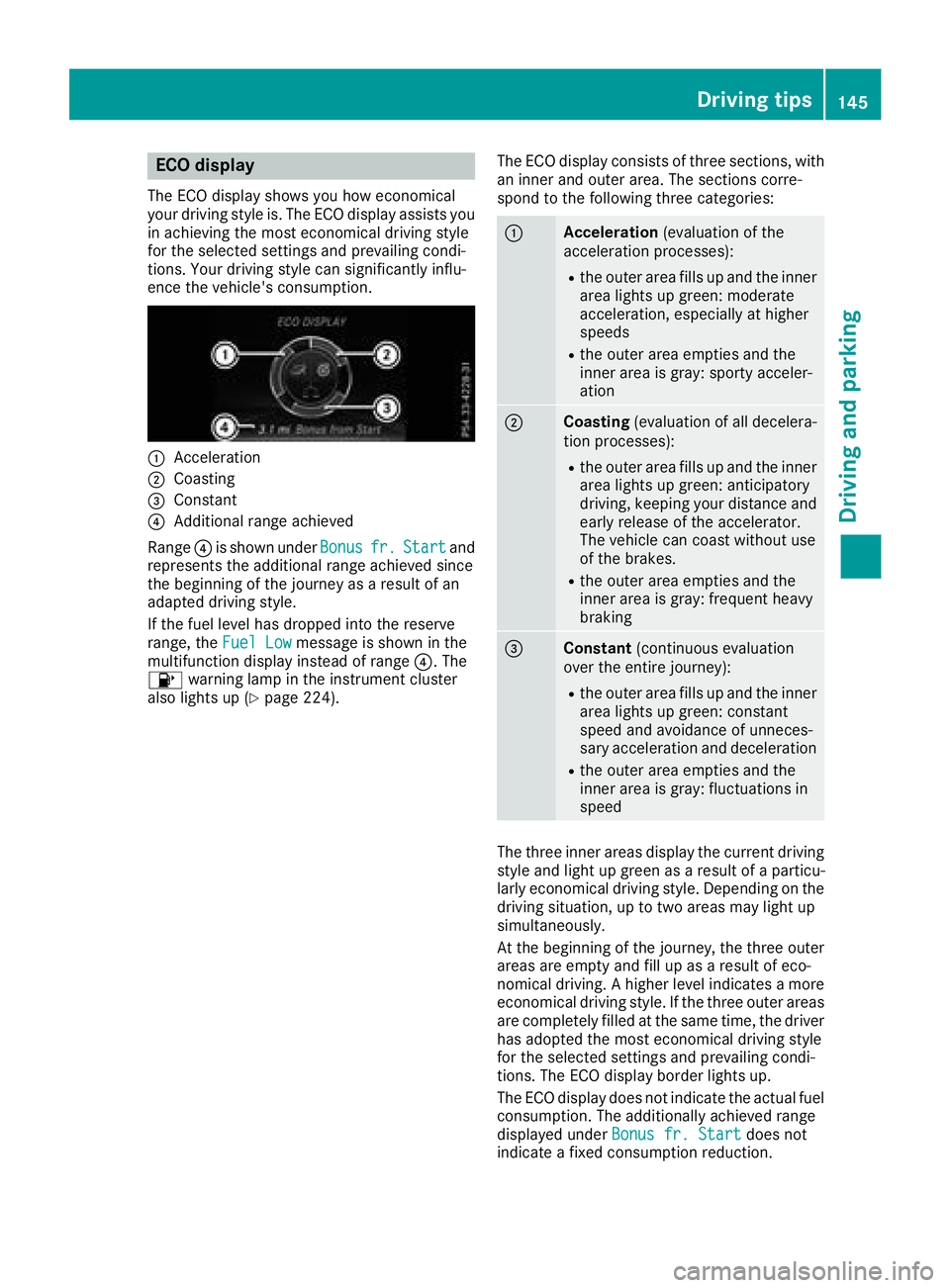
The ECO display showsyou how economical
your driving style is. The ECO display assists you
in achievin gthe mos teconomical driving style
for th eselecte dsettings and prevailingc ondi-
tions .Your driving style can significantly influ-
enc ethe vehicle's consumption.
:Acceleration
;Coasting
=Constant
?Additional range achieved
Range ?is shownu nderBonus
fr.Startand
represents th eadditional range achieve dsince
th eb eginnin gofthejourney as aresult of an
adapted driving style.
If th efuel leve lhas dropped int othe reserve
range, the FuelLow
message is shownint he
multifunction display instead of range ?.The
8 warning lamp in th einstrumen tcluster
also lightsup(
Ypage 224). The ECO display consistsoft
hree sections ,with
an inner and outer area. The sections corre-
spondtot hefollowingt hree categories:
:Acceleration (evaluationofthe
acceleratio nprocesses):
Rtheo uter area fills up and th einner
area lightsupg reen: moderate
acceleration, especiall yathigher
speeds
Rth eo uter area empties and the
inner area is gray: sporty acceler-
ation
;Coasting (evaluationofall decelera-
tio np rocesses):
Rtheo uter area fills up and th einner
area lightsupg reen: anticipatory
driving ,kee pingy our distanc eand
early release of th eaccelerator.
The vehicle can coas twithout use
of th ebrakes.
Rtheo uter area empties and the
inner area is gray: frequenth eavy
braking
=Constant (continuous evaluation
ove rthe entire journey):
Rtheo uter area fills up and th einner
area lightsupg reen: constant
speeda nd avoidanc eofunneces-
sary acceleratio nand deceleration
Rtheo uter area empties and the
inner area is gray: fluctuationsi n
speed
The three inner areas display th ecurren tdriving
style and light up green as aresult of aparticu-
larly economical driving style. Dependingont he
driving situation, up to two areas may light up
simultaneously.
At th ebeginnin gofthejourney, th ethree outer
areas are emptya nd fill up asaresult of eco-
nomical driving .Ahigher leve lindicates amore
economical driving style. If th ethree outer areas
are completely fille datthesame time, th edriver
has adopted th emoste conomical driving style
for th eselecte dsettings and prevailingc ondi-
tions .The ECO display border lightsu p.
The ECO display does no tindicat ethe actual fuel
consumption. The additionally achieve drange
displayed under Bonus fr. Start
does not
indicat eafixed consumptio nreduction.
Driving tips145
Driving and parking
Z
Page 150 of 326
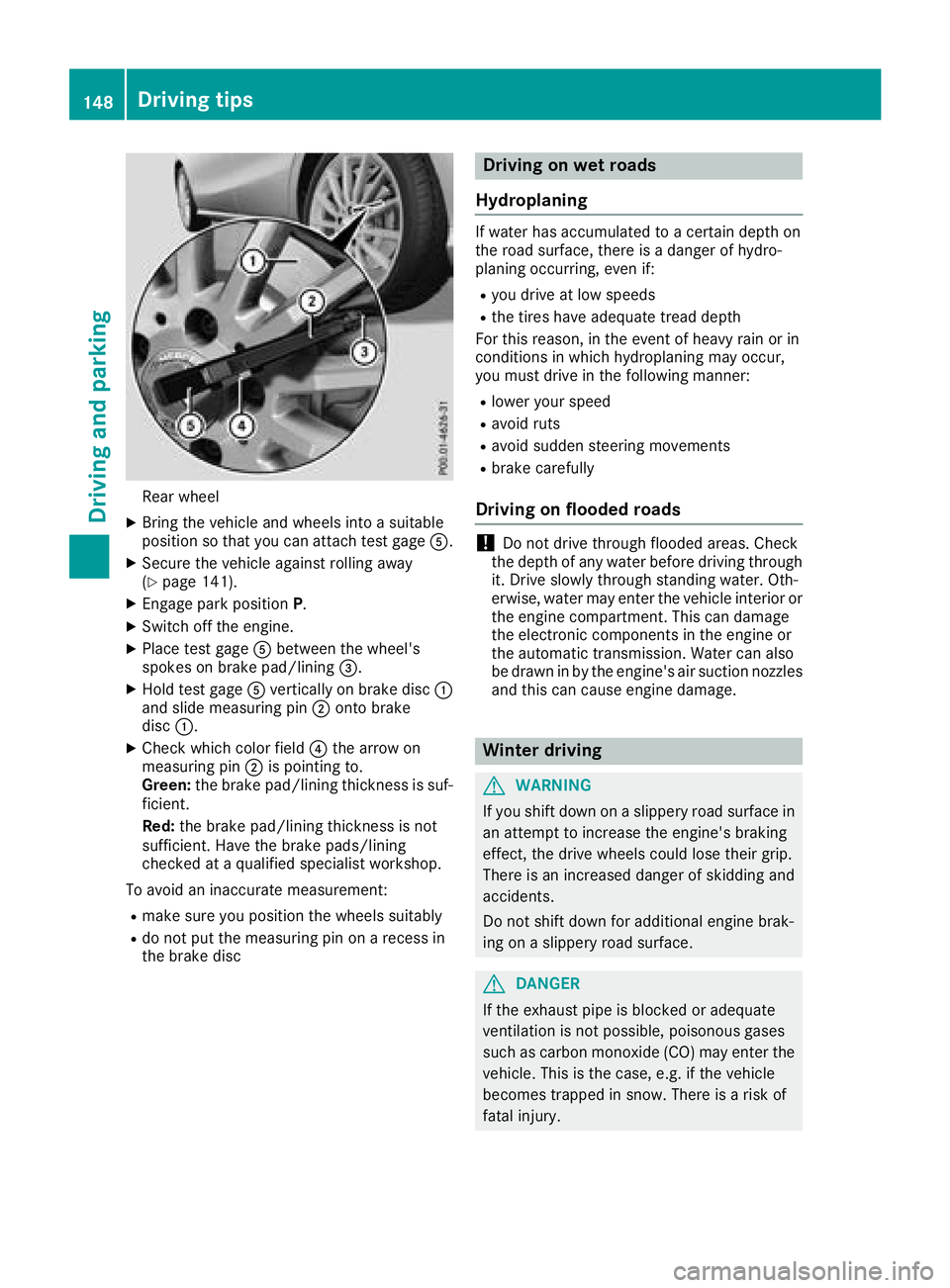
Rear wheel
XBring thevehicl eand wheels int oasuitable
position so that you can attach test gage A.
XSecurethe vehicl eagainst rollin gaway
(Ypage 141).
XEngage park position P.
XSwitchoff th eengine.
XPlac etestg age Abetween th ewheel's
spoke sonb rakepad/lining =.
XHold test gage Averticall yonb rak edisc :
and slid emeasurin gpin; onto brak e
disc :.
XChec kwhichc olor field ?thea rrow on
measurin gpin; is pointing to .
Green: theb rak epad/lining thickness is suf -
ficient.
Red :th eb rak epad/lining thickness is no t
sufficient. Hav ethe brak epads/lining
checke dataq ualified specialist workshop.
To avoi daninaccurat emeasurement:
Rmak esurey ou position th ewheels suitably
Rdo no tput th emeasurin gpin on arecess in
th eb rak edisc
Driving on wet roads
Hydroplaning
If water has accumulated to acertai ndept hon
th er oad surface, there is adanger of hydro-
planing occurring, eve nif:
Ryou driv eatlow speeds
Rthet ires hav eadequat etread dept h
Fo rthisr eason ,intheevent of heav yrain or in
condition sinwhichh ydroplaning may occur ,
you mus tdriveint hefollowin gmanner:
Rlower your spee d
Ravoidruts
Ravoi dsudde nsteering movement s
Rbrakecarefully
Driving on flooded roads
!Do no tdrivet hroug hflooded areas .Chec k
th ed ept hofa ny water before driving throug h
it .D rive slowly throug hstanding water. Oth-
erwise, water may ente rthe vehicl einterior or
th ee nginec om partment. This can damag e
th ee lectronic component sintheengin eor
th ea utomatic transmission .Water can also
be drawn in by th eengine's air suction nozzles
and this can caus eengined amage.
Winter driving
GWARNIN G
If you shif tdown on aslipper yroad surfac ein
an attemp ttoincreas ethe engine's braking
effect, th edrivew heels could lose their grip.
There is an increased danger of skiddin gand
accidents .
Do no tshif td own for additional engin ebrak -
ing on aslipper yroad surface.
GDANGER
If th eexhaust pipe is blocke doradequat e
ventilation is no tpossible, poisonous gase s
suc hasc arbon monoxide (CO) may ente rthe
vehicle. This is th ecase, e.g. if th evehicl e
become strapped in snow. There is arisko f
fatal injury.
148Driving tips
Driving and parking
Page 152 of 326
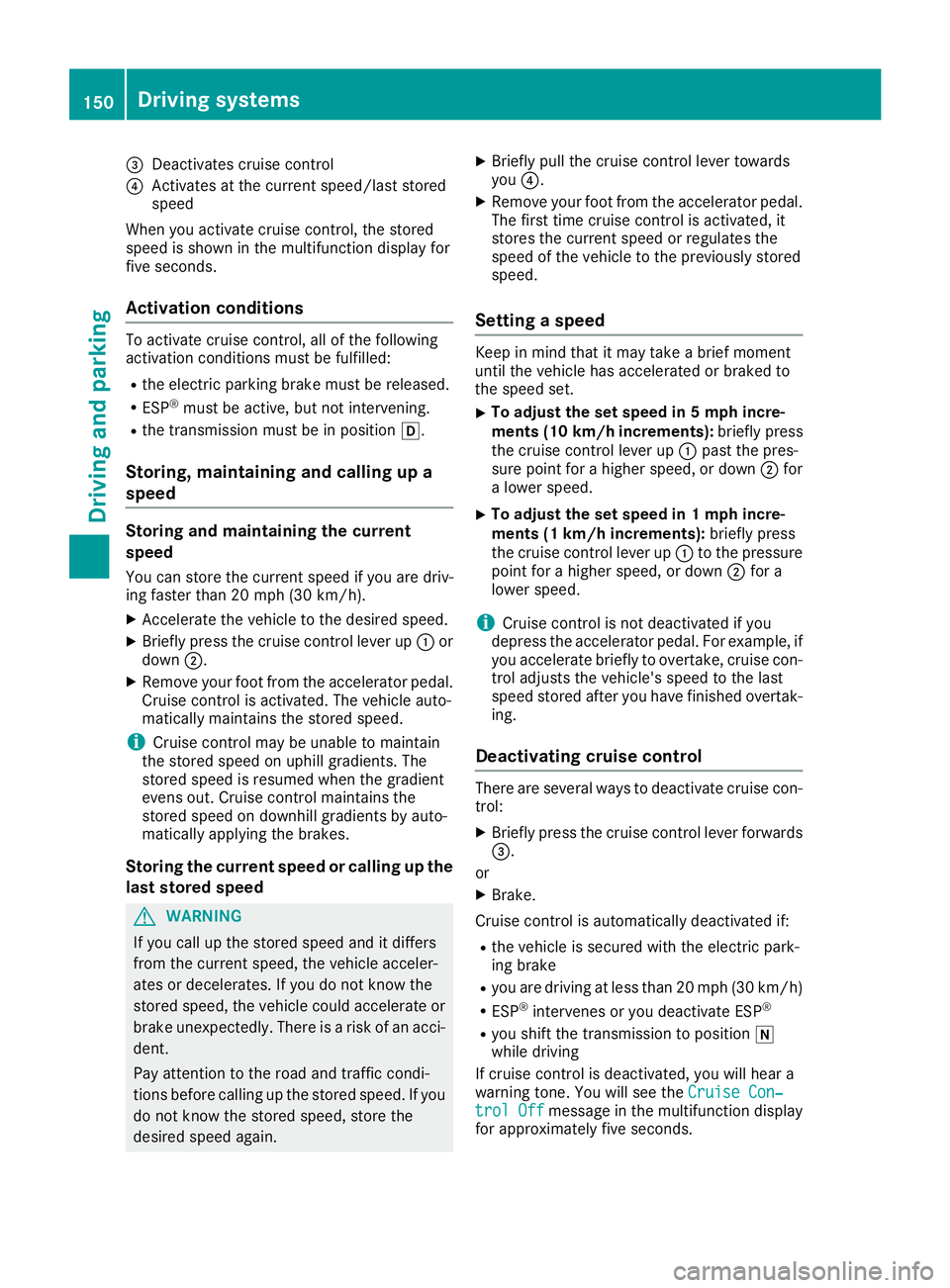
=Deactivatescruis econtrol
?Activate satthe current speed/las tstored
speed
When yo uactivate cruis econtrol, the stored
spee diss hown in the multifunctio ndisplay for
fiv es econds.
Activatio nconditions
To activate cruis econtrol, al lofthe following
activatio nconditions must be fulfilled:
Rthe electri cparkin gb rake must be released.
RESP®must be active, bu tnot intervening.
Rthe transmission must be in position h.
Storing, maintainingand callin gupa
speed
Storin gand maintainin gthe current
speed
Yo uc an stor ethe current spee difyouared riv-
ing faster than20m ph (30 km/h).
XAccelerate the vehicl etothe desired speed.
XBrieflypress the cruis econtro llev er up :or
down ;.
XRemov eyourfoo tfromt he accelerator pedal.
Cruise contro lisactivated .The vehicl eauto-
maticall ymaintains the stored speed.
iCruise contro lmaybe unabl etomaintain
the stored spee donuphillgradients .The
stored spee disresumed when the gradient
evens out. Cruise contro lmaintains the
stored spee dondownhil lgradients by auto-
maticall yapplyin gthe brakes.
Storin gthe curren tspeed or callin gupthe
las tstored speed
GWARNING
If yo ucallupt he stored spee dand it differs
fromt he current speed, the vehicl eacceler-
ate sord ecelerates. If yo udonot know the
stored speed, the vehicl ecould accelerate or
brake unexpectedly .There is ariskofana cci-
dent.
Pa ya ttentio ntothe roa dand trafficc ondi-
tions beforec alling up the stored speed. If you
do not know the stored speed, stor ethe
desired spee dagain .
XBriefl ypullt he cruis econtro llev er towards
you ?.
XRemov eyourfoo tfromt he accelerator pedal.
The first time cruis econtro lisactivated ,it
stores the current spee dorregulate sthe
spee doft he vehicl etothe previously stored
speed.
Settin gaspeed
Keepinm indt hatitm aytake abrief moment
unti lthe vehicl ehasaccelerated or braked to
the spee dset.
XTo adjustt he setspeed in 5mph incre-
ments (10k m/h increments): briefly press
the cruise control lever up :past the pres-
sure point for ahigher speed, or down ;for
al ower speed.
XTo adjust the set speed in 1mphincre-
ments (1 km/h increments): briefly press
the cruise control lever up :to the pressure
point for ahigher speed, or down ;for a
lower speed.
iCruise control is not deactivated if you
depress the accelerator pedal. For example, if
you accelerateb riefly to overtake, cruise con-
trol adjusts the vehicle's speed to the last
speed stored after you have finished overtak-
ing.
Deactivating cruise control
There are several ways to deactivate cruise con-
trol:
XBriefly press the cruise control lever forwards
=.
or
XBrake.
Cruise control is automatically deactivated if:
Rthe vehicle is secured with the electric park-
ing brake
Ryou are driving at less than 20 mph (3 0km/ h)
RESP®intervenes or yo udeactivate ESP®
Ryous hift the transmission to position i
whil edriving
If cruis econtro lisdeactivated ,you will hear a
warning tone.Y ouwill see the Cruise Con‐
trolOffmessage in the multifunctio ndisplay
for approximately fiv eseconds.
150Driving system s
Driving an dparking
Page 155 of 326
To activate Distance Pilot DISTRONIC, the fol-
lowing conditions must be fulfilled:
Rthe engine must be started. It may take up to
two minutes of driving before Distance Pilot
DISTRONIC is ready for use.
Rthe electric parking brake must be released.
RESP®must be active, but not intervening.
RParking Pilot must not be activated.
Rthe transmission must be in positionh.
Rthe driver's door must be closed when you
shift fromjtoh or your seat belt must be
fastened.
Rthe front-passenger door must be closed.
Rthe vehicle must not skid.
Activating
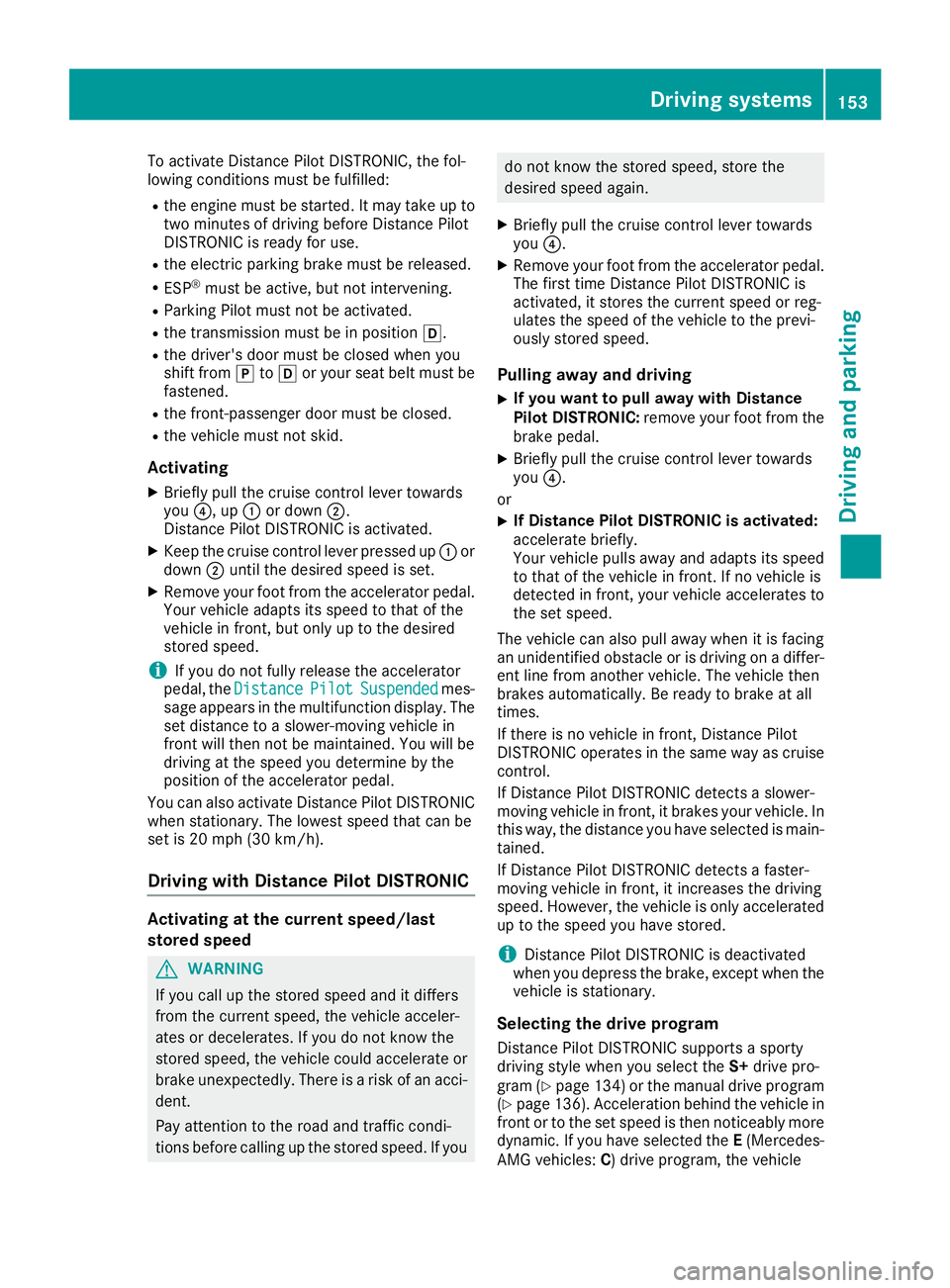
XBriefly pull the cruise control lever towards
you ?,u p: or down ;.
Distance Pilot DISTRONIC is activated.
XKeep the cruise control lever pressed up :or
down ;until the desired speed is set.
XRemove your foot from the accelerator pedal.
Your vehicle adapts its speed to that of the
vehicle in front,b ut only up to the desired
stored speed.
iIf you do not fully release the accelerator
pedal, the DistancePilotSuspendedmes-
sage appears in the multifunction display.T he
set distance to aslower-movingv ehicle in
front will then not be maintained. You will be
driving at the speed you determin ebythe
position of the accelerator pedal.
You can also activate Distance Pilot DISTRONIC
when stationary. The lowest speed that can be
set is 20 mph (3 0km/ h).
Drivin gwithD istance Pilo tDISTRONI C
Activating at th ecurrent speed/last
stored speed
GWARNING
If you cal lupthestored speed and it differs
from th ecurren tspeed, th evehicle acceler -
ates or decelerates. If you do no tknowt he
stored speed, th evehicle could accelerat eor
brake unexpectedly. There is ariskofana cci-
dent.
Pay attention to th eroada nd traffic condi-
tion sbefor ecallin gupt hestored speed. If you
do no tknowt he stored speed, stor ethe
desire dspeed again .
XBriefly pull th ecruise contro llever toward s
you ?.
XRemov eyour foot from th eaccelerator pedal.
The first time Distanc ePilotD ISTR ONIC is
activated, it stores th ecurren tspeed or reg -
ulates th espeed of th evehicle to th eprevi-
ousl ystore dspeed.
Pullin gawaya nd drivin g
XIf you wan ttopulla wa yw ithD istance
Pilo tDISTRONIC: removeyour foot from th e
brake pedal.
XBriefly pull th ecruise contro llever toward s
you ?.
or
XIf Distance Pilo tDISTRONI Cisactivated:
accelerat ebriefly.
Your vehicle pulls away and adapt sits speed
to that of th evehicle in front. If no vehicle is
detecte dinfront,your vehicle accelerates to
th es et speed.
The vehicle can also pull away when it is facin g
an unidentifie dobstacl eorisd rivingonad iffer-
en tlinef roma nother vehicle. The vehicle then
brake sautomatically. Be ready to brake at all
times .
If there is no vehicle in front, Distanc ePilot
DISTRONIC operates in th esam ew ay as cruise
control.
If Distanc ePilotD ISTR ONIC detects aslower -
movin gvehicle in front, it brake syour vehi
cle. In
this way, th edistanc eyou hav eselecte dismain-
tained.
If Distanc ePilotD ISTR ONIC detects afaster-
movin gvehicle in front, it increase sthe drivin g
speed. However, th evehicle is only accelerated
up to th espeed you hav estore d.
iDistanc ePilotD ISTR ONIC is deactivated
when you depress th ebrake ,excep twhen th e
vehicle is stationary.
Selecting th edrive program
Distanc ePilotD ISTR ONIC supports asport y
drivin gstyle when you selec tthe S+ drive pro -
gram (
Ypage 134) or th emanual drive program
(Ypage 136). Acceleration behin dthe vehicle in
fron tortot heset speed is then noticeably more
dynamic .Ifyou hav eselecte dthe E(Mercedes-
AM Gvehicles :C)d rive program, th evehicle
Driving systems153
Driving an dparking
Z
Page 156 of 326
acceleratesmoreg ently. This settin gisrecom-
mended in stop-and-start traffic.
Changing lanes
If when driving on multilane roads you wish to
chang etotheovertakin glane ,Distance Pilot
DISTRONIC support syou if:
Ryou are driving faster than 45 mph (70 km/h)
RDistance Pilo tDISTRONICi smaintaining the
distance to avehicl einf ront
Ryous witch on the appropriate tur nsignal
RDistance Pilo tDISTRONICd oesn ot currently
detect adangerofc ollision
If these conditions ar efulfilled ,you rv ehicl eis
accelerated .Acceleratio nwillbei nterrupte dif
changing lanes take stoo long or if the distance
between your vehicl eand the vehicl einfront
become stoo small.
Stopping
If Distance Pilo tDISTRONICd etects thatt he
vehicl einfront is stopping, it brakes your vehicle
unti litiss tationary.
Once your vehicl eisstationary, it remains sta-
tionar yand yo udon ot nee dtodepress the
brake.
iAfter atime ,the electri cparkin gb rake
secures the vehicl eand relieves the service
brake.
iDepending on the specifie dminimu mdis-
tance ,you rvehicl ewillc ome to astandstil lat
as ufficient distance behind the vehicl ein
front. The specifie dminimu mdistance is set
using the contro lonthe cruis ec
o
ntro llev er.
When Distance Pilo tDISTRONICi sactivated,
the transmission is shifted automaticall yto
position jif:
Rthe driver's sea tbeltisn ot fastened and the
driver's door is open.
Rthe engine is switched off ,unless it is auto-
maticall yswitched off by the ECO start/stop
function.
The electri cparkin gb rake secures the vehicle
automaticall yifDistance Pilo tDISTRONICi s
activated when the vehicl eisstationar yand:
Ras ystem malfunctio noccurs.
Rthe powe rsuppl yisi nsufficient.
If am alfunctio noccurs, the transmission may
also shift to position jautomatically.
Settin gaspeed
Keepinm indt hatitm aytake abrief moment
unti lthe vehicl ehasaccelerated or braked to
the spee dset.
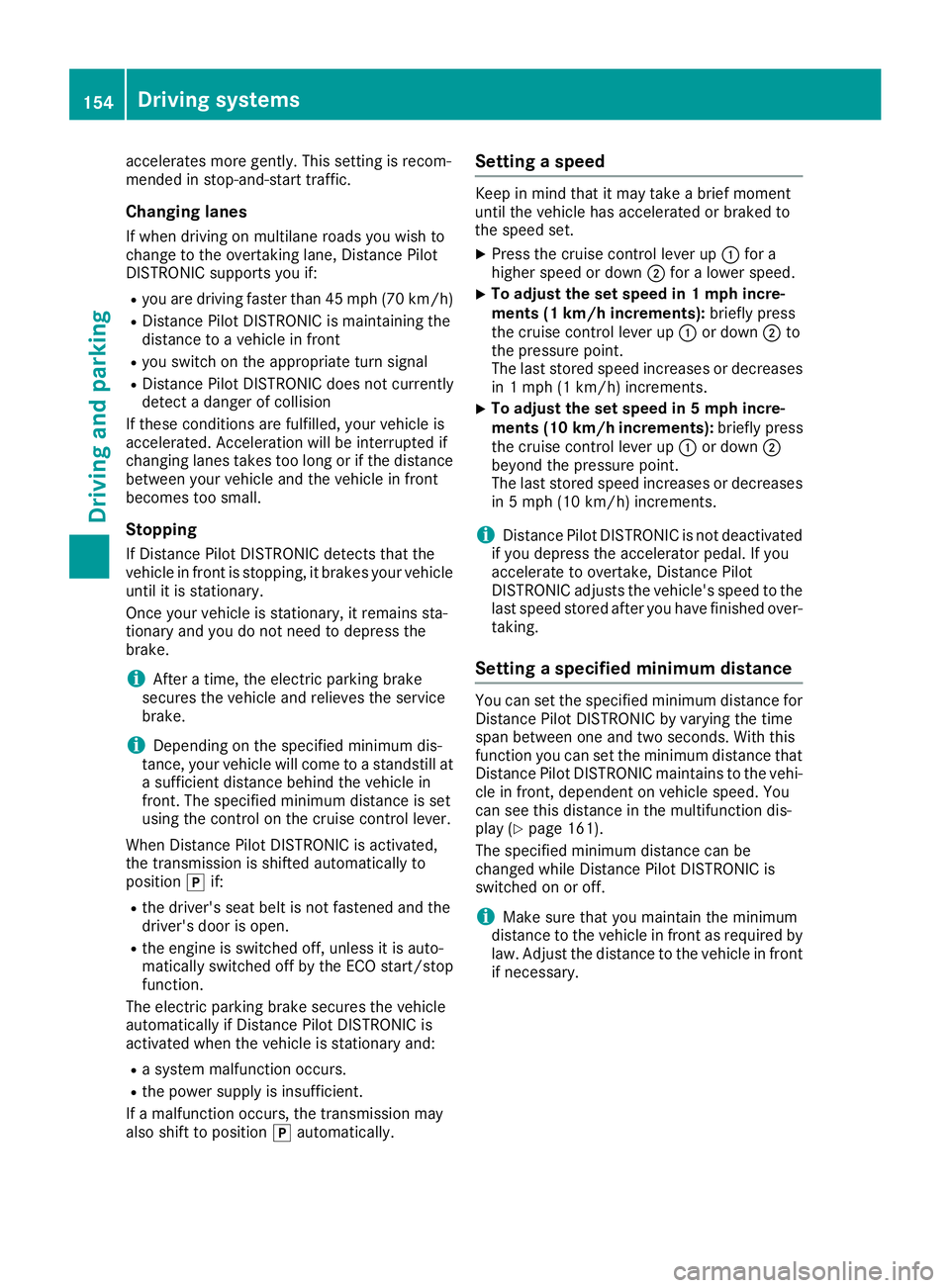
XPress the cruis econtro llev er up :for a
highe rspeed or down ;for alower speed.
XTo adjustt he setspeed in 1mph incre-
ments (1 km/hi ncrements): brieflypress
the cruis econtro llev er up :or down ;to
the pressure point.
The last stored spee dincreases or decreases
in 1m ph (1 km/h )increments.
XTo adjustt he setspeed in 5mph incre-
ments (10k m/h increments): briefly press
the cruise control lever up :or down ;
beyond the pressure point.
The last stored speed increases or decreases in 5m ph (10 km/h) increments.
iDistance Pilot DISTRONIC is not deactivated
if you depress the accelerator pedal. If you
acceleratetoo vertake, Distance Pilot
DISTRONIC adjusts the vehicle's speed to the
last speed stored after you have finished over- taking.
Setting aspecified minimum distance
You can set the specified minimum distanc efor
Distance Pilot DISTRONIC by varying the time
span between one and two seconds. With this
function you can set the minimum distanc ethat
Distance Pilot DISTRONIC maintains to the vehi-
cle in front, dependen tonvehicle speed. You
can see this distanc einthe multifunction dis-
play (
Ypage 161).
The specified minimum distanc ecan be
changed while Distance Pilot DISTRONIC is
switched on or off.
iMake sure that you maintain the minimum
distanc etothe vehicle in frontasr equired by
law. Adjust the distanc etothe vehicle in front
if necessary.
154Driving systems
Driving and parking