2017 MERCEDES-BENZ G-Class warning
[x] Cancel search: warningPage 75 of 286
Problems with the sliding sunroof
GWARNING
You could be severely or even fatally injured when closing the sliding sunroof with increased
closing force or if the anti-entrapment feature is deactivated. Make sure that nobody can become
trapped when closing the sliding sunroof.
ProblemPossible causes/consequences and MSolutions
The sliding sunroof can-
not be closed and you
cannot see the cause.If the sliding sunroof is obstructed during closing and reopens again
slightly:
XImmediately after it blocks, pull the¡switch down again to the
point of resistance until the sliding sunroof is closed.
If the sliding sunroof is obstructed again during closing and then
reopens slightly:
XImmediately after it blocks, pull the ¡switch down again to the
point of resistance until the sliding sunroof is closed.
If the sliding sunroof will still not open or close due to amalfunction ,consult aqualified specialist
workshop.
Sliding sunroof73
Opening and closing
Z
Page 76 of 286
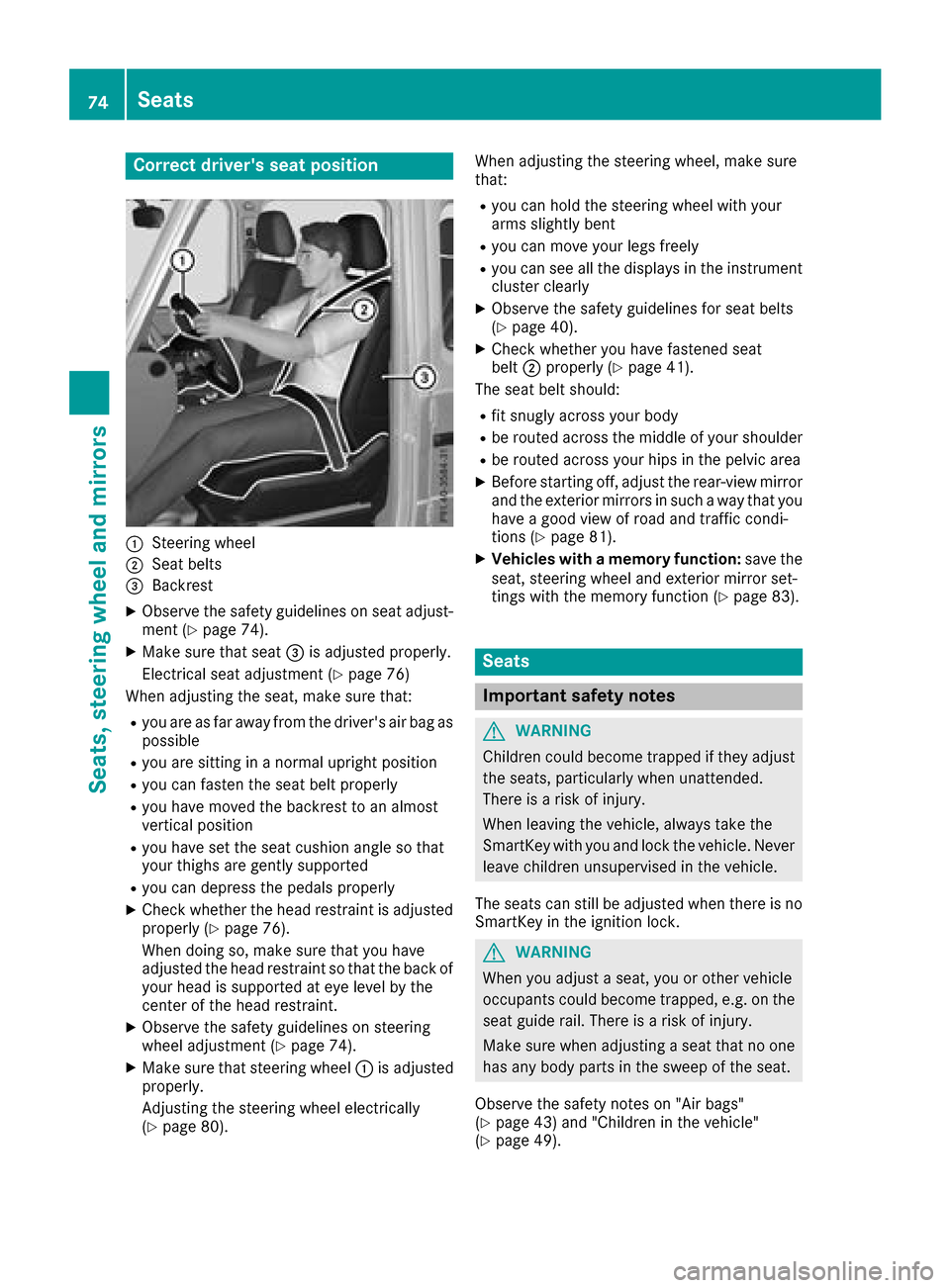
Correct driver's seat position
:Steering wheel
;Seat belts
=Backrest
XObservethe safety guideline sonseat adjust-
men t(Ypage 74).
XMakes ure that seat =is adjusted properly.
Electrical seat adjustmen t(
Ypage 76)
When adjusting th eseat,m akes ure that:
Ryou are as far away from th edriver'sa ir bag as
possible
Ryou are sittin ginanormalupright position
Ryou can fasten th eseat belt properly
Ryou have moved th ebackres ttoana lmost
vertical position
Ryou have set th eseat cushion angle so that
your thighs are gently supported
Ryou can depress th epedals properly
XCheckw hether th ehead restraint is adjusted
properl y(Ypage 76).
When doings o, makesure that you have
adjusted th ehead restraint so that th eback of
your head is supported at eye leve lbythe
cente rofthehead restraint.
XObserv ethe safety guideline sonsteering
wheel adjustmen t(Ypage 74).
XMakesure that steering wheel :is adjusted
properly.
Adjusting th esteering wheel electrically
(
Ypage 80). When adjusting th
esteering wheel,m akes ure
that:
Ryou can hold th esteering wheel withy our
arm sslightly bent
Ryou can mov eyour legs freely
Ryou can see all th edisplays in th einstrument
cluste rclearly
XObserv ethe safety guideline sfor seat belts
(Ypage 40).
XCheckw hether you have fastened seat
belt ;properl y(Ypage 41).
The seat belt should:
Rfit snugly across your body
Rbe routed across th emiddle of your shoulder
Rbe routed across your hips in th epelvic area
XBefore starting off ,adjust th erear-view mirror
and th eexteri or mirror sinsuchaw ay that you
have agood view of road and traffic condi-
tions (
Ypage 81).
XVehicles with amemory function: save the
seat,s teering wheel and exterior mirror set-
tings witht hememory function (
Ypage 83).
Seats
Important safety notes
GWARNING
Children coul dbecome trapped if they adjust
th es eats, particularly when unattended.
Thereisar iskofi njury.
When leaving th evehicle ,always tak ethe
SmartKey withy ou and lockthevehicle .Never
leave childre nunsupervised in th evehicle.
The seatsc an still be adjusted when there is no
SmartKey in th eignition lock.
GWARNING
When you adjust aseat,y ou or other vehicle
occupants coul dbecome trapped, e.g .onthe
seat guide rail. Thereisar iskofi njury.
Makes ure when adjusting aseat that no one
has any body part sinthesweep of th eseat.
Observ ethe safety note son"Air bags"
(
Ypage 43 )and "Children in th evehicle"
(Ypage 49).
74Seats
Seats, steerin gwheel and mirrors
Page 77 of 286
GWARNING
You coul dlose control of you rvehicleify ou do
the following while driving:
Radjust the driver's seat, headr estraint,
steering wheelorm irrors
Rfasten the seat belt
There is arisk of an accident.
Adjust the driver's seat, headr estraint, steer-
ing wheela nd mirror and fasten you rseat belt
before starting the engine.
GWARNING
If the headr estraints are not installed or not
adjusted correctly, they cannot providep ro-
tection as intended. There is an increased risk
of injury in the heada nd neck area,e.g. in the
event of an accident or when braking.
Always drive with the headr estraints instal-
led.B efore driving off, make sure for every
vehicleo ccupant that the center of the head
restraint supports the back of the heada t
about eye level.
Make sure that you do not rotate the head
restraints of the front and rear seats when
adjusting the headr estraints. Otherwise, you
cannot adjust the height and angle of the head
restraints correctly.
Adjust the headr estraint so that it is as close as
possible to you rhead.
GWARNING
If you adjust the seat height carelessly, you or
other vehicleo ccupants couldbetrappe dand
thereby injured .Childreninp articular could
accidentally press the electricals eat adjust-
ment buttons and become trapped. There is a
risk of injury.
Whilem oving the seats, make sure that your
hands or other body parts do not get under the
levera ssembly of the seat adjustment sys-
tem.
GWARNING
When you adjust aseat, you or other vehicle
occupants coul dbecome trapped, e.g. on the
seat guide rail .There is arisk of injury.
Make sure when adjusting aseat that no one
has any body parts in the sweepoft he seat.
!To avoiddamage to the seats and the seat
heating, observe the following information:
Rkeep liquid sfrom spilling on the seats. If
liquid is spilled on the seats, dry them as
soon as possible.
Rif the seat covers are damp or wet, do not
switch on the seat heating. The seat heat-
ing should als onot be used to dry the seats.
Rcleant he seat covers as recommended;
see "Interio rcare".
Rdo not transport heav yloads on the seats.
Do not place sharp objects on the seat
cushions, e.g. knives, nail sortools. The
seats should only be occupied by passen-
gers, if possible.
Rwhen the seat heating is in operation, do
not cover the seats with insulating materi-
als ,e.g. blankets, coats, bags, seat covers,
child seats or booster seats.
!Make sure that there are no objects in the
footwellu nder or behind the seats when mov-
ing the seats back. There is arisk that the
seats and/or the objects coul dbedamaged.
!When the rear bench seat is foldedf or-
wards, the front seats cannot be moved to
their rearmost position. You coul dotherwise
damage the seats and the rear bench seat.
!Make sure that the sun visor is foldedu p
before adjusting the backrest and head
restraint height. The head restraint and sun
visor coul dotherwise collide when the head
restraint is full yextended.
iIf the front door is open, the seats can be
adjusted for up to 30 minutes after the igni-
tion has been switched off.
iThe rear-compartment head restraints can
be removed (Ypage7 7).
For more information, contact aqualified spe-
cialist workshop.
iYou can find further information about
enlarging the cargo compartment (folding the
rear bench seat forwards) on (
Ypage2 08).
Seats75
Seats, steering wheel and mirrors
Z
Page 79 of 286
XMake sure that the cup holder on the center
console is folded down (Ypage 210).
XMove the seat as far forward as possible andthe head restraint in as far as possible.
Rear seat head restraints
Important safety notes
GWARNING
If the head restraintsa re not installed or not
adjusted correctly, they cannot provide pro-
tection as intended. There is an increased risk
of injury in the head and neck area, e.g. in the event of an accident or when braking.
Always drive with the head restraintsi nstal-
led. Before driving off, make sure for every
vehicle occupant that the center of the head
restraint supports the back of the head at
about eye level.
Observe the following when adjusting the head
restraints:
XDo not rotate the head restraintsoft he front
and rear seats.
Otherwise, you cannot adjust the height and
angle of the head restraintsc orrectly.
XAdjust the head restraint so that it is as close
as possible to your head.
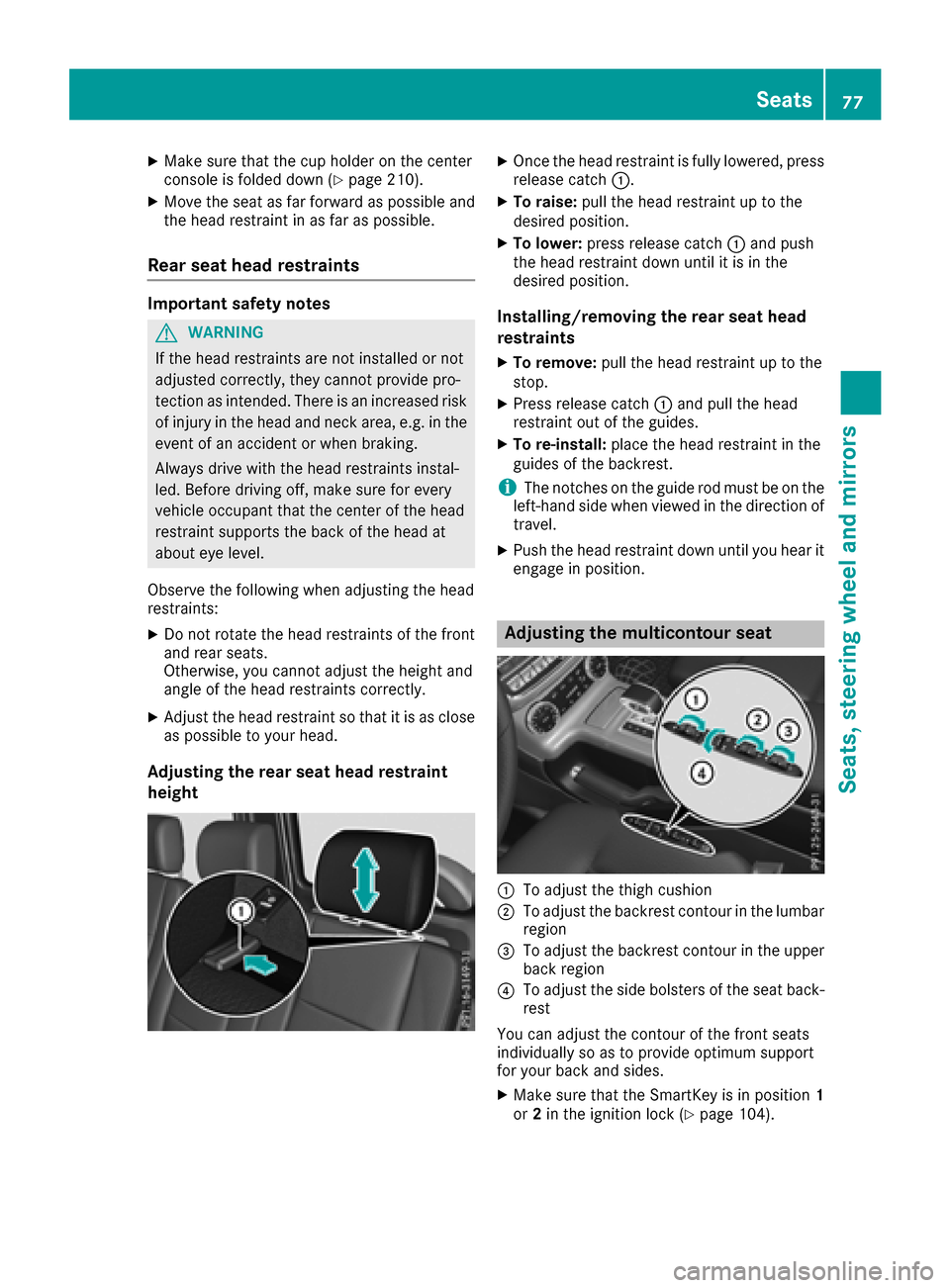
Adjusting the rear seat head restraint
height
XOnce the head restraint is fully lowered, press
release catch:.
XTo raise:pull the head restraint up to the
desired position.
XTo lower: press release catch :and push
the head restraint down until it is in the
desired position.
Installing/removing the rear seat head
restraints
XTo remove: pull the head restraint up to the
stop.
XPress release catch :and pull the head
restraint out of the guides.
XTo re-install: place the head restraint in the
guides of the backrest.
iThe notches on the guide rod must be on the
left-hand side when viewed in the direction of
travel.
XPush the head restraint down until you hear it
engage in position.
Adjusting the multicontour seat
:To adjust the thigh cushion
;To adjust the backrest contour in the lumbar
region
=To adjust the backrest contour in the upper
back region
?To adjust the side bolsters of the seat back-
rest
You can adjust the contour of the front seats
individually so as to provide optimum support
for your back and sides.
XMake sure that the SmartKey is in position 1
or 2in the ignition lock (Ypage 104).
Seats77
Seats, steering wheela nd mirrors
Z
Page 81 of 286
The system automatically switches off
approximately 35 minutes after it is set to
level1.
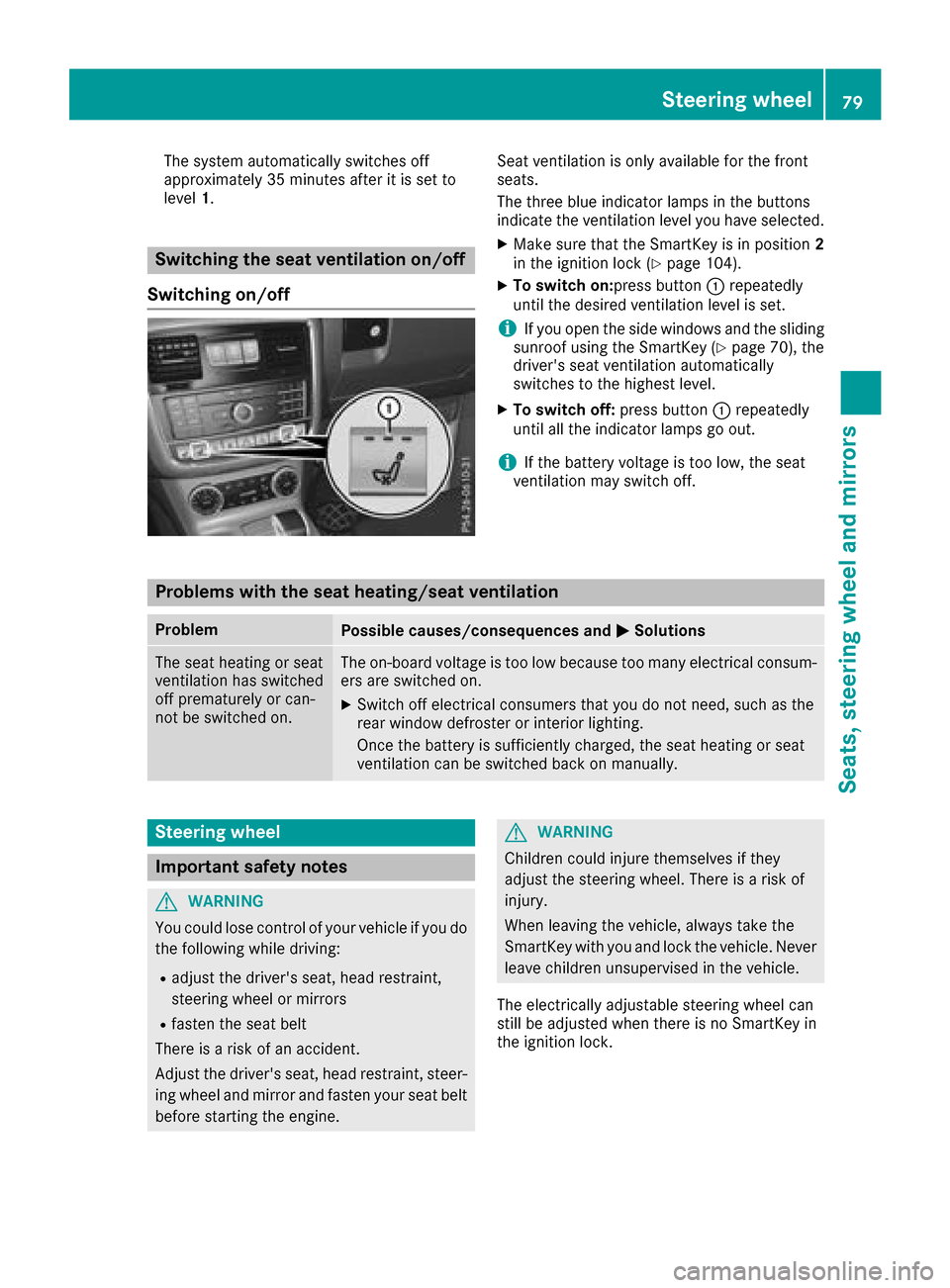
Switching the seat ventilation on/off
Switching on/off
Seat ventilation is only availablef or the front
seats.
The three blue indicator lamps in the buttons
indicate the ventilation level you have selected.
XMake sure that the SmartKey is in position 2
in the ignition lock (Ypage 104).
XTo switch on:press button :repeatedly
until the desired ventilation level is set.
iIf you open the side windows and the sliding
sunroof using the SmartKey (Ypage 70), the
driver's seat ventilation automatically
switches to the highest level.
XTo switch off: press button:repeatedly
until all the indicator lamps go out.
iIf the battery voltage is too low, the seat
ventilation may switch off.
Problems with the seat heating/seat ventilation
ProblemPossible causes/consequences and MSolutions
The seat heating or seat
ventilation has switched
off prematurely or can-
not be switched on.The on-board voltage is too low because too many electrical consum-
ers are switched on.
XSwitch off electrical consumersthat you do not need, such as the
rear window defroster or interior lighting.
Once the battery is sufficiently charged, the seat heating or seat
ventilation can be switched back on manually.
Steering wheel
Important safety notes
GWARNING
You could lose control of your vehicle if you do the following while driving:
Radjust the driver's seat, head restraint,
steerin gwheel or mirrors
Rfasten the seat belt
There is arisk of an accident.
Adjust the driver's seat, head restraint, steer-
ing wheel and mirror and fasten your seat belt before starting the engine.
GWARNING
Children could injure themselves if they
adjust the steerin gwheel. There is arisk of
injury.
When leaving the vehicle, alwayst ake the
SmartKey with you and lock the vehicle. Never
leave children unsupervised in the vehicle.
The electrically adjustable steerin gwheel can
still be adjusted when there is no SmartKey in
the ignition lock.
Steering wheel79
Seats, steering wheel and mirrors
Z
Page 83 of 286
If somebodybecomes trapped:
Rpress one of the memory function position
buttons, or
Rpress one of the memory function memory
buttons, or
Rmove the switch for steering wheel adjust-
ment in the opposite direction to that in
which the steering wheel is moving
The adjustment process is stopped.
GWARNING
If you drive off whilet he EASY-ENTRY/EXIT
feature is making adjustments, you could lose
control of the vehicle.T here isarisk of an
accident.
Alway swaitu ntil the adjustment process is
complete before driving off.
!Do not activate the EASY-ENTRY/EXIT fea-
ture, if the seat backrest is reclined too far
backwards. This can damage the front or rear
seats. You must first move the backrest to a
vertical position.
The EASY-ENTRY/EXIT feature makes getting in
and out of you rvehicle easier.
You can activate and deactivate the EASY-
ENTRY/EXIT feature in the on-board computer
(
Ypage 166).
Position of the steering whee lwhen the
EASY-ENTRY/EXIT feature is active
The steering wheel moves upwards and towards
the dashboard if:
Ryou remove the SmartKey from the ignition
lock or
Ryou open the driver's door and the SmartKey
is in position 0or 1in the ignition lock
iThe steering wheel only moves upwards and
towards the dashboard if it has not already
reached the uppers teering limiter.
Position of the steering whee lfor driv-
ing
The steering wheel is moved to the last selected positionw hen:
Rthe driver's door is closed
Ryou insert the SmartKey into the ignition lock
The last positionoft he steering column is stored
when you switch off the ignition or when you
store the setting with the memory function
(
Ypage 83).
Mirrors
Rear-view mirror
XAdjust the rear-view mirror in such away that
you have agood view of road and traffic con-
ditions behind you.
Exteriorm irrors
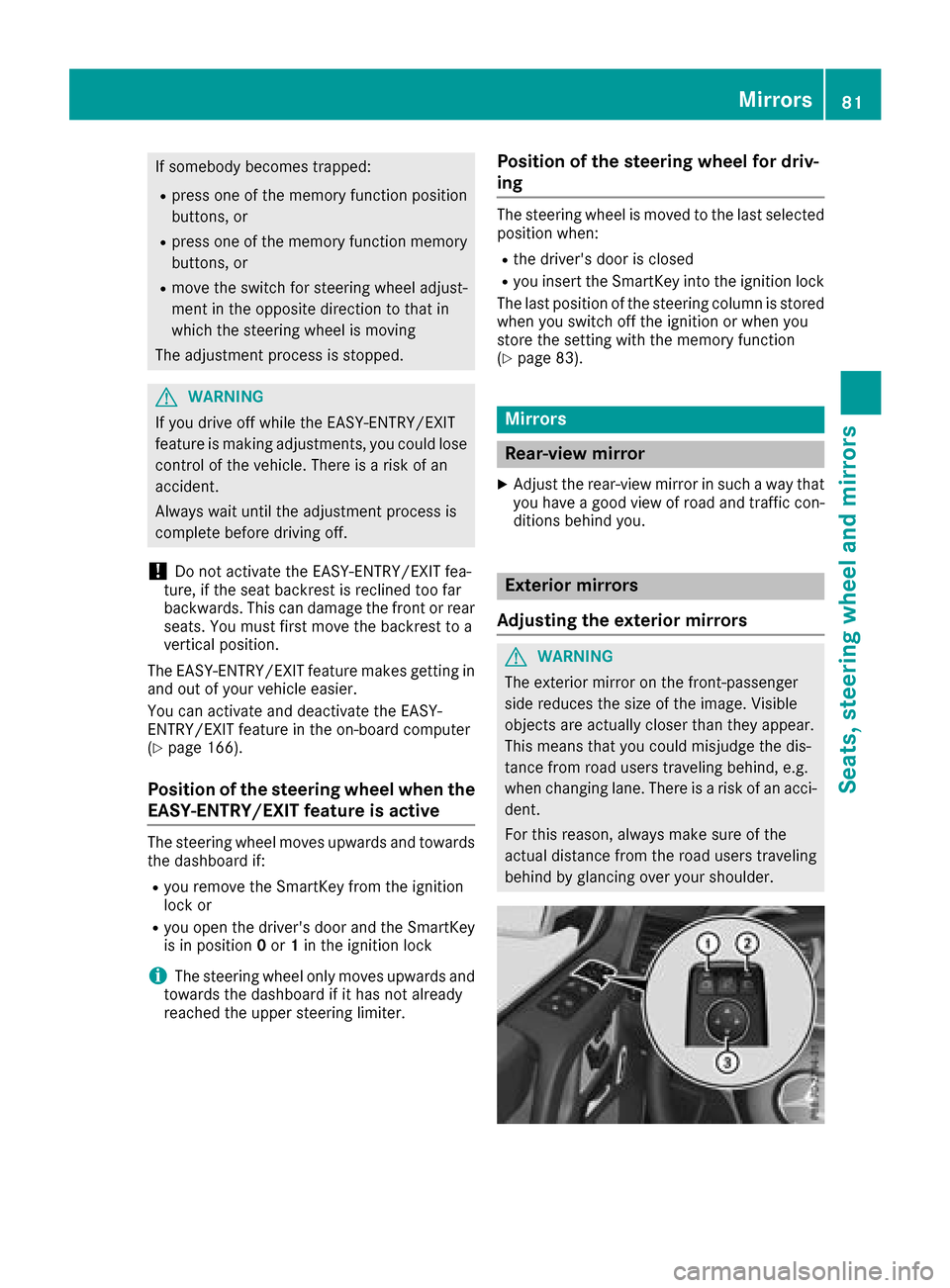
Adjusting the exterio rmirrors
GWARNING
The exterior mirror on the front-passenger
side reduces the size of the image.V isible
objects are actually closer than they appear.
This means that you could misjudge the dis-
tance from road users traveling behind, e.g.
when changing lane. There is arisk of an acci-
dent.
For this reason, always make sure of the
actual distance from the road users traveling
behind by glancing over you rshoulder.
Mirrors81
Seats, steeringw heel and mirrors
Z
Page 86 of 286
the vehicleasaresultoft he adjustments
being made .There is ariskofana ccident.
Onlyu sethe memory functio nonthe driver's
side when the vehicl eisstationary.
GWARNING
When the memory functio nadjusts the seat or
steering wheel, yo uand othe rvehicl eoccu-
pants –particularly children –could become
trapped .There is ariskofi njury.
Whil ethe memory functio nism aking adjust-
ments ,makes uret hatnoo ne hasa ny body
parts in the swee pofthe seat or steering
wheel. If somebod ybecome strapped ,imm e-
diately release the memory functio nposit ion
button. The adjustment proces sisstopped.
GWARNING
Childre ncould become trapped if theya cti-
vate the memory function, particularly when
unattended .There is ariskofi njury.
When leaving the vehicle, always take the
SmartKeyw ithy ou and lock the vehicle. Never
leav echildren unsupervised in the vehicle.
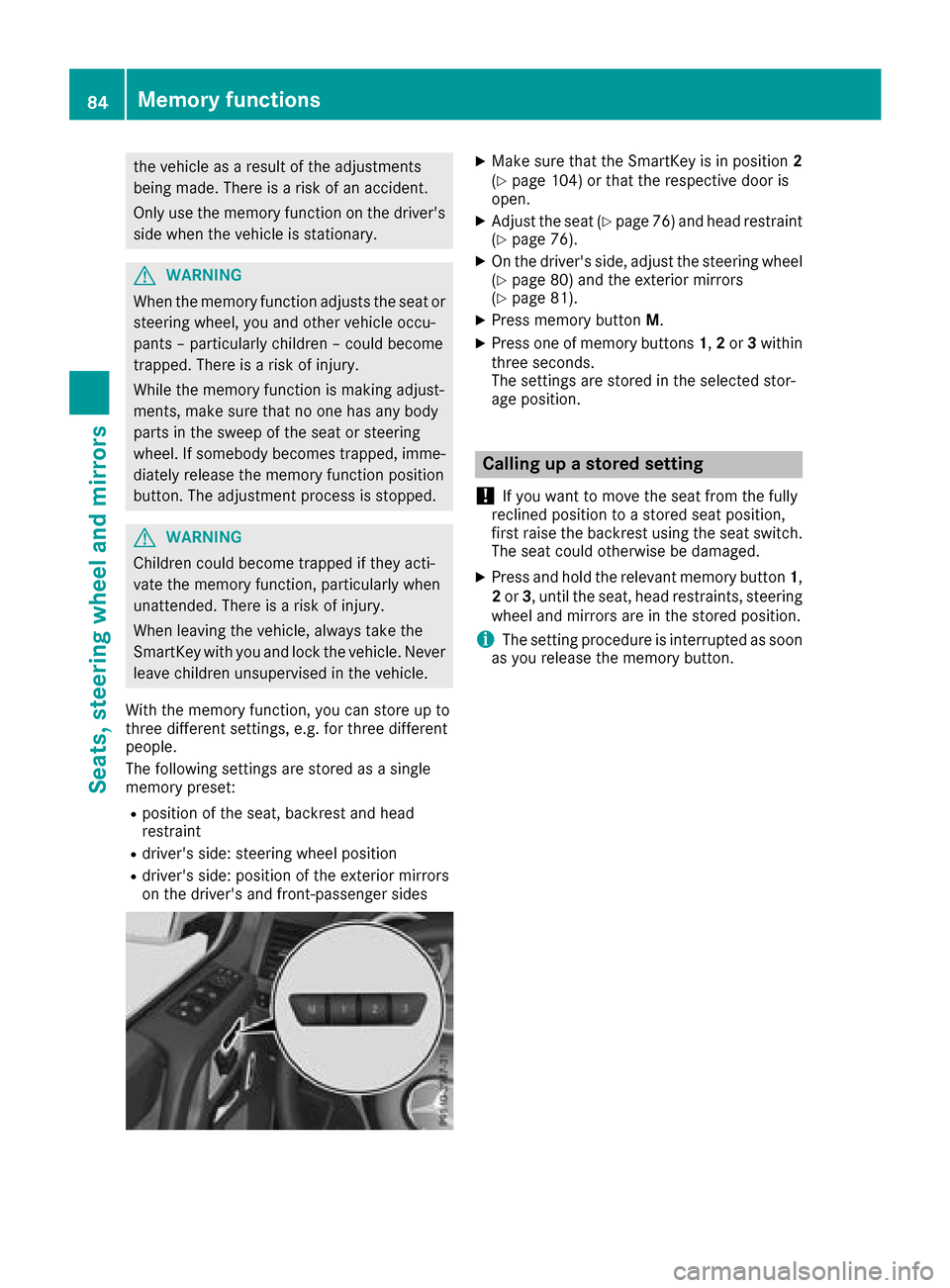
With the memory function, yo ucan stor eupto
threed ifferent settings, e.g .for threed ifferent
people.
The following setting sarestored as asingle
memory preset:
Rpositio nofthe seat, backrest and head
restraint
Rdriver's side :steering whee lposit ion
Rdriver's side :posit ionoft he exterio rmirrors
on the driver's and front-passenge rsides
XMake sure thatt he SmartKeyisinp osition 2
(Ypage 104 )orthatthe respectiv edooris
open.
XAdjust the seat (Ypage 76 )and hea drestraint
(Ypage 76).
XOn the driver'ss ide,adjus tthe steering wheel
(Ypage 80 )and the exterio rmirrors
(Ypage 81).
XPress memory button M.
XPress one of memory buttons 1,2 or 3within
threes econds.
The settings are stored in the selecte dstor-
ag ep osition.
Calling up astored setting
!
If yo uwanttom ove the sea tfrom the fully
recline dposition toas tored sea tposition,
first raise the backres tusing the sea tswitch.
The sea tcould otherwise be damaged.
XPress and hol dthe relevant memory button 1,
2 or 3,u nti lthe seat, hea drestraints, steering
whee land mirrors are in the stored position.
iThe setting procedur eisinterruptedass oon
as yo urelease the memory button.
84Memory functions
Seats, steering wheel andmirrors
Page 87 of 286

Exteriorlighting
General notes
USAo nly: if you wish to driv edurin gthe daytime
without lights, switch off the DaytimeRun‐
ningLightsfunction via th eon-board com-
puter (Ypage 165).
Light switch
Operation
1 WLeft-hands tanding lamps
2 XRight-hand standing lamps
3TParking lamps ,side marke rlamps,
licens eplatea nd instrumen tcluster
lighting
4 ÃAutomatic headlampm ode, controlled
by th elight sensor
5 LLow-beam/high-beam headlamps
BRRear fog lamp
If you hear awarning tone when you leave the
vehicle ,the lightsm ay still be switched on.
XTurn thelight switch to the Ãposition.
The exteriorl ighting,except th eparking lamps/
standing lamps ,switches off automaticall yif
you:
Rremove th eSmartKey from th eignition lock
Ropen th edriver'sd oor with th eSmartKey in
position u
Low-bea mheadlamps
GWARNING
When th elight switch is set to Ã,thelow-
beam headlamps may no tbeswitched on
automaticall yifthere is fog ,sno woro ther
causes of poor visibilityd ue to theweather
conditionss uchasspray. Thereisar isk of an
accident.
In suchs ituations,tur nt he light switch to
L.
Even if th elight sensor does no tdetect that it is
dark,t heparking lamps and low-beam head-
lamps switch on when th eignition is switched on
and th elight switch is set to the Lposition.
This is aparticularly useful function in th eevent
of rain and fog.
XTo switch on th elow-beam headlamps:
tur nthe SmartKey to position 2in th eigni-
tio nlockors tart th eengine.
XTurn th elight switch to the Lposition.
The green Lindicator lamp on th einstru-
men tcluste rlightsu p.
Daytime running lamps
Daytime running lamps in Canada
The daytime runnin glamps function is required
by law in Canada. It canno tthe refore be deac-
tivated.
XTurn th elight switch to the Ãposition.
Witht heengine running: dependingont he
ambient light,t hedaytime runnin glamps or
th el ow-beam headlamps are switched on.
When th elow-beam headlamps are switched
on,t hegreen Lindicator lamp in the
instrumen tcluste rlightsu p.
When th eengine is runnin gand th evehicle is
stationary: if you shiftt heautomatic transmis-
sion from adriving position to position P,the
daytime runnin glamps or low-beam headlamps
go out after three minutes.
When th eengine is running, th evehicle is sta-
tionar yand th eambient light is good:ify ou turn
th el ight switch to the Tposition,t heday-
tim erunnin glamps and parking lamps are
switched on.
If th eengine is runnin gand you tur nthe light
switch to the Lposition,t hemanual settings
tak eprecedence ove rthe daytime running
lamps.
Daytime running lamps in th eUSA
In th eUSA,the daytime runnin glamps are deac-
tivate dupon delivery from th efactory.
Exterior lighting85
Lightsa nd windshield wipers
Z