Page 27 of 582
H20
Normal Charge
Actual charger image and charg-
ing method may vary in accor-
dance with the charger manufac-
turer.
How to Connect NormalCharger
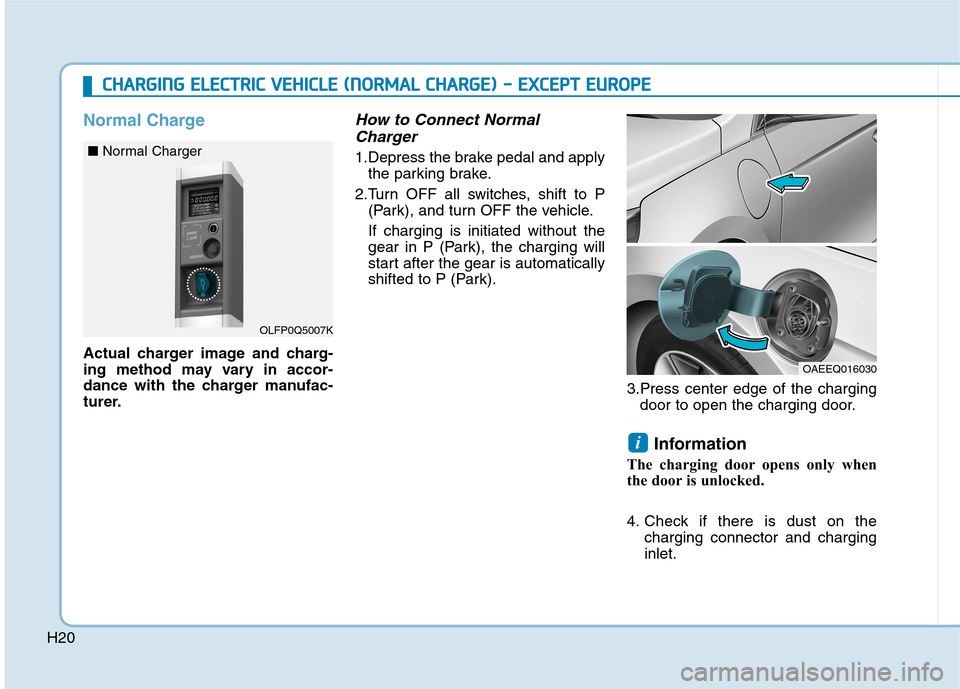
1.Depress the brake pedal and apply the parking brake.
2.Turn OFF all switches, shift to P (Park), and turn OFF the vehicle. If charging is initiated without the
gear in P (Park), the charging will
start after the gear is automatically
shifted to P (Park).
3.Press center edge of the chargingdoor to open the charging door.
Information
The charging door opens only when
the door is unlocked.
4. Check if there is dust on the charging connector and charging inlet.
i
CCHH AARRGG IINN GG EE LLEE CCTT RR IICC VV EEHH IICC LLEE (( NN OO RRMM AALL CC HH AARRGG EE)) -- EE XX CCEE PP TT EE UU RROO PPEE
OLFP0Q5007K
■
Normal Charger
OAEEQ016030
Page 28 of 582
H21
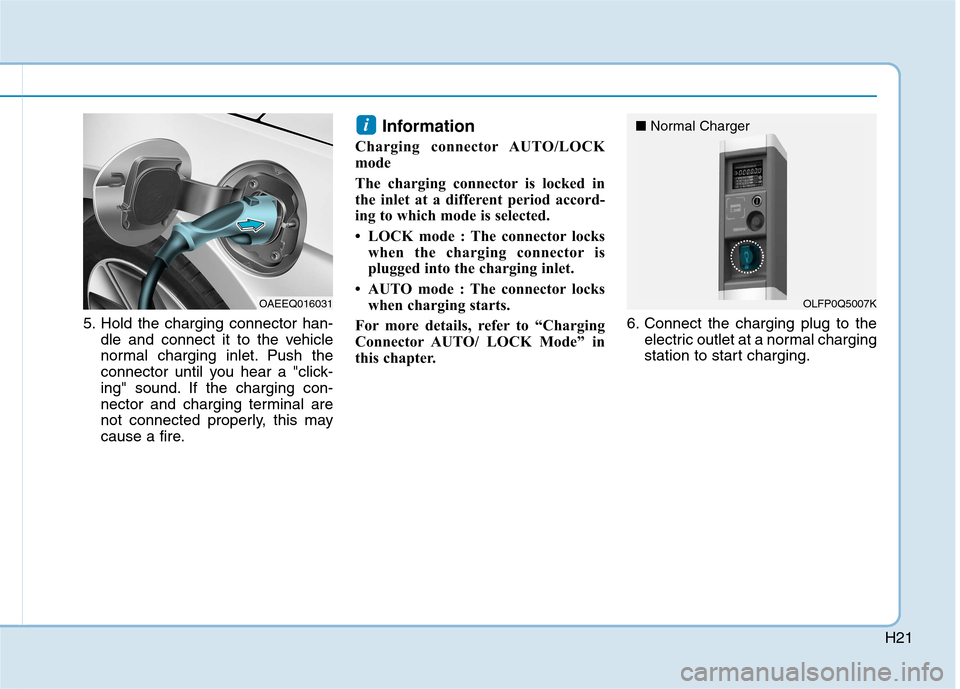
5. Hold the charging connector han-dle and connect it to the vehicle
normal charging inlet. Push the
connector until you hear a "click-
ing" sound. If the charging con-
nector and charging terminal are
not connected properly, this may
cause a fire. Information
Charging connector AUTO/LOCK
mode
The charging connector is locked in
the inlet at a different period accord-
ing to which mode is selected.
LOCK mode : The connector locks when the charging connector is
plugged into the charging inlet.
AUTO mode : The connector locks when charging starts.
For more details, refer to “Charging
Connector AUTO/ LOCK Mode” in
this chapter. 6. Connect the charging plug to the
electric outlet at a normal charging
station to start charging.
i
OLFP0Q5007K
■
Normal ChargerOAEEQ016031
Page 29 of 582
H22
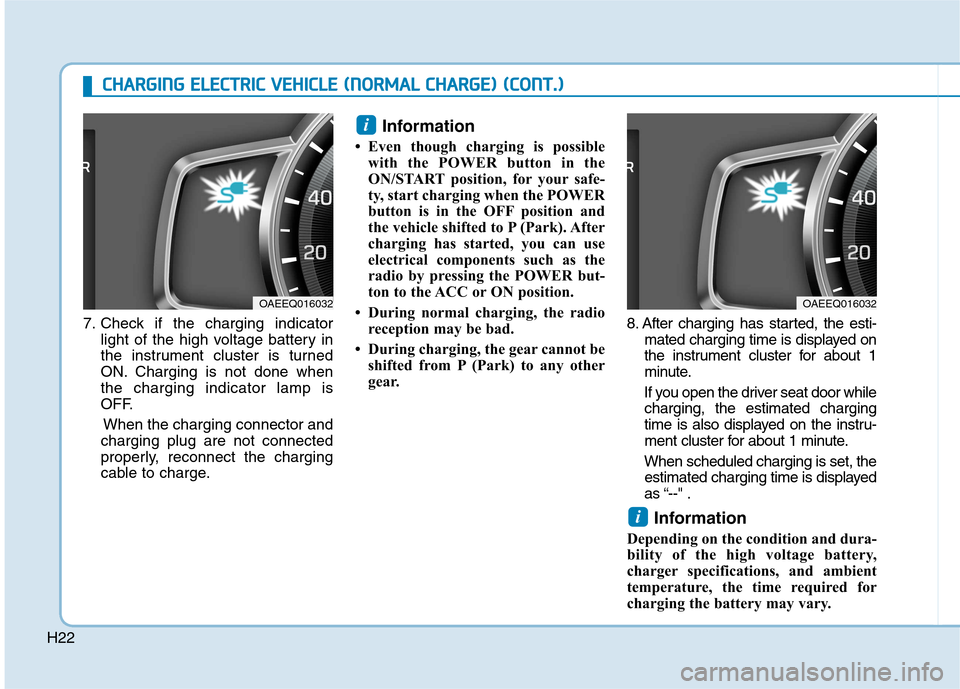
7. Check if the charging indicatorlight of the high voltage battery in
the instrument cluster is turned
ON. Charging is not done whenthe charging indicator lamp is
OFF.
When the charging connector and
charging plug are not connected
properly, reconnect the charging
cable to charge. Information
Even though charging is possible with the POWER button in the
ON/START position, for your safe-
ty, start charging when the POWER
button is in the OFF position and
the vehicle shifted to P (Park). After
charging has started, you can use
electrical components such as the
radio by pressing the POWER but-
ton to the ACC or ON position.
During normal charging, the radio reception may be bad.
During charging, the gear cannot be shifted from P (Park) to any other
gear. 8. After charging has started, the esti-
mated charging time is displayed on
the instrument cluster for about 1
minute.
If you open the driver seat door while charging, the estimated charging
time is also displayed on the instru-
ment cluster for about 1 minute.
When scheduled charging is set, the estimated charging time is displayed
as “--" .
Information
Depending on the condition and dura-
bility of the high voltage battery,
charger specifications, and ambient
temperature, the time required for
charging the battery may vary.
i
i
OAEEQ016032OAEEQ016032
CC HH AARRGG IINN GG EE LLEE CCTT RR IICC VV EEHH IICC LLEE (( NN OO RRMM AALL CC HH AARRGG EE)) (( CC OO NNTT..))
Page 30 of 582
H23
Checking Charging Status
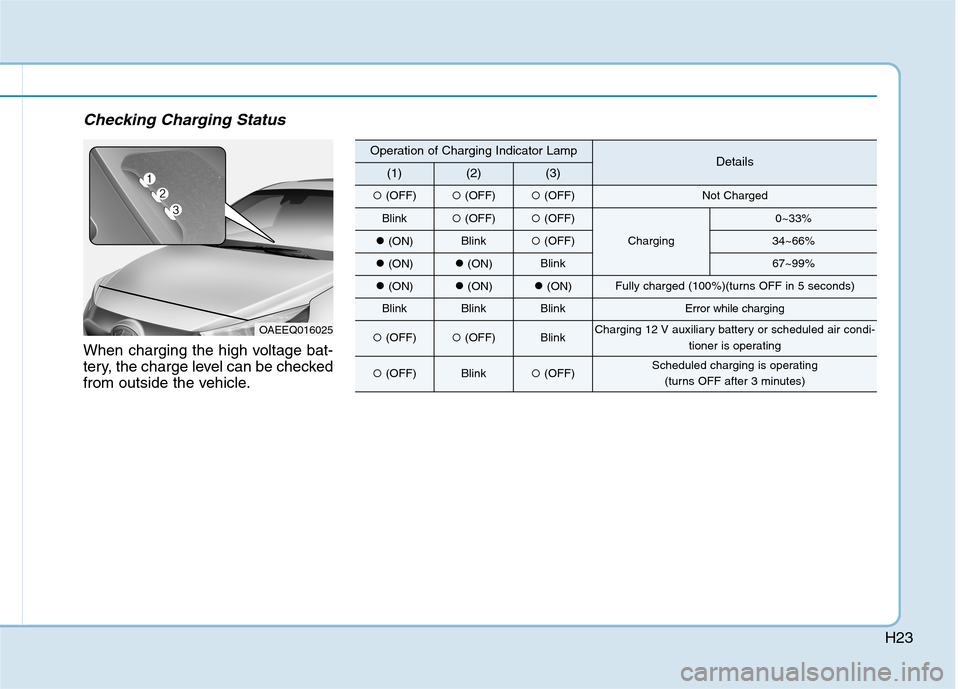
When charging the high voltage bat-
tery, the charge level can be checked
from outside the vehicle.
OAEEQ016025
Operation of Charging Indicator LampDetails(1)(2)(3)
(OFF) (OFF)(OFF)Not Charged
Blink (OFF)(OFF)
Charging
0~33%
(ON)Blink (OFF)34~66%
(ON)(ON)Blink67~99%
(ON)(ON)(ON)Fully charged (100%)(turns OFF in 5 seconds)
BlinkBlinkBlinkError while charging
(OFF) (OFF)BlinkCharging 12 V auxiliary battery or scheduled air condi-
tioner is operating
(OFF)Blink(OFF)Scheduled charging is operating
(turns OFF after 3 minutes)
Page 31 of 582
H24
How to Disconnect NormalCharger
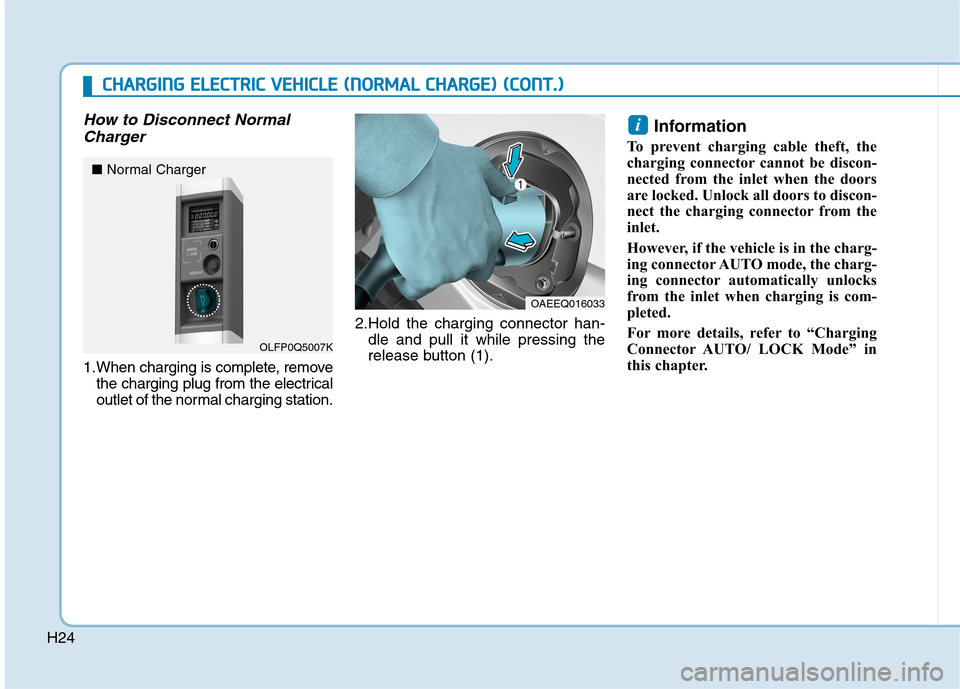
1.When charging is complete, remove the charging plug from the electrical
outlet of the normal charging station. 2.Hold the charging connector han-
dle and pull it while pressing the
release button (1). Information
To prevent charging cable theft, the
charging connector cannot be discon-
nected from the inlet when the doors
are locked. Unlock all doors to discon-
nect the charging connector from the
inlet.
However, if the vehicle is in the charg-
ing connector AUTO mode, the charg-
ing connector automatically unlocks
from the inlet when charging is com-
pleted.
For more details, refer to “Charging
Connector AUTO/ LOCK Mode” in
this chapter.
i
OAEEQ016033
OLFP0Q5007K
■
Normal Charger
CCHH AARRGG IINN GG EE LLEE CCTT RR IICC VV EEHH IICC LLEE (( NN OO RRMM AALL CC HH AARRGG EE)) (( CC OO NNTT..))
Page 32 of 582
H25
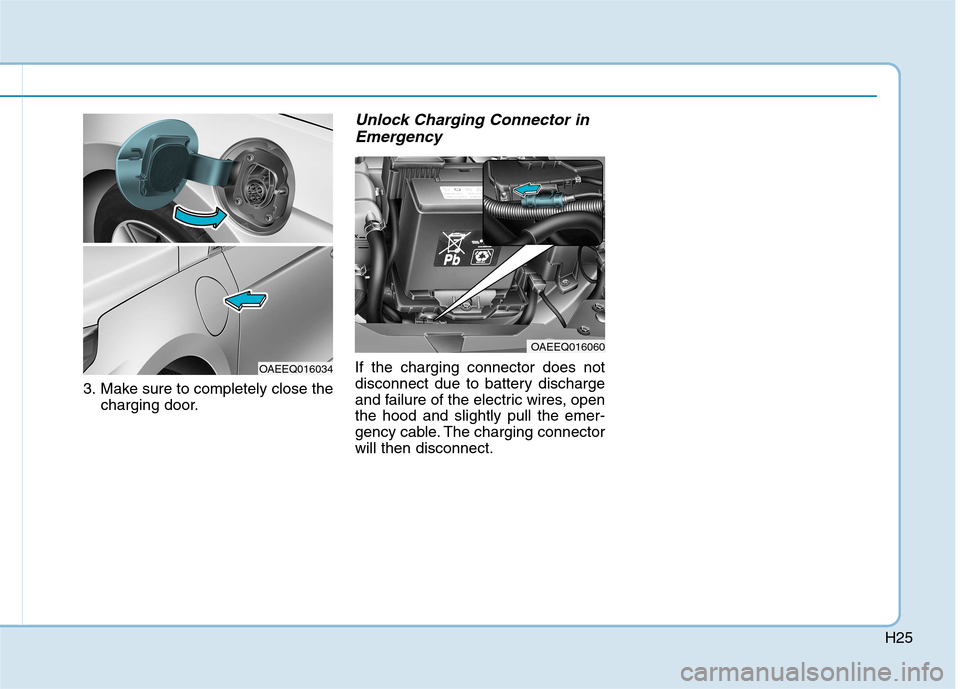
3. Make sure to completely close thecharging door.
Unlock Charging Connector in
Emergency
If the charging connector does not
disconnect due to battery discharge
and failure of the electric wires, openthe hood and slightly pull the emer-
gency cable. The charging connectorwill then disconnect.
OAEEQ016060
OAEEQ016034
Page 33 of 582
H26
Fast Charge
You can charge at high speeds at
public charging stations. Refer to the
respective company's manual that is
provided for each fast charger type.
Battery performance and durability
can deteriorate if the fast charger is
used constantly.
Use of fast charge should be mini-
mized in order to help prolong high
voltage battery life.
Actual charger image and charg-
ing method may vary in accor-
dance with the charger manufac-
turer.Information
If you use a fast charger when the
vehicle is already fully charged, some
quick chargers will send out an error
message. When the vehicle is fully
charged, do not charge the vehicle.
How to Connect Fast Charger
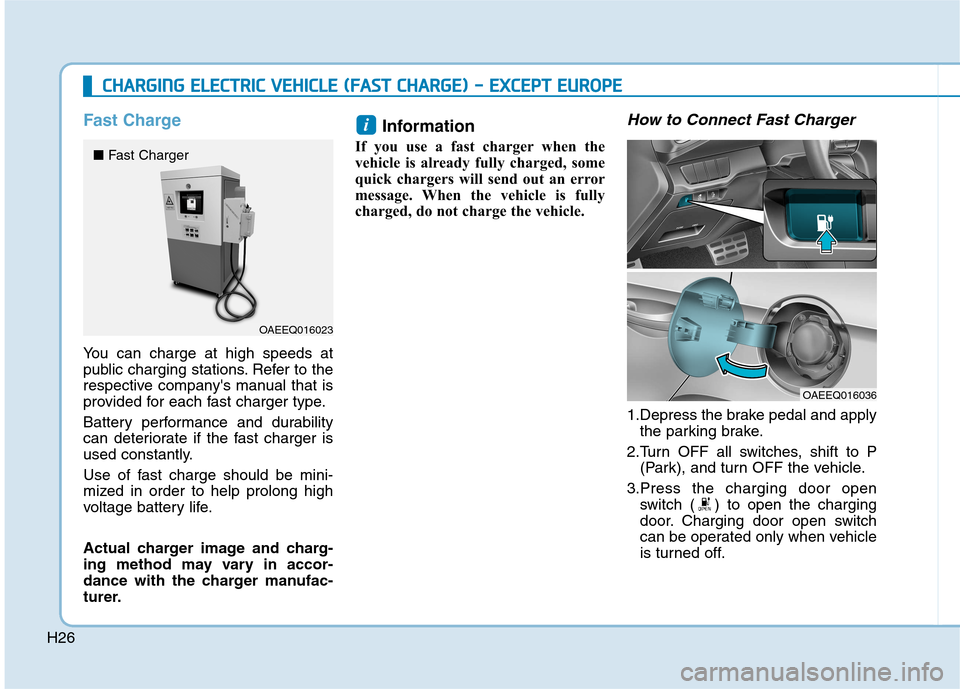
1.Depress the brake pedal and apply the parking brake.
2.Turn OFF all switches, shift to P (Park), and turn OFF the vehicle.
3.Press the charging door open switch ( ) to open the charging
door. Charging door open switch
can be operated only when vehicle
is turned off.
i
CCHH AARRGG IINN GG EE LLEE CCTT RR IICC VV EEHH IICC LLEE (( FF AA SSTT CC HH AARRGG EE)) -- EE XX CCEE PP TT EE UU RROO PPEE
OAEEQ016023
■
Fast Charger
OAEEQ016036
Page 34 of 582
H27
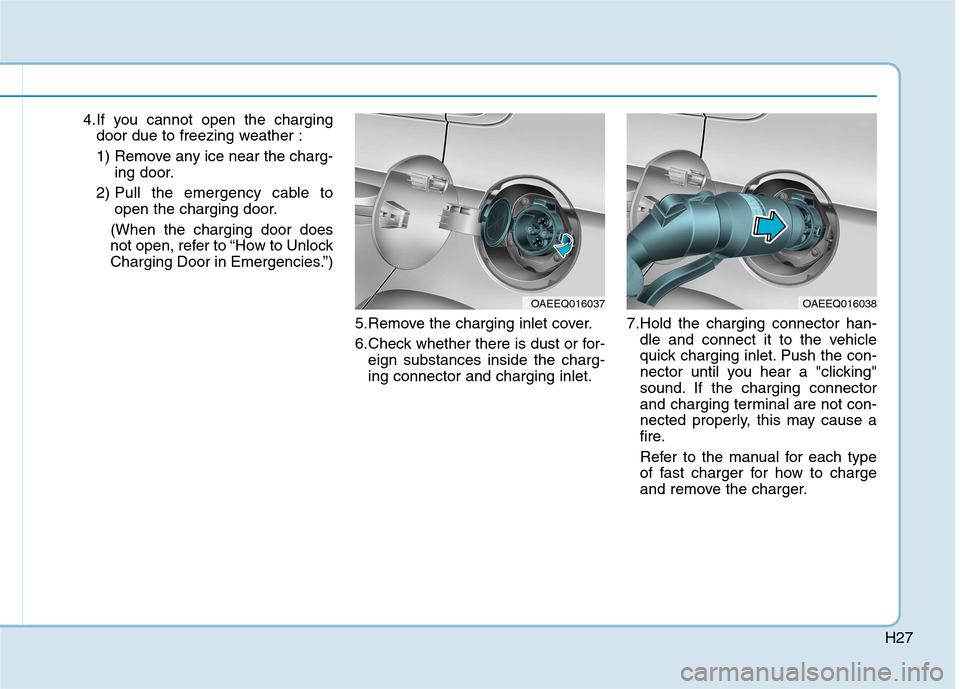
4.If you cannot open the chargingdoor due to freezing weather :
1) Remove any ice near the charg- ing door.
2) Pull the emergency cable to open the charging door.
(When the charging door does
not open, refer to “How to Unlock
Charging Door in Emergencies.”)
5.Remove the charging inlet cover.
6.Check whether there is dust or for-eign substances inside the charg- ing connector and charging inlet. 7.Hold the charging connector han-
dle and connect it to the vehicle
quick charging inlet. Push the con-
nector until you hear a "clicking"
sound. If the charging connector
and charging terminal are not con-
nected properly, this may cause a
fire.
Refer to the manual for each type
of fast charger for how to charge
and remove the charger.
OAEEQ016037OAEEQ016038