2017 Hyundai Ioniq Electric start stop button
[x] Cancel search: start stop buttonPage 244 of 582
3-75
Convenient features of your vehicle
3
Average Vehicle Speed (2)
The average vehicle speed is cal-culated by the total driving dis-
tance and driving time since the
last average vehicle speed reset.
To reset the average vehicle speed, press the OK button on the steering
wheel for more than 1 second when
the average vehicle speed is dis-
played.
Information
The average vehicle speed is not dis- played if the driving distance is less
than 300 meters (0.19 miles) or the
driving time is less than 10 seconds,
after resetting the vehicle speed.
The average vehicle speed will con- tinue to be calculated and will start
to decrease if the vehicle is stopped
while the vehicle is in the ready
( ) mode.
Elapsed Time (3)
The elapsed time is the total driv-ing time since the last elapsed time reset.
To reset the elapsed time, press the OK button on the steering
wheel for more than 1 secondwhen the elapsed time is dis-
played.
Information
The elapsed time will continue to be
counted while the vehicle is in the
ready ( ) mode.
Digital speedometer
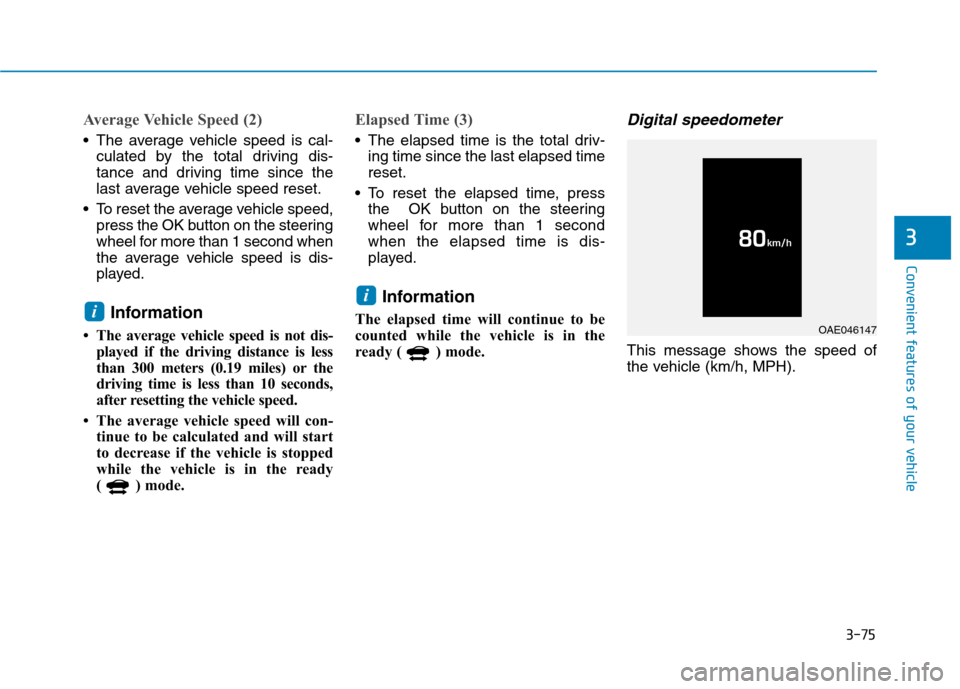
This message shows the speed of
the vehicle (km/h, MPH).
i
i
OAE046147
Page 291 of 582
3-122
Convenient features of your vehicle
Wireless cellular phone charg- ing system (if equipped)
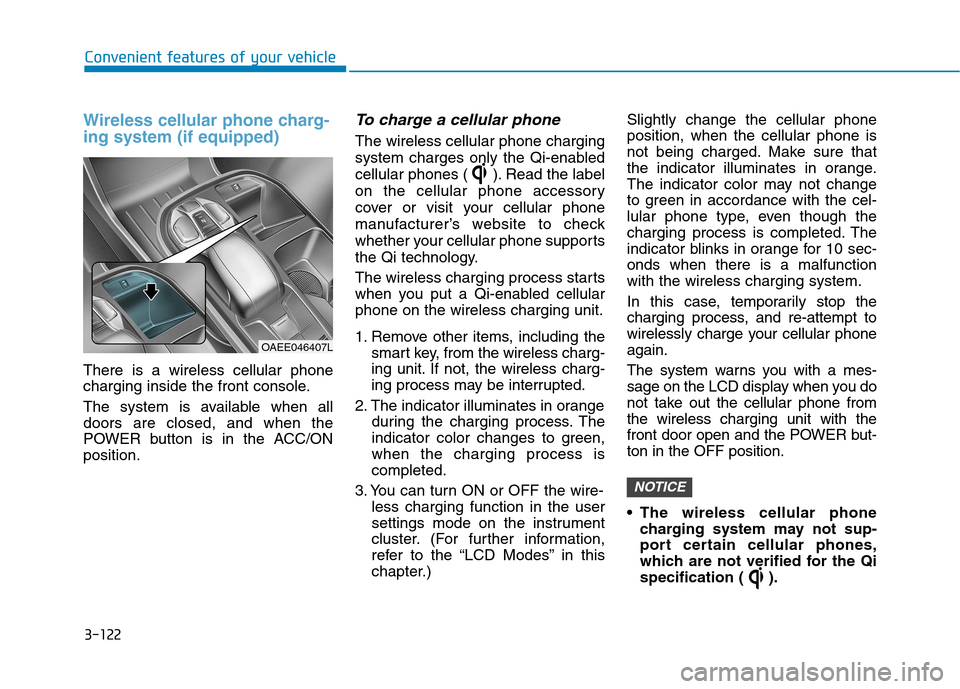
There is a wireless cellular phone
charging inside the front console.
The system is available when all doors are closed, and when the
POWER button is in the ACC/ONposition.
To charge a cellular phone
The wireless cellular phone charging
system charges only the Qi-enabled
cellular phones ( ). Read the label
on the cellular phone accessory
cover or visit your cellular phone
manufacturer’s website to check
whether your cellular phone supports
the Qi technology.
The wireless charging process starts
when you put a Qi-enabled cellularphone on the wireless charging unit.
1. Remove other items, including thesmart key, from the wireless charg-
ing unit. If not, the wireless charg-
ing process may be interrupted.
2. The indicator illuminates in orange during the charging process. The
indicator color changes to green,when the charging process iscompleted.
3. You can turn ON or OFF the wire- less charging function in the user
settings mode on the instrument
cluster. (For further information,
refer to the “LCD Modes” in this
chapter.) Slightly change the cellular phoneposition, when the cellular phone is
not being charged. Make sure that
the indicator illuminates in orange.
The indicator color may not change
to green in accordance with the cel-
lular phone type, even though the
charging process is completed. The
indicator blinks in orange for 10 sec-onds when there is a malfunctionwith the wireless charging system.
In this case, temporarily stop the
charging process, and re-attempt to
wirelessly charge your cellular phoneagain.
The system warns you with a mes-
sage on the LCD display when you do
not take out the cellular phone fromthe wireless charging unit with the
front door open and the POWER but-ton in the OFF position.
The wireless cellular phone
charging system may not sup-
port certain cellular phones,
which are not verified for the Qi
specification ( ).
NOTICE
OAEE046407L
Page 292 of 582
3-123
Convenient features of your vehicle
3
Locate your cell phone well in themiddle of the wireless cellular
phone charging system. Even
when your cell phone locates
slightly to one side, the charging
speed may decrease.
The wireless charging process may temporarily stop, when a
smart key function operates (i.e.
starting the vehicle, opening the
doors, closing the doors).
For certain cell phones, the indi- cator color may not change to
green, even when the wireless
charging process is properlycompleted.
The wireless charging process may temporarily stop, when tempera-
ture abnormally increases inside
the wireless cellular phone charg-
ing system. The wireless charging
process restarts, when tempera-
ture falls to a proper level.
The wireless charging process may temporarily stop when there
is any metallic item, such as a
coin, between the wireless cellu-
lar phone charging system and a
cellular phone.
Cigarette lighter (if equipped)
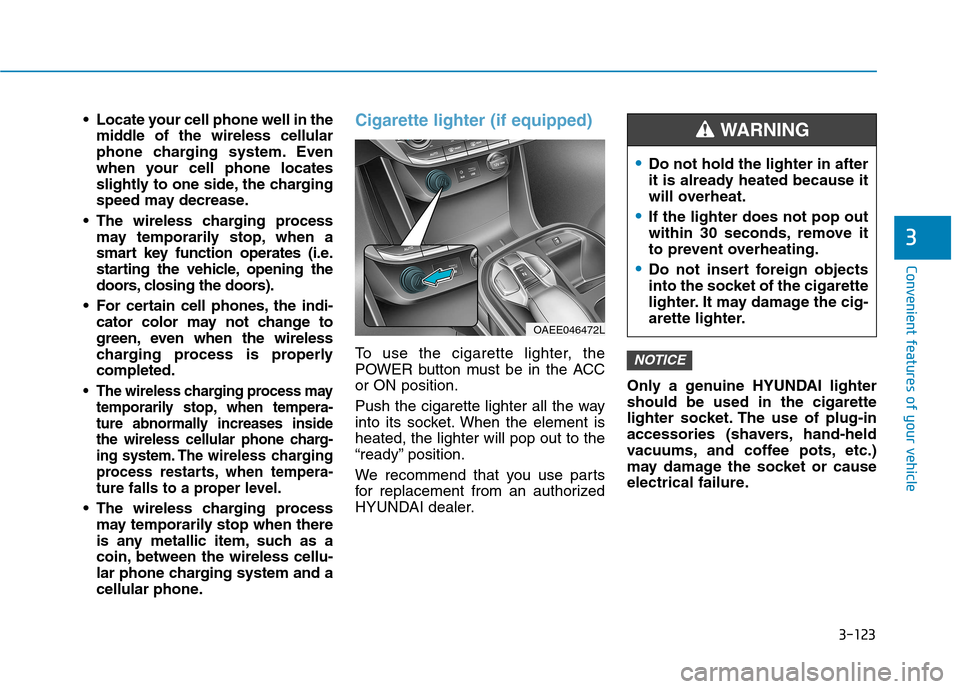
To use the cigarette lighter, the
POWER button must be in the ACCor ON position.
Push the cigarette lighter all the way
into its socket. When the element isheated, the lighter will pop out to the
“ready” position.
We recommend that you use parts
for replacement from an authorized
HYUNDAI dealer. Only a genuine HYUNDAI lightershould be used in the cigarette
lighter socket. The use of plug-in
accessories (shavers, hand-held
vacuums, and coffee pots, etc.)
may damage the socket or cause
electrical failure.NOTICE
Do not hold the lighter in after
it is already heated because it
will overheat.
If the lighter does not pop out
within 30 seconds, remove it
to prevent overheating.
Do not insert foreign objects
into the socket of the cigarette
lighter. It may damage the cig-
arette lighter.
WARNING
OAEE046472L
Page 318 of 582
![Hyundai Ioniq Electric 2017 Owners Manual 4-22
Multimedia System
(6) Pause
Pause or play music.
(7) Playback progress
Press to skip to the desired location.
Playback
Press the [MEDIA]button and
select [Disc MP3].
When a disc is inserted in](/manual-img/35/14909/w960_14909-317.png "Hyundai Ioniq Electric 2017 Owners Manual 4-22
Multimedia System
(6) Pause
Pause or play music.
(7) Playback progress
Press to skip to the desired location.
Playback
Press the [MEDIA]button and
select [Disc MP3].
When a disc is inserted in")
4-22
Multimedia System
(6) Pause
Pause or play music.
(7) Playback progress
Press to skip to the desired location.
Playback
Press the [MEDIA]button and
select [Disc MP3].
When a disc is inserted in the audio system, disc playback
begins automatically.
Changing songs
Press the [SEEK/TRACK] button
to play the previous or next song.
Press and hold the [SEEK/TRACK]
button to rewind or fast-forward the
song that is currently playing.
Search songs by turning the TUNE
knob, and press the knob to play.
Selecting songs from a list
Press the [List] to view a list of songs
available to play.
Select and play the desired song.
Repeat play
Press the [Repeat] to enable or dis-
able ‘Repeat all’, ‘Repeat current
song’ or ‘Repeat folder’.
Repeat all: Repeat all songs in the playlist.
Repeat current song: The song that is currently playing is repeated.
Repeat folder: All songs in the current folder are repeated.
Shuffle play
Press the [Shuffle] to enable/disable
‘Shuffle’, ‘Shuffle folder’ play.
Shuffle: Songs are played in arandom order.
Shuffle folder: Songs within the current folder are played in ran-
dom order.
Menu
Press the [Menu] and select the desired function.
Information: Detailed informationon the song that is currently play-
ing is displayed.
Sound Settings: Audio sound set- tings can be changed. Information
- Using the USB Devices
Starting the vehicle while a USB device is connected can damage the
device. Please disconnect USB
devices before starting the vehicle.
Starting the vehicle or stopping the engine while an external USB device
is connected can result in failure of
the external USB device to operate.
Be cautious of static electricity when connecting/disconnecting external
USB devices.
An encrypted MP3 player is not rec- ognized when connected as an exter-
nal device.
External USB devices may not be recognized, depending on the state
of the external USB device.
Only products with byte/sectors for- matted at 4 KB or lower are recog-
nized.
Only USB devices in FAT12/16/32 format are recognized; NTFS and
ExFAT file systems are not recog-
nized.
(Continued)
i
Page 348 of 582
5-9
Driving your vehicle
5
To prevent damage to the vehicle:
If the " " indicator turns offwhile you are in motion, do not
attempt to shift to the P (Park)position.
If traffic and road conditions
permit, you may shift to the N(Neutral) position while the vehi-
cle is still moving and press the
POWER button in an attempt to
restart the vehicle.
Do not push or tow your vehicle to start the vehicle. To prevent damage to the vehicle:
Do not press the POWER button
for more than 10 seconds except
when the stop lamp fuse is blown.
When the stop lamp fuse is blown,
you cannot normally start the
vehicle. Replace the fuse with a
new one. If you are not able to
replace the fuse, you can start the
vehicle by pressing and holding
the POWER button for 10 seconds
with the POWER button in the ACCposition.
For your safety always depress
the brake pedal before starting the
vehicle.
Information
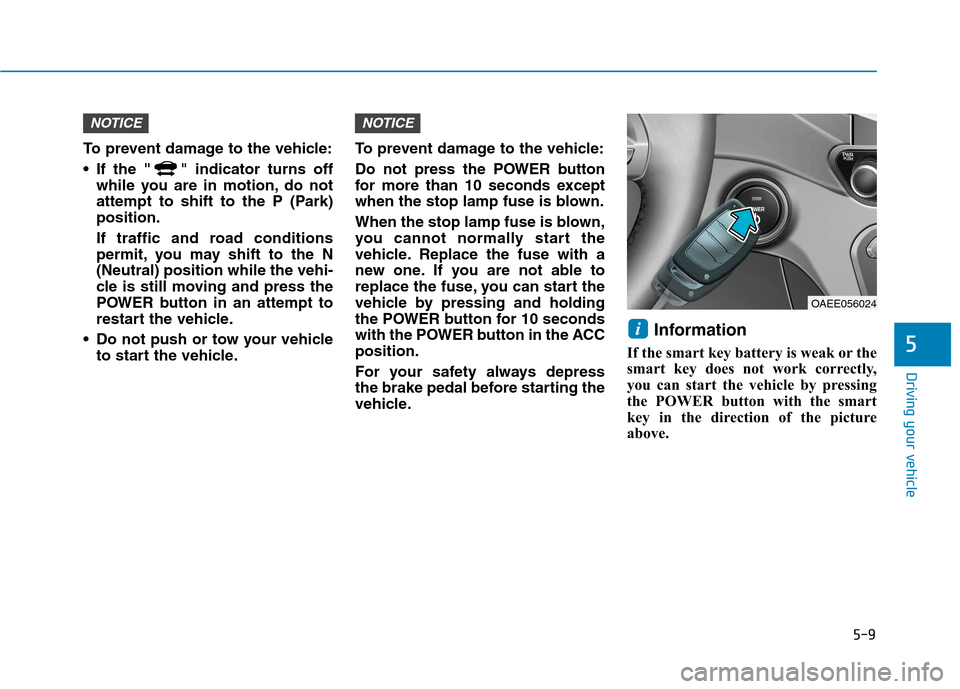
If the smart key battery is weak or the
smart key does not work correctly,
you can start the vehicle by pressing
the POWER button with the smart
key in the direction of the picture
above.
i
NOTICENOTICE
OAEE056024
Page 352 of 582
5-13
Driving your vehicle
5
Shift-lock system
For your safety, your vehicle has a
shift-lock system which prevents
shifting the gear from P (Park) or N
(Neutral) into R (Reverse) or D
(Drive) unless the brake pedal isdepressed.
To shift from P (Park) or N (Neutral)
into R (Reverse) or D (Drive) :
1. Depress and hold the brake pedal.
2. Start the vehicle or place thePOWER button in the ON position.
3. Press the R (Reverse) or D (Drive) button.
When the battery (12 V) is dis-
charged
You cannot shift the gear when the
battery is discharged.
Jump start your vehicle (refer to
“Jump Starting” in chapter 6) or we
recommend that you contact an
authorized HYUNDAI dealer.
Parking
Always come to a complete stop and
continue to depress the brake pedal.
Shift to the P (Park) position, apply
the parking brake, and place the
POWER button in the OFF position.
Take the Key with you when exiting
the vehicle.
Page 375 of 582
5-36
Driving your vehicle
VSM OFF condition
To cancel VSM operation, press the
ESC OFF button. ESC OFF indicator
light ( ) will illuminate.
To turn on VSM, press the ESC OFF
button again. The ESC OFF indicatorlight will go out.Driving with wheels and tires with
different sizes may cause the VSM
system to malfunction. Before
replacing tires, make sure all fourtires and wheels are the same
size. Never drive the vehicle with
different sized tires and wheelsinstalled.
Hill-Start Assist Control (HAC) (if equipped)
A vehicle has the tendency to slide
backwards on a steep slope, before
depressing the accelerator after a
stop. The HAC prevents the vehicle
from sliding backwards by automati-
cally operating the brake systems for
about 2 seconds. The brake systemsare automatically released, when the
accelerator pedal is depressed.
Information
The HAC does not operate when the gear is in P (Park) or N (Neutral).
The HAC activates even when the ESC (Electronic Stability Control) is
off. However, it does not activate,
when the ESC does not normally
operate.
i
NOTICE
If ESC indicator light ( ) or
EPS warning light ( ) stays
on or blinks, your vehicle may
have a malfunction with the
VSM system. When the warninglight illuminates we recommend
that the vehicle be checked by
an authorized HYUNDAI dealer
as soon as possible.
WARNING
The HAC is activated only for
about 2 seconds, so alwaysdepress the accelerator pedal
to begin driving upwards after astop.
WARNING
Page 443 of 582
6-2
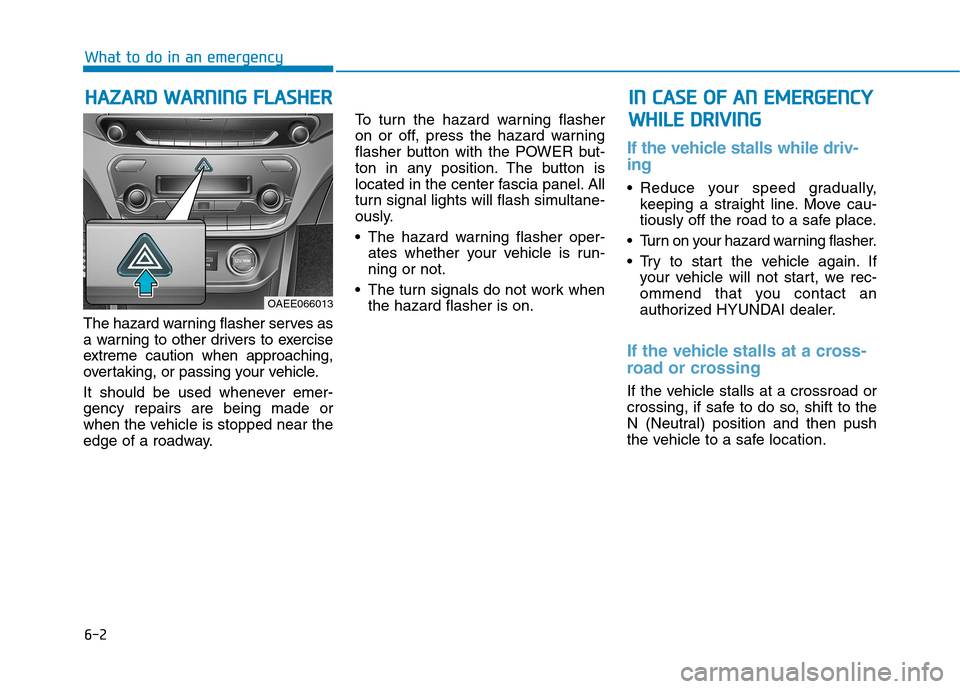
The hazard warning flasher serves as
a warning to other drivers to exercise
extreme caution when approaching,
overtaking, or passing your vehicle.
It should be used whenever emer- gency repairs are being made or
when the vehicle is stopped near the
edge of a roadway. To turn the hazard warning flasher
on or off, press the hazard warning
flasher button with the POWER but-
ton in any position. The button is
located in the center fascia panel. All
turn signal lights will flash simultane-
ously.
• The hazard warning flasher oper-
ates whether your vehicle is run- ning or not.
The turn signals do not work when the hazard flasher is on.
If the vehicle stalls while driv- ing
Reduce your speed gradually,keeping a straight line. Move cau-
tiously off the road to a safe place.
Turn on your hazard warning flasher.
Try to start the vehicle again. If your vehicle will not start, we rec-
ommend that you contact an
authorized HYUNDAI dealer.
If the vehicle stalls at a cross-
road or crossing
If the vehicle stalls at a crossroad or
crossing, if safe to do so, shift to the
N (Neutral) position and then push
the vehicle to a safe location.
HH AAZZAA RRDD WW AARRNN IINN GG FF LLAA SSHH EERR
What to do in an emergency
IINN CC AA SSEE OO FF AA NN EE MM EERR GG EENN CCYY
W
W HHIILL EE DD RRIIVV IINN GG
OAEE066013