2017 CHEVROLET MALIBU lock
[x] Cancel search: lockPage 107 of 419
Chevrolet Malibu Owner Manual (GMNA-Localizing-U.S./Canada/Mexico-10122664) - 2017 - crc - 5/23/16
106 Instruments and Controls
INT :Move the lever up to INT forintermittent wipes, then turn theband up for more frequent wipes ordown for less frequent wipes.
OFF :Use to turn the wipers off.
1X :For a single wipe, briefly movethe lever down. For several wipes,hold the lever down.
Clear snow and ice from the wiperblades and windshield before usingthem. If frozen to the windshield,carefully loosen or thaw them.Damaged blades should bereplaced. SeeWiper BladeReplacement0304.
Heavy snow or ice can overload thewiper motor. If the wiper motoroverheats, the windshield wipers willstop until the motor cools and thewiper control is turned off. SeeElectrical System Overload0310.
Wiper Parking
If the ignition is placed in LOCK/OFF while the wipers are on LO, HI,or INT, they will immediately stop.
If the windshield wiper lever is thenmoved to OFF before the driverdoor is opened or within 10 minutes,the wipers will restart and move tothe base of the windshield.
If the ignition is placed in LOCK/OFF while the wipers are performingwipes due to windshield washing,the wipers continue to run until theyreach the base of the windshield.
f:Pull the windshield wiperlever toward you to spray windshieldwasher fluid and activate the wipers.The wipers will continue until thelever is released or the maximumwash time is reached. When thelever is released, additional wipesmay occur depending on how longthe windshield washer had beenactivated. SeeWasher Fluid0299for information on filling thewindshield washer fluid reservoir.
{Warning
In freezing weather, do not use
the washer until the windshield is
warmed. Otherwise the washer
fluid can form ice on the
windshield, blocking your vision.
Compass
The vehicle may have a compassdisplay on the Driver InformationCenter (DIC). The compass receivesits heading and other informationfrom the Global PositioningSystem (GPS) antenna,StabiliTrak®,andvehiclespeedinformation.
The compass system is designed tooperate for a certain number ofmiles or degrees of turn beforeneeding a signal from the GPSsatellites. When the compassdisplay shows CAL, drive thevehicle for a short distance in anopen area where it can receive aGPS signal. The compass systemwill automatically determine when aGPS signal is restored and provide
Page 108 of 419
Chevrolet Malibu Owner Manual (GMNA-Localizing-U.S./Canada/Mexico-10122664) - 2017 - crc - 5/23/16
Instruments and Controls 107
aheadingagain.SeeCompassMessages0139for the messagesthat may be displayed for thecompass.
Clock
Radio without Touchscreen
The infotainment system controlsare used to access the time anddate settings through the menusystem. SeeOperation0176onhow to use the menu system.
Setting the Time and Date
1. Press MENU, then selectSettings.
2. Select Time and Date.
3. Select Set Time or Set Date.
4. Turn MENU to change thevalue.
5. Press MENU to select the nextvalue.
6. Turn MENU to change thevalue.
7. To exit without saving, pressBACK at any time; or to saveand return to the Time andDate menu, press MENUmultiple times.
Auto Set
When Auto Set is enabled, the timecannot be manually set.
From the Set Time or SetDate menu:
1. Press the preset button underAuto Set.
2. Turn MENU to select Off(Manual) or On-Cell Network,then press MENU to select itand return to the Time andDate menu.
3. To exit without saving, pressBACK at any time.
Setting the 12/24 Hour Format
From the Set Time menu:
1. Press the preset button under12-24 HR to change between12 hour and 24 hour modes.
2. To return to the Time and Datemenu, press BACK at any time.
Radio with Touchscreen
The infotainment system controlsare used to access the time anddate settings through the menusystem. SeeOperation0176onhow to use the menu system.
Setting the Time and Date
When Auto Set is enabled the timecannot be manually set.
1. Press{,thentouchSettings.
2. Touch Time and Date, then SetTime or Set Date.
3. Touch + or✓to adjust thevalue.
4. TouchRorQto adjust AM or
PM for 12 hour format.
5. Touch0to return to the
Time and Date menu.
Auto Set
1. Press{,thentouchSettings.
2. Touch Time and Date, thenAuto Set.
3. Select from the availableselections.
Page 110 of 419
Chevrolet Malibu Owner Manual (GMNA-Localizing-U.S./Canada/Mexico-10122664) - 2017 - crc - 5/23/16
Instruments and Controls 109
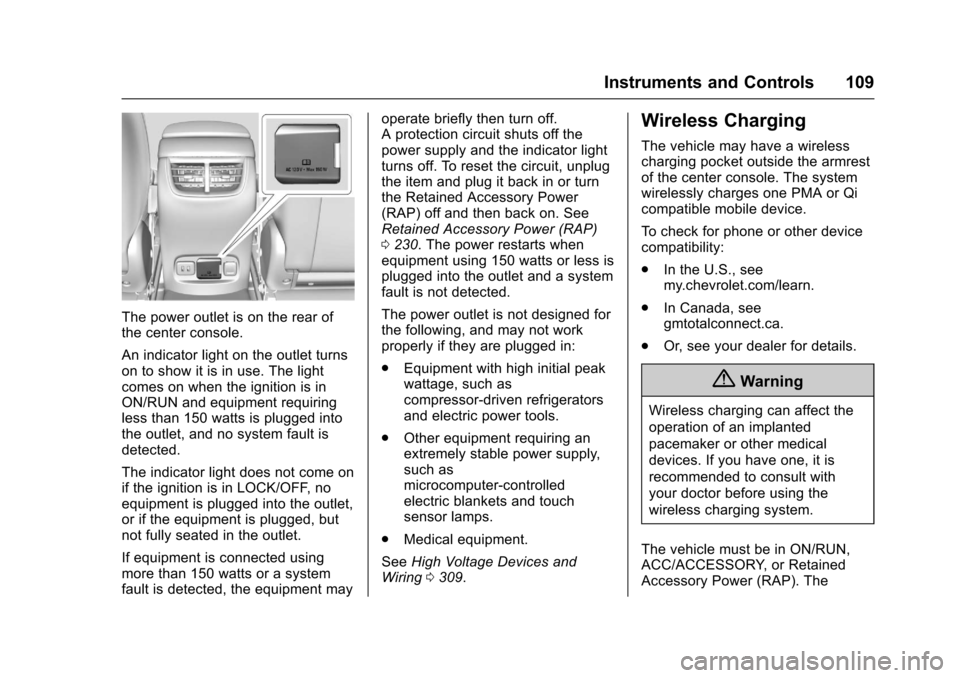
The power outlet is on the rear ofthe center console.
An indicator light on the outlet turnson to show it is in use. The lightcomes on when the ignition is inON/RUN and equipment requiringless than 150 watts is plugged intothe outlet, and no system fault isdetected.
The indicator light does not come onif the ignition is in LOCK/OFF, noequipment is plugged into the outlet,or if the equipment is plugged, butnot fully seated in the outlet.
If equipment is connected usingmore than 150 watts or a systemfault is detected, the equipment may
operate briefly then turn off.Aprotectioncircuitshutsoffthepower supply and the indicator lightturns off. To reset the circuit, unplugthe item and plug it back in or turnthe Retained Accessory Power(RAP) off and then back on. SeeRetained Accessory Power (RAP)0230.Thepowerrestartswhenequipment using 150 watts or less isplugged into the outlet and a systemfault is not detected.
The power outlet is not designed forthe following, and may not workproperly if they are plugged in:
.Equipment with high initial peakwattage, such ascompressor-driven refrigeratorsand electric power tools.
.Other equipment requiring anextremely stable power supply,such asmicrocomputer-controlledelectric blankets and touchsensor lamps.
.Medical equipment.
SeeHigh Voltage Devices andWiring0309.
Wireless Charging
The vehicle may have a wirelesscharging pocket outside the armrestof the center console. The systemwirelessly charges one PMA or Qicompatible mobile device.
To c h e c k f o r p h o n e o r o t h e r d e v i c ecompatibility:
.In the U.S., seemy.chevrolet.com/learn.
.In Canada, seegmtotalconnect.ca.
.Or, see your dealer for details.
{Warning
Wireless charging can affect the
operation of an implanted
pacemaker or other medical
devices. If you have one, it is
recommended to consult with
your doctor before using the
wireless charging system.
The vehicle must be in ON/RUN,ACC/ACCESSORY, or RetainedAccessory Power (RAP). The
Page 126 of 419
Chevrolet Malibu Owner Manual (GMNA-Localizing-U.S./Canada/Mexico-10122664) - 2017 - crc - 5/23/16
Instruments and Controls 125
display in the Driver InformationCenter (DIC). SeeBrake SystemMessages0138.
If the light does not come on,or remains flashing, see your dealer.
Service Electric Parking
Brake Light
For vehicles with the ElectricParking Brake (EPB), the serviceelectric parking brake light shouldcome on briefly when the vehicle isin ON/RUN. If it does not come on,have the vehicle serviced by yourdealer.
If this light stays on, there is aproblem with a system on thevehicle that is causing the parkingbrake system to work at a reducedlevel. The vehicle can still be driven,but should be taken to a dealer as
soon as possible. SeeElectricParking Brake0238.Ifamessagedisplays in the Driver InformationCenter (DIC), seeBrake SystemMessages0138.
Antilock Brake System
(ABS) Warning Light
For vehicles with the Antilock BrakeSystem (ABS), this light comes onbriefly when the engine is started.
If it does not, have the vehicleserviced by your dealer. If thesystem is working normally, theindicator light then goes off.
If the ABS light stays on, turn theignition off. If the light comes onwhile driving, stop as soon as it issafely possible and turn the ignitionoff. Then start the engine again toreset the system. If the ABS lightstays on, or comes on again while
driving, the vehicle needs service.If the regular brake system warninglight is not on, the vehicle still hasbrakes, but not antilock brakes.If the regular brake system warninglight is also on, the vehicle does nothave antilock brakes and there is aproblem with the regular brakes.SeeBrake System WarningLight0124.
For vehicles with a DriverInformation Center (DIC), seeBrakeSystem Messages0138for allbrake-related DIC messages.
Lane Keep Assist (LKA)
Light
If available, this light comes onbriefly while starting the vehicle.
If it does not come on, have thevehicle serviced.
Page 141 of 419
Chevrolet Malibu Owner Manual (GMNA-Localizing-U.S./Canada/Mexico-10122664) - 2017 - crc - 5/23/16
140 Instruments and Controls
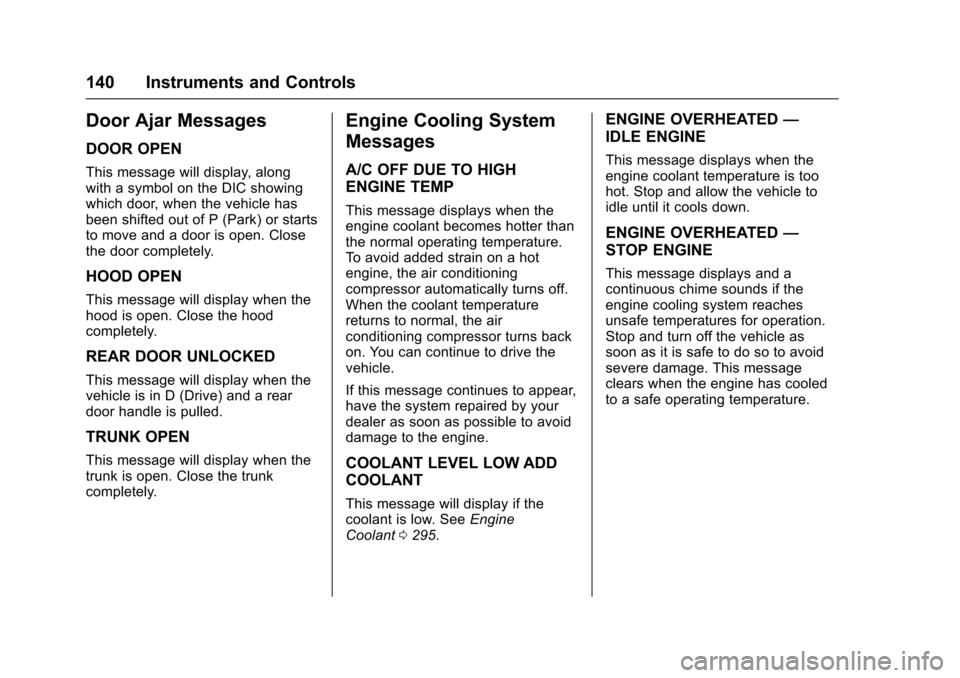
Door Ajar Messages
DOOR OPEN
This message will display, alongwith a symbol on the DIC showingwhich door, when the vehicle hasbeen shifted out of P (Park) or startsto move and a door is open. Closethe door completely.
HOOD OPEN
This message will display when thehood is open. Close the hoodcompletely.
REAR DOOR UNLOCKED
This message will display when thevehicle is in D (Drive) and a reardoor handle is pulled.
TRUNK OPEN
This message will display when thetrunk is open. Close the trunkcompletely.
Engine Cooling System
Messages
A/C OFF DUE TO HIGH
ENGINE TEMP
This message displays when theengine coolant becomes hotter thanthe normal operating temperature.To a v o i d a d d e d s t r a i n o n a h o tengine, the air conditioningcompressor automatically turns off.When the coolant temperaturereturns to normal, the airconditioning compressor turns backon. You can continue to drive thevehicle.
If this message continues to appear,have the system repaired by yourdealer as soon as possible to avoiddamage to the engine.
COOLANT LEVEL LOW ADD
COOLANT
This message will display if thecoolant is low. SeeEngineCoolant0295.
ENGINE OVERHEATED—
IDLE ENGINE
This message displays when theengine coolant temperature is toohot. Stop and allow the vehicle toidle until it cools down.
ENGINE OVERHEATED—
STOP ENGINE
This message displays and acontinuous chime sounds if theengine cooling system reachesunsafe temperatures for operation.Stop and turn off the vehicle assoon as it is safe to do so to avoidsevere damage. This messageclears when the engine has cooledto a safe operating temperature.
Page 142 of 419
Chevrolet Malibu Owner Manual (GMNA-Localizing-U.S./Canada/Mexico-10122664) - 2017 - crc - 5/23/16
Instruments and Controls 141
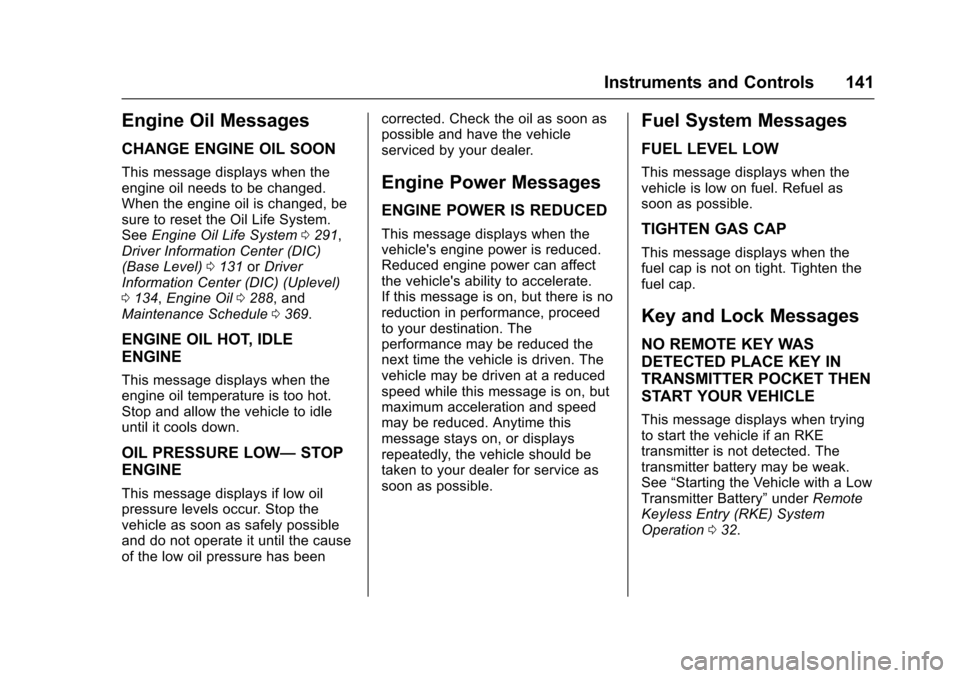
Engine Oil Messages
CHANGE ENGINE OIL SOON
This message displays when theengine oil needs to be changed.When the engine oil is changed, besure to reset the Oil Life System.SeeEngine Oil Life System0291,Driver Information Center (DIC)(Base Level)0131orDriverInformation Center (DIC) (Uplevel)0134,Engine Oil0288,andMaintenance Schedule0369.
ENGINE OIL HOT, IDLE
ENGINE
This message displays when theengine oil temperature is too hot.Stop and allow the vehicle to idleuntil it cools down.
OIL PRESSURE LOW—STOP
ENGINE
This message displays if low oilpressure levels occur. Stop thevehicle as soon as safely possibleand do not operate it until the causeof the low oil pressure has been
corrected. Check the oil as soon aspossible and have the vehicleserviced by your dealer.
Engine Power Messages
ENGINE POWER IS REDUCED
This message displays when thevehicle's engine power is reduced.Reduced engine power can affectthe vehicle's ability to accelerate.If this message is on, but there is noreduction in performance, proceedto your destination. Theperformance may be reduced thenext time the vehicle is driven. Thevehicle may be driven at a reducedspeed while this message is on, butmaximum acceleration and speedmay be reduced. Anytime thismessage stays on, or displaysrepeatedly, the vehicle should betaken to your dealer for service assoon as possible.
Fuel System Messages
FUEL LEVEL LOW
This message displays when thevehicle is low on fuel. Refuel assoon as possible.
TIGHTEN GAS CAP
This message displays when thefuel cap is not on tight. Tighten thefuel cap.
Key and Lock Messages
NO REMOTE KEY WAS
DETECTED PLACE KEY IN
TRANSMITTER POCKET THEN
START YOUR VEHICLE
This message displays when tryingto start the vehicle if an RKEtransmitter is not detected. Thetransmitter battery may be weak.See“Starting the Vehicle with a LowTransmitter Battery”underRemoteKeyless Entry (RKE) SystemOperation032.
Page 144 of 419
Chevrolet Malibu Owner Manual (GMNA-Localizing-U.S./Canada/Mexico-10122664) - 2017 - crc - 5/23/16
Instruments and Controls 143
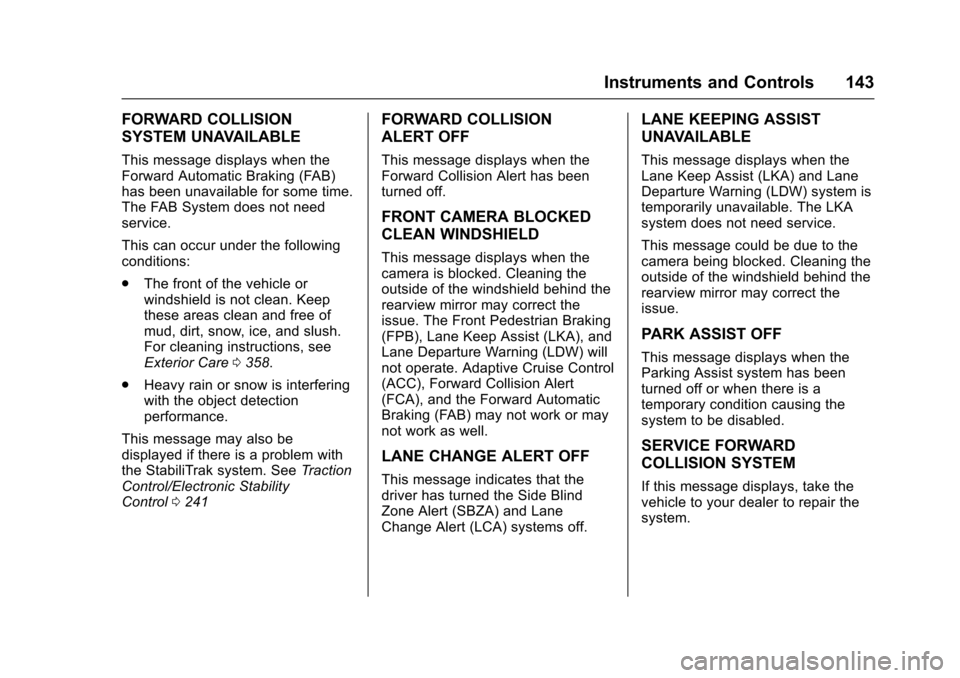
FORWARD COLLISION
SYSTEM UNAVAILABLE
This message displays when theForward Automatic Braking (FAB)has been unavailable for some time.The FAB System does not needservice.
This can occur under the followingconditions:
.The front of the vehicle orwindshield is not clean. Keepthese areas clean and free ofmud, dirt, snow, ice, and slush.For cleaning instructions, seeExterior Care0358.
.Heavy rain or snow is interferingwith the object detectionperformance.
This message may also bedisplayed if there is a problem withthe StabiliTrak system. SeeTr a c t i o nControl/Electronic StabilityControl0241
FORWARD COLLISION
ALERT OFF
This message displays when theForward Collision Alert has beenturned off.
FRONT CAMERA BLOCKED
CLEAN WINDSHIELD
This message displays when thecamera is blocked. Cleaning theoutside of the windshield behind therearview mirror may correct theissue. The Front Pedestrian Braking(FPB), Lane Keep Assist (LKA), andLane Departure Warning (LDW) willnot operate. Adaptive Cruise Control(ACC), Forward Collision Alert(FCA), and the Forward AutomaticBraking (FAB) may not work or maynot work as well.
LANE CHANGE ALERT OFF
This message indicates that thedriver has turned the Side BlindZone Alert (SBZA) and LaneChange Alert (LCA) systems off.
LANE KEEPING ASSIST
UNAVAILABLE
This message displays when theLane Keep Assist (LKA) and LaneDeparture Warning (LDW) system istemporarily unavailable. The LKAsystem does not need service.
This message could be due to thecamera being blocked. Cleaning theoutside of the windshield behind therearview mirror may correct theissue.
PARK ASSIST OFF
This message displays when theParking Assist system has beenturned off or when there is atemporary condition causing thesystem to be disabled.
SERVICE FORWARD
COLLISION SYSTEM
If this message displays, take thevehicle to your dealer to repair thesystem.
Page 145 of 419
Chevrolet Malibu Owner Manual (GMNA-Localizing-U.S./Canada/Mexico-10122664) - 2017 - crc - 5/23/16
144 Instruments and Controls
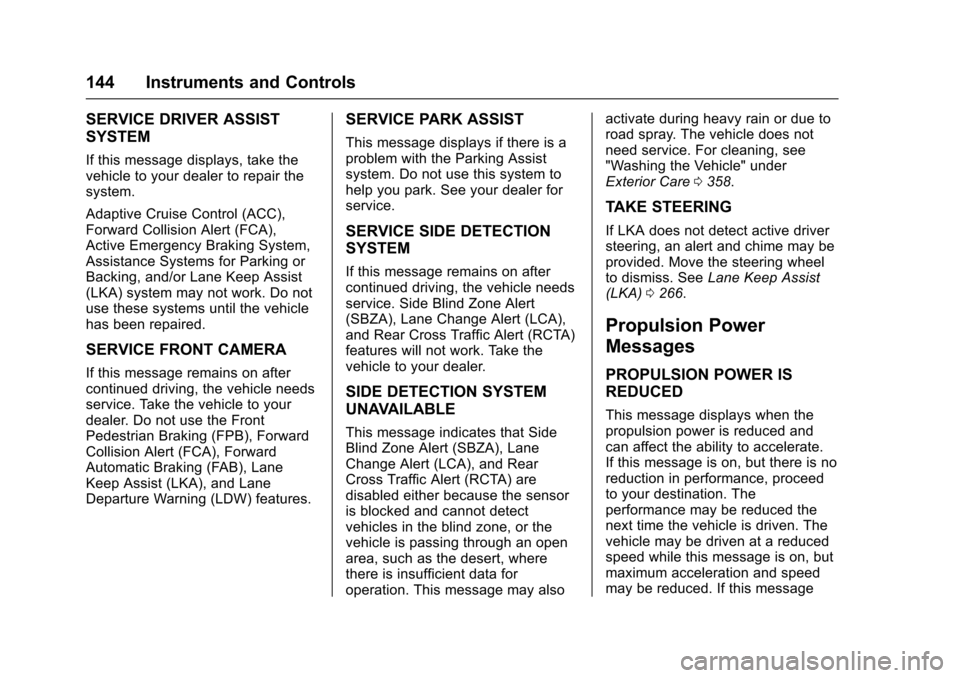
SERVICE DRIVER ASSIST
SYSTEM
If this message displays, take thevehicle to your dealer to repair thesystem.
Adaptive Cruise Control (ACC),Forward Collision Alert (FCA),Active Emergency Braking System,Assistance Systems for Parking orBacking, and/or Lane Keep Assist(LKA) system may not work. Do notuse these systems until the vehiclehas been repaired.
SERVICE FRONT CAMERA
If this message remains on aftercontinued driving, the vehicle needsservice. Take the vehicle to yourdealer. Do not use the FrontPedestrian Braking (FPB), ForwardCollision Alert (FCA), ForwardAutomatic Braking (FAB), LaneKeep Assist (LKA), and LaneDeparture Warning (LDW) features.
SERVICE PARK ASSIST
This message displays if there is aproblem with the Parking Assistsystem. Do not use this system tohelp you park. See your dealer forservice.
SERVICE SIDE DETECTION
SYSTEM
If this message remains on aftercontinued driving, the vehicle needsservice. Side Blind Zone Alert(SBZA), Lane Change Alert (LCA),and Rear Cross Traffic Alert (RCTA)features will not work. Take thevehicle to your dealer.
SIDE DETECTION SYSTEM
UNAVAILABLE
This message indicates that SideBlind Zone Alert (SBZA), LaneChange Alert (LCA), and RearCross Traffic Alert (RCTA) aredisabled either because the sensoris blocked and cannot detectvehicles in the blind zone, or thevehicle is passing through an openarea, such as the desert, wherethere is insufficient data foroperation. This message may also
activate during heavy rain or due toroad spray. The vehicle does notneed service. For cleaning, see"Washing the Vehicle" underExterior Care0358.
TAKE STEERING
If LKA does not detect active driversteering, an alert and chime may beprovided. Move the steering wheelto dismiss. SeeLane Keep Assist(LKA)0266.
Propulsion Power
Messages
PROPULSION POWER IS
REDUCED
This message displays when thepropulsion power is reduced andcan affect the ability to accelerate.If this message is on, but there is noreduction in performance, proceedto your destination. Theperformance may be reduced thenext time the vehicle is driven. Thevehicle may be driven at a reducedspeed while this message is on, butmaximum acceleration and speedmay be reduced. If this message