2017 CHEVROLET MALIBU lock
[x] Cancel search: lockPage 235 of 419
Chevrolet Malibu Owner Manual (GMNA-Localizing-U.S./Canada/Mexico-10122664) - 2017 - crc - 5/23/16
234 Driving and Operating
Warning (Continued)
Do not leave the vehicle when the
engine is running. If you have left
the engine running, the vehicle
can move suddenly. You or others
could be injured. To be sure the
vehicle will not move, even when
you are on fairly level ground,
always set the parking brake and
move the shift lever to P (Park).
SeeShifting Into Park0230.
Make sure the shift lever is fully inP(Park) before starting the engine.The vehicle has an automatictransmission shift lock controlsystem. The brake pedal must befully applied, then press the shiftlever button before shifting fromP(Park) while the ignition is in ON/RUN. If the vehicle will not shift outof P (Park), ease pressure on theshift lever and push the shift leverall the way into P (Park) whilemaintaining brake application. Thenmove the shift lever into anothergear. SeeShifting out of Park0231.
R:Use this gear to back up.
Caution
Shifting to R (Reverse) while the
vehicle is moving forward could
damage the transmission. The
repairs would not be covered by
the vehicle warranty. Shift to
R(Reverse) only after the vehicle
is stopped.
To r o c k t h e v e h i c l e b a c k a n d f o r t h t oget out of snow, ice, or sand withoutdamaging the transmission, seeIfthe Vehicle Is Stuck0221.
N:In this position, the engine doesnot connect with the wheels. Torestart the engine when the vehicleis already moving, useN(Neutral) only.
If equipped with the 1.8L Hybridengine and the hood is openedwhile in N (Neutral), the vehicle willshut down. The vehicle will have tobe restarted after closing the hood.
{Warning
Shifting into a drive gear while the
engine is running at high speed is
dangerous. Unless your foot is
firmly on the brake pedal, the
vehicle could move very rapidly.
Yo u c o u l d l o s e c o n t r o l a n d h i t
people or objects. Do not shift
into a drive gear while the engine
is running at high speed.
Caution
Shifting out of P (Park) or
N(Neutral) with the engine
running at high speed may
damage the transmission. The
repairs would not be covered by
the vehicle warranty. Be sure the
engine is not running at high
speed when shifting the vehicle.
For hybrid vehicles, the engine willalways be off while in N (Neutral).The vehicle cannot charge the highvoltage battery while the shift lever
Page 237 of 419
Chevrolet Malibu Owner Manual (GMNA-Localizing-U.S./Canada/Mexico-10122664) - 2017 - crc - 5/23/16
236 Driving and Operating
will be allowed to operate in. Thismeans that all gears below thatnumber are available. For example,when 4 (Fourth) is shown next to theL, 1 (First) through 4 (Fourth) gearsare automatically shifted by thevehicle. The transmission will notshift into 5 (Fifth) until the + (Plus)button is used or you shift back intoD(Drive).
While in L (Low), the transmissionwill prevent shifting to a lower gearrange if the engine speed is toohigh. You have a brief period of timeto slow the vehicle. If vehicle speedis not reduced within the timeallowed, the lower gear range shiftwill not be completed. You mustfurther slow the vehicle, then pressthe✓(Minus) button to the desiredlower gear range.
Hybrid Low Mode
L2 (Low 2) provides the ability toslow the vehicle without using thebrakes. L1 (Low 1) providesmaximum braking below 80 km/h(50 mph). Use L (Low) whendescending steep grades or in
stop-and-go traffic. When thebattery reaches full charge theengine may run to maintain braking.
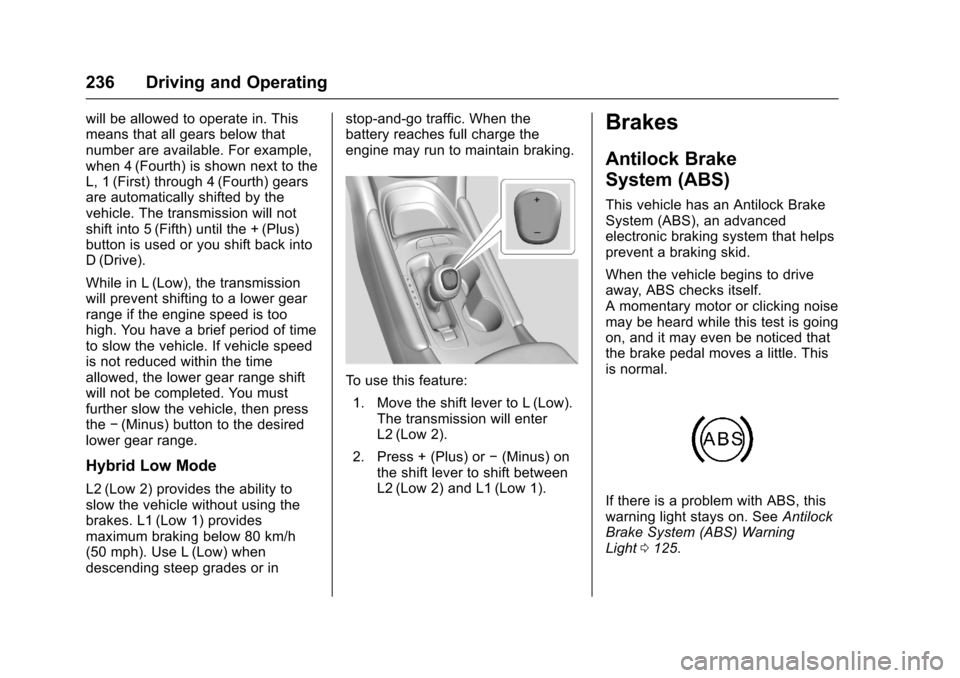
To u s e t h i s f e a t u r e :
1. Move the shift lever to L (Low).The transmission will enterL2 (Low 2).
2. Press + (Plus) or✓(Minus) onthe shift lever to shift betweenL2 (Low 2) and L1 (Low 1).
Brakes
Antilock Brake
System (ABS)
This vehicle has an Antilock BrakeSystem (ABS), an advancedelectronic braking system that helpsprevent a braking skid.
When the vehicle begins to driveaway, ABS checks itself.Amomentarymotororclickingnoisemay be heard while this test is goingon, and it may even be noticed thatthe brake pedal moves a little. Thisis normal.
If there is a problem with ABS, thiswarning light stays on. SeeAntilockBrake System (ABS) WarningLight0125.
Page 240 of 419
Chevrolet Malibu Owner Manual (GMNA-Localizing-U.S./Canada/Mexico-10122664) - 2017 - crc - 5/23/16
Driving and Operating 239
If the EPB fails to apply, the rearwheels should be blocked toprevent vehicle movement.
EPB Release
To r e l e a s e t h e E P B :
1. Place the ignition in the ACC/ACCESSORY or ON/RUNposition.
2. Apply and hold the brakepedal.
3. Push down momentarily on theEPB switch.
The EPB is released when the redparking brake status light is off.
If the amber parking brake warninglight is on, release the EPB bypushing down on the EPB switchand holding it down. Continue tohold the switch until the red parkingbrake status light is off. If either lightstays on after release is attempted,see your dealer.
Caution
Driving with the parking brake on
can overheat the brake system
and cause premature wear or
damage to brake system parts.
Make sure that the parking brake
is fully released and the brake
warning light is off before driving.
Automatic EPB Release
The EPB will automatically release ifthe vehicle is running, placed intogear, and an attempt is made todrive away. Avoid rapid accelerationwhen the EPB is applied, topreserve parking brake lining life.
If parking on a hill, or if the vehicleis pulling a trailer, seeDrivingCharacteristics and TowingTips0272.
Brake Assist
The Brake Assist feature isdesigned to assist the driver instopping or decreasing vehiclespeed in emergency drivingconditions. This feature uses thestability system hydraulic brakecontrol module to supplement thepower brake system underconditions where the driver hasquickly and forcefully applied thebrake pedal in an attempt to quicklystop or slow down the vehicle. Thestability system hydraulic brakecontrol module increases brakepressure at each corner of thevehicle until the ABS activates.Minor brake pedal pulsation orpedal movement during this time isnormal and the driver shouldcontinue to apply the brake pedal asthe driving situation dictates. TheBrake Assist feature willautomatically disengage when thebrake pedal is released or brakepedal pressure is quicklydecreased.
Page 247 of 419
Chevrolet Malibu Owner Manual (GMNA-Localizing-U.S./Canada/Mexico-10122664) - 2017 - crc - 5/23/16
246 Driving and Operating
conditions allow ACC to be safelyused, the ACC can be turnedback on.
ACC will not engage if the TCS orStabiliTrak system is disabled.
{Warning
ACC has limited braking ability
and may not have time to slow
the vehicle down enough to avoid
acollisionwithanothervehicle
you are following. This can occur
when vehicles suddenly slow or
stop ahead, or enter your lane.
Also see“Alerting the Driver”in
this section. Complete attention is
always required while driving and
you should be ready to take
action and apply the brakes. See
Defensive Driving0216.
{Warning
ACC will not detect or brake for
children, pedestrians, animals,
or other objects.
Do not use ACC when:
.On winding and hilly roadsor when the sensors areblocked by snow, ice, or dirt.The system may not detectavehicleahead.Keeptheentire front of the vehicleclean.
.Visibility is low, such as infog, rain, or snowconditions. ACCperformance is limited underthese conditions.
.On slippery roads wherefast changes in tire tractioncan cause excessivewheel slip.
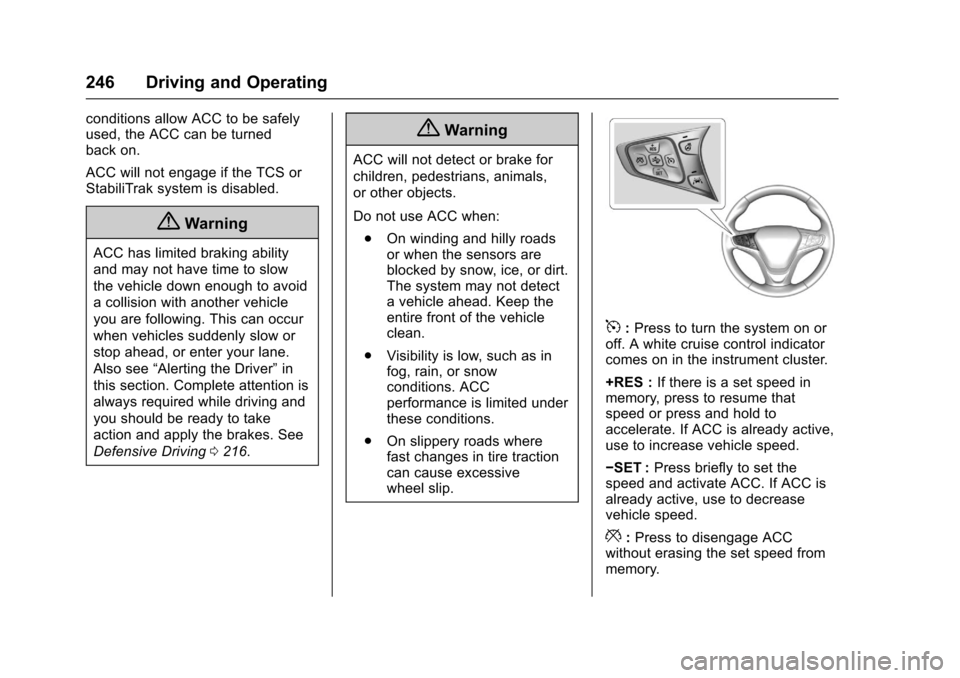
5:Press to turn the system on oroff. A white cruise control indicatorcomes on in the instrument cluster.
+RES :If there is a set speed inmemory, press to resume thatspeed or press and hold toaccelerate. If ACC is already active,use to increase vehicle speed.
✓SET :Press briefly to set thespeed and activate ACC. If ACC isalready active, use to decreasevehicle speed.
*:Press to disengage ACCwithout erasing the set speed frommemory.
Page 250 of 419
Chevrolet Malibu Owner Manual (GMNA-Localizing-U.S./Canada/Mexico-10122664) - 2017 - crc - 5/23/16
Driving and Operating 249
Approaching and Following aVehicle
The vehicle ahead indicator is in theinstrument cluster.
It only displays when a vehicle isdetected in your vehicle’spathmoving in the same direction.
If this symbol is not displaying, ACCwill not respond to or brake tovehicles ahead.
ACC automatically slows the vehicledown and adjusts vehicle speed tofollow the vehicle in front at theselected following gap. The vehiclespeed increases or decreases tofollow the vehicle in front of you, butwill not exceed the set speed. It mayapply limited braking, if necessary.When braking is active, the brakelamps will come on. The automatic
braking may feel or sound differentthan if the brakes were appliedmanually. This is normal.
Stationary or Very Slow-MovingObjects
{Warning
ACC may not detect and react to
stopped or slow-moving vehicles
ahead of you. For example, the
system may not brake for a
vehicle it has never detected
moving. This can occur in
stop-and-go traffic or when a
vehicle suddenly appears due to
avehicleaheadchanginglanes.
Yo u r v e h i c l e m a y n o t s t o p a n d
could cause a crash. Use caution
when using ACC. Your complete
attention is always required while
driving and you should be ready
to take action and apply the
brakes.
ACC Automatically Disengages
ACC may automatically disengageand the driver will need to manuallyapply the brakes to slow thevehicle when:
.The sensors are blocked.
.The Traction Control System(TCS) or StabiliTrak system hasactivated or been disabled.
.No traffic or other objects arebeing detected.
.There is a fault in the system.
The ACC active indicator will not bedisplayed when ACC is no longeractive.
Notification to Resume ACC
ACC will maintain a following gapbehind a detected vehicle and slowyour vehicle to a stop behind thatvehicle.
If the stopped vehicle ahead hasdriven away and ACC has notresumed, the vehicle aheadindicator will flash as a reminder tocheck traffic before proceeding. Inaddition, three beeps will sound.
Page 253 of 419
Chevrolet Malibu Owner Manual (GMNA-Localizing-U.S./Canada/Mexico-10122664) - 2017 - crc - 5/23/16
252 Driving and Operating
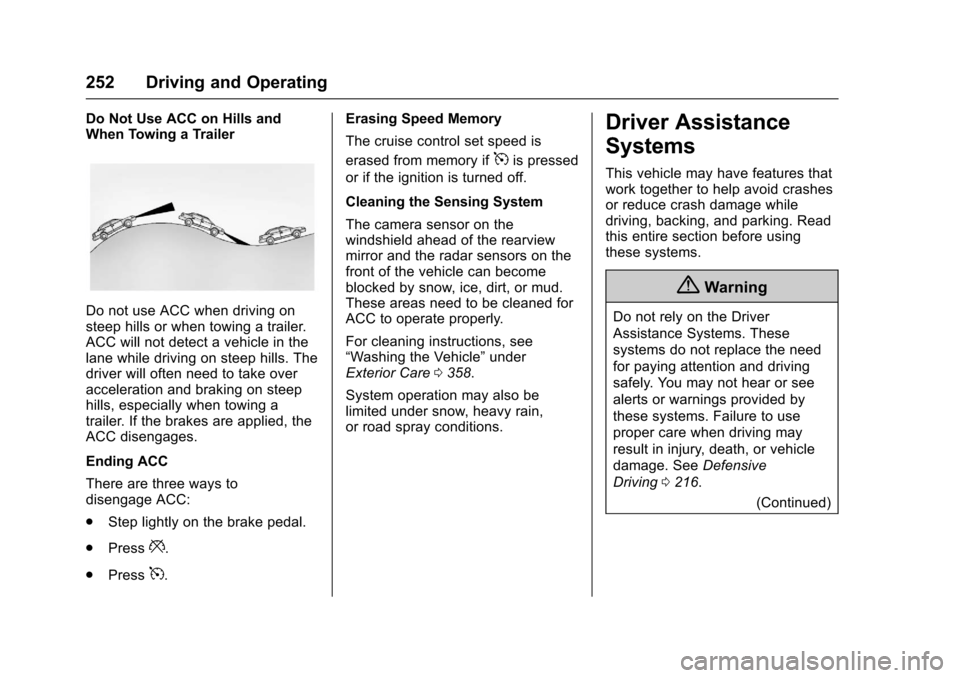
Do Not Use ACC on Hills andWhen Towing a Trailer
Do not use ACC when driving onsteep hills or when towing a trailer.ACC will not detect a vehicle in thelane while driving on steep hills. Thedriver will often need to take overacceleration and braking on steephills, especially when towing atrailer. If the brakes are applied, theACC disengages.
Ending ACC
There are three ways todisengage ACC:
.Step lightly on the brake pedal.
.Press*.
.Press5.
Erasing Speed Memory
The cruise control set speed is
erased from memory if5is pressed
or if the ignition is turned off.
Cleaning the Sensing System
The camera sensor on thewindshield ahead of the rearviewmirror and the radar sensors on thefront of the vehicle can becomeblocked by snow, ice, dirt, or mud.These areas need to be cleaned forACC to operate properly.
For cleaning instructions, see“Washing the Vehicle”underExterior Care0358.
System operation may also belimited under snow, heavy rain,or road spray conditions.
Driver Assistance
Systems
This vehicle may have features thatwork together to help avoid crashesor reduce crash damage whiledriving, backing, and parking. Readthis entire section before usingthese systems.
{Warning
Do not rely on the Driver
Assistance Systems. These
systems do not replace the need
for paying attention and driving
safely. You may not hear or see
alerts or warnings provided by
these systems. Failure to use
proper care when driving may
result in injury, death, or vehicle
damage. SeeDefensive
Driving0216.
(Continued)
Page 255 of 419
Chevrolet Malibu Owner Manual (GMNA-Localizing-U.S./Canada/Mexico-10122664) - 2017 - crc - 5/23/16
254 Driving and Operating
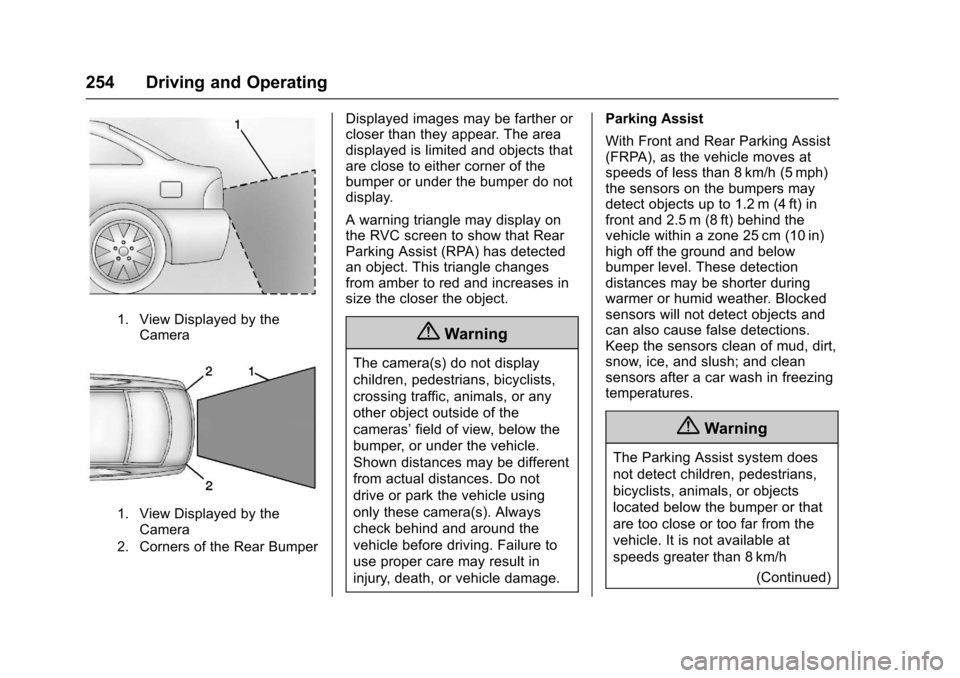
1. View Displayed by theCamera
1. View Displayed by theCamera
2. Corners of the Rear Bumper
Displayed images may be farther orcloser than they appear. The areadisplayed is limited and objects thatare close to either corner of thebumper or under the bumper do notdisplay.
Awarningtrianglemaydisplayonthe RVC screen to show that RearParking Assist (RPA) has detectedan object. This triangle changesfrom amber to red and increases insize the closer the object.
{Warning
The camera(s) do not display
children, pedestrians, bicyclists,
crossing traffic, animals, or any
other object outside of the
cameras’field of view, below the
bumper, or under the vehicle.
Shown distances may be different
from actual distances. Do not
drive or park the vehicle using
only these camera(s). Always
check behind and around the
vehicle before driving. Failure to
use proper care may result in
injury, death, or vehicle damage.
Parking Assist
With Front and Rear Parking Assist(FRPA), as the vehicle moves atspeeds of less than 8 km/h (5 mph)the sensors on the bumpers maydetect objects up to 1.2 m (4 ft) infront and 2.5 m (8 ft) behind thevehicle within a zone 25 cm (10 in)high off the ground and belowbumper level. These detectiondistances may be shorter duringwarmer or humid weather. Blockedsensors will not detect objects andcan also cause false detections.Keep the sensors clean of mud, dirt,snow, ice, and slush; and cleansensors after a car wash in freezingtemperatures.
{Warning
The Parking Assist system does
not detect children, pedestrians,
bicyclists, animals, or objects
located below the bumper or that
are too close or too far from the
vehicle. It is not available at
speeds greater than 8 km/h
(Continued)
Page 258 of 419
Chevrolet Malibu Owner Manual (GMNA-Localizing-U.S./Canada/Mexico-10122664) - 2017 - crc - 5/23/16
Driving and Operating 257
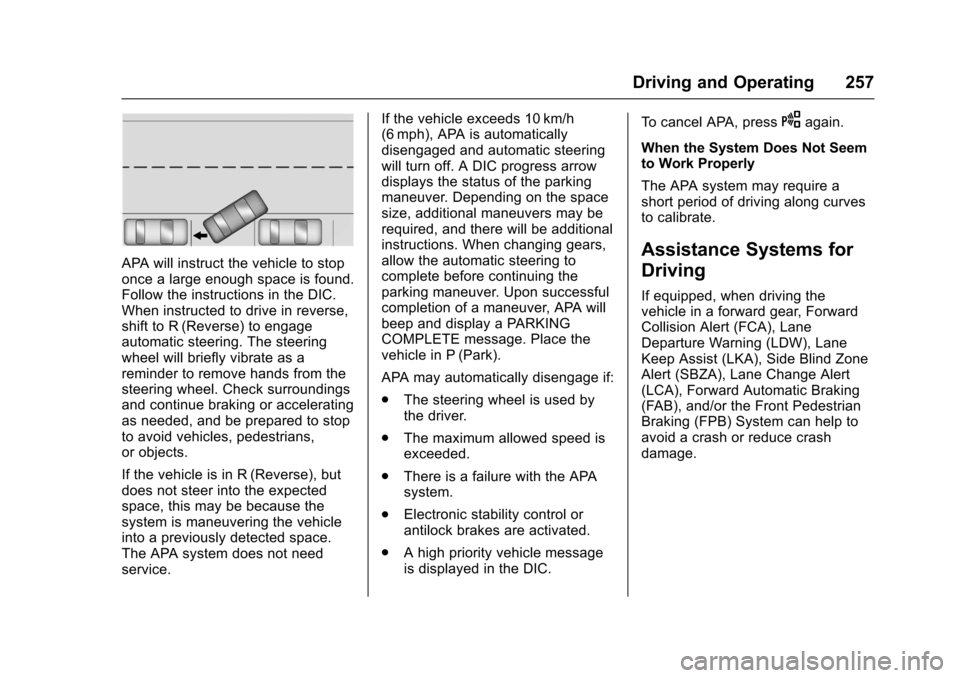
APA will instruct the vehicle to stoponce a large enough space is found.Follow the instructions in the DIC.When instructed to drive in reverse,shift to R (Reverse) to engageautomatic steering. The steeringwheel will briefly vibrate as areminder to remove hands from thesteering wheel. Check surroundingsand continue braking or acceleratingas needed, and be prepared to stopto avoid vehicles, pedestrians,or objects.
If the vehicle is in R (Reverse), butdoes not steer into the expectedspace, this may be because thesystem is maneuvering the vehicleinto a previously detected space.The APA system does not needservice.
If the vehicle exceeds 10 km/h(6 mph), APA is automaticallydisengaged and automatic steeringwill turn off. A DIC progress arrowdisplays the status of the parkingmaneuver. Depending on the spacesize, additional maneuvers may berequired, and there will be additionalinstructions. When changing gears,allow the automatic steering tocomplete before continuing theparking maneuver. Upon successfulcompletion of a maneuver, APA willbeep and display a PARKINGCOMPLETE message. Place thevehicle in P (Park).
APA may automatically disengage if:
.The steering wheel is used bythe driver.
.The maximum allowed speed isexceeded.
.There is a failure with the APAsystem.
.Electronic stability control orantilock brakes are activated.
.Ahighpriorityvehiclemessageis displayed in the DIC.
To c a n c e l A PA , p r e s sOagain.
When the System Does Not Seemto Work Properly
The APA system may require ashort period of driving along curvesto calibrate.
Assistance Systems for
Driving
If equipped, when driving thevehicle in a forward gear, ForwardCollision Alert (FCA), LaneDeparture Warning (LDW), LaneKeep Assist (LKA), Side Blind ZoneAlert (SBZA), Lane Change Alert(LCA), Forward Automatic Braking(FAB), and/or the Front PedestrianBraking (FPB) System can help toavoid a crash or reduce crashdamage.