2016 VOLVO XC90 T8 ESP
[x] Cancel search: ESPPage 332 of 546

||
DRIVER SUPPORT
* Option/accessory, for more information, see Introduction.
330 Different time intervals to the vehicle ahead can be selectedand are shown in the instru-ment panel as 1–5 horizontalbars. The greater the number ofbars, the longer the time inter-val.
One bar between the vehicles represents a timeinterval of approximately 1 second; 5 bars isapproximately 3 seconds. The same symbol appears if Adaptive Cruise Control is activated.
NOTE
• The greater the vehicles' speed, the greater the
distance between them for a
set time interval.
• The set time interval is also used by Adaptive Cruise Control
*.
• Only use time intervals permitted by local traffic regulations.
Related information
•
Distance Alert
* (p. 329)
Distance Alert * limitations
Distance Alert uses the same radar sensor as Adaptive Cruise Control * and has several limita-
tions.
WARNING
• The radar sensor has a limited field of vision. In some situations it may detect avehicle later than expected or not detectother vehicles at all.
• The radar sensor cannot cover all drivingsituations and traffic, weather and roadconditions.
• The driver is responsible for maintaining asafe distance and speed and must inter-vene if the various driver support systemsdo not maintain a suitable speed or suita-ble distance to the vehicle ahead.
• Maintenance of radar sensor componentsmay only be performed by a trained andqualified Volvo technician.
• Strong sunlight, reflections from the roadsurface, strong lighting contrasts or usingsunglasses may make the warning light inthe windshield difficult to see.
For additional information, see also the article "Radar sensor limitations."
Related information
• Radar sensor limitations (p. 258)
• Distance Alert
* (p. 329)
Blind Spot Information (BLIS) *
Blind Spot Information is a system designed to alert the driver to the presence of other vehiclesmoving in the same direction as your vehicle onroads with several lanes.
Blind Spot Information is a driving aid intended to:
• detect other vehicles in your door mirrors' "blind area"
• detect vehicles that are about to pass yourvehicle or are approaching your vehiclequickly from behind in the left and/or rightlanes
WARNING
•
Blind Spot Information is an information system, NOT a warning or safety systemand does not function in all situations.
• Blind Spot Information does not eliminatethe need for you to visually confirm theconditions around you, and the need foryou to turn your head and shoulders tomake sure that you can safely changelanes or back up.
• As the driver, you have full responsibilityfor changing lanes/backing up in a safemanner.
Page 333 of 546
DRIVER SUPPORT
* Option/accessory, for more information, see Introduction.331
Overview
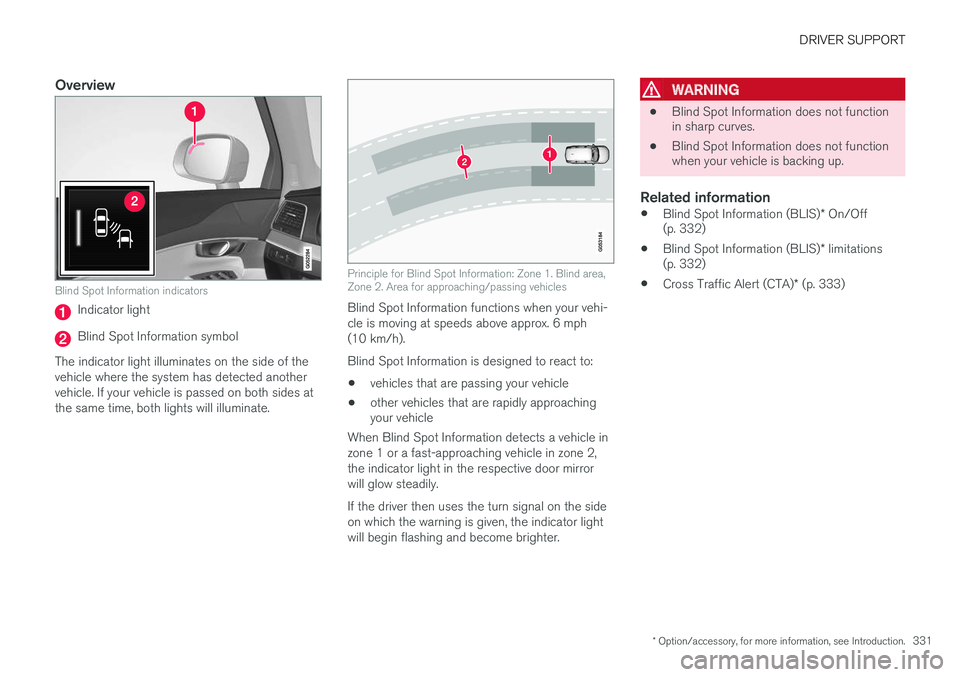
Blind Spot Information indicators
Indicator light
Blind Spot Information symbol
The indicator light illuminates on the side of the vehicle where the system has detected anothervehicle. If your vehicle is passed on both sides atthe same time, both lights will illuminate.
Principle for Blind Spot Information: Zone 1. Blind area, Zone 2. Area for approaching/passing vehicles
Blind Spot Information functions when your vehi- cle is moving at speeds above approx. 6 mph(10 km/h). Blind Spot Information is designed to react to:
• vehicles that are passing your vehicle
• other vehicles that are rapidly approaching your vehicle
When Blind Spot Information detects a vehicle in zone 1 or a fast-approaching vehicle in zone 2,the indicator light in the respective door mirrorwill glow steadily. If the driver then uses the turn signal on the side on which the warning is given, the indicator lightwill begin flashing and become brighter.
WARNING
• Blind Spot Information does not function in sharp curves.
• Blind Spot Information does not functionwhen your vehicle is backing up.
Related information
•
Blind Spot Information (BLIS)
* On/Off
(p. 332)
• Blind Spot Information (BLIS)
* limitations
(p. 332)
• Cross Traffic Alert (CTA)
* (p. 333)
Page 336 of 546
||
DRIVER SUPPORT
* Option/accessory, for more information, see Introduction.
334 •
An audible signal indicates that CTA has detected something that is approaching fromthe side. The signal will come from either theleft or right infotainment system speakers,depending on which the side of your vehiclethe approaching vehicle/ object has beendetected.
• A warning is indicated using the Park Assist
*
system's graphic in the instrument panel.
• An icon is also shown in the Park Assist Camera's
* Top view.
Related information
• Activating/deactivating Cross Traffic Alert(CTA)
* (p. 334)
• Blind Spot Information (BLIS)
* with Cross
Traffic Alert (CTA) * symbols and messages
(p. 337)
• Cross Traffic Alert (CTA)
* limitations (p. 335)
Activating/deactivating Cross Traffic Alert (CTA) *
Cross Traffic Alert (CTA) can be activated/deac- tivated separately from Blind Spot Information(BLIS).
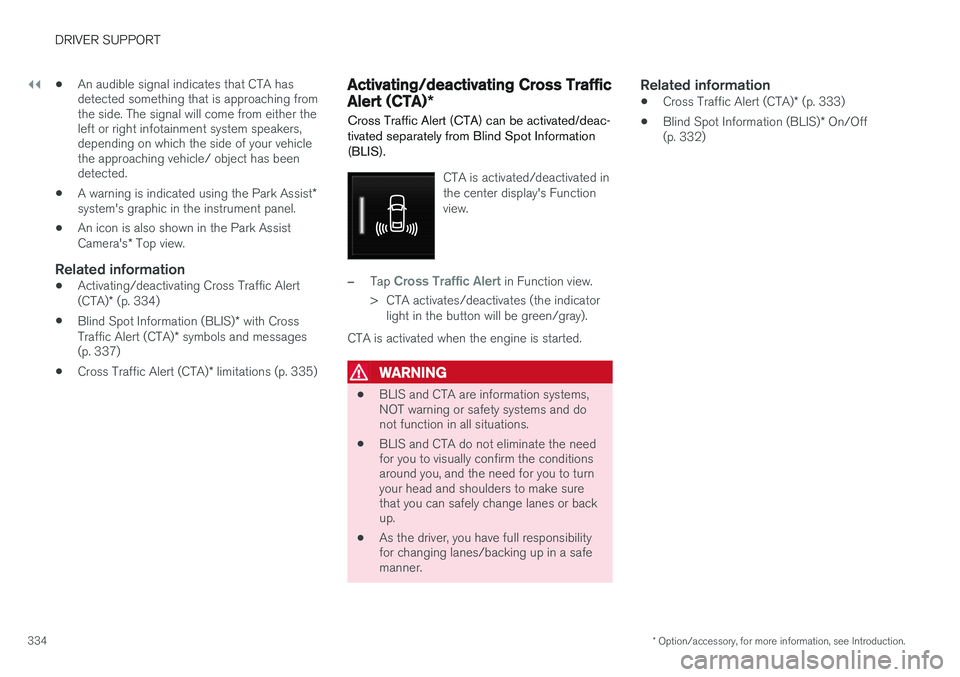
CTA is activated/deactivated in the center display's Functionview.
–Tap Cross Traffic Alert in Function view.
> CTA activates/deactivates (the indicator light in the button will be green/gray).
CTA is activated when the engine is started.
WARNING
• BLIS and CTA are information systems, NOT warning or safety systems and donot function in all situations.
• BLIS and CTA do not eliminate the needfor you to visually confirm the conditionsaround you, and the need for you to turnyour head and shoulders to make surethat you can safely change lanes or backup.
• As the driver, you have full responsibilityfor changing lanes/backing up in a safemanner.
Related information
•
Cross Traffic Alert (CTA)
* (p. 333)
• Blind Spot Information (BLIS)
* On/Off
(p. 332)
Page 341 of 546
DRIVER SUPPORT
* Option/accessory, for more information, see Introduction.339
NOTE
If the turn signal is used, neither of the driving lane assistance systems (LDW or LKA) willprovide an alert or steering assistance.
WARNING
This feature is only intended to assist the driver and does not function in all driving,weather, traffic or road conditions. As the driver, you have full responsibility for operating the vehicle in a safe manner.
Steering assistance (LKA only)In order for LKA's steering assistance to function, the driver's hands must be on the steering wheel,which the system monitors continuously.
If this is not the case, this sym-bol will illuminate in the instru- ment panel and
Lane Keeping
Aid Apply steering will appear
to alert the driver to actively steer the vehicle.
If the driver does not take action, an audible sig- nal will sound and LKA will go into standby mode.The function will not become available again untilthe driver actively steers the vehicle.
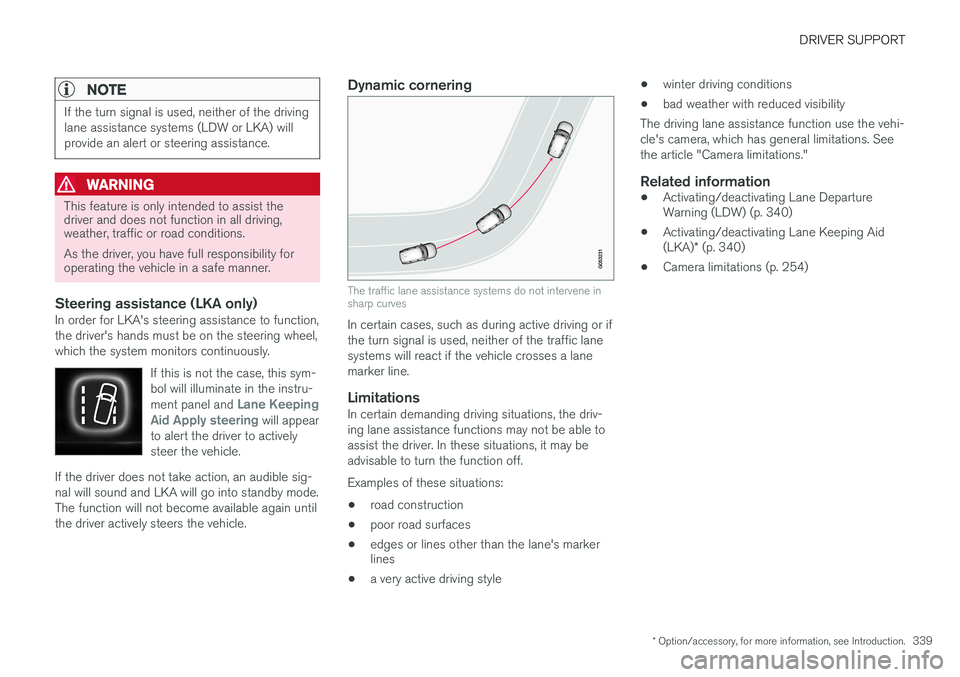
Dynamic cornering
The traffic lane assistance systems do not intervene in sharp curves
In certain cases, such as during active driving or if the turn signal is used, neither of the traffic lanesystems will react if the vehicle crosses a lanemarker line.
LimitationsIn certain demanding driving situations, the driv-ing lane assistance functions may not be able toassist the driver. In these situations, it may beadvisable to turn the function off. Examples of these situations: • road construction
• poor road surfaces
• edges or lines other than the lane's marker lines
• a very active driving style •
winter driving conditions
• bad weather with reduced visibility
The driving lane assistance function use the vehi- cle's camera, which has general limitations. Seethe article "Camera limitations."
Related information
• Activating/deactivating Lane Departure Warning (LDW) (p. 340)
• Activating/deactivating Lane Keeping Aid (LKA)
* (p. 340)
• Camera limitations (p. 254)
Page 352 of 546

STARTING AND DRIVING
350
Braking effect after a collisionIn certain types of collisions, the vehicle's brakes are applied to help prevent or mitigate a secon-dary collision.
Maintaining control of the vehicle after a collision may be difficult. To help avoid or mitigate theeffect of a secondary collision, the brakes areapplied automatically to help bring the vehicle toa stop. The brake lights and hazard warning flashers will be activated and the flashers will remain on afterthe vehicle has come to a standstill. The parkingbrake will then be applied automatically. In a situation where stopping the vehicle may not be desirable, the driver can override this systemby pressing the accelerator pedal. This feature can only function if the brake system is intact after the collision.
Related information
• Brake functions (p. 348)
• Airbag system (p. 89)
• Rear Collision Warning (RCW) (p. 292)
Emergency brake lights
The emergency brake lights activate in the event of hard braking/rapid deceleration at most nor-mal driving speeds or if the ABS system is acti-vated. This function causes an additional taillighton each side of the vehicle to illuminate to helpalert vehicles traveling behind.
Once the emergency brake lights have been acti- vated, if the driver releases the brake pedal, thebrake lights will return to their normal function.
Related information
• Brakes (p. 346)
• Hazard warning flashers (p. 147)
• Brake lights (p. 146)
Hill Descent Control (HDC) HDC is a type of low-speed automatic engine brake and makes it possible to increase ordecrease the vehicle's speed on steep downhillgradients using only the accelerator pedal, with-out applying the brakes. HDC is integrated into the
Off Road drive
mode.
HDC is particularly useful when driving down steep hills with rough surfaces, and where theroad may have slippery patches.
WARNING
HDC does not function in all situations, and is a supplementary braking aid. The driver hasfull responsibility for driving in a safe manner.
FunctionHDC allows the vehicle to roll forward or in reverse at very low speed with enhanced enginebraking. However, speed can be adjusted withthe accelerator pedal. When the acceleratorpedal is released, the vehicle will return to verylow speed. The driver can use the brakes to slow or stop the vehicle at any time. HDC is activated along with Low Speed Control (LSC), which together make driving on slipperysurfaces at low speeds easier.
Page 353 of 546
STARTING AND DRIVING
351
When HDC and LSC are activated, this changes the response from the accelerator pedal andengine.
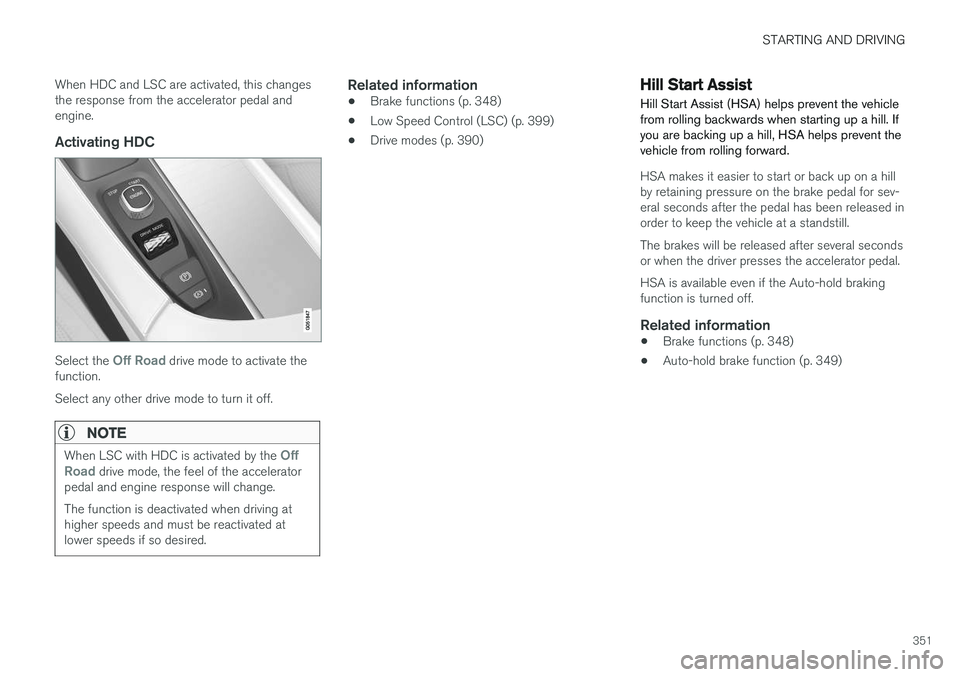
Activating HDC
Select the Off Road drive mode to activate the
function. Select any other drive mode to turn it off.
NOTE
When LSC with HDC is activated by the Off
Road drive mode, the feel of the accelerator
pedal and engine response will change. The function is deactivated when driving at higher speeds and must be reactivated atlower speeds if so desired.
Related information
• Brake functions (p. 348)
• Low Speed Control (LSC) (p. 399)
• Drive modes (p. 390)
Hill Start Assist
Hill Start Assist (HSA) helps prevent the vehicle from rolling backwards when starting up a hill. Ifyou are backing up a hill, HSA helps prevent thevehicle from rolling forward.
HSA makes it easier to start or back up on a hill by retaining pressure on the brake pedal for sev-eral seconds after the pedal has been released inorder to keep the vehicle at a standstill. The brakes will be released after several seconds or when the driver presses the accelerator pedal. HSA is available even if the Auto-hold braking function is turned off.
Related information
• Brake functions (p. 348)
• Auto-hold brake function (p. 349)
Page 358 of 546

||
STARTING AND DRIVING
356
Preconditioning
•If possible, precondition the vehicle with the charging cable before driving.
• Avoid parking the vehicle so that the passen-ger compartment becomes too hot or cold.Park, if possible, in a climate controlled park-ing garage.
• For short drives after using the precondition-ing function, turn off the climate systemblower if possible.
• If preconditioning is not possible in coldweather, use the seat and steering wheelheating primarily. Avoid heating the entirepassenger compartment, which reduces thehybrid battery's charge level.
Driving
•
Choose the Pure drive mode to help mini-
mize electric power consumption.
• Maintain a constant speed and an adequate distance to the vehicle ahead to minimizeuse of the brakes.
• Brake as gently as possible; doing socharges the hybrid battery using the inte-grated regenerative braking function.
• Balance energy requirements using theaccelerator pedal and utilize the gauge onthe instrument panel to see the amount ofpower available from the electric motor. Thishelps avoid starting the gasoline engineunnecessarily. The electric motor is moreenergy-efficient than the gasoline engine,especially at lower speeds. •
In hilly terrain, put the gear selector in mode B
to utilize the electric motor's braking func-
tion when the accelerator pedal is released. This helps charge the hybrid battery.
• Higher speeds increase energy consumptionand the vehicle's wind resistance increasesalong with speed. Do not exceed postedspeed limits.
• Select the
Save drive mode for higher
speeds when driving farther than is possible using the electric motor only.
• Avoid carrying unnecessary items (extra load)in the vehicle.
• Maintain correct tire pressure. Check tirepressure regularly (when the tires are cold).
• Remove snow tires when threat of snow orice has ended.
• Note that roof racks, ski racks, etc, increaseair resistance and also energy consumption.
• Avoid driving with open windows.
Handling and roadholding
•
Vehicle load, tire design and inflation pres-sure all affect vehicle handling. Therefore,check that the tires are inflated to the rec-ommended pressure according to the vehicleload. Loads should be distributed so thatcapacity weight or maximum permissible axleloads are not exceeded.
• At the specified curb weight your vehicle hasa tendency to understeer, which means thatthe steering wheel has to be turned more than might seem appropriate for the curva-ture of a bend. This ensures good stabilityand reduces the risk of rear wheel skid.Remember that these properties can alterwith the vehicle load. The heavier the load inthe cargo compartment, the less the ten-dency to understeer.
Related information
•
Hybrid-related information in the instrumentpanel (p. 130)
• Parking climate (preconditioning) (p. 179)
Page 372 of 546

||
STARTING AND DRIVING
370
How TSA worksOnce swaying has begun, it can be very difficult to stop, which makes it difficult to control thevehicle and trailer. The TSA system continuously monitors the vehi- cle's movements, particularly lateral movement. Ifthe system detects a tendency to sway, thebrakes are applied individually on the frontwheels, which has a stabilizing effect on the vehi-cle and trailer. This is often enough to enable thedriver to regain control of the vehicle. If this is not adequate to stop the swaying motion, the brakes are applied to all of the wheels on thevehicle and on the trailer if it is equipped withbrakes, and engine power is temporarily reduced.As the swaying motion begins to decrease andthe vehicle-trailer have once again become sta-ble, TSA will now stop regulating the brakes/engine power and the driver regains control ofthe vehicle. TSA is deactivated if the driver deactivates
ESCin the center display's menu system.When the ESC symbol in the
instrument panel flashes, TSA is active.
Related information
• Detachable trailer hitch (p. 368)
• Driving with a trailer (p. 367)
• Electronic Stability Control (ESC) (p. 323)
Ignition modes
The vehicle's ignition can be put in various modes (levels) to make different functions availa-ble.
The vehicle's ignition has 3 modes: 0, I, and II
that can be used to operate various functions without starting the engine. The following tableshows examples of which functions are availablein the respective modes.