Page 193 of 594

Instruments and controls/Multi function display
temperature has increased to 418F
(5 8C) or higher.
! Top display
One of the following items can be dis-
played on the top display.
. Average fuel consumption correspond-
ing to the driving distance of each trip
meter
. Current fuel consumption (This may
not be displayed when driving at a low
speed.)
. Driving range on remaining fuel
For details about the setting of the top
display, refer to “Top display setting ”F 3-
66.
NOTE
The driving range on the remaining fuel
is calculated using the average fuel
consumption of the last 19 miles (30
km) driven. This value may be different
from the values calculated using the
average fuel consumption correspond-
ing to the driving distance of each trip
meter or the current fuel consumption. !
Clock
The clock can be displayed in either 12-
hour display or 24-hour display. For details
about the setting, refer to “Current date
and time setting ”F 3-57.
NOTE
If the vehicle battery is disconnected,
the clock shown in the information bar
will be reset. Set the time again after
the vehicle battery is connected. For
details about the setting, refer to “To p
display setting ”F 3-66. !
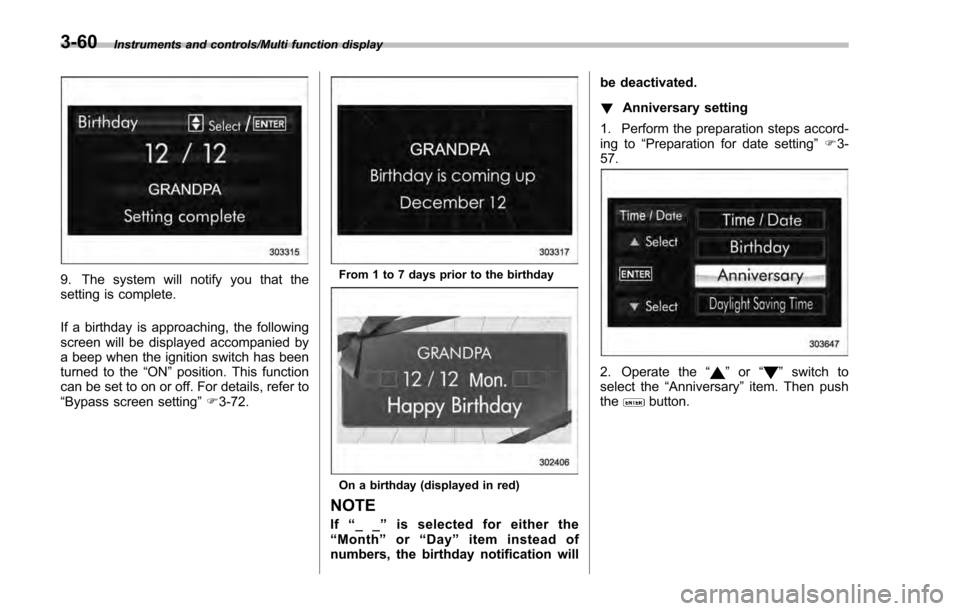
Fuel consumption screen
1) Average fuel consumption corresponding
to the driving distance of each trip meter
2) Current fuel consumption
3) Driving range on remaining fuel
The displayed location can be custo-
mized. For details, refer to “Fuel consump-
tion screen setting ”F 3-67.
3-48
Page 194 of 594
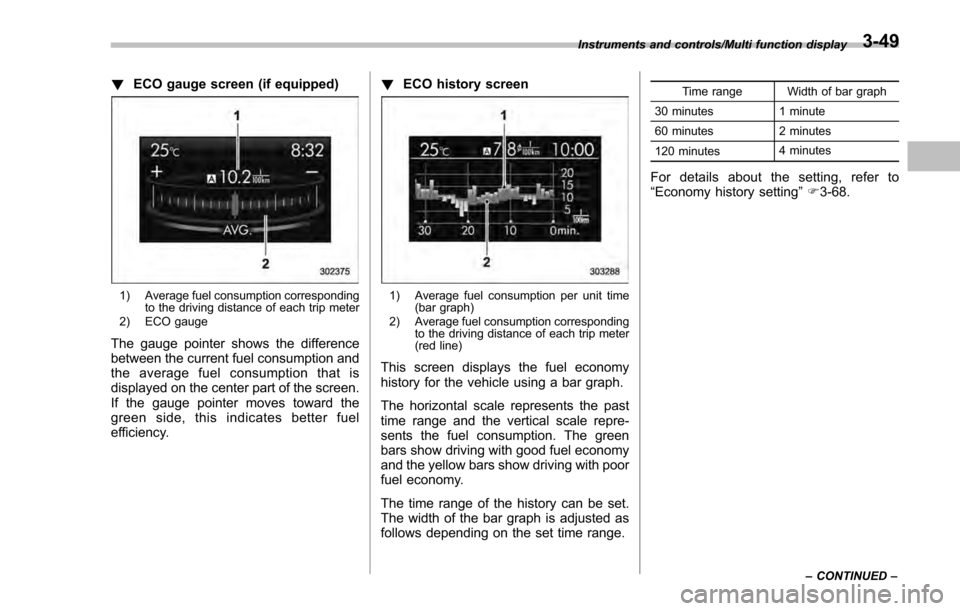
!ECO gauge screen (if equipped)
1) Average fuel consumption corresponding
to the driving distance of each trip meter
2) ECO gauge
The gauge pointer shows the difference
between the current fuel consumption and
the average fuel consumption that is
displayed on the center part of the screen.
If the gauge pointer moves toward the
green side, this indicates better fuel
efficiency. !
ECO history screen
1) Average fuel consumption per unit time
(bar graph)
2) Average fuel consumption corresponding to the driving distance of each trip meter
(red line)
This screen displays the fuel economy
history for the vehicle using a bar graph.
The horizontal scale represents the past
time range and the vertical scale repre-
sents the fuel consumption. The green
bars show driving with good fuel economy
and the yellow bars show driving with poor
fuel economy.
The time range of the history can be set.
The width of the bar graph is adjusted as
follows depending on the set time range.
Time range Width of bar graph
30 minutes 1 minute
60 minutes 2 minutes
120 minutes 4 minutes
For details about the setting, refer to
“
Economy history setting ”F 3-68.
Instruments and controls/Multi function display
–CONTINUED –3-49
Page 196 of 594
tion is represented using an animation of
the traffic lane.
If the ABS is activated, all of the vehicle’s
wheels will be illuminated in yellow and
the length of operation in seconds and the
number of activations will be displayed in
the bar indicator, located on the lowermost
part of the display.
If the Vehicle Dynamics Control system is
activated, the activated vehicle wheels will
be illuminated in yellow and the operating
indicator “
”will appear on the upper right
part of the display. Also, the length of
operation in seconds and the number of
activations will be displayed in the bar
indicator. !
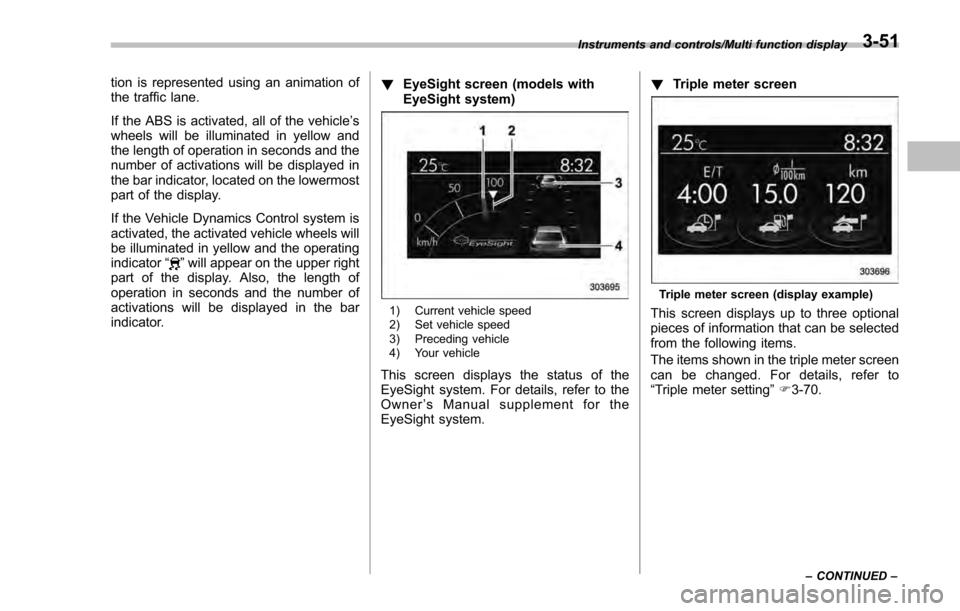
EyeSight screen (models with
EyeSight system)
1) Current vehicle speed
2) Set vehicle speed
3) Preceding vehicle
4) Your vehicle
This screen displays the status of the
EyeSight system. For details, refer to the
Owner ’s Manual supplement for the
EyeSight system. !
Triple meter screen
Triple meter screen (display example)
This screen displays up to three optional
pieces of information that can be selected
from the following items.
The items shown in the triple meter screen
can be changed. For details, refer to
“Triple meter setting ”F 3-70.
Instruments and controls/Multi function display
–CONTINUED –3-51
Page 197 of 594
Instruments and controls/Multi function display
ItemDetails
Average vehicle speed (Average
vehicle speed for the entire driving
time from when the trip meter was
reset)
Lifetime fuel consumption
Engine oil temperature
Accelerator opening ratio
Journey time (the time that has
elapsed since the ignition switch
was turned to the“ON ”position) (if
equipped)
Journey distance (the distance
that has been driven since the
ignition switch was turned to the
“ ON ”position)
Average fuel consumption for the
entire driving distance from when
the ignition switch was turned to
the “ON ”position
Boost pressure
! Guidance screen
When thebutton is pressed and held,
the selection screen can be displayed.
The displayed contents can be set or
customized from the selection screen. For
details, refer to “Selection screen” F3-54. !
Clock/calendar screenClock (analog format)
Clock (digital format)
3-52
Page 198 of 594
Calendar
1) Today’s date
2) Birthday/Anniversary
In addition to the clock/calendar, the out-
side temperature and average fuel con-
sumption can also be displayed.
You can select clock (analog format),
clock (digital format) or calendar. The
clock/calendar can also be set so that it
is not displayed. For details, refer to
“Clock/calendar screen setting ”F 3-71.
Instruments and controls/Multi function display
–CONTINUED –3-53
Page 205 of 594
Instruments and controls/Multi function display
9. The system will notify you that the
setting is complete.
If a birthday is approaching, the following
screen will be displayed accompanied by
a beep when the ignition switch has been
turned to the“ON”position. This function
can be set to on or off. For details, refer to
“Bypass screen setting ”F 3-72.From 1 to 7 days prior to the birthday
On a birthday (displayed in red)
NOTE
If “__ ”is selected for either the
“ Month ”or “Day ”item instead of
numbers, the birthday notification will be deactivated.
!
Anniversary setting
1. Perform the preparation steps accord-
ing to “Preparation for date setting ”F 3-
57.
2. Operate the “”or “”switch to
select the “Anniversary” item. Then push
the
button.
3-60
Page 207 of 594
Instruments and controls/Multi function display
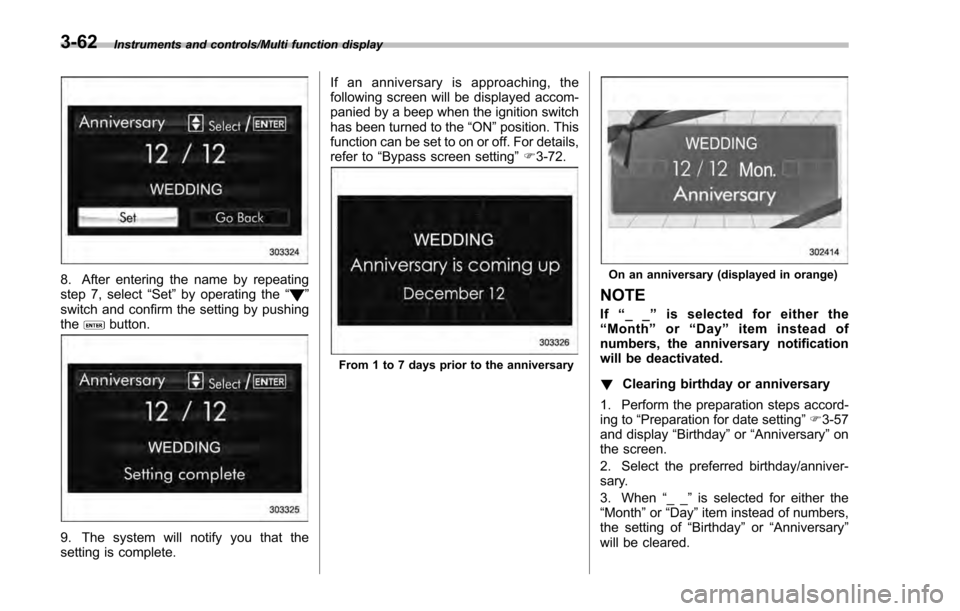
8. After entering the name by repeating
step 7, select“Set”by operating the “”
switch and confirm the setting by pushing
the
button.
9. The system will notify you that the
setting is complete. If an anniversary is approaching, the
following screen will be displayed accom-
panied by a beep when the ignition switch
has been turned to the
“ON ”position. This
function can be set to on or off. For details,
refer to “Bypass screen setting ”F 3-72.
From 1 to 7 days prior to the anniversary
On an anniversary (displayed in orange)
NOTE
If “__ ”is selected for either the
“ Month ”or “Day ”item instead of
numbers, the anniversary notification
will be deactivated.
! Clearing birthday or anniversary
1. Perform the preparation steps accord-
ing to “Preparation for date setting ”F 3-57
and display “Birthday ”or “Anniversary” on
the screen.
2. Select the preferred birthday/anniver-
sary.
3. When “__ ”is selected for either the
“Month ”or “Day” item instead of numbers,
the setting of “Birthday ”or “Anniversary ”
will be cleared.
3-62
Page 234 of 594
7. The system will notify you that the
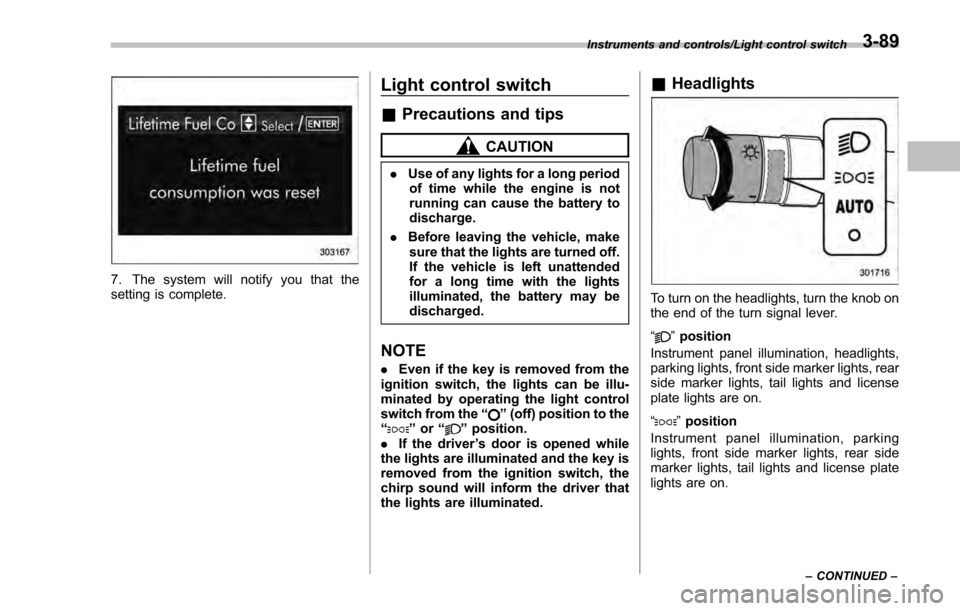
setting is complete.
Light control switch
&Precautions and tips
CAUTION
. Use of any lights for a long period
of time while the engine is not
running can cause the battery to
discharge.
. Before leaving the vehicle, make
sure that the lights are turned off.
If the vehicle is left unattended
for a long time with the lights
illuminated, the battery may be
discharged.
NOTE
. Even if the key is removed from the
ignition switch, the lights can be illu-
minated by operating the light control
switch from the “
”(off) position to the
“” or “”position.
. If the driver ’s door is opened while
the lights are illuminated and the key is
removed from the ignition switch, the
chirp sound will inform the driver that
the lights are illuminated.
& Headlights
To turn on the headlights, turn the knob on
the end of the turn signal lever.
“
”position
Instrument panel illumination, headlights,
parking lights, front side marker lights, rear
side marker lights, tail lights and license
plate lights are on.
“
” position
Instrument panel illumination, parking
lights, front side marker lights, rear side
marker lights, tail lights and license plate
lights are on.
Instruments and controls/Light control switch
–CONTINUED –3-89