2016 SUBARU IMPREZA Tail
[x] Cancel search: TailPage 166 of 594
&ABS warning light
CAUTION
.If any of the following conditions
occur, we recommend that you
have the ABS repaired at the first
available opportunity by your
SUBARU dealer.
– The warning light does not
illuminate when the ignition
switch is turned to the “ON”
position.
– The warning light illuminates
when the ignition switch is
turned to the “ON”position,
but it does not turn off even
when the vehicle speed ex-
ceeds approximately 25 mph
(40 km/h).
– The warning light illuminates
during driving.
. When the warning light is on (and
the brake system warning light is
off), the ABS function shuts
down. However, the conventional
brake system continues to oper-
ate normally.
The ABS warning light illuminates to-
gether with the brake system warning light if the EBD system malfunctions. For
further details of the EBD system mal-
function warning, refer to
“Electronic
Brake Force Distribution (EBD) system
warning ”F 3-22.
NOTE
If the warning light behavior is as
described in the following conditions,
the ABS may be considered normal.
. The warning light illuminates when
the ignition switch is turned to the
“ON ”position and turns off approxi-
mately 2 seconds after the engine has
started.
. The warning light illuminates right
after the engine is started but turns off
immediately, remaining off.
. The warning light remains illumi-
nated after the engine has been started,
but it turns off when the vehicle speed
reaches approximately 25 mph (40
km/h).
. The warning light illuminates during
driving, but it turns off immediately and
remains off.
When driving with an insufficient battery
voltage such as when the engine is jump
started, the ABS warning light may illumi-
nate. This is due to the low battery voltage
and does not indicate a malfunction.
When the battery becomes fully charged, the light will turn off.
&Brake system
warning light (red)
The light illuminates with the parking
brake applied while the ignition switch is
in the
“ON”position. It turns off when the
parking brake is fully released.
WARNING
. Driving with the brake system
warning light on is dangerous.
This indicates your brake system
may not be working properly. If
the light remains illuminated,
have the brakes inspected by a
SUBARU dealer immediately.
. If at all in doubt about whether
the brakes are operating prop-
erly, do not drive the vehicle.
Have your vehicle towed to the
nearest SUBARU dealer for re-
pair.
The brake system warning light has the
following functions.
! Brake fluid level warning
This light illuminates when the brake fluid
level has dropped to near the “MIN”level
of the brake fluid reservoir with the ignition
Instruments and controls/Warning and indicator lights
–CONTINUED –3-21
Page 175 of 594
Instruments and controls/Warning and indicator lights
&Security indicator light
This indicator light shows the status of the
alarm system. It also indicates operation
of the immobilizer system.
!Alarm system
It blinks to show the driver the operational
status of the alarm system. For detailed
information, refer to “Alarm system ”F 2-
27.
! Immobilizer system
The security indicator light starts blinking
in the following conditions.
For models with “keyless access with
push-button start system ”:
. Immediately after the push-button igni-
tion switch is turned to the “OFF”position.
. Immediately after the driver ’s door is
opened or closed when all of the following
conditions are met.
–The push-button ignition switch is in
the “ON ”or “ACC ”position.
– The access key is outside the
vehicle.
– The engine is not running.
In the event that the push-button ignition
switch is pressed to turn it on or to start
the engine carrying an unauthorized key
(for example, the key is unregistered or
the ID code does not match), the power is not switched to
“ON ”and the security
indicator light continues blinking.
For models without “keyless access
with push-button start system ”:
. Approximately 60 seconds after the
ignition switch is turned from the “ON ”
position to the “ACC”or “LOCK ”position.
. Immediately after the key is pulled out.
If the indicator light does not blink in the
above conditions, it may indicate that
immobilizer system may be malfunction-
ing. Contact your nearest SUBARU dealer
immediately.
In the event that an unauthorized key (for
example, an unauthorized duplicate) is
used to start the engine, the security
indicator light illuminates. For details
about the immobilizer system, refer to
“Immobilizer ”F 2-3.
NOTE
. The security indicator light remains
off in the following conditions. This is
normal and does not indicate a mal-
function.
–while the engine is running
– for approximately 60 seconds
after the ignition switch is turned
from the “ON ”position to the
“ACC ”or “LOCK ”/“OFF ”position
. Even if the security indicator light blinks irregularly or its fuse blows (the
light does not blink if its fuse is blown),
the immobilizer system will function
normally.
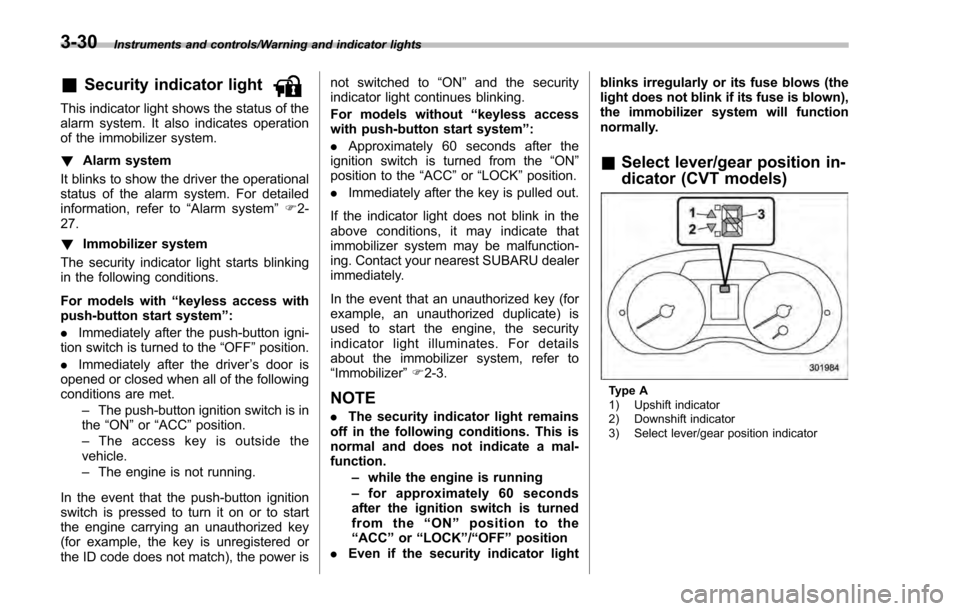
&
Select lever/gear position in-
dicator (CVT models)
Type A
1) Upshift indicator
2) Downshift indicator
3) Select lever/gear position indicator
3-30
Page 176 of 594

Type B
1) Upshift indicator
2) Downshift indicator
3) Select lever/gear position indicator
This indicator shows the position of the
select lever.
For models with manual mode, when the
manual mode is selected, the gear posi-
tion indicator (which shows the current
gear selection) and the upshift/downshift
indicator light up. Refer to“Continuously
variable transmission ”F 7-23.
&Turn signal indicator
lights
These lights show the operation of the turn
signal or lane change signal.
If the indicator lights do not blink or blink rapidly, the turn signal bulb may be burned
out. Replace the bulb as soon as possible.
Refer to
“Replacing bulbs ”F 11-36.
&High beam indicator
light
This light shows that the headlights are in
the high beam mode.
This indicator light also illuminates when
the headlight flasher is operated.
&Cruise control indica-
tor light (if equipped)
This light illuminates when the cruise
control main button is pressed to activate
the cruise control function. For details,
refer to “To set cruise control” F7-45.
CAUTION
If the CHECK ENGINE warning light/
malfunction indicator light illumi-
nates, the cruise control indicator
light flashes at the same time. At
this time, avoid driving at high
speed and have your vehicle in-
spected at a SUBARU dealer as
soon as possible.
&Cruise control set in-
dicator light (if
equipped)
This light illuminates when vehicle speed
has been set to use the cruise control
function. Refer to “To set cruise control ”
F 7-45.
&Automatic headlight
beam leveler warning
light (models with HID
headlights)
This light illuminates when the automatic
headlight beam leveler does not operate
normally.
If this light illuminates while driving or does
not turn off approximately 3 seconds after
turning the ignition switch to the “ON”
position, have your vehicle inspected at
your SUBARU dealer.
&Front fog light indicator
light (if equipped)
This indicator light illuminates while the
front fog lights are illuminated.
Instruments and controls/Warning and indicator lights
–CONTINUED –3-31
Page 177 of 594

Instruments and controls/Information display
&Headlight indicator
light (if equipped)
This indicator light illuminates under the
following conditions.
.when the light switch is turned to the
“
” or “”position
. when the light control switch is in the
“AUTO ”position and the headlights illumi-
nate automatically
&Steering responsive
fog lights warning indi-
cator/Steering respon-
sive fog lights OFF in-
dicator (models with
EyeSight system)
NOTE
For details about the steering respon-
sive fog lights system, refer to “Steer-
ing responsive fog lights system (mod-
els with EyeSight system) ”F 3-95.
! Steering responsive fog lights
warning indicator
This indicator appears when the steering
responsive fog lights system malfunctions.
When this indicator appears while the
system is activated, contact your
SUBARU dealer for an inspection. !
Steering responsive fog lights OFF
indicator
This indicator appears when the steering
responsive fog lights system is deacti-
vated. This indicator disappears when the
system is activated.
&BSD/RCTA warning in-
dicator (if equipped)
This warning indicator appears when the
BSD/RCTA is malfunctioning. In this case
the BSD/RCTA warning indicator will be
shown on the multi information display of
the combination meter. When this indica-
tor appears, have your vehicle inspected
by your SUBARU dealer as soon as
possible.
&BSD/RCTA OFF indica-
tor (if equipped)
The indicator appears when the BSD/
RCTA OFF switch is pressed to deactivate
the BSD/RCTA. In this case the BSD/
RCTA OFF indicator will be shown on the
multi information display of the combina-
tion meter. For details, refer to “BSD/
RCTA (5-door models —if equipped) ”
F 7-50.
Information display (if
equipped)
NOTE
For models with color multi function
display, refer to “Multi function dis-
play ”F 3-42.
1) Outside temperature indicator
2) Driving information display
3) Clock
With the ignition switch in the “ACC ”
position, the clock appears on the display.
With the ignition switch in the “ON ”
position, the outside temperature indica-
tor, driving information display and clock
all appear on the display.
3-32
Page 184 of 594
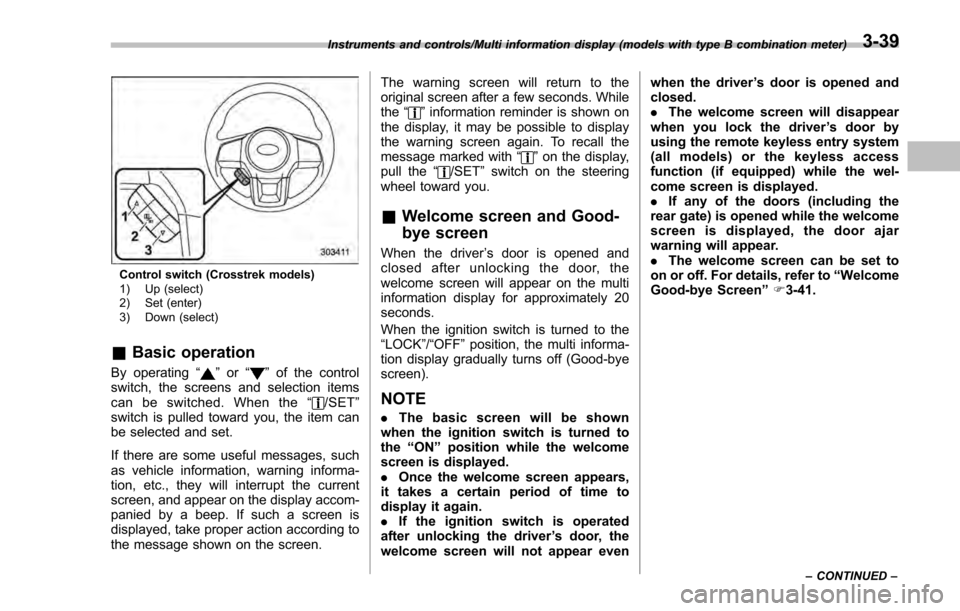
Control switch (Crosstrek models)
1) Up (select)
2) Set (enter)
3) Down (select)
&Basic operation
By operating “”or “”of the control
switch, the screens and selection items
can be switched. When the “
/SET”
switch is pulled toward you, the item can
be selected and set.
If there are some useful messages, such
as vehicle information, warning informa-
tion, etc., they will interrupt the current
screen, and appear on the display accom-
panied by a beep. If such a screen is
displayed, take proper action according to
the message shown on the screen. The warning screen will return to the
original screen after a few seconds. While
the
“
”information reminder is shown on
the display, it may be possible to display
the warning screen again. To recall the
message marked with “
”on the display,
pull the “/SET”switch on the steering
wheel toward you.
& Welcome screen and Good-
bye screen
When the driver ’s door is opened and
closed after unlocking the door, the
welcome screen will appear on the multi
information display for approximately 20
seconds.
When the ignition switch is turned to the
“LOCK”/ “OFF”position, the multi informa-
tion display gradually turns off (Good-bye
screen).
NOTE
. The basic screen will be shown
when the ignition switch is turned to
the “ON ”position while the welcome
screen is displayed.
. Once the welcome screen appears,
it takes a certain period of time to
display it again.
. If the ignition switch is operated
after unlocking the driver ’s door, the
welcome screen will not appear even when the driver
’s door is opened and
closed.
. The welcome screen will disappear
when you lock the driver ’s door by
using the remote keyless entry system
(all models) or the keyless access
function (if equipped) while the wel-
come screen is displayed.
. If any of the doors (including the
rear gate) is opened while the welcome
screen is displayed, the door ajar
warning will appear.
. The welcome screen can be set to
on or off. For details, refer to “Welcome
Good-bye Screen ”F 3-41.
Instruments and controls/Multi information display (models with type B combination meter)
–CONTINUED –3-39
Page 189 of 594
Instruments and controls/Multi function display
played contents, refer to “Basic screens ”
F 3-47.)
& Basic operation
Control switch
1) Up (select)
2) ENTER (push)
3) Down (select)
By operating “”or “”of the control
switch, the screens and selection items
can be switched. When the
button is
pushed, the item can be selected and set.
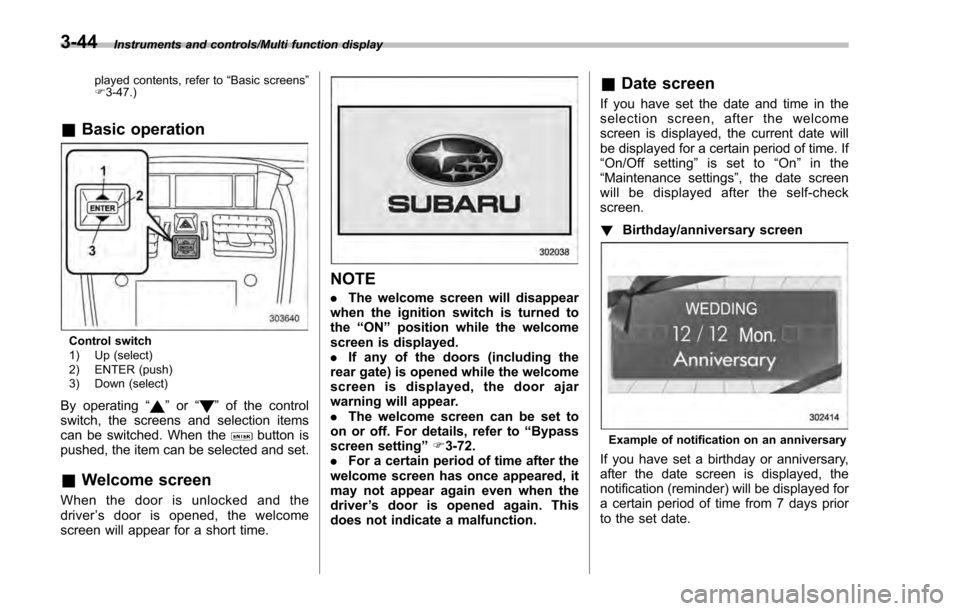
& Welcome screen
When the door is unlocked and the
driver ’s door is opened, the welcome
screen will appear for a short time.
NOTE
. The welcome screen will disappear
when the ignition switch is turned to
the “ON ”position while the welcome
screen is displayed.
. If any of the doors (including the
rear gate) is opened while the welcome
screen is displayed, the door ajar
warning will appear.
. The welcome screen can be set to
on or off. For details, refer to “Bypass
screen setting ”F 3-72.
. For a certain period of time after the
welcome screen has once appeared, it
may not appear again even when the
driver ’s door is opened again. This
does not indicate a malfunction.
& Date screen
If you have set the date and time in the
selection screen, after the welcome
screen is displayed, the current date will
be displayed for a certain period of time. If
“On/Off setting ”is set to “On ”in the
“ Maintenance settings” , the date screen
will be displayed after the self-check
screen.
! Birthday/anniversary screen
Example of notification on an anniversary
If you have set a birthday or anniversary,
after the date screen is displayed, the
notification (reminder) will be displayed for
a certain period of time from 7 days prior
to the set date.
3-44
Page 191 of 594
Instruments and controls/Multi function display
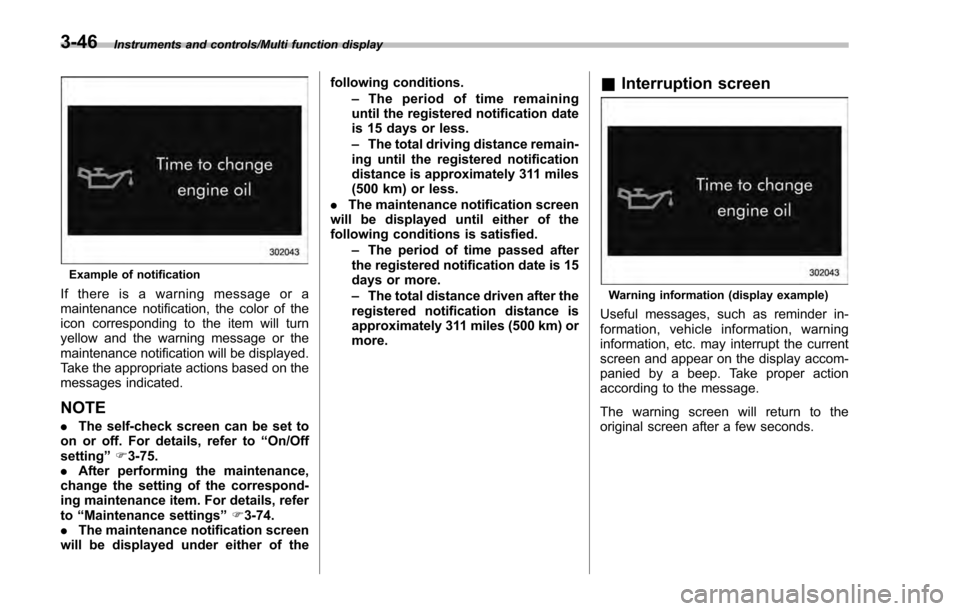
Example of notification
If there is a warning message or a
maintenance notification, the color of the
icon corresponding to the item will turn
yellow and the warning message or the
maintenance notification will be displayed.
Take the appropriate actions based on the
messages indicated.
NOTE
.The self-check screen can be set to
on or off. For details, refer to “On/Off
setting ”F 3-75.
. After performing the maintenance,
change the setting of the correspond-
ing maintenance item. For details, refer
to “Maintenance settings ”F 3-74.
. The maintenance notification screen
will be displayed under either of the following conditions.
–The period of time remaining
until the registered notification date
is 15 days or less.
– The total driving distance remain-
ing until the registered notification
distance is approximately 311 miles
(500 km) or less.
. The maintenance notification screen
will be displayed until either of the
following conditions is satisfied.
–The period of time passed after
the registered notification date is 15
days or more.
– The total distance driven after the
registered notification distance is
approximately 311 miles (500 km) or
more.
& Interruption screen
Warning information (display example)
Useful messages, such as reminder in-
formation, vehicle information, warning
information, etc. may interrupt the current
screen and appear on the display accom-
panied by a beep. Take proper action
according to the message.
The warning screen will return to the
original screen after a few seconds.
3-46
Page 192 of 594

&Basic screens
! Basic screen items
These are the basic screens of the multi
function display.
Item Page
Information bar 3-47
Fuel consumption screen 3-48
ECO gauge screen (if
equipped) 3-49
ECO history screen 3-49
Vehicle activation status
screen 3-50
EyeSight screen (models with
the EyeSight system) 3-51
Triple meter screen 3-51
Guidance screen 3-52
Clock/calendar screen 3-52
By operating the
“”or “”switch on the
steering wheel, you can switch the screen
that is always displayed. Also, when the
button is pressed and held, the
selection screen can be displayed. For
details about the selection screen, refer to
“Selection screen ”F 3-54. !
Information bar
1) Information bar
2) Outside temperature indicator
3) Top display
4) Clock
While the ignition switch is in the “ACC ”or
“ON ”position, the outside temperature
indicator, clock, etc. will be shown on the
information bar.
!Outside temperature indicator
This displays the outside temperature
between −40 8F( −408 C) and 122 8F
(50 8C).
Icy road surface warning screen
When the outside temperature becomes
37 8F(3 8C) or less, the icy road surface
warning screen interrupts to inform the
driver that the road surface may be frozen.
NOTE
. The outside temperature indicator
shows the temperature around the
sensor. Therefore, the temperature in-
dication may differ from the actual
outside air temperature.
. The icy road surface warning screen
should be treated only as a guide. Be
sure to check the condition of the road
surface before driving.
. Once the icy road surface warning
screen is displayed, it will not be
displayed again unless the outside
Instruments and controls/Multi function display
–CONTINUED –3-47