Page 7 of 398
5
308_en_Chap00b_vue-ensemble_ed02-2015
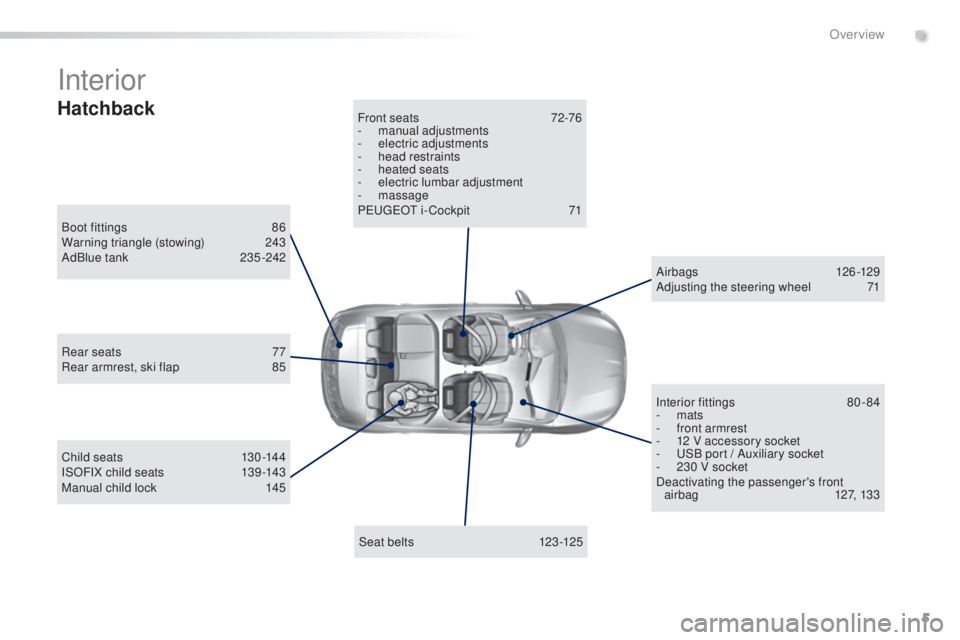
Interior
Boot fittings 86
W arning triangle (stowing) 24 3
AdBlue tank
23
5 -242
Seat belts
123
-125
Front seats
72
-76
-
man
ual adjustments
-
ele
ctric adjustments
-
he
ad restraints
-
heat
ed seats
-
el
ectric lumbar adjustment
-
m
assage
P
eu
ge
Ot i
- Cockpit
71
C
hild seats
13
0 -144
ISOFIX child seats
13
9 -143
Manual child lock
145 A
ir bags
12
6 -129
Adjusting the steering wheel
71
I
nterior fittings
80
-84
-
m
ats
-
fr
ont armrest
-
12 V a
ccessory socket
-
u
SB p
ort / Auxiliary socket
-
23
0 V socket
Deactivating the passenger's front airbag
12
7, 133
Rear seats
77
R
ear armrest, ski flap
85
Hatchback
.
Over view
Page 8 of 398
6
308_en_Chap00b_vue-ensemble_ed02-2015
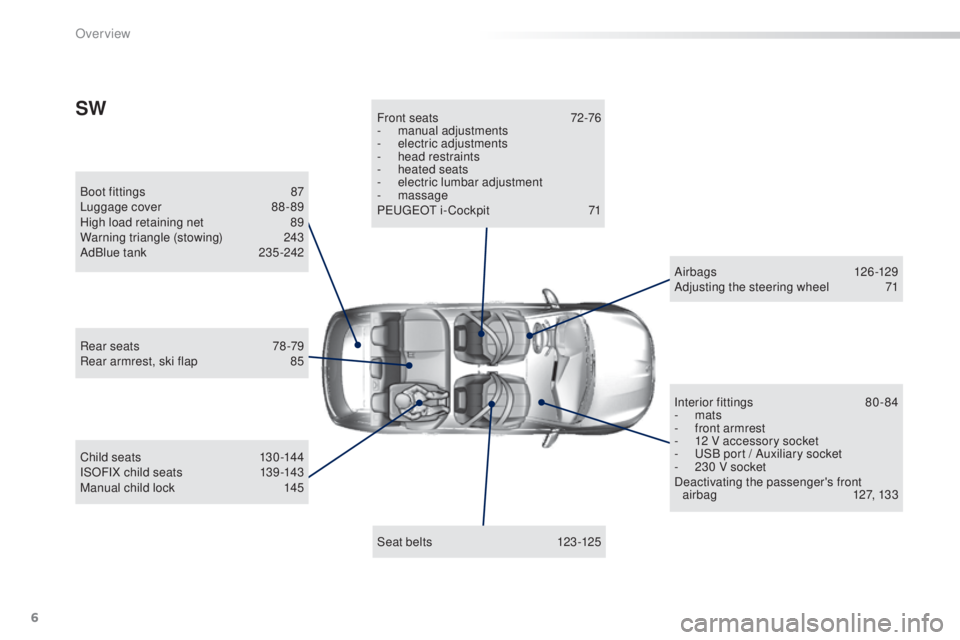
Boot fittings 87
Lu ggage cover 88 - 89
High load retaining net
89
W
arning triangle (stowing)
24
3
AdBlue tank
23
5 -242
Seat belts
123
-125
Front seats
72
-76
-
man
ual adjustments
-
ele
ctric adjustments
-
he
ad restraints
-
heat
ed seats
- el ectric lumbar adjustment
- m assage
P
eu
ge
Ot i
- Cockpit
71
C
hild seats
13
0 -144
ISOFIX child seats
13
9 -143
Manual child lock
145 A
ir bags
12
6 -129
Adjusting the steering wheel
71
I
nterior fittings
80
-84
-
m
ats
-
fr
ont armrest
-
12 V a
ccessory socket
-
u
SB p
ort / Auxiliary socket
-
23
0 V socket
Deactivating the passenger's front airbag
12
7, 133
Rear seats
78
-79
Rear armrest, ski flap
85
SW
Over view
Page 20 of 398
18
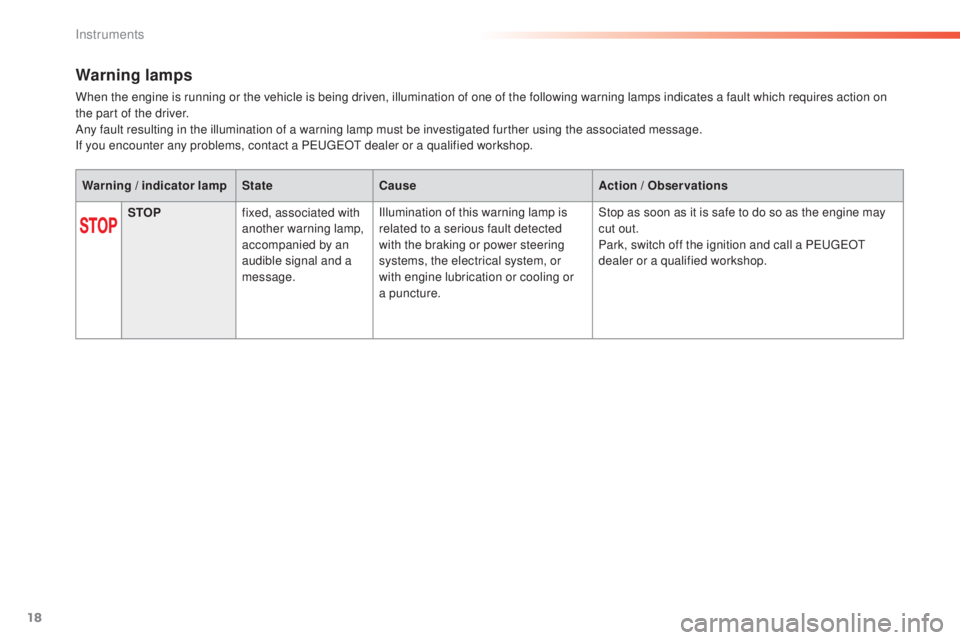
Warning lamps
When the engine is running or the vehicle is being driven, illumination of one of the following warning lamps indicates a fault which requires action on
the part of the driver.
Any fault resulting in the illumination of a warning lamp must be investigated further using the associated message.
If you encounter any problems, contact a P
eu
ge
Ot d
ealer or a qualified workshop.
Warning
/
indicator lamp State Cause Action
/
Observations
STOP fixed, associated with
another warning lamp,
accompanied by an
audible signal and a
message. Illumination of this warning lamp is
related to a serious fault detected
with the braking or power steering
systems, the electrical system, or
with engine lubrication or cooling or
a puncture. Stop as soon as it is safe to do so as the engine may
cut out.
Park, switch off the ignition and call a P
eu
ge
Ot
d
ealer or a qualified workshop.
Instruments
Page 36 of 398
34
System that gives you information on the current journey (range, fuel consumption…).
tr i p c o m p u t e r
Instrument panel screen
Information display
F Press the button on the end of the wiper
control stalk to display the various tabs in
succession. -
t
he c
urrent information tab with:
●
th
e range,
●
th
e current fuel consumption,
●
th
e Stop & Start time counter.
-
tri
p
"1" with:
●
th
e average speed.
●
th
e average fuel consumption,
●
th
e distance travelled,
fo
r the first trip.
-
tri
p
"2" with:
●
th
e average speed,
●
th
e average fuel consumption,
●
th
e distance travelled,
fo
r the second trip.
Depending on version
Trip reset
F When the trip required is displayed, press
the control for more than two seconds
or use the left hand thumb wheel of the
steering mounted controls.
tr
i p s "1" and "2" are independent but their use
is identical.
For example, trip "1" can be used for daily
figures, and trip "2" for monthly figures.
Instruments
Page 42 of 398

40
ButtonCorresponding function Comments
Vehicle settings Access to other functions with settings that can be adjusted.
Select or deselect the tabs at the bottom of the screen to display the functions required.
-
"D
riving assistance"
-
"[
Automatic rear wiper in reverse]" (activation of rear wiper coupled to reverse gear).
For more information on the wiper control stalk, refer to the corresponding section. -
"[
Collision risk alert]" (activation of the collision risk alert system).
For more information on Collision Risk Alert, refer to the corresponding section.
-
"
[Lighting ]"
-
"[gui
de-me-home lighting]" (automatic guide me home lighting),
-
"[
Welcome lighting]" (exterior welcome lighting).
For more information on the lighting control stalk, refer to the corresponding section. -
"[
Mood lighting]" (interior mood lighting).
For more information on mood lighting, refer to the corresponding section.
-
" V
ehicle access"
-
"[
Driver plip action]" (selective unlocking of the driver's door).
For more information on the remote control or Keyless
ent
ry and Starting, refer to the corresponding
section. -
"[unl
ocking boot]" (selective unlocking of the boot).
For more information on the boot, refer to the corresponding section.
Diagnostic List of current alerts.
Parking sensors Activation/Deactivation of the function.
Active cruise control Choice of the standard cruise control or the active cruise control.
the c
hoice of active cruise control is retained on condition that the steering mounted control thumb
wheel is on the "CR
uISe" p
osition.
Instruments
Page 65 of 398

63
308_en_Chap02_ouvertures_ed02-2015
Lost keys, remote control, electronic key
Visit a PeugeOt dealer with the vehicle's registration certificate, your personal identification documents and if possible, the label bearing the
key code.
the Peu
ge
Ot d
ealer will be able to retrieve the key code and the transponder code required to order a new key
Remote control
the high frequency remote control is a sensitive system; do not operate it while it is in your pocket as there is a possibility that it may unlock the
v ehicle, without you being aware of it.
Do not repeatedly press the buttons of your remote control out of range and out of sight of your vehicle. You run the risk of stopping it from
working and the remote control would have to be reinitialised.
the r
emote control does not operate when the key is in the ignition, even when the ignition is switched off.
Locking the vehicle
Driving with the doors locked may make access to the passenger compartment by the emergency services more difficult in an emergency.
As a safety precaution (with children on board), remove the key from the ignition or take the electronic key when you leave the vehicle, even for
a short time.
Electrical interference
the Keyless ent ry and Starting electronic key may not operate if close to certain electronic devices: telephone, laptop computer, strong
magnetic fields, ...
Anti-theft protection
Do not make any modifications to the electronic engine immobiliser system; this could cause malfunctions.
Don't forget to turn the steering to engage the steering lock.
When purchasing a second-hand vehicle
Have the key codes memorised by a Peu geOt d ealer, to ensure that the keys in your possession are the only ones which can start the vehicle.
2
Access
Page 73 of 398

71
308_en_Chap03_ergonomie-et-confort_ed02-2015
Steering wheel adjustment
F When stationary, l ower the control lever
to release the steering wheel adjustment
mechanism.
F
Ad
just the height and reach to suit your
driving position.
F
Pu
ll the control lever to lock the steering
wheel adjustment mechanism.
As a safety precaution, these
operations should only be carried out
while the vehicle is stationary.
PeugeOt i- Cockpit
Before taking to the road and to make the most
of the special ergonomics of the Peu
geOt
i
- Cockpit, carry out these adjustments in the
following order:
-
head
restraint height,
-
ba
ckrest angle,
-
seat
cushion height,
-
se
at longitudinal position,
-
st
eering wheel reach and then height
-
th
e interior and door mirrors.
Once these adjustments have been made,
ensure that from your driving position you can
see the "head-up" instrument panel clearly,
over the reduced diameter steering wheel.
Before moving the seat backwards,
ensure that there is nothing that might
prevent the full travel of the seat, so
as to avoid the risk of of jamming the
seat caused by the presence of objects
on the floor behind the seat or rear
passengers. If the seat jams, stop the
movement immediately.
3
ease of use and comfort
Page 85 of 398
83
308_en_Chap03_ergonomie-et-confort_ed02-2015
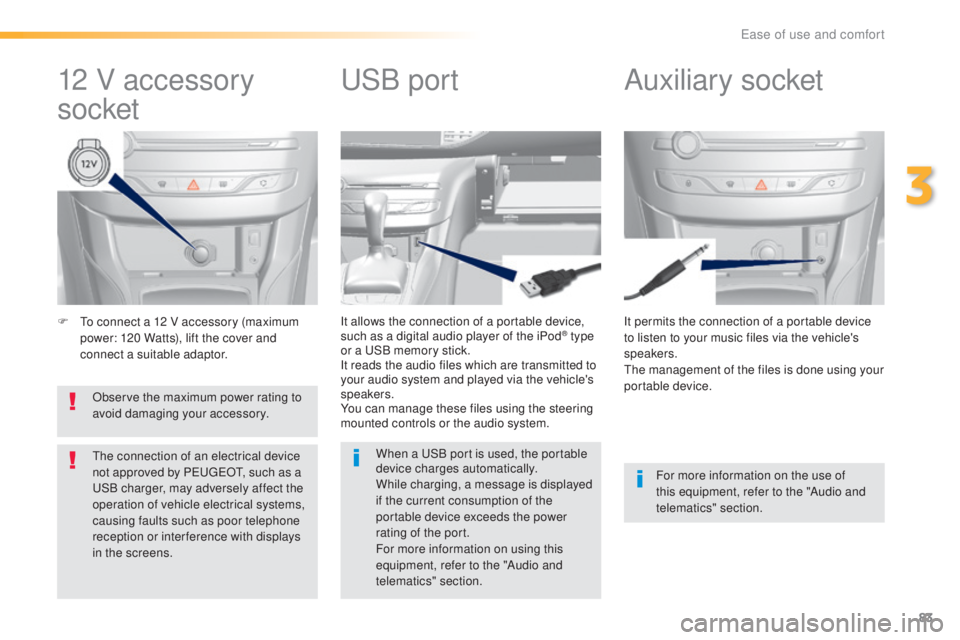
F to connect a 12 V accessory (maximum
p ower: 120 Watts), lift the cover and
connect a suitable adaptor. It permits the connection of a portable device
to listen to your music files via the vehicle's
speakers.
the m
anagement of the files is done using your
portable device.
It allows the connection of a portable device,
such as a digital audio player of the iPod® type
or a uSB m
emory stick.
It reads the audio files which are transmitted to
your audio system and played via the vehicle's
speakers.
You can manage these files using the steering
mounted controls or the audio system.
12 V accessory
socket Auxiliary socketuSB po
rt
For more information on the use of
this equipment, refer to the "Audio and
telematics" section.
When a
uSB p
ort is used, the portable
device charges automatically.
While charging, a message is displayed
if the current consumption of the
portable device exceeds the power
rating of the port.
For more information on using this
equipment, refer to the "Audio and
telematics" section.
Observe the maximum power rating to
avoid damaging your accessory.
the c
onnection of an electrical device
not approved by Peu
geOt, su
ch as a uSB c
harger, may adversely affect the
operation of vehicle electrical systems,
causing faults such as poor telephone
reception or inter ference with displays
in the screens.
3
ease of use and comfort