Page 2707 of 3641
PWC-46
< SYMPTOM DIAGNOSIS >
FRONT PASSENGER SIDE POWER WINDOW DOES NOT OPERATE
FRONT PASSENGER SIDE POWER WINDOW DOES NOT OPERATE
WHEN BOTH POWER WINDOW MAIN SWITCH AND FRONT POWER WINDOW
SWITCH ARE OPERATED
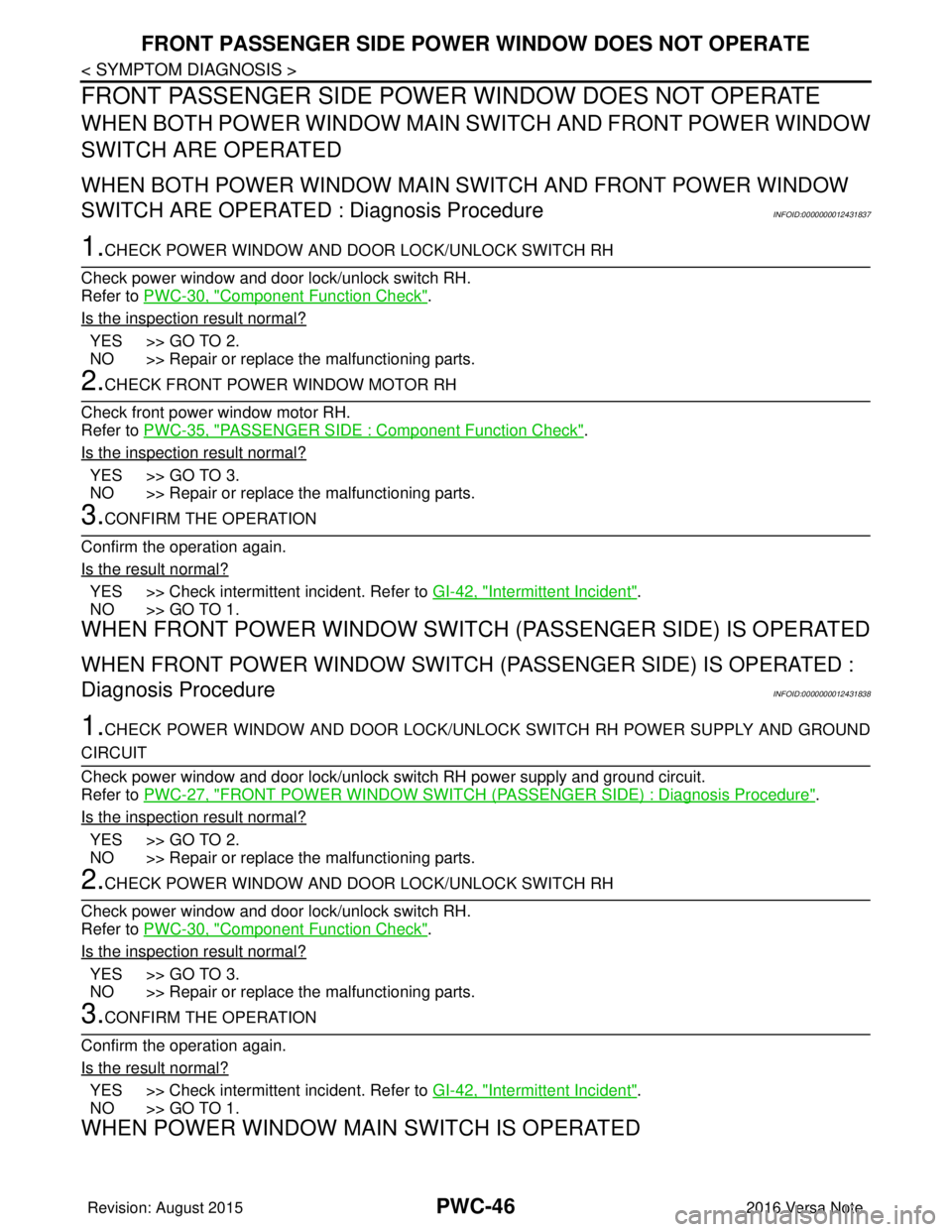
WHEN BOTH POWER WINDOW MAIN SWITCH AND FRONT POWER WINDOW
SWITCH ARE OPERATED : Diagnosis Procedure
INFOID:0000000012431837
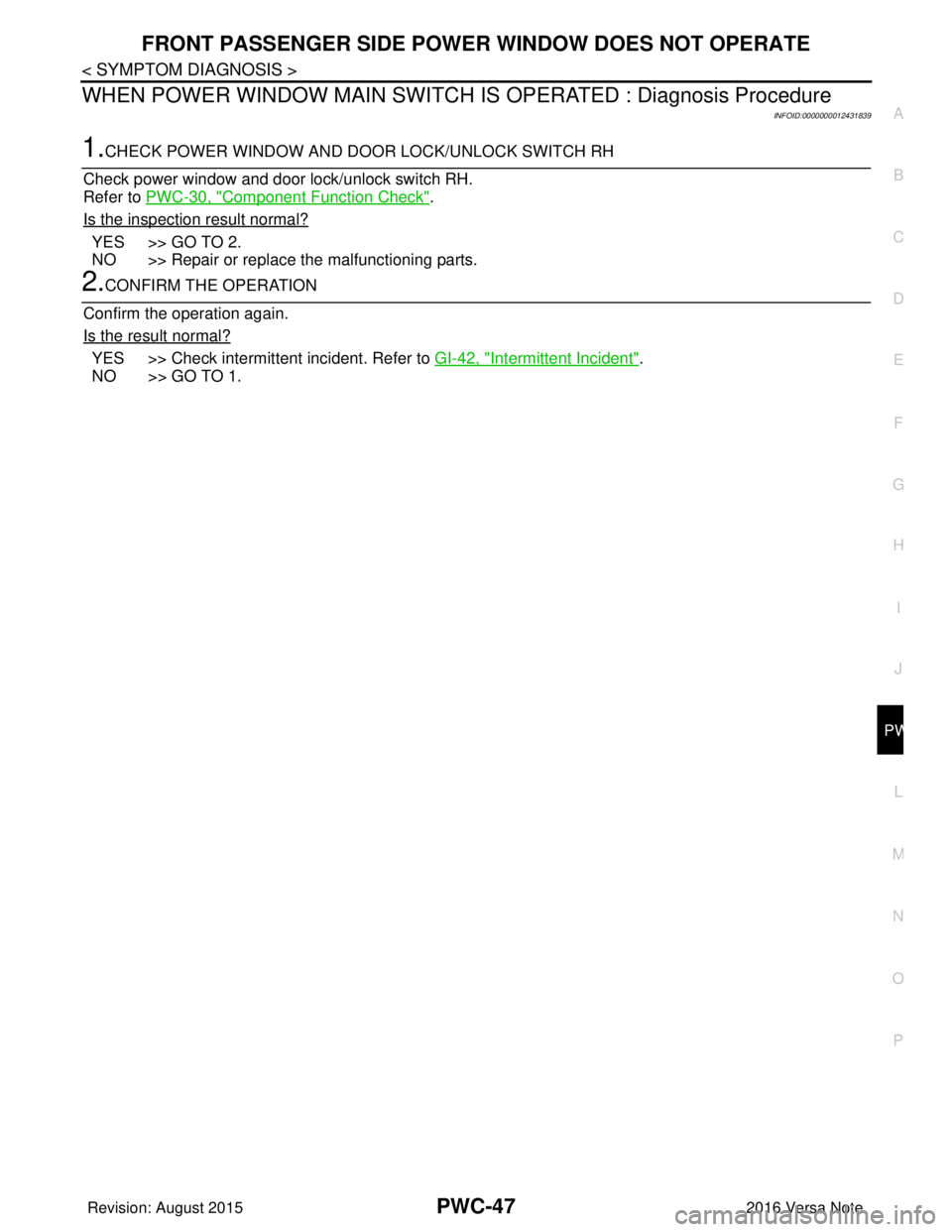
1.CHECK POWER WINDOW AND DO OR LOCK/UNLOCK SWITCH RH
Check power window and door lock/unlock switch RH.
Refer to PWC-30, "
Component Function Check".
Is the inspection result normal?
YES >> GO TO 2.
NO >> Repair or replace the malfunctioning parts.
2.CHECK FRONT POWER WINDOW MOTOR RH
Check front power window motor RH.
Refer to PWC-35, "
PASSENGER SIDE : Component Function Check".
Is the inspection result normal?
YES >> GO TO 3.
NO >> Repair or replace the malfunctioning parts.
3.CONFIRM THE OPERATION
Confirm the operation again.
Is the result normal?
YES >> Check intermittent incident. Refer to GI-42, "Intermittent Incident".
NO >> GO TO 1.
WHEN FRONT POWER WINDOW SWITCH (PASSENGER SIDE) IS OPERATED
WHEN FRONT POWER WINDOW SWITCH (P ASSENGER SIDE) IS OPERATED :
Diagnosis Procedure
INFOID:0000000012431838
1.CHECK POWER WINDOW AND DOOR LOCK/UNLOCK SWITCH RH POWER SUPPLY AND GROUND
CIRCUIT
Check power window and door lock/unlock switch RH power supply and ground circuit.
Refer to PWC-27, "
FRONT POWER WINDOW SWITCH (PASSE NGER SIDE) : Diagnosis Procedure".
Is the inspection result normal?
YES >> GO TO 2.
NO >> Repair or replace the malfunctioning parts.
2.CHECK POWER WINDOW AND DO OR LOCK/UNLOCK SWITCH RH
Check power window and door lock/unlock switch RH.
Refer to PWC-30, "
Component Function Check".
Is the inspection result normal?
YES >> GO TO 3.
NO >> Repair or replace the malfunctioning parts.
3.CONFIRM THE OPERATION
Confirm the operation again.
Is the result normal?
YES >> Check intermittent incident. Refer to GI-42, "Intermittent Incident".
NO >> GO TO 1.
WHEN POWER WINDOW MAIN SWITCH IS OPERATED
Revision: August 2015 2016 Versa Note
cardiagn.com
Page 2708 of 3641
FRONT PASSENGER SIDE POWER WINDOW DOES NOT OPERATE
PWC-47
< SYMPTOM DIAGNOSIS >
C
D E
F
G H
I
J
L
M A
B
PWC
N
O P
WHEN POWER WINDOW MAIN SWITCH IS OPERATED : Diagnosis Procedure
INFOID:0000000012431839
1.CHECK POWER WINDOW AND DOOR LOCK/UNLOCK SWITCH RH
Check power window and door lock/unlock switch RH.
Refer to PWC-30, "
Component Function Check".
Is the inspection result normal?
YES >> GO TO 2.
NO >> Repair or replace the malfunctioning parts.
2.CONFIRM THE OPERATION
Confirm the operation again.
Is the result normal?
YES >> Check intermittent incident. Refer to GI-42, "Intermittent Incident".
NO >> GO TO 1.
Revision: August 2015 2016 Versa Note
cardiagn.com
Page 2713 of 3641
PWC-52
< SYMPTOM DIAGNOSIS >
AUTO OPERATION DOES NOT OPERATE BUT MANUAL OPERATE NORMAL-LY (DRIVER SIDE)
AUTO OPERATION DOES NOT OPERATE BUT MANUAL OPERATE NOR-
MALLY (DRIVER SIDE)
Diagnosis ProcedureINFOID:0000000012431846
1.REPLACE MAIN POWER WINDOW AND DOOR LOCK/UNLOCK SWITCH
Replace main power window and door lock/unlock switch.
>> Refer to PWC-55, "
Removal and Installation".
Revision: August 2015 2016 Versa Note
cardiagn.com
Page 2715 of 3641
PWC-54
< SYMPTOM DIAGNOSIS >
POWER WINDOW LOCK SWITCH DOES NOT FUNCTION
POWER WINDOW LOCK SWITCH DOES NOT FUNCTION
Diagnosis ProcedureINFOID:0000000012431848
1.REPLACE MAIN POWER WINDOW AND DOOR LOCK/UNLOCK SWITCH
Replace main power window and door lock/unlock switch.
>> Refer to PWC-55, "
Removal and Installation".
Revision: August 2015 2016 Versa Note
cardiagn.com
Page 2716 of 3641
MAIN POWER WINDOW AND DOOR LOCK/UNLOCK SWITCHPWC-55
< REMOVAL AND INSTALLATION >
C
DE
F
G H
I
J
L
M A
B
PWC
N
O P
REMOVAL AND INSTALLATION
MAIN POWER WINDOW AND DOOR LOCK/UNLOCK SWITCH
Removal and InstallationINFOID:0000000012829245
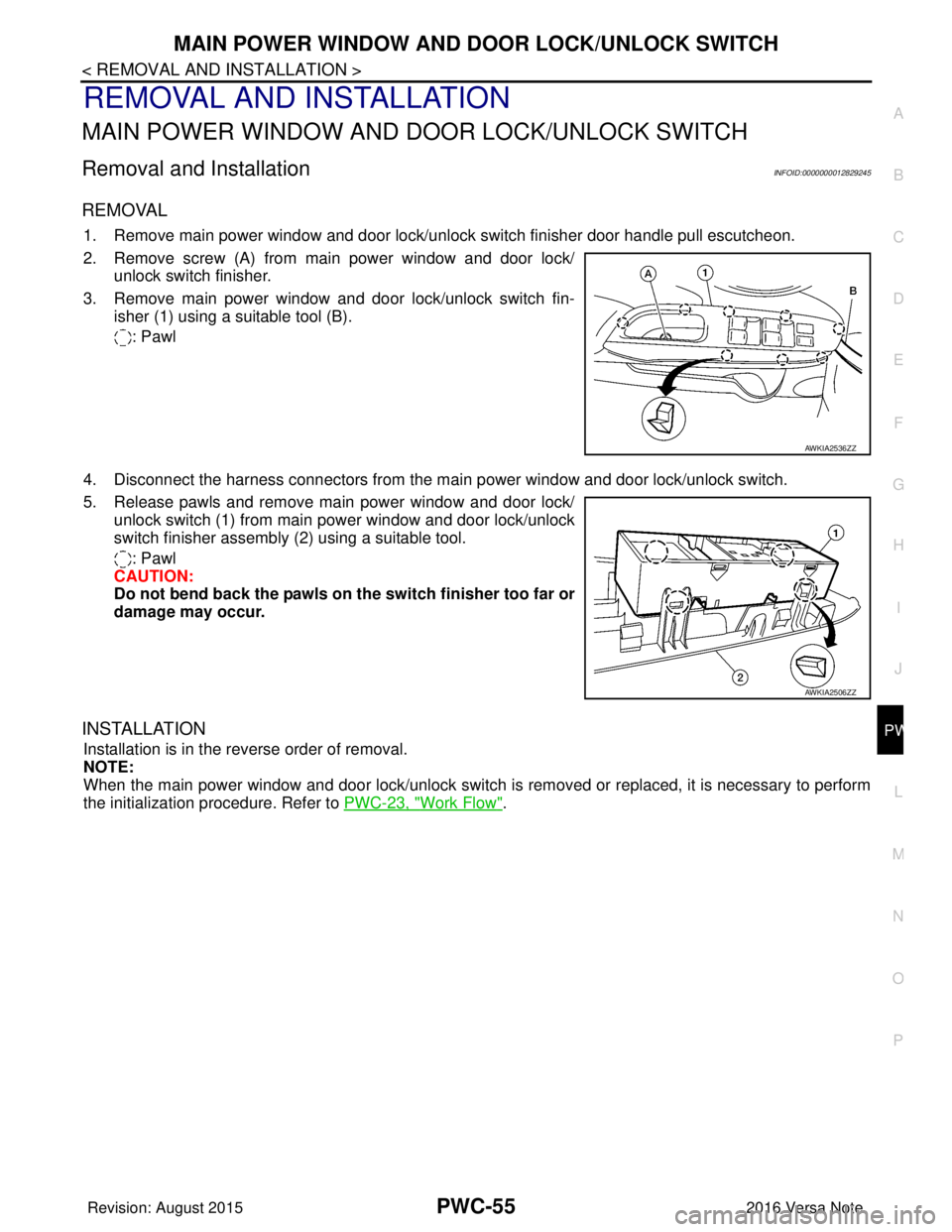
REMOVAL
1. Remove main power window and door lock/unlock switch finisher door handle pull escutcheon.
2. Remove screw (A) from main power window and door lock/
unlock switch finisher.
3. Remove main power window and door lock/unlock switch fin- isher (1) using a suitable tool (B).
: Pawl
4. Disconnect the harness connectors from the ma in power window and door lock/unlock switch.
5. Release pawls and remove main power window and door lock/ unlock switch (1) from main power window and door lock/unlock
switch finisher assembly (2) using a suitable tool.
: Pawl
CAUTION:
Do not bend back the pawls on th e switch finisher too far or
damage may occur.
INSTALLATION
Installation is in the reverse order of removal.
NOTE:
When the main power window and door lock/unlock switch is removed or replaced, it is necessary to perform
the initialization procedure. Refer to PWC-23, "
Work Flow".
AWKIA2536ZZ
AWKIA2506ZZ
Revision: August 2015 2016 Versa Note
cardiagn.com
Page 2717 of 3641
PWC-56
< REMOVAL AND INSTALLATION >
POWER WINDOW AND DOOR LOCK/UNLOCK SWITCH RH
POWER WINDOW AND DOOR LOCK/UNLOCK SWITCH RH
Removal and InstallationINFOID:0000000012829246
REMOVAL
1. Remove power window and door lock/unlock switch (RH) finisher door handle pull escutcheon.
2. Remove screw (B) from power window and door lock/unlock
switch (RH) finisher.
3. Remove power window and door lock/unlock switch (RH) fin- isher (1) using a suitable tool (A).
: Pawl
4. Disconnect the harness connector from the pow er window and door lock/unlock switch (RH).
5. Release pawls and remove power window and door lock/unlock switch (1) from power window and door lock/unlock switch (RH)
finisher (2) using a suitable tool.
: Pawl
CAUTION:
Do not bend back the pawls on the switch finisher too far or
damage may occur.
INSTALLATION
Installation is in the reverse order of removal.
AWKIA2505ZZ
AWKIA2507ZZ
Revision: August 2015 2016 Versa Note
cardiagn.com
Page 2720 of 3641
RAX-2
< PRECAUTION >
PRECAUTIONS
PRECAUTION
PRECAUTIONS
Precaution for Supplemental Restraint System (SRS) "AIR BAG" and "SEAT BELT
PRE-TENSIONER"
INFOID:0000000012431904
The Supplemental Restraint System such as “A IR BAG” and “SEAT BELT PRE-TENSIONER”, used along
with a front seat belt, helps to reduce the risk or severity of injury to the driver and front passenger for certain
types of collision. Information necessary to service the system safely is included in the SR and SB section of
this Service Manual.
WARNING:
• To avoid rendering the SRS inopera tive, which could increase the risk of personal injury or death in
the event of a collision which would result in air bag inflation, all maintenance must be performed by
an authorized NISSAN/INFINITI dealer.
• Improper maintenance, including in correct removal and installation of the SRS, can lead to personal
injury caused by unintent ional activation of the system. For re moval of Spiral Cable and Air Bag
Module, see the SR section.
• Do not use electrical test equipmen t on any circuit related to the SRS unless instructed to in this
Service Manual. SRS wiring harn esses can be identified by yellow and/or orange harnesses or har-
ness connectors.
PRECAUTIONS WHEN USING POWER TOOLS (AIR OR ELECTRIC) AND HAMMERS
WARNING:
• When working near the Airbag Diagnosis Sensor Unit or other Airbag System sensors with the Igni-
tion ON or engine running, DO NOT use air or electri c power tools or strike near the sensor(s) with a
hammer. Heavy vibration could activate the sensor( s) and deploy the air bag(s), possibly causing
serious injury.
• When using air or electric power tools or hammers , always switch the Ignition OFF, disconnect the
battery and wait at least three minutes before performing any service.
Precautions for Wheel HubINFOID:0000000012431905
Observe the following precautions when assembling wheel hub.
• Perform work in a location that is free from dust, dirt and debris.
• Use paper shop towels while performing repairs. Fabric shop cloths must not be used because of the danger of lint adhering to parts.
• Do not drop any of the components such as the brake drum, wheel bearing, spindle, or wheel hub lock nut. If
any of these parts have been dropped, they must be replaced.
• Always check that the tools used to press-fit the wheel bearing to the brake drum have no wear and defor-
mation. Damaged tools will not guarantee that pre ssure can be applied vertically and damage parts.
Revision: August 2015 2016 Versa Note
cardiagn.com
Page 2724 of 3641
RAX-6
< REMOVAL AND INSTALLATION >
REAR WHEEL HUB
REMOVAL AND INSTALLATION
REAR WHEEL HUB
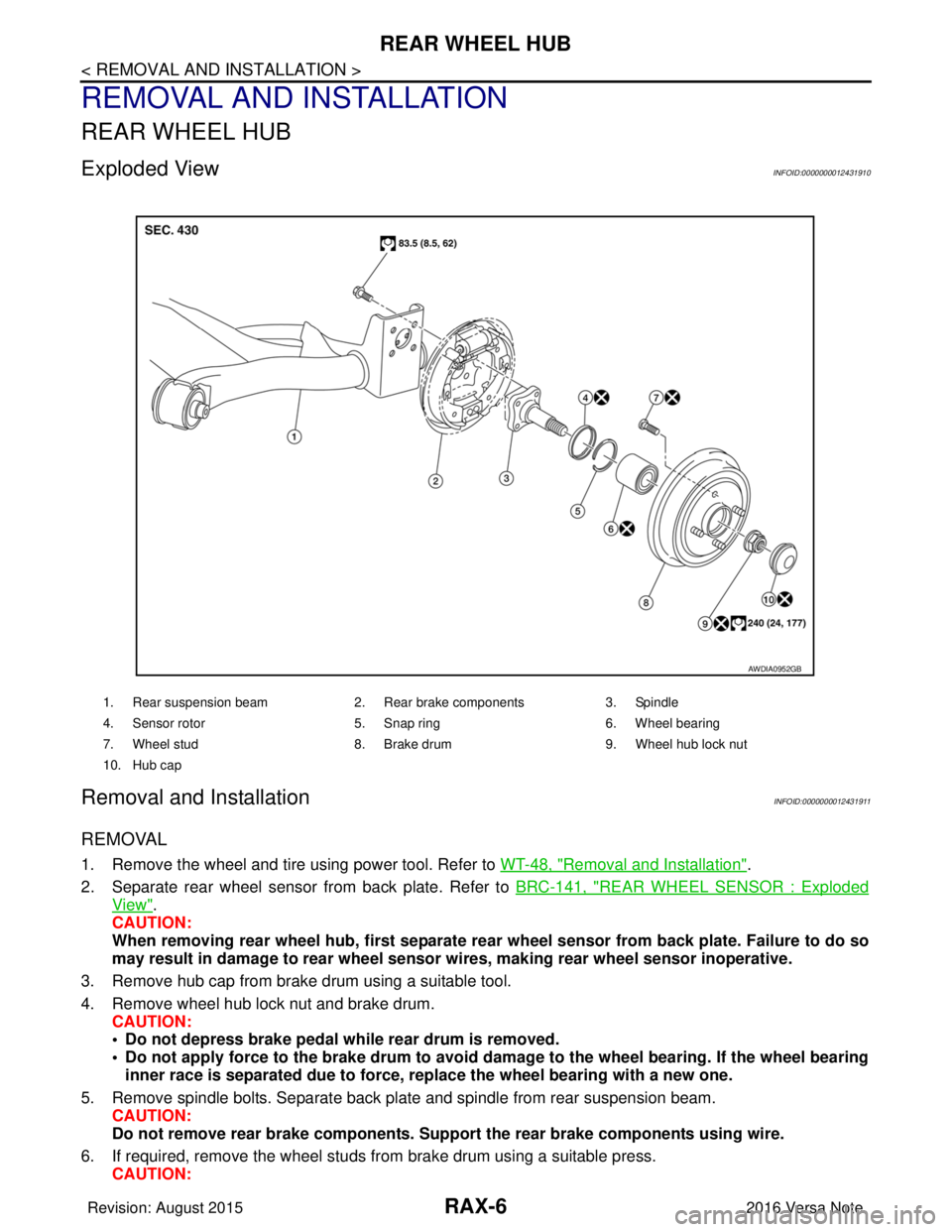
Exploded ViewINFOID:0000000012431910
Removal and InstallationINFOID:0000000012431911
REMOVAL
1. Remove the wheel and tire using power tool. Refer to WT-48, "Removal and Installation".
2. Separate rear wheel sensor from back plate. Refer to BRC-141, "
REAR WHEEL SENSOR : Exploded
View".
CAUTION:
When removing rear wheel hub, first separate rear wheel sensor from back plate. Failure to do so
may result in damage to rear wheel senso r wires, making rear wheel sensor inoperative.
3. Remove hub cap from brake drum using a suitable tool.
4. Remove wheel hub lock nut and brake drum. CAUTION:
• Do not depress brake pedal while rear drum is removed.
• Do not apply force to the brake drum to avoid dama ge to the wheel bearing. If the wheel bearing
inner race is separated due to force, replace the wheel bearing with a new one.
5. Remove spindle bolts. Separate back plate and spindle from rear suspension beam. CAUTION:
Do not remove rear brake comp onents. Support the rear brake components using wire.
6. If required, remove the wheel studs from brake drum using a suitable press.
CAUTION:
1. Rear suspension beam 2. Rear brake components 3. Spindle
4. Sensor rotor 5. Snap ring6. Wheel bearing
7. Wheel stud 8. Brake drum 9. Wheel hub lock nut
10. Hub cap
AWDIA0952GB
Revision: August 2015 2016 Versa Note
cardiagn.com