2016 NISSAN NOTE trunk
[x] Cancel search: trunkPage 813 of 3641
![NISSAN NOTE 2016 Service Repair Manual DLK-124
< SYMPTOM DIAGNOSIS >[WITH INTELLIGENT KEY SYSTEM]
KEY REMINDER FUNCTION DOES NOT OPERATE
KEY REMINDER FUNCTION DOES NOT OPERATE
Diagnosis ProcedureINFOID:0000000012430074
1.CHECK ANTI KEY LOC](/manual-img/5/57363/w960_57363-812.png "NISSAN NOTE 2016 Service Repair Manual DLK-124
< SYMPTOM DIAGNOSIS >[WITH INTELLIGENT KEY SYSTEM]
KEY REMINDER FUNCTION DOES NOT OPERATE
KEY REMINDER FUNCTION DOES NOT OPERATE
Diagnosis ProcedureINFOID:0000000012430074
1.CHECK ANTI KEY LOC")
DLK-124
< SYMPTOM DIAGNOSIS >[WITH INTELLIGENT KEY SYSTEM]
KEY REMINDER FUNCTION DOES NOT OPERATE
KEY REMINDER FUNCTION DOES NOT OPERATE
Diagnosis ProcedureINFOID:0000000012430074
1.CHECK ANTI KEY LOCK IN F
UNCTI SETTING IN WORK SUPPORT
1. Select “INTELLIGENT KEY” of “BCM” using CONSULT.
2. Select “ANTI KEY LOCK IN FUNCTI” in “Work support”.
3. Check “ANTI KEY LOCK IN FUNCTI” setting in “Work support”.
Refer to BCS-22, "
INTELLIGENT KEY : CONSULT Func tion (BCM - INTELLIGENT KEY)".
Is the inspection result normal?
YES >> GO TO 2.
NO >> Set “On” in “ANTI KEY LOCK IN FUNCTI”.
2.CHECK DOOR SWITCH
Check door switch.
Refer to DLK-98, "
ComponentFunctionCheck".
Is the inspection result normal?
YES >> GO TO 3.
NO >> Repair or replace the malfunctioning parts.
3.CHECK INSIDE KEY ANTENNA
Check inside key antenna.
• Instrument center: Refer to DLK-65, "
DTC Logic".
• Console: Refer to DLK-67, "
DTC Logic".
• Trunk room: Refer to DLK-69, "
DTC Logic".
Is the inspection result normal?
YES >> GO TO 4.
NO >> Repair or replace the malfunctioning parts.
4.CHECK UNLOCK SENSOR
Check unlock sensor.
Refer to DLK-92, "
ComponentFunctionCheck".
Is the inspection result normal?
YES >> GO TO 5.
NO >> Repair or replace the malfunctioning parts.
5.REPLACE BCM
1. Replace BCM. Refer to BCS-74, "
Removal and Installation".
2. Confirm the operation after replacement.
Is the result normal?
YES >> Inspection End.
NO >> Check intermittent incident. Refer to GI-42, "
Intermittent Incident".
Revision: August 2015 2016 Versa Note
cardiagn.com
Page 818 of 3641
![NISSAN NOTE 2016 Service Repair Manual TAKE AWAY WARNING DOES NOT OPERATEDLK-129
< SYMPTOM DIAGNOSIS > [WITH INTELLIGENT KEY SYSTEM]
C
D
E
F
G H
I
J
L
M A
B
DLK
N
O P
TAKE AWAY WARNING DOES NOT OPERATE
Diagnosis ProcedureINFOID:00000000124](/manual-img/5/57363/w960_57363-817.png "NISSAN NOTE 2016 Service Repair Manual TAKE AWAY WARNING DOES NOT OPERATEDLK-129
< SYMPTOM DIAGNOSIS > [WITH INTELLIGENT KEY SYSTEM]
C
D
E
F
G H
I
J
L
M A
B
DLK
N
O P
TAKE AWAY WARNING DOES NOT OPERATE
Diagnosis ProcedureINFOID:00000000124")
TAKE AWAY WARNING DOES NOT OPERATEDLK-129
< SYMPTOM DIAGNOSIS > [WITH INTELLIGENT KEY SYSTEM]
C
D
E
F
G H
I
J
L
M A
B
DLK
N
O P
TAKE AWAY WARNING DOES NOT OPERATE
Diagnosis ProcedureINFOID:0000000012430078
1.CHECK DTC WITH BCM
Check that DTC is not detected with BCM.
Is the inspection result normal?
YES >> GO TO 2.
NO >> Perform trouble diagnosis relevant to DTC indicated.
2.CHECK DTC WITH COMBINATION METER
Check that DTC is not detected with combination meter.
Is the inspection result normal?
YES >> GO TO 3.
NO >> Perform trouble diagnosis relevant to DTC indicated.
3.CHECK INSIDE KEY ANTENNA
Check inside key antenna.
• Instrument center: Refer to DLK-65, "
DTC Logic".
• Console: Refer to DLK-67, "
DTC Logic".
• Trunk room: Refer to DLK-69, "
DTC Logic".
Is the inspection result normal?
YES >> GO TO 4.
NO >> Repair or replace the malfunctioning parts.
4.CHECK DOOR SWITCH
Check door switch.
Refer to DLK-98, "
ComponentFunctionCheck".
Is the inspection result normal?
YES >> GO TO 5.
NO >> Repair or replace the malfunctioning parts.
5.CHECK COMBINATION METER BUZZER
Check combination meter buzzer.
Refer to DLK-78, "
ComponentFunctionCheck".
Is the inspection result normal?
YES >> GO TO 6.
NO >> Repair or replace the malfunctioning parts.
6.CHECK INTELLIGENT KEY WARNING BUZZER
Check Intelligent Key warning buzzer.
Refer to DLK-102, "
ComponentFunctionCheck".
Is the inspection result normal?
YES >> GO TO 7.
NO >> Repair or replace the malfunctioning parts.
7.CHECK KEY WARNING LAMP
Check key warning lamp.
Refer to DLK-105, "
ComponentFunctionCheck".
Is the inspection result normal?
YES >> GO TO 8.
NO >> Repair or replace the malfunctioning parts.
8.REPLACE BCM
1. Replace BCM. Refer to BCS-74, "
Removal and Installation".
2. Confirm the operation after replacement.
Revision: August 2015 2016 Versa Note
cardiagn.com
Page 820 of 3641
![NISSAN NOTE 2016 Service Repair Manual INTELLIGENT KEY LOW BATTERY WARNING DOES NOT OPERATE
DLK-131
< SYMPTOM DIAGNOSIS > [WITH INTELLIGENT KEY SYSTEM]
C
D
E
F
G H
I
J
L
M A
B
DLK
N
O P
INTELLIGENT KEY LOW BATTERY WARNING DOES NOT OPERATE](/manual-img/5/57363/w960_57363-819.png "NISSAN NOTE 2016 Service Repair Manual INTELLIGENT KEY LOW BATTERY WARNING DOES NOT OPERATE
DLK-131
< SYMPTOM DIAGNOSIS > [WITH INTELLIGENT KEY SYSTEM]
C
D
E
F
G H
I
J
L
M A
B
DLK
N
O P
INTELLIGENT KEY LOW BATTERY WARNING DOES NOT OPERATE")
INTELLIGENT KEY LOW BATTERY WARNING DOES NOT OPERATE
DLK-131
< SYMPTOM DIAGNOSIS > [WITH INTELLIGENT KEY SYSTEM]
C
D
E
F
G H
I
J
L
M A
B
DLK
N
O P
INTELLIGENT KEY LOW BATTERY WARNING DOES NOT OPERATE
Diagnosis ProcedureINFOID:0000000012430079
1.CHECK DTC WITH BCM
Check that DTC is not detected with BCM.
Is the inspection result normal?
YES >> GO TO 2.
NO >> Perform trouble diagnosis relevant to DTC indicated.
2.CHECK DTC WITH COMBINATION METER
Check that DTC is not detected with combination meter.
Is the inspection result normal?
YES >> GO TO 3.
NO >> Perform trouble diagnosis relevant to DTC indicated.
3.CHECK LO- BATT OF KEY FOB WARN SETTING IN WORK SUPPORT
1. Select “INTELLIGENT KEY” of BCM.
2. Select “LO- BATT OF KEY FOB WARN” in “Work support”.
3. Check “LO- BATT OF KEY FOB WARN” setting in “Work support”. Refer to BCS-22, "
INTELLIGENT KEY : CONSULT Function (BCM - INTELLIGENT KEY)".
Is the inspection result normal?
YES >> GO TO 4.
NO >> Set “ON” in “LO- BATT OF KEY FOB WARN”.
4.CHECK INTELLIGENT KEY
Check Intelligent Key.
Refer to DLK-104, "
ComponentFunctionCheck".
Is the inspection result normal?
YES >> GO TO 5.
NO >> Repair or replace the malfunctioning parts.
5.CHECK INSIDE KEY ANTENNA
Check inside key antenna.
• Instrument center: Refer to DLK-65, "
DTC Logic".
• Console: Refer to DLK-67, "
DTC Logic".
• Trunk room: Refer to DLK-69, "
DTC Logic".
Is the inspection result normal?
YES >> GO TO 6.
NO >> Repair or replace the malfunctioning parts.
6.CHECK KEY WARNING LAMP
Check key warning lamp.
Refer to DLK-105, "
ComponentFunctionCheck".
Is the inspection result normal?
YES >> GO TO 7.
NO >> Repair or replace the malfunctioning parts.
7.REPLACE BCM
1. Replace BCM. Refer to BCS-74, "
Removal and Installation".
2. Confirm the operation after replacement.
Is the result normal?
YES >> Inspection End.
NO >> Check intermittent incident. Refer to GI-42, "
Intermittent Incident".
Revision: August 2015 2016 Versa Note
cardiagn.com
Page 822 of 3641
![NISSAN NOTE 2016 Service Repair Manual KEY ID WARNING DOES NOT OPERATEDLK-133
< SYMPTOM DIAGNOSIS > [WITH INTELLIGENT KEY SYSTEM]
C
D
E
F
G H
I
J
L
M A
B
DLK
N
O P
KEY ID WARNING DOES NOT OPERATE
Diagnosis ProcedureINFOID:0000000012430081](/manual-img/5/57363/w960_57363-821.png "NISSAN NOTE 2016 Service Repair Manual KEY ID WARNING DOES NOT OPERATEDLK-133
< SYMPTOM DIAGNOSIS > [WITH INTELLIGENT KEY SYSTEM]
C
D
E
F
G H
I
J
L
M A
B
DLK
N
O P
KEY ID WARNING DOES NOT OPERATE
Diagnosis ProcedureINFOID:0000000012430081")
KEY ID WARNING DOES NOT OPERATEDLK-133
< SYMPTOM DIAGNOSIS > [WITH INTELLIGENT KEY SYSTEM]
C
D
E
F
G H
I
J
L
M A
B
DLK
N
O P
KEY ID WARNING DOES NOT OPERATE
Diagnosis ProcedureINFOID:0000000012430081
1.CHECK DTC WITH BCM
Check that DTC is not detected with BCM.
Is the inspection result normal?
YES >> GO TO 2.
NO >> Perform trouble diagnosis relevant to DTC indicated.
2.CHECK DTC WITH COMBINATION METER
Check that DTC is not detected with combination meter.
Is the inspection result normal?
YES >> GO TO 3.
NO >> Perform trouble diagnosis relevant to DTC indicated.
3.CHECK INTELLIGENT KEY
Check Intelligent Key.
Refer to DLK-104, "
ComponentFunctionCheck".
Is the inspection result normal?
YES >> GO TO 4.
NO >> Repair or replace the malfunctioning parts.
4.CHECK INSIDE KEY ANTENNA
Check inside key antenna.
• Instrument center: Refer to DLK-65, "
DTC Logic".
• Console: Refer to DLK-67, "
DTC Logic".
• Trunk room: Refer to DLK-69, "
DTC Logic".
Is the inspection result normal?
YES >> GO TO 5.
NO >> Repair or replace the malfunctioning parts.
5.CHECK KEY WARNING LAMP
Check key warning lamp.
Refer to DLK-105, "
ComponentFunctionCheck".
Is the inspection result normal?
YES >> GO TO 6.
NO >> Repair or replace the malfunctioning parts.
6.REPLACE BCM
1. Replace BCM. Refer to BCS-74, "
Removal and Installation".
2. Confirm the operation after replacement.
Is the result normal?
YES >> Inspection End.
NO >> Check intermittent incident. Refer to GI-42, "
Intermittent Incident".
Revision: August 2015 2016 Versa Note
cardiagn.com
Page 825 of 3641
![NISSAN NOTE 2016 Service Repair Manual DLK-136
< SYMPTOM DIAGNOSIS >[WITH INTELLIGENT KEY SYSTEM]
SQUEAK AND RATTLE TROUBLE DIAGNOSES
1. Cluster lid A and the instrument panel
2. Acrylic lens and combination meter housing
3. Instrument pan](/manual-img/5/57363/w960_57363-824.png "NISSAN NOTE 2016 Service Repair Manual DLK-136
< SYMPTOM DIAGNOSIS >[WITH INTELLIGENT KEY SYSTEM]
SQUEAK AND RATTLE TROUBLE DIAGNOSES
1. Cluster lid A and the instrument panel
2. Acrylic lens and combination meter housing
3. Instrument pan")
DLK-136
< SYMPTOM DIAGNOSIS >[WITH INTELLIGENT KEY SYSTEM]
SQUEAK AND RATTLE TROUBLE DIAGNOSES
1. Cluster lid A and the instrument panel
2. Acrylic lens and combination meter housing
3. Instrument panel to front pillar finisher
4. Instrument panel to windshield
5. Instrument panel pins
6. Wiring harnesses behind the combination meter
7. A/C defroster duct and duct joint
These incidents can usually be located by tapping or
moving the components to duplicate the noise or by
pressing on the components while driving to stop the noise. Most of these incidents can be repaired by apply-
ing felt cloth tape or silicone spray (in hard to reach areas). Urethane pads can be used to insulate wiring har-
ness.
CAUTION:
Do not use silicone spray to isolate a squeak or rattle. If you saturate the ar ea with silicone, you will
not be able to recheck the repair.
CENTER CONSOLE
Components to pay attention to include:
1. Shift selector assembly cover to finisher
2. A/C control unit and cluster lid C
3. Wiring harnesses behind audio and A/C control unit
The instrument panel repair and isolation pr ocedures also apply to the center console.
DOORS
Pay attention to the:
1. Finisher and inner panel making a slapping noise
2. Inside handle escutcheon to door finisher
3. Wiring harnesses tapping
4. Door striker out of alignment causing a popping noise on starts and stops
Tapping or moving the components or pressing on them wh ile driving to duplicate the conditions can isolate
many of these incidents. You can usually insulate the areas with felt cloth tape or insulator foam blocks from
the NISSAN Squeak and Rattle Kit (J-50397) to repair the noise.
TRUNK
Trunk noises are often caused by a loose jack or loose items put into the trunk by the owner.
In addition look for:
1. Trunk lid bumpers out of adjustment
2. Trunk lid striker out of adjustment
3. The trunk lid torsion bars knocking together
4. A loose license plate or bracket
Most of these incidents can be repaired by adjusting, se curing or insulating the item(s) or component(s) caus-
ing the noise.
SUNROOF/HEADLINING
Noises in the sunroof/headlining area c an often be traced to one of the following:
1. Sunroof lid, rail, linkage or seals making a rattle or light knocking noise
2. Sun visor shaft shaking in the holder
3. Front or rear windshield touching headlining and squeaking
Again, pressing on the components to stop the noise while duplicating the conditions can isolate most of these
incidents. Repairs usually consist of insulating with felt cloth tape.
OVERHEAD CONSOLE (FRONT AND REAR)
Overhead console noises are often caused by the c onsole panel clips not being engaged correctly. Most of
these incidents are repaired by pushing up on the c onsole at the clip locations until the clips engage.
In addition look for:
1. Loose harness or harness connectors.
2. Front console map/reading lamp lens loose.
Revision: August 2015 2016 Versa Note
cardiagn.com
Page 953 of 3641
![NISSAN NOTE 2016 Service Repair Manual DLK-264
< SYMPTOM DIAGNOSIS >[WITHOUT INTELLIGENT KEY SYSTEM]
SQUEAK AND RATTLE TROUBLE DIAGNOSES
1. Cluster lid A and the instrument panel
2. Acrylic lens and combination meter housing
3. Instrument](/manual-img/5/57363/w960_57363-952.png "NISSAN NOTE 2016 Service Repair Manual DLK-264
< SYMPTOM DIAGNOSIS >[WITHOUT INTELLIGENT KEY SYSTEM]
SQUEAK AND RATTLE TROUBLE DIAGNOSES
1. Cluster lid A and the instrument panel
2. Acrylic lens and combination meter housing
3. Instrument")
DLK-264
< SYMPTOM DIAGNOSIS >[WITHOUT INTELLIGENT KEY SYSTEM]
SQUEAK AND RATTLE TROUBLE DIAGNOSES
1. Cluster lid A and the instrument panel
2. Acrylic lens and combination meter housing
3. Instrument panel to front pillar finisher
4. Instrument panel to windshield
5. Instrument panel pins
6. Wiring harnesses behind the combination meter
7. A/C defroster duct and duct joint
These incidents can usually be located by tapping or
moving the components to duplicate the noise or by
pressing on the components while driving to stop the noise. Most of these incidents can be repaired by apply-
ing felt cloth tape or silicone spray (in hard to reach areas). Urethane pads can be used to insulate wiring har-
ness.
CAUTION:
Do not use silicone spray to isolate a squeak or rattle. If you saturate the ar ea with silicone, you will
not be able to recheck the repair.
CENTER CONSOLE
Components to pay attention to include:
1. Shift selector assembly cover to finisher
2. A/C control unit and cluster lid C
3. Wiring harnesses behind audio and A/C control unit
The instrument panel repair and isolation pr ocedures also apply to the center console.
DOORS
Pay attention to the:
1. Finisher and inner panel making a slapping noise
2. Inside handle escutcheon to door finisher
3. Wiring harnesses tapping
4. Door striker out of alignment causing a popping noise on starts and stops
Tapping or moving the components or pressing on them wh ile driving to duplicate the conditions can isolate
many of these incidents. You can usually insulate the areas with felt cloth tape or insulator foam blocks from
the NISSAN Squeak and Rattle Kit (J-50397) to repair the noise.
TRUNK
Trunk noises are often caused by a loose jack or loose items put into the trunk by the owner.
In addition look for:
1. Trunk lid bumpers out of adjustment
2. Trunk lid striker out of adjustment
3. The trunk lid torsion bars knocking together
4. A loose license plate or bracket
Most of these incidents can be repaired by adjusting, se curing or insulating the item(s) or component(s) caus-
ing the noise.
SUNROOF/HEADLINING
Noises in the sunroof/headlining area c an often be traced to one of the following:
1. Sunroof lid, rail, linkage or seals making a rattle or light knocking noise
2. Sun visor shaft shaking in the holder
3. Front or rear windshield touching headlining and squeaking
Again, pressing on the components to stop the noise while duplicating the conditions can isolate most of these
incidents. Repairs usually consist of insulating with felt cloth tape.
OVERHEAD CONSOLE (FRONT AND REAR)
Overhead console noises are often caused by the c onsole panel clips not being engaged correctly. Most of
these incidents are repaired by pushing up on the c onsole at the clip locations until the clips engage.
In addition look for:
1. Loose harness or harness connectors.
2. Front console map/reading lamp lens loose.
Revision: August 2015 2016 Versa Note
cardiagn.com
Page 1786 of 3641
SQUEAK AND RATTLE TROUBLE DIAGNOSESEXT-19
< SYMPTOM DIAGNOSIS >
C
DE
F
G H
I
J
L
M A
B
EXT
N
O P
INSTRUMENT PANEL
Most incidents are caused by contact and movement between:
1. Cluster lid A and the instrument panel
2. Acrylic lens and combination meter housing
3. Instrument panel to front pillar finisher
4. Instrument panel to windshield
5. Instrument panel pins
6. Wiring harnesses behind the combination meter
7. A/C defroster duct and duct joint
These incidents can usually be located by tapping or moving the components to duplicate the noise or by
pressing on the components while driving to stop the noi se. Most of these incidents can be repaired by apply-
ing felt cloth tape or silicone spray (in hard to reach areas). Urethane pads can be used to insulate wiring har-
ness.
CAUTION:
Do not use silicone spray to isolate a squeak or ra ttle. If you saturate the area with silicone, you will
not be able to recheck the repair.
CENTER CONSOLE
Components to pay attention to include:
1. Shift selector assembly cover to finisher
2. A/C control unit and cluster lid C
3. Wiring harnesses behind audio and A/C control unit
The instrument panel repair and isolation pr ocedures also apply to the center console.
DOORS
Pay attention to the:
1. Finisher and inner panel making a slapping noise
2. Inside handle escutcheon to door finisher
3. Wiring harnesses tapping
4. Door striker out of alignment causing a popping noise on starts and stops
Tapping or moving the components or pressing on them while driving to duplicate the conditions can isolate
many of these incidents. You can usually insulate the ar eas with felt cloth tape or insulator foam blocks from
the NISSAN Squeak and Rattle Kit (J-50397) to repair the noise.
TRUNK
Trunk noises are often caused by a loose jack or loose items put into the trunk by the owner.
In addition look for:
1. Trunk lid bumpers out of adjustment
2. Trunk lid striker out of adjustment
3. The trunk lid torsion bars knocking together
4. A loose license plate or bracket
Most of these incidents can be repaired by adjusting, se curing or insulating the item(s) or component(s) caus-
ing the noise.
SUNROOF/HEADLINING
Noises in the sunroof/headlining area can often be traced to one of the following:
1. Sunroof lid, rail, linkage or seals making a rattle or light knocking noise
2. Sun visor shaft shaking in the holder
3. Front or rear windshield touching headlining and squeaking
Again, pressing on the components to stop the noise while duplicating the conditions can isolate most of these
incidents. Repairs usually consist of insulating with felt cloth tape.
OVERHEAD CONSOLE (FRONT AND REAR)
Overhead console noises are often caused by the cons ole panel clips not being engaged correctly. Most of
these incidents are repaired by pushing up on the c onsole at the clip locations until the clips engage.
In addition look for:
Revision: August 2015 2016 Versa Note
cardiagn.com
Page 1899 of 3641
HOW TO READ WIRING DIAGRAMSGI-11
< HOW TO USE THIS MANUAL >
C
DE
F
G H
I
J
K L
M B
GI
N
O P
SWITCH POSITIONS
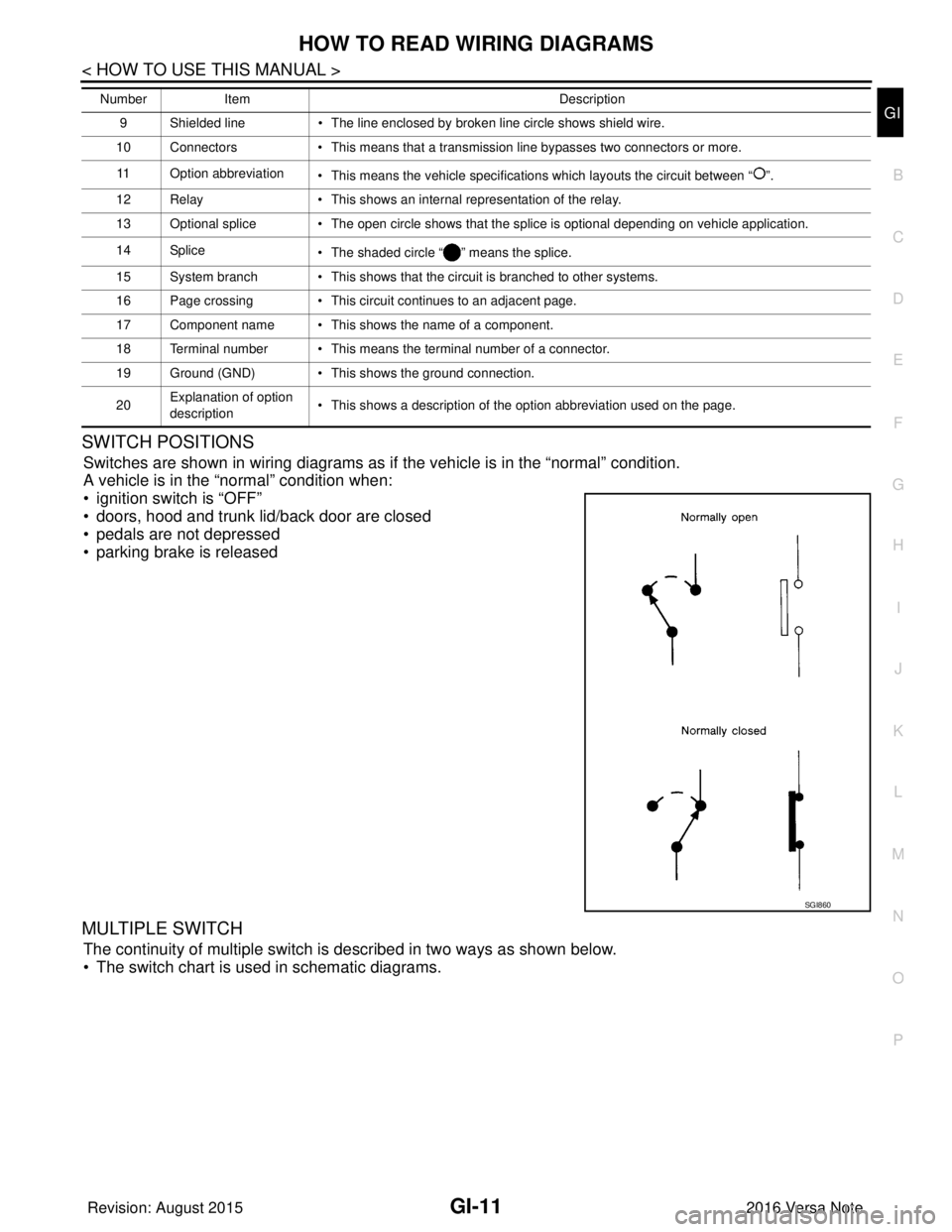
Switches are shown in wiring diagrams as if the vehicle is in the “normal” condition.
A vehicle is in the “normal” condition when:
• ignition switch is “OFF”
• doors, hood and trunk lid/back door are closed
• pedals are not depressed
• parking brake is released
MULTIPLE SWITCH
The continuity of multiple switch is described in two ways as shown below.
• The switch chart is used in schematic diagrams.
9 Shielded line • The line enclosed by broken line circle shows shield wire.
10 Connectors • This means that a transmission line bypasses two connectors or more.
11 Option abbreviation • This means the vehicle specifications which layouts the circuit between “ ”.
12 Relay • This shows an internal representation of the relay.
13 Optional splice • The open circle shows that the splice is optional depending on vehicle application.
14 Splice • The shaded circle “ ” means the splice.
15 System branch • This shows that the circuit is branched to other systems.
16 Page crossing • This circuit continues to an adjacent page.
17 Component name • This shows the name of a component.
18 Terminal number • This means the terminal number of a connector.
19 Ground (GND) • This shows the ground connection.
20 Explanation of option
description • This shows a description of the option abbreviation used on the page.
Number
Item Description
SGI860
Revision: August 2015 2016 Versa Note
cardiagn.com