2016 MITSUBISHI OUTLANDER change time
[x] Cancel search: change timePage 179 of 464
Adaptive Cruise Control System (ACC) (if so equipped)
Features and controls 5-103
5
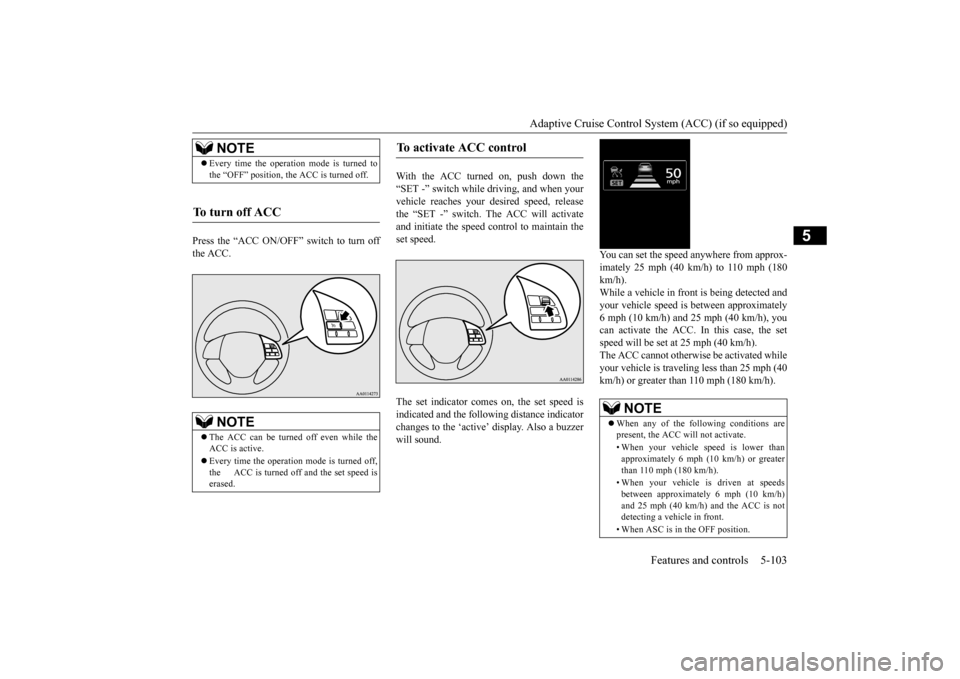
Press the “ACC ON/OFF” switch to turn off the ACC.
With the ACC turned on, push down the “SET -” switch while
driving, and when your
vehicle reaches your de
sired speed, release
the “SET -” switch. The ACC will activate and initiate the speed control to maintain the set speed. The set indicator comes on, the set speed is indicated and the follow
ing distance indicator
changes to the ‘active’
display. Also a buzzer
will sound.
You can set the speed anywhere from approx- imately 25 mph (40 km/h) to 110 mph (180 km/h). While a vehicle in front
is being detected and
your vehicle speed is
between a
pproximately
6 mph (10 km/h) and 25 mph (40 km/h), youcan activate the ACC. In this case, the set speed will be set at 25 mph (40 km/h). The ACC cannot otherwis
e be activated while
your vehicle is traveling less than 25 mph (40 km/h) or greater than 110 mph (180 km/h).
NOTE
Every time the operation mode is turned to the “OFF” position, the ACC is turned off.
To turn off ACC
NOTE
The ACC can be turned off even while the ACC is active. Every time the operation mode is turned off, the ACC is turned off and the set speed is erased.
To activate ACC control
NOTE
When any of the following conditions are present, the ACC will not activate. • When your vehicle speed is lower than approximately 6 mph (10 km/h) or greaterthan 110 mph (180 km/h). • When your vehicle is driven at speeds between approximately 6 mph (10 km/h) and 25 mph (40 km/h) and the ACC is not detecting a vehi
cle in front.
• When ASC is in the OFF position.
BK0223400US.book 103 ページ 2015年2月13日 金曜日 午後12時15分
Page 182 of 464
Adaptive Cruise Control System (ACC) (if so equipped) 5-106 Features and controls
5
N00581500027
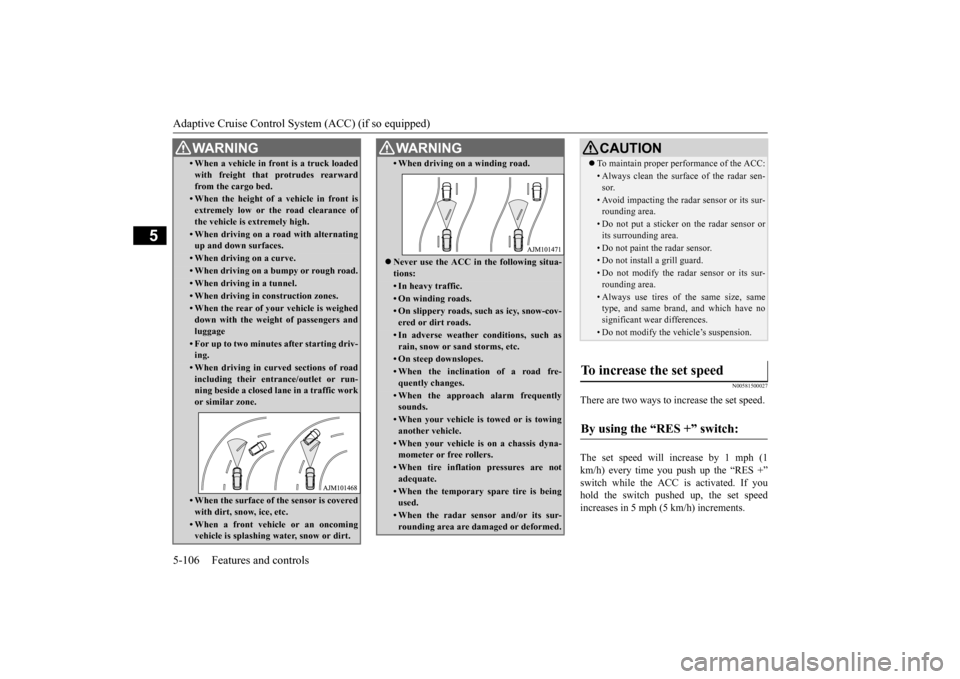
There are two ways to increase the set speed. The set speed will increase by 1 mph (1 km/h) every time you push up the “RES +” switch while the ACC is activated. If youhold the switch pushed up, the set speed increases in 5 mph (5 km/h) increments.
• When a vehicle in front is a truck loaded with freight that protrudes rearwardfrom the cargo bed.• When the height of a vehicle in front isextremely low or the road clearance ofthe vehicle is extremely high.• When driving on a r
oad with alternating
up and down surfaces.• When driving on a curve.• When driving on a bumpy or rough road.• When driving in a tunnel.• When driving in construction zones.• When the rear of your vehicle is weigheddown with the weight of passengers andluggage• For up to two minutes after starting driv-ing.• When driving in curved sections of roadincluding their entrance/outlet or run- ning beside a closed lane in a traffic work or similar zone.• When the surface of th
e sensor is covered
with dirt, snow, ice, etc.• When a front vehicle or an oncomingvehicle is splashing wa
ter, snow or dirt.
WA R N I N G
• When driving on
a winding road.
Never use the ACC in the following situa- tions:• In heavy traffic.• On winding roads.• On slippery roads, such as icy, snow-cov-ered or dirt roads.• In adverse weather conditions, such asrain, snow or sand storms, etc.• On steep downslopes.• When the inclination of a road fre-quently changes.• When the approach alarm frequentlysounds.• When your vehicle is towed or is towinganother vehicle.• When your vehicle is on a chassis dyna-mometer or free rollers.• When tire inflation pressures are notadequate.• When the temporary sp
are tire is being
used.• When the radar sensor and/or its sur-rounding area are damaged or deformed.WA R N I N G
CAUTION To maintain proper performance of the ACC:• Always clean the surface of the radar sen- sor.• Avoid impacting the radar sensor or its sur-rounding area.• Do not put a sticker on the radar sensor orits surrounding area.• Do not paint the radar sensor.• Do not install a grill guard.• Do not modify the radar sensor or its sur- rounding area.• Always use tires of the same size, sametype, and same brand, and which have no significant wear differences.• Do not modify the vehicle’s suspension.
To increase the set speed
By using the “RES +” switch:
BK0223400US.book 106 ページ 2015年2月13日 金曜日 午後12時15分
Page 183 of 464
Adaptive Cruise Control System (ACC) (if so equipped)
Features and controls 5-107
5
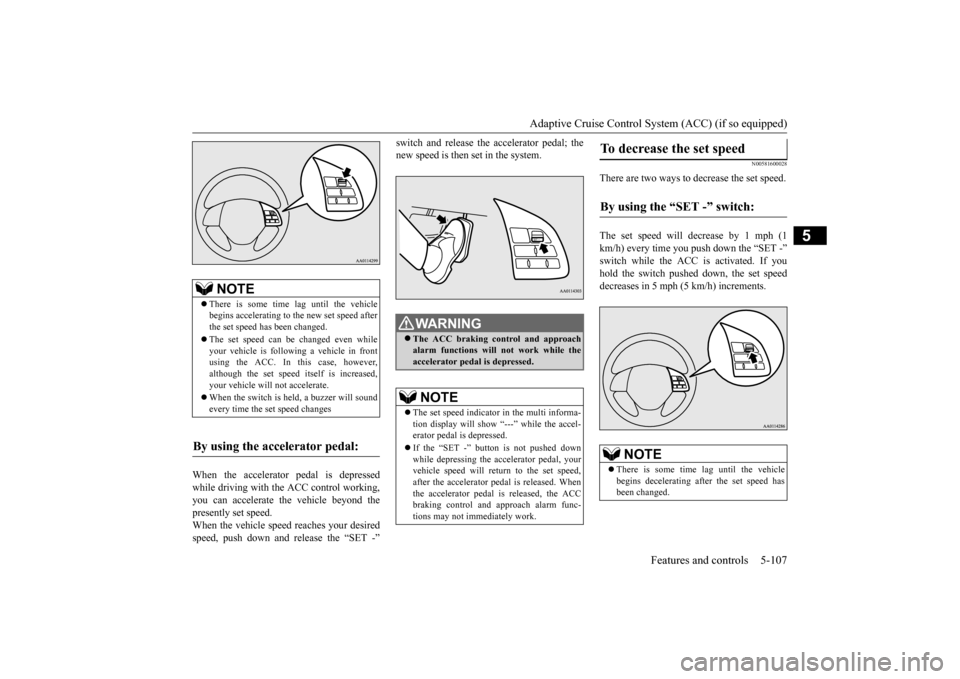
When the accelerator pedal is depressed while driving with the ACC control working, you can accelerate the vehicle beyond thepresently set speed. When the vehicle speed reaches your desired speed, push down and release the “SET -”
switch and release the accelerator pedal; the new speed is then set in the system.
N00581600028
There are two ways to decrease the set speed. The set speed will decrease by 1 mph (1 km/h) every time you push down the “SET -” switch while the ACC is activated. If you hold the switch pushed down, the set speed decreases in 5 mph (5 km/h) increments.
NOTE
There is some time
lag until the vehicle
begins accelerating to
the new set speed after
the set speed has been changed. The set speed can be changed even while your vehicle is followi
ng a vehicle in front
using the ACC. In this case, however, although the set speed itself is increased,your vehicle will
not accelerate.
When the switch is he
ld, a buzzer will sound
every time the set speed changes
By using the accelerator pedal:
WA R N I N G The ACC braking control and approach alarm functions will
not work while the
accelerator pedal is depressed.NOTE
The set speed indicator in the multi informa- tion display will show “---” while the accel-erator pedal is depressed. If the “SET -” button is not pushed down while depressing the ac
celerator pedal, your
vehicle speed will return to the set speed, after the accelerator pedal is released. Whenthe accelerator pedal is released, the ACC braking control and approach alarm func- tions may not immediately work.
To decrease the set speed
By using the “SET -” switch:
NOTE
There is some time
lag until the vehicle
begins decelerating after the set speed has been changed.
BK0223400US.book 107 ページ 2015年2月13日 金曜日 午後12時15分
Page 184 of 464
Adaptive Cruise Control System (ACC) (if so equipped) 5-108 Features and controls
5
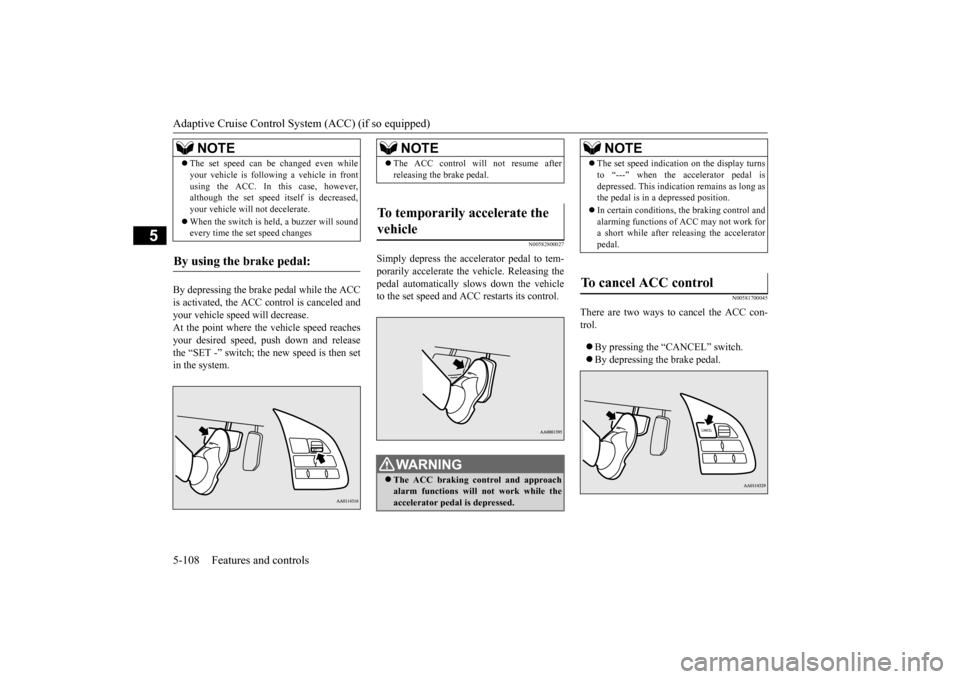
By depressing the brake pedal while the ACC is activated, the ACC c
ontrol is canceled and
your vehicle speed will decrease.At the point where the vehicle speed reaches your desired speed,
push down and release
the “SET -” switch; the new speed is then setin the system.
N00582800027
Simply depress the accelerator pedal to tem-porarily accelerate the
vehicle. Releasing the
pedal automatically sl
ows down the vehicle
to the set speed and ACC restarts its control.
N00581700045
There are two ways to cancel the ACC con- trol. By pressing the “CANCEL” switch. By depressing the brake pedal.
The set speed can be changed even while your vehicle is follow
ing a vehicle in front
using the ACC. In this case, however,although the set speed it
self is decreased,
your vehicle will
not decelerate.
When the switch is held, a buzzer will sound every time the set speed changes
By using the brake pedal:
NOTE
NOTE
The ACC control will
not resume after
releasing the brake pedal.
To temporarily accelerate the vehicle
WA R N I N G The ACC braking control and approach alarm functions will not work while the accelerator pedal is depressed.
NOTE
The set speed indication on the display turns to “---” when the accelerator pedal isdepressed. This indication remains as long asthe pedal is in a depressed position. In certain conditions, th
e braking control and
alarming functions of ACC may not work for a short while after releasing the accelerator pedal.
To cancel ACC control
BK0223400US.book 108 ページ 2015年2月13日 金曜日 午後12時15分
Page 186 of 464
Adaptive Cruise Control System (ACC) (if so equipped) 5-110 Features and controls
5
N00581800033
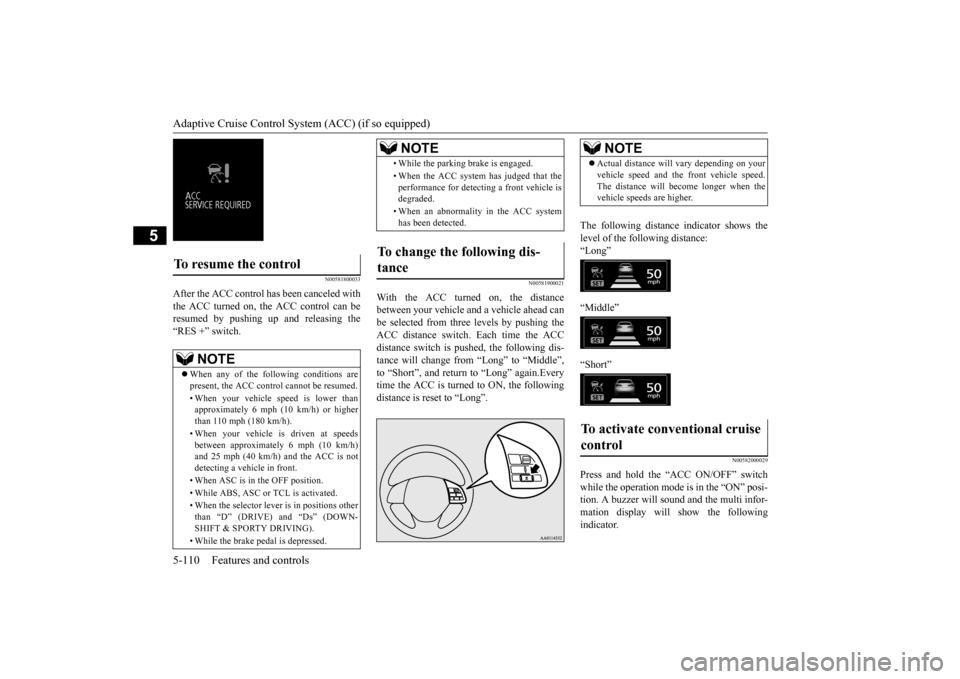
After the ACC control has been canceled with the ACC turned on, the ACC control can beresumed by pushing up
and releasing the
“RES +” switch.
N00581900021
With the ACC turned on, the distance between your vehicle an
d a vehicle ahead can
be selected from thre
e levels by pushing the
ACC distance switch. Each time the ACC distance switch is pus
hed, the following dis-
tance will change from “Long” to “Middle”, to “Short”, and return to “Long” again.Every time the ACC is turned to ON, the followingdistance is reset to “Long”.
The following distance indicator shows the level of the following distance:“Long” “Middle” “Short”
N00582000029
Press and hold the “ACC ON/OFF” switch while the operation mode is in the “ON” posi- tion. A buzzer will s
ound and the multi infor-
mation display will show the following indicator.
To resume the control
NOTE
When any of the following conditions are present, the ACC cont
rol cannot be resumed.
• When your vehicle speed is lower than approximately 6 mph (10 km/h) or higherthan 110 mph (180 km/h). • When your vehicle is driven at speeds between approximately 6 mph (10 km/h) and 25 mph (40 km/h) and the ACC is not detecting a vehi
cle in front.
• When ASC is in the OFF position. • While ABS, ASC or TCL is activated. • When the selector leve
r is in positions other
than “D” (DRIVE) and “Ds” (DOWN- SHIFT & SPORTY DRIVING). • While the brake pedal is depressed.
• While the parking brake is engaged.• When the ACC system has judged that the performance for detec
ting a front vehicle is
degraded. • When an abnormality in the ACC system has been detected.
To change the following dis- tance
NOTE
NOTE
Actual distance will vary depending on your vehicle speed and the front vehicle speed.The distance will become longer when thevehicle speeds are higher.
To activate conventional cruise control
BK0223400US.book 110 ページ 2015年2月13日 金曜日 午後12時15分
Page 191 of 464
Forward Collision Mitigation System (FCM) (if so equipped)
Features and controls 5-115
5
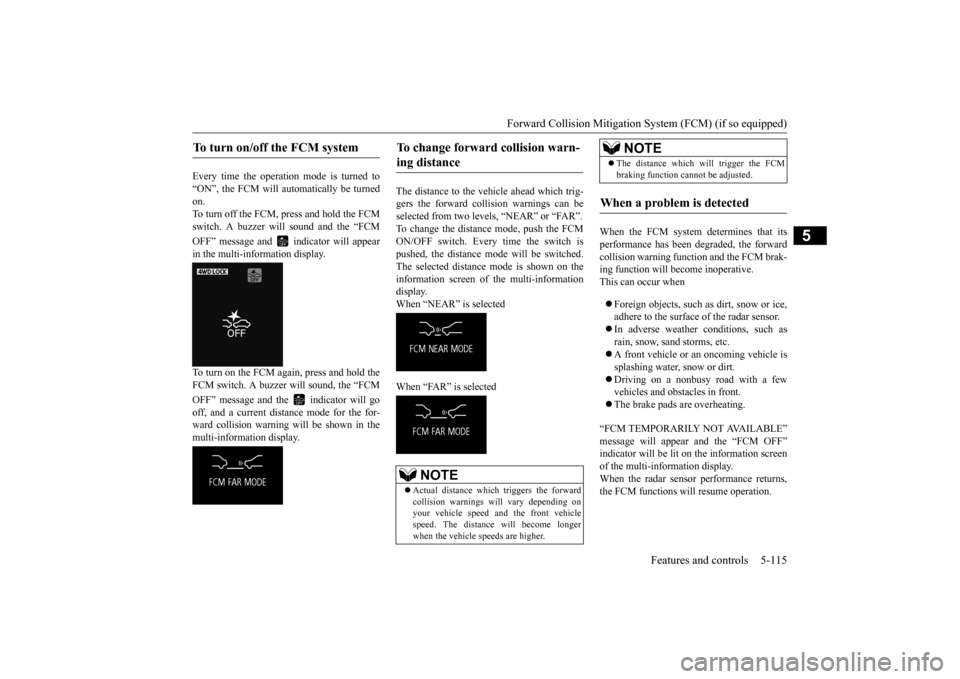
Every time the operation mode is turned to “ON”, the FCM will automatically be turned on.To turn off the FCM, press and hold the FCM switch. A buzzer wi
ll sound and the “FCM
OFF” message and in
dicator will appear
in the multi-information display. To turn on the FCM again, press and hold the FCM switch. A buzzer will sound, the “FCM OFF” message and the indicator will go off, and a current distance mode for the for- ward collision warning will be shown in themulti-information display.
The distance to the vehicle ahead which trig- gers the forward collision warnings can be selected from two levels, “NEAR” or “FAR”. To change the distance mode, push the FCMON/OFF switch. Every time the switch is pushed, the distance mode will be switched. The selected distance mode is shown on the information screen of the multi-information display. When “NEAR” is selected When “FAR” is selected
When the FCM system determines that its performance has been degraded, the forward collision warning function and the FCM brak-ing function will become inoperative. This can occur when Foreign objects, such as dirt, snow or ice, adhere to the surface
of the radar sensor.
In adverse weather conditions, such as rain, snow, sand storms, etc. A front vehicle or an oncoming vehicle is splashing water, snow or dirt. Driving on a nonbusy road with a few vehicles and obsta
cles in front.
The brake pads are overheating.
“FCM TEMPORARILY NOT AVAILABLE” message will appear and the “FCM OFF” indicator will be lit on the information screenof the multi-information display. When the radar sensor performance returns, the FCM functions will resume operation.
To turn on/off the FCM system
To change forward collision warn- ing distance
NOTE
Actual distance which
triggers the forward
collision warnings will vary depending on your vehicle speed a
nd the front vehicle
speed. The distance
will become longer
when the vehicle speeds are higher.
The distance which will trigger the FCM braking function cannot be adjusted.
When a problem is detected
NOTE
BK0223400US.book 115 ページ 2015年2月13日 金曜日 午後12時15分
Page 199 of 464
Tire pressure monitoring system
Features and controls 5-123
5
A window tint that affects the radio wave signals is installed.
N00532900081
If new wheels with new tire inflation pressure sensors are installed,
their ID codes must be
programmed into the tire pressure monitoringsystem. Have tire and
wheel replacement per-
formed by an authorized Mitsubishi Motors dealer to avoid the ri
sk of damaging the tire
inflation pressure sensors. If the wheel replacement is not done by an authorized Mitsubishi Motors dealer
, it is not covered by
your warranty.
N00584300026
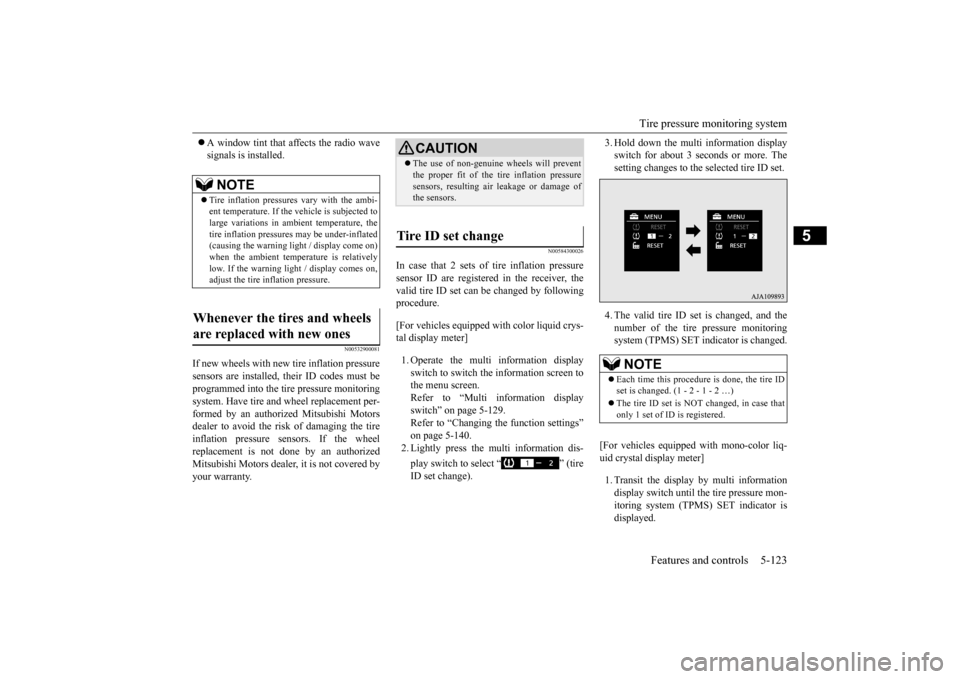
In case that 2 sets of tire inflation pressuresensor ID are registered in the receiver, the valid tire ID set can be changed by following procedure. [For vehicles equipped with color liquid crys- tal display meter] 1. Operate the multi information display switch to switch the information screen to the menu screen.Refer to “Multi information display switch” on page 5-129. Refer to “Changing the function settings”on page 5-140. 2. Lightly press the multi information dis- play switch to select “ ” (tire ID set change).
3. Hold down the multi information display switch for about 3 seconds or more. Thesetting changes to the selected tire ID set. 4. The valid tire ID se
t is changed, and the
number of the tire pressure monitoring system (TPMS) SET indicator is changed.
[For vehicles equipped
with mono-color liq-
uid crystal display meter] 1. Transit the display by multi information display switch until th
e tire pressure mon-
itoring system (TPMS) SET indicator isdisplayed.
NOTE
Tire inflation pressures vary with the ambi- ent temperature. If the
vehicle is subjected to
large variations in ambient temperature, the tire inflation pressures may be under-inflated(causing the warning light / display come on) when the ambient temperature is relatively low. If the warning light / display comes on,adjust the tire inflation pressure.
Whenever the tires and wheels are replaced with new ones
CAUTION The use of non-genuine wheels will prevent the proper fit of the tire inflation pressuresensors, resulting air
leakage or damage of
the sensors.
Tire ID set change
NOTE
Each time this procedure is done, the tire ID set is changed. (1 - 2 - 1 - 2 …) The tire ID set is NOT changed, in case that only 1 set of ID is registered.
BK0223400US.book 123 ページ 2015年2月13日 金曜日 午後12時15分
Page 200 of 464
Rear-view camera (if so equipped) 5-124 Features and controls
5
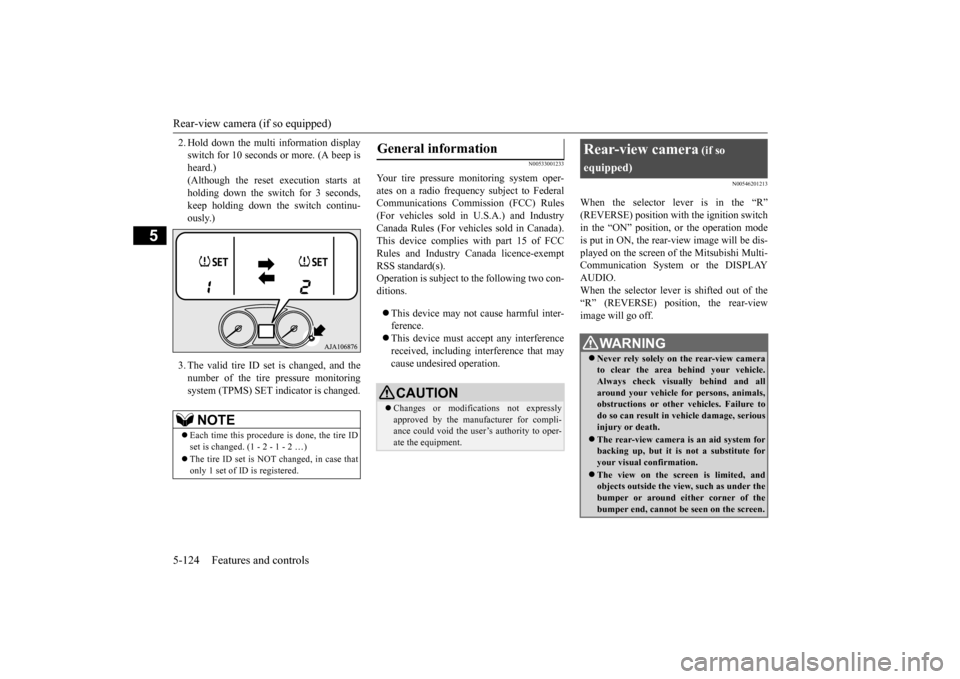
2. Hold down the multi information display switch for 10 seconds or more. (A beep isheard.) (Although the reset execution starts at holding down the switch for 3 seconds,keep holding down the switch continu- ously.) 3. The valid tire ID set is changed, and the number of the tire
pressure monitoring
system (TPMS) SET i
ndicator is changed.
N00533001233
Your tire pressure monitoring system oper- ates on a radio frequency subject to Federal Communications Comm
ission (FCC) Rules
(For vehicles sold in U.S.A.) and Industry Canada Rules (For vehicles sold in Canada). This device complies with part 15 of FCCRules and Industry Ca
nada licence-exempt
RSS standard(s). Operation is subject to the following two con- ditions. This device may not
cause harmful inter-
ference. This device must ac
cept any interference
received, including interference that may cause undesired operation.
N00546201213
When the selector lever is in the “R”(REVERSE) position with the ignition switchin the “ON” position,
or the operation mode
is put in ON, the rear-view image will be dis- played on the screen of the Mitsubishi Multi-Communication System or the DISPLAY AUDIO. When the selector lever is shifted out of the “R” (REVERSE) position, the rear-view image will go off.
NOTE
Each time this procedure is done, the tire ID set is changed. (1 - 2 - 1 - 2 …) The tire ID set is NOT changed, in case that only 1 set of ID is registered.
General information
CAUTION Changes or modifica
tions not expressly
approved by the manufacturer for compli- ance could void the user’s authority to oper-ate the equipment.
Rear-view camera
(if so
equipped)
WA R N I N G Never rely solely on the rear-view camera to clear the area behind your vehicle. Always check visua
lly behind and all
around your vehicle fo
r persons, animals,
obstructions or other vehicles. Failure to do so can result in
vehicle damage, serious
injury or death. The rear-view camera is an aid system for backing up, but it is not a substitute for your visual confirmation. The view on the scre
en is limited, and
objects outside the view, such as under the bumper or around either corner of thebumper end, cannot be seen on the screen.
BK0223400US.book 124 ページ 2015年2月13日 金曜日 午後12時15分