2016 MERCEDES-BENZ E-CLASS ESTATE display
[x] Cancel search: displayPage 301 of 565
#
Select a POI.
Selecting the last destination
Multimedia sy stem:
, Navigation .
¬ Destination .
Previ-
ous destinations #
Select the destination.
The destination address is shown. #
Alternatively: if a favo urite has been sa ved
( → page 307), select From global favourites .#
Select a favo urite.
The destination address is shown.
Selecting a contact
Re quirement:
a mobile phone is connec tedto the multimedia
sy stem (→ page318).
Multimedia sy stem:
, Navigation .
¬ Destination .
Con-
tacts #
Select the conta ct.
The releva nt contact de tails are displa yed. #
Select an address. #
Alternativel y,to filter the display bycon‐
tacts: enter names or initials into the sear ch
fi eld. #
Select ¡.
The firs t contact in the list is highlighted. #
Select the conta ct.
En tering geo-coordina tes
Multimedia sy stem:
, Navigation .
¬ Destination .
Geo-
coordinates #
Ente rge o-coordinates as latitude and longi‐
tude coordinates in degrees, minutes and
seconds.
The map sho ws there leva nt position. #
Confirm the entry. #
Toview or mo vea destination on the
map: select Map. #
Tocalculate a route: select Start route
guidance. #
If a route has already been created, select
Start new route guidance orSet as inter-
mediate destination . Selecting from
the map
Multimedia sy stem:
, Navigation .
Map menu #
Alternatively: if the map is displa yed in full
screen mode, press theTo uch Control, con‐
troller or touchpad.
The map menu appears. #
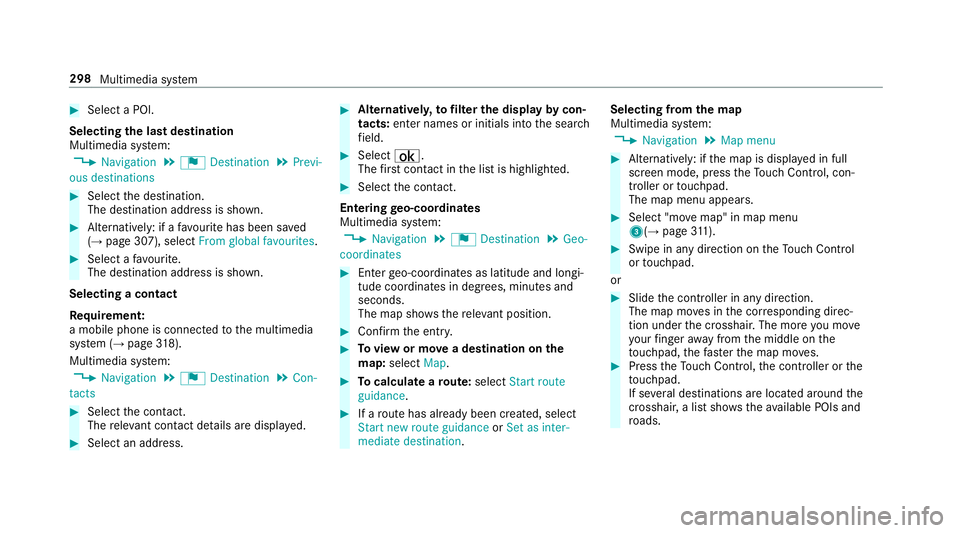
Select "mo vemap" in map menu
3(→ page311). #
Swipe in any di rection on theTo uch Control
or touchpad.
or #
Slide the controller in any direction.
The map mo ves in the cor responding direc‐
tion under the crosshair. The more you mo ve
yo ur finger away from the middle on the
to uchpad, thefast erthe map mo ves. #
Press theTo uch Control, the controller or the
to uchpad.
If se veral destinations are located around the
crosshair, a li stsho wstheav ailable POIs and
ro ads. 298
Multimedia sy stem
Page 302 of 565
If a destination is located
exact ly on the
crosshair, the destination address is dis‐
pla yed. #
Select a destination in the list.
The destination address is shown.
Showing traf fic messages for the vicinity of
the map #
Select Traffic messages for the vicinity.
The map appears. #
Swipe le ftor right on theto uchpad.
or #
Slide the controller tothe left or right.
The pr evious or next traf fic incident is high‐
lighted on the map. Information on the tra ffic
incident is displa yed.
Showing POIs in the vicinity of the map #
Select Surrounding POIs . #
Swipe left or right on theto uchpad.
or #
Slide the controller tothe left or right.
The pr evious or next POI is highligh ted on the
map. The name or addre ss is displayed. #
Alternativel y,to filter the display byPOI
categor y:swipe down on theto uchpad.
or #
Slide the controller down. #
Select a POI categor y. #
User defined allowspersonal POI symbols to
be selected (→ page313).
Entering an in termediatedestination
Re quirement:
A destination is entered.
Multimedia sy stem:
, Navigation .
¬ Destination .
Inter-
mediate destinations #
Select Search for an intermediate destina-
tion . #
Ente r an intermedia tedestination.
The sear chresults are displa yed. #
Select an intermediate destination.
The address of the intermediate destination
appears. #
Select Set as destination.
The intermediate destination is set. #
Alternatively: select an intermediate destina‐
tion via ¬Destination duringroute guid‐
ance. #
Select Enter destination. #
Select Set as next intermediate destination
af te r entering the destination.
Calculating a route with intermediate desti‐
nations
Re quirement:
En terth e destination and at least one intermedi‐
ate destination.
Multimedia sy stem:
, Navigation .
¬ Destination .
Inter-
mediate destinations #
Select Start new route guidance.
The route is calculated with the set inter‐
mediate destinations.
Editing intermedia tedestinations
Re quirement:
A destination is entered. Multimedia sy
stem 299
Page 307 of 565
If
th ere is enough time between thech anges
of direction, the multimedia sy stem prepares
yo ufo rth e upcoming change of direction. A
navigation announcement, e.g. "Prepare to
turn right", is issued.
The map appears in full-screen mode.
R Announcement phase
The multimedia sy stem announces the
upcoming change of direction, e.g. by
announcing "Turn right in 200 m".
The display is split into two parts. The map is
displa yed on the lef t;on theright, there is a
de tailed image of the junction or a 3D image
of the upcoming change of direction.
R Chan ge-of-direction phase
The multimedia sy stem announces the immi‐
nent change of direction with the announce‐
ment "Now turn right".
The display is split into two parts.
The vehicle has successfully changed direc‐
tion when the light-coloured bar on theright
drops down to0 metres and the cur rent vehi‐ cle position symbol has
reached the white
ch ange-of-direction point.
When thech ange of direction is comple te,
th e map appears in full-screen mode.
% Changes of direction are also shown in the
Instrument Displa y.
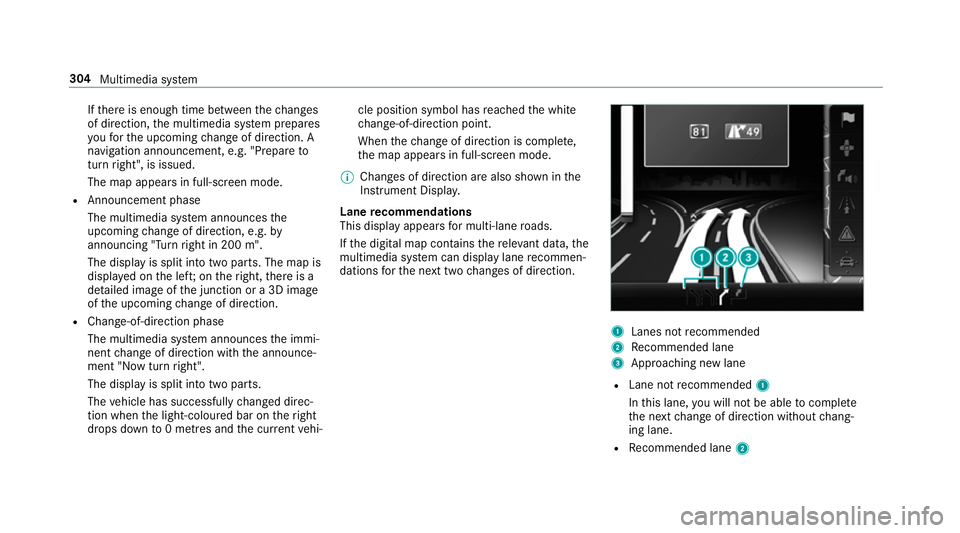
Lane recommendations
This display appears for multi-lane roads.
If th e digital map conta insthere leva nt da ta,the
multimedia sy stem can display lane recommen‐
dations forth e next two changes of direction. 1
Lanes not recommended
2 Recommended lane
3 Approa ching new lane
R Lane not recommended 1
In this lane, you will not be able tocompl ete
th e next change of direction without chang‐
ing lane.
R Recommended lane 2304
Multimedia sy stem
Page 308 of 565
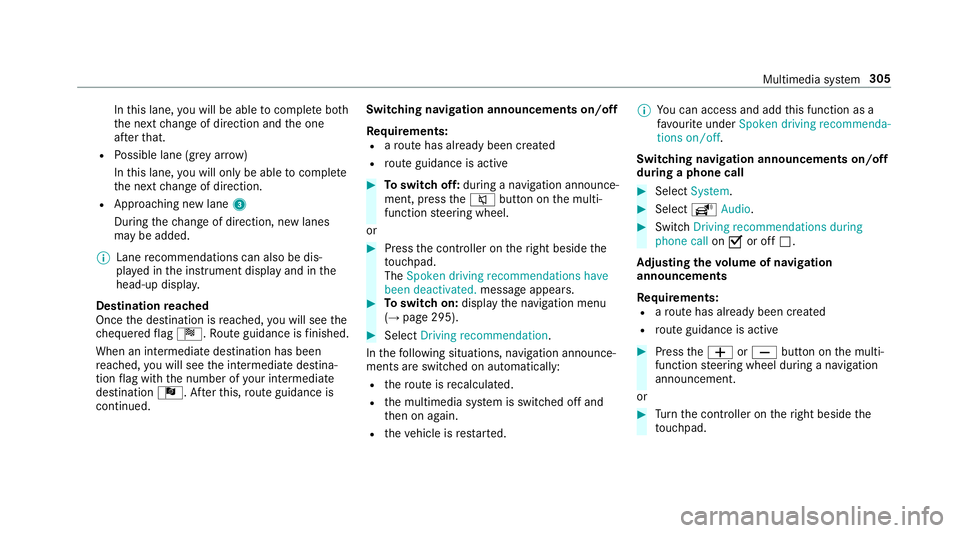
In
this lane, you will be able tocompl ete bo th
th e next change of direction and the one
af te rth at.
R Possible lane (gr eyarro w)
In this lane, you will on ly beabletocompl ete
th e next change of direction.
R App roaching new lane 3
During thech ange of direction, new lanes
may be added.
% Lane recommendations can also be dis‐
pl ay ed in the instrument display and in the
head-up displa y.
Destination reached
Once the destination is reached, you will see the
ch equered flag Í. Route guidance is finished.
When an intermedia tedestination has been
re ached, you will see the intermediate destina‐
tion flag with the number of your intermediate
destination Î. Afterth is, route guidance is
continued. Swit
ching navigation announcements on/off
Re quirements:
R aro ute has already been created
R route guidance is active #
Toswitch off: during a navigation announce‐
ment, press the8 button on the multi‐
function steering wheel.
or #
Press the controller on theright beside the
to uchpad.
The Spoken driving recommendations have
been deactivated. message appears. #
Toswitch on: displaythe navigation menu
(→ page 295). #
Select Driving recommendation .
In thefo llowing situations, navigation announce‐
ments are switched on automatically:
R thero ute is recalculated.
R the multimedia sy stem is switched off and
th en on again.
R theve hicle is restar ted. %
You can access and add this function as a
fa vo urite under Spoken driving recommenda-
tions on/off.
Swit ching navigation announcements on/off
during a phone call #
Select System. #
Select õAudio. #
Swit chDriving recommendations during
phone call onO or off ª.
Ad justing the volume of navigation
announcements
Re quirements:
R aro ute has already been created
R route guidance is active #
Press theW orX button on the multi‐
function steering wheel during a navigation
announcement.
or #
Turn the controller on theright beside the
to uchpad. Multimedia sy
stem 305
Page 312 of 565
Displaying subscription information
Re
quirement:
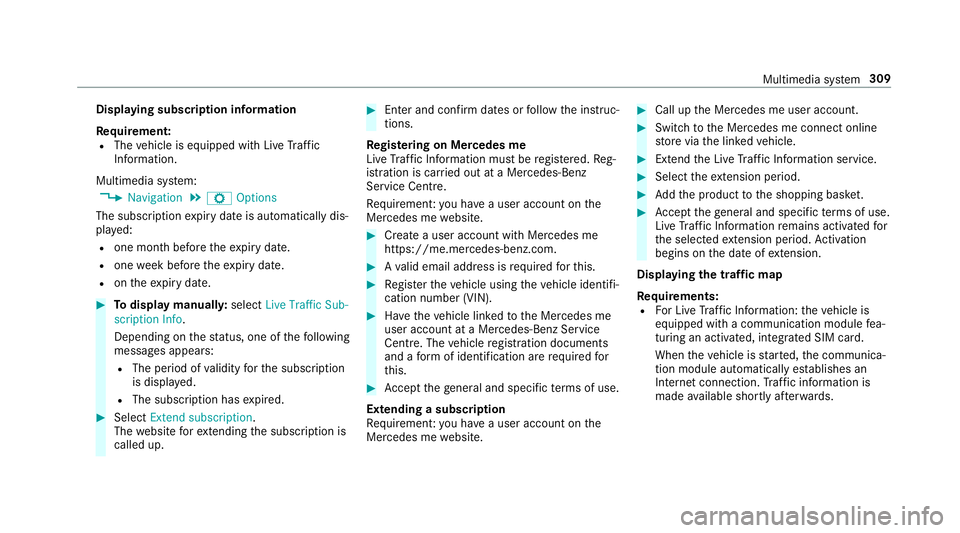
R The vehicle is equipped with Live Traf fic
Information.
Multimedia sy stem:
, Navigation .
Z Options
The subscription expiry date is automatically dis‐
pla yed:
R one month before theex piry date.
R one week before theex piry date.
R ontheex piry date. #
Todispl aymanuall y:select Live Traffic Sub-
scription Info.
Depending on thest atus, one of thefo llowing
messages appears:
R The period of validity forth e subscription
is displa yed.
R The subscription has expired. #
Select Extend subscription .
The website forex tending the subscription is
called up. #
Ente r and confirm dates or follow the instruc‐
tions.
Re gis tering on Mercedes me
Live Traf fic Information must be regis tere d. Re g‐
istration is car ried out at a Mercedes-Benz
Service Centre.
Re quiremen t:yo u ha vea user account on the
Mercedes me website. #
Create a user account with Mercedes me
https://me.mercedes-benz.co m. #
Ava lid email address is requ ired forth is. #
Regis terth eve hicle using theve hicle identifi‐
cation number (VIN). #
Have theve hicle linked tothe Mercedes me
user account at a Mercedes-Benz Service
Centre. The vehicle registration documents
and a form of identification are requ ired for
th is. #
Accept thege neral and specific term s of use.
Extending a subscription
Re quiremen t:yo u ha vea user account on the
Mercedes me website. #
Call up the Mercedes me user account. #
Switch tothe Mercedes me connect online
st ore via the linked vehicle. #
Extend the Live Traf fic Information service. #
Select theex tension pe riod. #
Addth e product tothe shopping bask et. #
Accept thege neral and specific term s of use.
Live Traf fic Information remains activated for
th e selected extension pe riod. Activation
begins on the date of extension.
Displ aying the traf fic map
Re quirements:
R For Live Traf fic Information: theve hicle is
equipped with a communication module fea‐
turing an activated, integrated SIM card.
When theve hicle is star ted, the communica‐
tion module automatically es tablishes an
Internet connection. Traf fic information is
made available shortly af terw ards. Multimedia sy
stem 309
Page 313 of 565
Multimedia sy
stem:
, Navigation .
Map menu #
Alternatively: when the map is displa yed in
full-sc reen mode, press theTo uch Control,
th e controller or theto uchpad.
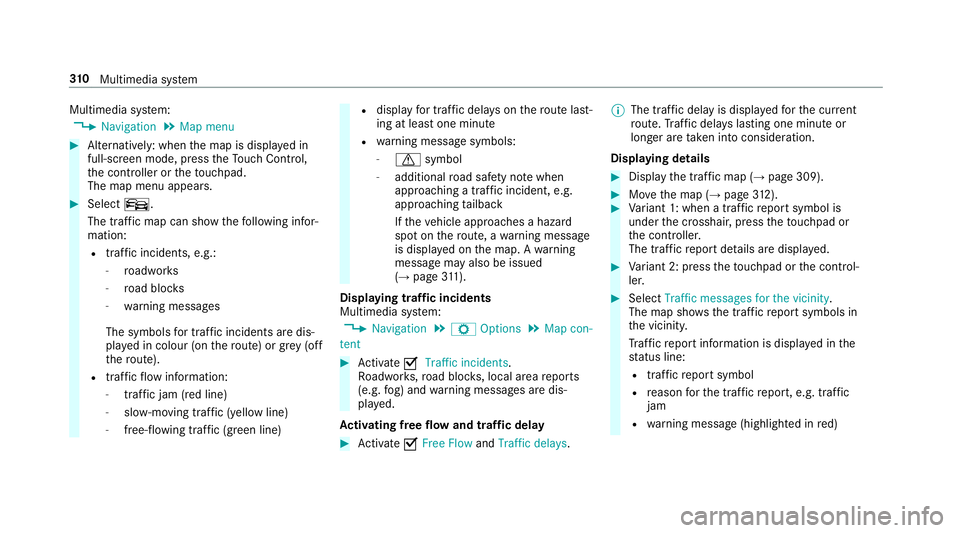
The map menu appears. #
Select º.
The traf fic map can show thefo llowing infor‐
mation:
R traf fic incidents, e.g.:
- roadwor ks
- road bloc ks
- warning messages
The symbols for traf fic incidents are dis‐
pl ay ed in colour (on thero ute) or grey (off
th ero ute).
R traf fic flow information:
- traf fic jam (red line)
- slow-moving traf fic (yellow line)
- free-flowing traf fic (green line) R
displ ayfor traf fic del ays on thero ute last‐
ing at least one minute
R warning message symbols:
- d symbol
- additional road saf ety no tewhen
approaching a traf fic incident, e.g.
approa ching tailback
If th eve hicle approaches a hazard
spot on thero ute, a warning message
is displa yed on the map. A warning
message may also be issued
(→ page 311).
Dis playing traf fic incidents
Multimedia sy stem:
, Navigation .
Z Options .
Map con-
tent #
Activate OTraffic incidents.
Ro adwor ks,ro ad bloc ks, local area reports
(e.g. fog) and warning messages are dis‐
pla yed.
Ac tivating free flow and traffic delay #
Activate OFree Flow andTraffic delays. %
The traf fic del ayis displa yedfo rth e cur rent
ro ute. Traf fic del ays lasting one minute or
longer are take n into conside ration.
Displ aying details #
Display the tra ffic map (→ page 309). #
Movethe map (→ page312). #
Variant 1: when a traf fic re port symbol is
under the crosshair, press theto uchpad or
th e controller.
The tra ffic report de tails are displa yed. #
Variant 2: press theto uchpad or the control‐
ler. #
Select Traffic messages for the vicinity.
The map sho ws the traf fic re port symbols in
th e vicinit y.
Tr af fic re port information is displa yed in the
st atus line:
R traf fic re port symbol
R reason forth e traf fic re port, e.g. tra ffic
jam
R warning message (highligh ted in red) 310
Multimedia sy stem
Page 314 of 565
#
Toselect a traf fic re port symbol: select
Next orPrevious. #
Press on theto uchpad or cont roller.
The traf fic re port de tails are displa yed.
Issuing hazard alerts
Multimedia sy stem:
, Naviga-
tion .
Z Options .
Announcements #
Activate OAnnounce traffic warnings .
Wa rning messages are issued and approach‐
ing tailbac kswhich pose a risk are
announced. Map and compass
Map and compass
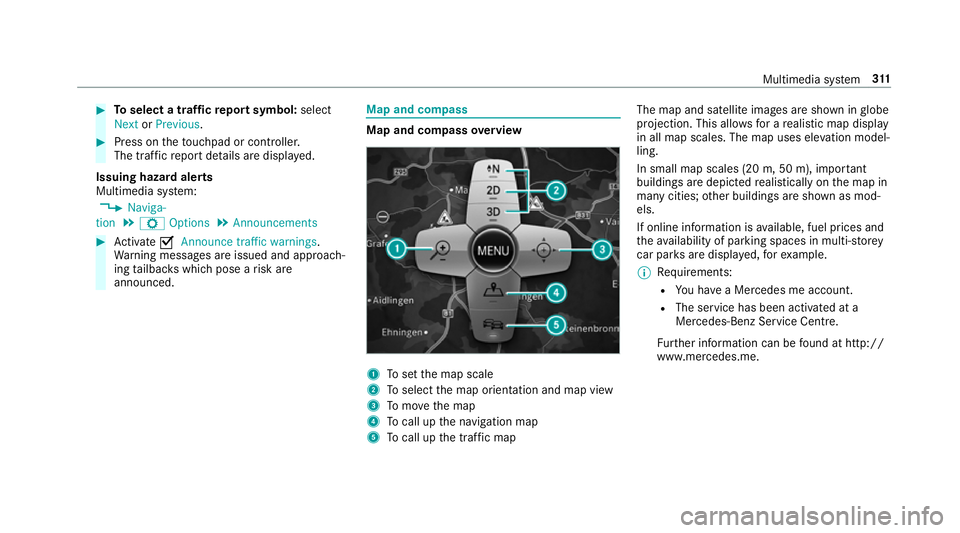
overview 1
Toset the map scale
2 Toselect the map orientation and map view
3 Tomo vethe map
4 Tocall up the navigation map
5 Tocall up the tra ffic map The map and satellite images are shown in
globe
projection. This allo wsfor a realistic map display
in all map scales. The map uses ele vation model‐
ling.
In small map scales (20 m, 50 m), impor tant
buildings are depicted realistically on the map in
many cities; other buildings are shown as mod‐
els.
If online information is available, fuel prices and
th eav ailability of parking spaces in multi-s torey
car pa rks are displa yed, forex ample.
% Requirements:
R You ha vea Mercedes me account.
R The service has been activated at a
Mercedes-Benz Service Cent re.
Fu rther information can be found at http://
www.mercedes.me. Multimedia sy
stem 311
Page 316 of 565
Selecting POI symbols
Multimedia sy
stem:
, Navigation .
Z Options .
Map con-
tent
POIs include filling stations and ho tels, forex am‐
ple. These can be displa yed as symbols on the
map. Not all POIs are available everywhere. #
Select POI symbols .
The #dot indicates the cur rent setting.
Standard displays symbols of predefined cat‐
egories in the map.
User defined allowsyouto personally select
th e symbols forth eav ailable categories.
None switches the display off. #
Select the setting. #
User defined: select categories.
The POI symbols of the selected categories
are displa yedO or not displa yedª. Selecting
text information
Multimedia sy stem:
, Navigation .
Z Options .
Text
information #
Select the setting.
Current street showsthest re et you are cur‐
re ntly driving on at the bottom of the displa y.
When the map is mo ved, thest re et name,
th e POI name or the area name appears
under the crosshair.
Geo-coordinates displays thefo llowing infor‐
mation:
R longitude and latitude
R elevation
The el evation shown may deviate from
th e actual ele vation.
R number of sa tellites from which a signal
can be recei ved
When the map is mo ved, this information
does not appear.
None switches the display off. Displaying
the next intersecting stre et
Multimedia sy stem:
, Navigation .
Z Options #
Activate Oor deacti vate ª Next intersect-
ing street.
The function is activated O: ifroute guid‐
ance is not active, the name of the next inter‐
secting stre et is displa yed on theto p edge of
th e screen.
Displaying traf fic signs on the map
Re quirement:
The vehicle is equipped with Traf fic Sign Assi st.
Multimedia sy stem:
, Navigation .
Z Options #
Switch Traffic signs onO or off ª.
If th e function is switched on Oyou will see
th e traf fic signs recognised byTraf fic Sign
Assi st.
The following traf fic signs are displ ayed:
R speed limitations
R overtaking restrictions Multimedia sy
stem 313