2016 BMW M4 instrument cluster
[x] Cancel search: instrument clusterPage 128 of 228
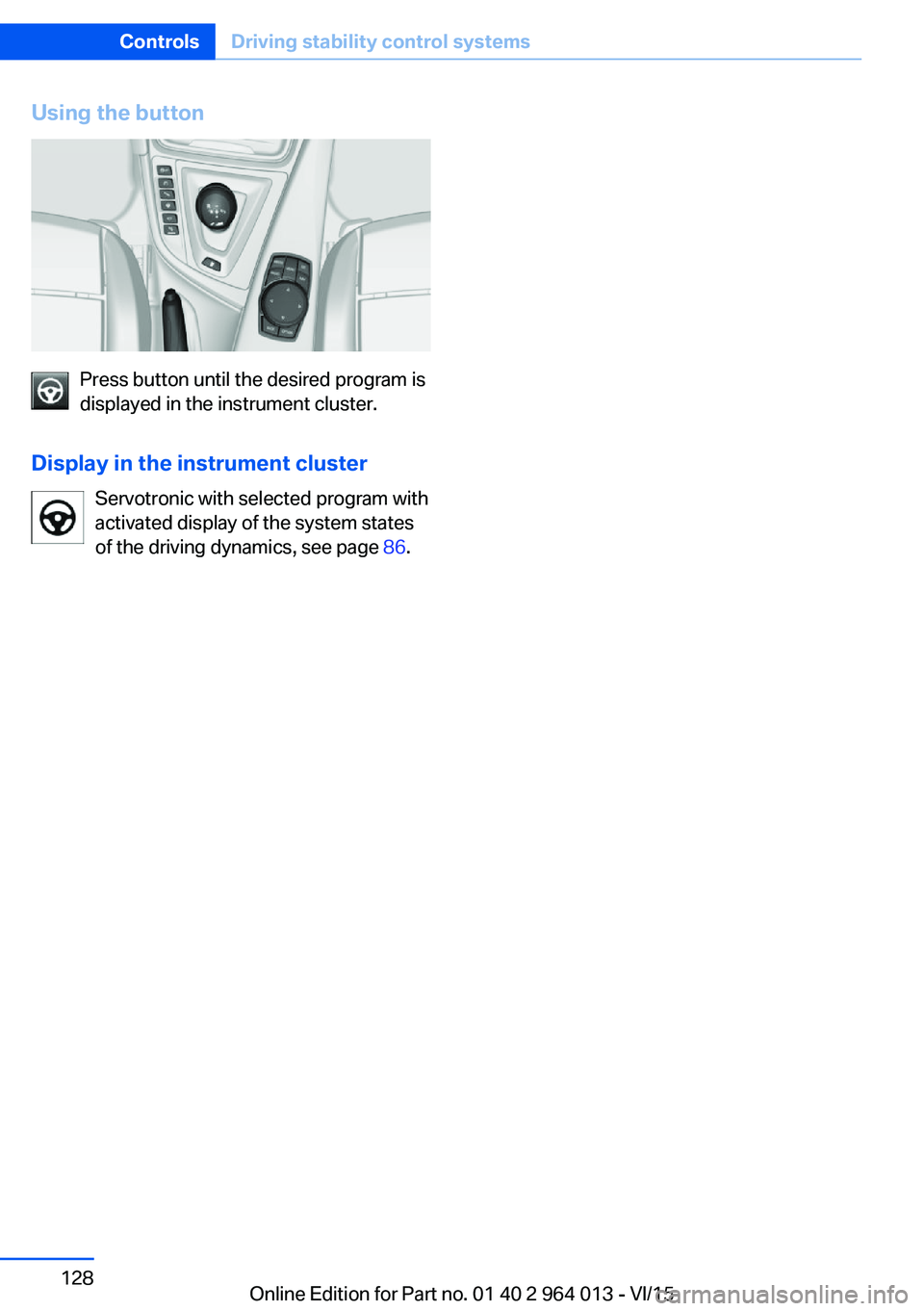
Using the button
Press button until the desired program is
displayed in the instrument cluster.
Display in the instrument cluster Servotronic with selected program with
activated display of the system states
of the driving dynamics, see page 86.
Seite 128ControlsDriving stability control systems128
Online Edition for Part no. 01 40 2 964 013 - VI/15
Page 130 of 228
▷When interrupted: press once.
The indicators turn off. The saved desired
speed is deleted.
Interrupting When the system is activated, press
the button on the steering wheel.
The system interrupts automatically in the
following situations:
▷If the brake is applied.▷If the clutch is depressed for a few seconds
or released with no gear engaged.▷If too high a gear has been engaged for the
speed.▷If MDM is activated or DSC is deactivated.▷If DSC intervenes.
Maintaining, saving, changing speed
Notes WARNING
The desired speed can be inadvertently
set incorrectly or called up. Danger of acci‐
dents. Adapt the desired speed to the driving
conditions. Observe the traffic situation and in‐
tervene actively if the situation warrants it.◀
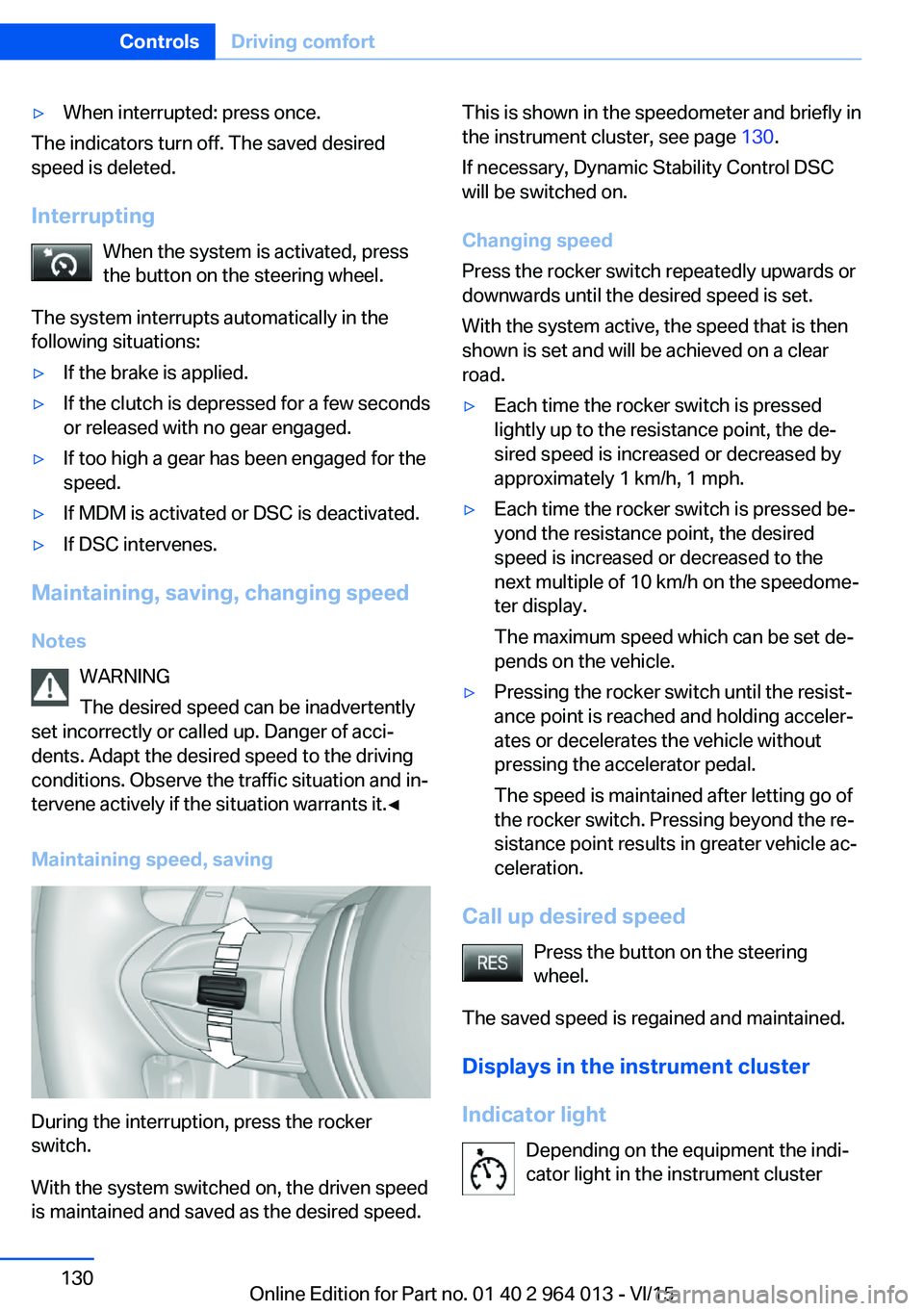
Maintaining speed, saving
During the interruption, press the rocker
switch.
With the system switched on, the driven speed
is maintained and saved as the desired speed.
This is shown in the speedometer and briefly in
the instrument cluster, see page 130.
If necessary, Dynamic Stability Control DSC
will be switched on.
Changing speed
Press the rocker switch repeatedly upwards or
downwards until the desired speed is set.
With the system active, the speed that is then
shown is set and will be achieved on a clear
road.▷Each time the rocker switch is pressed
lightly up to the resistance point, the de‐
sired speed is increased or decreased by
approximately 1 km/h, 1 mph.▷Each time the rocker switch is pressed be‐
yond the resistance point, the desired
speed is increased or decreased to the
next multiple of 10 km/h on the speedome‐
ter display.
The maximum speed which can be set de‐
pends on the vehicle.▷Pressing the rocker switch until the resist‐
ance point is reached and holding acceler‐
ates or decelerates the vehicle without
pressing the accelerator pedal.
The speed is maintained after letting go of
the rocker switch. Pressing beyond the re‐
sistance point results in greater vehicle ac‐
celeration.
Call up desired speed
Press the button on the steering
wheel.
The saved speed is regained and maintained.
Displays in the instrument cluster
Indicator light Depending on the equipment the indi‐
cator light in the instrument cluster
Seite 130ControlsDriving comfort130
Online Edition for Part no. 01 40 2 964 013 - VI/15
Page 186 of 228

Different messages are shown on the display,
depending on the engine oil level. Follow these
messages.
If there is too little engine oil, within the next
200 km, approximately 120 miles top up en‐
gine oil, see page 186.
Detailed measurement
Principle In the detailed measurement, the engine oil
level is checked and shown on a scale.
If the engine oil level reaches the minimum, a
Check Control message is shown.
During the measurement, the idle speed is
slightly raised.
Requirements▷Vehicle is on an even road.▷Manual gearbox: gear lever in neutral posi‐
tion, clutch and accelerator pedal not de‐
pressed.▷M double clutch transmission: selector
lever in selector lever position N and accel‐
erator pedal not depressed.▷Engine is running and is at operating tem‐
perature.
Carrying out a detailed measurement
Carry out a detailed measurement of the en‐
gine oil level:
1."Vehicle information"2."Vehicle status"3. "Measure engine oil level"4."Start measurement"
The engine oil level is checked and shown on a
scale.
Duration: approximately 1 minute.
Adding engine oil
Notes ATTENTION
Too little engine oil causes engine dam‐
age. Danger of damage to property.
Top up the engine oil within the next 200 km,
approximately 120 miles.◀
ATTENTION
Too much engine oil can damage the en‐
gine or the catalytic converter. Danger of dam‐
age to property. Do not top up with too much
engine oil. If you fill too much engine oil, have
the excess extracted by a Service Partner or a
qualified specialist workshop.◀
WARNING
Service products, for example oils,
greases, coolants and fuels, can contain sub‐
stances that are harmful to health. Danger of
injury or life. Comply with the notes on the
containers. Do not allow service products to
come into contact with clothing, skin eyes. Do
not pour service products into other bottles.
Keep service products out of the reach of chil‐
dren.◀
General Do not top up engine oil unless message isdisplayed in instrument cluster. The top-up
amount is specified in the message on the in‐
strument cluster.
Switch off the ignition and securely stop the
vehicle before topping up with engine oil.
Spilled engine oil can damage carbon parts.
Wipe up spilled engine oil with a lint-free cloth.
Overview
The oil filler neck is in the engine compart‐
ment, see page 182.Seite 186MobilityEngine oil186
Online Edition for Part no. 01 40 2 964 013 - VI/15
Page 210 of 228
Leather care
Remove dust from the leather at regular inter‐
vals with a cloth or vacuum cleaner.
Dust and road dirt will otherwise become
worked into pores and folds, causing consider‐
able abrasion and causing the leather surface
to become prematurely brittle.
In order to protect against discolouration, for
example from clothing, clean the leather ap‐
proximately every two months.
Clean light-coloured leather more frequently
as it has the tendency to soil faster.
Use leather cleaner, otherwise dirt and grease
will attack the protective coating of the leather.
Suitable care products are available from a
Service Partner or a qualified specialist work‐
shop.
Care of upholstery fabrics
Clean regularly with a vacuum cleaner.
In the event of heavy soiling, for example stains
caused by drinks, use a soft sponge or a lint-
free microfibre cloth with suitable interior
cleaning agents.
Clean upholstery materials over a large area up
to the seams. Avoid strong rubbing.
ATTENTION
Open Velcro fasteners on articles of
clothing can damage the seat covers. Danger
of damage to property. Make sure that any Vel‐
cro fasteners on your clothing are closed.◀
Care of special parts
Light alloy wheels Only when cleaning on the vehicle use neutral
rim cleaner with a pH value of between 5 and 9.
Do not use any rough cleaner or steam cleaner
above 60 ℃/140 ℉. Observe the manufactur‐
er's information.Corrosive, acidic or alkaline cleaners may de‐
stroy the protective layer of neighbouring
parts, such as brake discs, for example.
Chrome surfaces Carefully clean parts such as the radiator grille
and door handles with plenty of water to which
a shampoo may be added, particularly if ex‐
posed to road salt.
Rubber parts
The surfaces of rubber parts can be contami‐
nated or loose their shine due to environmental
influences. Only use water and suitable care
products for cleaning. The manufacturer of
your vehicle recommends genuine BMW care
products.
Treat particularly stressed rubber parts at reg‐
ular intervals with rubber care products. Do not
use any silicone-based care products for treat‐
ing rubber seals, otherwise these could be
damaged and become a source of noise.
Fine wood parts Clean fine wood trims and fine wood parts with
a damp cloth only. Then dry them with a soft
cloth.
Plastic parts
These include:▷Imitation leather surfaces.▷Roof lining.▷Light covers.▷Glass cover of instrument cluster.▷Parts sprayed matt black.▷Painted parts in the interior.
Use a microfibre cloth to clean.
Slightly moisten the cloth with water.
Do not soak the roof lining.
Seite 210MobilityGeneral care210
Online Edition for Part no. 01 40 2 964 013 - VI/15
Page 221 of 228

Front passenger airbags,light 106
Fuel 174
Fuel consumption, see Aver‐ age fuel consumption 91
Fuel filler flap 172
Fuel gauge 84
Fuel quality 174
Fuel recommendation 174
Fuel tank cap 172
Fuel, tank capacity 215
Fuse 200
G
Gearbox, manual gearbox 73
Gear change 76
Gearshift, manual gearbox 73
General driving informa‐ tion 163
Glare protection 149
Glass Roof, electric 45
Glove box 153
Ground clearance 165
H
Handbrake, see Parking brake 69
Hazard warning and indicator lights, see Check control 80
Hazard warning lights 202
Head airbags 104
Headlight cleaning system, see Wiper system 71
Headlight courtesy delay fea‐ ture 99
Headlight flasher 70
Headlight lens 194
Headlights 194
Headlights, care 209
Headlining 15
Head restraints 48
Head-Up Display 94
Head-Up Display, care 211
Head-Up Display, M View 95 Head-Up Display, standard
view 95
Heated rear window 146
Heavy transported load, stow‐ ing transported load 166
Height, vehicle 214
Help in driving off 127
High-beam assistance 100
High-beam headlights 70
High performance en‐ gine 160
Hill Start Assist, see Drive-off assistant 127
Homepage 6
Horn 12
Hot exhaust system 163
HUD Head-Up Display 94
I IBA Integrated Owner's Handbook in vehicle 28
Ice warning, see Outside tem‐ perature warning 84
Identification number, see Ve‐ hicle identification num‐
ber 9
iDrive 16
Ignition key, see Remote con‐ trol 32
Ignition off 65
Ignition on 65
Important considerations 58
Important information regard‐ ing the engine compart‐
ment 182
Independent ventilation 147
Indicator and hazard warning lights, see Check control 80
Indicator lights, see Check control 80
Indicators, see Turn indica‐ tors 70
Individual air distribution 146
Individual settings, see M Drive 123 Individual settings, see Per‐
sonal Profile 33
Inflation pressure, tyres 175
Inflation pressure warning RPA, tyres 109
Info Display, see on-board computer 90
Information on no passing 88
Information on speed limit 88
Initialise, Tyre Pressure Moni‐ tor TPM 107
Initialising, runflat indicator, RPA 109
Instrument cluster 79
Instrument cluster, electronic displays 79
Instrument cluster switch, see Turn indicators 70
Instrument cluster switch, see Wiper system 71
Instrument lighting 102
Integrated key 32
Integrated Owner's Handbook in vehicle 28
Intelligent emergency call 202
Intelligent Safety 110
Intensity, AUTO Automatic program 145
Interior light 102
Interior light when unlock‐ ing 35
Interior light with the vehicle locked 36
Interior movement detec‐ tor 43
Intermittent mode 71
Internet site 6
Interval display, service re‐ quirement 87
ISOFIX child seat mount‐ ings 61
J
Jack mounting points 199 Seite 221Everything from A to ZReference221
Online Edition for Part no. 01 40 2 964 013 - VI/15