2016 BMW M4 instrument cluster
[x] Cancel search: instrument clusterPage 101 of 228
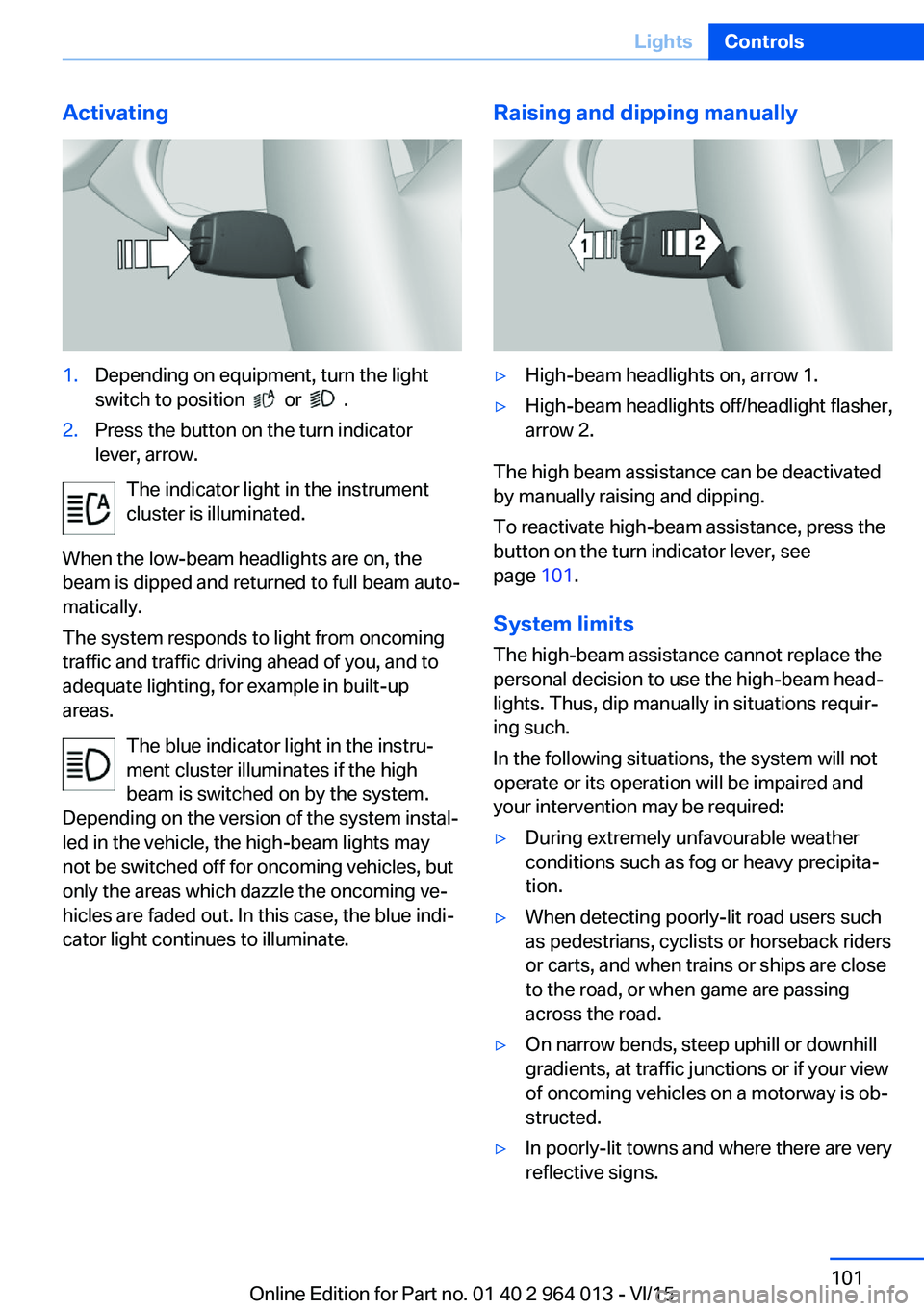
Activating1.Depending on equipment, turn the light
switch to position
or .
2.Press the button on the turn indicator
lever, arrow.
The indicator light in the instrument
cluster is illuminated.
When the low-beam headlights are on, the
beam is dipped and returned to full beam auto‐
matically.
The system responds to light from oncoming
traffic and traffic driving ahead of you, and to
adequate lighting, for example in built-up
areas.
The blue indicator light in the instru‐
ment cluster illuminates if the high
beam is switched on by the system.
Depending on the version of the system instal‐
led in the vehicle, the high-beam lights may
not be switched off for oncoming vehicles, but
only the areas which dazzle the oncoming ve‐
hicles are faded out. In this case, the blue indi‐
cator light continues to illuminate.
Raising and dipping manually▷High-beam headlights on, arrow 1.▷High-beam headlights off/headlight flasher,
arrow 2.
The high beam assistance can be deactivated
by manually raising and dipping.
To reactivate high-beam assistance, press the
button on the turn indicator lever, see
page 101.
System limits
The high-beam assistance cannot replace the
personal decision to use the high-beam head‐
lights. Thus, dip manually in situations requir‐
ing such.
In the following situations, the system will not
operate or its operation will be impaired and
your intervention may be required:
▷During extremely unfavourable weather
conditions such as fog or heavy precipita‐
tion.▷When detecting poorly-lit road users such
as pedestrians, cyclists or horseback riders
or carts, and when trains or ships are close
to the road, or when game are passing
across the road.▷On narrow bends, steep uphill or downhill
gradients, at traffic junctions or if your view
of oncoming vehicles on a motorway is ob‐
structed.▷In poorly-lit towns and where there are very
reflective signs.Seite 101LightsControls101
Online Edition for Part no. 01 40 2 964 013 - VI/15
Page 105 of 228

Notes on optimum protective effect of
the airbag
WARNING
If the seat position is wrong or the de‐
ployment area of the airbag is impaired, the air‐
bag system cannot provide the intended pro‐
tection, or may cause additional injuries when
it deploys. Danger of injury or life. Comply with
these notes for optimum protective effect.◀▷Keep your distance from the airbags.▷Make sure that vehicle occupants keep
their head away from the side airbag.▷Always grip the steering wheel on the
steering wheel rim. Keep you hands in the
3 o'clock and 9 o'clock positions to reduce
the risk of injury to hands or arms when the
airbag deploys.▷Make sure that the front-seat passenger is
sitting correctly, in other words with feet or
legs in the footwell, not resting on the
dashboard.▷Do not position any other persons, pets or
objects between the airbags and persons.▷Never attach any material to the airbag
covers with adhesive; never place material
over them or modify them in any way.▷Keep the dashboard and windscreen in the
area of the passenger's side free, for exam‐
ple do not attach adhesive foil or covers
and do not fit brackets for navigation devi‐
ces or mobile telephones.▷Do not use the front airbag cover on the
front passenger's side as a tray.▷Do not fit seat covers, cushions or other
objects not specifically suitable for seats
with integral side airbags to the front seats.▷Do not hang items of clothing such as
coats or jackets over the backrests.▷Do not modify individual components of
the system or its wiring in any way. This
also applies to the covers of the steering
wheel, the dashboard and seats.▷Do not dismantle the airbag system.
Even if all these notes are complied with, de‐
pending on the circumstances in which an ac‐
cident occurs, certain injuries as a result of
contact with the airbag cannot be entirely ruled
out.
The noise caused by the deployment of an air‐
bag may lead to temporary hearing loss for ve‐
hicle occupants sensitive to noise.
Operational readiness of the airbag
system
Notes WARNING
Individual components of the airbag sys‐
tem can be hot after triggering. Danger of in‐ jury. Do not touch individual components.◀
WARNING
Work carried out incorrectly can lead to a
failure, a malfunction or accidental triggering of
the airbag system. If there is a malfunction, the
airbag system might not trigger as intended in
an accident, in spite of the accident being of
the appropriate severity. Danger of injury or
life. Have the airbag system tested, repaired or
removed and scrapped by a Service Partner or a qualified specialist workshop.◀
Correct function When the ignition is switched on, the
warning light in the instrument cluster
briefly illuminates in order to show the
functional readiness of the entire airbag sys‐
tem and the belt tensioner.
Airbag system disrupted
▷Warning light does not illuminate after the
ignition is switched on.▷Warning lamp is permanently illuminated.Seite 105SecurityControls105
Online Edition for Part no. 01 40 2 964 013 - VI/15
Page 116 of 228
When there are warnings, the steering wheel
starts to vibrate slightly. The timing of this
warning may vary depending on the current
driving situation.
The system does not issue a warning if the
driver indicates before leaving the driving lane.
Information WARNING
The system does not take your personal
responsibility from you when you are estimat‐
ing the course of the road and traffic situation.
Danger of accidents. Adapt driving style to the
driving conditions. Observe the traffic situation
and intervene actively if the situation warrants
it. Do not move the steering wheel with unnec‐
essary force in case of warnings.◀
Overview
Button in the vehicle
Lane departure warning
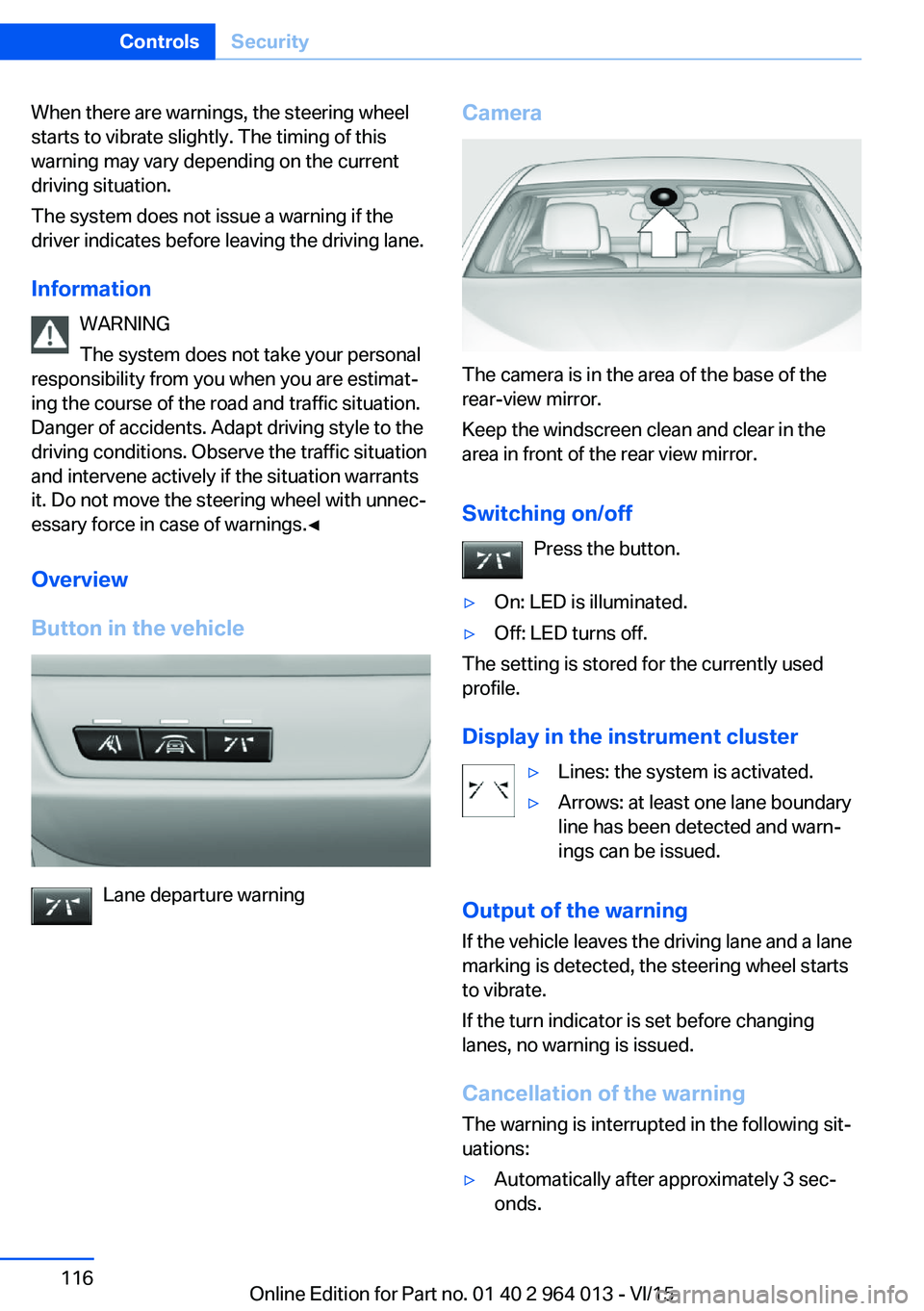
Camera
The camera is in the area of the base of the
rear-view mirror.
Keep the windscreen clean and clear in the
area in front of the rear view mirror.
Switching on/off Press the button.
▷On: LED is illuminated.▷Off: LED turns off.
The setting is stored for the currently used
profile.
Display in the instrument cluster
▷Lines: the system is activated.▷Arrows: at least one lane boundary
line has been detected and warn‐
ings can be issued.
Output of the warning
If the vehicle leaves the driving lane and a lane
marking is detected, the steering wheel starts
to vibrate.
If the turn indicator is set before changing
lanes, no warning is issued.
Cancellation of the warning
The warning is interrupted in the following sit‐
uations:
▷Automatically after approximately 3 sec‐
onds.Seite 116ControlsSecurity116
Online Edition for Part no. 01 40 2 964 013 - VI/15
Page 120 of 228
Exceeding the speed limitYou may intentionally exceed the speed limit.There is no acoustic warning in such a case.
To intentionally exceed the set speed limit,
completely depress the accelerator pedal.
If the speed drops below the set speed limit, it
is automatically reactivated.
Warning
Visual warning The indicator light in the instrument
cluster flashes if the set speed limit is
exceeded for as long as you exceed the
set speed limit.
Acoustic warning▷If you unintentionally exceed the set speed
limit, you will hear an acoustic warning af‐
ter approximately five seconds.▷If the speed limit is reduced to below the
current speed during the journey, the
warning sounds after approximately
30 seconds.▷If you intentionally exceed the speed limit
by fully depressing the accelerator pedal,
no warning is given.
Displays in the instrument cluster
Marking of the speed limit Display in the speedometer:
▷Marker illuminates green:
the system is active.▷Marker does not illuminate:
the system is inactive.
Indicator light
▷If the indicator light is illuminated:
the system is switched on.▷If the indicator light is flashing: set speed
limit is exceeded.
Brief status display
Set speed limit briefly appears.
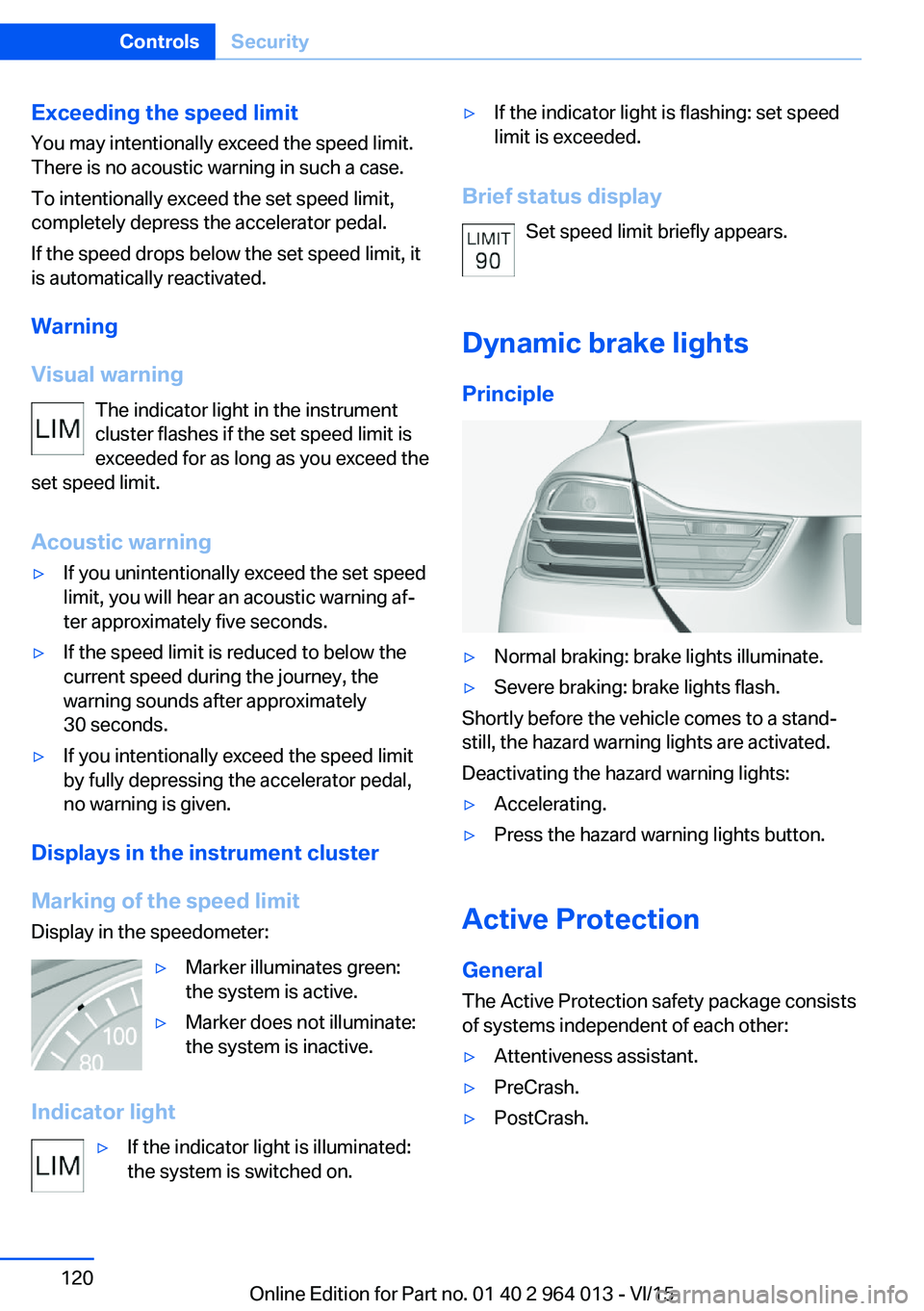
Dynamic brake lights Principle
▷Normal braking: brake lights illuminate.▷Severe braking: brake lights flash.
Shortly before the vehicle comes to a stand‐
still, the hazard warning lights are activated.
Deactivating the hazard warning lights:
▷Accelerating.▷Press the hazard warning lights button.
Active Protection
General
The Active Protection safety package consists
of systems independent of each other:
▷Attentiveness assistant.▷PreCrash.▷PostCrash.Seite 120ControlsSecurity120
Online Edition for Part no. 01 40 2 964 013 - VI/15
Page 124 of 228
3.Selected desired adjustment option.4.Select the desired channel.
The individual settings are stored for the cur‐
rently used profile.
With M Drive activated a change is made im‐
mediately on the Control Display setting.
Activating/deactivating M Drive
Activating Press the relevant button on the steering
wheel.
▷Activate M Drive 1▷Activate M Drive 2
If in M Drive, DSC OFF or MDM is set, a mes‐
sage appears in the instrument cluster. This
message is operated by pressing the button
again.
Deactivating Press the relevant button on the steering
wheel again.
Indicator Lights
▷Indicator light illuminates: corre‐
sponding M Drive is activated.▷Indicator light flashes: M Drive
could not be activated. Anti-block‐
ing system ABS or Dynamic Stabil‐
ity Control DSC control drive stabil‐
ity directly.
Reactivate M Drive if the indicator
stops flashing.
Information
With activated M Drive individual settings out‐
side of the M Drive can also be changed, for
example, using buttons in the centre console.
That deactivates the M Drive.
To reactivate all the settings made on the Con‐
trol Display for M Drive, briefly press one of the
following buttons:▷▷
To accept the change settings in M Drive,
press the corresponding button for a long time.
Reset M Drive Individual settings can be reset to default val‐
ues.
1."Settings"2."M Drive 1" or "M Drive 2"3."Reset M Drive 1" or "Reset M Drive 2"4."Yes"
To interrupt resetting: "No"
Dynamic Stability Control,
DSC
Principle DSC prevents the driven wheels losing traction
when you pull away from rest or accelerate.
DSC is also able to detect unstable driving
conditions such as loss of traction at the rear
or vehicle slip over the front wheels. DSC re‐
duces engine output and applies the brakes at
individual wheels, helping, within the limits im‐
posed by the laws of physics, to keep the vehi‐
cle safely on course.
Note Adapt the driving style to the situation as it is
always the driver's responsibility to adapt a
suitable driving style.
Not even DSC can overcome the laws of phys‐
ics.
Do not limit the additional safety afforded by
this system by taking driving risks.
Seite 124ControlsDriving stability control systems124
Online Edition for Part no. 01 40 2 964 013 - VI/15
Page 125 of 228
WARNING
When driving with a roof load, for exam‐
ple with a roof rack, the higher centre of gravity
can mean that driving safety is no longer guar‐
anteed in critical driving situations. Danger of
accident or damage to property. Do not deacti‐
vate Dynamic Stability Control DSC when driv‐
ing with a roof load.◀
Overview
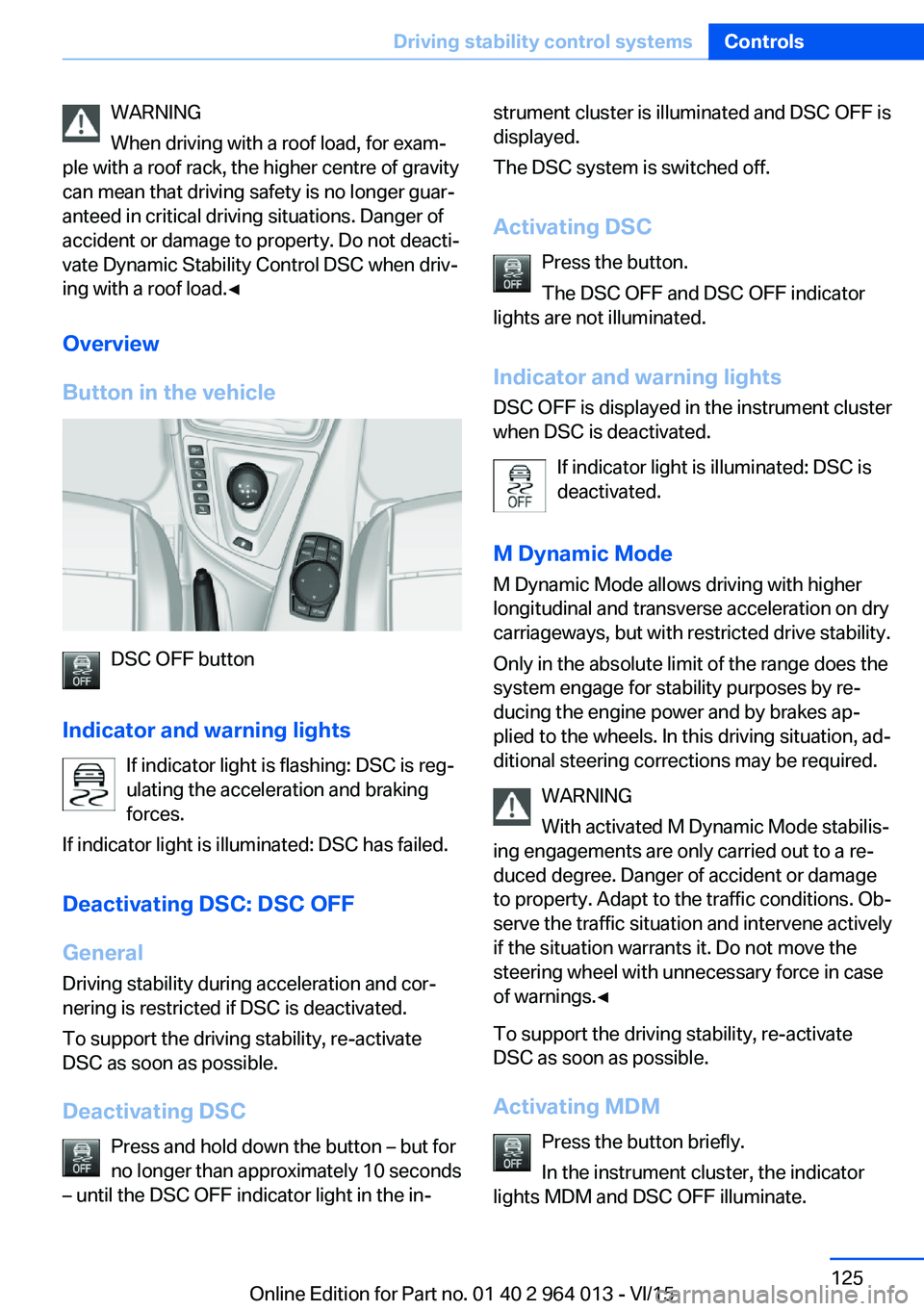
Button in the vehicle
DSC OFF button
Indicator and warning lights If indicator light is flashing: DSC is reg‐ulating the acceleration and braking
forces.
If indicator light is illuminated: DSC has failed.
Deactivating DSC: DSC OFF
General Driving stability during acceleration and cor‐
nering is restricted if DSC is deactivated.
To support the driving stability, re-activate
DSC as soon as possible.
Deactivating DSC Press and hold down the button – but for
no longer than approximately 10 seconds
– until the DSC OFF indicator light in the in‐
strument cluster is illuminated and DSC OFF is
displayed.
The DSC system is switched off.
Activating DSC Press the button.
The DSC OFF and DSC OFF indicator
lights are not illuminated.
Indicator and warning lights DSC OFF is displayed in the instrument cluster
when DSC is deactivated.
If indicator light is illuminated: DSC is
deactivated.
M Dynamic Mode
M Dynamic Mode allows driving with higher
longitudinal and transverse acceleration on dry
carriageways, but with restricted drive stability.
Only in the absolute limit of the range does the
system engage for stability purposes by re‐
ducing the engine power and by brakes ap‐
plied to the wheels. In this driving situation, ad‐
ditional steering corrections may be required.
WARNING
With activated M Dynamic Mode stabilis‐
ing engagements are only carried out to a re‐
duced degree. Danger of accident or damage
to property. Adapt to the traffic conditions. Ob‐
serve the traffic situation and intervene actively
if the situation warrants it. Do not move the
steering wheel with unnecessary force in case
of warnings.◀
To support the driving stability, re-activate
DSC as soon as possible.
Activating MDM Press the button briefly.
In the instrument cluster, the indicator
lights MDM and DSC OFF illuminate.Seite 125Driving stability control systemsControls125
Online Edition for Part no. 01 40 2 964 013 - VI/15
Page 126 of 228
Deactivating MDMPress the button.
Indicator lights MDM and DSC OFF no
longer illuminate.
Via M DriveOn the Control Display:1."Settings"2."M Drive 1" or "M Drive 2"3. Select the symbol.4."MDM"
To call up the desired M Drive with the selec‐
ted settings, press the corresponding button
on the steering wheel:
▷▷
A message appears in the instrument cluster.
This message is operated by pressing the but‐
ton again.
Deactivating MDM
Press the corresponding button 1 or button 2
on the steering wheel again.
M Dynamic Mode and the settings selected
under M Drive are deactivated.
Indicator and warning lights Indicator lights illuminate:
M Dynamic Mode is activated.
DSC indicator light also flashes:
M Dynamic Mode is regulating the driv‐
ing and braking forces.
Indicator lights illuminate:
M Dynamic Mode or DSC has failed.
Active M Differential
Principle The active M Differential blocks the rear axis
transmission steplessly, depending on the
drive situation. In so doing, even with the DSC
switched off and in M Dynamic Mode, spinning
of a single rear wheel is avoided and therefore
optimum traction is provided under all driving
conditions.
The driver is responsible for a driving style ap‐
propriate to the situation.
Adaptive M chassis PrincipleThe system reduces unwanted vehicle move‐
ments when a dynamic driving style is used or
on uneven roads.
Depending on the condition of the road and
the driving style, this enhances driving dynam‐
ics and driving comfort.
Programs Possibilities for adjusting the tuning of the
shock absorbers:▷"Comfort": comfort-oriented▷"Sport": balanced▷"Sport Plus": consistently sporty
Selecting program
Via M Drive
1."Settings"2."M Drive 1" or "M Drive 2"3. Select the symbol.4.Select the desired channel.Seite 126ControlsDriving stability control systems126
Online Edition for Part no. 01 40 2 964 013 - VI/15
Page 127 of 228
Setting is immediately accepted with ac‐
tive M Drive.
To activate the desired M Drive with the selec‐
ted settings, press the corresponding button
on the steering wheel:
▷▷
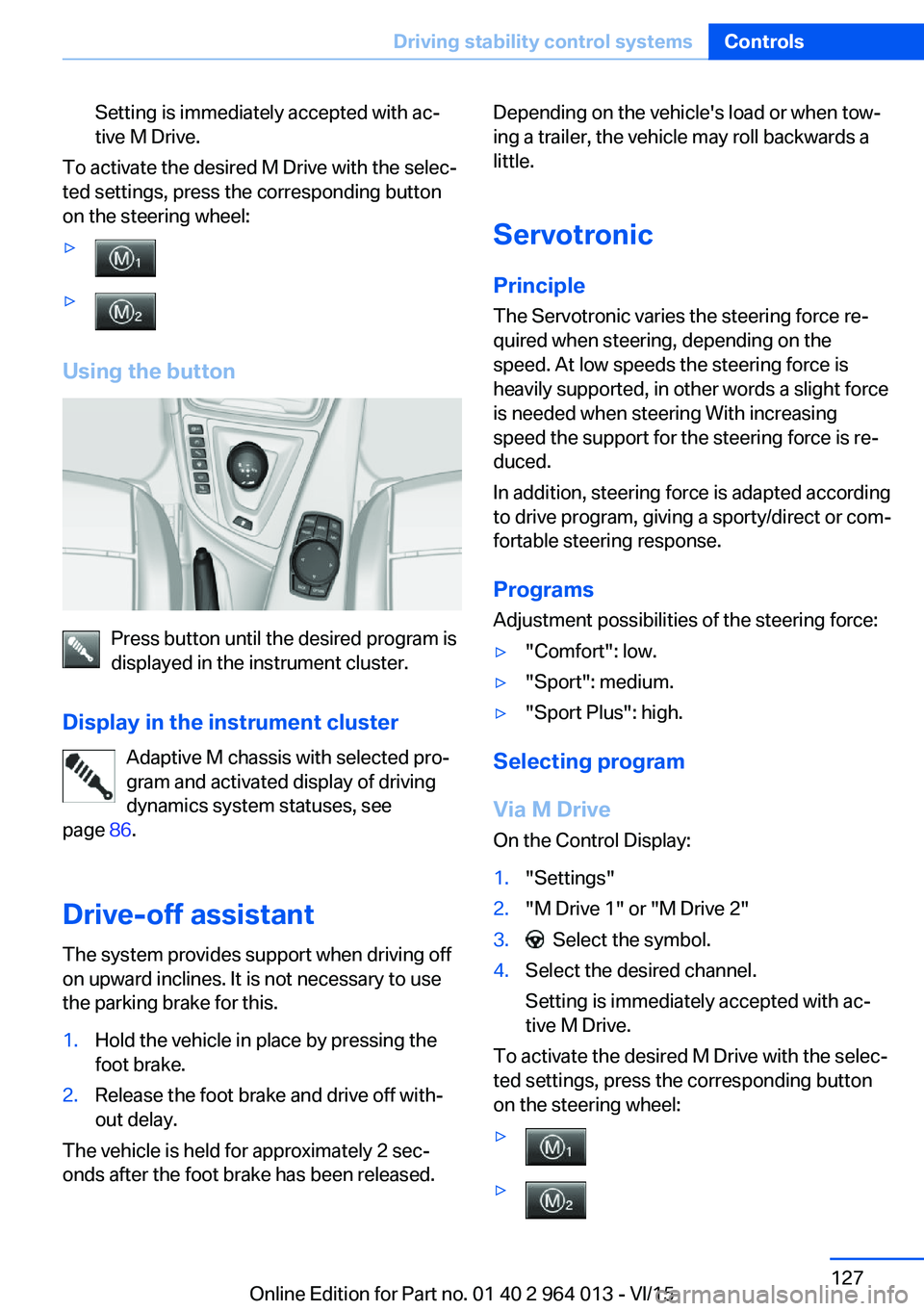
Using the button
Press button until the desired program is
displayed in the instrument cluster.
Display in the instrument cluster Adaptive M chassis with selected pro‐
gram and activated display of driving
dynamics system statuses, see
page 86.
Drive-off assistant The system provides support when driving off
on upward inclines. It is not necessary to use
the parking brake for this.
1.Hold the vehicle in place by pressing the
foot brake.2.Release the foot brake and drive off with‐
out delay.
The vehicle is held for approximately 2 sec‐
onds after the foot brake has been released.
Depending on the vehicle's load or when tow‐
ing a trailer, the vehicle may roll backwards a
little.
Servotronic
Principle The Servotronic varies the steering force re‐
quired when steering, depending on the
speed. At low speeds the steering force is
heavily supported, in other words a slight force
is needed when steering With increasing
speed the support for the steering force is re‐
duced.
In addition, steering force is adapted according
to drive program, giving a sporty/direct or com‐
fortable steering response.
Programs Adjustment possibilities of the steering force:▷"Comfort": low.▷"Sport": medium.▷"Sport Plus": high.
Selecting program
Via M Drive On the Control Display:
1."Settings"2."M Drive 1" or "M Drive 2"3. Select the symbol.4.Select the desired channel.
Setting is immediately accepted with ac‐
tive M Drive.
To activate the desired M Drive with the selec‐
ted settings, press the corresponding button
on the steering wheel:
▷▷Seite 127Driving stability control systemsControls127
Online Edition for Part no. 01 40 2 964 013 - VI/15