2016 BMW M4 steering
[x] Cancel search: steeringPage 12 of 228

CockpitVehicle equipment
This chapter describes all standard, national
and special equipment provided in the model
series. Equipment not available in the vehicle is
therefore also described, for example the se‐lected special equipment or national version.
This also applies to safety-relevant functions
and systems. Comply with the relevant na‐
tional regulations when using the correspond‐
ing functions and systems.
Around the steering wheel
1Roller sunblinds 452Power windows 433Exterior mirror operation 554Glove box on the driver's side 153
Driver Assistance SystemsLane change warning 117Intelligent Safety 110Lane departure warning 1155LightsRear fog lights 102Lights off
Daytime driving lights 100Side lights 98Low-beam headlights 98Seite 12OverviewCockpit12
Online Edition for Part no. 01 40 2 964 013 - VI/15
Page 13 of 228

Automatic driving lights con‐
trol 99
Adaptive Headlights 100
High-beam assistance 100Instrument lighting 1026Steering-column lever, leftTurn indicator 70High-beam headlights, headlight
flasher 70High-beam assistance 100Parking lights 99On-board computer 907Shift paddles 768Buttons on steering wheel, leftActivate M Drive 1 123Activate M Drive 2 123Speed limiter 119Resume speed 129Cruise Control on/off, inter‐
rupt 129Rocker switch for Cruise Control 1299Instrument cluster 7910Buttons on steering wheel, rightEntertainment sourceVolume controlVoice control 25TelephoneKnurled wheel for selection lists 9011Steering-column lever, rightWiper 71Rain sensor 71Cleaning the windows and head‐
lights 7212Start/stop engine and switch igni‐
tion on/off 66Auto Start Stop function 6713Horn, total area14Steering wheel heating 5715Steering wheel adjustment 5716Unlock bonnet 183Seite 13CockpitOverview13
Online Edition for Part no. 01 40 2 964 013 - VI/15
Page 25 of 228

Voice control systemVehicle equipment
This chapter describes all standard, national
and special equipment provided in the model
series. Equipment not available in the vehicle is
therefore also described, for example the se‐
lected special equipment or national version.
This also applies to safety-relevant functions
and systems. Comply with the relevant na‐
tional regulations when using the correspond‐
ing functions and systems.
Principle▷Through the voice control system most
functions shown in the Control Display can
be operated by spoken commands. The
system supports spoken input.▷Functions that can only be used when the
vehicle is stationary cannot be operated via
the voice control system.▷The system has a special microphone on
the driver's side.▷›...‹ Indicates commands for the voice con‐
trol system in the Owner's Handbook.
Requirements
On the control display set a language that is
also supported by the voice control system, so
that the vehicle can identify spoken com‐ mands.
Setting the language, see page 94.
Issuing voice commands
Activating the voice control system1. Press the button on the steering
wheel.2.Wait for acoustic signal.3.Issue the command.
Command detected by voice control sys‐
tem is announced and displayed in instru‐
ment cluster.
Symbol in the instrument cluster indicates
that the voice control system is active.
If no further spoken commands are possible,
switch to iDrive to control the function in this
case.
Switching off the voice control system Press the button on the steering
wheel or say ›Cancel‹.
Possible commands
Most of the menu items on the Control Display
can be called up using spoken commands.
The possible commands depend on which
menu is currently displayed on the Control Dis‐
play.
For various functions there are short com‐
mands.
Several list entries, for example telephone
book entries, can also be selected using the
voice control system. When doing this, list en‐
tries are to be spoken exactly as they are
shown in the relevant list.
Having possible commands read aloud Possible commands can be read aloud: ›Voice
commands‹.
Seite 25Voice control systemOverview25
Online Edition for Part no. 01 40 2 964 013 - VI/15
Page 26 of 228
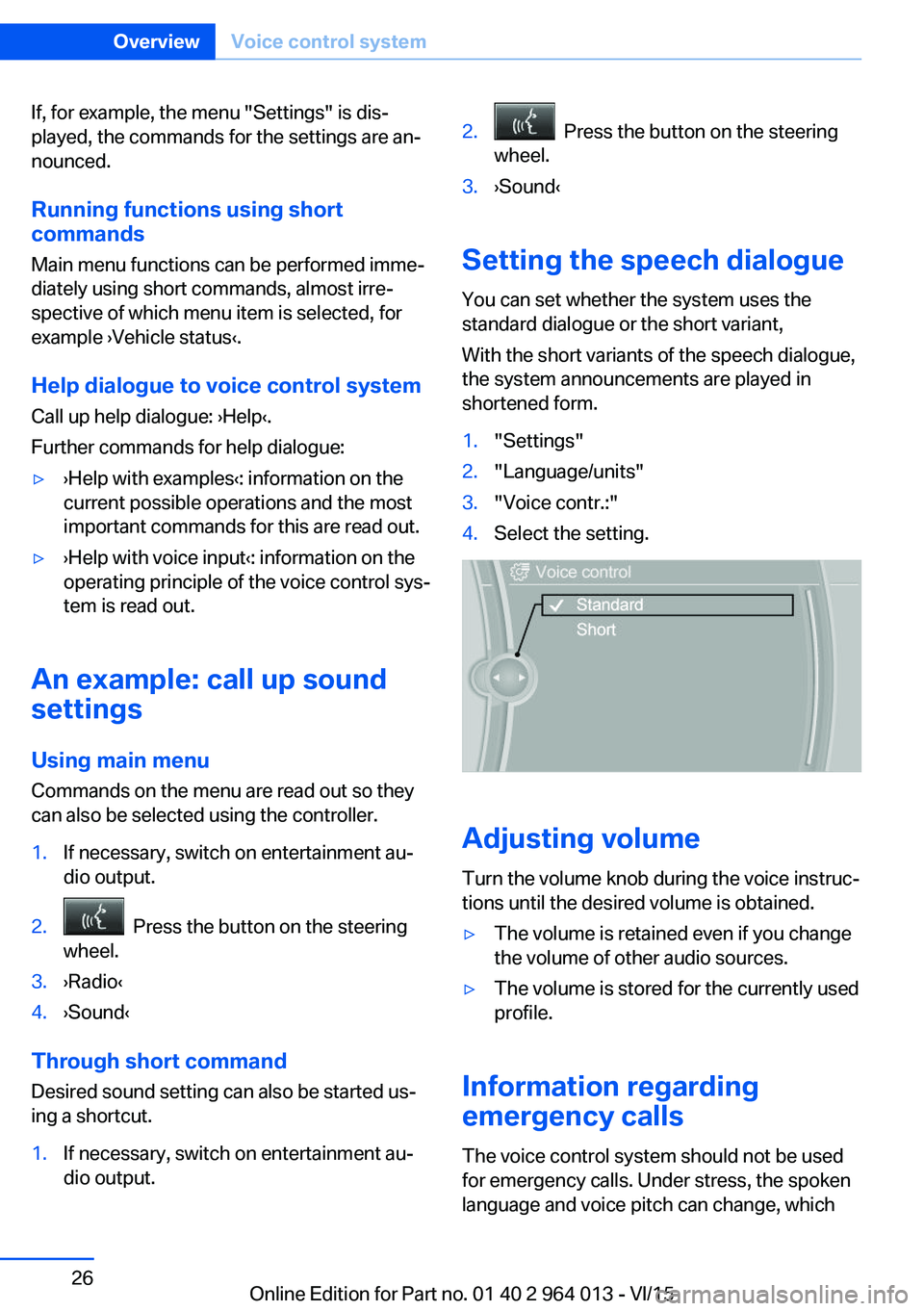
If, for example, the menu "Settings" is dis‐
played, the commands for the settings are an‐
nounced.
Running functions using short commands
Main menu functions can be performed imme‐
diately using short commands, almost irre‐
spective of which menu item is selected, for
example ›Vehicle status‹.
Help dialogue to voice control system
Call up help dialogue: ›Help‹.
Further commands for help dialogue:▷›Help with examples‹: information on the
current possible operations and the most
important commands for this are read out.▷›Help with voice input‹: information on the
operating principle of the voice control sys‐
tem is read out.
An example: call up sound
settings
Using main menu Commands on the menu are read out so they
can also be selected using the controller.
1.If necessary, switch on entertainment au‐
dio output.2. Press the button on the steering
wheel.3.›Radio‹4.›Sound‹
Through short command
Desired sound setting can also be started us‐
ing a shortcut.
1.If necessary, switch on entertainment au‐
dio output.2. Press the button on the steering
wheel.3.›Sound‹
Setting the speech dialogue
You can set whether the system uses the
standard dialogue or the short variant,
With the short variants of the speech dialogue,
the system announcements are played in
shortened form.
1."Settings"2."Language/units"3."Voice contr.:"4.Select the setting.
Adjusting volume
Turn the volume knob during the voice instruc‐
tions until the desired volume is obtained.
▷The volume is retained even if you change
the volume of other audio sources.▷The volume is stored for the currently used
profile.
Information regarding
emergency calls
The voice control system should not be used
for emergency calls. Under stress, the spoken
language and voice pitch can change, which
Seite 26OverviewVoice control system26
Online Edition for Part no. 01 40 2 964 013 - VI/15
Page 33 of 228

Replacing the battery1.Remove the integrated key from the re‐
mote control.2.Push in catch with the key, arrow 1.3.Remove the cover for the battery compart‐
ment, arrow 2.4.Insert a new battery of the same type with
the positive side facing upwards.5.Press the cover back into position.
Dispose of old batteries at a Service
Partner or a qualified specialist work‐
shop or hand them into an authorised
collecting point.
New remote controlsNew remote controls are available from a Serv‐
ice Partner or a qualified specialist workshop.
Loss of remote controls
A lost remote control can be blocked by a
Service Partner or a qualified specialist work‐
shop.
Special ID of the remote control The ignition can be switched on or the engine
started even in one of the following situations:
▷Interference in the radio transmission to
the remote control from external sources,
for example by radio masts.▷Flat battery in the remote control.▷Fault in radio transmission due to mobile
radio device in the immediate vicinity of the
remote control.▷Fault in radio transmission due to the
charger when charging in the vehicle, for
example for mobile devices.
If an attempt is made to switch on the ignition
or start the engine, a Check Control message
is displayed.
Starting engine with special ID ofremote control
M double clutch transmission: with the rele‐
vant Check Control message, hold the remote
control, as illustrated, to the mark on the steer‐
ing column and press the start/stop button
within 10 seconds with the brake depressed.
Manual gearbox: with the relevant Check Con‐
trol message, hold the remote control, as illus‐
trated, to the mark on the steering column and
press the start/stop button within 10 seconds
with the clutch depressed.
If the remote control is not detected: change
the height of the remote control slightly and
repeat the procedure.
Personal Profile
Principle Personal profile provides three profiles in
which personal vehicle settings can be saved.
Each remote control is allocated to one of
these profiles.
When the vehicle is unlocked with a remote
control, the allocated personal profile is activa‐
ted. All the settings saved in the profile are
made automatically.
Seite 33Opening and closingControls33
Online Edition for Part no. 01 40 2 964 013 - VI/15
Page 34 of 228

If several drivers each use their own remote
control, the vehicle will adapt to their personal
settings when it is unlocked. These settings
are also resaved if the vehicle is used in the in‐
tervening period by someone with a different
remote control.
Changes to settings are saved automatically in
the personal profile.
Three personal profiles and a guest profile can
be created.
Settings
Settings for the following systems and func‐
tions are saved in the active profile. The extent
of settings that can be saved depends on the
country and equipment.▷Unlocking and locking.▷Light.▷Air conditioning.▷Radio.▷Instrument cluster.▷Favourites buttons.▷Volumes, sound.▷Control Display.▷Navigation.▷TV.▷Park Distance Control PDC.▷Rear-view camera.▷Side view.▷Head-Up Display.▷M Drive: configurations.▷Driver's seat position, exterior mirror posi‐
tion, steering wheel position.▷Cruise Control.▷Intelligent Safety.▷Lane change warning.Profile management
Calling up profiles Independently of the remote control that is
used, another profile can be called up.
Via iDrive:1."Settings"2."Profiles"3.Select a profile.▷The settings saved in the called-up profile
are made automatically.▷The profile called up is assigned to the re‐
mote control currently used.▷If the profile has already been allocated to
another remote control, this profile applies
to both remote controls. It is no longer
possible to differentiate between the set‐
tings of both remote controls.
Renaming profiles
To avoid mixing up the profiles, each profile
can be given a personal name.
On the Control Display:
1."Settings"2."Profiles"3.Call up "Options".4."Rename current profile"
Resetting profiles Settings of the active profile are reset to fac‐
tory settings.
On the Control Display:
1."Settings"2."Profiles"3.Call up "Options".4."Reset current profile"
Exporting profiles Most of the settings of the active profile can be
exported.
Seite 34ControlsOpening and closing34
Online Edition for Part no. 01 40 2 964 013 - VI/15
Page 57 of 228
Steering wheel
Note WARNING
Steering wheel adjustment during the
journey can lead to unexpected steering wheel
movements. You could lose control of the vehi‐
cle. Danger of accidents. Only adjust the steer‐
ing wheel when the vehicle is at a standstill.◀
Electric steering wheel lock With manual gearbox: The steering wheel
locks automatically when the driver's door is
opened.
Switch on ignition to unlock.
WARNING
If steering wheel lock is activated, the ve‐
hicle cannot be steered. Danger of accidents.
Switch on the ignition prior to moving the vehi‐
cle.◀
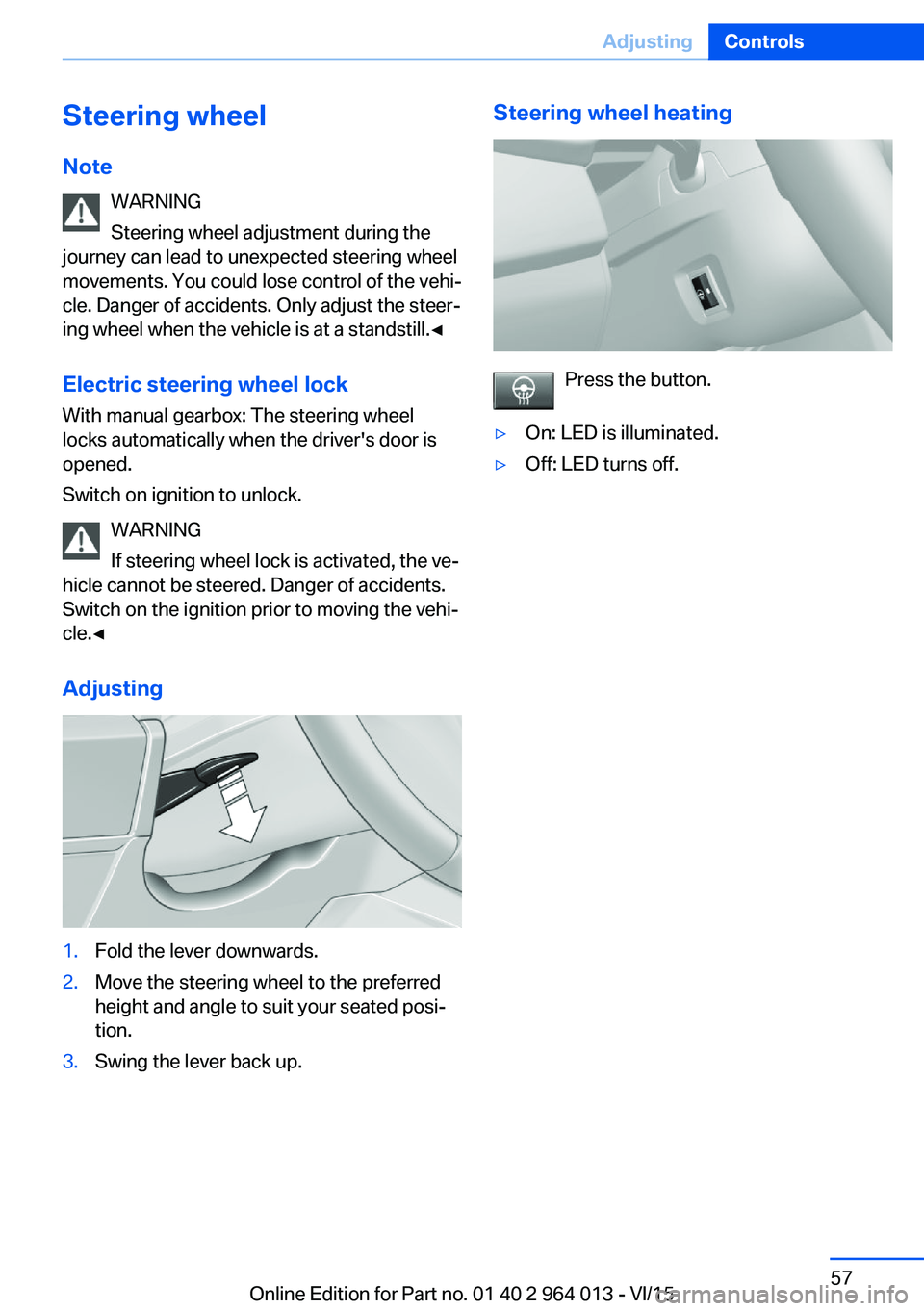
Adjusting1.Fold the lever downwards.2.Move the steering wheel to the preferred
height and angle to suit your seated posi‐
tion.3.Swing the lever back up.Steering wheel heating
Press the button.
▷On: LED is illuminated.▷Off: LED turns off.Seite 57AdjustingControls57
Online Edition for Part no. 01 40 2 964 013 - VI/15
Page 68 of 228

▷Driver's seat belt buckled or driver's door
closed.
The air flow rate of the air conditioning system
is reduced when the engine is not running.
Displays in the instrument cluster The display READY in the revo‐
lution counter indicates that the
Auto Start Stop function is
ready for automatic engine
starting.
The display indicates that the preconditions for an automatic
engine stop are not met.
Restrictions of the function The engine is not shut down automatically in
the following situations:
▷Outside temperature too low.▷High outside temperature and operation of
the automatic air conditioning.▷Interior not heated or cooled to the desired
temperature.▷Engine is not yet at operating temperature.▷Sharp steering angle or steering operation.▷After reversing.▷Condensation when the automatic air con‐
ditioning is switched on.▷Vehicle battery is heavily discharged.▷At high altitudes.▷Bonnet is unlocked.▷Parking assistant is activated.▷Stop-and-go traffic.▷Use of fuel with high ethanol content.
Engine start
For driving off, the engine automatically starts
under the following conditions:
▷M double clutch transmission:
By releasing the brake pedal.▷Manual gearbox:
Clutch pedal is depressed.
After starting the engine, accelerate as normal.
Safety function After an automatic shut down, the engine will
not restart automatically if one of the following
conditions is satisfied:
▷Driver's seat belt unbuckled and driver's
door open.▷Bonnet has been unlocked.
Several indicator lights illuminate for various
lengths of time.
The engine can only be started using the start/
stop button.
Restrictions of the function
Even if you do not want to drive off, the engine
restarts automatically in the following situa‐
tions:
▷Very high temperature inside the passen‐
ger compartment, if the cooling function is
on.▷The driver applies lock to the steering
wheel.▷M double clutch transmission: Shift from
selector lever position D to N, R or D/S.▷M double clutch transmission: Depress the
accelerator and the brake at the same time.▷Vehicle starts to roll.▷Condensation when the automatic air con‐
ditioning is switched on.▷Vehicle battery is very low.▷Very low temperature inside the passenger
compartment, if the heating is on.▷Low brake vacuum, for example because
the brake pedal has been depressed a
number of times in succession.Seite 68ControlsDriving68
Online Edition for Part no. 01 40 2 964 013 - VI/15