Page 255 of 886
2552-4. Using other driving systems
2
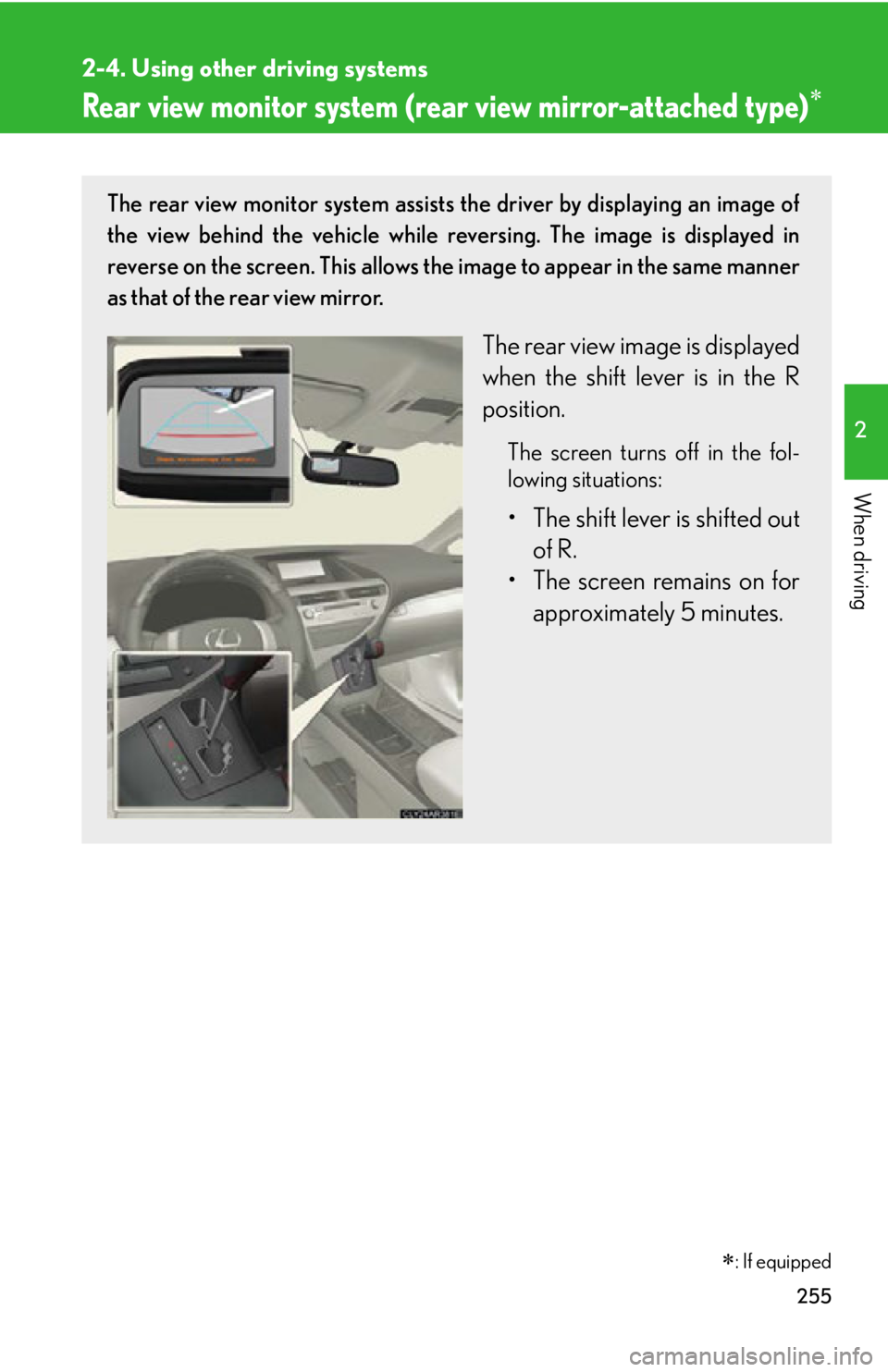
When driving Rear view monitor system (rea r view mirror-attached type) The rear view monitor system assists the driver by displaying an image of
the view behind the vehicle while re versing. The image is displayed in
reverse on the screen. This allows the image to appear in the same manner
as that of the rear view mirror.
The rear view image is displayed
when the shift lever is in the R
position. The screen turns off in the fol-
lowing situations:
• The shift lever is shifted out
of R.
• The screen remains on for
approximately 5 minutes.
: If equipped
Page 256 of 886
2562-4. Using other driving systems
■
The rear view monitor system can be operated when
The shift lever is in R, the “ENGINE START STOP” switch is in IGNITION ON
mode.■
Changing display modes
The rear view monitor display mode ca n be changed while the screen is on.●
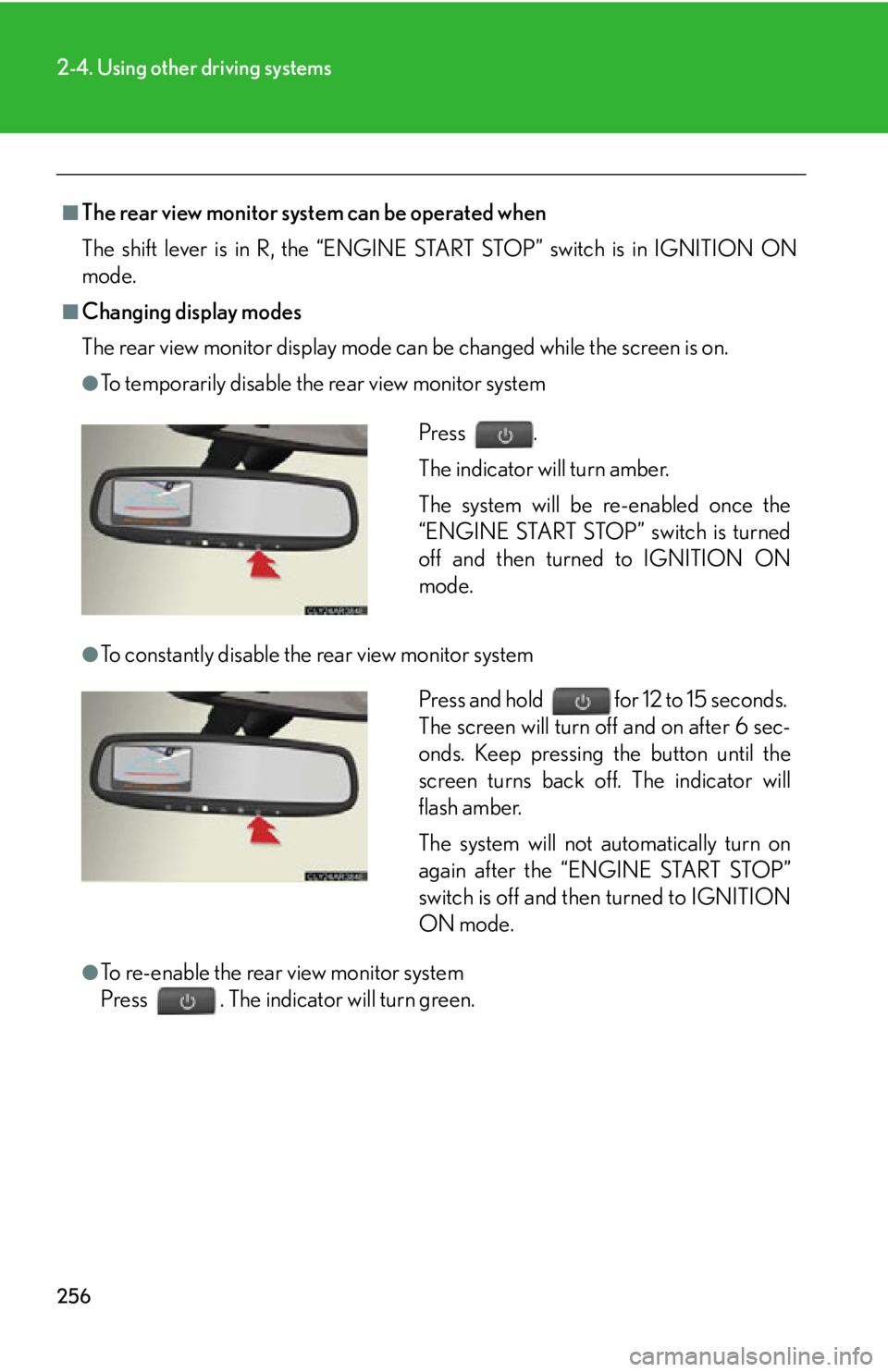
To temporarily disable the rear view monitor system
●
To constantly disable the rear view monitor system
●
To re-enable the rear view monitor system
Press . The indicator will turn green. Press .
The indicator will turn amber.
The system will be re-enabled once the
“ENGINE START STOP” switch is turned
off and then turned to IGNITION ON
mode.
Press and hold for 12 to 15 seconds.
The screen will turn off and on after 6 sec-
onds. Keep pressing the button until the
screen turns back off. The indicator will
flash amber.
The system will not automatically turn on
again after the “ENGINE START STOP”
switch is off and then turned to IGNITION
ON mode.
Page 258 of 886
2582-4. Using other driving systems
■
Rear view monitor guide lines
Guide lines are displayed on the screen.
Guidelines shown differ from those
shown on the actual screen.
Vehicle width extension guide lines
(blue)
These lines indicate the estimated vehi-
cle width extension.
Distance guide line (blue)
This line indicates a position on the
ground about 3 ft. (1 m) behind on the
ground of the rear bumper of your vehi-
cle.
Distance guide line (red)
This line indicates a position on the
ground about 1.5ft. (0.5 m) behind on
the ground of the rear bumper of your
vehicle.
Vehicle center guide lines (blue)
These lines indicate the estimated vehi-
cle center on the ground.
Page 259 of 886
2592-4. Using other driving systems
2
When driving ■
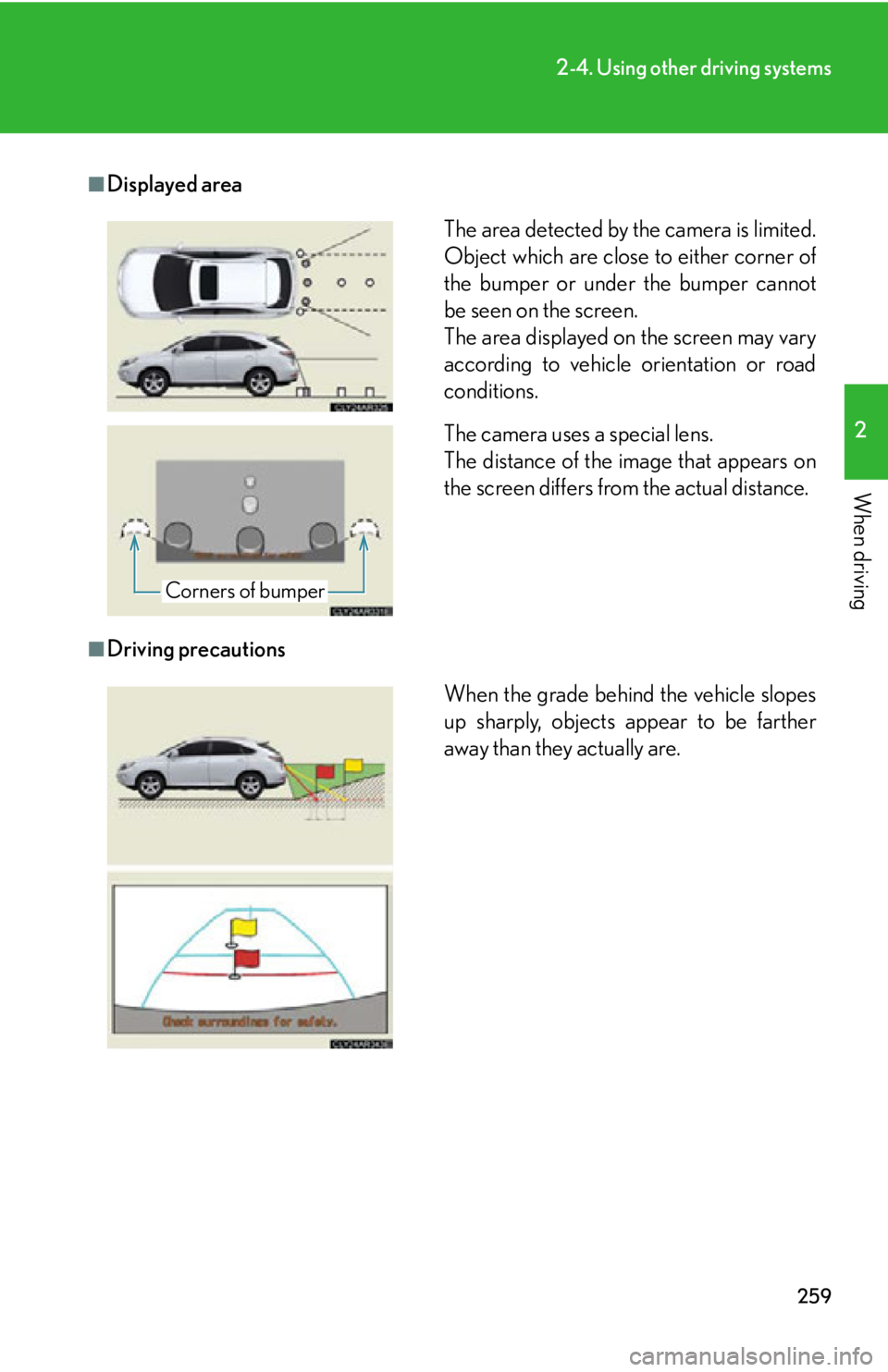
Displayed area
■
Driving precautions The area detected by the camera is limited.
Object which are close to either corner of
the bumper or under the bumper cannot
be seen on the screen.
The area displayed on the screen may vary
according to vehicle orientation or road
conditions.
The camera uses a special lens.
The distance of the image that appears on
the screen differs from the actual distance.
Corners of bumper
When the grade behind the vehicle slopes
up sharply, objects appear to be farther
away than they actually are.
Page 262 of 886

2622-4. Using other driving systems
■
Flicker effect
When the camera is used under fluorescent light, sodium lights, or mercury lights
etc., the lights and the illuminated areas may appear to flicker.
CAUTION■
When using the rear view monitor system, observe the following precautions to
avoid an accident that could result in death or serious injuries: ●
Never depend solely on the monitor system when reversing.●
Always check visually and with the mirrors to confirm your intended path is clear.●
Use your own eyes to confirm the vehicle’s surroundings, as the displayed image
may become faint or dark, and moving imag es will be distorted, or not entirely
visible when the outside temperature is low. When backing up, be sure to check
behind and all around the vehicle visually and with the mirrors before proceeding.●
Always check the vehicle surrounding area, because the guide lines are ancillary
lines.●
The guide lines are ancillary lines and do not change even if the steering wheel is
turned.●
Depicted distances between objects and flat surfaces differ from actual dis-
tances.●
Do not use the system if the back door is open.
Page 263 of 886
2632-4. Using other driving systems
2
When driving NOTICE■
Conditions which may affect the rear view monitor system ●
If the back of the vehicle has been hit, the camera’s position and mounting angle
may have changed. Have the vehicle inspected by your Lexus dealer.●
Rapid temperature changes, such as when hot water is poured on the vehicle in
cold weather, may cause the system to function abnormally.●
If the camera lens is dirty, it cannot transmit a clear image. Rinse with water and
wipe with a soft cloth. If extremely dirty, wash with a mild cleanser and rinse.●
The displayed image may be darker and mo ving images may be slightly distorted
when the system is cold.■
Camera precautions ●
As the camera has a water proof constr uction, do not detach, disassemble or
modify it. This may cause incorrect operation.●
Do not subject the camera to a strong impact.●
If the camera lens becomes dirty, it cannot transmit a clear image. If water drop-
lets, snow, or mud adhere to the lens, rinse with water and wipe wi th a soft cloth. If
the lens is extremely dirty, wash it with a mild cleanser and rinse. Do not rub hard.●
Do not allow organic solvent, car wax, window cleaner or glass coat to adhere to
the camera. If this happens, wipe it off as soon as possible.●
Do not strongly rub the camera lens. If the camera lens is scratched, it cannot
transmit a clear image.●
When washing the vehicle, do not apply intensive bursts of water to the camera
or camera area. Doing so may result in the camera malfunctioning.●
When replacing tires, please consult your Lexus dealer. If you replace the tires,
the area displayed on the screen may change.
Page 264 of 886
2642-4. Using other driving systems
Rear view monitor system (vehicles with the Lexus Display Audio system)
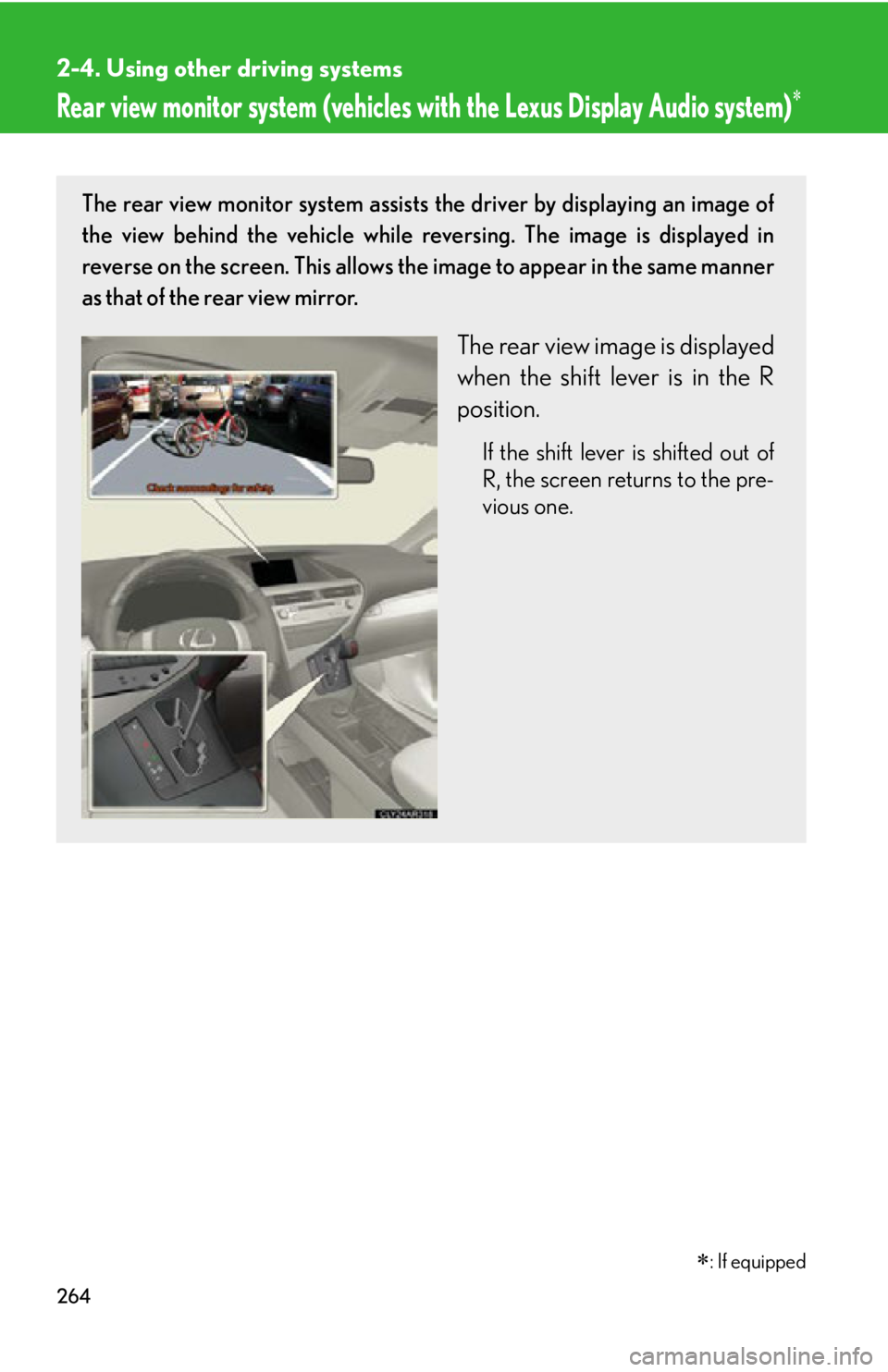
: If equippedThe rear view monitor system assists the driver by displaying an image of
the view behind the vehicle while re versing. The image is displayed in
reverse on the screen. This allows the image to appear in the same manner
as that of the rear view mirror.
The rear view image is displayed
when the shift lever is in the R
position. If the shift lever is shifted out of
R, the screen returns to the pre-
vious one.
Page 265 of 886
2652-4. Using other driving systems
2
When driving ■
Displayed area
The area detected by the camera is limited.
Object which are close to either corner of
the bumper or under the bumper cannot
be seen on the screen.
The area displayed on the screen may vary
according to vehicle orientation or road
conditions.
The camera uses a special lens.
The distance of the image that appears on
the screen differs from the actual distance.
Corners of bumper