Page 148 of 564
Automatic Settings
In hot weather, the system is set to 72°F (22°C). The cooled seats are
set to high (if available, and selected to AUTO in the information
display).
In moderate weather, the system either heats or cools (based on
previous settings). The rear defroster, heated mirrors and heated seats
do not automatically turn on.
In cold weather, the system is set to 72°F (22°C). The heated seats are
set to high (if available, and selected to AUTO in the information
display). The rear defroster and heated mirrors automatically turn on.
Climate Control147
2015 Expedition(exd)
Owners Guide gf, 1st Printing, July 2014
USA(fus)
Page 157 of 564
Easy Entry and Exit Feature (If Equipped)
The Easy Entry and Exit feature adjusts the position of the seat and
steering column to allow easier exit and entry to the vehicle.
The driver seat automatically moves 2 inches (5 centimeters) rearward
when the transmission is in park (P) and you remove the key from the
ignition or you switch the ignition off.
The driver seat returns to the previous position when you put the key in
the ignition or switch the ignition on.
Enable or disable this feature through the information display. See the
Information Displayschapter.
Climate Controlled Seats (If Equipped)
Heated Seats
WARNING:Persons who are unable to feel pain to the skin
because of advanced age, chronic illness, diabetes, spinal cord
injury, medication, alcohol use, exhaustion, or other physical conditions,
must exercise care when using the seat heater. The seat heater may
cause burns even at low temperatures, especially if used for long
periods of time. Do not place anything on the seat that insulates against
heat, such as a blanket or cushion, because this may cause the seat
heater to overheat. Do not puncture the seat with pins, needles, or
other pointed objects because this may damage the heating element
which may cause the seat heater to overheat. An overheated seat may
cause serious personal injury.
Note:Do not do the following:
•Place heavy objects on the seat.
•Operate the seat heater if water or any other liquid is spilled on the
seat. Allow the seat to dry thoroughly.
The heated seats will only function when the engine is running.
To operate the heated seats:
Press the heated seat symbol to cycle through the various
heat settings and off. Warmer settings are indicated by
more indicator lights.
156Seats
2015 Expedition(exd)
Owners Guide gf, 1st Printing, July 2014
USA(fus)
Page 158 of 564
Cooled Seats
The cooled seats will only function when the engine is running.
To operate the cooled seats:
Press the cooled seat symbol to cycle through the various
cooling settings and off. Cooler settings are indicated by
more indicator lights.
If the engine falls below 350 RPM while the cooled seats are
on, the feature will turn itself off. You will need to reactivate it.
Climate Controlled Seats Air Filter Replacement (If Equipped)
The climate controlled seat system includes air filters. You must replace
them periodically. Seescheduled maintenance informationfor more
information.
There is a filter located under each front seat. You can access the filter
from the second row seat. Move the front seats all the way forward and
up to ease access.
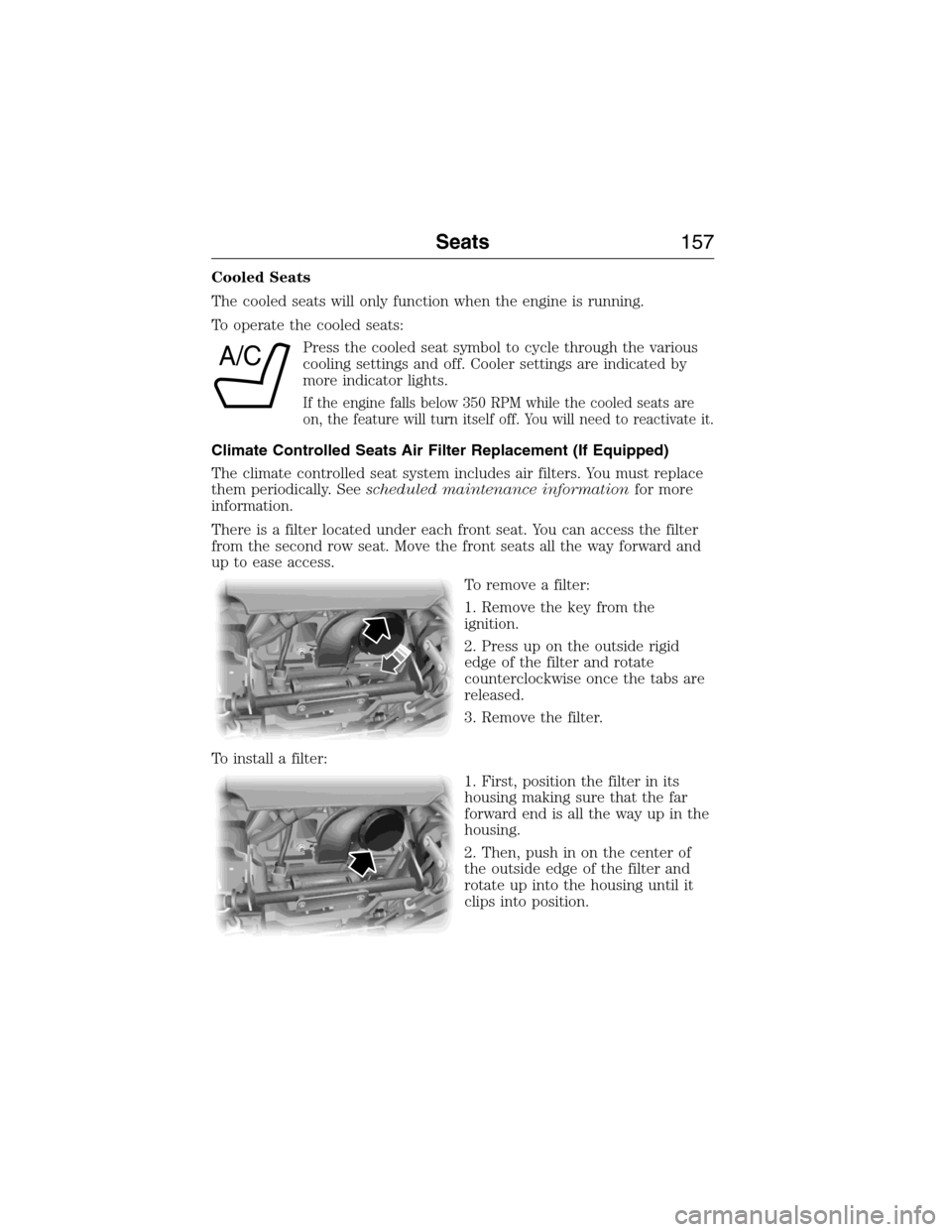
To remove a filter:
1. Remove the key from the
ignition.
2. Press up on the outside rigid
edge of the filter and rotate
counterclockwise once the tabs are
released.
3. Remove the filter.
To install a filter:
1. First, position the filter in its
housing making sure that the far
forward end is all the way up in the
housing.
2. Then, push in on the center of
the outside edge of the filter and
rotate up into the housing until it
clips into position.
A/C
Seats157
2015 Expedition(exd)
Owners Guide gf, 1st Printing, July 2014
USA(fus)
Page 437 of 564
GENERAL INFORMATION
WARNING:Driving while distracted can result in loss of vehicle
control, crash and injury. We strongly recommend that you use
extreme caution when using any device that may take your focus off
the road. Your primary responsibility is the safe operation of your
vehicle. We recommend against the use of any hand-held device while
driving and encourage the use of voice-operated systems when possible.
Make sure you are aware of all applicable local laws that may affect the
use of electronic devices while driving.
A. Phone
B. Navigation (or Information if your vehicle is not equipped with
Navigation)
C. Climate
D. Settings
E. Home
F. Information
G. Entertainment
AB
GCDFE
436MyFord Touch® (If Equipped)
2015 Expedition(exd)
Owners Guide gf, 1st Printing, July 2014
USA(fus)
Page 438 of 564

This system uses a four-corner strategy to provide quick access several
vehicle features and settings. The touchscreen provides easy interaction
with your cellular phone, multimedia, climate control and navigation
system. The corners display any active modes within those menus, such
as phone status or the climate temperature.
Note:Some features are not available while your vehicle is moving.
Note:Your system is equipped with a feature that allows you to access
and control audio features for 30 minutes after you switch the ignition
off (and no doors open).
PHONE
Press to select any of the following:
•Making and Receiving Calls
•Quick Dial
•Phonebook
•Call History
•Text Messaging
•Settings
NAVIGATION
Press to select any of the following:
•My Home
•Favorites
•Previous Destinations
•Point of Interest
•Emergency
•Street Address
•Intersection
•City Center
•Map
•Edit Route
•Cancel Route
CLIMATE
Press to select any of the following:
•Driver Settings
•Recirculated Air
•Auto
•Dual
•Passenger Settings
•A/C
•Defrost
MyFord Touch® (If Equipped)437
2015 Expedition(exd)
Owners Guide gf, 1st Printing, July 2014
USA(fus)
Page 440 of 564
Using the Touchscreen
To turn a feature on and off, just touch the graphic with your finger. To
get the best performance from the touch-sensitive controls:
•Make sure your hands are clean and dry.
•Press firmly on the center of a control graphic or menu item.
•Keep metal and other conductive material away from the surface of
the touchscreen.
Using Your Audio and Climate Controls
Depending on your vehicle and option package, you may also have these
controls on your bezel:
•Power:Switch the media or climate features off and on.
•VOL:Control the volume of playing media.
•SeekandTune:Use as you normally would in media modes.
•PRESETS:Press and hold a numbered button to store a radio or
Sirius station. Press to recall the stored station.
•Eject:Eject a CD from the entertainment system.
•Climate control:Control the temperature, fan speed and settings of
the climate control system.
•
MEDIA:Touch repeatedly to see all available media sources. If not on
an audio screen, the media change appears in the lower left status bar.
Using Your Steering Wheel Controls
Depending on your vehicle and option package, you can use your
steering wheel controls to interact with the touchscreen system.
•VOL:Control the volume of audio output.
•VOICE:Press to start a voice session. Press again and hold to end a
voice session.
•SEEKandPHONE SEND:
•While in radio mode, press to seek between presets or press and
hold to seek between stations.
•While in USB or CD mode, press to seek between stations or press
and hold to fast seek.
•
While in phone mode, press to answer a call or switch between calls.
•SEEKandPHONE END:
•While in radio mode, press to seek between presets or press and
hold to seek between stations.
•While in USB or CD mode, press to seek between stations or press
and hold to fast seek.
•
While in phone mode, press to end a call or reject an incoming call.
See theSteering Wheelchapter for more information.
MyFord Touch® (If Equipped)439
2015 Expedition(exd)
Owners Guide gf, 1st Printing, July 2014
USA(fus)
Page 446 of 564
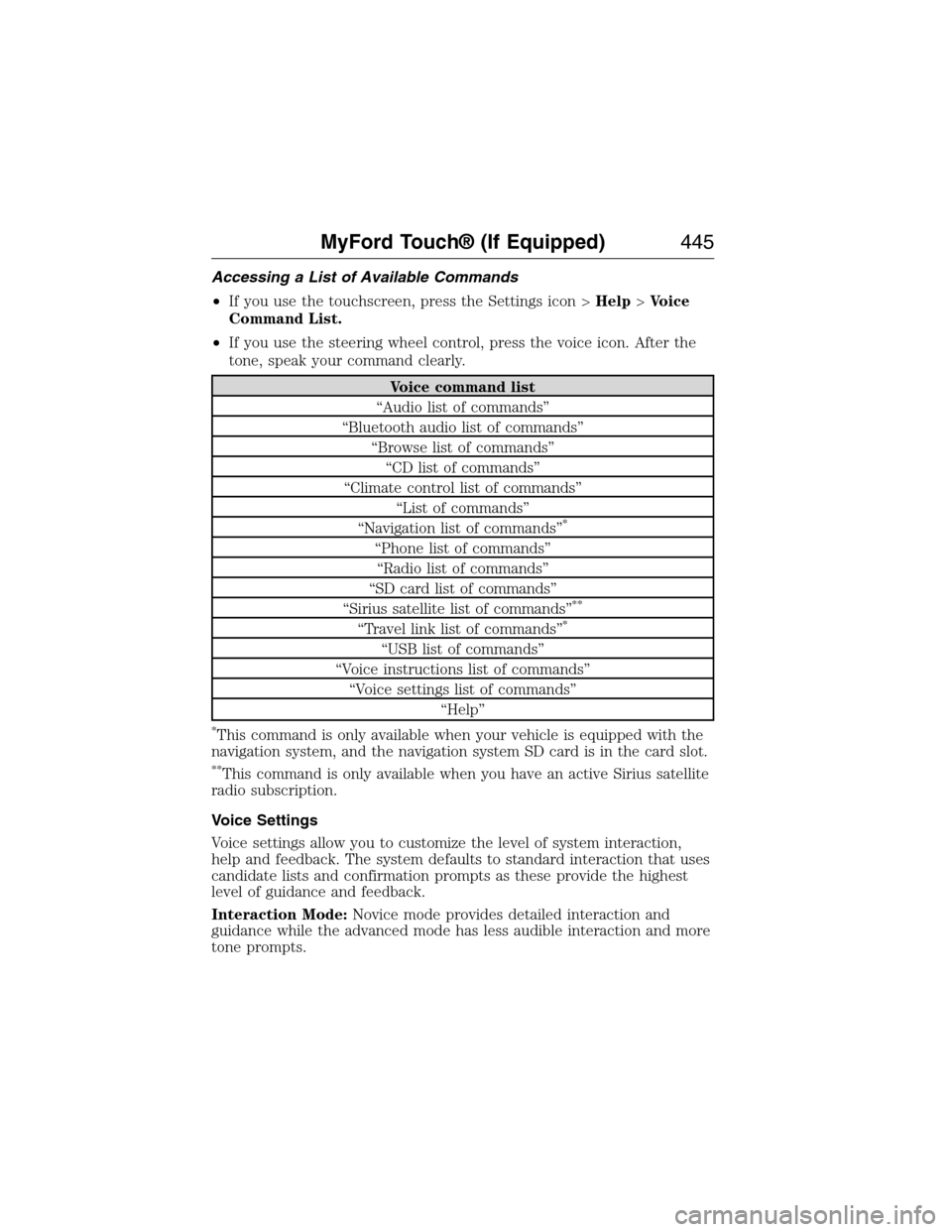
Accessing a List of Available Commands
•If you use the touchscreen, press the Settings icon >Help>Voice
Command List.
•If you use the steering wheel control, press the voice icon. After the
tone, speak your command clearly.
Voice command list
“Audio list of commands”
“Bluetooth audio list of commands”
“Browse list of commands”
“CD list of commands”
“Climate control list of commands”
“List of commands”
“Navigation list of commands”
*
“Phone list of commands”
“Radio list of commands”
“SD card list of commands”
“Sirius satellite list of commands”
**
“Travel link list of commands”*
“USB list of commands”
“Voice instructions list of commands”
“Voice settings list of commands”
“Help”
*This command is only available when your vehicle is equipped with the
navigation system, and the navigation system SD card is in the card slot.
**This command is only available when you have an active Sirius satellite
radio subscription.
Voice Settings
Voice settings allow you to customize the level of system interaction,
help and feedback. The system defaults to standard interaction that uses
candidate lists and confirmation prompts as these provide the highest
level of guidance and feedback.
Interaction Mode:Novice mode provides detailed interaction and
guidance while the advanced mode has less audible interaction and more
tone prompts.
MyFord Touch® (If Equipped)445
2015 Expedition(exd)
Owners Guide gf, 1st Printing, July 2014
USA(fus)
Page 490 of 564
Camera Settings
This menu allows you to access settings for your rear view camera.
Press the Settings icon >Vehicle>Camera Settings,then select from
the following settings:
•Enhanced Park Aids.
•Rear Camera Delay.
Enable Valet Mode
Valet mode allows you to lock the system. No information is accessible
until the system is unlocked with the correct PIN.
1. Press the Settings icon >Vehicle>Enable Valet Mode.
2. Enter a four-digit pin twice, as prompted.
After you press Continue, the system locks until you enter the PIN again.
Note:If the system locks, and you need to reset the PIN, enter 3681 and
the system unlocks.
Settings
Access and adjust system settings, voice features, as well as phone,
navigation and wireless settings.
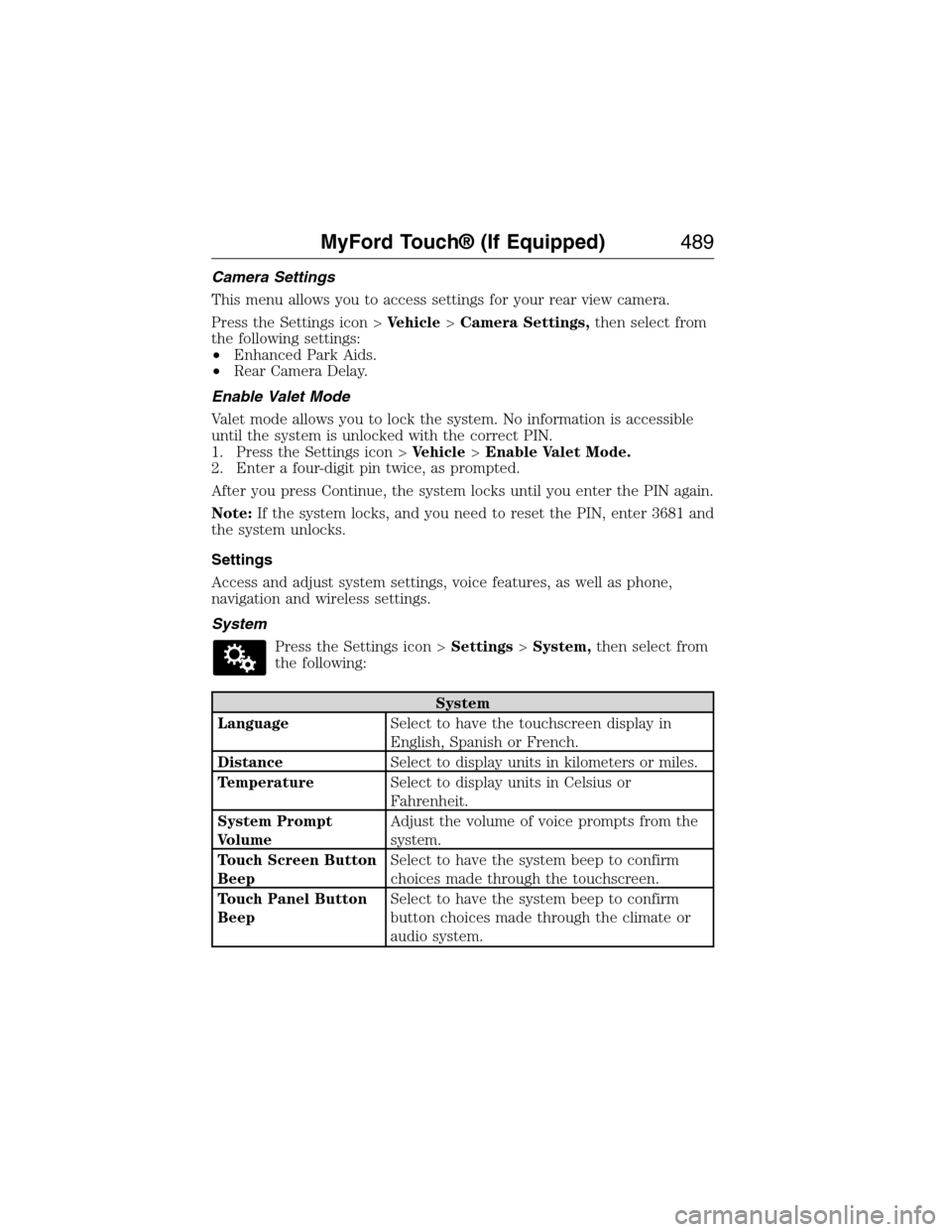
System
Press the Settings icon >Settings>System,then select from
the following:
System
LanguageSelect to have the touchscreen display in
English, Spanish or French.
DistanceSelect to display units in kilometers or miles.
TemperatureSelect to display units in Celsius or
Fahrenheit.
System Prompt
VolumeAdjust the volume of voice prompts from the
system.
Touch Screen Button
BeepSelect to have the system beep to confirm
choices made through the touchscreen.
Touch Panel Button
BeepSelect to have the system beep to confirm
button choices made through the climate or
audio system.
MyFord Touch® (If Equipped)489
2015 Expedition(exd)
Owners Guide gf, 1st Printing, July 2014
USA(fus)