Page 507 of 872
507
3-4. Using the rear audio system
3
Interior features
SIENNA_OM_OM45483U_(U)
Turning the rear seat entertainment system power on/off
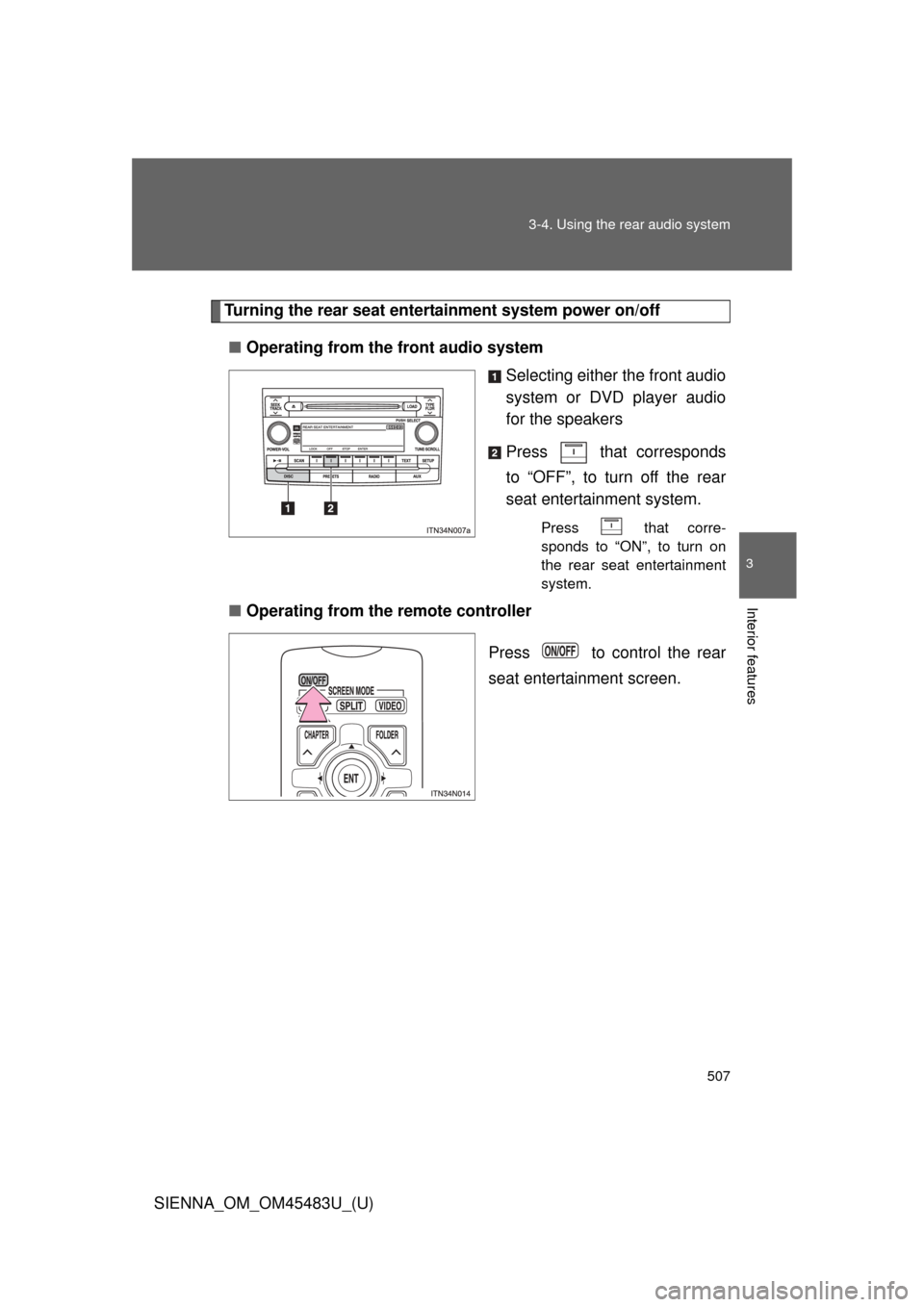
■ Operating from the front audio system
Selecting either the front audio
system or DVD player audio
for the speakers
Press that corresponds
to “OFF”, to turn off the rear
seat entertainment system.
Press that corre-
sponds to “ON”, to turn on
the rear seat entertainment
system.
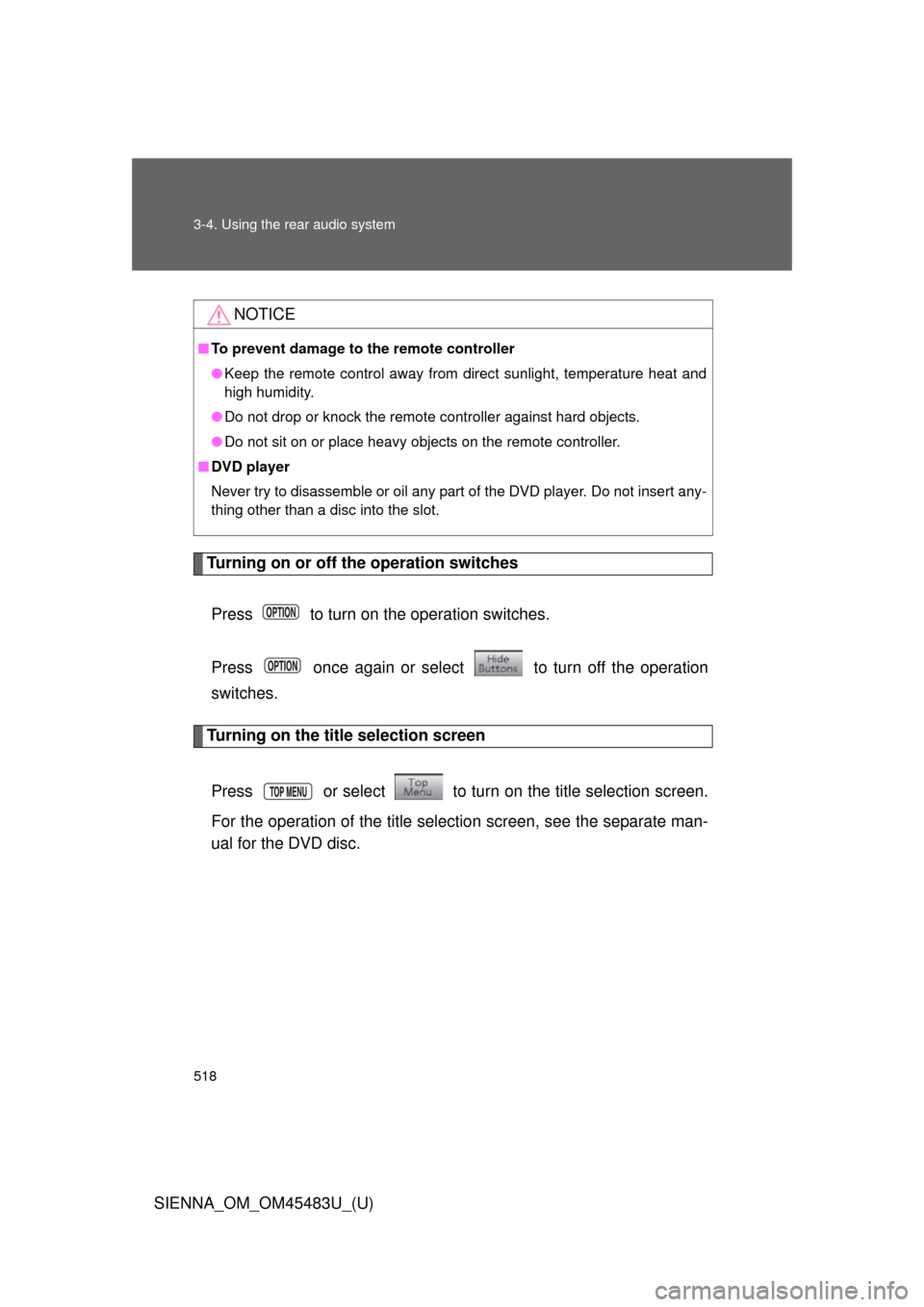
■Operating from the remote controller
Press to control the rear
seat entertainment screen.
Page 518 of 872
518 3-4. Using the rear audio system
SIENNA_OM_OM45483U_(U)
Turning on or off the operation switchesPress to turn on the operation switches.
Press once again or select to turn off the operation
switches.
Turning on the title selection screen
Press or select to turn on the title selection screen.
For the operation of the title selection screen, see the separate man-
ual for the DVD disc.
NOTICE
■ To prevent damage to the remote controller
●Keep the remote control away from direct sunlight, temperature heat and
high humidity.
● Do not drop or knock the remote controller against hard objects.
● Do not sit on or place heavy objects on the remote controller.
■ DVD player
Never try to disassemble or oil any part of the DVD player. Do not insert any-
thing other than a disc into the slot.
Page 542 of 872
542 3-4. Using the rear audio system
SIENNA_OM_OM45483U_(U)
■Language code list
CodeLanguage
0514 English
0618 French
0405 German
0920 Italian
0519 Spanish
2608 Chinese
1412 Dutch
1620 Portuguese
1922 Swedish
1821 Russian 1115 Korean
0512 Greek
0101 Afar
0102 Abkhazian
0106 Afrikaans 0113 Amharic
0118 Arabic
0119 Assamese
0125 Aymara
0126 Azerbaijani
0201 Bashkir
0205 Byelorussian
0207 Bulgarian
0208 Bihari
0209 Bislama
0214 Bengali
0215 Tibetan
0218 Breton
0301 Catalan
0315 Corsican
0319 Czech
0325 Welsh
0401 Danish
0426 Bhutani
0515 Esperanto
0520 Estonian
0521 Basque
0601 Persian
0609 Finnish
0610 Fiji
0615 Faroese
0625 Frisian
0701 Irish
0704 Scots-Gaelic
0712 Galician
0714 Guarani
CodeLanguage
Page 549 of 872
549
3-5. Using the hand
s-free phone system (for cellular phone)
3
Interior features
SIENNA_OM_OM45483U_(U)
CAUTION
■FCC WARNING
Changes or modifications not expressly approved by the party responsible
for compliance could void the user’s authority to operate the equipment.
Radio Frequency Radiation Exposure. This equipment complies with FCC/
IC radiation exposure limits set forth for uncontrolled equipment and meets
the FCC radio frequency (RF) Exposure Guidelines in Supplement C to
OET65 and RSS-102 of the IC radio frequency (RF) Exposure rules. This
equipment has very low levels of RF energy that it deemed to comply with-
out maximum permissive exposure evaluation (MPE). But it is desirable that
it should be installed and operated with at least 7.9 in. (20 cm) and more
between the radiator and person’s body (excluding extremities: hands,
wrists, feet and ankles).
This transmitter must not be co-located or operated in conjunction with any
other antenna or transmitter.
■ Caution while driving
Do not use a cellular phone, or connect the Bluetooth
® phone.
■ Caution regarding interference with electronic devices
●Your audio unit is fitted with Bluetooth
® antennas. People with implanted
pacemakers or cardiac defibrillators should maintain a reasonable dis-
tance between themselves and the Bluetooth
® antennas. The radio waves
may affect the operation of such devices.
● Before using Bluetooth
® devices, users of any electrical medical device
other than implanted pacemakers and implanted cardiac defibrillators
should consult the manufacturer of the device for information about its
operation under the influence of radio waves. Radio waves could have
unexpected effects on the operation of such medical devices.
NOTICE
■ To prevent damage to a cellular phone
Do not leave a cellular phone in the vehicle. The temperature inside may
become high resulting in damage to the phone.
Page 623 of 872
623
3-8. Other interior features
3
Interior features
SIENNA_OM_OM45483U_(U)
CAUTION
Observe the following precautions.
Failure to do so may cause the driver’s floor mat to slip, possibly interfering
with the pedals while driving. An unexpectedly high speed may result or it may
become difficult to stop the vehicle, leading to a serious accident.
■
When installing the driver’s floor mat
●Do not use floor mats designed for other models or different model year
vehicles, even if they are Toyota Genuine floor mats.
● Only use floor mats designed for the driver’s seat.
● Always install the floor mat securely using the retaining hooks (clips) pro-
vided.
● Do not use two or more floor mats on top of each other.
● Do not place the floor mat bottom-side up or upside-down.
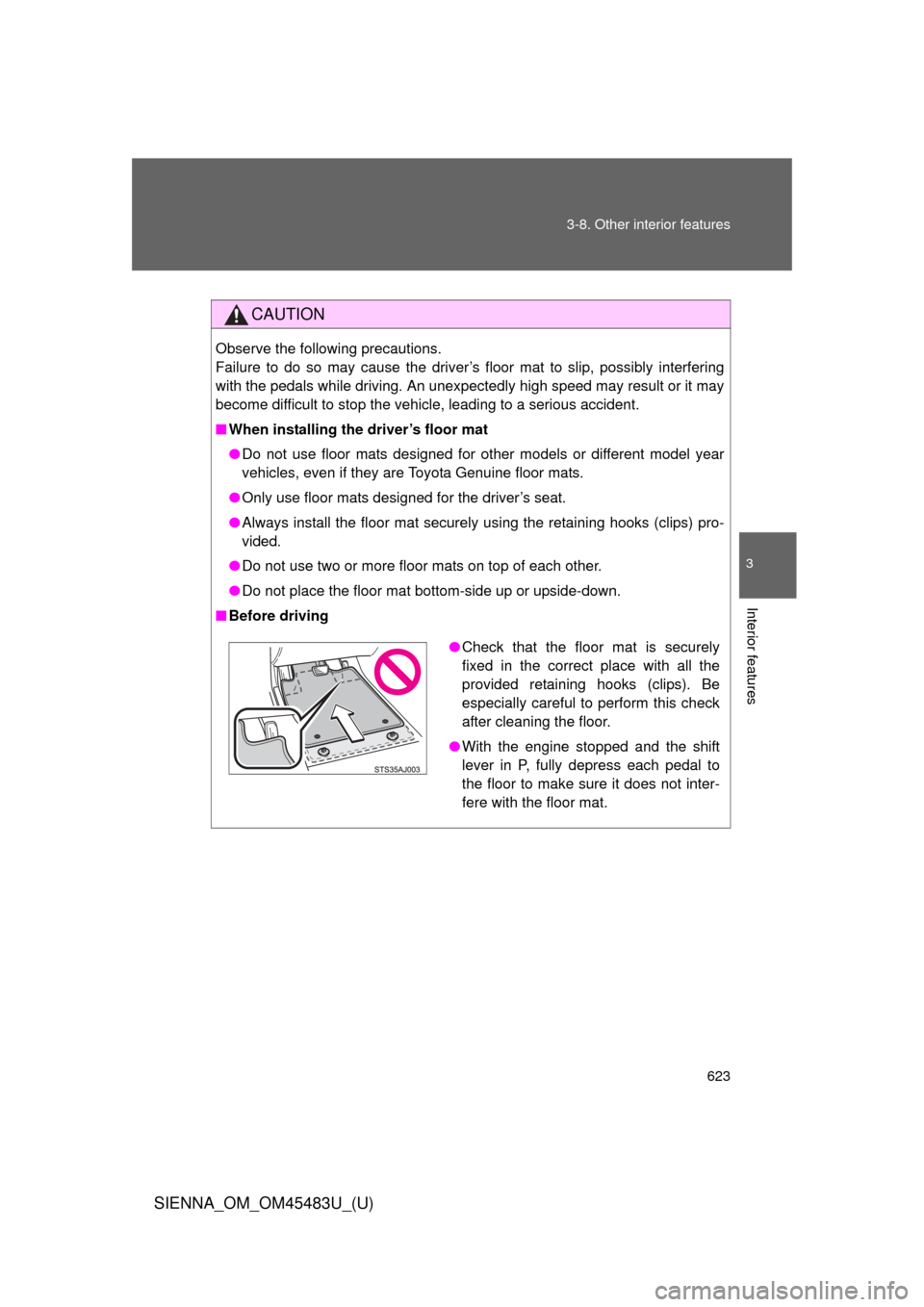
■ Before driving
●Check that the floor mat is securely
fixed in the correct place with all the
provided retaining hooks (clips). Be
especially careful to perform this check
after cleaning the floor.
● With the engine stopped and the shift
lever in P, fully depress each pedal to
the floor to make sure it does not inter-
fere with the floor mat.
Page 632 of 872
632 3-8. Other interior features
SIENNA_OM_OM45483U_(U)
■Before programming
●Install a new battery in the transmitter.
● The battery side of the transmitter must be pointed away from the
HomeLink
® button.
■ Certification for the garage door opener
For vehicles sold in the U.S.A.
FCC ID: NZLWZLHL4
NOTE:
This device complies with Part 15 of the FCC Rules.
Operation is subject to the following two conditions: (1) this device may not
cause harmful interference, and (2) this device must accept any interference
received, including interference that may cause undesired operation.
FCC WARNING:
Changes or modifications not expressly approved by the party responsible
for compliance could void the user’s authority to operate the equipment.
For vehicles sold in Canada
NOTE:
Operation is subject to the following two conditions: (1) this device may not
cause interference, and (2) this device must accept any interference, includ-
ing interference that may cause undesired operation of the device.
■ For additional programming assistance with your HomeLink
® Univer-
sal Transceiver
Visit on the web at www.homelink.com
or call 1-800-355-3515.
Page 639 of 872
639
3-8. Other interior features
3
Interior features
SIENNA_OM_OM45483U_(U)
Safety Connect
: If equipped
Safety Connect is a subscription-based telematics service that uses
Global Positioning System (GPS) data and embedded cellular tech-
nology to provide safety and security features to subscribers. Safety
Connect is supported by Toyota ’s designated response center,
which operates 24 hours per day, 7 days per week.
Safety Connect service is available by subscription on select,
telematics hardware-equipped vehicles.
By using the Safety Connect servi ce, you are agreeing to be bound
by the Telematics Subscription Serv ice Agreement and its Terms and
Conditions, as in effect and amende d from time to time, a current
copy of which is available at Toyota.com. All use of the Safety Con-
nect service is subject to such then-applicable Terms and Condi-
tions.
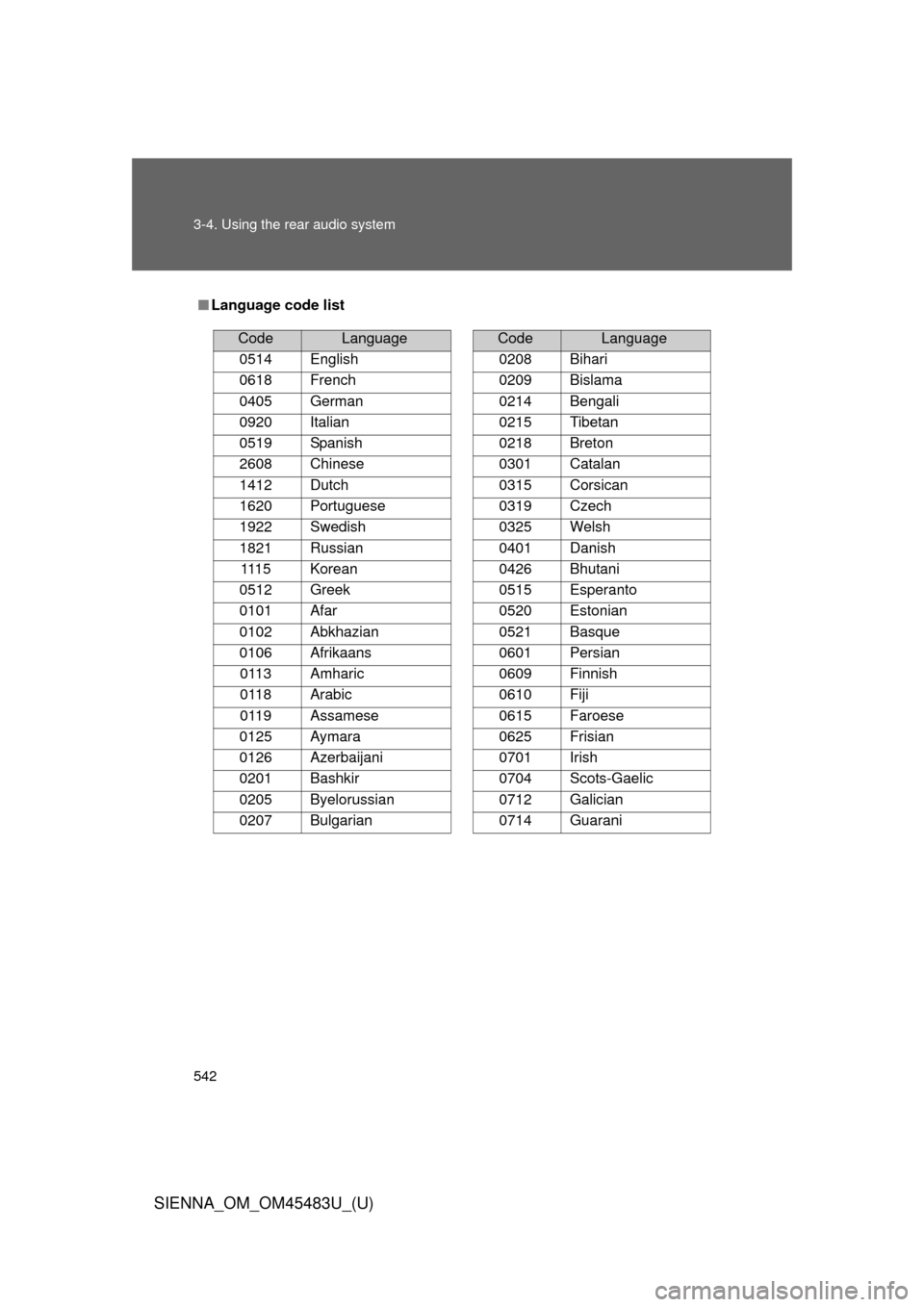
■ System components
Microphone
LED light indicators
“SOS” button
Page 640 of 872
640 3-8. Other interior features
SIENNA_OM_OM45483U_(U)
■Services
Subscribers have the following Sa fety Connect services avail-
able:
● Automatic Collision Notification
*
Helps drivers receive necessary response from emergency
service providers. ( P. 642)
*: U.S. Patent No. 7,508,298 B2
● Stolen Vehicle Location
Helps drivers in the event of vehicle theft. ( P. 643)
● Emergency Assistance Button (SOS)
Connects drivers to response-center support. ( P. 643)
● Roadside Assistance
Provides drivers various on-road assistance. ( P. 643)
■ Subscription
After you have signed the Telema tics Subscription Service
Agreement and are enrolled, you can begin receiving services.
A variety of subscription terms is available for purchase. Contact
your Toyota dealer, call 1-800-331-4331, or push the “SOS” but-
ton in your vehicle for further subscription details.