2014 MITSUBISHI OUTLANDER Screen
[x] Cancel search: ScreenPage 240 of 451
Indicator light, warning light, and information screen display list (multi information display - Type 1) 5-162 Features and controls
5
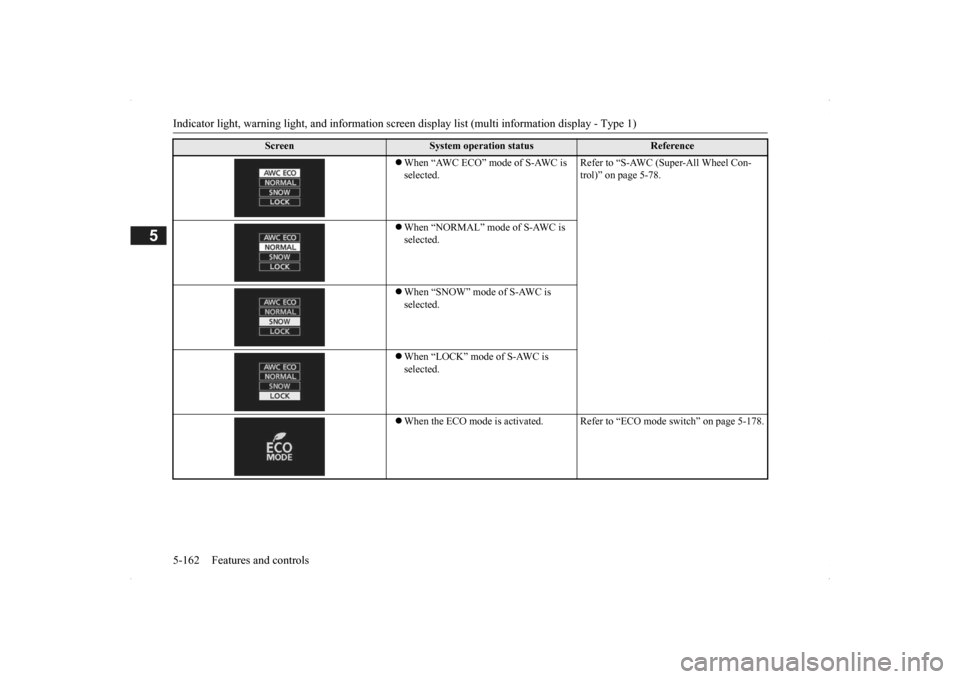
When “AWC ECO” mode of S-AWC is selected.
Refer to “S-AWC (Super-All Wheel Con- trol)” on page 5-78.
When “NORMAL” mode of S-AWC is selected. When “SNOW” mode of S-AWC is selected. When “LOCK” mode of S-AWC is selected. When the ECO mode is ac
tivated. Refer to “ECO m
ode switch” on page 5-178.
Screen
System operation status
Reference
BK0200500US.book 162 ページ 2013年2月12日 火曜日 午前9時46分
Page 241 of 451
Indicator light, warning light, and information screen display list (multi information display - Type 1)
Features and controls 5-163
5
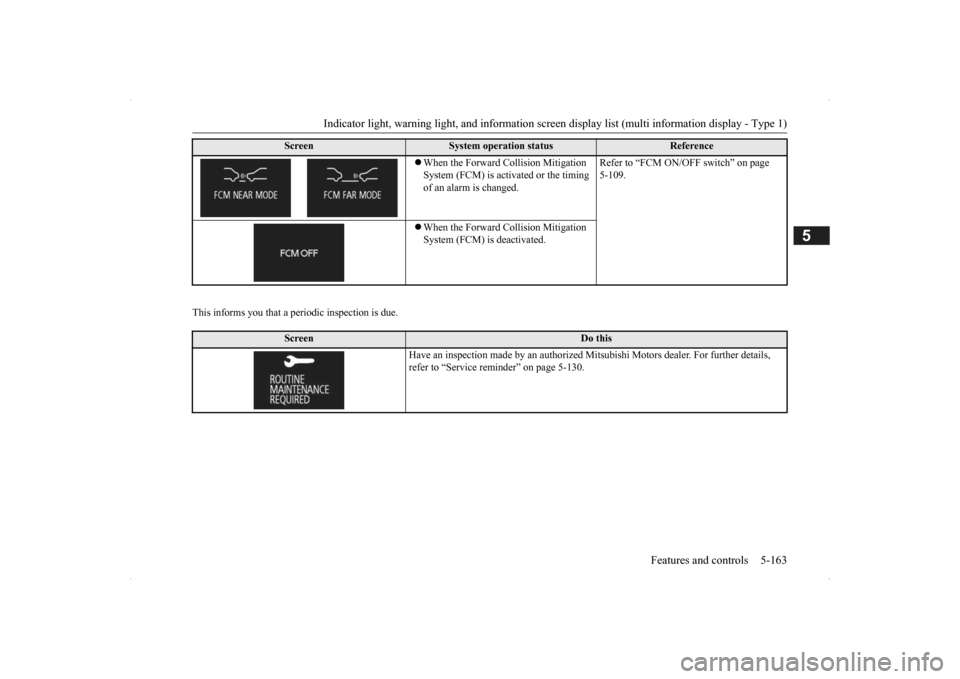
This informs you that a periodic inspection is due.
When the Forward Collision Mitigation System (FCM) is acti
vated or the timing
of an alarm is changed.
Refer to “FCM ON/OFF switch” on page 5-109.
When the Forward Collision Mitigation System (FCM) is deactivated.
Screen
Do this
Have an inspection made by an authorized Mi
tsubishi Motors dealer
. For further details,
refer to “Service remin
der” on page 5-130.
Screen
System operation status
Reference
BK0200500US.book 163 ページ 2013年2月12日 火曜日 午前9時46分
Page 242 of 451
Indicator light, warning light, and information screen display list (multi information display - Type 1) 5-164 Features and controls
5
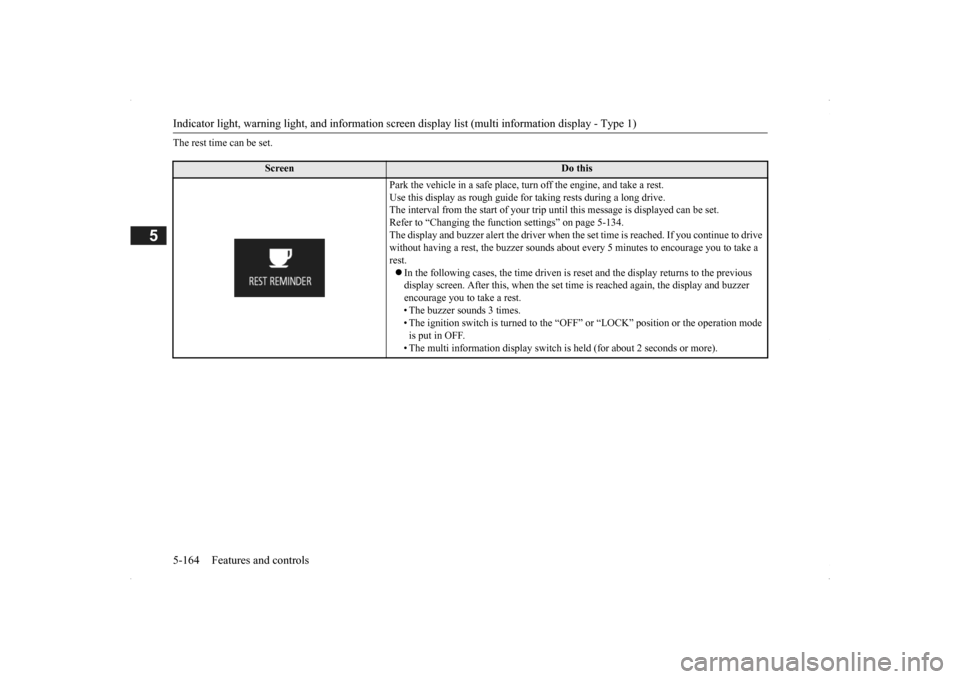
The rest time can be set.
Screen
Do this
Park the vehicle in a safe place, tu
rn off the engine,
and take a rest.
Use this display as rough guide
for taking rests during a long drive.
The interval from the start of your trip
until this message is
displayed can be set.
Refer to “Changing the function settings” on page 5-134. The display and buzzer alert the driver when th
e set time is reached.
If you continue to drive
without having a rest, the buzzer sounds about
every 5 minutes to encourage you to take a
rest. In the following cases, the time driven is reset and the display returns to the previous display screen. After this, when the set time
is reached again,
the display and buzzer
encourage you to take a rest. • The buzzer sounds 3 times.• The ignition switch is turned to the “OFF”
or “LOCK” position or the operation mode
is put in OFF. • The multi information display switch is
held (for about 2 seconds or more).
BK0200500US.book 164 ページ 2013年2月12日 火曜日 午前9時46分
Page 247 of 451
Information screen display (Vehicle equipped with the multi information display - Type 1)
Features and controls 5-169
5
N00575701021
This light comes on in red if the coolant tem- perature becomes excessively high.
N00520901339
This light comes on when any door or the lift-gate is open or not completely closed. When the vehicle is moving at more than 5mph (8 km/h) and any door or the liftgate is open or ajar, a tone will sound 4 times to inform the driver that any door or the liftgate is not properly shut.
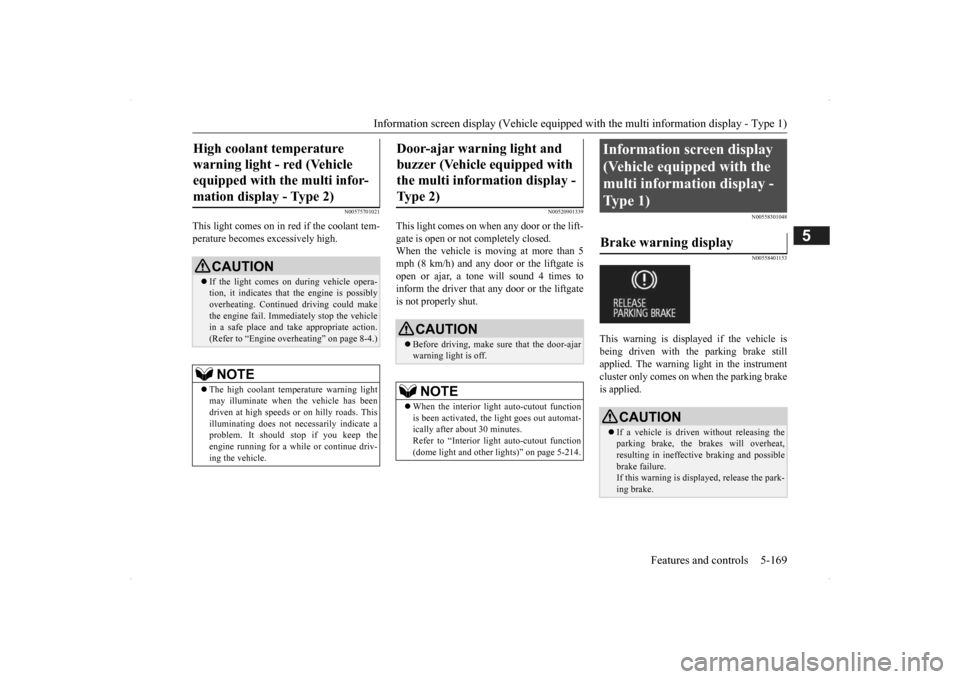
N00558301048 N00558401153
This warning is displayed if the vehicle is being driven with the parking brake stillapplied. The warning light in the instrument cluster only comes on when the parking brake is applied.
High coolant temperature warning light - red (Vehicle equipped with the multi infor- mation display - Type 2)
CAUTION If the light comes on during vehicle opera- tion, it indicates that
the engine is possibly
overheating. Continue
d driving could make
the engine fail. Immedi
ately stop the vehicle
in a safe place and ta
ke appropriate action.
(Refer to “Engine overheating” on page 8-4.)NOTE
The high coolant temp
erature warning light
may illuminate when
the vehicle has been
driven at high speeds or on hilly roads. This illuminating does not ne
cessarily indicate a
problem. It should stop if you keep theengine running for a whil
e or continue driv-
ing the vehicle.
Door-ajar warning light and buzzer (Vehicle equipped with the multi information display - Type 2)
CAUTION Before driving, make sure that the door-ajar warning light is off.NOTE
When the interior light auto-cutout function is been activated, th
e light goes out automat-
ically after about 30 minutes. Refer to “Interior light
auto-cutout function
(dome light and other
lights)” on page 5-214.
Information screen display (Vehicle equipped with the multi information display - Type 1) Brake warning display
CAUTION If a vehicle is driven without releasing the parking brake, the brakes will overheat, resulting in ineffectiv
e braking and possible
brake failure. If this warning is displayed, release the park- ing brake.
BK0200500US.book 169 ページ 2013年2月12日 火曜日 午前9時46分
Page 248 of 451

Information screen display (Vehicle equipped with the multi information display - Type 1) 5-170 Features and controls
5
When the ignition switch is turned to the “ON” position or the ope
ration mode is put in
ON, if the brake fluid is
low, this warning is
displayed. The warning light in the instrument cluster also illuminates.
N00558601113
If there is a fault in the charging system, the warning display is di
splayed on the informa-
tion screen in the multi information display. The warning light in th
e instrument cluster
also illuminates.
N00558701101
If the engine oil pressure drops while the engine is running, the
warning display is dis-
played on the information screen in the multi information display.
CAUTION If this warning stays on and does not go out while driving, there is
a danger of ineffective
braking. If this happens
, park the vehicle in a
safe place, and contac
t an authorized Mit-
subishi Motors dealer or a repair facility ofyour choice. If the brake warning display, brake warning light, and the Anti-lock braking system warning light are illu
minated at the same
time, the braking forc
e distribution function
will not operate, so th
e vehicle may be desta-
bilized during sudden br
aking. Avoid sudden
braking and high-speed driving. Park thevehicle in a safe place,
and contact an autho-
rized Mitsubishi Motors
dealer or a repair
facility of your choice. The vehicle should be brought to a halt in the following manner when
brake performance
is deteriorated.
• Confirm that the vehicle slows down whenyou press down on the brake pedal harderthan usual. In some cases, the brake pedalmay go all the way to the floor.• Should the brakes fail, use engine brakingto reduce your speed and slowly apply the parking brake. Depress the brake pedal to illuminate thestop lights to alert th
e vehicles behind you.
Charging system warning dis- play
CAUTION If warnings are displa
yed while the engine is
running, park your vehicl
e in a safe place as
soon as possible and c
ontact an authorized
Mitsubishi Motors dealer
or a repair facility
of your choice to have the system checked.CAUTION
Oil pressure warning display
CAUTION If the vehicle is driven while the engine oil is low, or the oil level is normal but the warn-ing is displayed, th
e engine may overheat
and damage may result. If the warning is displayed while the engine is running, park your ve
hicle in a safe place
as soon as possible and check the engine oillevel. If this warning display comes on when the engine oil level is pr
oper, have your vehicle
checked at an authorized Mitsubishi Motors dealer or a repair fa
cility of your choice.
NOTE
The oil pressure wa
rning display does not
show the amount of oil. The oil level must bechecked using the dipstick.
BK0200500US.book 170 ページ 2013年2月12日 火曜日 午前9時46分
Page 251 of 451

Combination headlights and dimmer switch
Features and controls 5-173
5
N00532601580
If the following operation is performed with the combination headlights and dim- mer switch in the “ ” or “ ” position, the lights automatically turn off. [Except for vehicles equipped with the F. A . S . T. - k e y ] The ignition switch is turned to the “OFF” or “ACC” position or
the key is removed
from the ignition switch and the driver’s door is opened. [For vehicles equipped with the F.A.S.T.- key]The operation mode is changed to OFF or ACC and the driver’s door is opened.
NOTE
The sensitivity of the automatic on/off con- trol can be adjusted.For further informati
on, please contact your
authorized Mitsubishi Motors dealer or a repair facility of your choice. On vehicles equipped
with Mitsubishi Multi-
Communication System,
screen operations
can be used to make the adjustment. Refer to the separate owner’s manual fordetails. Do not place anything
on the automatic light
sensor (A), and do not
clean with a glass
cleaner.NOTE
Do not cover the sensor (A) for the automatic on/off control by affixing a sticker or label to the windshield.
NOTE
If the lights do not turn on or off with the switch in the “AUTO”
position, manually
operate the switch. Have the system checked by an authorized Mitsubishi Motors dealer or a repair facility of your choice.
Light auto-cutout function (headlights and other lights)
BK0200500US.book 173 ページ 2013年2月12日 火曜日 午前9時46分
Page 253 of 451
Combination headlights and dimmer switch
Features and controls 5-175
5
go back to normal when you let go. While the high beam is on, you will see a blue light onthe instrument panel.
N00563201117
This function turns on
the front side-marker
and parking lights for
about 30 seconds after
the UNLOCK button on the remote controltransmitter is pressed when the combination headlights and dimmer switch is in the “OFF” or “AUTO” position (f
or vehicles equipped
with the automatic light control). On vehicles equipped with the automatic light control (except for vehicles e
quipped with LDW), the
welcome light functi
on will operate only
when it is dark outside the vehicle.
N00547301110
This function turns on the headlights in thelow beam setting for a
bout 30 seconds after
the ignition switch is turned to the “OFF” or“LOCK” position or the operation mode is put in OFF.
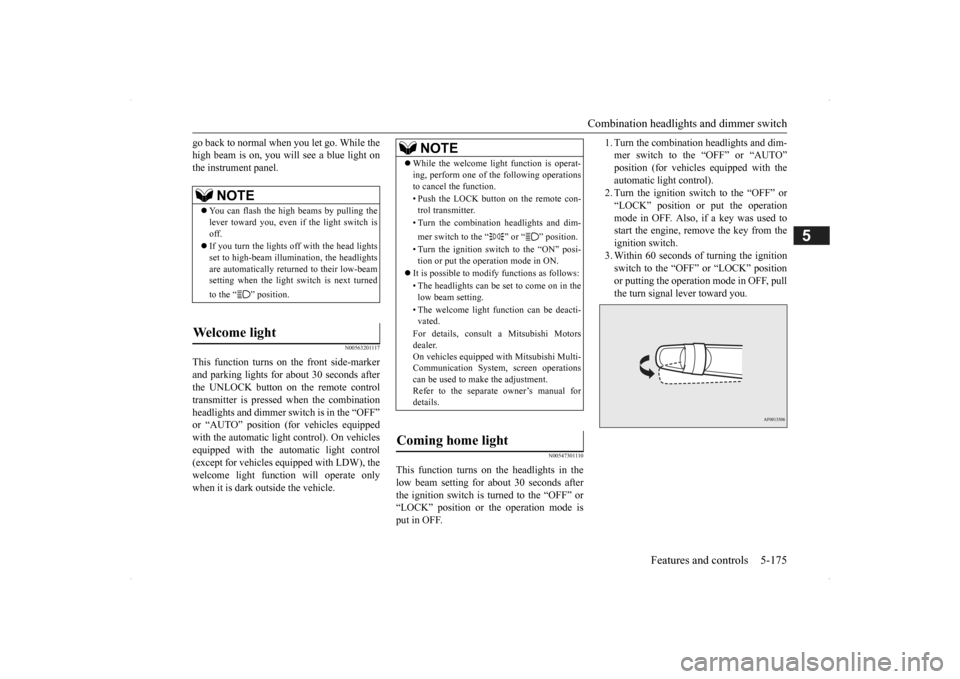
1. Turn the combination headlights and dim- mer switch to the “OFF” or “AUTO”position (for vehicles
equipped with the
automatic light control). 2. Turn the ignition switch to the “OFF” or“LOCK” position or put the operation mode in OFF. Also, if a key was used to start the engine, rem
ove the key from the
ignition switch. 3. Within 60 seconds of turning the ignition switch to the “OFF” or “LOCK” position or putting the operation mode in OFF, pull the turn signal lever toward you.
NOTE
You can flash the high beams by pulling the lever toward you, even if the light switch isoff. If you turn the lights off with the head lights set to high-beam illumi
nation, the headlights
are automatically returned to their low-beam setting when the light
switch is next turned
to the “ ” position.
Welcome light
NOTE
While the welcome light function is operat- ing, perform one of
the following operations
to cancel the function. • Push the LOCK button on the remote con- trol transmitter. • Turn the combination headlights and dim- mer switch to the “ ” or “ ” position. • Turn the ignition switch to the “ON” posi- tion or put the operation mode in ON.
It is possible to modify functions as follows: • The headlights can be set to come on in the low beam setting. • The welcome light f
unction can be deacti-
vated. For details, consult a Mitsubishi Motors dealer. On vehicles equipped
with Mitsubishi Multi-
Communication System, screen operationscan be used to ma
ke the adjustment.
Refer to the separate
owner’s manual for
details.
Coming home light
BK0200500US.book 175 ページ 2013年2月12日 火曜日 午前9時46分
Page 254 of 451
Headlight leveling swit
ch (if so equipped)
5-176 Features and controls
5
4. The headlights will come on in the low beam setting for about
30 seconds. After
the headlights go off, the headlights can be turned on again in the low beam setting for about 30 seconds by pulling the turnsignal lever toward you within 60 seconds of turning the ignition switch to the “OFF” or “LOCK” pos
ition or putting the
operation mode in OFF. To turn on the headlights again after 60 seconds of turn- ing the ignition switch to the “OFF” or “LOCK” position or putting the operation mode in OFF, repeat the process from step1.
N00537101115
The direction of the headlight beam (the direction in which th
e light shines) alters
according to the number of people and theload in the vehicle. Lo
wer the headlight angle
if it is too high due to the number of people and/or the load in the vehicle so that the head-lights’ glare does not distract the drivers of approaching vehicles
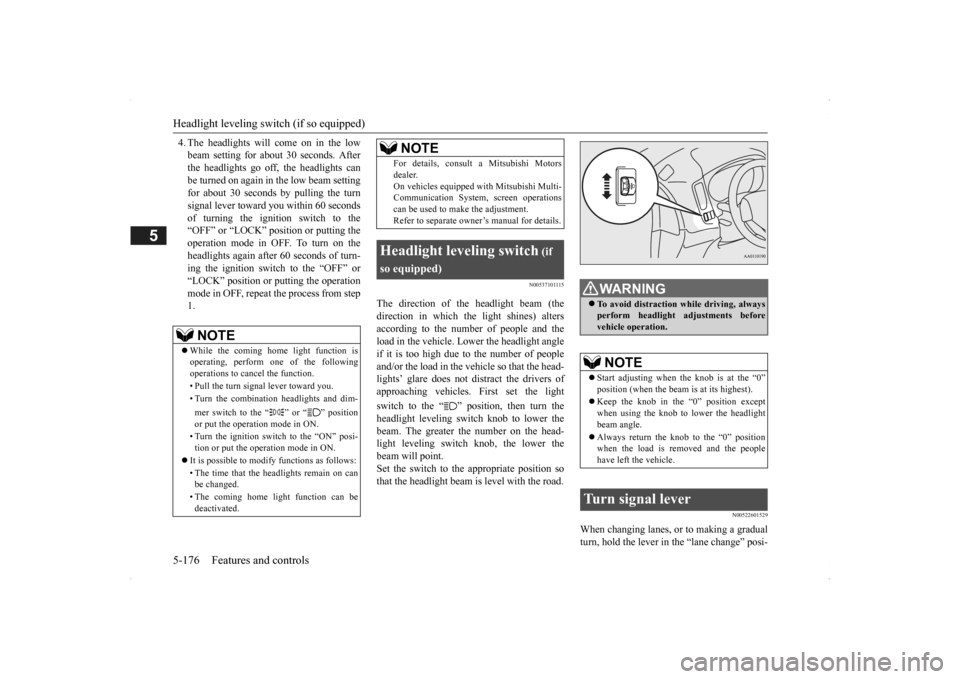
. First set the light
switch to the “ ” position, then turn the headlight leveling switch knob to lower the beam. The greater the number on the head-light leveling switch knob, the lower the beam will point. Set the switch to the appropriate position sothat the headlight beam is level with the road.
N00522601529
When changing lanes, or to making a gradual turn, hold the lever in the “lane change” posi-
NOTE
While the coming home light function is operating, perform one of the following operations to cancel the function. • Pull the turn signal lever toward you. • Turn the combination headlights and dim- mer switch to the “ ” or “ ” position or put the operation mode in ON. • Turn the ignition switch to the “ON” posi- tion or put the operation mode in ON.
It is possible to modify functions as follows: • The time that the he
adlights remain on can
be changed. • The coming home light function can be deactivated.
For details, consult a Mitsubishi Motorsdealer.On vehicles equipped
with Mitsubishi Multi-
Communication System,
screen operations
can be used to make the adjustment. Refer to separate owne
r’s manual for details.
Headlight leveling switch
(if
so equipped)
NOTE
WA R N I N G To avoid distraction wh
ile driving, always
perform headlight adjustments beforevehicle operation.NOTE
Start adjusting when the knob is at the “0” position (when the beam
is at its highest).
Keep the knob in the “0” position except when using the knob to lower the headlight beam angle. Always return the knob to the “0” position when the load is removed and the people have left the vehicle.
Turn signal lever
BK0200500US.book 176 ページ 2013年2月12日 火曜日 午前9時46分