2014 LINCOLN MKZ HYBRID maintenance
[x] Cancel search: maintenancePage 167 of 445

an emission control device or prevent it
from working. Information about your
vehicle
’s emission system is on the Vehicle
Emission Control Information Decal located
on or near the engine. This decal also lists
engine displacement
Please consult your warranty information
for complete details.
On-Board Diagnostics (OBD-II)
Your vehicle is equipped with an on-board
diagnostics system (OBD-II) that monitors
the engine ’s emission control system. This
system protects the environment by
ensuring that your vehicle continues to
meet government emission standards. The
OBD-II system also assists your authorized
dealer in properly servicing your vehicle. When the service engine soon
indicator illuminates, the OBD-II
system has detected a
malfunction. Temporary malfunctions may
cause the service engine soon indicator
to illuminate.
Examples of temporary malfunctions are:
• the vehicle has run out of fuel—the
engine may misfire or run poorly
• poor fuel quality or water in the
fuel—the engine may misfire or run
poorly
• the fuel fill inlet may not have been
properly closed See Refueling (page
161).
• driving through deep water—the
electrical system may be wet. You can correct these temporary
malfunctions by filling the fuel tank with
good quality fuel, properly closing the fuel
fill inlet or letting the electrical system dry
out. After three driving cycles without
these or any other temporary malfunctions
present, the service engine soon indicator
should stay off the next time you start the
engine. A driving cycle consists of a cold
engine startup followed by mixed
city/highway driving. No additional vehicle
service is required.
If the service engine soon indicator
remains on, have your vehicle serviced at
the first available opportunity. Although
some malfunctions detected by the OBD-II
may not have symptoms that are apparent,
continued driving with the service engine
soon indicator on can result in increased
emissions, lower fuel economy, reduced
engine and transmission smoothness, and
lead to more costly repairs.
Readiness for
Inspection/Maintenance (I/M) Testing
Some state/provincial and local
governments may have
Inspection/Maintenance (I/M) programs to
inspect the emission control equipment
on your vehicle. Failure to pass this
inspection could prevent you from getting
a vehicle registration.
If the service engine soon
indicator is on or the bulb does
not work, you may need to have
the vehicle serviced. See On-Board
Diagnostics (OBD-II).
165
MKZ (CC9) Fuel and Refueling
Page 169 of 445
GENERAL INFORMATION
WARNING
Have the battery pack serviced only
by an authorized electric vehicle
technician. Improper handling can result
in personal injury or death. Note:
The high-voltage battery does not
require regular service maintenance.
Your vehicle consists of various
high-voltage components and wiring. All
of the high-voltage power flows through
specific wiring assemblies labeled as such
or covered with a solid orange convolute,
or orange striped tape, or both. Do not
come in contact with these components.
The high-voltage battery system is a
high-voltage, lithium-ion battery system.
The pack is located in the rear cargo area.
The high-voltage battery system uses an
air-cooled system to regulate the
high-voltage battery temperature and help
maximize high-voltage battery life. Note:
The high-voltage battery is
equipped with air vents in the package
tray that help to regulate its temperature.
It is important to keep these openings free
of obstructions. Do not block the flow of
cabin air to this area.
HIGH-VOLTAGE SERVICE
DISCONNECT
The high-voltage service disconnect turns
off power from the high-voltage battery.
Note: There is a disconnect circuit in your
vehicle. Disconnecting the circuit will
automatically disable the high-voltage
battery.
To disable the battery and stop all
high-voltage electric activity in the vehicle
you can access the high-voltage
disconnect circuit. To do this, you must
unplug the circuit from the circuit port
connected to the battery.
The service disconnect is equipped with
an outer lever. This is to aid in properly
seating the service disconnect lever.
Remove this to disconnect the
high-voltage service disconnect.
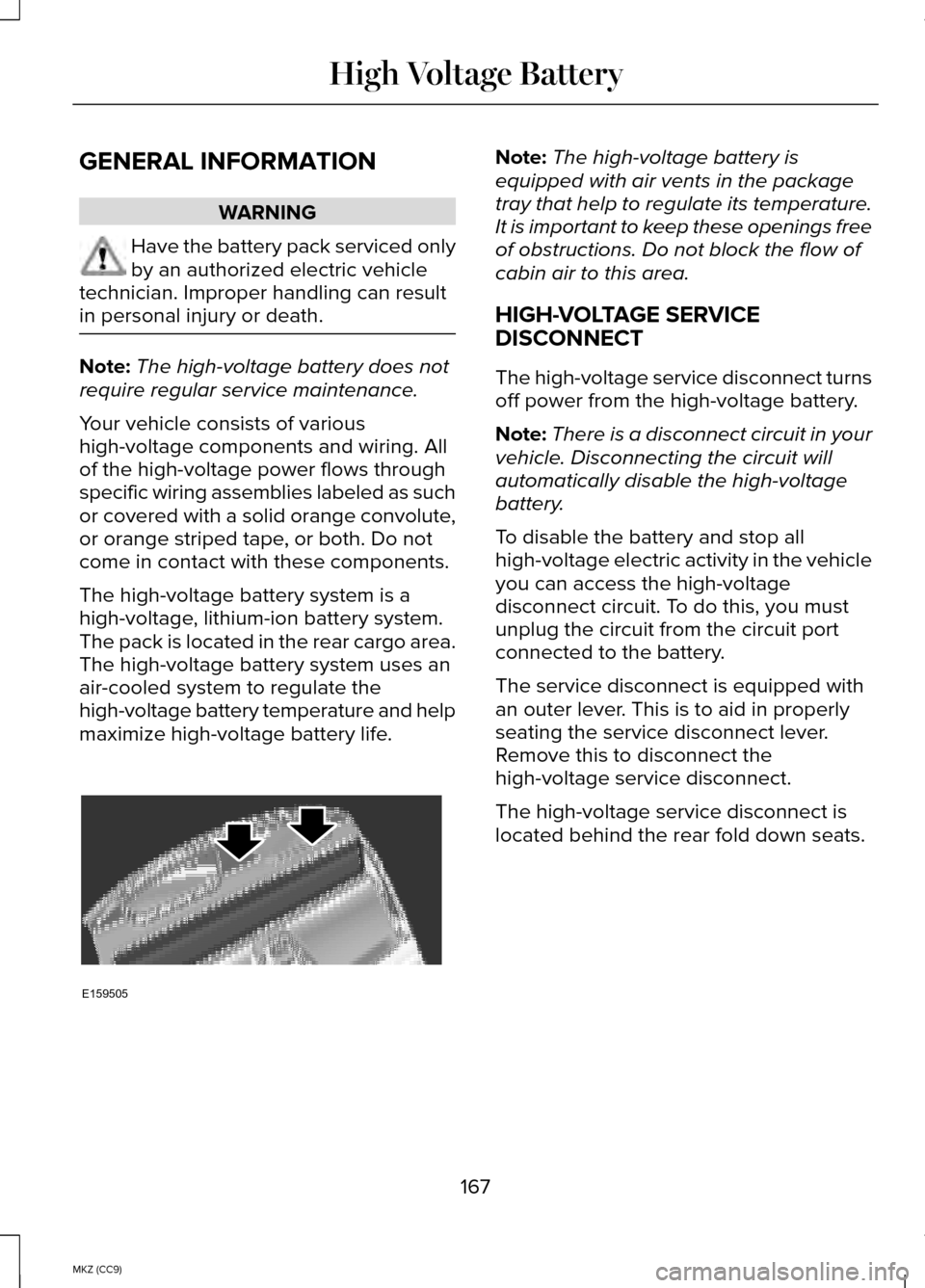
The high-voltage service disconnect is
located behind the rear fold down seats.
167
MKZ (CC9) High Voltage BatteryE159505
Page 225 of 445
BREAKING-IN
You need to break in new tires for
approximately 300 miles (480 kilometers).
During this time, your vehicle may exhibit
some unusual driving characteristics. The
engine also needs to break in. Avoid hard
accelerations and driving too fast for the
first 1000 miles (1600 kilometers). If
possible, avoid carrying heavy loads up
steep grades during the break-in period.
ECONOMICAL DRIVING
Fuel economy is affected by several things
such as how you drive, the conditions you
drive under and how you maintain your
vehicle.
There are some things to keep in mind
that may improve your fuel economy:
•
Accelerate and slow down in a smooth,
moderate fashion.
• Drive at steady speeds.
• Anticipate stops; slowing down may
eliminate the need to stop.
• Combine errands and minimize
stop-and-go driving.
•When running errands, go to the
furthest destination first and then
work your way back home.
• Close the windows for high-speed
driving.
• Drive at reasonable speeds. (Traveling
at 65 mph/105 kph uses about 15% less
fuel than traveling at 75 mph/121 kph).
• Keep the tires properly inflated and
use only the recommended size. •
Use the recommended engine oil.
• Perform all regularly scheduled
maintenance.
There are also some things you may want
to avoid doing because they reduce your
fuel economy:
• Avoid sudden or hard accelerations.
• Avoid revving the engine before
turning off the car.
• Avoid long idle periods.
• Do not warm up your vehicle on cold
mornings.
• Reduce the use of air conditioning and
heat.
• Avoid using speed control in hilly
terrain.
• Do not rest your foot on the brake
pedal while driving.
• Avoid carrying unnecessary weight
(approximately 1 mpg [0.4
kilometers/liter] is lost for every 400
lbs [180 kilograms] of weight carried).
• Avoid adding particular accessories to
your vehicle (e.g. bug deflectors,
rollbars/light bars, running boards, ski
racks).
• Avoid driving with the wheels out of
alignment.
DRIVING THROUGH WATER
Note: Driving through deep water above
the recommended levels can cause
vehicle damage.
223
MKZ (CC9) Driving Hints
Page 234 of 445
GETTING THE SERVICES YOU
NEED
Warranty repairs to your vehicle must be
performed by an authorized dealer. While
any authorized dealer handling your
vehicle line will provide warranty service,
we recommend you return to your selling
authorized dealer who wants to ensure
your continued satisfaction.
Please note that certain warranty repairs
require special training and equipment, so
not all authorized dealers are authorized
to perform all warranty repairs. This means
that, depending on the warranty repair
needed, you may have to take your vehicle
to another authorized dealer.
A reasonable time must be allowed to
perform a repair after taking your vehicle
to the authorized dealer. Repairs will be
made using Ford or Motorcraft parts, or
remanufactured or other parts that are
authorized by Ford.
Away From Home
If you are away from home when your
vehicle needs service, contact the Ford
Customer Relationship Center or use the
online resources listed below to find the
nearest authorized dealer.
In the United States:
Mailing address
Ford Motor Company
Customer Relationship Center
P.O. Box 6248
Dearborn, MI 48121
Telephone
1-800-521-4140
(TDD for the hearing impaired:
1-800-232-5952)
Online
Additional information and resources are
available online at www.lincolnowner.com
These are some of the items that can be
found online:
•
U.S. dealer locator by Dealer Name,
City/State, or Zip Code
• Owner Manuals
• Maintenance Schedules
• Recalls
• Ford Extended Service Plans
• Ford Genuine Accessories
• Service specials and promotions.
In Canada:
Mailing address
Lincoln Customer Relationship Centre
Ford Motor Company of Canada, Limited
P.O. Box 2000
Oakville, Ontario L6J 5E4
Telephone
1-800-387-9333
Online
www.ford.ca
Additional Assistance
If you have questions or concerns, or are
unsatisfied with the service you are
receiving, follow these steps:
1. Contact your Sales Representative or Service Advisor at your
selling/servicing authorized dealer.
232
MKZ (CC9) Customer Assistance
Page 253 of 445

GENERAL INFORMATION
Have your vehicle serviced regularly to
help maintain its roadworthiness and
resale value. There is a large network of
Ford authorized dealers that are there to
help you with their professional servicing
expertise. We believe that their specially
trained technicians are best qualified to
service your vehicle properly and expertly.
They are supported by a wide range of
highly specialized tools developed
specifically for servicing your vehicle.
To help you service your vehicle, we
provide scheduled maintenance
information which makes tracking routine
service easy. See Scheduled
Maintenance (page 412).
If your vehicle requires professional
service, your authorized dealer can
provide the necessary parts and service.
Check your warranty information to find
out which parts and services are covered.
Use only recommended fuels, lubricants,
fluids and service parts conforming to
specifications. Motorcraft® parts are
designed and built to provide the best
performance in your vehicle.
Precautions
• Do not work on a hot engine.
• Make sure that nothing gets caught in
moving parts. •
Do not work on a vehicle with the
engine running in an enclosed space,
unless you are sure you have enough
ventilation.
• Keep all open flames and other
burning material (such as cigarettes)
away from the battery and all fuel
related parts.
Working with the Engine Off
1. Set the parking brake and shift to
P
(Park).
2. Turn off the engine and remove the key (if equipped).
3. Block the wheels.
Working with the Engine On WARNING
To reduce the risk of vehicle damage
and/or personal burn injuries, do not
start your engine with the air cleaner
removed and do not remove it while the
engine is running. 1. Set the parking brake and shift to
P
(Park).
2. Block the wheels
251
MKZ (CC9) Maintenance
Page 254 of 445
OPENING AND CLOSING THE
HOOD
1. To open the hood, go inside the
vehicle and pull the hood release
handle located under the instrument
panel.
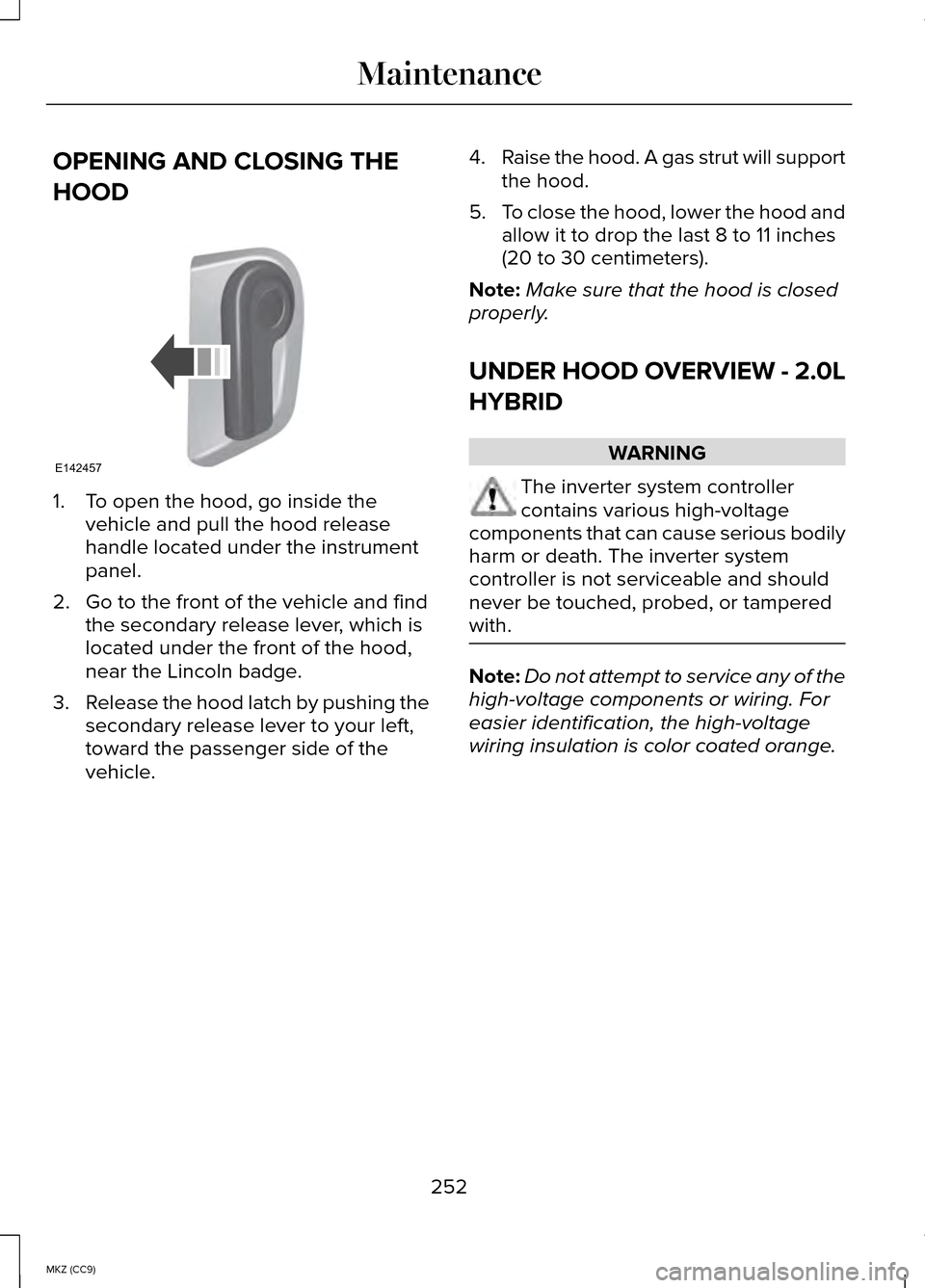
2. Go to the front of the vehicle and find the secondary release lever, which is
located under the front of the hood,
near the Lincoln badge.
3. Release the hood latch by pushing the
secondary release lever to your left,
toward the passenger side of the
vehicle. 4.
Raise the hood. A gas strut will support
the hood.
5. To close the hood, lower the hood and
allow it to drop the last 8 to 11 inches
(20 to 30 centimeters).
Note: Make sure that the hood is closed
properly.
UNDER HOOD OVERVIEW - 2.0L
HYBRID WARNING
The inverter system controller
contains various high-voltage
components that can cause serious bodily
harm or death. The inverter system
controller is not serviceable and should
never be touched, probed, or tampered
with. Note:
Do not attempt to service any of the
high-voltage components or wiring. For
easier identification, the high-voltage
wiring insulation is color coated orange.
252
MKZ (CC9) MaintenanceE142457
Page 255 of 445
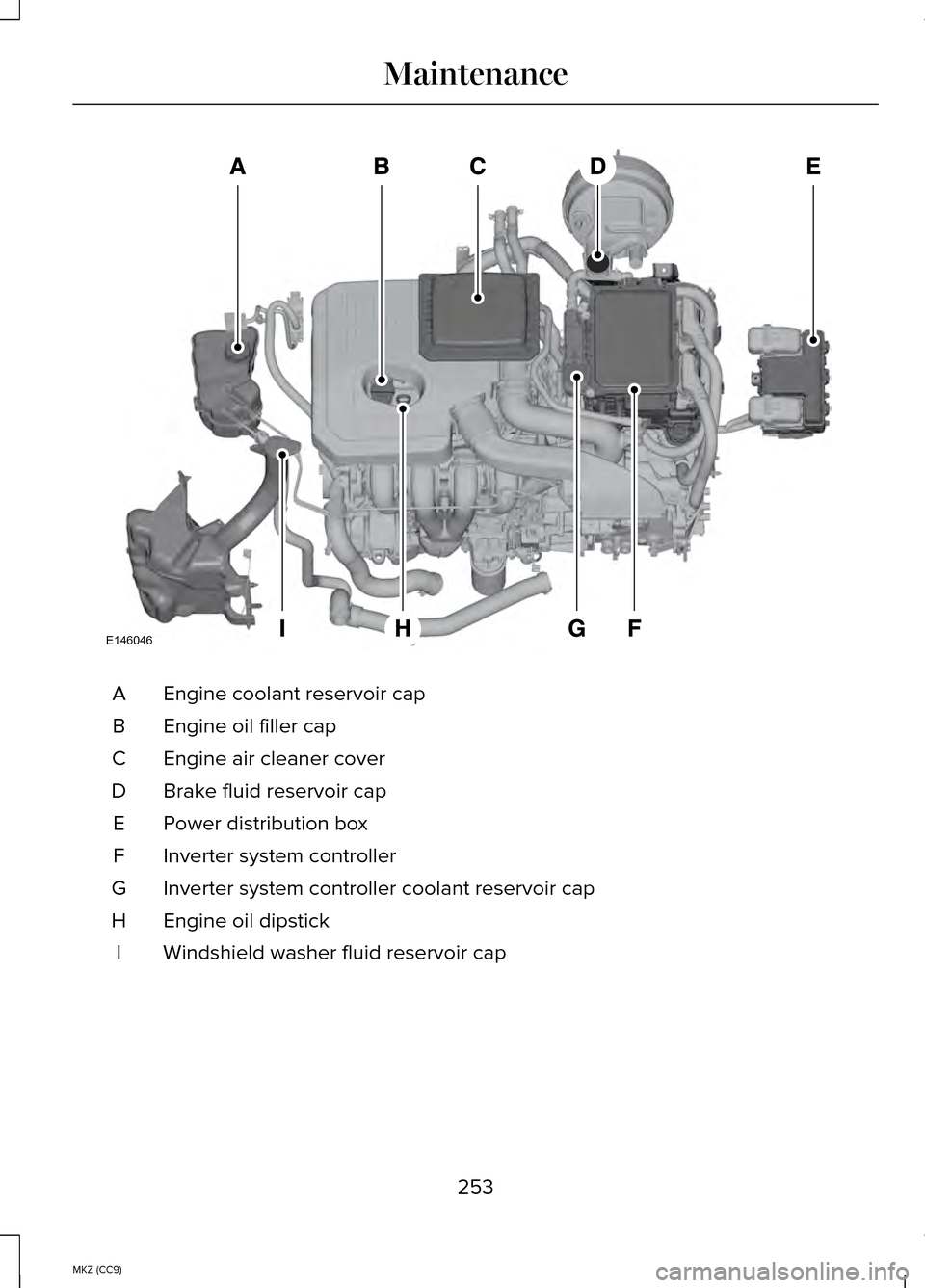
Engine coolant reservoir cap
A
Engine oil filler cap
B
Engine air cleaner cover
C
Brake fluid reservoir cap
D
Power distribution box
E
Inverter system controller
F
Inverter system controller coolant reservoir cap
G
Engine oil dipstick
H
Windshield washer fluid reservoir cap
I
253
MKZ (CC9) MaintenanceE146046
Page 256 of 445

ENGINE OIL DIPSTICK
MINA
MAXB
ENGINE OIL CHECK
Note: Check the level before starting the
engine.
Note: Make sure that the level is between
the MIN and the MAX marks.
1. Make sure that your vehicle is on level
ground.
2. Turn the engine off and wait 10 minutes for the oil to drain into the oil
pan.
3. Remove the dipstick and wipe it with a clean, lint-free cloth. Replace the
dipstick and remove it again to check
the oil level.
If the level is at the MIN mark, add oil
immediately.
Adding Engine Oil
Note: Do not remove the filler cap when
the engine is running. Note:
Do not add oil further than the MAX
mark. Oil levels above the MAX mark may
cause engine damage. Only use oils certified for gasoline engines
by the American Petroleum Institute (API).
An oil with this trademark symbol conforms
to the current engine and emission system
protection standards and fuel economy
requirements of the International
Lubricants Specification Advisory Council
(ILSAC), comprised of U.S. and Japanese
automobile manufacturers.
1. Remove the filler cap.
2. Add engine oil that meets the Ford
specifications. See Capacities and
Specifications (page 302).
3. Replace the filler cap. Turn it until you feel a strong resistance.
OIL CHANGE INDICATOR RESET
To reset the oil monitoring system after an
oil change,
See General Information
(page 97).
254
MKZ (CC9) MaintenanceAB
E169062 E142732