Page 165 of 665
3-69
Convenient features of your vehicle
3
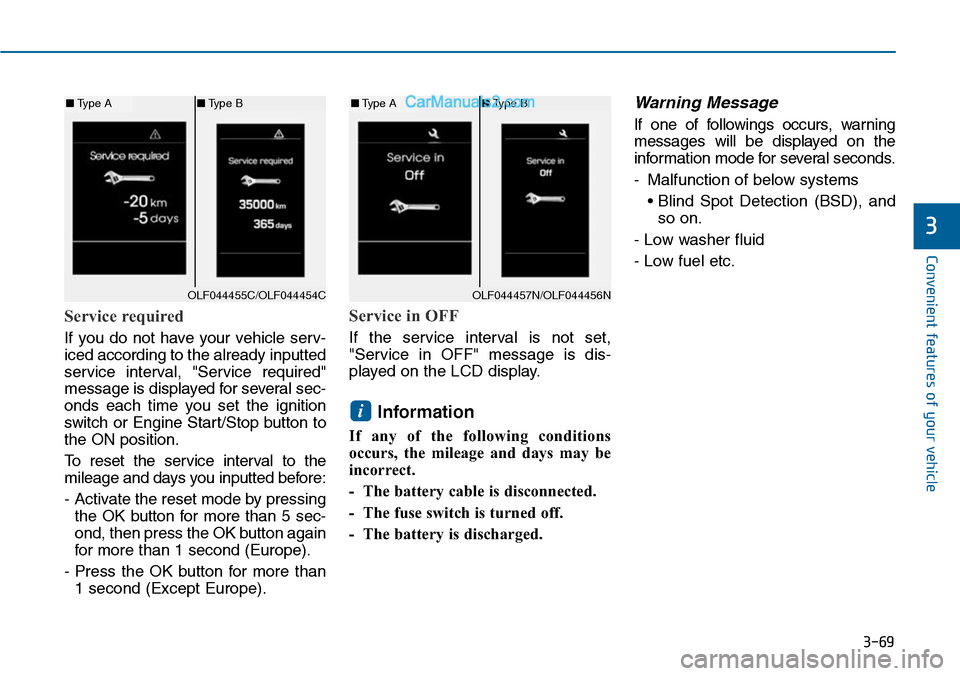
Service required
If you do not have your vehicle serv-
iced according to the already inputted
service interval, "Service required"
message is displayed for several sec-
onds each time you set the ignition
switch or Engine Star t/Stop button to
the ON position.
To r e s e t t h e s e r v i c e i n t e r v a l t o t h e
mileage and days you inputted before:
- Activate the reset mode by pressing
the OK button for more than 5 sec-
ond, then press the OK button again
for more than 1 second (Europe).
- Press the OK button for more than
1 second (Except Europe).
Service in OFF
If the service interval is not set,
"Service in OFF" message is dis-
played on the LCD display.
Information
If any of the following conditions
occurs, the mileage and days may be
incorrect.
- The battery cable is disconnected.
- The fuse switch is turned off.
- The battery is discharged.
Warning Message
If one of followings occurs, warning
messages will be displayed on the
information mode for several seconds.
-Malfunction of below systems
• Blind Spot Detection (BSD), and
so on.
- Low washer fluid
- Low fuel etc.
i
OLF044455C/OLF044454C
■Type A■Type B
OLF044457N/OLF044456N
■Type A■Type B
Page 167 of 665
3-71
Convenient features of your vehicle
3
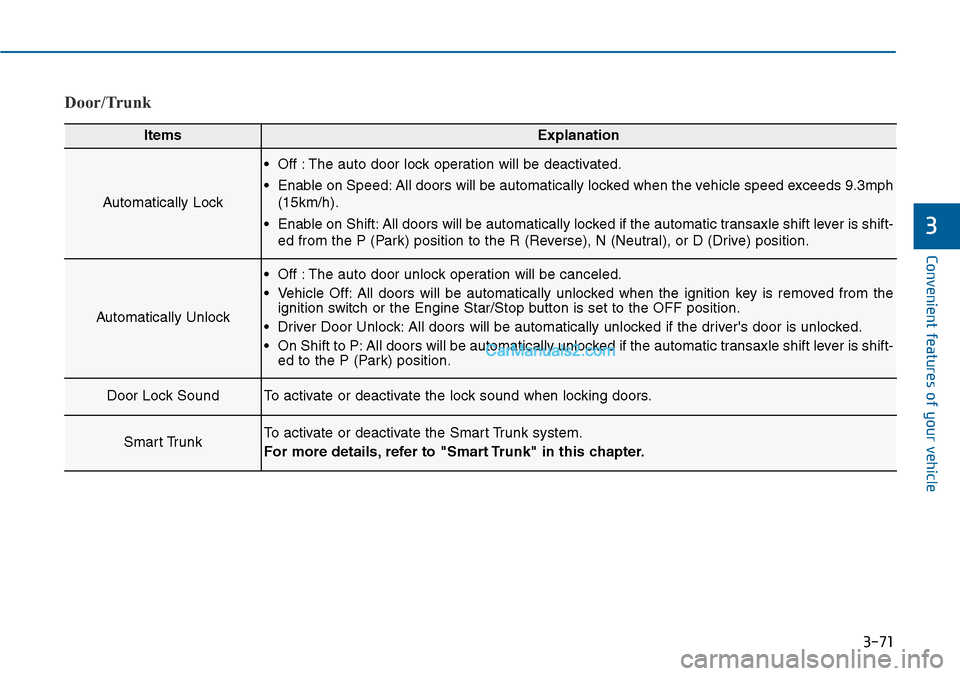
Door/Trunk
ItemsExplanation
Automatically Lock
•Off :The auto door lock operation will be deactivated.
•Enable on Speed:All doors will be automatically locked when the vehicle speed exceeds 9.3mph
(15km/h).
•Enable on Shift:All doors will be automatically locked if the automatic transaxle shift lever is shift-
ed from the P (Park) position to the R (Reverse), N (Neutral), or D (Drive) position.
Automatically Unlock
•Off :The auto door unlock operation will be canceled.
•Vehicle Off:All doors will be automatically unlocked when the ignition key is removed from theignition switch or the Engine Star/Stop button is set to the OFF position.
•Driver Door Unlock:All doors will be automatically unlocked if the driver's door is unlocked.
•On Shift to P:All doors will be automatically unlocked if the automatic transaxle shift lever is shift-ed to the P (Park) position.
Door Lock SoundTo activate or deactivate the lock sound when locking doors.
Smart TrunkTo activate or deactivate the Smart Trunk system.
For more details, refer to "Smart Trunk" in this chapter.
Page 169 of 665
3-73
Convenient features of your vehicle
3
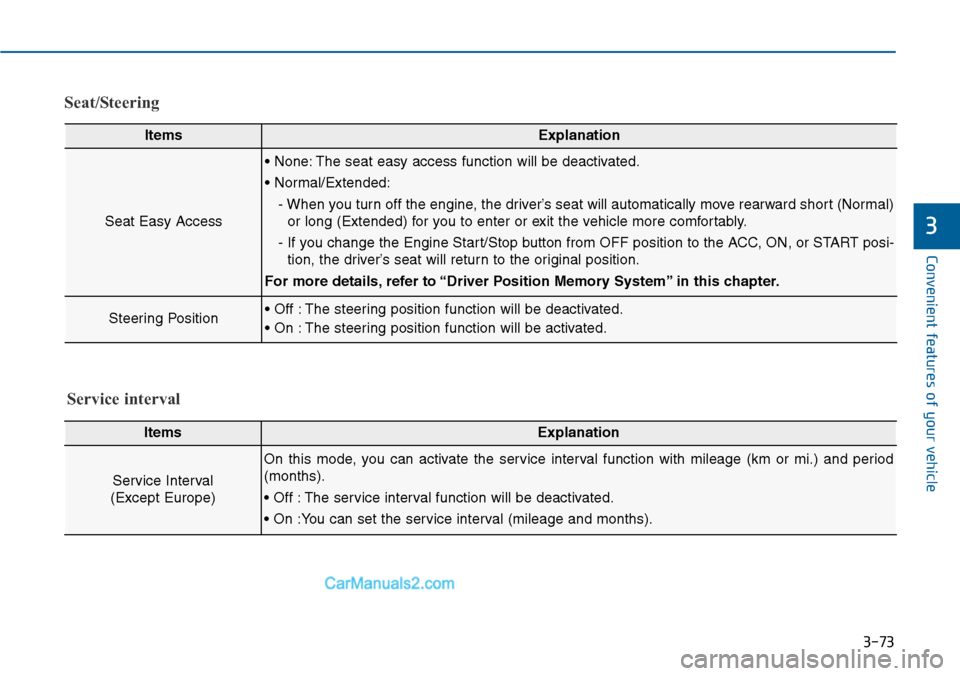
Seat/Steering
ItemsExplanation
Seat Easy Access
• None: The seat easy access function will be deactivated.
• Normal/Extended:
- When you turn off the engine, the driver’s seat will automatically move rearward short (Normal)
or long (Extended) for you to enter or exit the vehicle more comfortably.
- If you change the Engine Start/Stop button from OFF position to the ACC, ON, or START posi-
tion, the driver’s seat will return to the original position.
For more details, refer to “Driver Position Memory System” in this chapter.
Steering Position• Off : The steering position function will be deactivated.
• On : The steering position function will be activated.
ItemsExplanation
Service Interval
(Except Europe)
On this mode, you can activate the service interval function with mileage (km or mi.) and period
(months).
• Off : The service interval function will be deactivated.
• On :You can set the service interval (mileage and months).
Service interval
Page 171 of 665
3-75
Convenient features of your vehicle
3
Warning messages (if equipped)
Shift to "P" position
(for smart key system and auto-
matic transaxle)
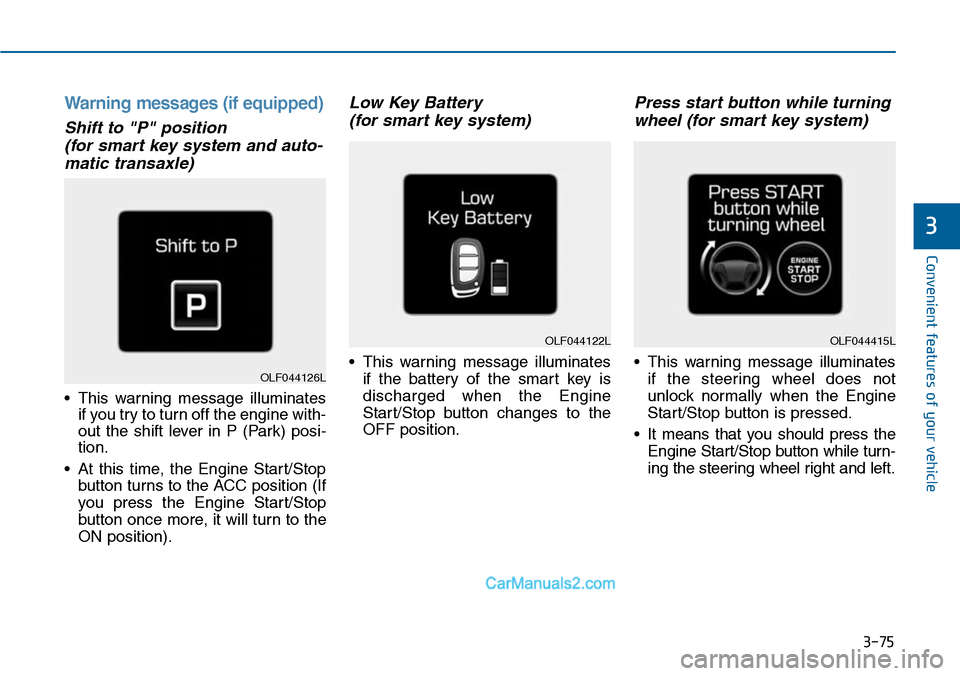
•This warning message illuminates
if you try to turn off the engine with-
out the shift lever in P (Park) posi-
tion.
•At this time, the Engine Start/Stop
button turns to the ACC position (If
you press the Engine Star t/Stop
button once more, it will turn to the
ON position).
Low Key Battery
(for smart key system)
•This warning message illuminates
if the battery of the smart key is
discharged when the Engine
Start/Stop button changes to the
OFF position.
Press start button while turning
wheel (for smart key system)
•This warning message illuminates
if the steering wheel does not
unlock normally when the Engine
Start/Stop button is pressed.
•It means that you should press the
Engine Start/Stop button while turn-
ing the steering wheel right and left.
OLF044122L
OLF044126L
OLF044415L
Page 172 of 665
3-76
Convenient features of your vehicle
Steering wheel unlocked
(for smart key system)
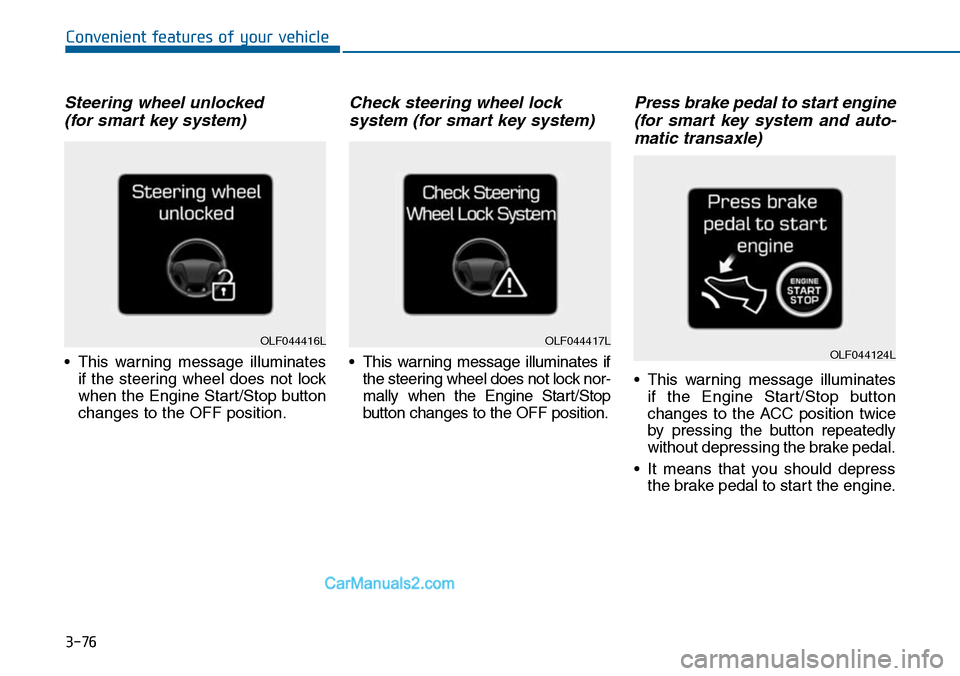
•This warning message illuminates
if the steering wheel does not lock
when the Engine Start/Stop button
changes to the OFF position.
Check steering wheel lock
system (for smart key system)
•This warning message illuminates if
the steering wheel does not lock nor-
mally when the Engine Start/Stop
button changes to the OFF position.
Press brake pedal to start engine
(for smart key system and auto-
matic transaxle)
•This warning message illuminates
if the Engine Start/Stop button
changes to the ACC position twice
by pressing the button repeatedly
without depressing the brake pedal.
•It means that you should depress
the brake pedal to start the engine.
OLF044416LOLF044417LOLF044124L
Page 173 of 665
3-77
Convenient features of your vehicle
3
Press clutch pedal to start
engine (for smart key system
and manual transaxle)
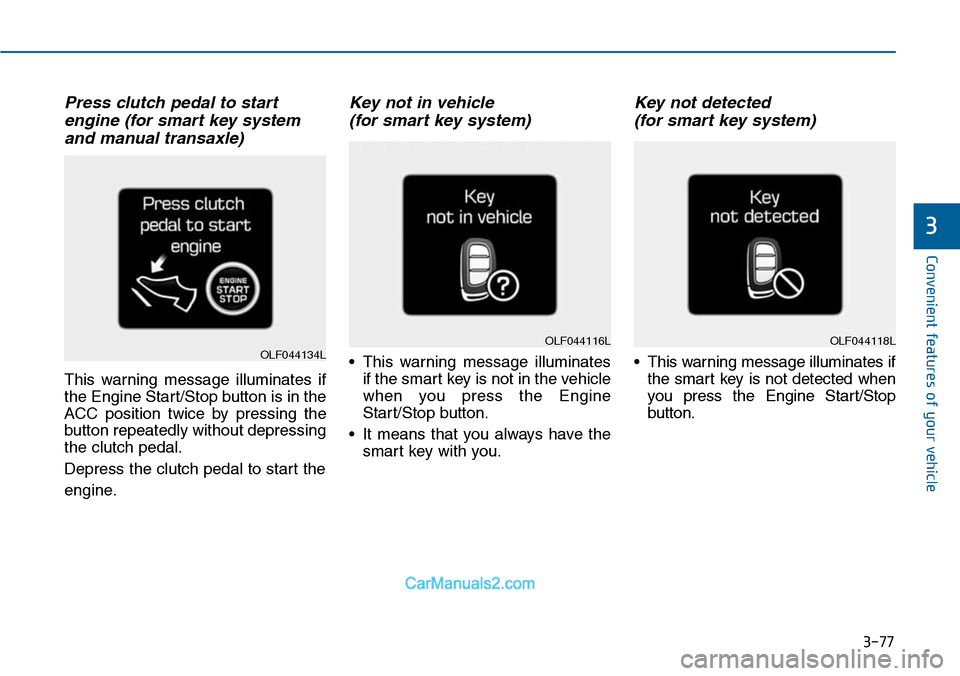
This warning message illuminates if
the Engine Start/Stop button is in the
ACC position twice by pressing the
button repeatedly without depressing
the clutch pedal.
Depress the clutch pedal to start the
engine.
Key not in vehicle
(for smart key system)
•This warning message illuminates
if the smart key is not in the vehicle
when you press the Engine
Start/Stop button.
•It means that you always have the
smart key with you.
Key not detected
(for smart key system)
•This warning message illuminates if
the smart key is not detected when
you press the Engine Star t/Stop
button.
OLF044118LOLF044116LOLF044134L
Page 174 of 665
3-78
Convenient features of your vehicle
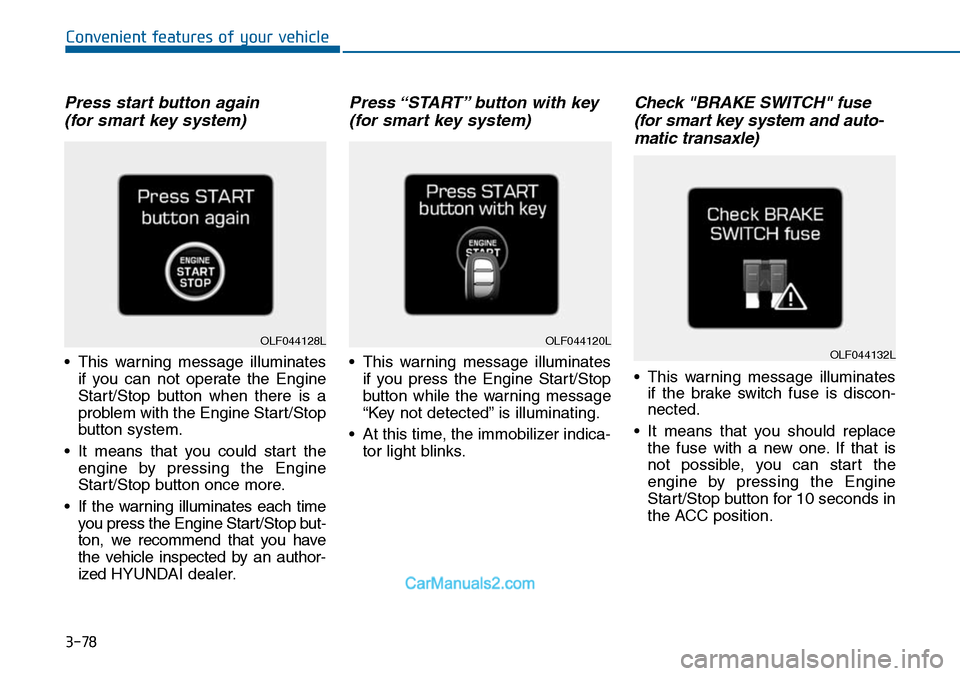
Press start button again
(for smart key system)
•This warning message illuminates
if you can not operate the Engine
Start/Stop button when there is a
problem with the Engine Start/Stop
button system.
•It means that you could start the
engine by pressing the Engine
Start/Stop button once more.
•If the warning illuminates each time
you press the Engine Star t/Stop but-
ton, we recommend that you have
the vehicle inspected by an author-
ized HYUNDAI dealer.
Press “START” button with key
(for smart key system)
•This warning message illuminates
if you press the Engine Start/Stop
button while the warning message
“Key not detected” is illuminating.
•At this time, the immobilizer indica-
tor light blinks.
Check "BRAKE SWITCH" fuse
(for smart key system and auto-
matic transaxle)
•This warning message illuminates
if the brake switch fuse is discon-
nected.
•It means that you should replace
the fuse with a new one. If that is
not possible, you can start the
engine by pressing the Engine
Start/Stop button for 10 seconds in
the ACC position.
OLF044120LOLF044132LOLF044128L
Page 175 of 665
3-79
Convenient features of your vehicle
3
Shift to "P" or "N" to start engine
(for smart key system and auto-
matic transaxle)
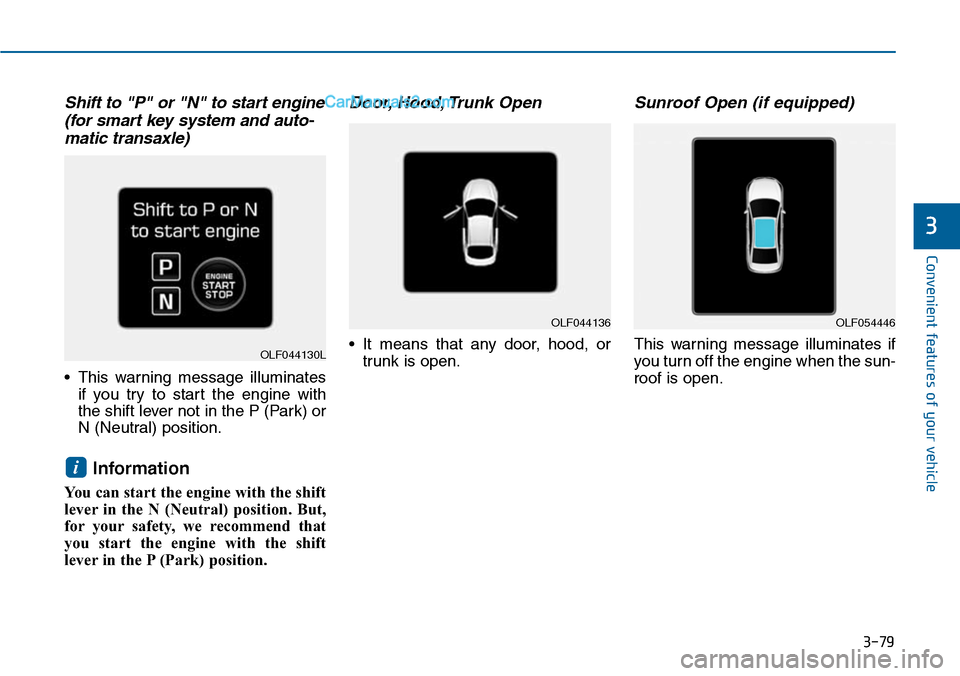
•This warning message illuminates
if you try to start the engine with
the shift lever not in the P (Park) or
N (Neutral) position.
Information
You can start the engine with the shift
lever in the N (Neutral) position. But,
for your safety, we recommend that
you start the engine with the shift
lever in the P (Park) position.
Door, Hood, Trunk Open
•It means that any door, hood, or
trunk is open.
Sunroof Open (if equipped)
This warning message illuminates if
you turn off the engine when the sun-
roof is open.
i
OLF044136OLF054446
OLF044130L