Page 202 of 665
3-106
Convenient features of your vehicle
Interior lamp
When the interior lamp switch is in
the DOOR position and all doors (and
trunk) are closed and locked, the
room lamp will come on for 30 sec-
onds if any of the below is performed.
•When the door unlock button is
pressed on the remote key or
smart key.
•When the button of the outside
door handle is pressed.
At this time, if you press the door lock
or unlock button, the room lamp will
turn off immediately.
Interior lights
Do not use the interior lights for
extended periods when the engine
is turned off or the battery will dis-
charge.
Interior lamp AUTO cut
The interior lamps will automatically
go off approximately 20 minutes after
the engine is turned off and the
doors closed. If a door is opened, the
lamp will go off 40 minutes after the
engine is turned off. If the doors are
locked by the smart key and the vehi-
cle enters the armed stage of the
theft alarm system, the lamps will go
off five seconds later.
NOTICE
Do not use the interior lights
when driving in the dark. The inte-
rior lights may obscure your view
and cause an accident.
WARNING
Page 203 of 665
3-107
Convenient features of your vehicle
3
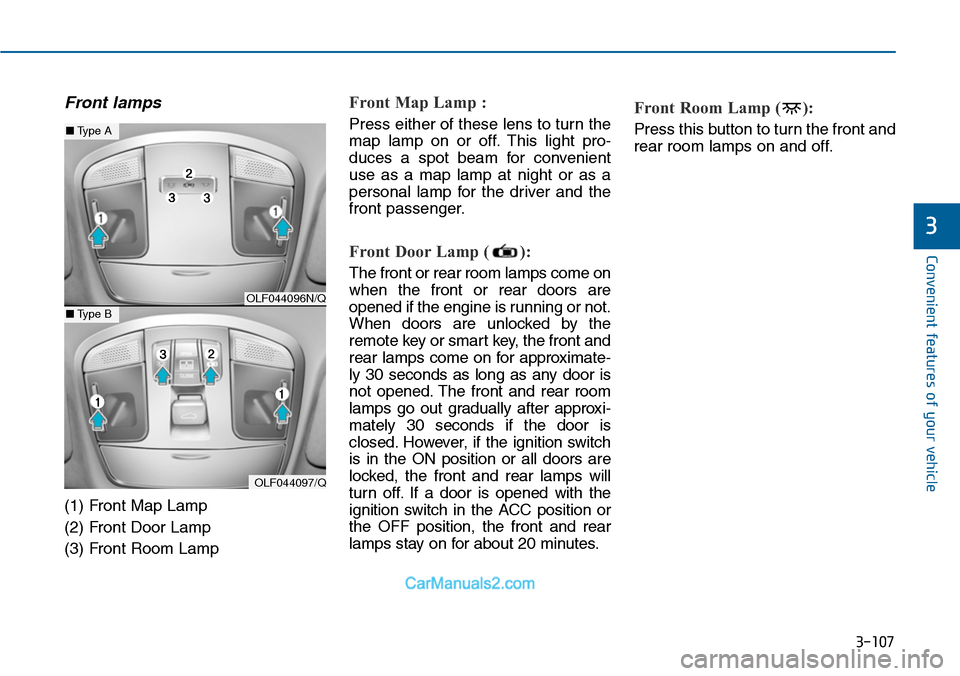
Front lamps
(1) Front Map Lamp
(2) Front Door Lamp
(3) Front Room Lamp
Front Map Lamp :
Press either of these lens to turn the
map lamp on or off. This light pro-
duces a spot beam for convenient
use as a map lamp at night or as a
personal lamp for the driver and the
front passenger.
Front Door Lamp ( ):
The front or rear room lamps come on
when the front or rear doors are
opened if the engine is running or not.
When doors are unlocked by the
remote key or smart key, the front and
rear lamps come on for approximate-
ly 30 seconds as long as any door is
not opened. The front and rear room
lamps go out gradually after approxi-
mately 30 seconds if the door is
closed. However, if the ignition switch
is in the ON position or all doors are
locked, the front and rear lamps will
turn off. If a door is opened with the
ignition switch in the ACC position or
the OFF position, the front and rear
lamps stay on for about 20 minutes.
Front Room Lamp ( ):
Press this button to turn the front and
rear room lamps on and off.
OLF044096N/Q
OLF044097/Q
■Type A
■Type B
Page 204 of 665
3-108
Convenient features of your vehicle
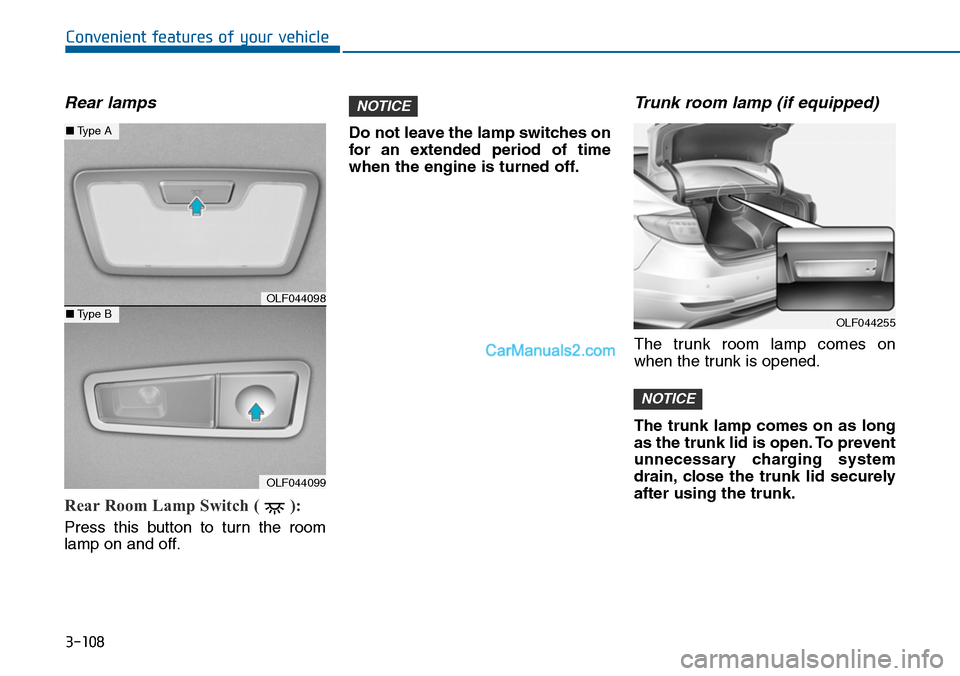
Rear lamps
Rear Room Lamp Switch ( ):
Press this button to turn the room
lamp on and off.
Do not leave the lamp switches on
for an extended period of time
when the engine is turned off.
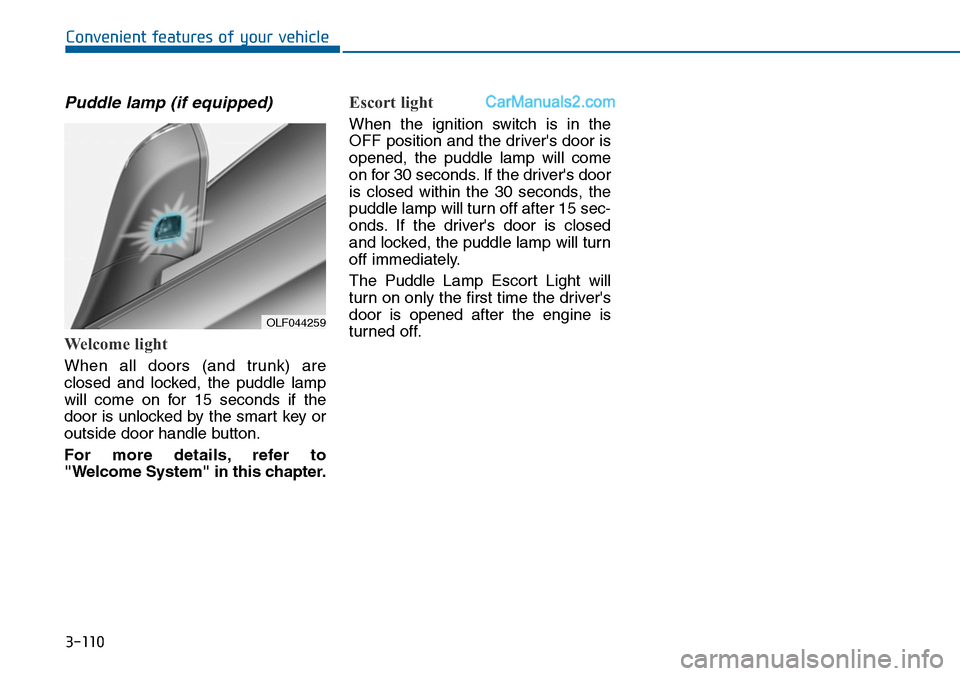
Trunk room lamp (if equipped)
The trunk room lamp comes on
when the trunk is opened.
The trunk lamp comes on as long
as the trunk lid is open. To prevent
unnecessary charging system
drain, close the trunk lid securely
after using the trunk.
NOTICE
NOTICE
OLF044098
OLF044099
■Type A
■Type BOLF044255
Page 206 of 665
3-110
Convenient features of your vehicle
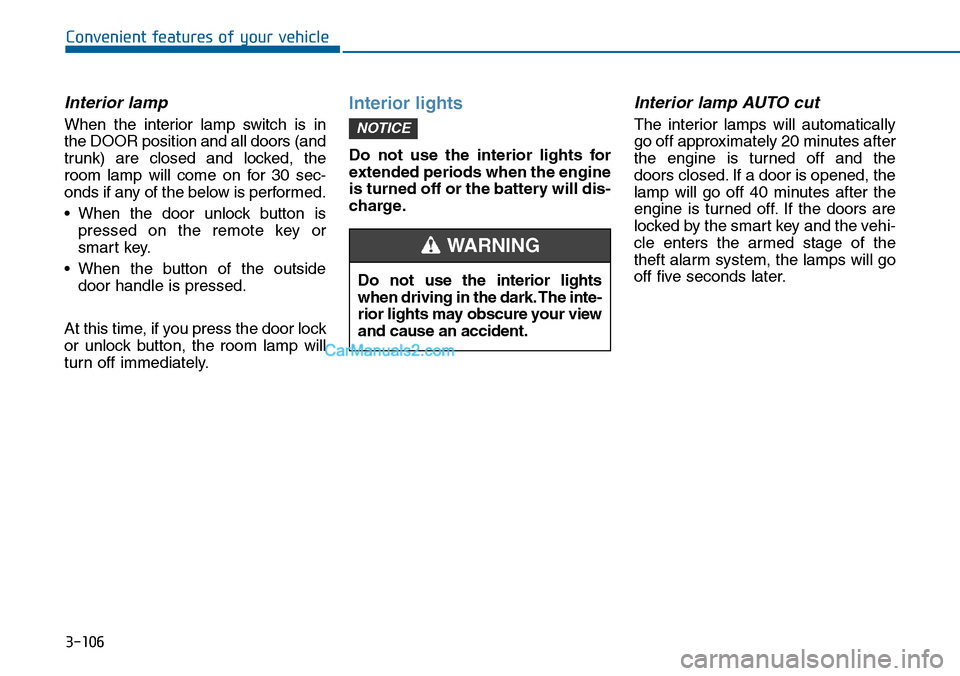
Puddle lamp (if equipped)
Welcome light
When all doors (and trunk) are
closed and locked, the puddle lamp
will come on for 15 seconds if the
door is unlocked by the smart key or
outside door handle button.
For more details, refer to
"Welcome System" in this chapter.
Escort light
When the ignition switch is in the
OFF position and the driver's door is
opened, the puddle lamp will come
on for 30 seconds. If the driver's door
is closed within the 30 seconds, the
puddle lamp will turn off after 15 sec-
onds. If the driver's door is closed
and locked, the puddle lamp will turn
off immediately.
The Puddle Lamp Escort Light will
turn on only the first time the driver's
door is opened after the engine is
turned off.OLF044259
Page 208 of 665
3-112
Convenient features of your vehicle
LO (1) : The wiper runs at a lower
speed.
HI (2) :The wiper runs at a higher
speed.
Information
If there is heavy accumulation of snow
or ice on the windshield, defrost the
windshield for about 10 minutes, or
until the snow and/or ice is removed
before using the windshield wipers to
ensure proper operation.
If you do not remove the snow and/or
ice before using the wiper and washer,
it may damage the wiper and washer
system.
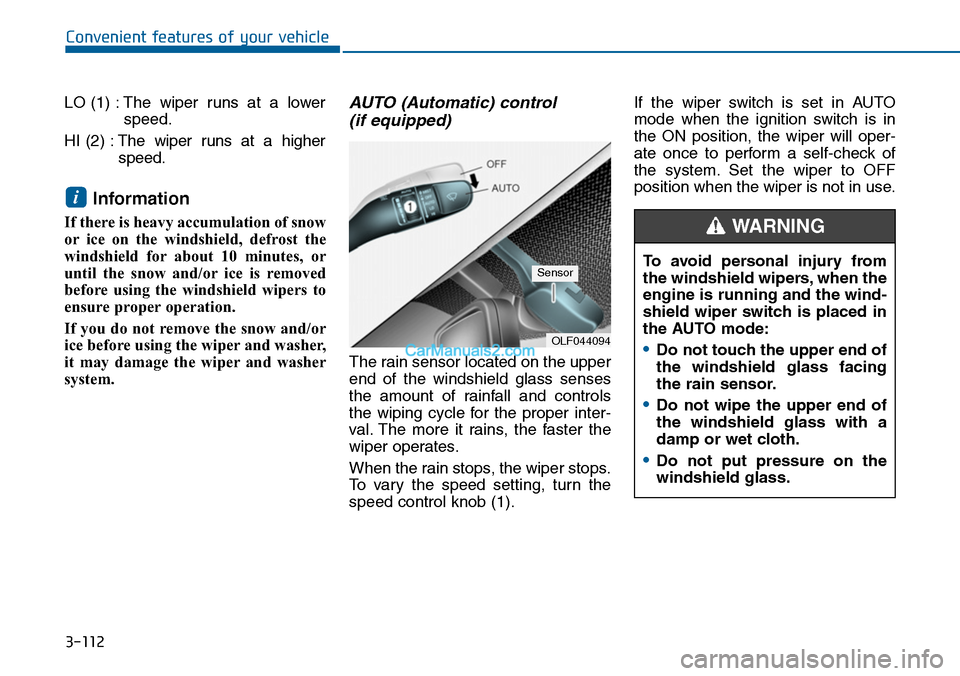
AUTO (Automatic) control
(if equipped)
The rain sensor located on the upper
end of the windshield glass senses
the amount of rainfall and controls
the wiping cycle for the proper inter-
val. The more it rains, the faster the
wiper operates.
When the rain stops, the wiper stops.
To vary the speed setting, turn the
speed control knob (1).
If the wiper switch is set in AUTO
mode when the ignition switch is in
the ON position, the wiper will oper-
ate once to perform a self-check of
the system. Set the wiper to OFF
position when the wiper is not in use.i
OLF044094
SensorTo avoid personal injury from
the windshield wipers, when the
engine is running and the wind-
shield wiper switch is placed in
the AUTO mode:
•Do not touch the upper end of
the windshield glass facing
the rain sensor.
•Do not wipe the upper end of
the windshield glass with a
damp or wet cloth.
•Do not put pressure on the
windshield glass.
WARNING
Page 211 of 665
3-115
Convenient features of your vehicle
3
DRIVER ASSIST SYSTEM
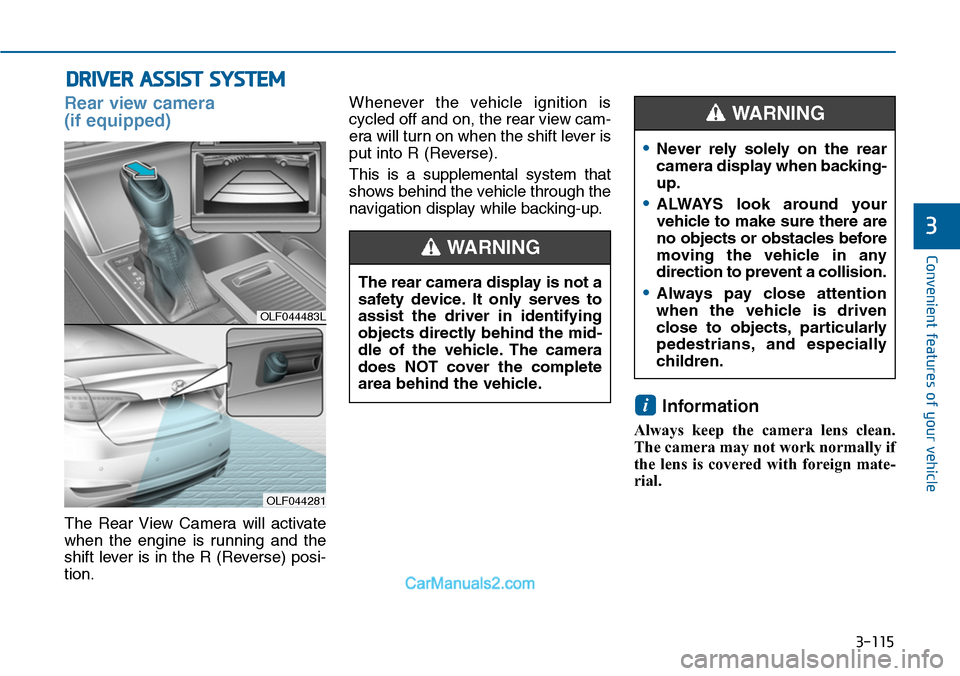
Rear view camera
(if equipped)
The Rear View Camera will activate
when the engine is running and the
shift lever is in the R (Reverse) posi-
tion.
Whenever the vehicle ignition is
cycled off and on, the rear view cam-
era will turn on when the shift lever is
put into R (Reverse).
This is a supplemental system that
shows behind the vehicle through the
navigation display while backing-up.
Information
Always keep the camera lens clean.
The camera may not work normally if
the lens is covered with foreign mate-
rial.
i
OLF044483L
OLF044281
The rear camera display is not a
safety device. It only serves to
assist the driver in identifying
objects directly behind the mid-
dle of the vehicle. The camera
does NOT cover the complete
area behind the vehicle.
WARNING
•Never rely solely on the rear
camera display when backing-
up.
•ALWAYS look around your
vehicle to make sure there are
no objects or obstacles before
moving the vehicle in any
direction to prevent a collision.
•Always pay close attention
when the vehicle is driven
close to objects, particularly
pedestrians, and especially
children.
WARNING
Page 213 of 665

3-117
Convenient features of your vehicle
3
Operation of the rear parking
assist system
Operation condition
•This system will activate when the
indicator on the rear parking assist
OFF button is not illuminated.
If you desire to deactivate the rear
parking assist system, press the
rear parking assist OFF button
again. (The indicator on the button
will illuminate.)
To turn the system on, press the
button again. (The indicator on the
button will go off.)
•This system will activate when
backing up with the engine running.
•Sensing distance when backing up
is approximately 120 cm (47 in.)
when you are driving less than 10
km/h (6 mph).
•When more than two objects are
sensed at the same time, the clos-
est one will be recognized first.
Types of warning indicator and sound
Information
• If an object is in between sensors or
close to a sensor, the displayed indi-
cator may differ from the above
illustration.
• Do not wash the vehicle's sensor
with high pressure water.
i
OLF044199L
OLF044245L
■Type A
■Type B
Distance fromobjectWarningindicatorWarningsound
120cm ~ 61cm (47 in. ~ 24 in.)Buzzer beepsintermittently.
60cm ~ 31cm (24 in. ~ 12 in.)
Buzzersounds twobeeps inter-mittently.
Less than 30 cm (12 in.)
Buzzersounds con-tinuously.
Page 214 of 665

3-118
Convenient features of your vehicle
When you shift into the R (Reverse)
position and one or more of the
below situation occurs, this may indi-
cate a malfunction with the parking
assist system.
•You don't hear an audible warning
sound or the buzzer sounds inter-
mittently.
If this occurs, we recommend that
the system be checked by an author-
ized HYUNDAI dealer.
Non-operational conditions of
rear parking assist system
The rear parking assist system
may not operate normally when:
•Moisture is frozen to the sensor.
•The sensor is covered or stained
with foreign material, such as snow
or water, or the sensor cover is
blocked.
There is a possibility of a parking
assist system malfunction when:
•Driving on uneven road surfaces
such as unpaved roads, gravel,
bumps, or gradient.
•Objects generating excessive noise
such as vehicle horns, loud motor-
cycle engines, or truck air brakes
can interfere with the sensor.
•Heavy rain or water spray is present.
•Wireless transmitters or mobile
phones are present near the sensor.
•The sensor is covered with snow.
•Any non-factory equipment or
accessories have been installed, or
if the vehicle bumper height or sen-
sor installation has been modified.
•Trailer towing.
Detecting range may decrease
when:
•Outside air temperature is
extremely hot or cold.
•Undetectable objects smaller than
about 1 m (40 in.) and narrower
than about 14 cm (6 in.) in diameter.
The following objects may not be
recognized by the sensor:
•Sharp or slim objects such as
ropes, chains or small poles.
•Objects, which tend to absorb sen-
sor frequency such as clothes,
spongy material or snow.
•is displayed.(if equipped)
Yo u r n e w v e h i c l e w a r r a n t y d o e s
not cover any accidents or dam-
age to the vehicle or injuries to
its occupants due to a rear
parking assist system malfunc-
tion. Always drive safely and
cautiously.
WARNING