Page 438 of 476
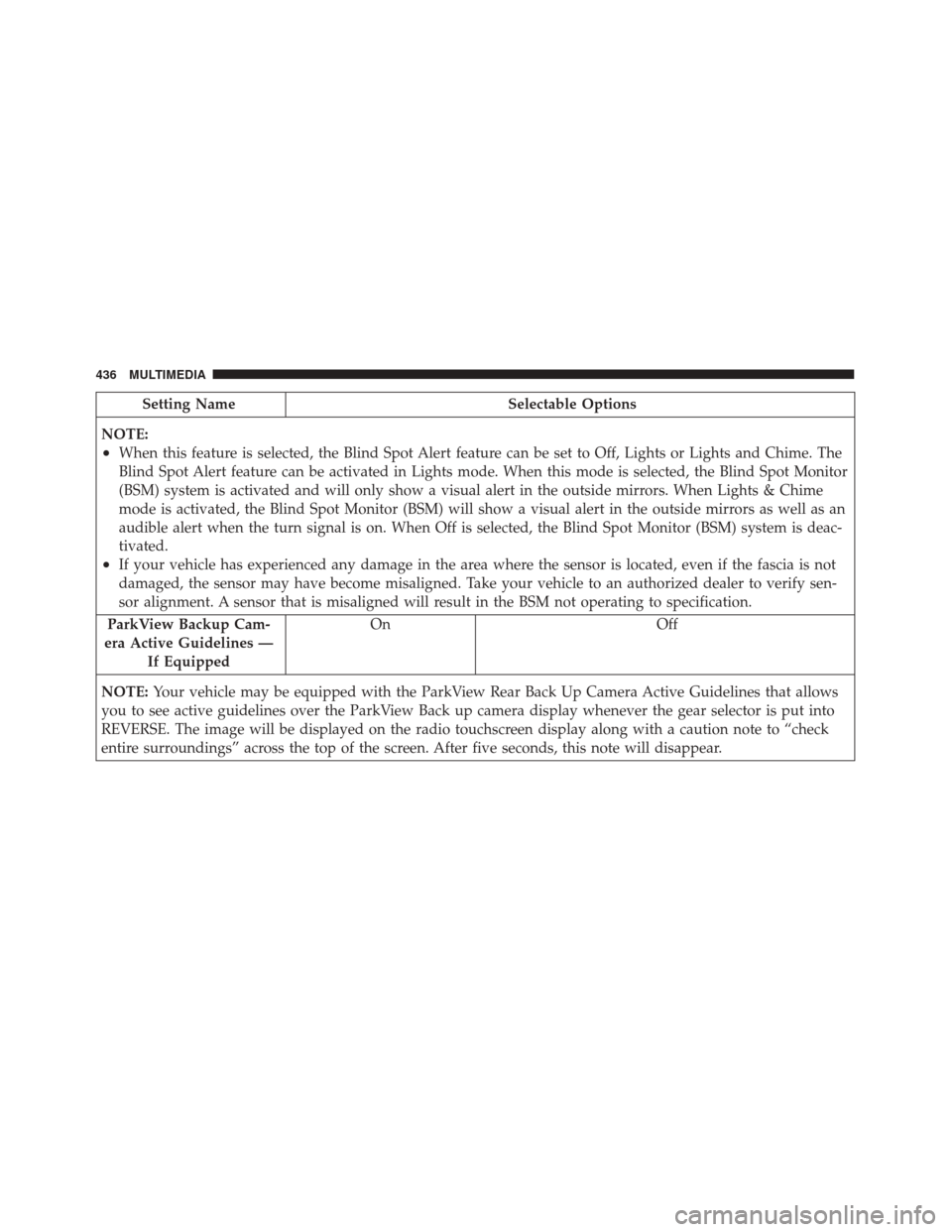
Setting NameSelectable Options
NOTE:
•When this feature is selected, the Blind Spot Alert feature can be set to Off, Lights or Lights and Chime. The
Blind Spot Alert feature can be activated in Lights mode. When this mode is selected, the Blind Spot Monitor
(BSM) system is activated and will only show a visual alert in the outside mirrors. When Lights & Chime
mode is activated, the Blind Spot Monitor (BSM) will show a visual alert in the outside mirrors as well as an
audible alert when the turn signal is on. When Off is selected, the Blind Spot Monitor (BSM) system is deac-
tivated.
•If your vehicle has experienced any damage in the area where the sensor is located, even if the fascia is not
damaged, the sensor may have become misaligned. Take your vehicle to an authorized dealer to verify sen-
sor alignment. A sensor that is misaligned will result in the BSM not operating to specification.
ParkView Backup Cam-
era Active Guidelines — If Equipped On Off
NOTE: Your vehicle may be equipped with the ParkView Rear Back Up Camera Active Guidelines that allows
you to see active guidelines over the ParkView Back up camera display whenever the gear selector is put into
REVERSE. The image will be displayed on the radio touchscreen display along with a caution note to “check
entire surroundings” across the top of the screen. After five seconds, this note will disappear.
436 MULTIMEDIA
Page 440 of 476
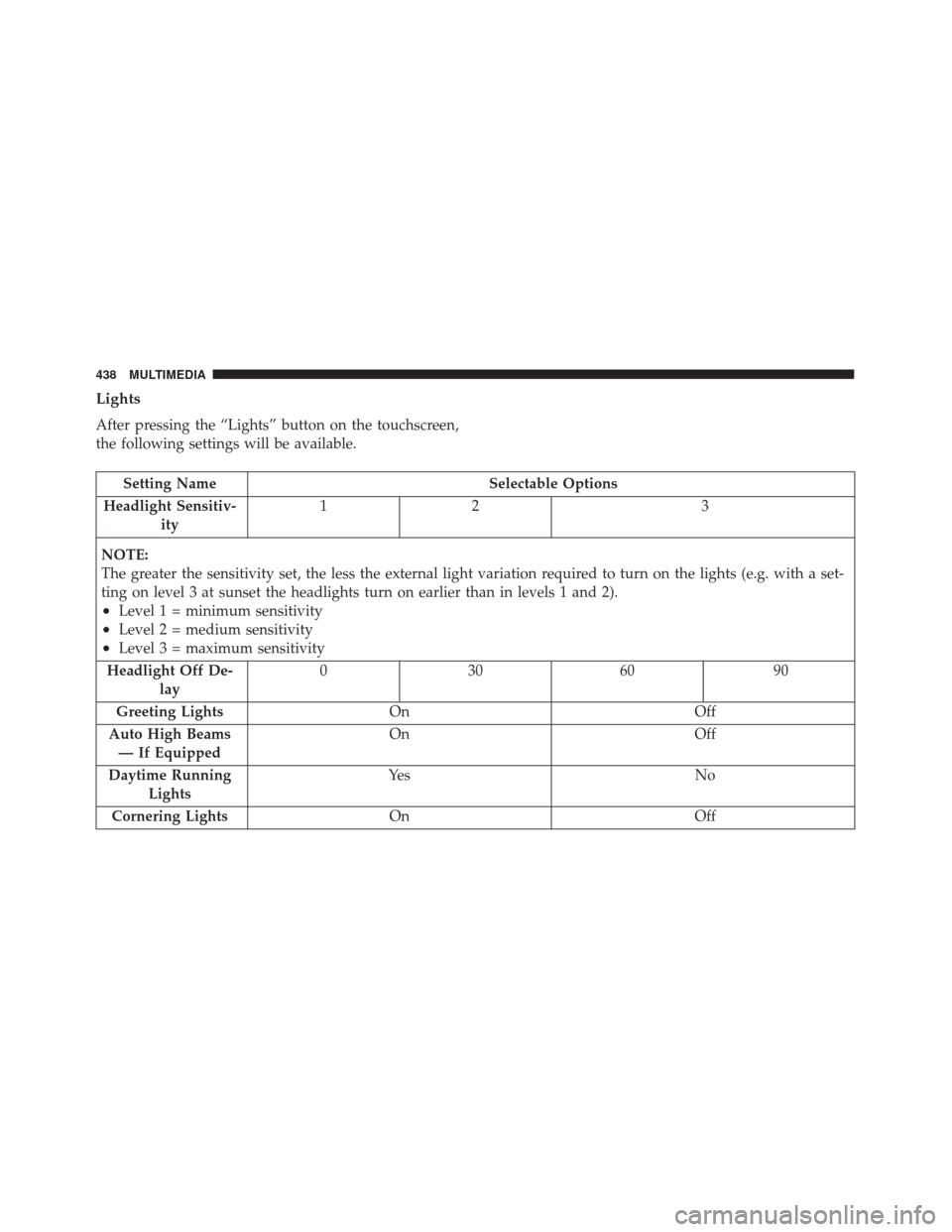
Lights
After pressing the “Lights” button on the touchscreen,
the following settings will be available.
Setting NameSelectable Options
Headlight Sensitiv- ity 12
3
NOTE:
The greater the sensitivity set, the less the external light variation required to turn on the lights (e.g. with a set-
ting on level 3 at sunset the headlights turn on earlier than in levels 1 and 2).
•Level 1 = minimum sensitivity
•Level 2 = medium sensitivity
•Level 3 = maximum sensitivity
Headlight Off De- lay 03
0609 0
Greeting Lights On Off
Auto High Beams — If Equipped On
Off
Daytime Running Lights Ye s
N o
Cornering Lights On Off
438 MULTIMEDIA
Page 441 of 476
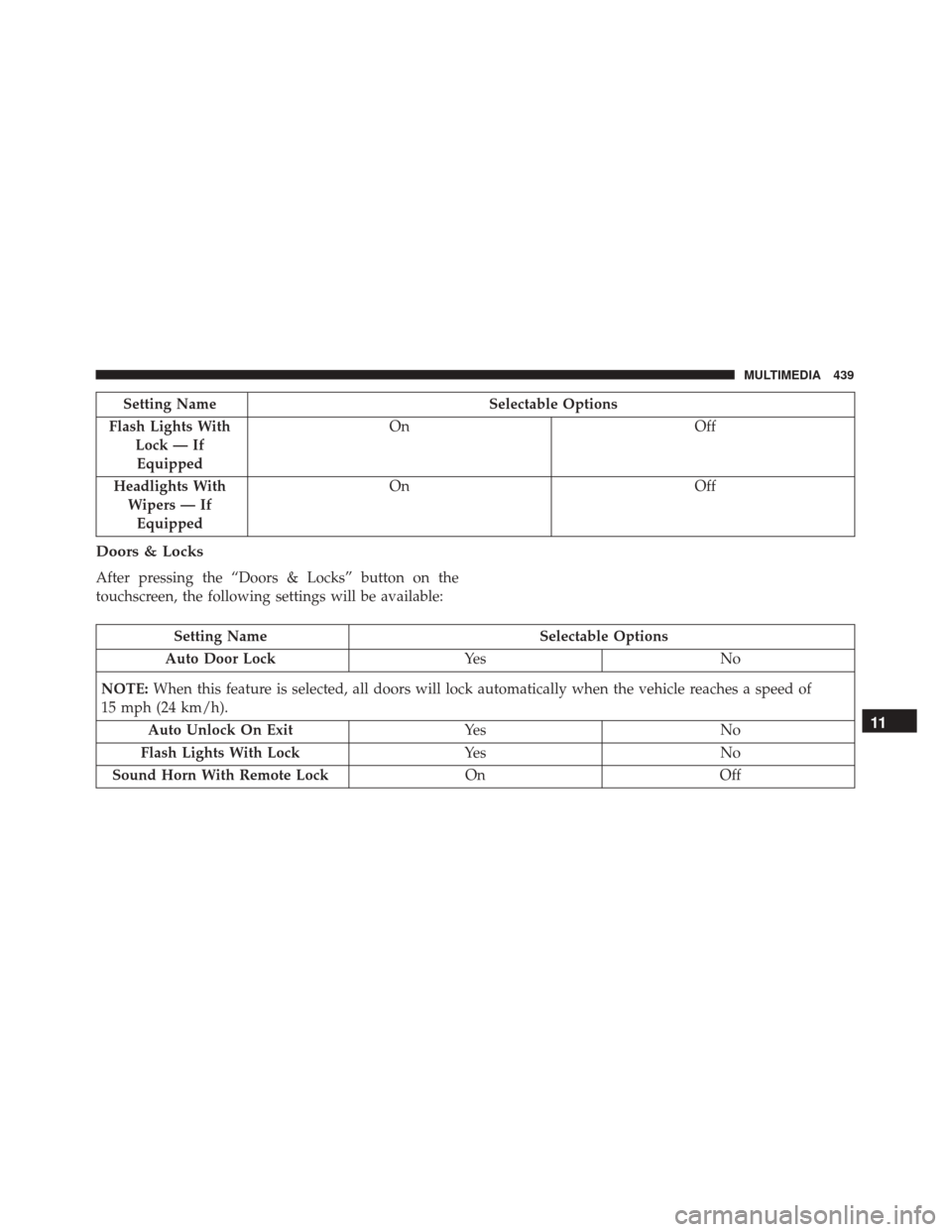
Setting NameSelectable Options
Flash Lights With Lock — IfEquipped On
Off
Headlights With Wipers — IfEquipped On
Off
Doors & Locks
After pressing the “Doors & Locks” button on the
touchscreen, the following settings will be available:
Setting Name Selectable Options
Auto Door Lock Ye sN o
NOTE: When this feature is selected, all doors will lock automatically when the vehicle reaches a speed of
15 mph (24 km/h).
Auto Unlock On Exit Ye sN o
Flash Lights With Lock Ye sN o
Sound Horn With Remote Lock OnOff
11
MULTIMEDIA 439
Page 443 of 476
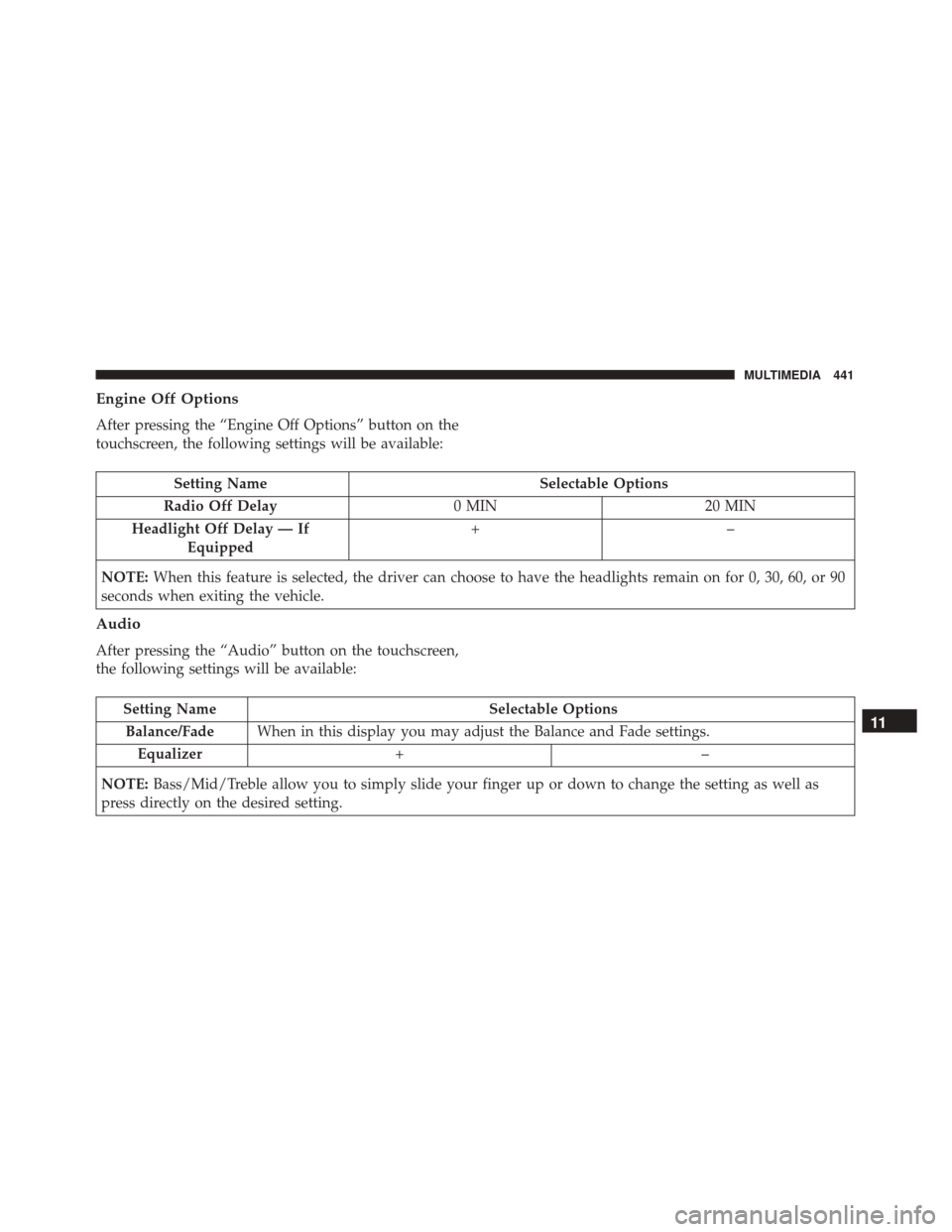
Engine Off Options
After pressing the “Engine Off Options” button on the
touchscreen, the following settings will be available:
Setting NameSelectable Options
Radio Off Delay 0 MIN20 MIN
Headlight Off Delay — If Equipped +–
NOTE: When this feature is selected, the driver can choose to have the headlights remain on for 0, 30, 60, or 90
seconds when exiting the vehicle.
Audio
After pressing the “Audio” button on the touchscreen,
the following settings will be available:
Setting Name Selectable Options
Balance/Fade When in this display you may adjust the Balance and Fade settings.
Equalizer +–
NOTE: Bass/Mid/Treble allow you to simply slide your finger up or down to change the setting as well as
press directly on the desired setting.11
MULTIMEDIA 441
Page 455 of 476
•Play artist Beethoven;Play album Greatest Hits;
Play song Moonlight Sonata; Play genreClassical.
TIP: Press the Browse button on the touchscreen to see
all of the music on your iPod or USB device. Your Voice
Command must match exactlyhow the artist, album,
song and genre information is displayed.
Phone
Making and answering hands-free phone calls is easy
with Uconnect. When the Phonebook button is illumi-
nated on your touchscreen, your system is ready. Check
UconnectPhone.com for mobile phone compatibility
and pairing instructions.
Push the Phone button
. After the beep, say one of
the following commands �
•Call John Smith.
• Dial 123-456-7890 and follow the system prompts.
• Redial (call previous outgoing phone number).
Uconnect 5.0 Media
Uconnect 6.5 NAV Media
11
MULTIMEDIA 453
Page 462 of 476
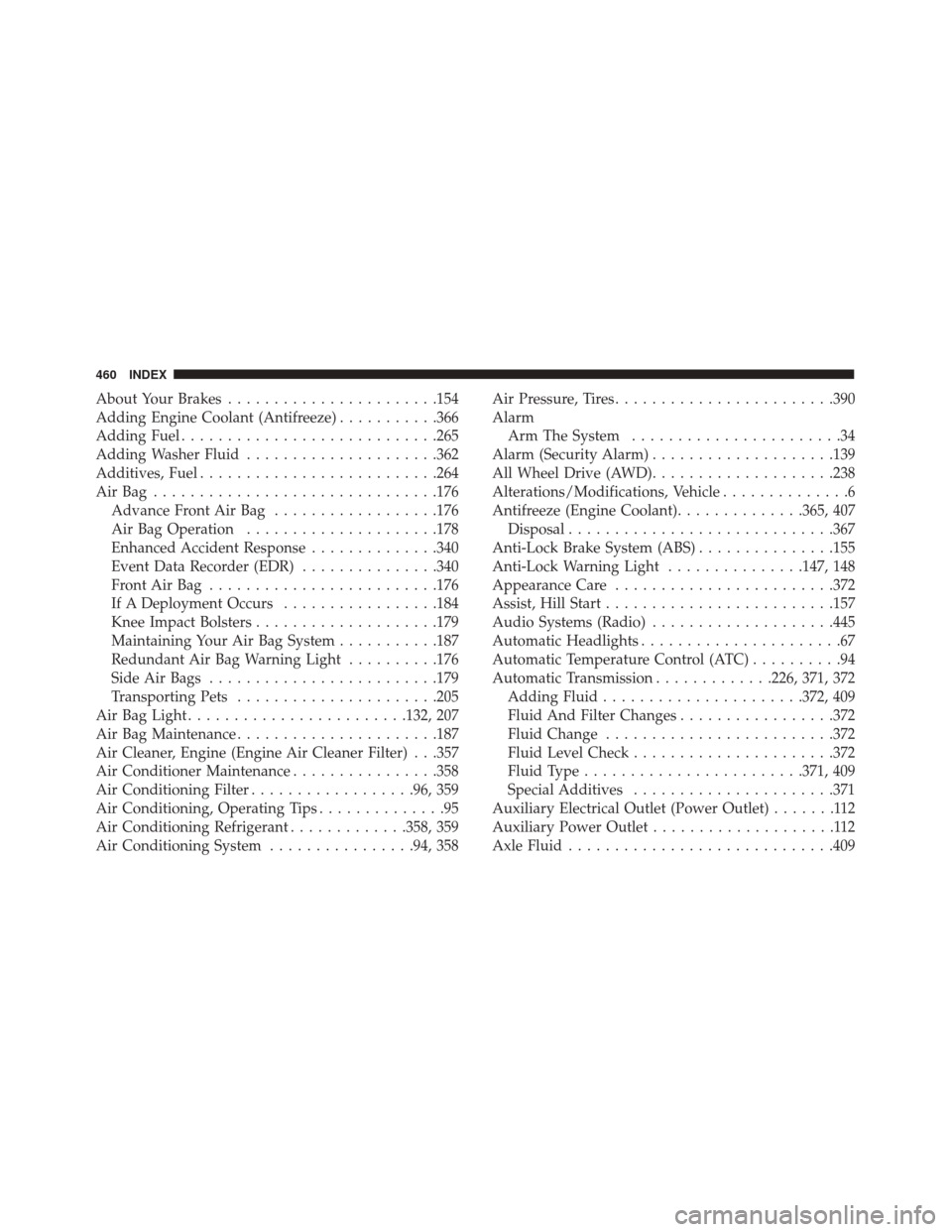
About Your Brakes...................... .154
Adding Engine Coolant (Antifreeze) ...........366
Adding Fuel ........................... .265
Adding Washer Fluid .....................362
Additives, Fuel ......................... .264
AirBag .............................. .176
Advance Front Air Bag ..................176
Air Bag Operation .....................178
Enhanced Accident Response ..............340
Event Data Recorder (EDR) ...............340
FrontAirBag ........................ .176
If A Deployment Occurs .................184
Knee Impact Bolsters ....................179
Maintaining Your Air Bag System ...........187
Redundant Air Bag Warning Light ..........176
Side Air Bags ........................ .179
Transporting Pets ..................... .205
Air Bag Light ....................... .132, 207
Air Bag Maintenance ..................... .187
Air Cleaner, Engine (Engine Air Cleaner Filter) . . .357
Air Conditioner Maintenance ................358
Air Conditioning Filter ..................96, 359
Air Conditioning, Operating Tips ..............95
Air Conditioning Refrigerant .............358, 359
Air Conditioning System ................94, 358 Air Pressure, Tires
....................... .390
Alarm Arm The System .......................34
Alarm (Security Alarm) ....................139
All Wheel Drive (AWD) ....................238
Alterations/Modifications, Vehicle ..............6
Antifreeze (Engine Coolant) ..............365, 407
Disposal ............................ .367
Anti-Lock Brake System (ABS) ...............155
Anti-Lock Warning Light ...............147, 148
Appearance Care ....................... .372
Assist, Hill Start ........................ .157
Audio Systems (Radio) ....................445
Automatic
Headlights ......................67
Automatic Temperature Control (ATC) ..........94
Automatic Transmission .............226, 371, 372
Adding Fluid ..................... .372, 409
Fluid And Filter Changes .................372
Fluid Change ........................ .372
Fluid Level Check ..................... .372
Fluid Type ....................... .371, 409
Special Additives ..................... .371
Auxiliary Electrical Outlet (Power Outlet) .......112
Auxiliary Power Outlet ....................112
Axle Fluid ............................ .409
460 INDEX
Page 463 of 476
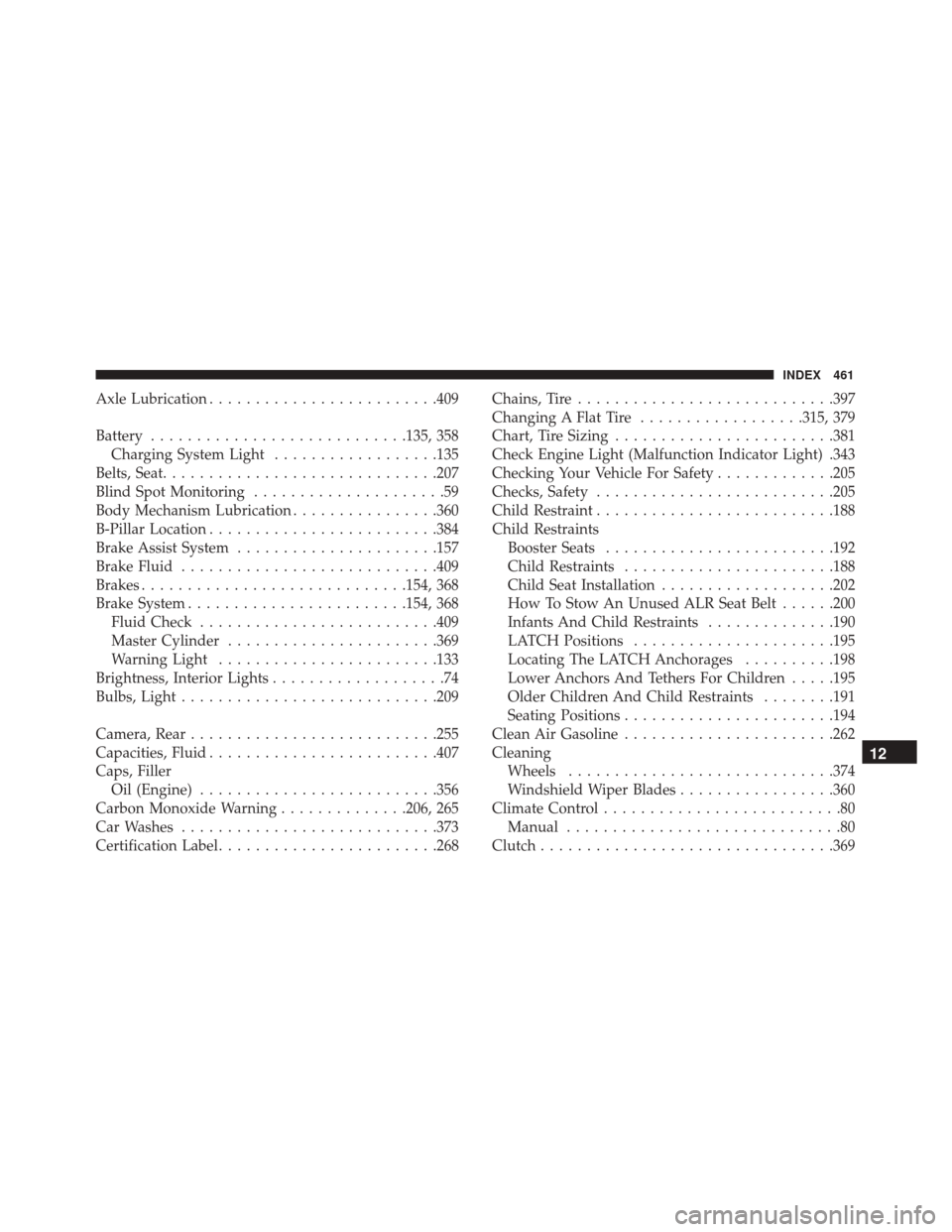
Axle Lubrication........................ .409
Battery ........................... .135, 358
Charging System Light ..................135
Belts, Seat ............................. .207
Blind Spot Monitoring .....................59
Body Mechanism Lubrication ................360
B-Pillar Location ........................ .384
Brake Assist System ..................... .157
Brake Fluid ........................... .409
Brakes ............................ .154, 368
Brake System ....................... .154, 368
Fluid Check ......................... .409
Master Cylinder ...................... .369
Warning Light ....................... .133
Brightness, Interior Lights ...................74
Bulbs, Light ........................... .209
Camera, Rear .......................... .255
Capacities, Fluid ........................ .407
Caps, Filler Oil (Engine) ......................... .356
Carbon Monoxide Warning ..............206, 265
Car Washes ........................... .373
Certification Label ....................... .268Chains, Tire
........................... .397
Changing A Flat Tire ..................315, 379
Chart, Tire Sizing ....................... .381
Check Engine Light (Malfunction Indicator Light) .343
Checking Your Vehicle For Safety .............205
Checks, Safety ......................... .205
Child Restraint ......................... .188
Child Restraints Booster Seats ........................ .192
Child Restraints ...................... .188
Child Seat Installation ...................202
How To Stow An Unused ALR Seat Belt ......200
Infants And Child Restraints ..............190
LATCH Positions ..................... .195
Locating
The LATCH Anchorages ..........198
Lower Anchors And Tethers For Children .....195
Older Children And Child Restraints ........191
Seating Positions ...................... .194
Clean Air Gasoline ...................... .262
Cleaning Wheels ............................ .374
Windshield Wiper Blades .................360
Climate Control ..........................80
Manual ..............................80
Clutch ............................... .369
12
INDEX 461
Page 464 of 476
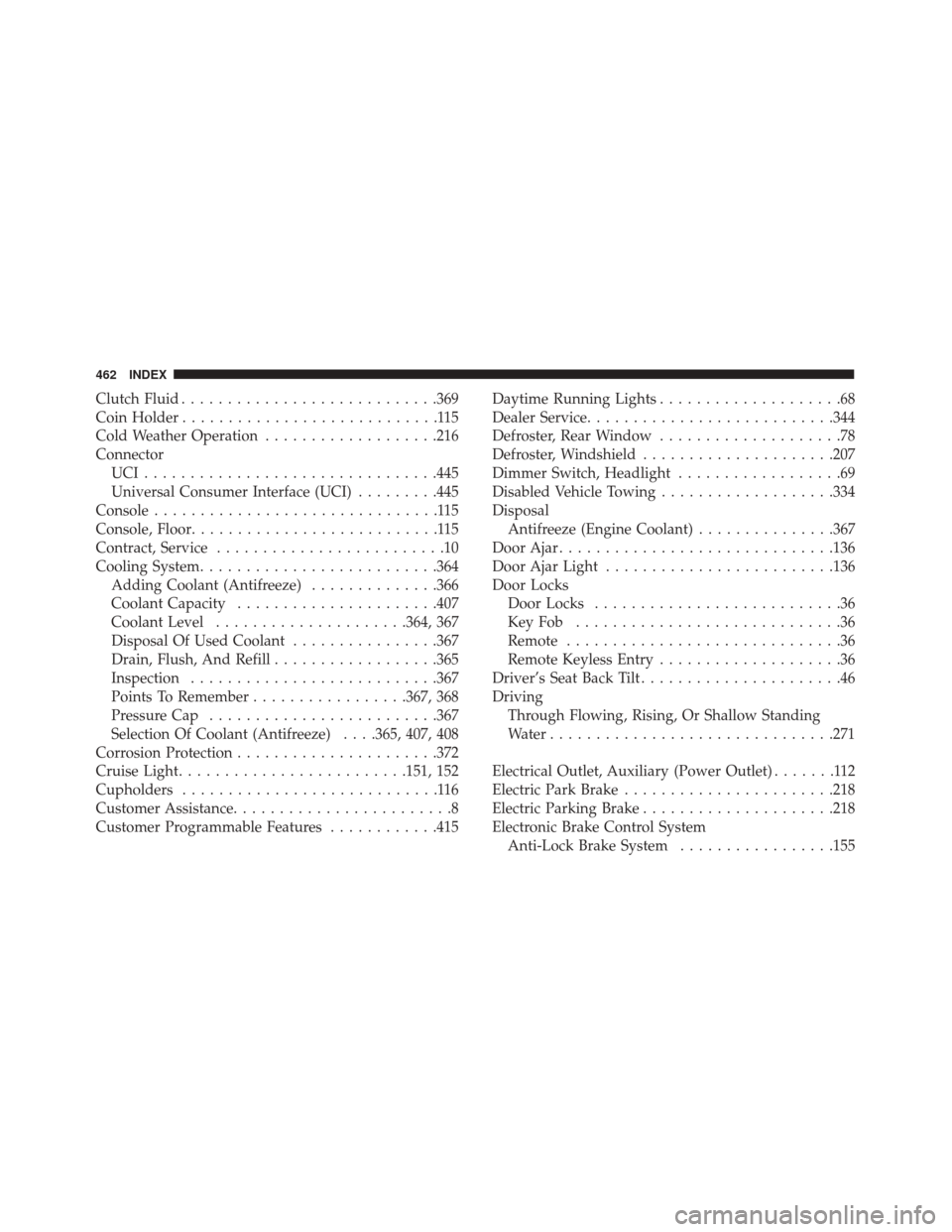
Clutch Fluid........................... .369
Coin Holder ............................115
Cold Weather Operation ...................216
Connector UCI............................... .445
Universal Consumer Interface (UCI) .........445
Console ...............................115
Console, Floor ...........................115
Contract, Service .........................10
Cooling System ......................... .364
Adding Coolant (Antifreeze) ..............366
Coolant Capacity ..................... .407
Coolant Level .....................364, 367
Disposal Of Used Coolant ................367
Drain, Flush, And Refill ..................365
Inspection .......................... .367
Points To Remember .................367, 368
Pressure Cap ........................ .367
Selection Of Coolant (Antifreeze) . . . .365, 407, 408
Corrosion Protection ..................... .372
Cruise Light ........................ .151, 152
Cupholders ............................116
Customer Assistance ........................8
Customer Programmable Features ............415Daytime Running Lights
....................68
Dealer Service .......................... .344
Defroster, Rear Window ....................78
Defroster, Windshield .....................207
Dimmer Switch, Headlight ..................69
Disabled Vehicle Towing ...................334
Disposal Antifreeze (Engine Coolant) ...............367
Door Ajar ............................. .136
Door Ajar Light ........................ .136
Door Locks Door Locks ...........................36
KeyFob .............................36
Remote ..............................36
Remote Keyless Entry ....................36
Driver’s Seat Back Tilt ......................46
Driving Through Flowing, Rising, Or Shallow Standing
Water .............................. .271
Electrical Outlet, Auxiliary (Power Outlet) .......112
Electric
Park Brake ...................... .218
Electric Parking Brake .....................218
Electronic Brake Control System Anti-Lock Brake System .................155
462 INDEX