Page 279 of 644
279 3-2. Using the audio system
3
Interior features
HILUX_OM_OM0K134E_(EE)
Error messages
“ERROR”: This indicates a problem either in the CD or inside the player.
“CD CHECK”: The CD may be dirty, damaged or inserted up-side down.
“WAIT”: Operation has stopped due to a high temperature inside the
player. Wait for a while and then press the “CD” button. Con-
tact your Toyota dealer if the CD still cannot be played.
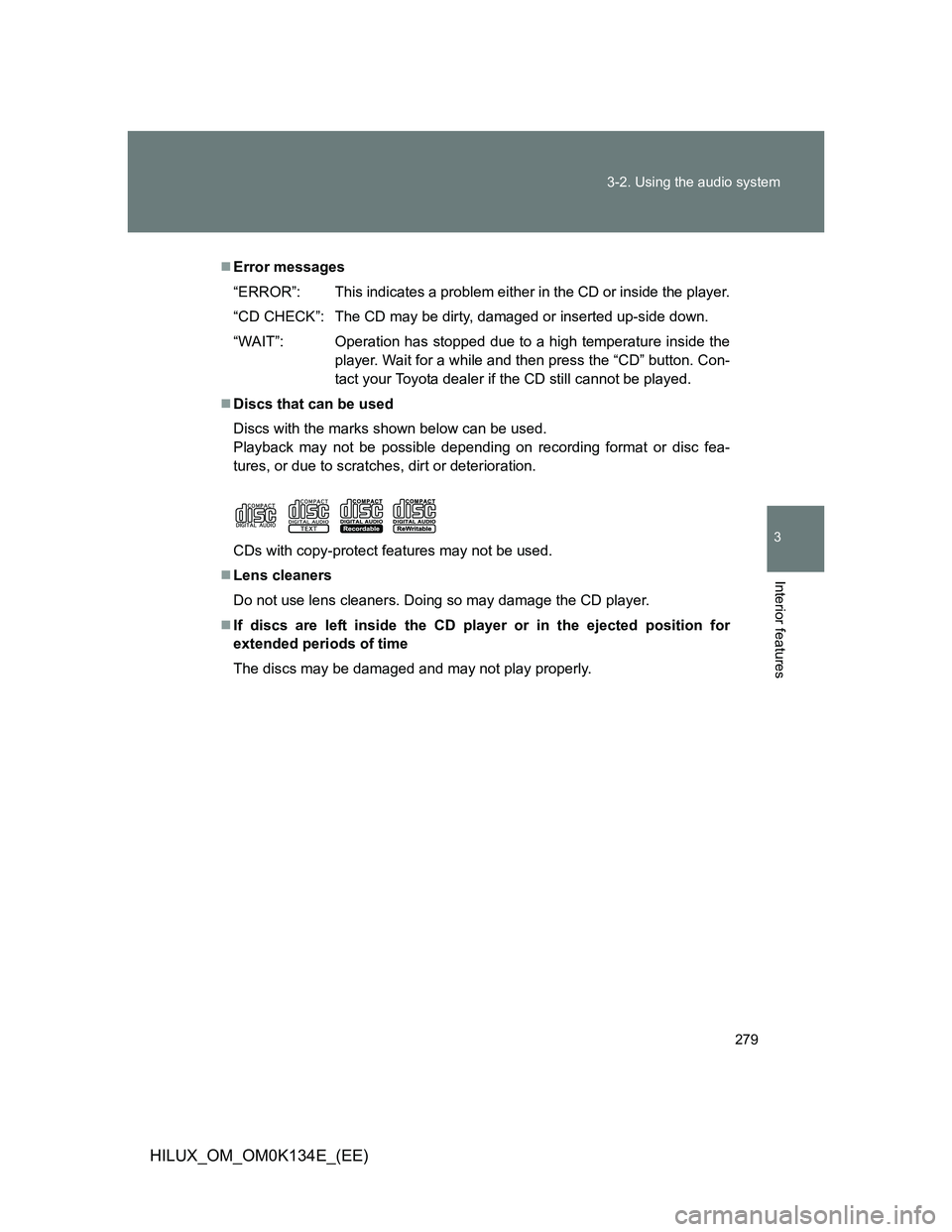
Discs that can be used
Discs with the marks shown below can be used.
Playback may not be possible depending on recording format or disc fea-
tures, or due to scratches, dirt or deterioration.
CDs with copy-protect features may not be used.
Lens cleaners
Do not use lens cleaners. Doing so may damage the CD player.
If discs are left inside the CD player or in the ejected position for
extended periods of time
The discs may be damaged and may not play properly.
Page 280 of 644
280 3-2. Using the audio system
HILUX_OM_OM0K134E_(EE)
NOTICE
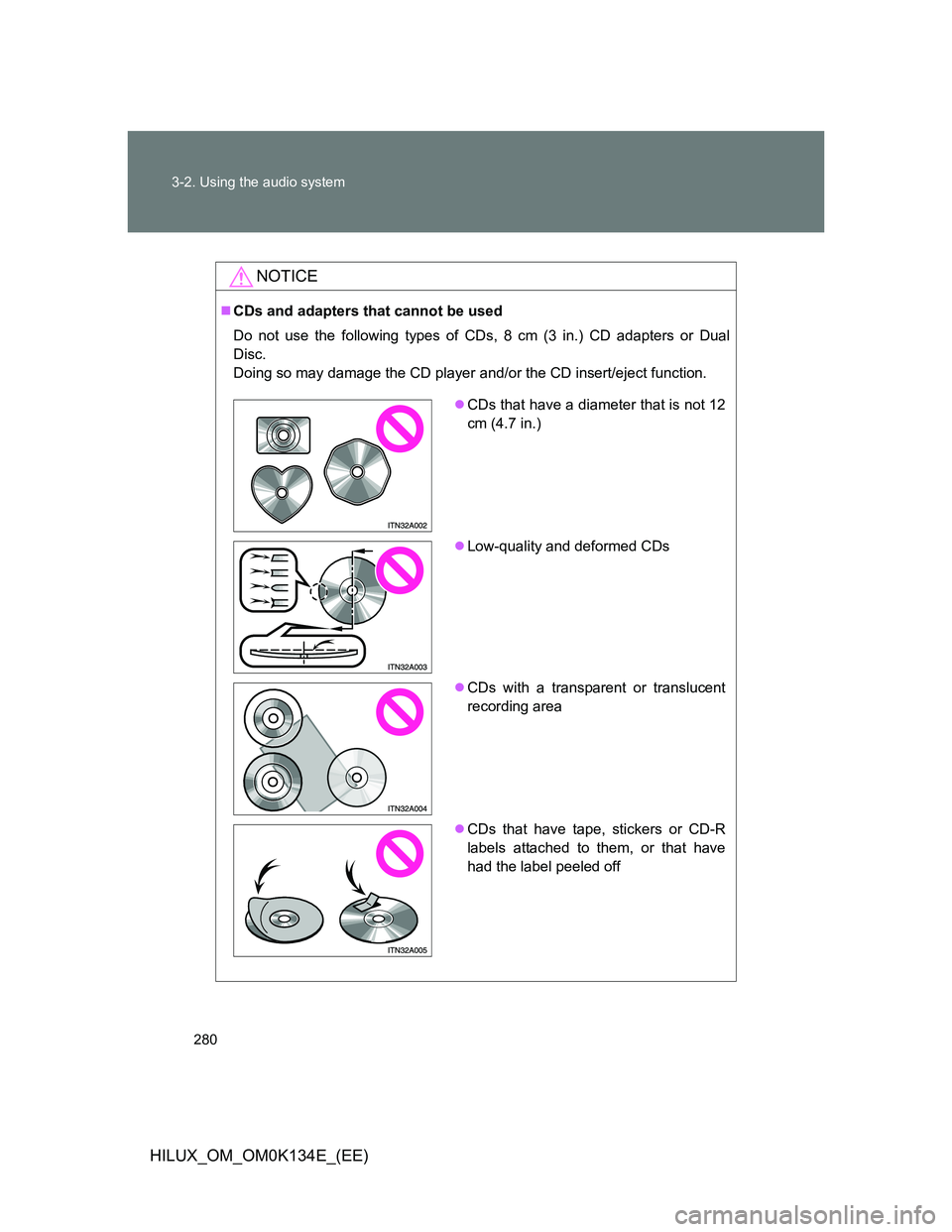
CDs and adapters that cannot be used
Do not use the following types of CDs, 8 cm (3 in.) CD adapters or Dual
Disc.
Doing so may damage the CD player and/or the CD insert/eject function.
CDs that have a diameter that is not 12
cm (4.7 in.)
Low-quality and deformed CDs
CDs with a transparent or translucent
recording area
CDs that have tape, stickers or CD-R
labels attached to them, or that have
had the label peeled off
Page 281 of 644
281 3-2. Using the audio system
3
Interior features
HILUX_OM_OM0K134E_(EE)
NOTICE
CD player precautions
Failure to follow the precautions below may result in serious damage to the
CDs or the player itself.
Do not insert anything other than CDs into the CD slot.
Do not apply oil to the CD player.
Store CDs away from direct sunlight.
Never try to disassemble any part of the CD player.
Do not insert more than one CD at a
time.
Page 285 of 644
285 3-2. Using the audio system
3
Interior features
HILUX_OM_OM0K134E_(EE)
CD player protection feature
P. 278
Display
P. 278
Error messages
“ERROR”: This indicates a problem either in the CD or inside the
player.
“CD CHECK”: The CD may be dirty, damaged or inserted up-side down.
“WAIT”: Operation has stopped due to a high temperature inside
the player. Wait for a while and then press the “CD” but-
ton. Contact your Toyota dealer if the CD still cannot be
played.
“NO SUPPORT”: This indicates that the MP3/WMA file is not included in the
CD.
Page 286 of 644

286 3-2. Using the audio system
HILUX_OM_OM0K134E_(EE)
Discs that can be used
Discs with the marks shown below can be used.
Playback may not be possible depending on recording format or disc fea-
tures, or due to scratches, dirt or deterioration.
Lens cleaners
P. 279
If discs are left inside the CD player or in the ejected position for
extended periods of time
P. 279
MP3 and WMA files
MP3 (MPEG Audio LAYER3) is a standard audio compression format.
Files can be compressed to approximately 1/10 of their original size by using
MP3 compression.
WMA (Windows Media Audio) is a Microsoft audio compression format.
This format compresses audio data to a size smaller than that of the MP3
format.
There is a limit to the MP3 and WMA file standards that can be used and to
the media/formats on which the files are recorded.
MP3 file compatibility
• Compatible standards
MP3 (MPEG1 LAYER3, MPEG2 LSF LAYER3)
• Compatible sampling frequencies
MPEG1 LAYER3: 32, 44.1, 48 (kHz)
MPEG2 LSF LAYER3: 16, 22.05, 24 (kHz)
• Compatible bit rates (compatible with VBR)
MPEG1 LAYER3: 64, 80, 96, 112, 128, 160, 192, 224, 256, 320 (kbps)
MPEG2 LSF LAYER3: 64, 80, 96, 112, 128, 144, 160 (kbps)
*Compatible with VBR
• Compatible channel modes: stereo, joint stereo, dual channel and
monaural
Page 289 of 644

289 3-2. Using the audio system
3
Interior features
HILUX_OM_OM0K134E_(EE)
Playback
• To play an MP3 file with steady sound quality, we recommend a fixed
bit rate of at least 128 kbps and a sampling frequency of 44.1 kHz.
• CD-R or CD-RW playback may not be possible in some instances,
depending on the characteristics of the disc.
• There is a wide variety of freeware and other encoding software for
MP3 and WMA files on the market, and depending on the status of the
encoding and the file format, poor sound quality or noise at the start of
playback may result. In some cases, playback may not be possible at
all.
• When files other than MP3 or WMA files are recorded on a disc, it may
take more time to recognize the disc and in some cases, playback may
not be possible at all.
• Microsoft, Windows, and Windows Media are the registered trade-
marks of Microsoft Corporation in the U.S.A. and other countries.
NOTICE
CDs and adapters that cannot be used
P. 280
CD player precautions
P. 281
Page 299 of 644
299 3-2. Using the audio system
3
Interior features
HILUX_OM_OM0K134E_(EE)
CAUTION
Caution while driving
Do not connect iPod or operate the controls.
NOTICE
To prevent damage to iPod
Do not leave iPod in the vehicle. The temperature inside the vehicle may
become high, resulting in damage to the player.
Do not push down on or apply unnecessary pressure to the iPod while it is
connected as this may damage the iPod or its terminal.
Do not insert foreign objects into the port as this may damage the iPod or
its terminal.
Page 308 of 644
308 3-2. Using the audio system
HILUX_OM_OM0K134E_(EE)
Playback
• To play MP3 files with steady sound quality, we recommend a fixed bit
rate of at least 128 kbps and a sampling frequency of 44.1 kHz.
• There is a wide variety of freeware and other encoding software for
MP3 and WMA files on the market, and depending on the status of the
encoding and the file format, poor sound quality or noise at the start of
playback may result. In some cases, playback may not be possible at
all.
• Microsoft, Windows, and Windows Media are registered trademarks of
Microsoft Corporation in the U.S.A. and other countries.
CAUTION
Caution while driving
Do not connect USB memory or operate the controls.
NOTICE
To prevent damage to USB memory
Do not leave USB memory in the vehicle. The temperature inside the vehi-
cle may become high, resulting in damage to the player.
Do not push down on or apply unnecessary pressure to the USB memory
while it is connected as this may damage the USB memory or its terminal.
Do not insert foreign objects into the port as this may damage the USB
memory or its terminal.