Page 327 of 644
327
3-3. Using the “touch screen”
3
Interior features
HILUX_OM_OM0K134E_(EE)
Audio system
Press “MEDIA” to display the audio control screen.
TitlePage
Using the radioP. 331
Using the CD playerP. 336
Playing an audio CD and MP3/WMA discsP. 337
Listening to an iPodP. 350
Listening to a USB memoryP. 360
Using the AUX portP. 369
Listening to Bluetooth® audioP. 370
Using the steering wheel audio switchesP. 384
Page 330 of 644
330 3-3. Using the “touch screen”
HILUX_OM_OM0K134E_(EE)
CAUTION
Laser product
This product is a class 1 laser product.
A laser beam leak may result in hazardous radiation exposure.
Do not open the cover of the player or attempt to repair the unit yourself.
Refer servicing to qualified personal.
Laser power: No hazardous.
NOTICE
To prevent battery discharge
Do not leave the audio system on longer than necessary when the engine is
off.
To avoid damaging the audio system
Take care not to spill drinks or other fluids on the audio system.
Page 336 of 644
336
3-3. Using the “touch screen”
HILUX_OM_OM0K134E_(EE)
Using the CD player
Loading a disc
Insert a disc into the disc slot.
Ejecting a disc
Press and remove the disc.
Vo lu m e
Selecting a track and file/
fast-forwarding and reversingDisplaying the source selection
or audio control screen Power
Ejecting a
discSelecting a track and file Disc slot
Page 343 of 644
343 3-3. Using the “touch screen”
3
Interior features
HILUX_OM_OM0K134E_(EE)
Error messages
Refer to the following table and take the appropriate measures. If the prob-
lem is not rectified, take the vehicle to any authorized Toyota dealer or
repairer, or another duly qualified and equipped professional.
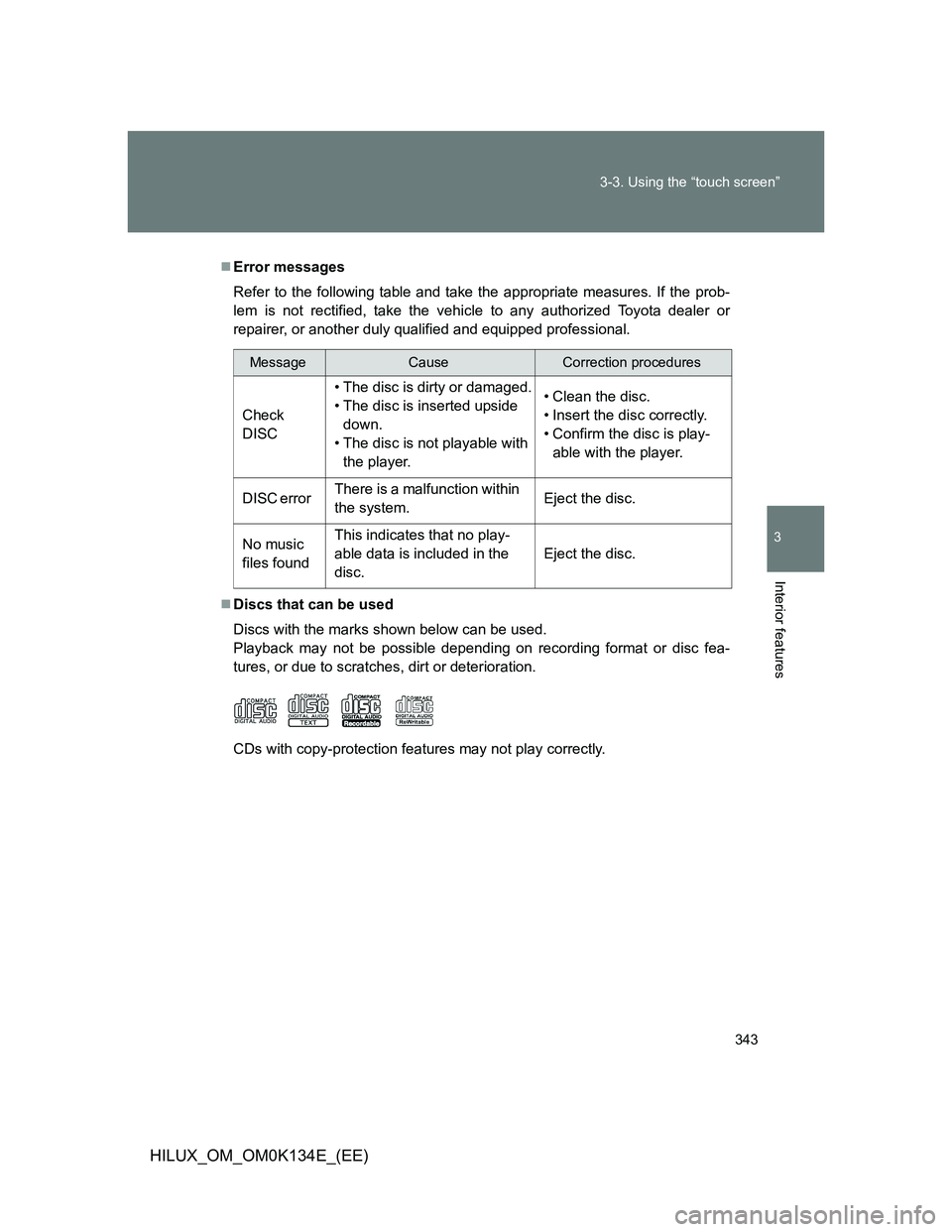
Discs that can be used
Discs with the marks shown below can be used.
Playback may not be possible depending on recording format or disc fea-
tures, or due to scratches, dirt or deterioration.
CDs with copy-protection features may not play correctly.
MessageCauseCorrection procedures
Check
DISC• The disc is dirty or damaged.
• The disc is inserted upside
down.
• The disc is not playable with
the player.• Clean the disc.
• Insert the disc correctly.
• Confirm the disc is play-
able with the player.
DISC error There is a malfunction within
the system.Eject the disc.
No music
files foundThis indicates that no play-
able data is included in the
disc.Eject the disc.
Page 344 of 644

344 3-3. Using the “touch screen”
HILUX_OM_OM0K134E_(EE)
CD player protection feature
To protect the internal components, playback is automatically stopped when
a problem is detected.
If disc is left inside the CD player or in the ejected position for
extended periods
Disc may be damaged and may not play properly.
Lens cleaners
Do not use lens cleaners. Doing so may damage the CD player.
MP3 and WMA files
MP3 (MPEG Audio LAYER 3) is a standard audio compression format.
Files can be compressed to approximately 1/10 of their original size by using
MP3 compression.
WMA (Windows Media Audio) is a Microsoft audio compression format.
This format compresses audio data to a size smaller than that of the MP3
format.
There is a limit to the MP3 and WMA file standards that can be used and to
the media/formats on which the files are recorded.
MP3 file compatibility
• Compatible standards
MP3 (MPEG1 LAYER3, MPEG2 LSF LAYER3)
• Compatible sampling frequencies
MPEG1 LAYER3: 32, 44.1, 48 (kHz)
MPEG2 LSF LAYER3: 16, 22.05, 24 (kHz)
• Compatible bit rates (compatible with VBR)
MPEG1 LAYER3: 32—320 (kbps)
MPEG2 LSF LAYER3: 8—160 (kbps)
• Compatible channel modes: stereo, joint stereo, dual channel and mon-
aural
Page 348 of 644
348 3-3. Using the “touch screen”
HILUX_OM_OM0K134E_(EE)
NOTICE
Discs and adapters that cannot be used
Do not use the following types of discs, 8 cm (3 in.) disc adapters or Dual
Discs.
Doing so may damage the player and/or disc insert/eject function.
Discs that have a diameter that is not
12 cm (4.7 in.).
Low-quality or deformed discs.
Discs with a transparent or translucent
recording area.
Discs that have tape, stickers or CD-R
labels attached to them, or that have
had the label peeled off.
Page 349 of 644
349 3-3. Using the “touch screen”
3
Interior features
HILUX_OM_OM0K134E_(EE)
NOTICE
Player precautions
Failure to follow the precautions below may result in damage to the discs or
the player itself.
Do not insert anything other than discs into the disc slot.
Do not apply oil to the player.
Store discs away from direct sunlight.
Never try to disassemble any part of the player.
Page 370 of 644
370
3-3. Using the “touch screen”
HILUX_OM_OM0K134E_(EE)
Listening to Bluetooth® audio
The Bluetooth® audio system enables users to enjoy music played
on a portable player from the vehicle speaker via wireless communi-
cation. This audio system supports Bluetooth
®, a wireless data sys-
tem capable of playing portable audio music without cables. If your
portable player does not support Bluetooth
®, the Bluetooth® audio
system will not function.
Touch “BT” on the audio source selection screen.
Vo lu m e Power
Selecting a track/fast-forwarding
and reversingDisplaying the source selection
or audio control screen
Selecting a track