Page 141 of 386
TILT/TELESCOPE STEERING WHEEL
WARNING:Never adjust the steering wheel when the vehicle is
moving.
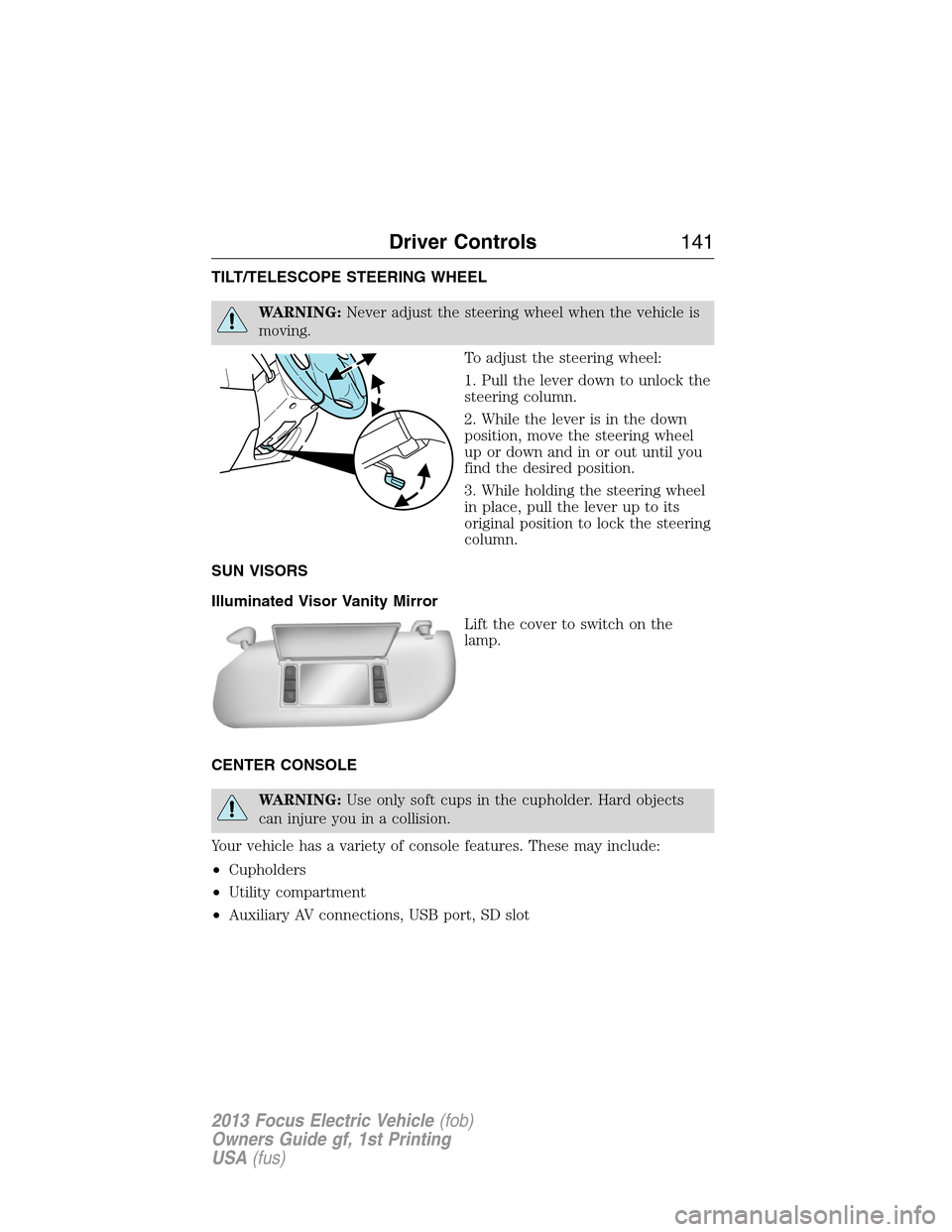
To adjust the steering wheel:
1. Pull the lever down to unlock the
steering column.
2. While the lever is in the down
position, move the steering wheel
up or down and in or out until you
find the desired position.
3. While holding the steering wheel
in place, pull the lever up to its
original position to lock the steering
column.
SUN VISORS
Illuminated Visor Vanity Mirror
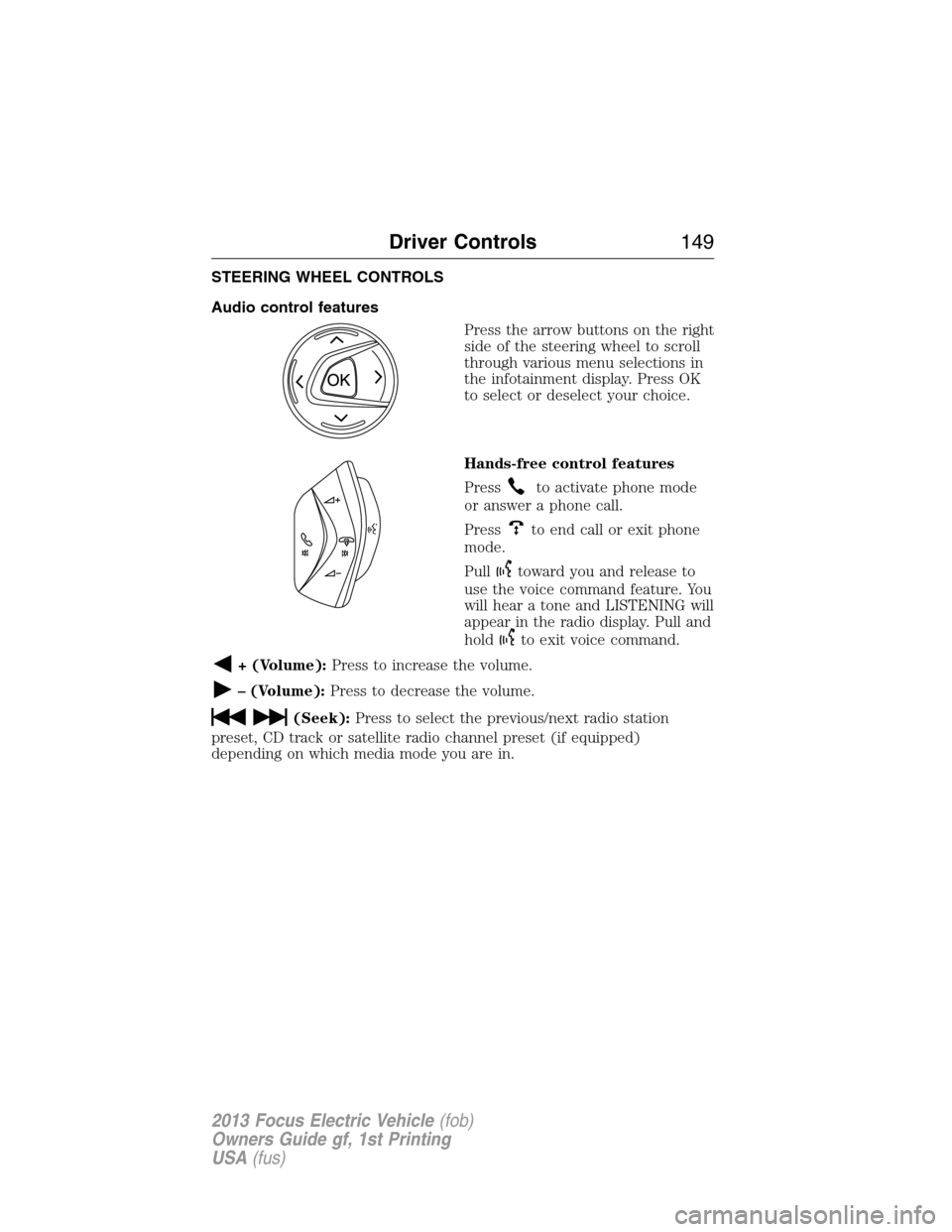
Lift the cover to switch on the
lamp.
CENTER CONSOLE
WARNING:Use only soft cups in the cupholder. Hard objects
can injure you in a collision.
Your vehicle has a variety of console features. These may include:
•Cupholders
•Utility compartment
•Auxiliary AV connections, USB port, SD slot
Driver Controls141
2013 Focus Electric Vehicle(fob)
Owners Guide gf, 1st Printing
USA(fus)
Page 147 of 386
Using speed control
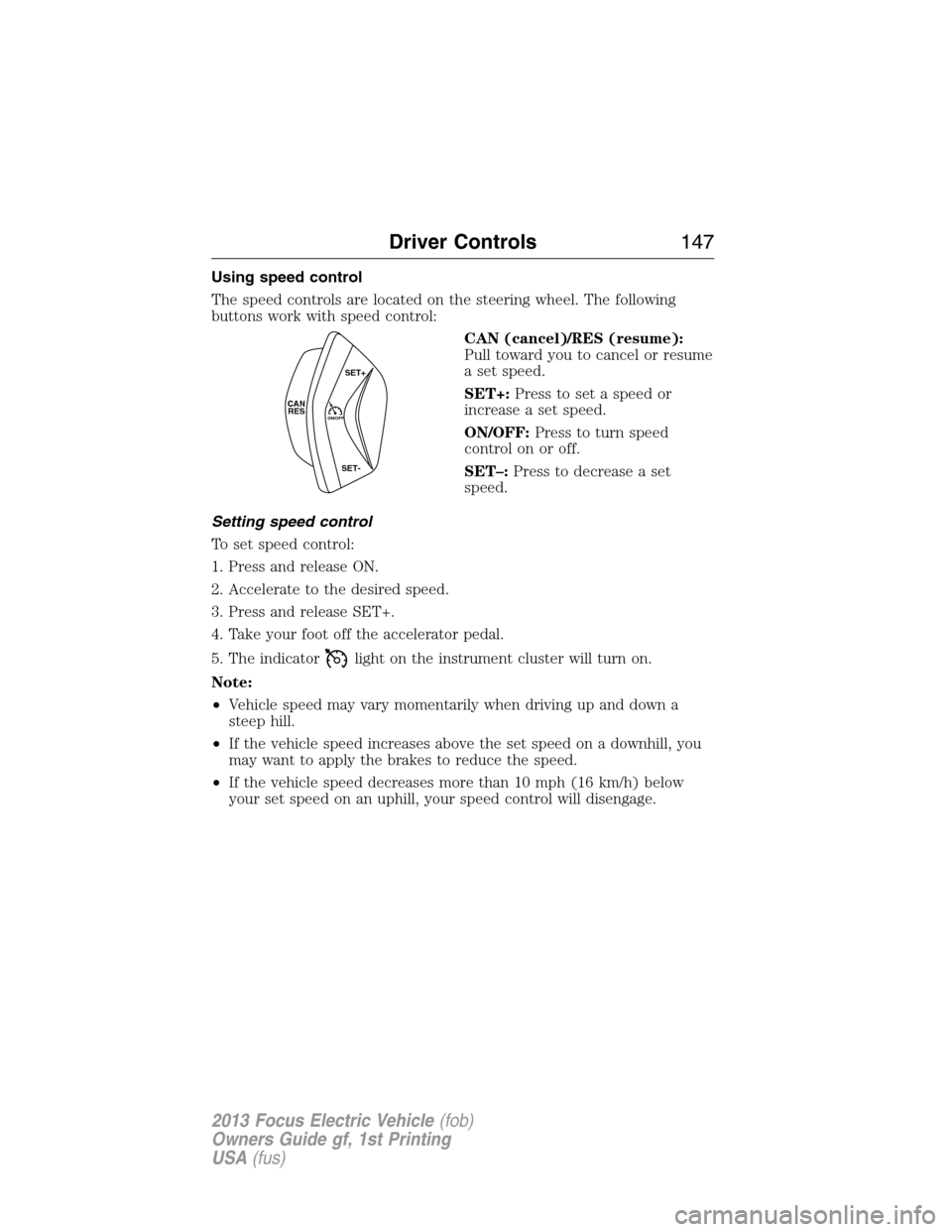
The speed controls are located on the steering wheel. The following
buttons work with speed control:
CAN (cancel)/RES (resume):
Pull toward you to cancel or resume
a set speed.
SET+:Press to set a speed or
increase a set speed.
ON/OFF:Press to turn speed
control on or off.
SET–:Press to decrease a set
speed.
Setting speed control
To set speed control:
1. Press and release ON.
2. Accelerate to the desired speed.
3. Press and release SET+.
4. Take your foot off the accelerator pedal.
5. The indicator
light on the instrument cluster will turn on.
Note:
•Vehicle speed may vary momentarily when driving up and down a
steep hill.
•If the vehicle speed increases above the set speed on a downhill, you
may want to apply the brakes to reduce the speed.
•If the vehicle speed decreases more than 10 mph (16 km/h) below
your set speed on an uphill, your speed control will disengage.
CAN
RESON/OFF
SET+
SET-
Driver Controls147
2013 Focus Electric Vehicle(fob)
Owners Guide gf, 1st Printing
USA(fus)
Page 149 of 386
STEERING WHEEL CONTROLS
Audio control features
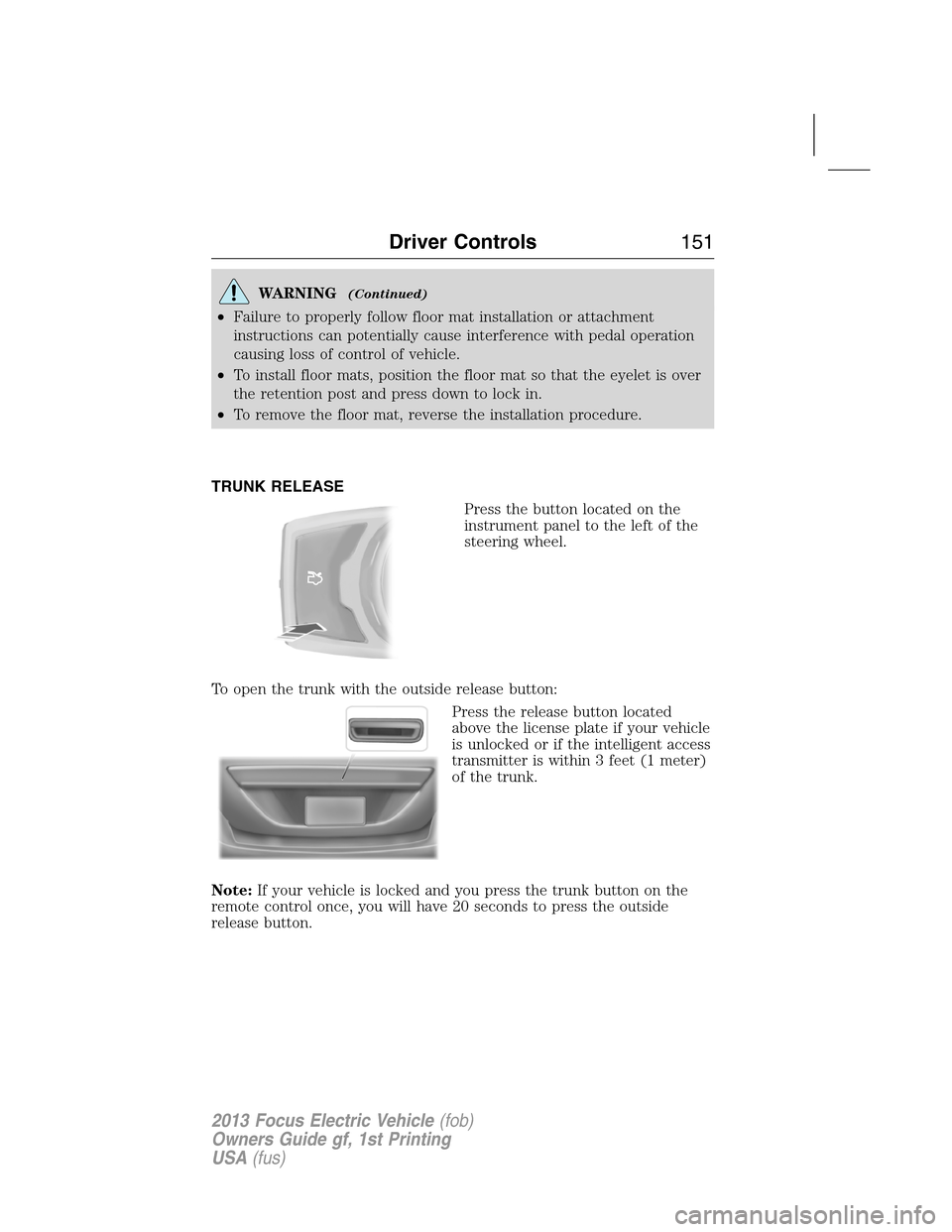
Press the arrow buttons on the right
side of the steering wheel to scroll
through various menu selections in
the infotainment display. Press OK
to select or deselect your choice.
Hands-free control features
Press
to activate phone mode
or answer a phone call.
Press
to end call or exit phone
mode.
Pull
toward you and release to
use the voice command feature. You
will hear a tone and LISTENING will
appear in the radio display. Pull and
hold
to exit voice command.
+ (Volume):Press to increase the volume.
– (Volume):Press to decrease the volume.
(Seek):Press to select the previous/next radio station
preset, CD track or satellite radio channel preset (if equipped)
depending on which media mode you are in.
Driver Controls149
2013 Focus Electric Vehicle(fob)
Owners Guide gf, 1st Printing
USA(fus)
Page 151 of 386
WARNING(Continued)
•Failure to properly follow floor mat installation or attachment
instructions can potentially cause interference with pedal operation
causing loss of control of vehicle.
•To install floor mats, position the floor mat so that the eyelet is over
the retention post and press down to lock in.
•To remove the floor mat, reverse the installation procedure.
TRUNK RELEASE
Press the button located on the
instrument panel to the left of the
steering wheel.
To open the trunk with the outside release button:
Press the release button located
above the license plate if your vehicle
is unlocked or if the intelligent access
transmitter is within 3 feet (1 meter)
of the trunk.
Note:If your vehicle is locked and you press the trunk button on the
remote control once, you will have 20 seconds to press the outside
release button.
Driver Controls151
2013 Focus Electric Vehicle(fob)
Owners Guide gf, 1st Printing
USA(fus)
Page 154 of 386
Once a key has been programmed you can access the following
information using the information display control:
•How many admin keys and MyKeys are programmed to the vehicle.
•The total distance the vehicle has been driven with a MyKey.
For vehicles equipped with Intelligent Access Key (push button start),
when both a MyKey and an Admin Intelligent Access key (fob) are
present, the admin fob will be recognized by the vehicle to start the
vehicle.
Standard Settings
These settings cannot be changed.
•Belt-Minder. This cannot be disabled and the five–minute timer does
not expire. The audio system is muted when MyKey Belt-Minder is
activated.
•Early distance to stop. Warnings are displayed in the information
display control followed by an audible tone at 15 miles to stop.
•Driver assist features, if equipped on your vehicle, are forced on:
Parking aid, blind spot information system (BLIS) with cross traffic
alert and the collision warning system.
Optional Settings
These settings can be configured right after a MyKey is first created or
changed afterword with an admin key.
•Vehicle speed limit of 80 mph (130 km/h). Visual warnings are
displayed followed by an audible tone when vehicle speed has
reached 80 mph (130 km/h).
•Vehicle speed warning of 45, 55 or 65 mph (75, 90, or 105 km/h).
Visual warnings are displayed followed by an audible tone when the
preselected vehicle speed is exceeded.
•Audio system maximum volume of 45%. A message in the audio
system is displayed when attempting to exceed the limited volume.
•AdvanceTrac. The system cannot be turned off when Always-on has
been set.
Creating a MyKey
Use the information display control to create a MyKey
1. Hold the key next to the symbol on the right side of the steering
column (or next to the back-up location on the right side of the
steering column) refer toKeyless startingin theDrivingchapter for
backup slot location.
2. Turn the ignition on.
154Locks and Security
2013 Focus Electric Vehicle(fob)
Owners Guide gf, 1st Printing
USA(fus)
Page 157 of 386
privileges. When you restart the vehicle, the vehicle will identify the user
as an admin or MyKey driver depending on the settings of the actual key
used to start the vehicle.
Note:For all vehicles, the number of MYKEY(S) PROGRAMMED or
ADMIN KEYS PROGRAMMED that is displayed in the MyKey system
status menus may include the non-Ford-approved remote start system as
an additional key in the total count. See theChecking system status
section.
For all vehicles with a non-Ford-approved remote start installed, it is
possible to program all “real” keys as MyKeys, in which case, you will
need to use your remote start system to clear all MyKeys (which
removes all restrictions and returns them to admin key status) by doing
the following:
1. Enter the vehicle and close all doors.
2. Remote start the vehicle using your non-Ford-approved remote start
fob.
3. Follow Steps 1-3 in theClearing all keyssection.
MyKey Troubleshooting
Condition Potential Causes
I cannot program a
key•The key does not have admin privileges.
•The key is the only admin key (there always
has to be at least one admin key).
•The intelligent access key is not held close
enough to the steering column.
•SecuriLock passive anti-theft system is
disabled or in unlimited mode.
•The vehicle has been started using a remote
start system that is not programmed with
admin privileges. Refer toUsing MyKey with
remote start systems.
I cannot program the
optional settings•The key does not have admin privileges.
•No keys are programmed to the vehicle.
Refer toCreating a MyKey.
•The vehicle has been started using a remote
start system that is not programmed with
admin privileges. Refer toUsing MyKey with
remote start systems.
Locks and Security157
2013 Focus Electric Vehicle(fob)
Owners Guide gf, 1st Printing
USA(fus)
Page 235 of 386
Tire Replacement Requirements
WARNING:Only use replacement tires and wheels that are the
same size, load index, speed rating and type (such as P-metric
versus LT-metric or all-season versus all-terrain) as those originally
provided by Ford. The recommended tire and wheel size may be found
on either the Safety Compliance Certification Label (affixed to either
the door hinge pillar, door-latch post, or the door edge that meets the
door-latch post, next to the driver’s seating position), or the Tire Label
which is located on the B-Pillar or edge of the driver’s door. If this
information is not found on these labels then you should contact your
authorized dealer as soon as possible. Use of any tire or wheel not
recommended by Ford can affect the safety and performance of your
vehicle, which could result in an increased risk of loss of vehicle
control, vehicle rollover, personal injury and death. Additionally the use
of non-recommended tires and wheels could cause steering, suspension,
axle or transfer case/power transfer unit failure. If you have questions
regarding tire replacement, contact your authorized dealer as soon as
possible.
Tires, Wheels and Loading235
2013 Focus Electric Vehicle(fob)
Owners Guide gf, 1st Printing
USA(fus)
Page 248 of 386
SNOW TIRES
WARNING:Snow tires must be the same size, load index, speed
rating as those originally provided by Ford. Use of any tire or
wheel not recommended by Ford can affect the safety and performance
of your vehicle, which could result in an increased risk of loss of vehicle
control, vehicle rollover, personal injury and death. Additionally, the use
of non-recommended tires and wheels could cause steering, suspension,
axle or transfer case/power transfer unit failure.
Snow chains have not been approved for use on your vehicle.
SUMMER TIRES (IF EQUIPPED)
Summer tires provide superior performance on wet and dry roads.
Summer tires do not have the Mud and Snow (M+S or M/S) tire traction
rating on the tire side wall. Since summer tires do not have the same
traction performance as All-season or Snow tires, Ford does not
recommend using summer tires when temperatures drop to
approximately 40°F (5°C) or below (depending on tire wear and
environmental conditions) or in snow/ice conditions. Like any tire,
summer tire performance is affected by tire wear and environmental
conditions. If you must drive in those conditions, Ford recommends
using Mud and Snow (M+S, M/S), All-season or Snow tires.
VEHICLE LOADING
This section will guide you in the proper loading of your vehicle to keep
your loaded vehicle weight within its design rating capability. Properly
loading your vehicle will provide maximum return of vehicle design
performance. Before loading your vehicle, familiarize yourself with the
following terms for determining your vehicle’s weight ratings from the
vehicle’s Tire Label or Safety Compliance Certification Label:
Base Curb Weight– is the weight of the vehicle including full fluids
and all standard equipment. It does not include passengers, cargo, or
optional equipment.
248Tires, Wheels and Loading
2013 Focus Electric Vehicle(fob)
Owners Guide gf, 1st Printing
USA(fus)