2013 FORD ESCAPE lock
[x] Cancel search: lockPage 60 of 423

KEYLESS ENTRY (IF EQUIPPED)
SECURICODE™ KEYLESS ENTRY
KEYPAD
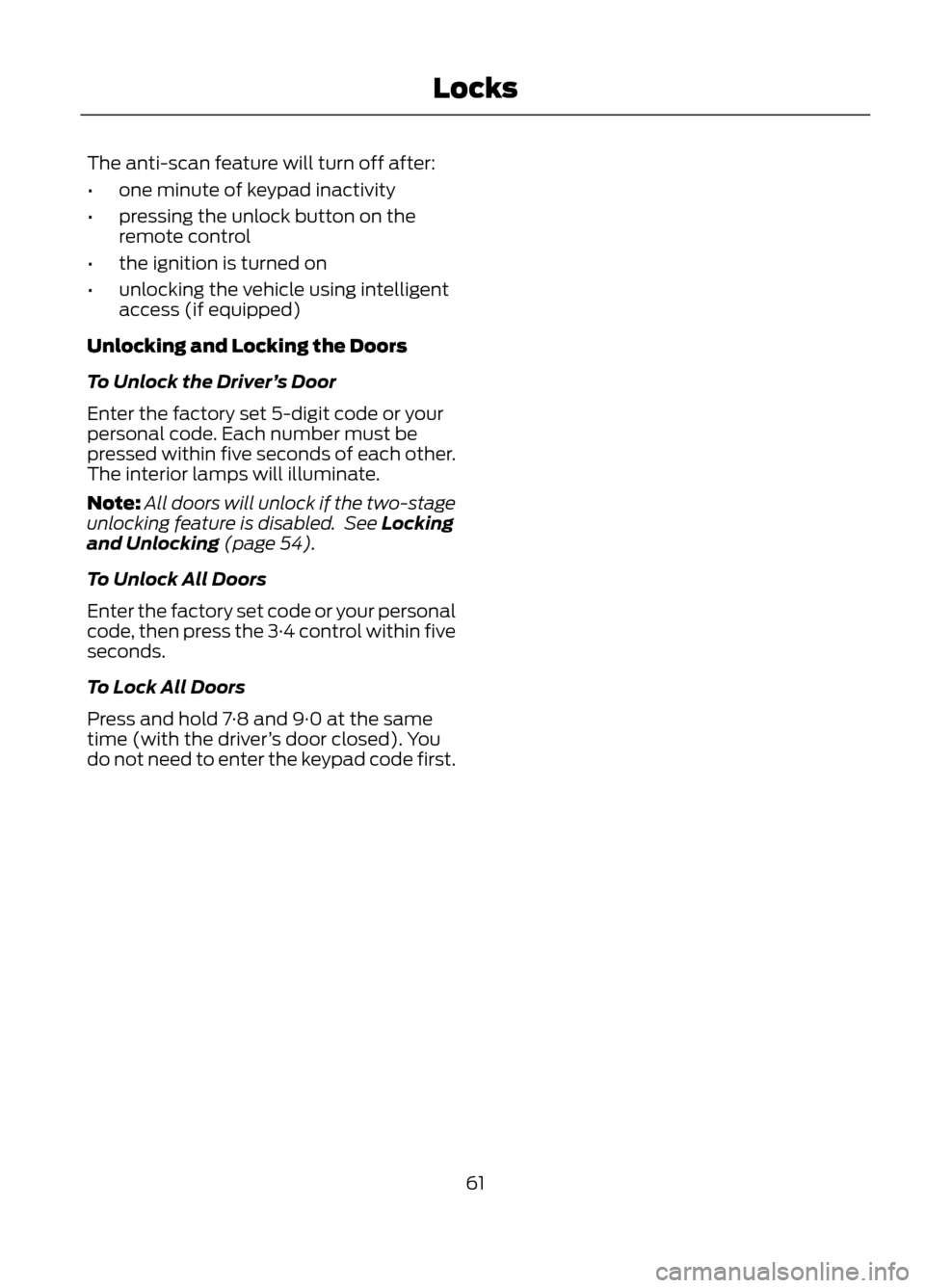
You can use the keypad to:
•lock or unlock the doors
• recall memory seat and mirror
positions (if equipped)
• program and erase user codes
• arm and disarm the anti-theft alarm.
The keypad can be operated with the
factory set 5-digit entry code. The code is
located on the owner ’s wallet card in the
glove box and is available from your
authorized dealer. You can also create up
to five of your own 5-digit personal entry
codes.
Programming a Personal Entry Code
To create your own personal entry code:
1. Enter the factory set code.
2. Press the 1·2 on the keypad within five seconds.
3. Enter your personal 5-digit code. Each number must be entered within five
seconds of each other. 4. For memory recall feature, enter the
sixth digit 1·2 to store driver 1 settings
or 3·4 to store driver 2 settings.
Note: Pressing 5·6, 7·8, or 9·0 keypad
numbers as a sixth digit will not recall a
driver memory setting.
Note: The factory-set code cannot be
associated with a memory setting.
5. The doors will lock then unlock to confirm that your personal entry code
has been programmed.
You may also program a personal entry
code through the MyFord Touch® system
(if equipped). See General Information
(page 326).
Tips:
• Do not set a code that uses five of the
same number.
• Do not use five numbers in sequential
order.
• The factory set code will work even if
you have set your own personal code.
Erasing a Personal Code
1. Enter the factory set 5-digit code.
2. Press and release the 1·2 on the keypad
within five seconds.
3. Press and hold the 1·2 for two seconds.
This must be done within five seconds
of completing Step 2.
All personal codes are now erased and only
the factory set 5–digit code will work.
Anti-Scan Feature
The keypad will go into an anti-scan mode
if the wrong code has been entered seven
times (35 consecutive button presses).
This mode disables the keypad for one
minute and the keypad lamp will flash.
60
Locks
1 2
3 4
5 6
7 8
9 0
E138637
Page 61 of 423
The anti-scan feature will turn off after:
•one minute of keypad inactivity
• pressing the unlock button on the
remote control
• the ignition is turned on
• unlocking the vehicle using intelligent
access (if equipped)
Unlocking and Locking the Doors
To Unlock the Driver ’s Door
Enter the factory set 5-digit code or your
personal code. Each number must be
pressed within five seconds of each other.
The interior lamps will illuminate.
Note: All doors will unlock if the two-stage
unlocking feature is disabled. See Locking
and Unlocking (page 54).
To Unlock All Doors
Enter the factory set code or your personal
code, then press the 3·4 control within five
seconds.
To Lock All Doors
Press and hold 7·8 and 9·0 at the same
time (with the driver ’s door closed). You
do not need to enter the keypad code first.
61
Locks
Page 62 of 423

PASSIVE ANTI-THEFT
SYSTEM
Note:The system is not compatible with
non-Ford aftermarket remote start systems.
Use of these systems may result in vehicle
starting problems and a loss of security
protection.
Note: Metallic objects, electronic devices
or a second coded key on the same key
chain may cause vehicle starting problems
if they are too close to the key when starting
the engine. Prevent these objects from
touching the coded key while starting the
engine. Switch the ignition off, move all
objects on the key chain away from the
coded key and restart the engine if a
problem occurs.
Note: Do not leave a duplicate coded key
in the vehicle. Always take your keys and
lock all doors when leaving the vehicle.
SecuriLock®
The system is an engine immobilization
system. It is designed to help prevent the
engine from being started unless a coded
key programmed to your vehicle is used.
Using the wrong key may prevent the
engine from starting. A message may
appear in the information display.
If you are unable to start the engine with a
correctly coded key, a malfunction has
happened and a message may appear in
the information display.
Automatic Arming
The vehicle is armed immediately after
switching the ignition off.
Automatic Disarming
Switching the ignition on with a coded key
disarms the vehicle. Replacement Keys
Note:
Your vehicle comes equipped with
two integrated keyhead transmitters or two
intelligent access keys.
The integrated keyhead transmitter
functions as a programmed ignition key
that operates all the locks and starts the
vehicle, as well as a remote control.
The intelligent access key functions as a
programmed key that operates the driver's
door lock and activates the intelligent
access with push button start systems, as
well as a remote control.
If your programmed transmitters or
standard SecuriLock coded keys
(integrated keyhead transmitters only) are
lost or stolen and you don ’t have an extra
coded key, you will need to have your
vehicle towed to an authorized dealer. The
key codes need to be erased from your
vehicle and new coded keys will need to
be programmed.
Store an extra programmed key away from
the vehicle in a safe place to help prevent
any inconveniences. See your authorized
dealer to purchase additional spare or
replacement keys.
Programming a Spare Integrated
Keyhead Transmitter
Note: A maximum of eight coded keys can
be programmed to your vehicle. All eight
can be integrated keyhead transmitters.
You can program your own integrated
keyhead transmitter or standard
SecuriLock coded keys to your vehicle. This
procedure will program both the engine
immobilizer keycode and the remote entry
portion of the remote control to your
vehicle
Only use integrated keyhead transmitters
or standard SecuriLock keys.
62
Security
Page 63 of 423

You must have two previously
programmed coded keys and the new
unprogrammed key readily accessible. See
your authorized dealer to have the spare
key programmed if two previously
programmed coded keys are not available.
Read and understand the entire procedure
before you begin.
1.Insert the first previously programmed
coded key into the ignition.
2. Switch the ignition from off to on. Keep
the ignition on for at least three
seconds, but no more than 10 seconds.
3. Switch the ignition off and remove the
first coded key from the ignition.
4. After three seconds but within 10 seconds of switching the ignition off,
insert the second previously coded key
into the ignition.
5. Switch the ignition from off to on. Keep
the ignition on for at least three
seconds, but no more than 10 seconds.
6. Switch the ignition off and remove the
second previously programmed coded
key from the ignition.
7. After three seconds but within 10 seconds of switching the ignition off
and removing the previously
programmed coded key, insert the new
unprogrammed key into the ignition.
8. Switch the ignition from off to on. Keep
the ignition on for at least six seconds.
9. Remove the newly programmed coded
key from the ignition.
If the key has been successfully
programmed it will start the engine and
operate the remote entry system (if the
new key is an integrated keyhead
transmitter).
If it was not programmed successfully,
wait 10 seconds and repeat Steps 1 through
8. If you are still unsuccessful, take your
vehicle to your authorized dealer. Programming a Spare Intelligent
Access Key
See your authorized dealer to have
additional keys programmed to your
vehicle.
ANTI-THEFT ALARM (IF EQUIPPED)
The system will warn you of an
unauthorized entry to your vehicle. It will
be triggered if any door, the luggage
compartment or the hood is opened
without using the key or the remote
control.
The park and turn lamps will flash and the
horn will sound if unauthorized entry is
attempted while the alarm is armed.
Take all remote controls to an authorized
dealer if there is any potential alarm
problem with your vehicle.
Arming the Alarm
The alarm is ready to arm when there is
not a key in the ignition. Lock the vehicle
to arm the alarm.
Disarming the Alarm
Disarm the alarm by any of the following
actions:
•
Unlock the doors or luggage
compartment with the remote control
or keyless entry keypad.
• Switch the ignition on or start the
vehicle.
• Use a key in the driver ’s door to unlock
the vehicle, then switch the ignition on
within 12 seconds.
63
Security
Page 64 of 423
ADJUSTING THE STEERING
WHEEL
WARNING
Do not adjust the steering wheel
when your vehicle is moving.
Note:Make sure that you are sitting in the
correct position. See Sitting in the Correct
Position (page 121).
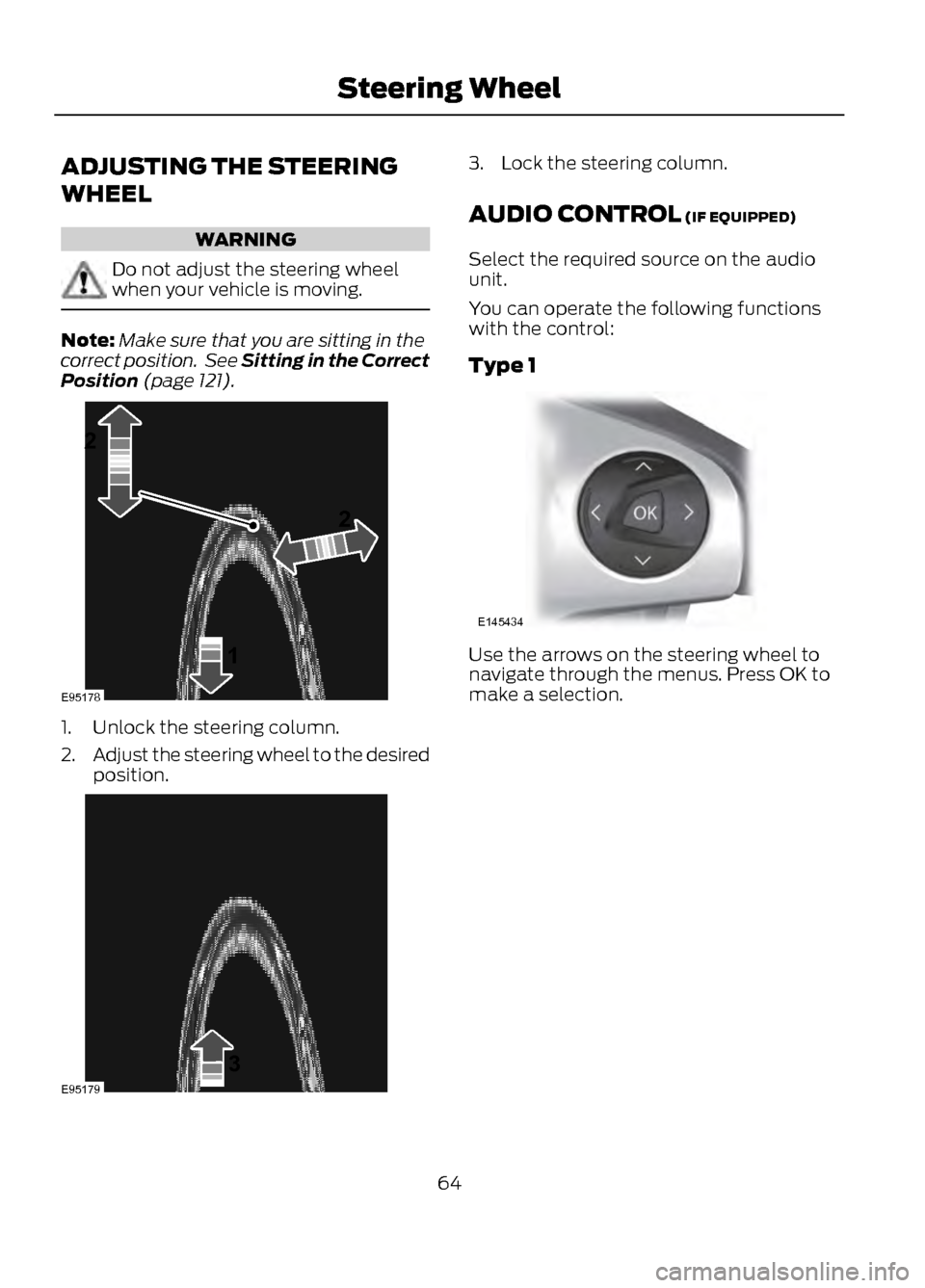
1. Unlock the steering column.
2. Adjust the steering wheel to the desired
position.
3. Lock the steering column.
AUDIO CONTROL (IF EQUIPPED)
Select the required source on the audio
unit.
You can operate the following functions
with the control:
Type 1
Use the arrows on the steering wheel to
navigate through the menus. Press OK to
make a selection.
64
Steering Wheel
1
22
E95178
3E95179
E145434
Page 73 of 423

Door function switch.
A
All lamps on and off switch.
B
Individual lamp on and off
switch.
C
Rear Interior Lamp (If Equipped)
You can switch individual map lamps on
independently by pressing switch A.
AMBIENT LIGHTING (IF EQUIPPED)
The ambient lighting system illuminates
the interior with a choice of several colors.
The ambient lighting control is located in
the overhead console.
Color palette
A
Control knob
B
Search mode
C
Rotate B past the first detent to switch on
and adjust to the desired brightness.
Press A to cycle through the color choices.
Press C to switch on all interior lamps and
the ambient lighting. Press C again to
switch off the interior lamps and return the
ambient lighting to the previously selected
color.
The ambient lighting will switch on when
the following conditions have been met:
• you switch the ignition on
• you switch the headlamps on
• the outside ambient light level is low.
The ambient lighting will remain on until
you switch the ignition off and one of the
following conditions have been met:
• you lock your vehicle
• the accessory delay timer expires.
73
Lighting
B
C
A
E142454
A
E142455
ABC
E142456
Page 74 of 423

POWER WINDOWS
WARNINGS
Do not leave children unattended in
the vehicle and do not let them play
with the power windows. They may
seriously injure themselves.
When closing the power windows,
you should verify they are free of
obstructions and make sure that
children and pets are not in the proximity
of the window openings.
Note: You may hear a rumbling noise when
just one of the windows are open. Lower the
opposite window slightly to reduce this
noise.
Press the switch to open the window.
Lift the switch to close the window.
One-Touch Down (If Equipped)
Press the switch fully and release it. Press
or lift it again to stop the window.
One-Touch Up (If Equipped)
Lift the switch fully and release it. Press or
lift it again to stop the window. Window Lock
Press the control to lock or unlock the rear
window controls. It will illuminate when
the rear window controls are locked.
Bounce-Back (If Equipped)
The window will stop automatically while
closing. It will reverse some distance if
there is an obstacle in the way.
Overriding the Bounce-Back Feature
Proceed as follows to override this
protection feature when there is a
resistance, e.g. in winter:
1.
Close the window twice until it reaches
the point of resistance and let it
reverse.
2. Close the window a third time to the point of resistance. The bounce-back
feature is now disabled and you can
close the window manually. The
window will go past the point of
resistance and you can close it fully.
Contact your authorized dealer as soon as
possible if the window does not close after
the third attempt.
74
Windows and Mirrors
E70848
E70850
Page 76 of 423

Integrated Blind Spot Mirrors (If
Equipped)
WARNING
Objects in the blind spot mirror are
closer than they appear.
Blind spot mirrors have an integrated
convex mirror built into the upper outboard
corner of the exterior mirrors. They are
designed to increase your visibility along
the side of your vehicle.
Check the main mirror first before a lane
change, then check the blind spot mirror.
If no vehicles are present in the blind spot
mirror and the traffic in the adjacent lane
is at a safe distance, signal that you intend
to change lanes. Glance over your shoulder
to verify traffic is clear and carefully
change lanes.
The image of the approaching vehicle is
small and near the inboard edge of the
main mirror when it is at a distance. The
image becomes larger and begins to move
outboard across the main mirror as the
vehicle approaches (A). The image will
transition from the main mirror and begin
to appear in the blind spot mirror as the
vehicle approaches (B). The vehicle will
transition to your peripheral field of view
as it leaves the blind spot mirror (C).
Blind Spot Monitor (If Equipped)
See Blind Spot Monitor (page 171).
INTERIOR MIRROR
WARNING
Do not adjust the mirror when your
vehicle is moving.
Note:Do not clean the housing or glass of
any mirror with harsh abrasives, fuel or other
petroleum or ammonia-based cleaning
products.
You can adjust the interior mirror to your
preference. Some mirrors also have a
second pivot point. This lets you move the
mirror head up or down and from side to
side.
Pull the tab below the mirror toward you
to reduce glare at night.
Auto-Dimming Mirror (If Equipped)
Note: Do not block the sensors on the front
and back of the mirror. Mirror performance
may be affected. A rear center passenger or
raised rear center head restraint may also
block light from reaching the sensor.
76
Windows and Mirrors
A
B
C
E138665