2013 FORD ESCAPE lock
[x] Cancel search: lockPage 47 of 423

Note:If locking was not successful or any
door or the liftgate is not closed, or if the
hood is not closed on vehicles equipped
with a perimeter alarm or remote start, the
horn will chirp twice and the lamps will not
flash.
Sounding a Panic Alarm
Note: The panic alarm will only operate
when the ignition is off.
Press the button to activate the
alarm. Press the button again or
turn the ignition on to deactivate.
Remote Start (If Equipped)
WARNING
To avoid exhaust fumes, do not use
remote start if your vehicle is parked
indoors or areas that are not well
ventilated.
Note: Do not use remote start if your vehicle
is low on fuel.
Your vehicle has remote start if
the transmitter has this button.
The remote start feature allows you to
start the engine from outside the vehicle.
The transmitter has an extended operating
range.
Vehicles with automatic climate control
can be configured to operate when the
vehicle is remote started. See Automatic
Climate Control (page 114).
Many states and provinces have
restrictions for the use of remote start.
Check your local and state or provincial
laws for specific requirements regarding
remote start systems.
The remote start system will not work if:
• the ignition is on
• the alarm system is triggered •
the feature has been disabled
• the hood is not closed
• two remote vehicle starts have already
been attempted within the last hour
• the vehicle is not in P (Park)
• the vehicle battery voltage is too low
• the service engine soon indicator was
on the last time the vehicle was driven.
Remote Starting the Engine
Note: Each button press must be done
within three seconds of each other. The
vehicle will not remote start if this sequence
is not followed and the horn will not chirp.The label on your transmitter details the
starting procedure. To remote start the
engine:
1. Press the lock button to lock all the doors.
2. Press the remote start button twice. The exterior lamps will flash twice.
The horn will chirp if the system fails to
start, unless quiet start is on. Quiet start
will run the blower fan at a slower speed
to reduce noise. It can be switched on or
off in the information display. See General
Information (page 84).
47
Keys and Remote Controls
E138624
E138625
E138626
Page 52 of 423

Potential Causes
Condition
The key in the ignition is the only admin key
(there always has to be at least one admin
key).
The intelligent access key is not in the backup
slot (vehicles with push button start).
SecuriLock® passive anti-theft system is
disabled or in unlimited mode.
The vehicle has been started using a remote
start system that is not programmed with
admin privileges. See Using MyKey With
Remote Start Systems (page 50).
The key in the ignition does not have admin
privileges.
I cannot program the optional settings
No keys are programmed to the vehicle. See
Creating a MyKey.
The vehicle has been started using a remote
start system that is not programmed with
admin privileges. See Using MyKey With
Remote Start Systems (page 50).
Key in the ignition does not have admin priv-
ileges.
I cannot clear the restricted keys
No restricted keys are programmed to the
vehicle. See Creating a MyKey.
The vehicle has been started using a remote
start system that is not programmed with
admin privileges. See Using MyKey With
Remote Start Systems (page 50).
Purchase a new key from your authorized
dealer.
I lost the only admin key
Program a spare key. See Passive Anti-Theft
System (page 62).
I lost a key
The vehicle has a remote start system that is
recognized as an admin key. Restricted keys
can be reset using remote start. See Using
MyKey With Remote Start Systems (page
50).
I accidentally programmed all keys as
restricted keys
An admin key is present at engine start-up.
No restricted key functions with intelli-
gent access key (push button start) No restricted keys are programmed to the
vehicle. See Creating a MyKey.
52
MyKey®
Page 54 of 423

LOCKING AND UNLOCKING
You can use the power door lock control
or the remote control to lock and unlock
the vehicle.
Power Door Locks
Unlock
A
Lock
B
Remote Control
The remote control can be used any time
the vehicle is not running.
Unlocking the Doors (Two-Stage
Unlock)
Press the button to unlock the
driver ’s door.
Press the button again within
three seconds to unlock all doors. The turn
signals will flash.
Press and hold both the lock and unlock
buttons on the remote control for four
seconds to disable or enable two-stage
unlocking. Disabling two-stage unlocking
allows all vehicle doors to unlock with one
press of the button. The turn signals will
flash twice to indicate the unlocking mode
was changed. The unlocking mode will be
applied to the remote control, keyless entry
keypad and intelligent access. Intelligent access at the driver
’s door will
unlock all doors when two-stage unlocking
is disabled.
Locking the Doors
Press the button to lock all the
doors. The turn signals will
illuminate.
Press the button again within three
seconds to confirm that all the doors are
closed. The doors will lock again, the horn
will chirp and the turn signals will
illuminate if all the doors and the luggage
compartment are closed.
Note: If locking was not successful or any
door or the liftgate is not closed, or if the
hood is not closed on vehicles equipped
with a perimeter alarm or remote start, the
horn will chirp twice and the lamps will not
flash.
Power Liftgate (if equipped)
WARNINGS
Make sure all persons are clear of the
liftgate area before using power
liftgate control.
Make sure the liftgate is closed to
prevent exhaust fumes from being
drawn into the vehicle. This will also
prevent passengers and cargo from falling
out. If you must drive with the liftgate open,
keep the vents open so outside air comes
into the vehicle.
Note: Be careful when opening or closing
the liftgate in a garage or other enclosed
area to avoid damaging the liftgate.
Press twice within three seconds
to open or close the liftgate, or
to reverse the movement. See
Power Liftgate (page 57).
54
Locks
E138628
E138629
E138623
E138630
Page 55 of 423

Activating Intelligent Access (If
Equipped)
The intelligent access key must be within
3 feet (1 meter) of the vehicle.
At the Front Doors
Pull a front exterior door handle. The door
will unlock and can be opened.
Press and hold the door handle lock sensor
to lock the vehicle. To avoid unlocking the
door inadvertently, be sure to only touch
the lock sensor and not other areas of the
door handle.
At the Liftgate
Press the exterior liftgate release button
on the top of the liftgate pull-cup handle.
Smart Unlocks For Integrated
Keyhead Transmitter
This feature helps to prevent you from
locking yourself out of the vehicle if your
key is still in the ignition.
When you open one of the front doors and
lock the vehicle with the power door lock
control, all the doors will lock then unlock
if your key is still in the ignition.The vehicle can still be locked with the key
in the ignition by using the keyless entry
keypad with the driver door closed, or by
pressing the lock button on the transmitter
even if the doors are not closed.
If both front doors are closed, the vehicle
can be locked by any method, regardless
of whether the key is in the ignition or not.
Smart Unlocks For Intelligent
Access Keys (If Equipped)
This feature helps to prevent you from
unintentionally locking your intelligent
access key inside your vehicle
’s passenger
compartment or rear cargo area.
When you lock your vehicle using the driver
or passenger power door lock control (with
the door open, vehicle in park and ignition
off), after you close the door the vehicle
will search for an intelligent access key in
the passenger compartment. If an
intelligent access key is found inside the
vehicle, all of the doors will immediately
unlock and the horn will chirp, indicating
that the intelligent access key is inside.
In order to override the smart unlock
feature and intentionally lock the
intelligent access key inside the vehicle,
you can lock your vehicle after all doors
are closed by using the keyless entry
keypad, pressing the lock button on
another intelligent access key or touching
the locking area on the handle with another
intelligent access key in your hand.
When you open one of the front doors and
lock the vehicle using the power door lock
control, all doors will lock then unlock if:
• the ignition is on, or
• the ignition is off and the vehicle is not
in P (Park).
55
Locks
E87384
Page 56 of 423

Autolock and Autounlock (If Equipped)
The autolock feature will lock all the doors
when:
•all doors are closed
• the ignition is on
• you shift into any gear putting the
vehicle in motion, and
• the vehicle attains a speed greater than
4 mph (7 km/h).
When autounlock is enabled, all doors will
unlock when the driver door is opened.
Enabling or Disabling Autolock and
Autounlock
Note: Your authorized dealer can perform
this procedure, or you can do the procedure
yourself.
To enable or disable these features, do the
following:
Note: You will have 30 seconds to
complete the procedure.
1. Switch the ignition on.
2. Press the power door lock button three
times.
3. Switch the ignition off.
4. Press the power door lock button three
times.
5. Switch the ignition on. The horn will chirp indicating the programming mode
has been entered.
Autolock: Once in programming mode,
each subsequent short press (less than 1
second) of the power door lock button will
toggle autolock between on and off.
Autounlock: Each subsequent long press
(more than 2 seconds) of the power door
lock button will toggle autounlock between
on and off.
Note: The autounlock feature can be
enabled or disabled independently of the
autolock feature. Illuminated Entry
The interior lamps and select exterior
lamps will illuminate when the remote
entry system is used to unlock the door(s).
The illuminated entry system will turn off
the lights if:
•
the ignition is on
• the remote transmitter lock control is
pressed, or
• after 25 seconds of illumination.
The lights will not turn off if:
• they have been turned on with the
dimmer control, or
• any door is open.
Illuminated Exit
The interior lamps and select exterior
lamps will illuminate when all doors are
closed, the ignition is turned off and the
key is removed from the ignition
(integrated keyhead transmitter only).
The lamps will turn off if all the doors
remain closed and:
• 25 seconds elapse
• the key is inserted in the ignition
(integrated keyhead transmitter only)
• the START/STOP button is pressed
(intelligent access key only).
Battery Saver
If the courtesy lamps, dome lamps or
headlamps are left on, the battery saver
will shut them off 10 minutes after the
ignition has been turned off.
Accessory Mode Battery Saver for
Intelligent Access Keys (If Equipped)
If you shut off the engine and leave the
ignition in the on or accessory mode, the
ignition will shut off after 30 minutes.
56
Locks
Page 57 of 423
MANUAL LIFTGATE
WARNINGS
It is extremely dangerous to ride in a
cargo area, inside or outside of a
vehicle. In a collision, people riding in
these areas are more likely to be seriously
injured or killed. Do not allow people to ride
in any area of your vehicle that is not
equipped with seats and safety belts. Be
sure everyone in your vehicle is in a seat
and using a safety belt properly.
Make sure that the liftgate is closed
to prevent exhaust fumes from being
drawn into the vehicle. This will also
prevent passengers and cargo from falling
out. If you must drive with the liftgate door
open, keep the vehicle well ventilated so
outside air comes into the vehicle.
Note: Be careful when opening or closing
the liftgate in a garage or other enclosed
area to avoid damaging the liftgate.
Note: Do not hang anything (bike rack, etc.)
from the spoiler, glass or liftgate. This could
damage the liftgate and its components.
Note: Do not leave the liftgate open while
driving. This could damage the liftgate and
its components.
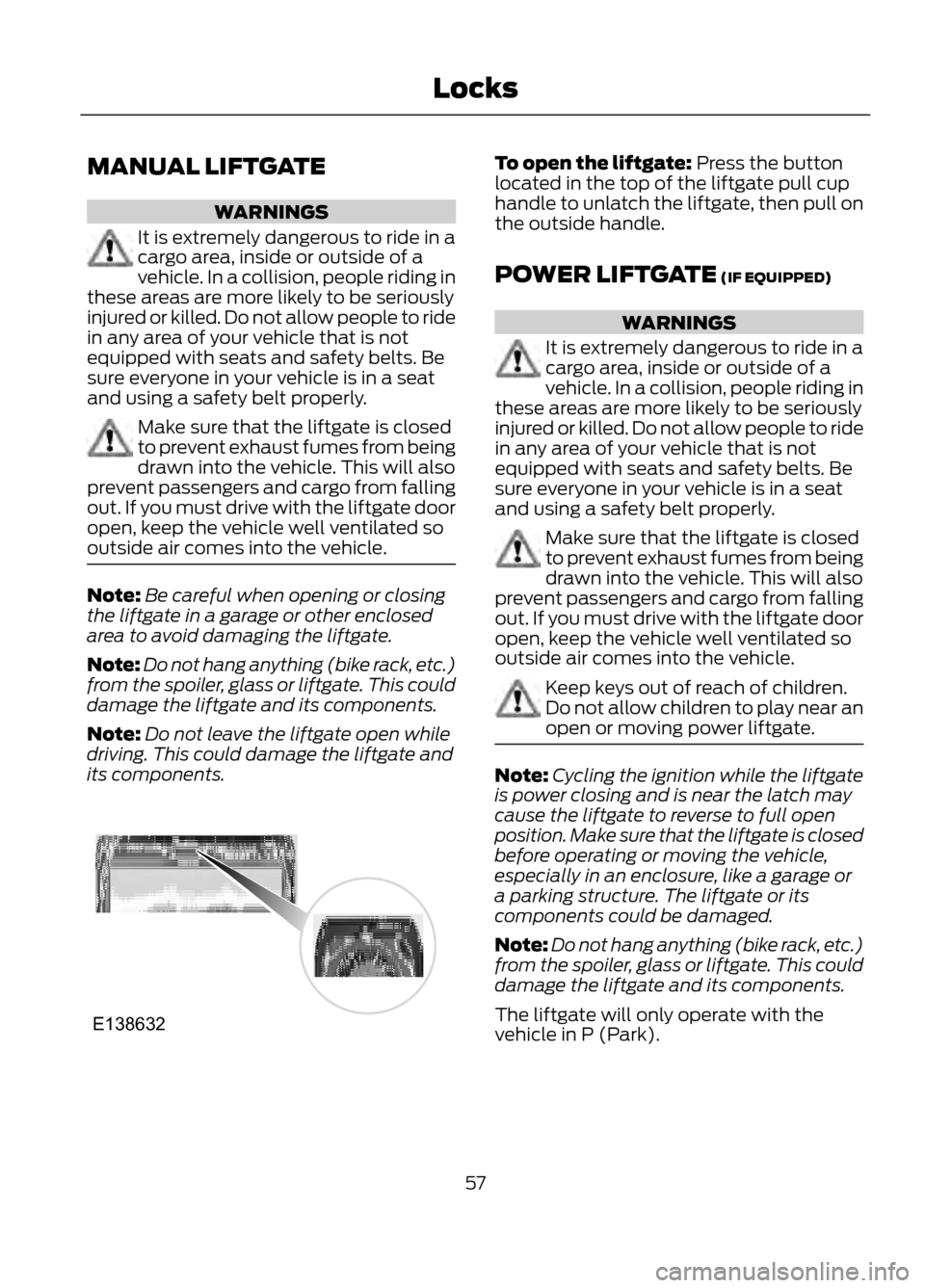
To open the liftgate: Press the button
located in the top of the liftgate pull cup
handle to unlatch the liftgate, then pull on
the outside handle.
POWER LIFTGATE (IF EQUIPPED)
WARNINGS
It is extremely dangerous to ride in a
cargo area, inside or outside of a
vehicle. In a collision, people riding in
these areas are more likely to be seriously
injured or killed. Do not allow people to ride
in any area of your vehicle that is not
equipped with seats and safety belts. Be
sure everyone in your vehicle is in a seat
and using a safety belt properly.
Make sure that the liftgate is closed
to prevent exhaust fumes from being
drawn into the vehicle. This will also
prevent passengers and cargo from falling
out. If you must drive with the liftgate door
open, keep the vehicle well ventilated so
outside air comes into the vehicle.
Keep keys out of reach of children.
Do not allow children to play near an
open or moving power liftgate.
Note: Cycling the ignition while the liftgate
is power closing and is near the latch may
cause the liftgate to reverse to full open
position. Make sure that the liftgate is closed
before operating or moving the vehicle,
especially in an enclosure, like a garage or
a parking structure. The liftgate or its
components could be damaged.
Note: Do not hang anything (bike rack, etc.)
from the spoiler, glass or liftgate. This could
damage the liftgate and its components.
The liftgate will only operate with the
vehicle in P (Park).
57
Locks
E138632
Page 58 of 423
Three warning chimes will sound once as
the liftgate begins to power close. Five
short chimes indicate a problem with the
open or close request, caused by:
•the ignition is on and the transmission
is not in P (Park);
• or the battery voltage is below the
minimum operating voltage;
• or the vehicle speed is at or above 3
mph (5 km/h).
If the liftgate falls to the closed direction
after the liftgate has stopped in the open
position, four short warning chimes
indicate excessive weight on the gate or a
possible gas strut failure. See your
authorized dealer if you still have the issue
after the load is removed.
Opening and Closing the Liftgate
WARNING
Make sure all persons are clear of the
power liftgate area before using the
power liftgate control.
Note: Be careful when opening or closing
the liftgate in a garage or other enclosed
area to avoid damaging the liftgate.
Note: Do not leave the liftgate open while
driving. This could damage the liftgate and
its components.
To open or close from the
instrument panel: Press the
instrument panel button.
To open or close with the
remote control: Press the
remote control button twice
within three seconds.
To open or close using the hands-free
liftgate feature (if equipped):
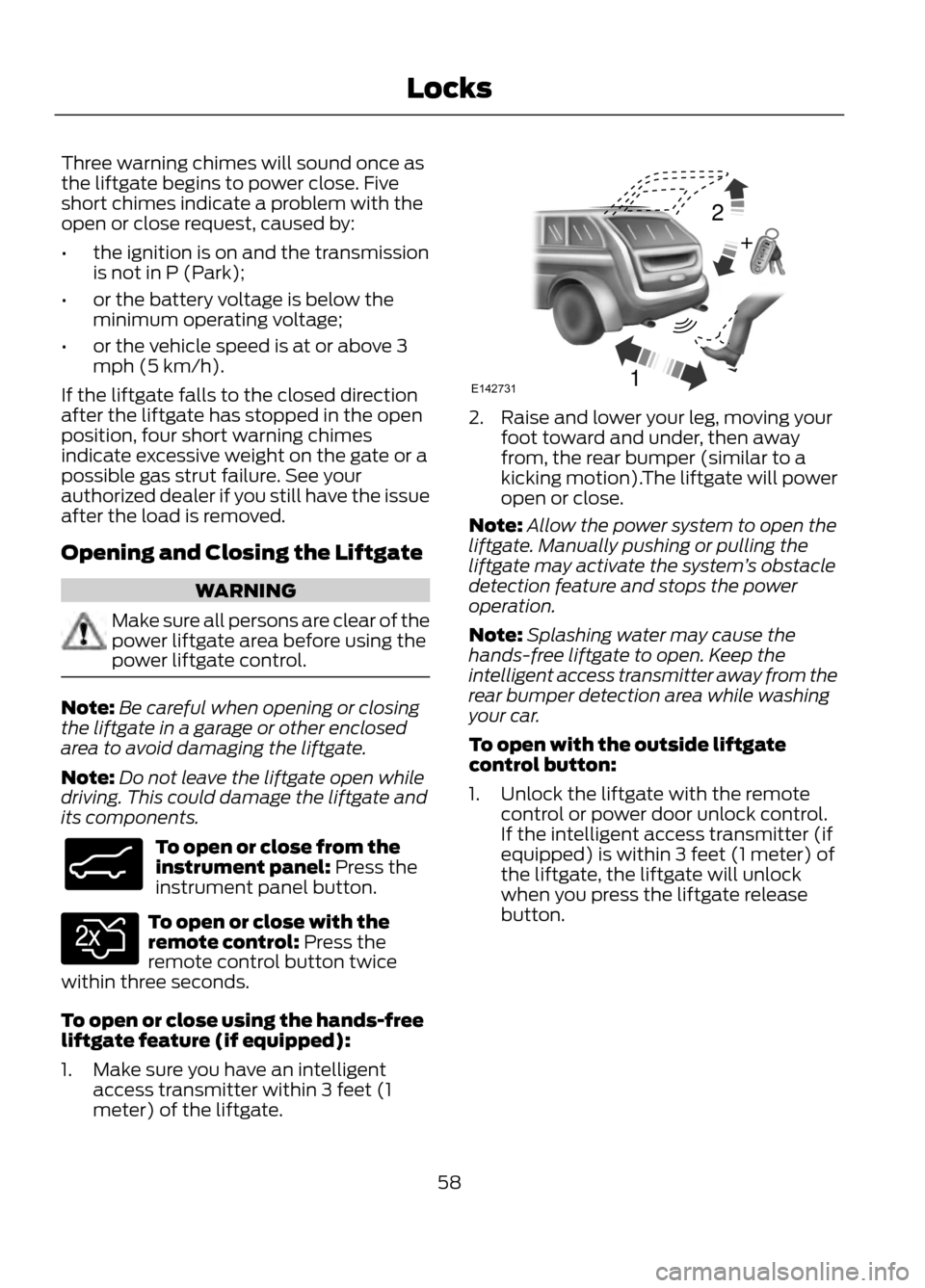
1. Make sure you have an intelligent access transmitter within 3 feet (1
meter) of the liftgate.
2. Raise and lower your leg, moving yourfoot toward and under, then away
from, the rear bumper (similar to a
kicking motion).The liftgate will power
open or close.
Note: Allow the power system to open the
liftgate. Manually pushing or pulling the
liftgate may activate the system ’s obstacle
detection feature and stops the power
operation.
Note: Splashing water may cause the
hands-free liftgate to open. Keep the
intelligent access transmitter away from the
rear bumper detection area while washing
your car.
To open with the outside liftgate
control button:
1. Unlock the liftgate with the remote control or power door unlock control.
If the intelligent access transmitter (if
equipped) is within 3 feet (1 meter) of
the liftgate, the liftgate will unlock
when you press the liftgate release
button.
58
Locks
E138633
E138630
12
+E142731
Page 59 of 423
2.Press the control button located in the
top of the liftgate pull-cup handle.
Note: Allow the power system to open the
liftgate after pressing the control. Manually
pushing or pulling the liftgate may activate
the system ’s obstacle detection feature and
stops the power operation.
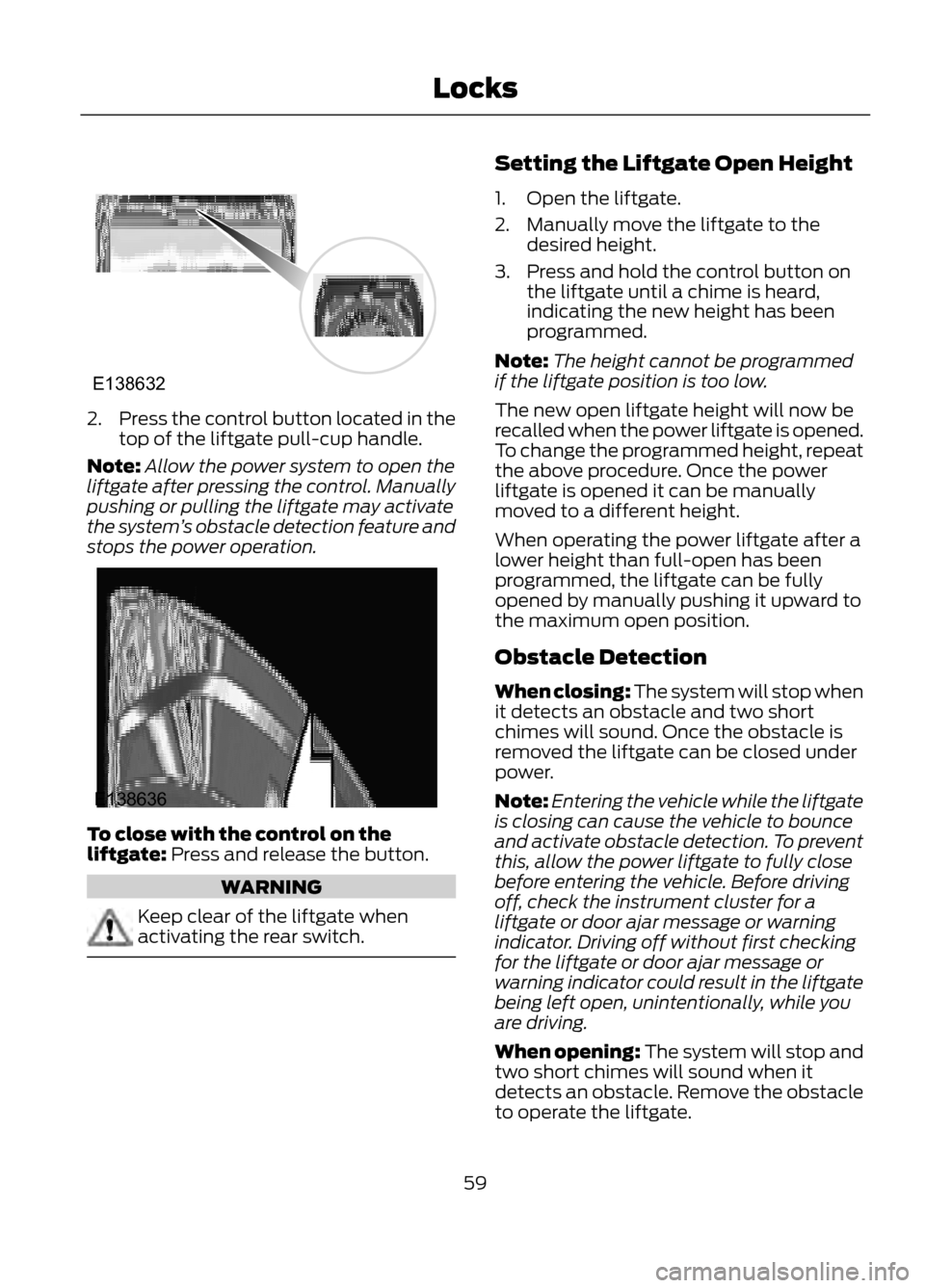
To close with the control on the
liftgate: Press and release the button.
WARNING
Keep clear of the liftgate when
activating the rear switch.
Setting the Liftgate Open Height
1. Open the liftgate.
2. Manually move the liftgate to the desired height.
3. Press and hold the control button on the liftgate until a chime is heard,
indicating the new height has been
programmed.
Note: The height cannot be programmed
if the liftgate position is too low.
The new open liftgate height will now be
recalled when the power liftgate is opened.
To change the programmed height, repeat
the above procedure. Once the power
liftgate is opened it can be manually
moved to a different height.
When operating the power liftgate after a
lower height than full-open has been
programmed, the liftgate can be fully
opened by manually pushing it upward to
the maximum open position.
Obstacle Detection
When closing: The system will stop when
it detects an obstacle and two short
chimes will sound. Once the obstacle is
removed the liftgate can be closed under
power.
Note: Entering the vehicle while the liftgate
is closing can cause the vehicle to bounce
and activate obstacle detection. To prevent
this, allow the power liftgate to fully close
before entering the vehicle. Before driving
off, check the instrument cluster for a
liftgate or door ajar message or warning
indicator. Driving off without first checking
for the liftgate or door ajar message or
warning indicator could result in the liftgate
being left open, unintentionally, while you
are driving.
When opening: The system will stop and
two short chimes will sound when it
detects an obstacle. Remove the obstacle
to operate the liftgate.
59
Locks
E138632
E138636