Page 574 of 860
574 3-7. Using the storage features
SIENNA_U (OM45477U)Lower glove box
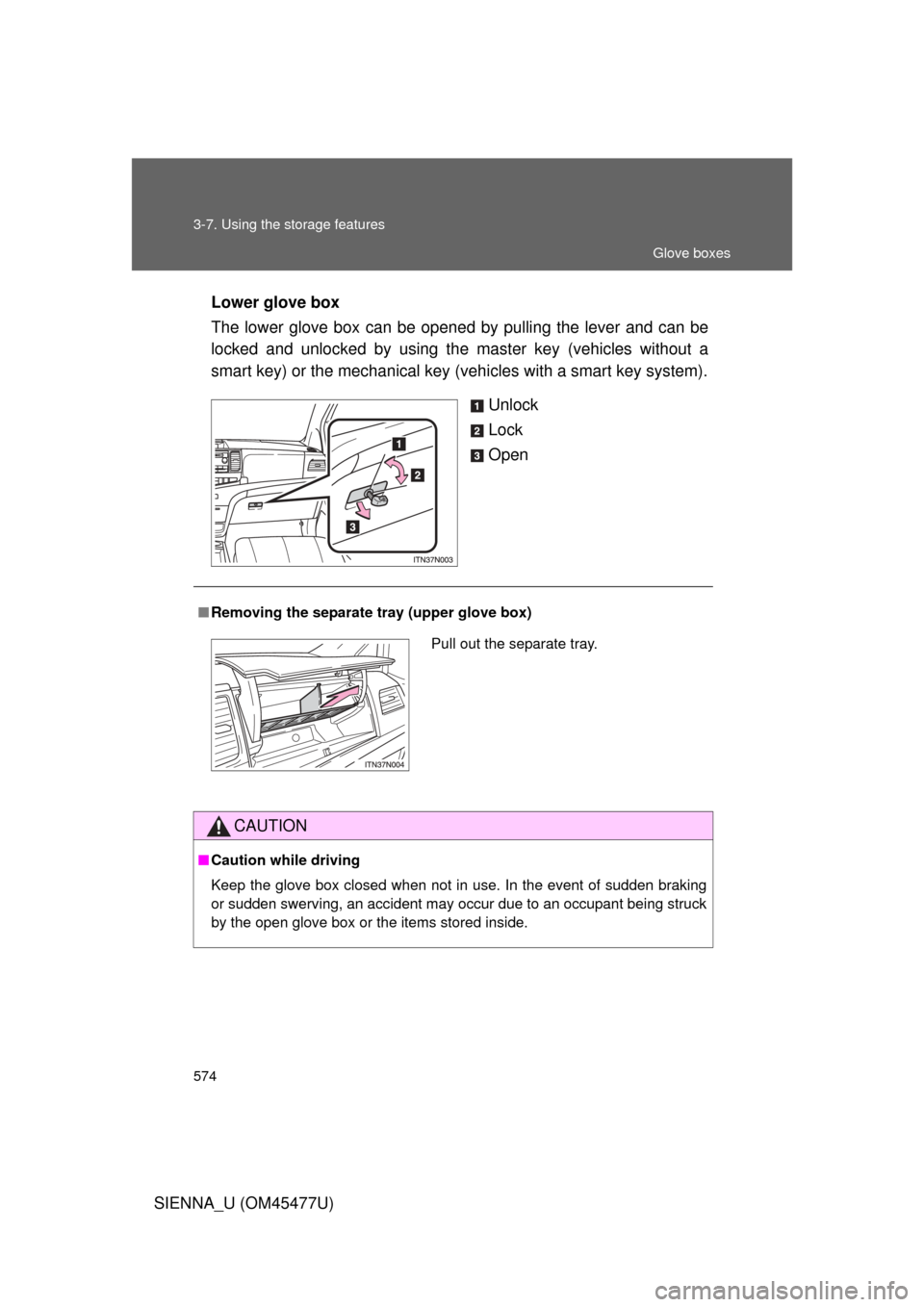
The lower glove box can be opened by pulling the lever and can be
locked and unlocked by using the
master key (vehicles without a
smart key) or the mechanical key (vehicles with a smart key system).
Unlock
Lock
Open
■Removing the separate tray (upper glove box)
CAUTION
■Caution while driving
Keep the glove box closed when not in use. In the event of sudden braking
or sudden swerving, an accident may occur due to an occupant being struck
by the open glove box or the items stored inside.
Pull out the separate tray.
Glove boxes
Page 592 of 860
592
3-8. Other interior features
SIENNA_U (OM45477U)
Clock
: If equipped
■The clock is displayed when
Vehicles without a smart key system
The engine switch is in the “ACC” or “ON” position.
Vehicles with a smart key system
The “ENGINE START STOP” switch is in ACCESSORY or IGNITION ON
mode.
■ When disconnecting and reco nnecting battery terminals
The time display will automatically be set to 1:00.
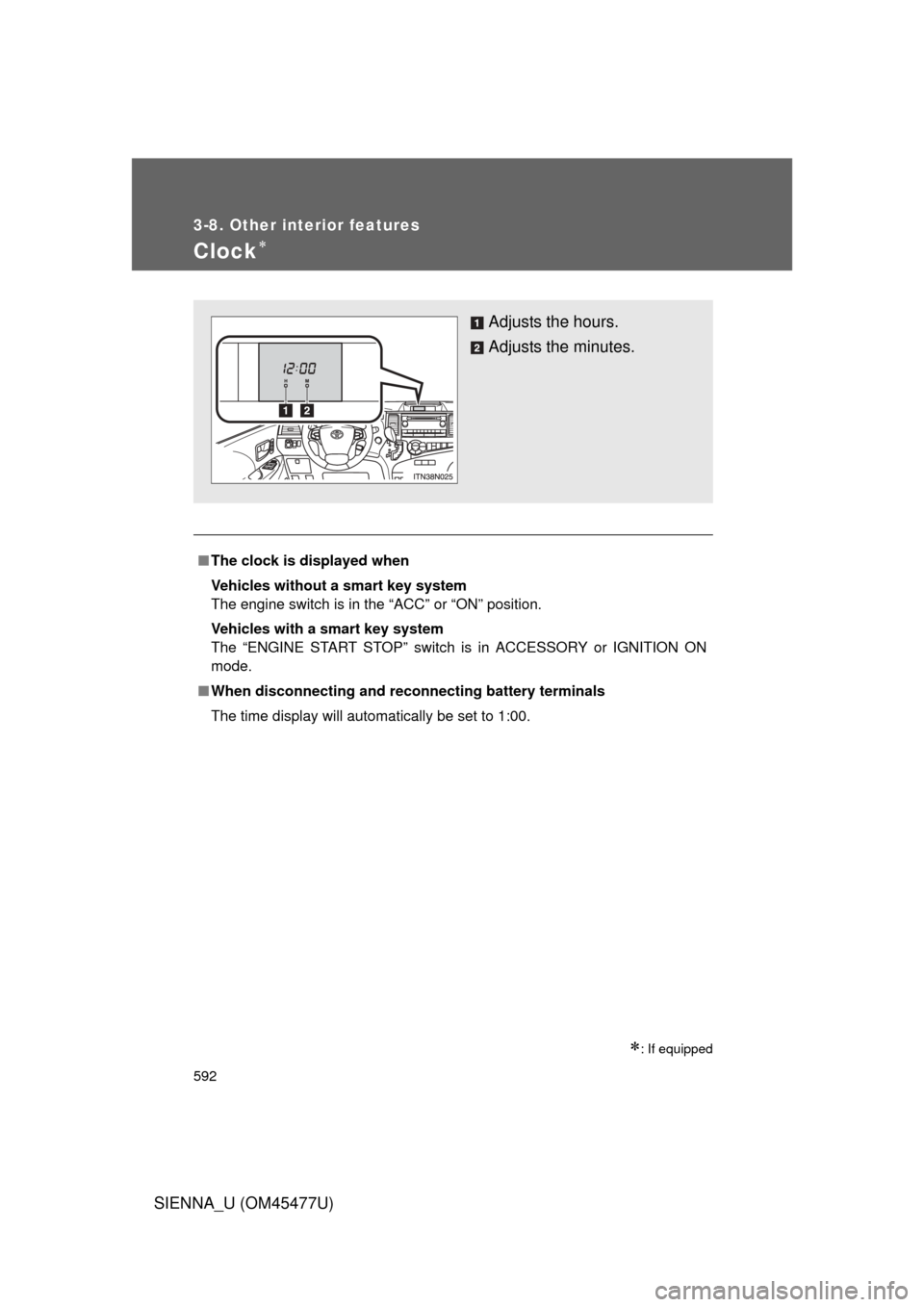
Adjusts the hours.
Adjusts the minutes.
Page 596 of 860
596 3-8. Other interior features
SIENNA_U (OM45477U)
■The power outlet can be used when
Vehicles without a smart key system
12 V: The engine switch is in the “ACC” or “ON” position.
120 V AC: The engine switch is in the “ON” position.
Vehicles with a smart key system
12 V: The “ENGINE START STOP” switch is in ACCESSORY or IGNITION
ON mode.
120 V AC: The “ENGINE START STOP” switch is in IGNITION ON mode.
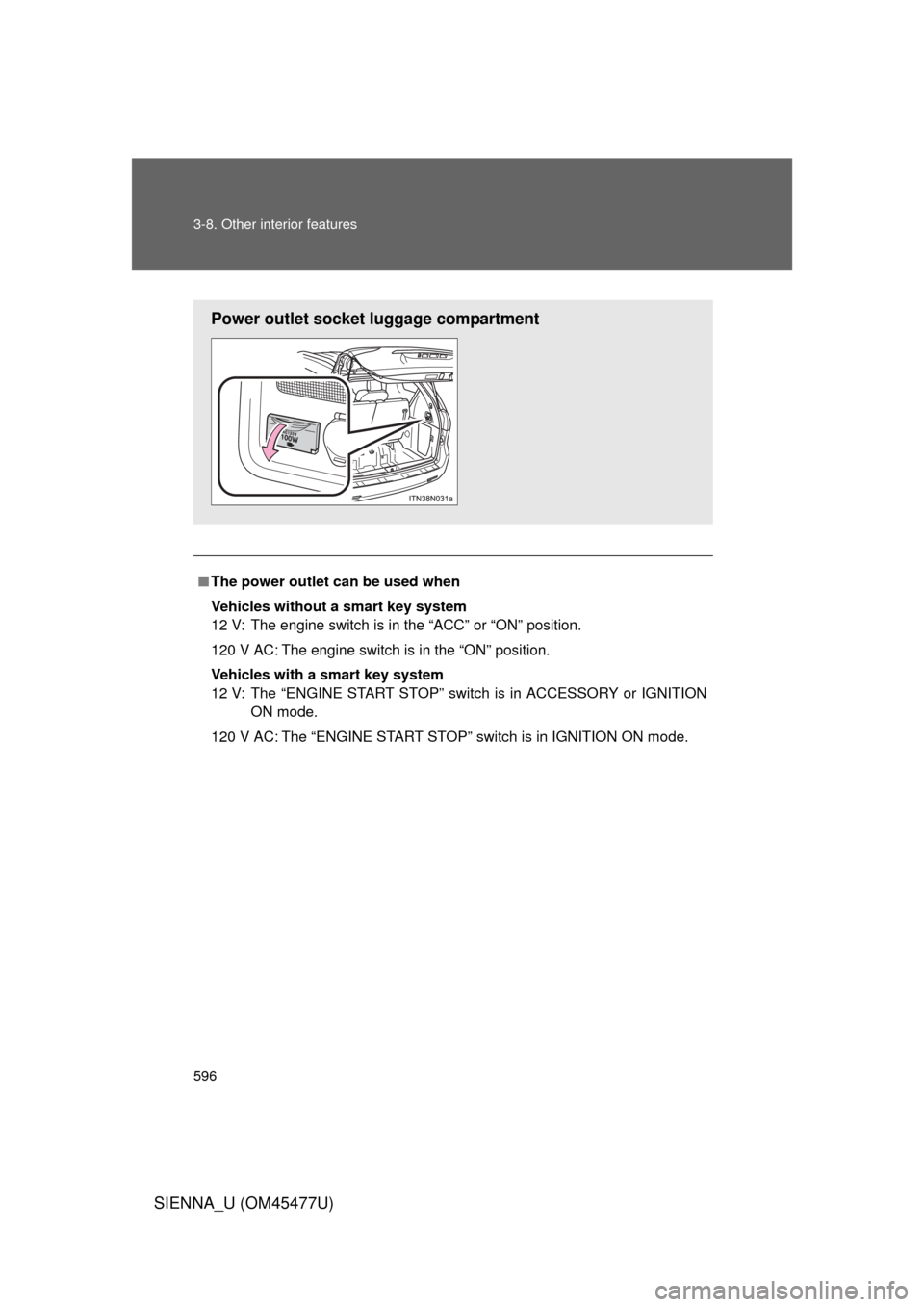
Power outlet socket luggage compartment
Page 598 of 860
598
3-8. Other interior features
SIENNA_U (OM45477U)
Seat heaters
: If equipped
■The seat heaters can be used when
Vehicles without a smart key system
The engine switch is in the “ON” position.
Vehicles with a smart key system
The “ENGINE START STOP” switch is in IGNITION ON mode.
■ When not in use
Move the dial fully downward. The indicator light turns off.
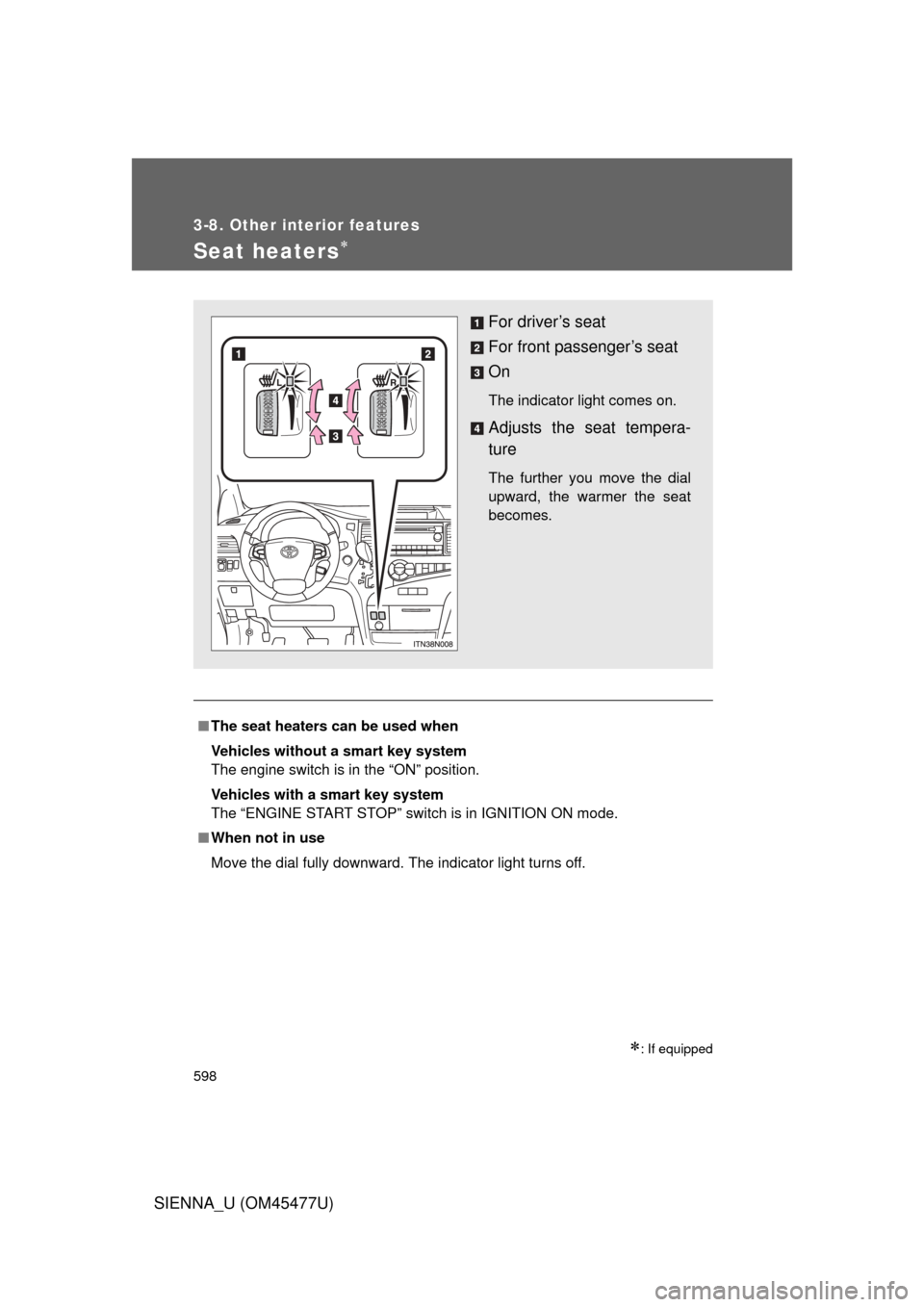
For driver’s seat
For front passenger’s seat
On
The indicator light comes on.
Adjusts the seat tempera-
ture
The further you move the dial
upward, the warmer the seat
becomes.
Page 625 of 860

625
3-8. Other interior features
3
Interior features
SIENNA_U (OM45477U)
Safety Connect LE
D light Indicators
When the engine switch is turned to the “ON” position (vehicles with-
out a smart key system) or the “ENGINE START STOP” switch is
turned to IGNITION ON mode (vehicl es with a smart key system), the
red indicator light comes on for 2 seconds then turns off. Afterward,
the green indicator light comes on, indicating that the service is
active.
The following indicator light patter ns indicate specific system usage
conditions:
● Green indicator light on = Active service
● Green indicator light flashing = Safety Connect call in process
● Red indicator light (except at v ehicle start-up) = System malfunc-
tion (contact your Toyota dealer)
● No indicator light (off) = Safety Connect service not active
Safety Connect services
■ Automatic Collision Notification
In case of either airbag deployment or severe rear-end collision,
the system is design ed to automatically call the response center.
The responding agent receives th e vehicle’s location and attempts
to speak with the vehicle occupant s to assess the level of emer-
gency. If the occupants are unable to communicate, the agent
automatically treats the call as an emergency, contacts the nearest
emergency services provider to describe the situation, and
requests that assistance be sent to the location.
Page 629 of 860
Maintenance and care4
629
SIENNA_U (OM45477U)
4-1. Maintenance and careCleaning and protecting the vehicle exterior ......... 630
Cleaning and protecting the vehicle interior .......... 635
4-2. Maintenance Maintenance requirements .................. 639
General maintenance....... 642
Emission inspection and maintenance (I/M)
programs ........................ 646
4-3. Do-it-yourself maintenance Do-it-yourself service precautions .................... 647
Hood ................................ 651
Positioning a floor jack ..... 653
Engine compartment ........ 655
Tires ................................. 672
Tire inflation pressure ...... 683
Wheels ............................. 687
Air conditioning filter......... 690
Wireless remote control/electronic key
battery ............................ 693
Checking and replacing fuses .............................. 696
Light bulbs........................ 709
Page 631 of 860
631
4-1. Maintenance and care
4
Maintenance and care
SIENNA_U (OM45477U)
■
High pressure car washes
● Do not allow the nozzles of the car wash to come within close proximity
of the windows.
● Before using car wash, check that the fuel filler door on your vehicle is
closed properly.
■ Aluminum wheels
● Remove any dirt immediately by using a neutral detergent. Do not use
hard brushes or abrasive cleaners. Do not use strong or harsh chemical
cleaners.
Use the same mild detergent and wax as used on the paint.
● Do not use detergent on the wheels when they are hot, for example after
driving for long distance in the hot weather.
● Wash detergent from the wheels immediately after use.
■ Bumpers and side moldings
Do not scrub with abrasive cleaners.
■ Notes for vehicles with a smar t key system (if equipped)
● If the door handle becomes wet while the electronic key is within the
effective range, the door may lock and unlock repeatedly. Place the key
in a position 6 ft. (2 m) or more separate from the vehicle while the vehi-
cle is being washed. (Take care to ensure that the key is not stolen.)
● If the electronic key is inside the vehicle and a door handle becomes wet
during a car wash, a message may be shown on the multi-information
display and a buzzer will sound outside the vehicle. To turn off the alarm,
lock all the doors.
Page 640 of 860

640 4-2. Maintenance
SIENNA_U (OM45477U)
■Allow inspection and repairs to be performed by a Toyota dealer
● Toyota technicians are well-trained specialists and are kept up to date
with the latest service information. They are well informed about the
operations of all systems on your vehicle.
● Keep a copy of the repair order. It proves that the maintenance that has
been performed is under warranty coverage. If any problem should arise
while your vehicle is under warranty, your Toyota dealer will promptly
take care of it.
■ Reset the maintenance data (U.S.A. only)
After the required maintenance is preformed according to the maintenance
schedule, please reset the maintenance data.
To reset the data, follow the procedures described below:
Vehicles without a smart key system
Switch the display to the trip meter A ( P. 244) and then turn the
engine switch off.
Vehicles with a smart key system
Switch the display to the trip meter A ( P. 244) and then turn the
“ENGINE START STOP” switch off.
Vehicles without a smart key system
While pressing the trip meter reset button ( P. 244), turn the
engine switch to the “ON” position.
Vehicles with a smart key system
While pressing the trip meter reset button ( P. 244), turn the
“ENGINE START STOP” switch to IGNITION ON mode.
Vehicles without a multi-information display
Continue to press and hold the button until the trip meter A displays
“000000”.
Vehicles with a multi-information display
Continue to press and hold the button until “COMPLETE” appears
on the multi-information display.
STEP1
STEP2
STEP3