Page 116 of 692
116
L/C200_EE (OM60G38E)
1-5. Refueling
Opening the fuel tank cap
Perform the following steps to open the fuel tank cap.
Before refueling the vehicle
Turn the “ENGINE START STOP” switch OFF and ensure that
all the doors and windows are closed.
Confirm the type of fuel. (P. 117)
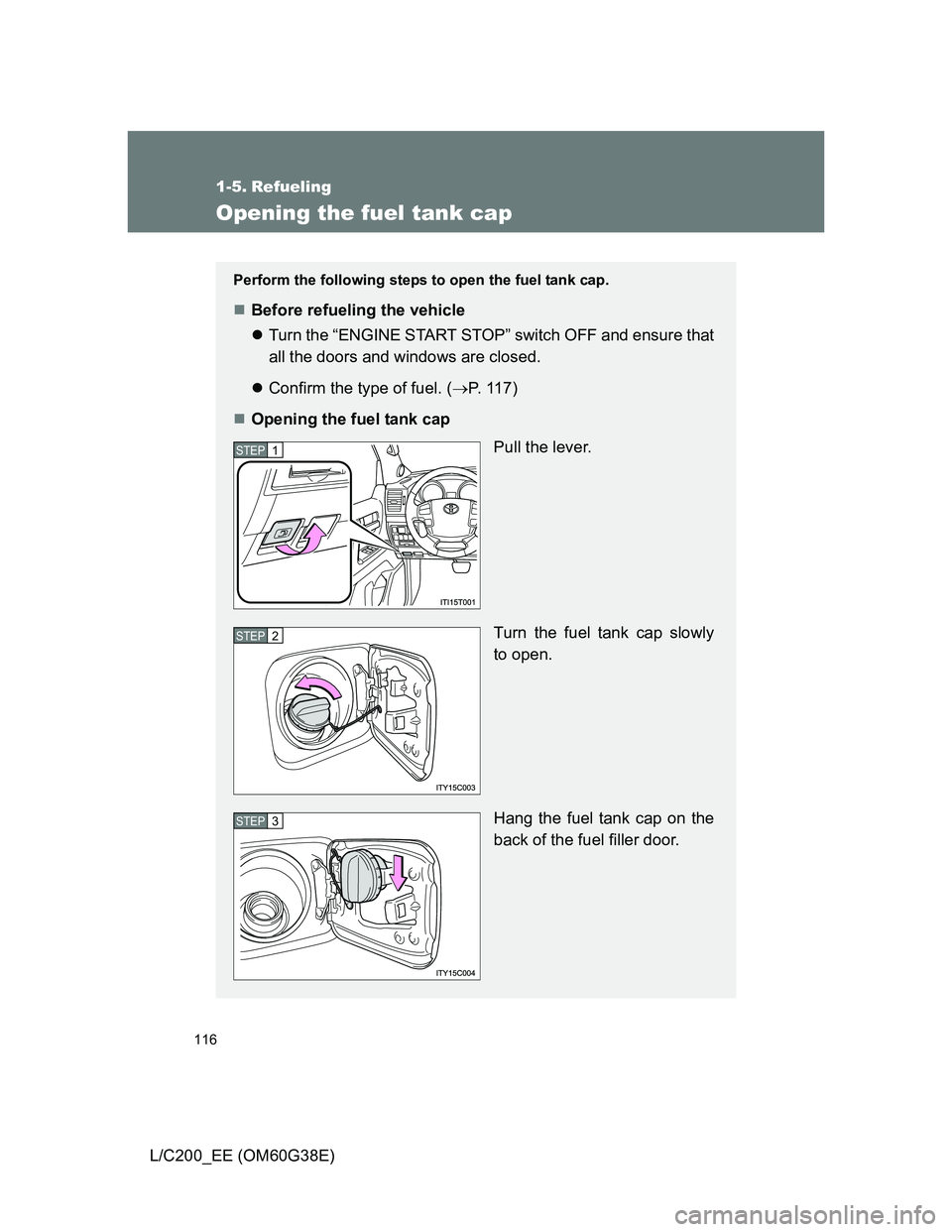
Opening the fuel tank cap
Pull the lever.
Turn the fuel tank cap slowly
to open.
Hang the fuel tank cap on the
back of the fuel filler door.
STEP1
STEP2
STEP3
Page 117 of 692
117 1-5. Refueling
1
Before driving
L/C200_EE (OM60G38E)
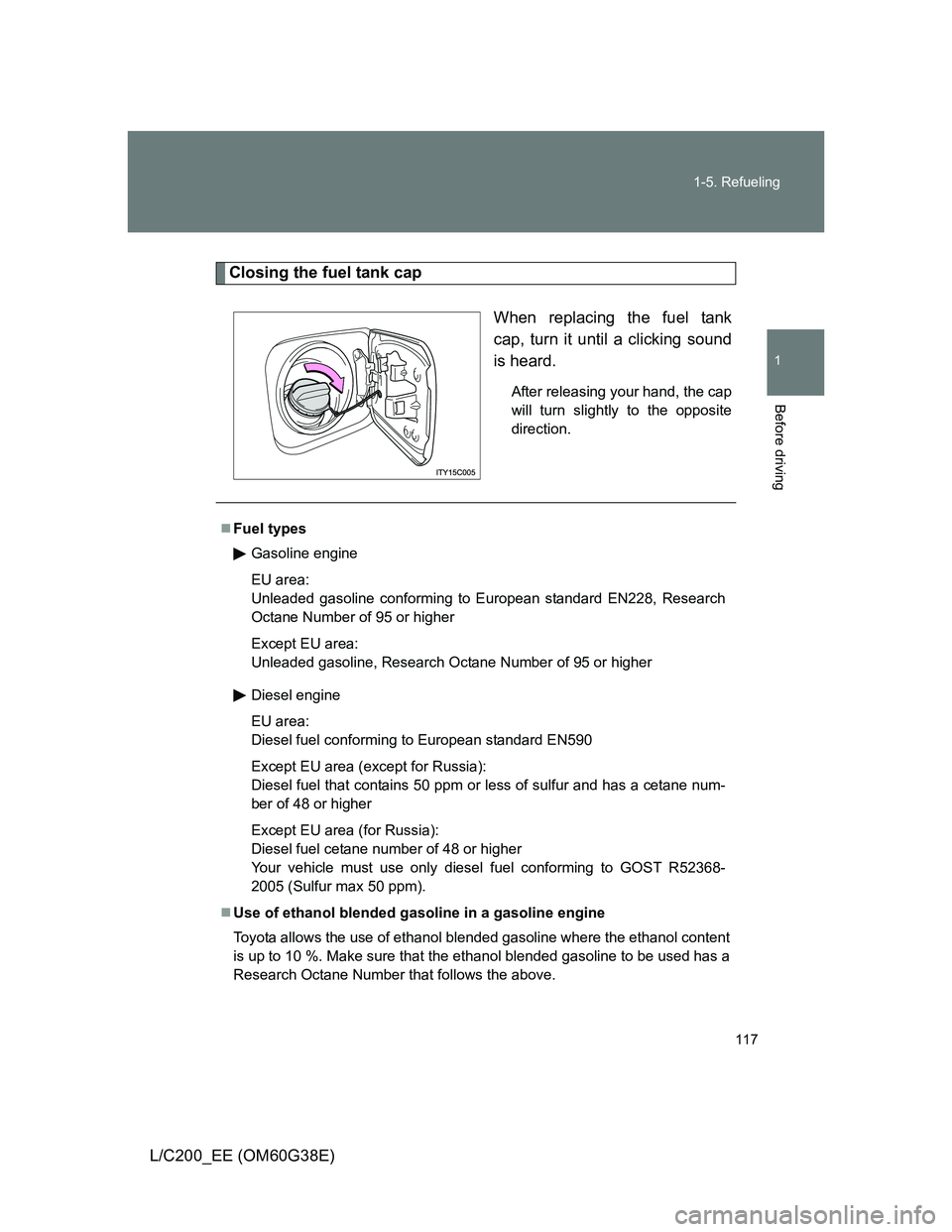
Closing the fuel tank cap
When replacing the fuel tank
cap, turn it until a clicking sound
is heard.
After releasing your hand, the cap
will turn slightly to the opposite
direction.
Fuel types
Gasoline engine
EU area:
Unleaded gasoline conforming to European standard EN228, Research
Octane Number of 95 or higher
Except EU area:
Unleaded gasoline, Research Octane Number of 95 or higher
Diesel engine
EU area:
Diesel fuel conforming to European standard EN590
Except EU area (except for Russia):
Diesel fuel that contains 50 ppm or less of sulfur and has a cetane num-
ber of 48 or higher
Except EU area (for Russia):
Diesel fuel cetane number of 48 or higher
Your vehicle must use only diesel fuel conforming to GOST R52368-
2005 (Sulfur max 50 ppm).
Use of ethanol blended gasoline in a gasoline engine
Toyota allows the use of ethanol blended gasoline where the ethanol content
is up to 10 %. Make sure that the ethanol blended gasoline to be used has a
Research Octane Number that follows the above.
Page 120 of 692
120
L/C200_EE (OM60G38E)
1-6. Theft deterrent system
Engine immobilizer system
The vehicle’s keys have built-in transponder chips that prevent the
engine from starting if the key has not been previously registered in
the vehicle’s on-board computer.
Never leave the keys inside the vehicle when you leave the vehicle.
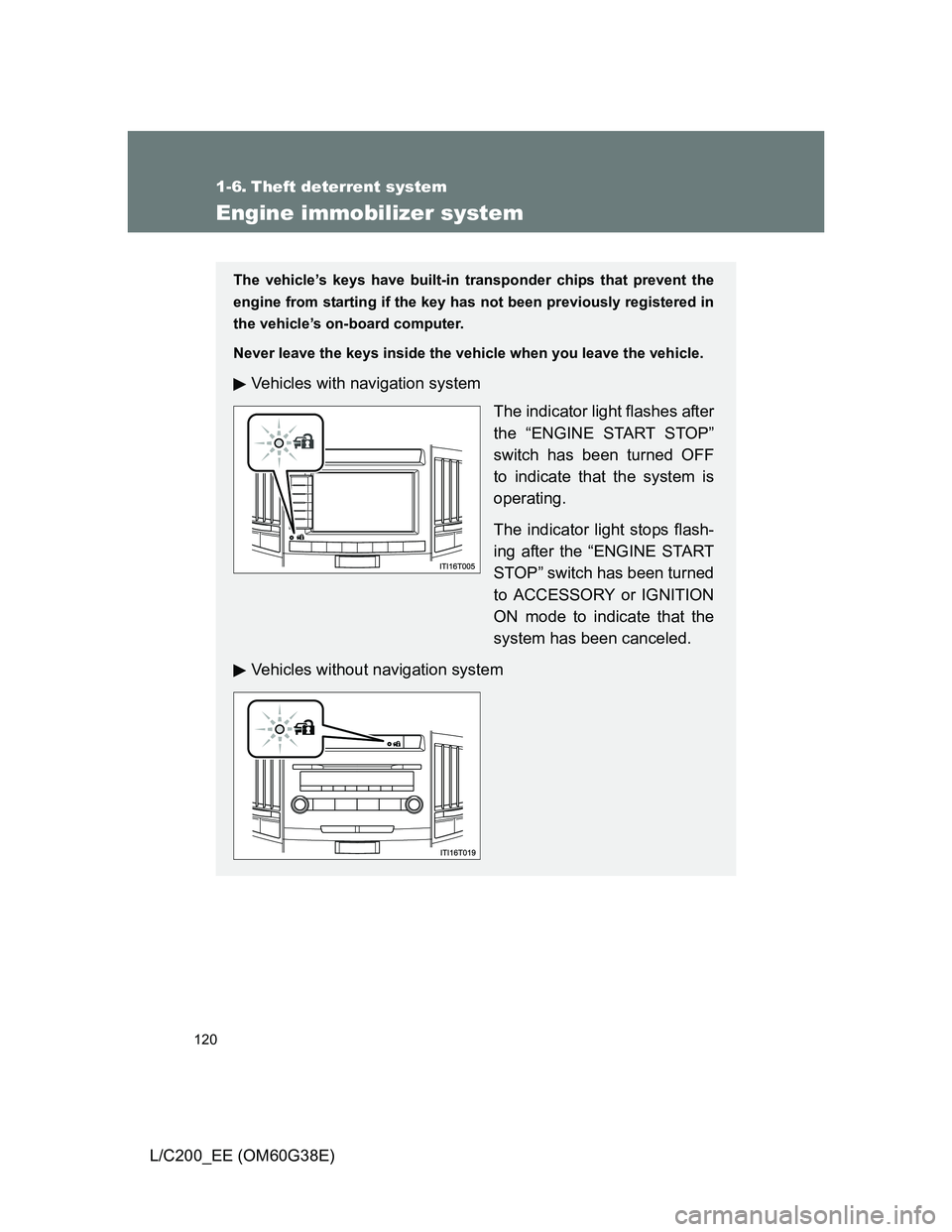
Vehicles with navigation system
The indicator light flashes after
the “ENGINE START STOP”
switch has been turned OFF
to indicate that the system is
operating.
The indicator light stops flash-
ing after the “ENGINE START
STOP” switch has been turned
to ACCESSORY or IGNITION
ON mode to indicate that the
system has been canceled.
Vehicles without navigation system
Page 121 of 692
121 1-6. Theft deterrent system
1
Before driving
L/C200_EE (OM60G38E)
System maintenance
The vehicle has a maintenance-free type engine immobilizer system.
Conditions that may cause the system to malfunction
If the key is in contact with a metallic object
If the key is in close proximity to or touching a key to the security system
(key with a built-in transponder chip) of another vehicle
Page 122 of 692
122 1-6. Theft deterrent system
L/C200_EE (OM60G38E)
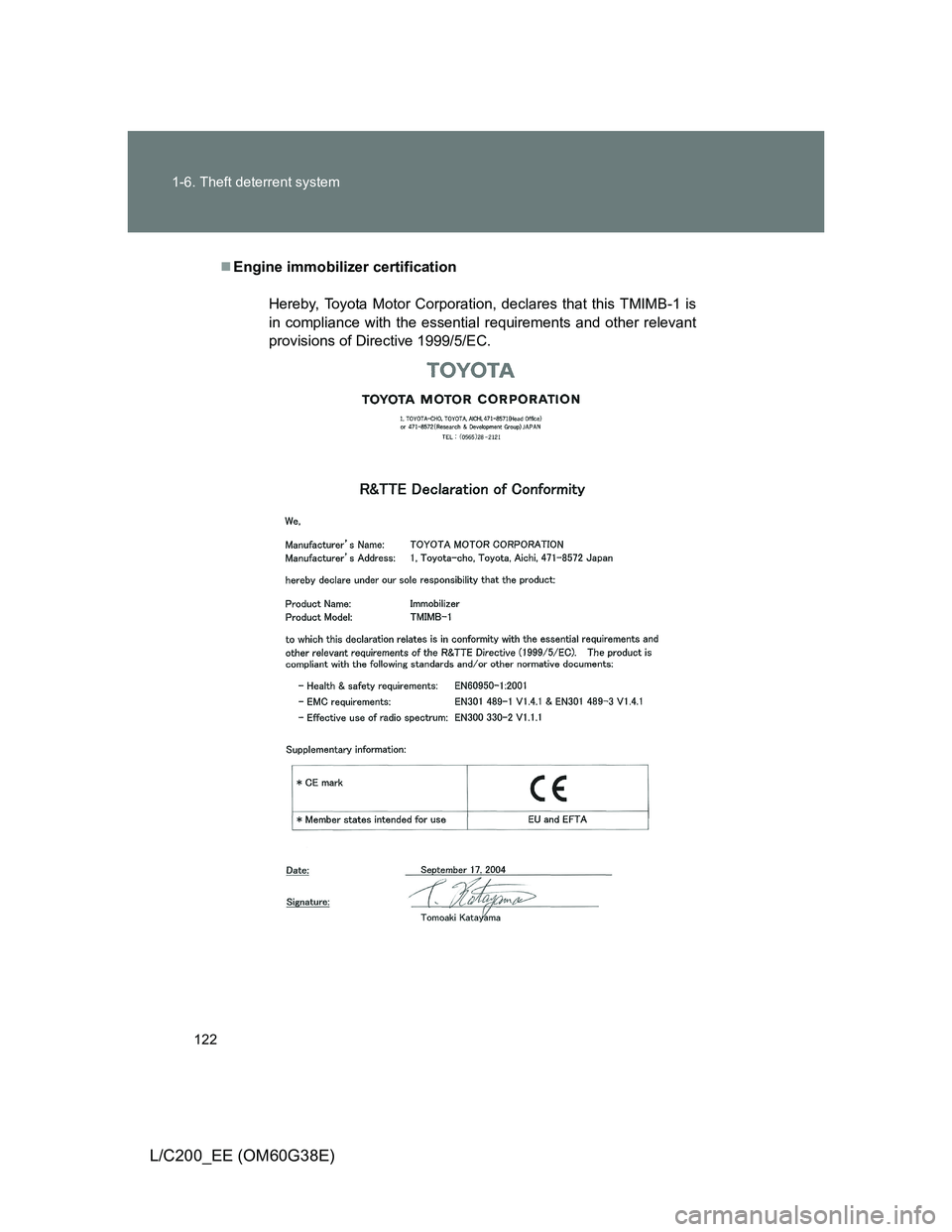
Engine immobilizer certification
Hereby, Toyota Motor Corporation, declares that this TMIMB-1 is
in compliance with the essential requirements and other relevant
provisions of Directive 1999/5/EC.
Page 125 of 692
125
1
1-6. Theft deterrent system
Before driving
L/C200_EE (OM60G38E)
Double locking system
Setting the double locking system
Turn the “ENGINE START STOP” switch OFF, have all the passen-
gers exit the vehicle and ensure that all the doors are closed.
Using the entry function:
Press the lock button on the outside door handle twice within 5 sec-
onds.
Using the wireless remote control:
Press the
button twice within 5 seconds.
: If equipped
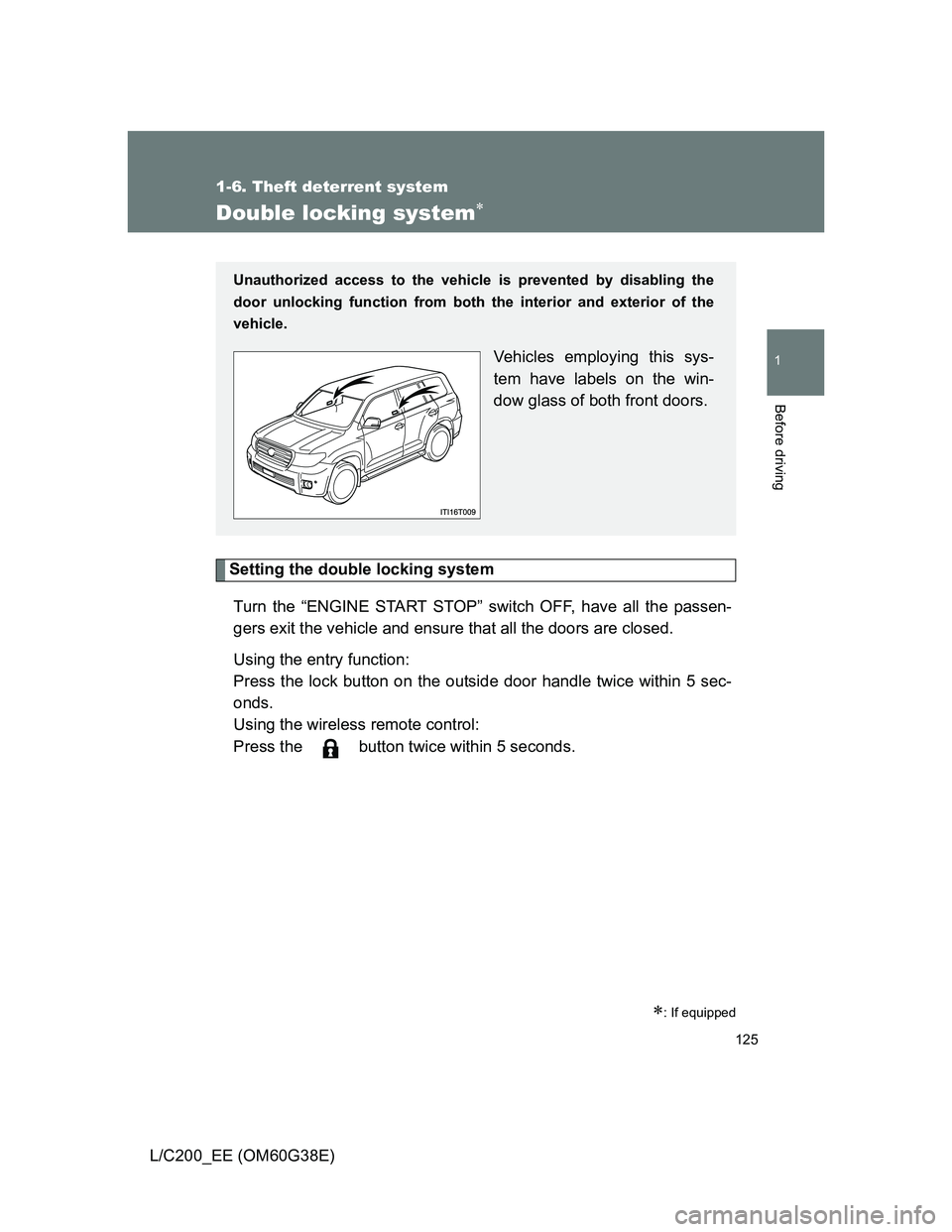
Unauthorized access to the vehicle is prevented by disabling the
door unlocking function from both the interior and exterior of the
vehicle.
Vehicles employing this sys-
tem have labels on the win-
dow glass of both front doors.
Page 128 of 692
128 1-6. Theft deterrent system
L/C200_EE (OM60G38E)
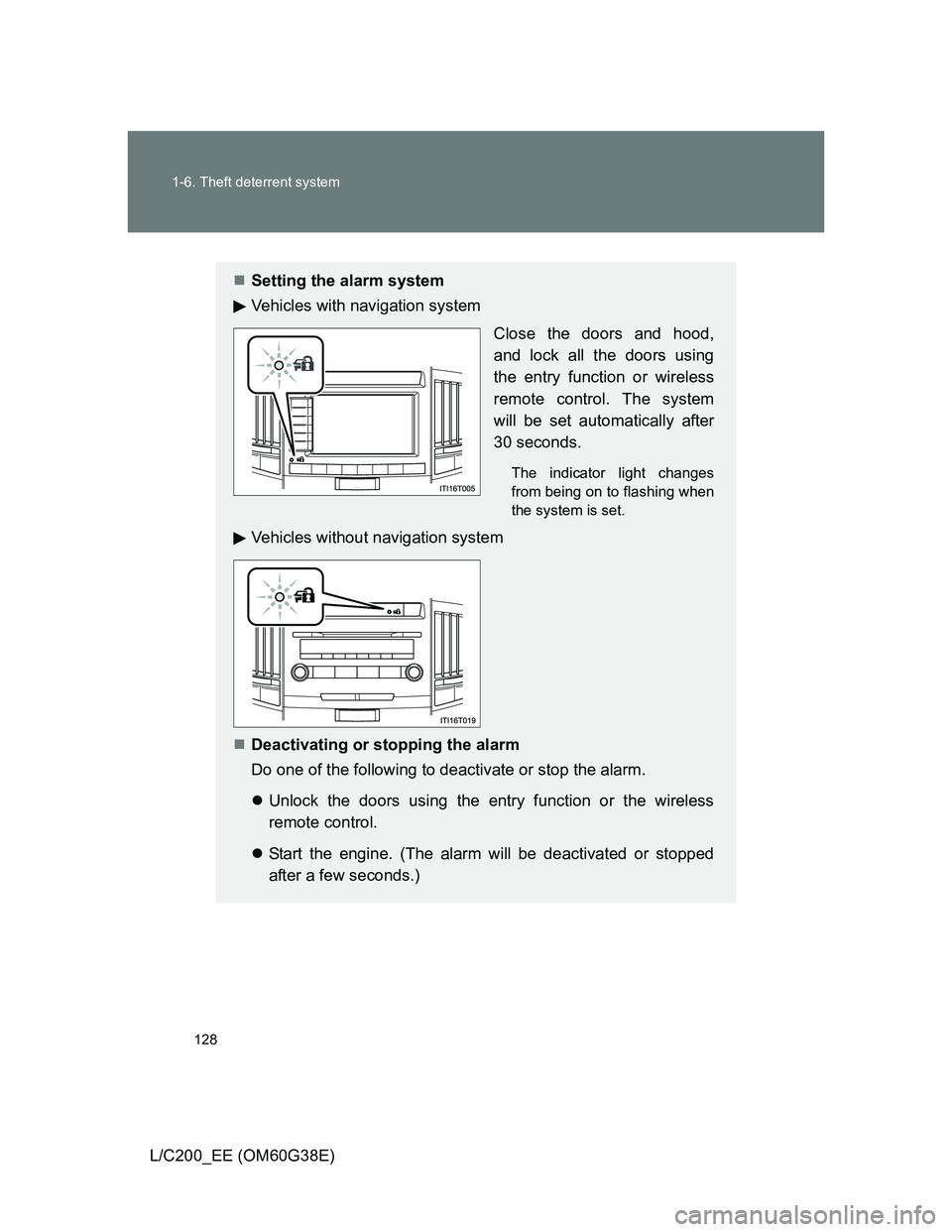
Setting the alarm system
Vehicles with navigation system
Close the doors and hood,
and lock all the doors using
the entry function or wireless
remote control. The system
will be set automatically after
30 seconds.
The indicator light changes
from being on to flashing when
the system is set.
Vehicles without navigation system
Deactivating or stopping the alarm
Do one of the following to deactivate or stop the alarm.
Unlock the doors using the entry function or the wireless
remote control.
Start the engine. (The alarm will be deactivated or stopped
after a few seconds.)
Page 129 of 692
129 1-6. Theft deterrent system
1
Before driving
L/C200_EE (OM60G38E)
Intrusion sensor and tilt sensor (if equipped)
The intrusion sensor detects an intruder or movement in the vehi-
cle.
The tilt sensor detects changes in vehicle inclination, such as when
the vehicle is towed away.
This system is designed to deter and prevent vehicle theft but does
not guarantee absolute security against all intrusions.
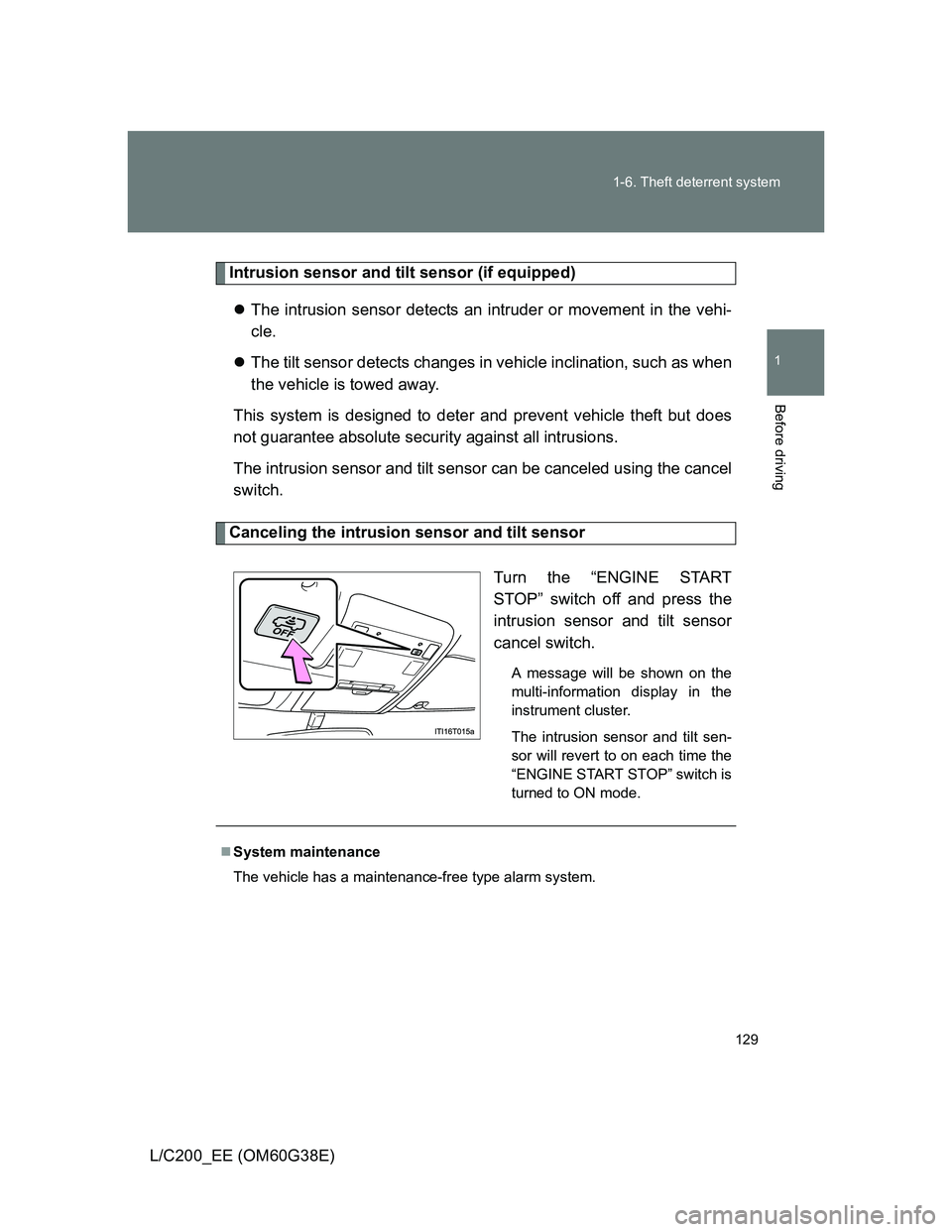
The intrusion sensor and tilt sensor can be canceled using the cancel
switch.
Canceling the intrusion sensor and tilt sensor
Turn the “ENGINE START
STOP” switch off and press the
intrusion sensor and tilt sensor
cancel switch.
A message will be shown on the
multi-information display in the
instrument cluster.
The intrusion sensor and tilt sen-
sor will revert to on each time the
“ENGINE START STOP” switch is
turned to ON mode.
System maintenance
The vehicle has a maintenance-free type alarm system.