Page 281 of 692
281 2-4. Using other driving systems
2
When driving
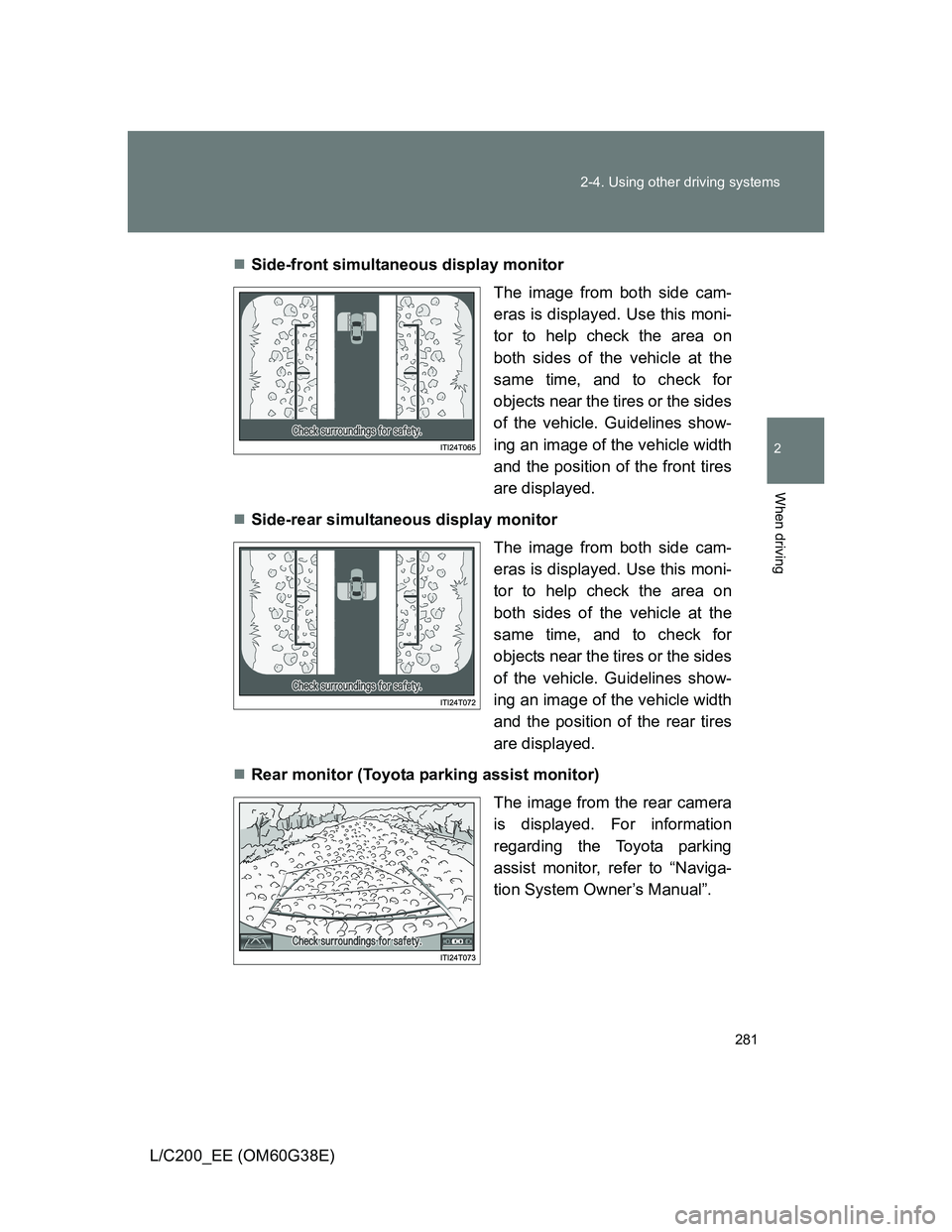
L/C200_EE (OM60G38E)Side-front simultaneous display monitor
The image from both side cam-
eras is displayed. Use this moni-
tor to help check the area on
both sides of the vehicle at the
same time, and to check for
objects near the tires or the sides
of the vehicle. Guidelines show-
ing an image of the vehicle width
and the position of the front tires
are displayed.
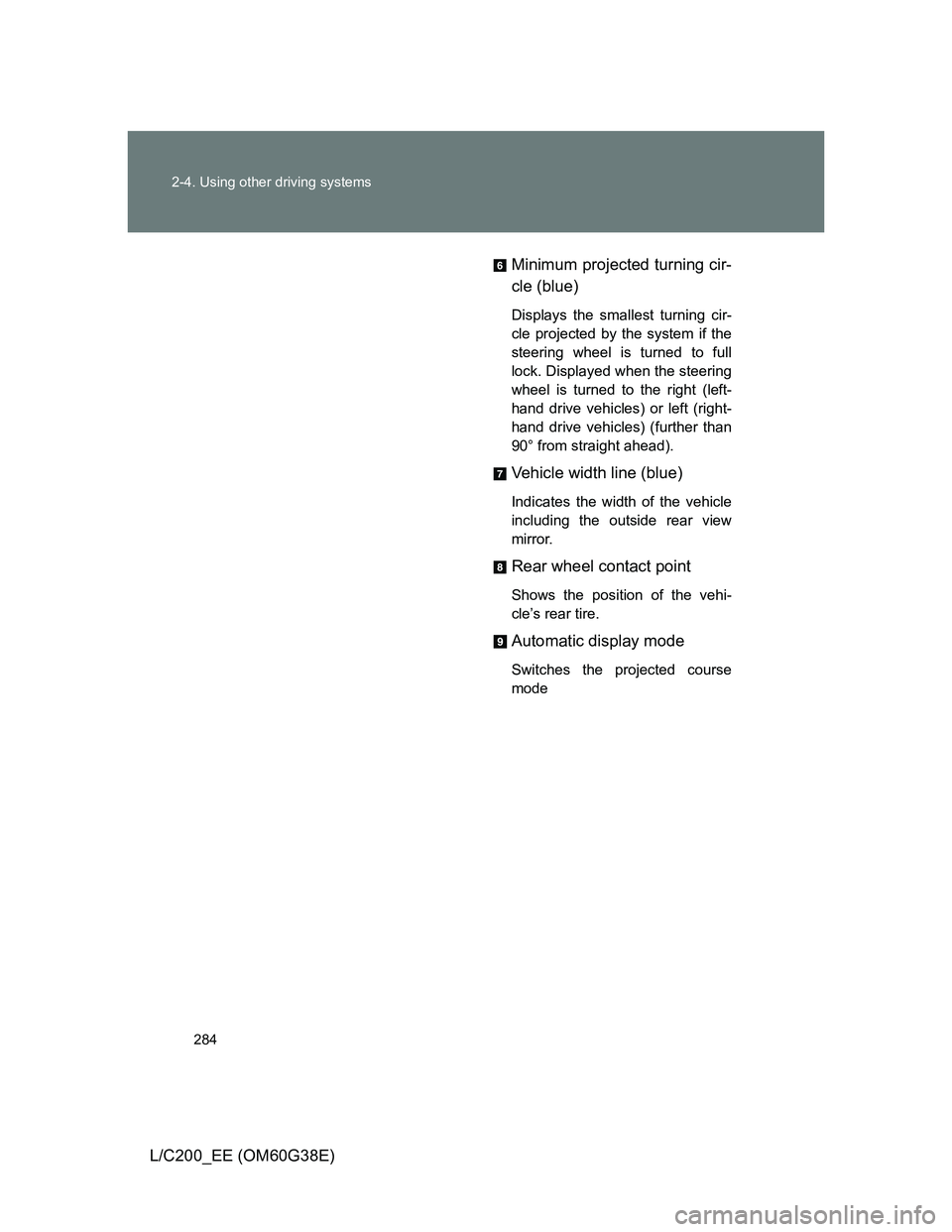
Side-rear simultaneous display monitor
The image from both side cam-
eras is displayed. Use this moni-
tor to help check the area on
both sides of the vehicle at the
same time, and to check for
objects near the tires or the sides
of the vehicle. Guidelines show-
ing an image of the vehicle width
and the position of the rear tires
are displayed.
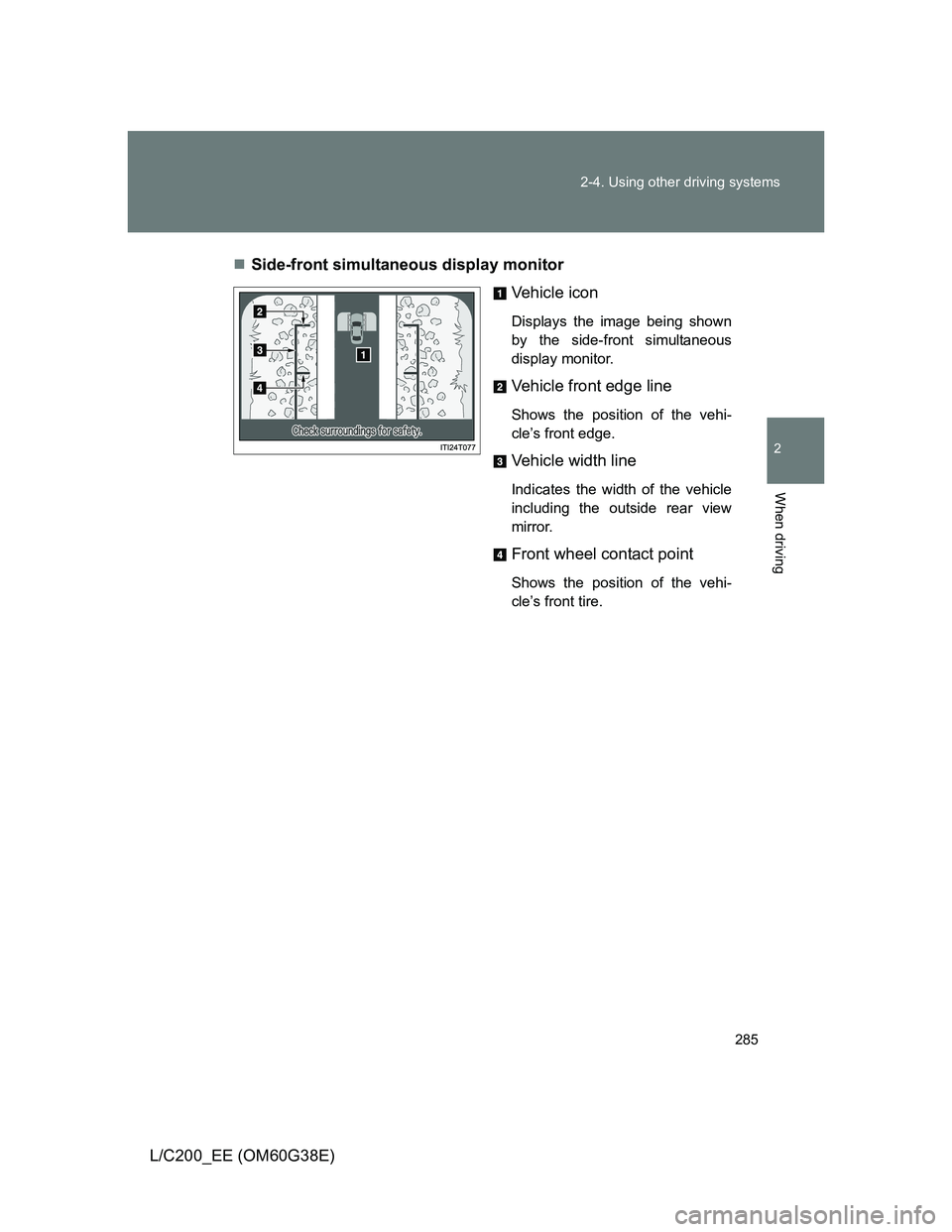
Rear monitor (Toyota parking assist monitor)
The image from the rear camera
is displayed. For information
regarding the Toyota parking
assist monitor, refer to “Naviga-
tion System Owner’s Manual”.
Page 284 of 692
284 2-4. Using other driving systems
L/C200_EE (OM60G38E)Minimum projected turning cir-
cle (blue)
Displays the smallest turning cir-
cle projected by the system if the
steering wheel is turned to full
lock. Displayed when the steering
wheel is turned to the right (left-
hand drive vehicles) or left (right-
hand drive vehicles) (further than
90° from straight ahead).
Vehicle width line (blue)
Indicates the width of the vehicle
including the outside rear view
mirror.
Rear wheel contact point
Shows the position of the vehi-
cle’s rear tire.
Automatic display mode
Switches the projected course
mode
Page 285 of 692
285 2-4. Using other driving systems
2
When driving
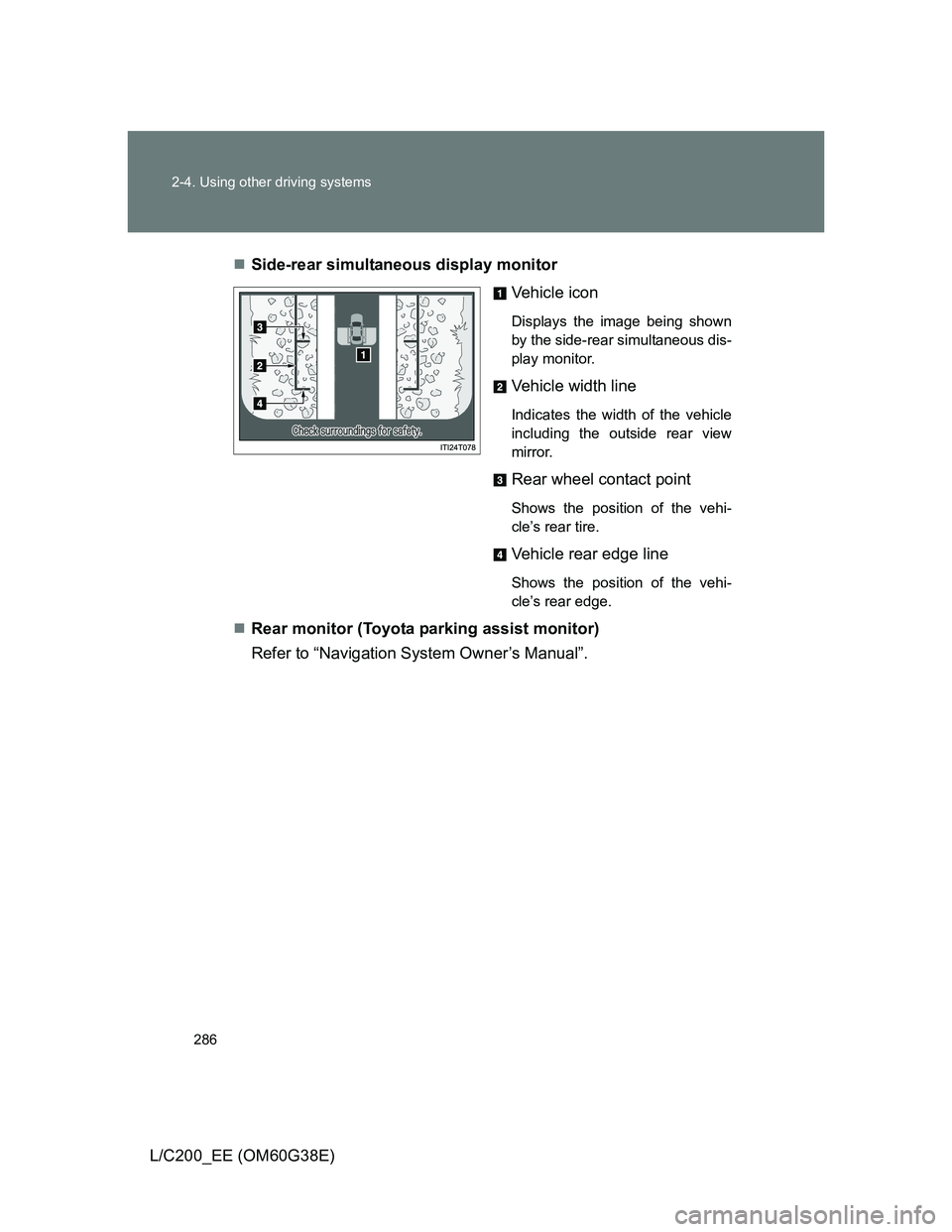
L/C200_EE (OM60G38E)Side-front simultaneous display monitor
Vehicle icon
Displays the image being shown
by the side-front simultaneous
display monitor.
Vehicle front edge line
Shows the position of the vehi-
cle’s front edge.
Vehicle width line
Indicates the width of the vehicle
including the outside rear view
mirror.
Front wheel contact point
Shows the position of the vehi-
cle’s front tire.
Page 286 of 692
286 2-4. Using other driving systems
L/C200_EE (OM60G38E)Side-rear simultaneous display monitor
Vehicle icon
Displays the image being shown
by the side-rear simultaneous dis-
play monitor.
Vehicle width line
Indicates the width of the vehicle
including the outside rear view
mirror.
Rear wheel contact point
Shows the position of the vehi-
cle’s rear tire.
Vehicle rear edge line
Shows the position of the vehi-
cle’s rear edge.
Rear monitor (Toyota parking assist monitor)
Refer to “Navigation System Owner’s Manual”.
Page 287 of 692
287 2-4. Using other driving systems
2
When driving
L/C200_EE (OM60G38E)
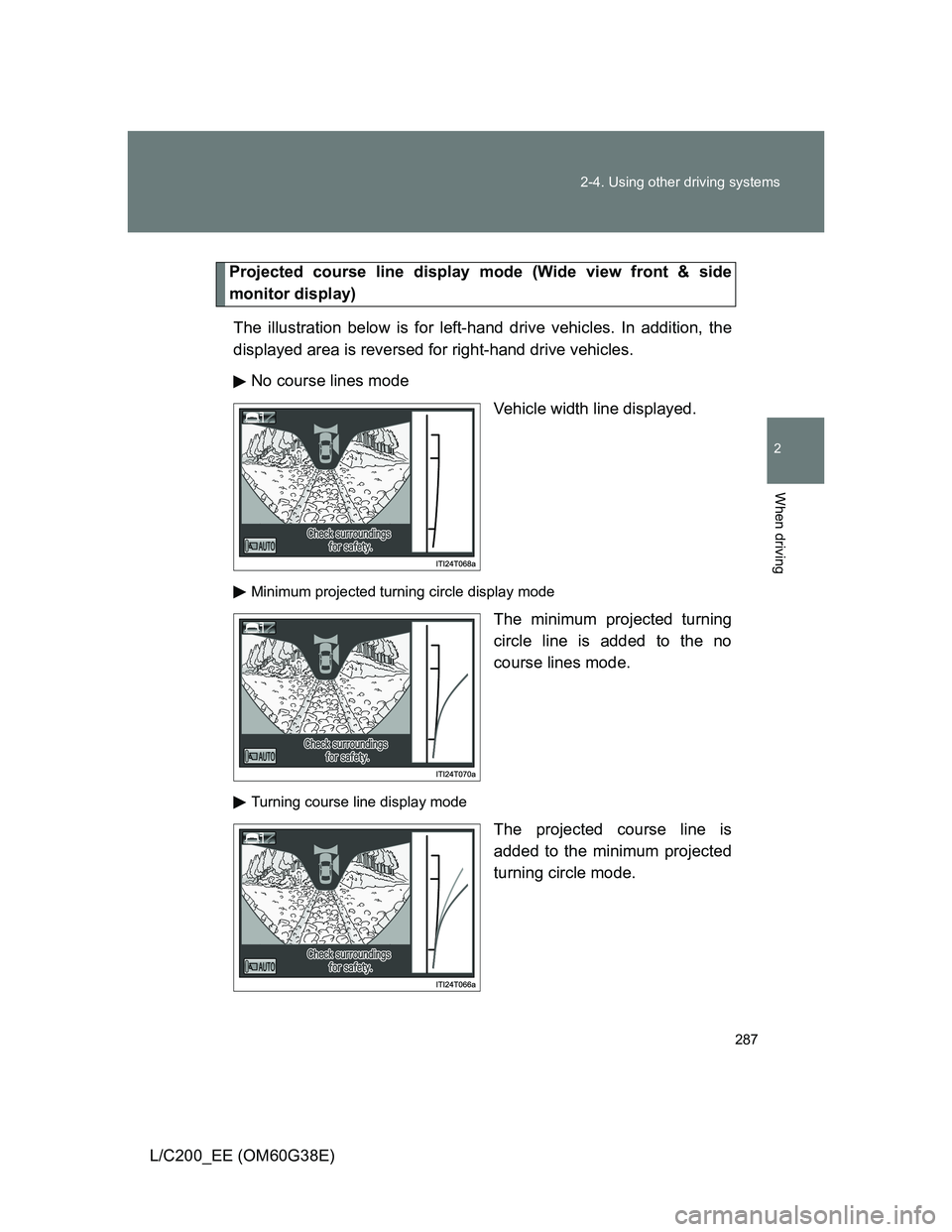
Projected course line display mode (Wide view front & side
monitor display)
The illustration below is for left-hand drive vehicles. In addition, the
displayed area is reversed for right-hand drive vehicles.
No course lines mode
Vehicle width line displayed.
Minimum projected turning circle display mode
The minimum projected turning
circle line is added to the no
course lines mode.
Turning course line display mode
The projected course line is
added to the minimum projected
turning circle mode.
Page 289 of 692
289 2-4. Using other driving systems
2
When driving
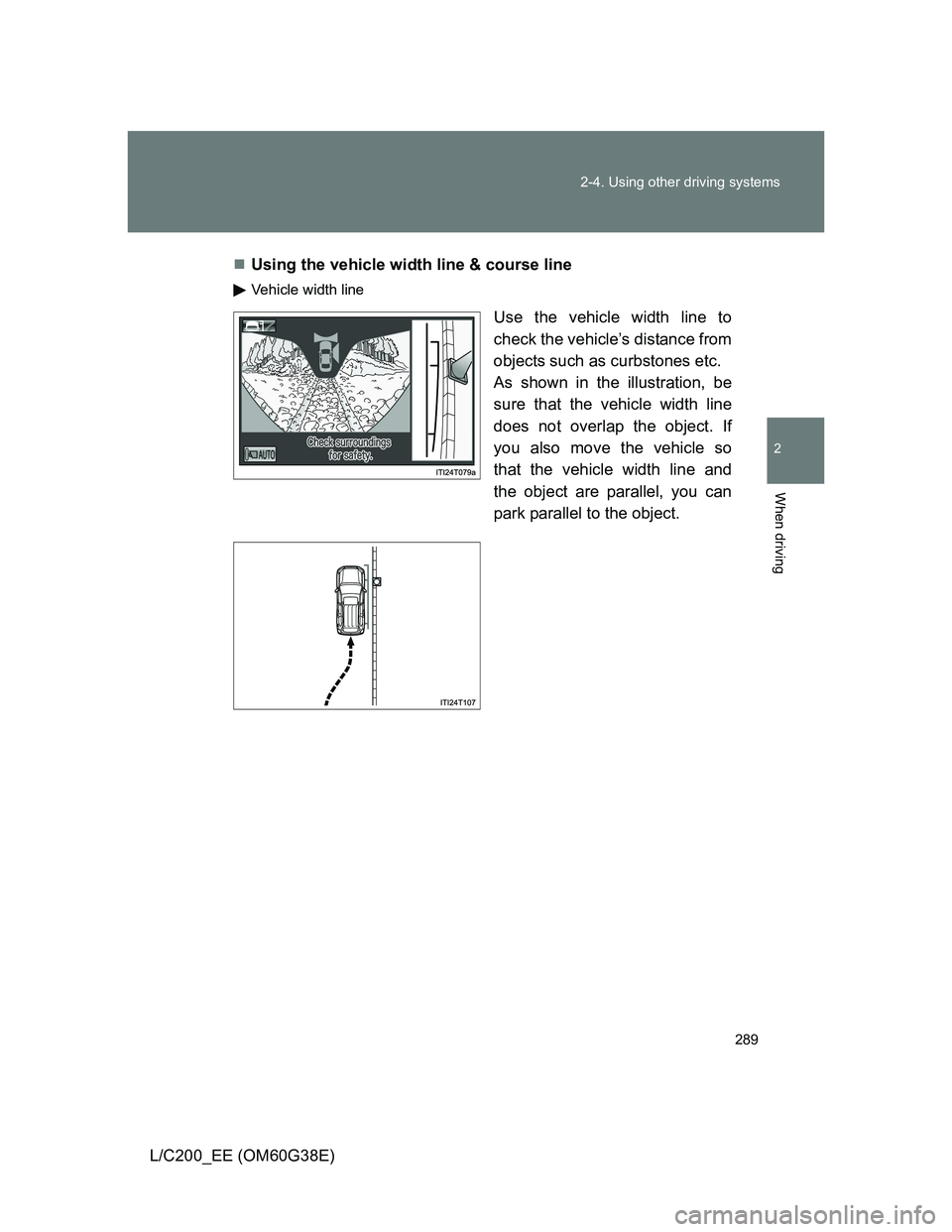
L/C200_EE (OM60G38E)Using the vehicle width line & course line
Vehicle width line
Use the vehicle width line to
check the vehicle’s distance from
objects such as curbstones etc.
As shown in the illustration, be
sure that the vehicle width line
does not overlap the object. If
you also move the vehicle so
that the vehicle width line and
the object are parallel, you can
park parallel to the object.
Page 523 of 692
523
4-3. Do-it-yourself maintenance
4
Maintenance and care
L/C200_EE (OM60G38E)
Wheels
If a wheel is bent, cracked or heavily corroded, it should be replaced.
Otherwise, the tire may separate from the wheel or cause loss of
handling control.
Wheel selection
When replacing wheels, care should be taken to ensure that
they are equivalent to those removed in load capacity, diameter,
rim width, and inset
*.
Replacement wheels are available at any authorized Toyota
dealer or repairer, or another duly qualified and equipped profes-
sional.
*: Conventionally referred to as “offset”.
Toyota does not recommend using:
Wheels of different sizes or types
Used wheels
Bent wheels that have been straightened
Aluminum wheel precautions
Use only Toyota wheel nuts and wrenches designed for use
with your aluminum wheels.
When rotating, repairing or changing your tires, check that the
wheel nuts are still tight after driving 1600 km (1000 miles).
Be careful not to damage the aluminum wheels when using
tire chains.
Use only Toyota genuine balance weights or equivalent and a
plastic or rubber hammer when balancing your wheels.
Page 644 of 692
644
L/C200_EE (OM60G38E)
6-1. Specifications
Maintenance data (fuel, oil level, etc.)
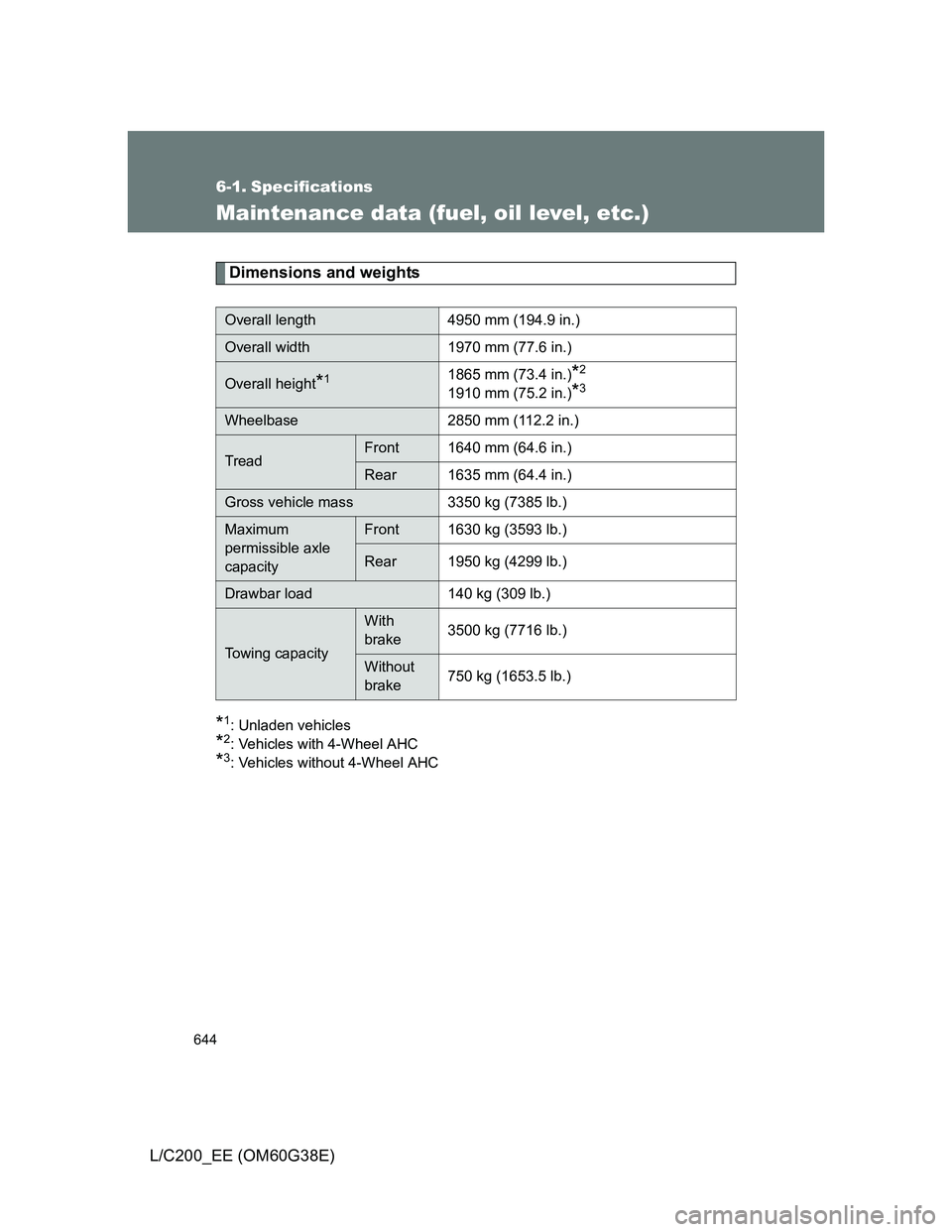
Dimensions and weights
*1: Unladen vehicles
*2: Vehicles with 4-Wheel AHC
*3: Vehicles without 4-Wheel AHC
Overall length 4950 mm (194.9 in.)
Overall width 1970 mm (77.6 in.)
Overall height*11865 mm (73.4 in.)*2
1910 mm (75.2 in.)*3
Wheelbase 2850 mm (112.2 in.)
TreadFront 1640 mm (64.6 in.)
Rear 1635 mm (64.4 in.)
Gross vehicle mass 3350 kg (7385 lb.)
Maximum
permissible axle
capacityFront 1630 kg (3593 lb.)
Rear 1950 kg (4299 lb.)
Drawbar load 140 kg (309 lb.)
Towing capacity
With
brake3500 kg (7716 lb.)
Without
brake750 kg (1653.5 lb.)