Page 312 of 700
312
4RUNNER_U
3-1. Using the air conditioning system and defogger
Manual air conditioning system ........................... 314
Automatic air conditioning system ....... 320
Rear window and outside rear view mirror
defoggers ....................... 328
Windshield wiper de-icer ............................ 330
3-2. Using the audio system Audio system types .......... 331
Using the radio ................. 338
Using the CD player ......... 345
Playing MP3 and WMA discs............................... 354
Operating an iPod ............ 362
Operating a USB memory .......................... 369
Optimal use of the audio system ........................... 376
Using the AUX port .......... 381
Using the steering wheel audio switches ..... 382
Detachable pole antenna .......................... 385
Interior features3
Page 332 of 700
332 3-2. Using the audio system
4RUNNER_U
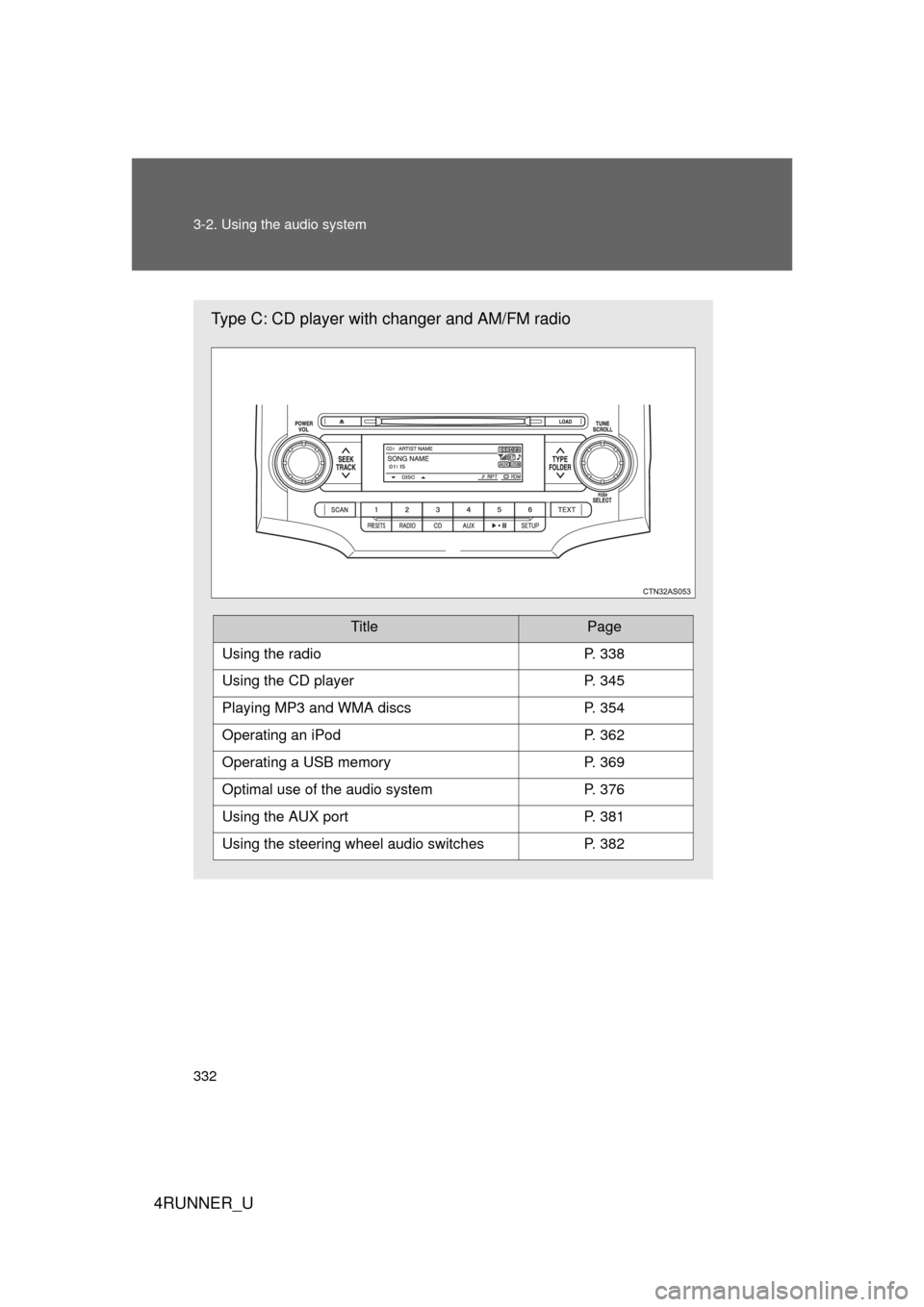
Type C: CD player with changer and AM/FM radio
TitlePage
Using the radioP. 338
Using the CD playerP. 345
Playing MP3 and WMA discsP. 354
Operating an iPodP. 362
Operating a USB memoryP. 369
Optimal use of the audio systemP. 376
Using the AUX portP. 381
Using the steering wheel audio switchesP. 382
Page 382 of 700
382
3-2. Using the audio system
4RUNNER_U
Using the steering wheel audio switches
: If equipped
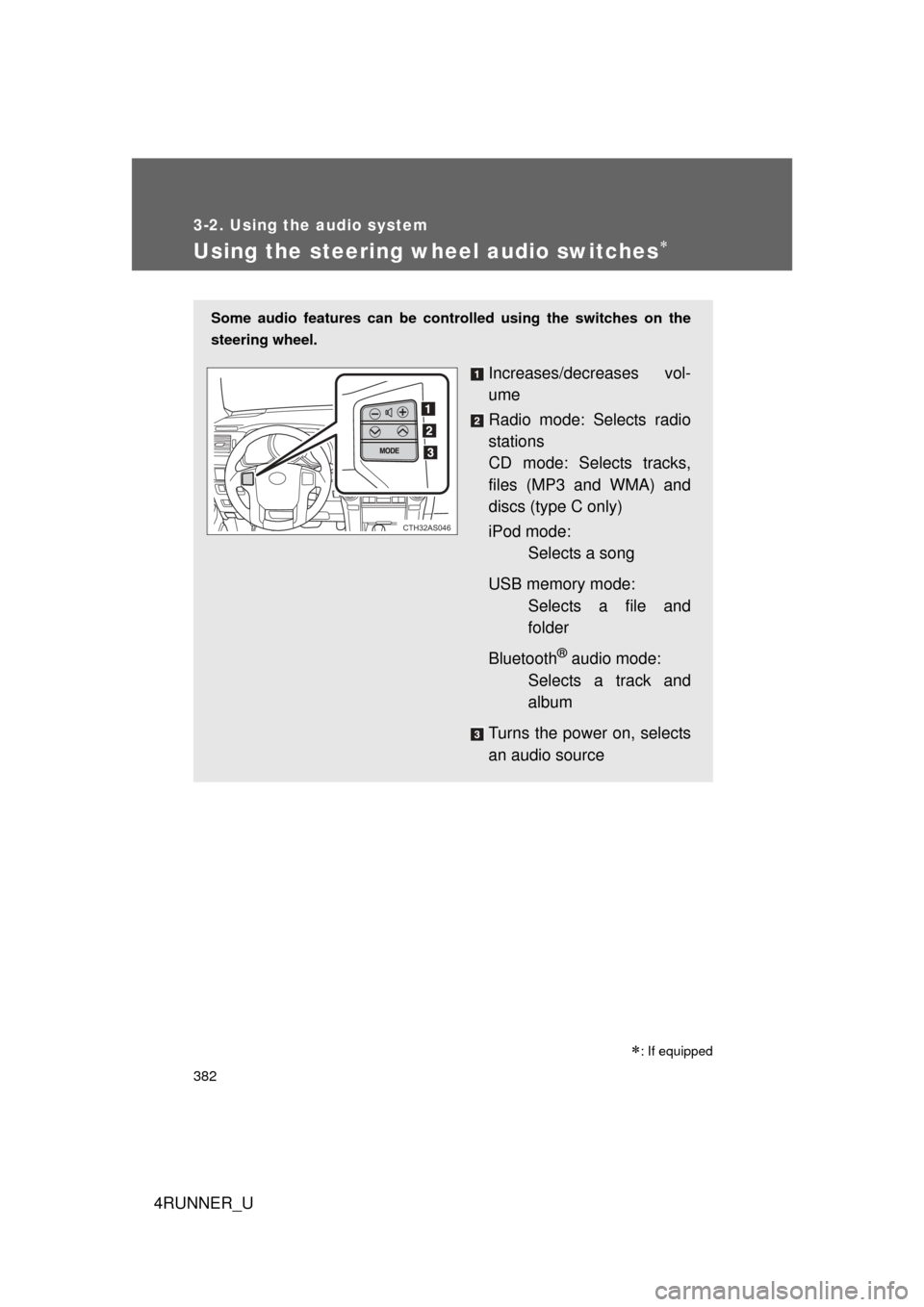
Some audio features can be controlled using the switches on the
steering wheel.
Increases/decreases vol-
ume
Radio mode: Selects radio
stations
CD mode: Selects tracks,
files (MP3 and WMA) and
discs (type C only)
iPod mode:Selects a song
USB memory mode: Selects a file and
folder
Bluetooth
® audio mode:
Selects a track and
album
Turns the power on, selects
an audio source
CTH32AS046
Page 384 of 700
384 3-2. Using the audio system
4RUNNER_U
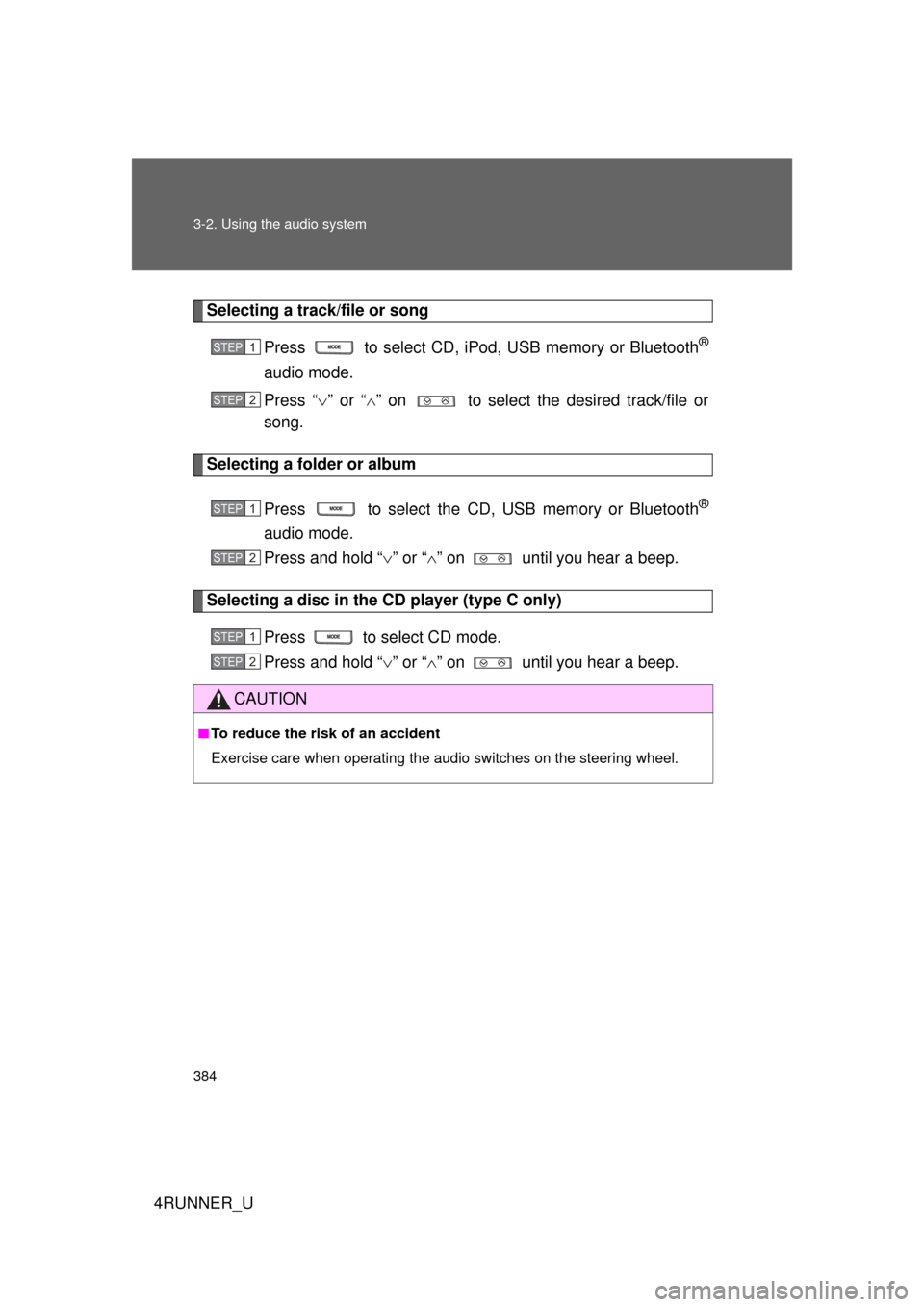
Selecting a track/file or songPress to select CD, iPod, USB memory or Bluetooth
®
audio mode.
Press “” or “ ” on to select the desired track/file or
song.
Selecting a folder or album
Press to select the CD, USB memory or Bluetooth
®
audio mode.
Press and hold “ ” or “ ” on until you hear a beep.
Selecting a disc in the CD player (type C only)
Press to select CD mode.
Press and hold “ ” or “ ” on until you hear a beep.
CAUTION
■ To reduce the risk of an accident
Exercise care when operating the audio switches on the steering wheel.
STEP 1
STEP 2
STEP 1
STEP 2
STEP 1
STEP 2
Page 397 of 700
397
3-3. Using the Bluetooth
® audio system
3
Interior features
4RUNNER_U
Fast-forwarding and reversing tracks
Press and hold “
” or “ ” on .
Switching the display
Press .
Each time is pressed, the display changes in the following
order:
Track title Track title/Artist name Track title/Album name Track
title/Elapsed time
Using the steering wheel audio switches
P. 3 8 2
■Bluetooth® audio system functions
Depending on the portable player that is connected to the system, certain
functions may not be available.
Page 410 of 700
410 3-4. Using the hands-free phone system (for cellular phone)
4RUNNER_U
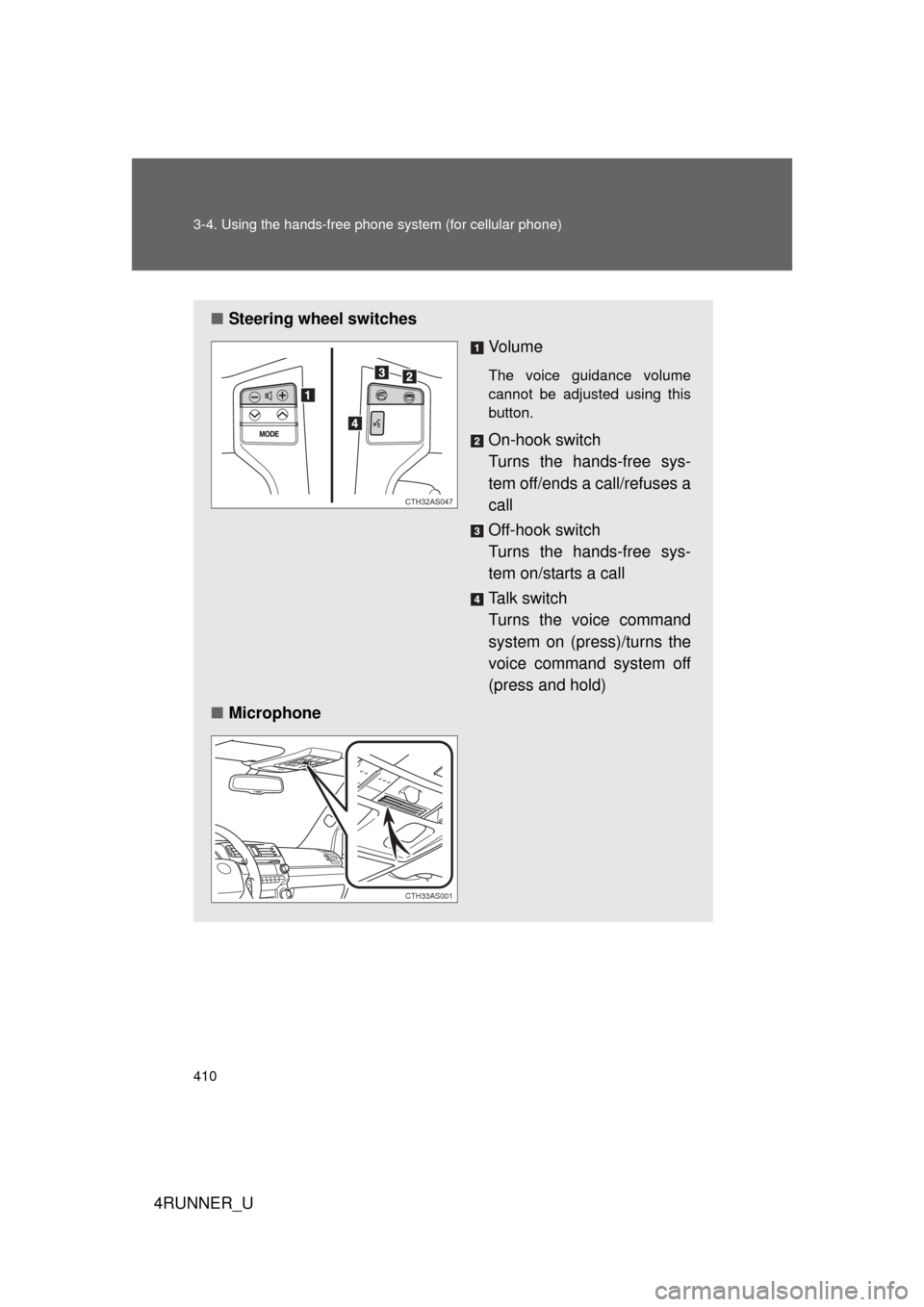
■Steering wheel switches
Vo l u m e
The voice guidance volume
cannot be adjusted using this
button.
On-hook switch
Turns the hands-free sys-
tem off/ends a call/refuses a
call
Off-hook switch
Turns the hands-free sys-
tem on/starts a call
Talk switch
Turns the voice command
system on (press)/turns the
voice command system off
(press and hold)
■ Microphone
CTH32AS047
CTH33AS001
Page 501 of 700
Maintenance and care4
501
4RUNNER_U
4-1. Maintenance and careCleaning and protecting the vehicle exterior ......... 502
Cleaning and protecting the vehicle interior .......... 505
4-2. Maintenance Maintenance requirements .................. 508
General maintenance....... 511
Emission inspection and maintenance (I/M)
programs ........................ 515
4-3. Do-it-yourself maintenance
Do-it-yourself service precautions .................... 516
Hood ................................ 519
Engine compartment ........ 520
Tires ................................. 537
Tire inflation pressure ...... 543
Wheels ............................. 547
Air conditioning filter......... 550
Wireless remote control/ electronic key battery
....... 552
Checking and replacing fuses .............................. 555
Light bulbs........................ 565
Page 502 of 700
502
4RUNNER_U
4-1. Maintenance and care
Cleaning and protecting the vehicle exterior
■Automatic car washes
● Fold the mirrors and remove the detachable pole antenna before wash-
ing the vehicle. Start washing from the front of the vehicle. Make sure to
re-install the antenna and extend the mirrors before driving.
● Brushes used in automatic car washes may scratch the vehicle surface
and harm your vehicle’s paint.
● In certain automatic car washes, the roof antenna (if equipped) or rear
spoiler may interfere with machine operation. This may prevent the vehi-
cle from being cleaned properly or result in damage to the antenna or
rear spoiler.
■ High pressure car washes
● Do not allow the nozzles of the car wash to come within close proximity
of the windows.
● Before using the car wash, check that the fuel filler door on your vehicle
is closed properly.
Perform the following to protect the vehicle and maintain it in prime
condition:
● Working from top to bottom, liber ally apply water to the vehicle
body, wheel wells and underside of the vehicle to remove any
dirt and dust.
● Wash the vehicle body using a sponge or soft cloth, such as a
chamois.
● For hard-to-remove marks, use car wash soap and rinse thor-
oughly with water.
● Wipe away any water.
● Wax the vehicle when the waterproof coating deteriorates.
If water does not bead on a clean surface, apply wax when the vehi-
cle body is cool.