2012 Seat Exeo format
[x] Cancel search: formatPage 57 of 167
MEDIA
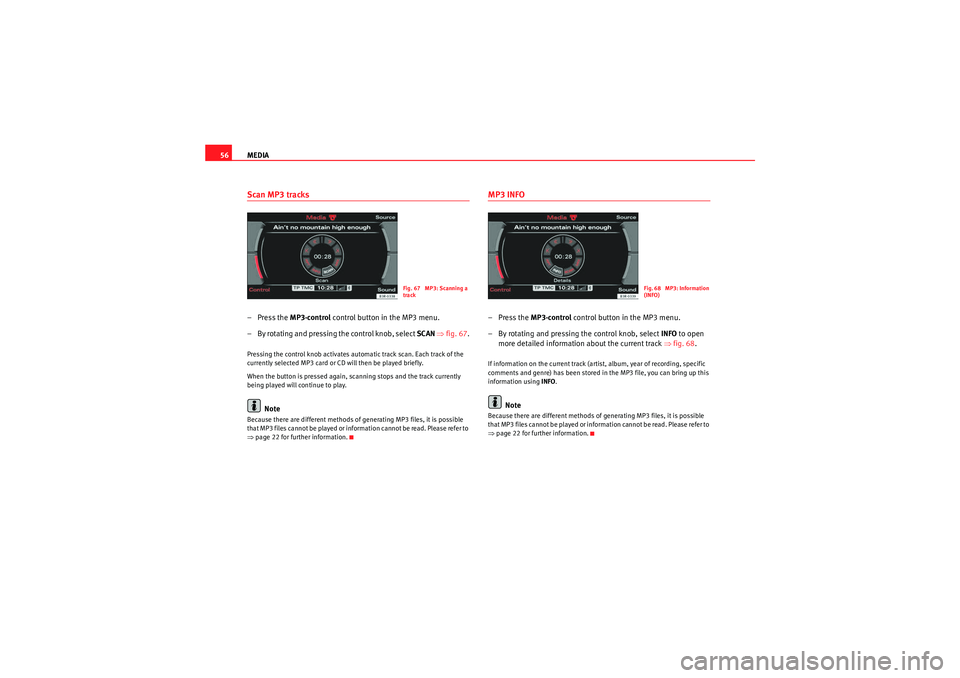
56Scan MP3 tracks– Press the MP3·control control button in the MP3 menu.
– By rotating and pressing the control knob, select SCAN ⇒ fig. 67 .Pressing the control knob activates automatic track scan. Each track of the
currently selected MP3 card or CD will then be played briefly.
When the button is pressed again, scanning stops and the track currently
being played will continue to play.
Note
Because there are different methods of generating MP3 files, it is possible
that MP3 files cannot be played or information cannot be read. Please refer to
⇒page 22 for further information.
MP3 INFO–Press the MP3·control control button in the MP3 menu.
– By rotating and pressing the control knob, select INFO to open
more detailed information about the current track ⇒fig. 68 .If information on the current track (artist, album, year of recording, specific
comments and genre) has been stored in the MP3 file, you can bring up this
information using INFO.
Note
Because there are different methods of generating MP3 files, it is possible
that MP3 files cannot be played or information cannot be read. Please refer to
⇒page 22 for further information.
Fig. 67 MP3: Scanning a
track
Fig. 68 MP3: Information
(INFO)
media_systemE_EN.book Seite 56 Montag, 21. September 2009 1:48 13
Page 58 of 167
MEDIA57
Operating
RADIO, MEDIA (audiovisual
systems)
NAME, TEL
NAV, INFO
CAR, SETUP
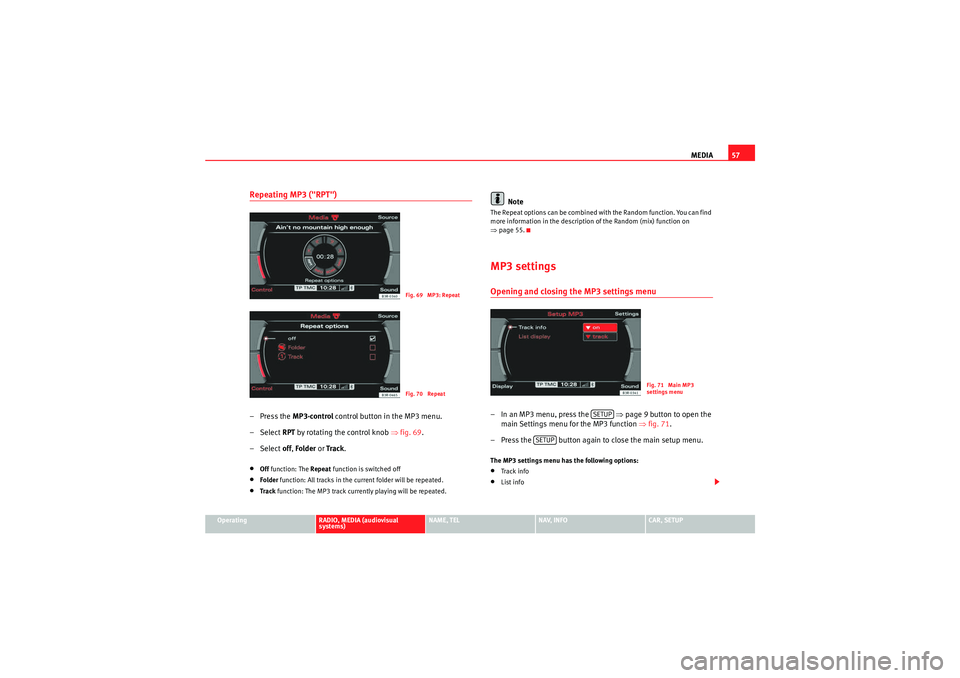
Repeating MP3 ("RPT")– Press the MP3·control control button in the MP3 menu.
–Select RPT by rotating the control knob ⇒fig. 69 .
–Select off, Folder or Tr ack .•Off function: The Repeat function is switched off•Folder function: All tracks in the current folder will be repeated.•Tra ck function: The MP3 track currently playing will be repeated.
Note
The Repeat options can be combined with the Random function. You can find
more information in the description of the Random (mix) function on
⇒page 55.MP3 settingsOpening and closing the MP3 settings menu– In an MP3 menu, press the ⇒page 9 button to open the
main Settings menu for the MP3 function ⇒fig. 71 .
– Press the button again to close the main setup menu.The MP3 settings menu has the following options:•Tra ck info•List info
Fig. 69 MP3: RepeatFig. 70 Repeat
Fig. 71 Main MP3
settings menu
SETUP
SETUP
media_systemE_EN.book Seite 57 Montag, 21. September 2009 1:48 13
Page 59 of 167
MEDIA
58The sound and tuning settings and the brightness of the display can be
altered using the control buttons ⇒page 153.
Note
We recommend that you enter these settings when the vehicle is stationary.
In this way you can be sure that you will not be unnecessarily distracted from
the traffic when reading the messages on the display. Please note ⇒page 6,
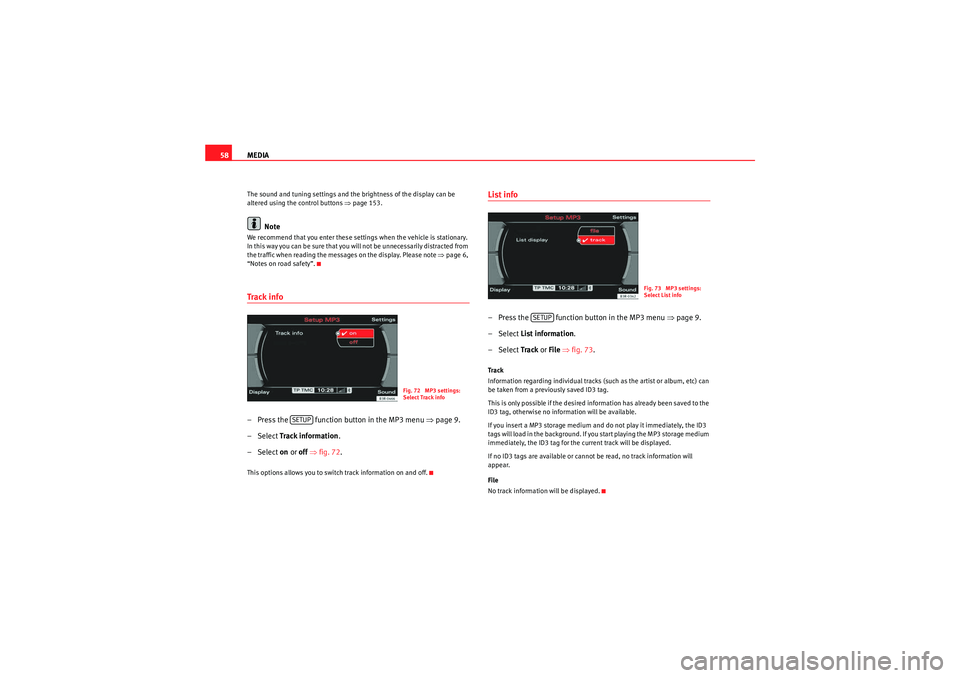
“Notes on road safety”.Track info– Press the function button in the MP3 menu ⇒ page 9.
– Select Track information .
– Select on or off ⇒ fig. 72.This options allows you to switch track information on and off.
List info– Press the function button in the MP3 menu ⇒page 9.
– Select List information .
– Select Track or File ⇒ fig. 73 .Track
Information regarding individual tracks (such as the artist or album, etc) can
be taken from a previously saved ID3 tag.
This is only possible if the desired information has already been saved to the
ID3 tag, otherwise no information will be available.
If you insert a MP3 storage medium and do not play it immediately, the ID3
tags will load in the background. If you start playing the MP3 storage medium
immediately, the ID3 tag for the current track will be displayed.
If no ID3 tags are available or cannot be read, no track information will
appear.
File
No track information will be displayed.
Fig. 72 MP3 settings:
Select Track info
SETUP
Fig. 73 MP3 settings:
Select List info
SETUP
media_systemE_EN.book Seite 58 Montag, 21. September 2009 1:48 13
Page 70 of 167
Mobile phone system*69
Operating
RADIO, MEDIA (audiovisual
systems)
NAME, TEL
NAV, INFO
CAR, SETUP
•In some cases there may be a delay before the connection is established
between the mobile phone adapter and the navigation system. During this
time the display will show the message “Telephone not available”.•For up-to-date information on the mobile phone adapter, please ask your
dealer or refer to our website.InstallationInstalling and removing the mobile phone adapter
The mobile phone adapter is fitted to the top of the mounting
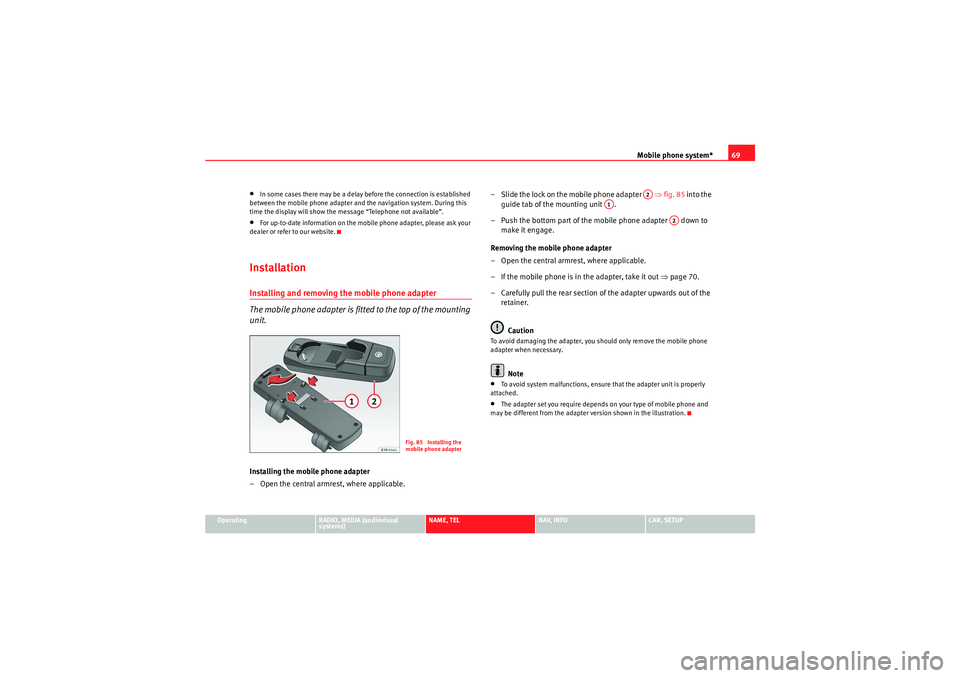
unit.Installing the mobile phone adapter
– Open the central armrest, where applicable. – Slide the lock on the mobile phone adapter ⇒
fig. 85 into the
guide tab of the mounting unit .
– Push the bottom part of the mobile phone adapter down to make it engage.
Removing the mobile phone adapter
– Open the central armrest, where applicable.
– If the mobile phone is in the adapter, take it out ⇒page 70.
– Carefully pull the rear section of the adapter upwards out of the retainer.
Caution
To avoid damaging the adapter, you should only remove the mobile phone
adapter when necessary.
Note
•To avoid system malfunctions, ensure that the adapter unit is properly
attached.•The adapter set you require depends on your type of mobile phone and
may be different from the adapter version shown in the illustration.
Fig. 85 Installing the
mobile phone adapter
A2
A1
A2
media_systemE_EN.book Seite 69 Montag, 21. September 2009 1:48 13
Page 73 of 167

Mobile phone system*
72
Note•The use of mobile phones in the vehicle can generate electromagnetic
fields.
−Therefore, you should always operate mobile phones with an external
aerial. It is also valid for the use of mobiles using Bluetooth technology.
The external aerial directs the electromagnetic fields to the exterior,
which reduces the field strength in the vehicle interior.
− If retrofitting an external aerial, please ensure that it is installed
correctly.•For more information on how to bond your mobile phone, please refer to
the mobile phone operating instructions.Using the telephoneIntroduction
Press the button to activate the telephone functions in
the navigation system.
– Press the function button ⇒page 9. The ma in telephone
menu or the telephone submenu last used will appear in the
display.
– Press the control button for Memory ⇒fig. 88 to call up the
submenus for this function.The following submenus are available in the telephone function:
The following submenus are available in the telephone setup function:
The message “ Your telephone may not be connected or attached properly. ”
will appear in the display if you press the button when there is no
connection between the phone and the adapter. Insert the mobile phone in
the adapter ⇒page 69 or connect the phone to the system via Bluetooth
⇒ page 71.
TEL
Fig. 88 Display: Main
telephone menu
Control button
functions
⇒ fig. 88
Telephone functions
Memory
Numbers dialled
Call voice mailbox
Directory
Phone book
Received calls
Missed calls
Store current numberTelephone Setup menu
In the telephone menu,
press the
button ⇒ page 83
Telephone settings
Call options
Voice mailbox number
TEL
A1
A1SETUP
TEL
media_systemE_EN.book Seite 72 Montag, 21. September 2009 1:48 13
Page 74 of 167

Mobile phone system*73
Operating
RADIO, MEDIA (audiovisual
systems)
NAME, TEL
NAV, INFO
CAR, SETUP
Requirements for using the telephone
•The vehicle must be fitted with a mobile phone adapter ⇒
page 68.•A mobile phone has been connected to the mobile phone adapter
⇒ page 70 or•A Bluetooth connection exists between the Bluetooth mobile phone and
the on-board phone system, and the ignition is switched on ⇒page 71.
The telephone functions described in this chapter depend on the following:•The telephone used must be compatible with the mobile phone adapter
and it must support the telephone functions described.•The mobile network service provider must support the telephone func-
tions described.
After switching off the ignition, the telephone system will remain in standby
mode for about 30 minutes (shutdown delay
5)) if the phone is left in the
adapter.
Note
•For technical reasons, mobile phones may be temporarily affected by
interference. Please refer to the instru ctions for your mobile phone for more
information.•The range of the handset may be affected in isolated areas (such as a
tunnel or underground garage).•Some places have no range at all. You will not be able to use the tele-
phone in these places.•The activated audio source is muted during a phone conversation.•The basic functions of the telephone can be operated using the multi-
function steering wheel* only if the telephone equipment was installed at the
factory .•For more information about the functions of the multi-function steering
wheel*, please refer to ⇒page 12.
PIN Code (Personal Identification Number)– Press the function button.
– Enter the PIN code using the alphanumeric keyboard and confirm
with OK.The PIN message displayed in the status line indicates that you must enter
your PIN code. You receive the PIN code from your mobile network service
provider together with the SIM card.
You can also enter the PIN code using the speech control system and the
command Enter PIN or Enter PIN code ⇒ page 73 or using the keypad of your
mobile phone.
The alphanumeric keyboard will be displayed automatically when the PIN
code is to be entered in the telephone menu. This will be the case, for
example, when you switch on the mobile phone.
The SIM card will automatically be blocked if you enter the PIN code incor-
rectly 3 times
6). The SIM card can be unblocked with the PUK (personal
unblocking key).
Note
•When you enter the PIN code the digits appear as * in the display.•The PIN symbol may not always be shown in the display (depends on type
of mobile phone).•Depending on your type of mobile phone, you may need to enter the PIN
code at the phone. In this case, no message will appear in the display indi-
cating that you need to enter the PIN code.
5)You can have the shutdown delay changed by a Dealer or Qualified workshop.
6)The total number of times you can enter the PIN code may vary depending on your type
of SIM card
TEL
media_systemE_EN.book Seite 73 Montag, 21. September 2009 1:48 13
Page 76 of 167

Mobile phone system*75
Operating
RADIO, MEDIA (audiovisual
systems)
NAME, TEL
NAV, INFO
CAR, SETUP
Note
•DTMF tones can be entered directly using the alphanumeric keyboard or
loaded from the telephone numbers stored in the memory lists ⇒ page 77.•The audio source is muted automatically when you make or receive tele-
phone calls. The Mute symbol ⇒page 10, fig. 9 will then appear in the
status line.•You can still make calls using the mobile phone. Please refer to the
instructions for your mobile phone for more information.
² ⇒page 86 provides information relating to the telephone speech control
system*.•If you make calls using the mobile phone, the telephone number may not
appear on the display.•Navigation messages are given during a telephone call if the navigation
system has been set to do so ⇒page 134.Answering/Rejecting callsAnswering a call
–Select Answer ⇒ fig. 90 using the control knob or –Press the Answer
control button to answer an incoming call.
Rejecting a call
– Select Reject using the control knob or
–Press the Reject control button. The incoming call will then be
rejected.
The name , telephone number or Unknown is shown in the display. This
depends on whether the caller is stored in the phone book and whether the
number is transmitted with the call ⇒fig. 90 .
If the mobile phone is inserted in the adapter while receiving an incoming call
or talking on the phone, all of the information may not appear immediately on
the display. In this case, the hands free system is not available.
Note
•The audio source is muted automatically when you make or receive tele-
phone calls. The Mute symbol ⇒page 10, fig. 9 will then appear in the
status line.•The display of a name or phone number on the display depends on the
compatibility of the mobile phone with the mobile phone adapter. It is there-
fore possible that no names or phone numbers appear on the display.•Telephone numbers and names stored on the SIM card and in the phone
book of the mobile phone are listed in the display only after the system has
completely uploaded all entries (mobile phone must be in the adapter).
A1
Fig. 90 Telephone:
Answering an incoming
call
A1
media_systemE_EN.book Seite 75 Montag, 21. September 2009 1:48 13
Page 79 of 167

Mobile phone system*
78Depending on your mobile phone, the number last dialled is displayed at the
top or bottom of the list.
You can access the Numbers dialled list from the telephone main menu by
pressing the control button for Dial when the keyboard entry space is
empty.Voi ce ma ilbox– Press the Memory control button in a telephone menu.
– Select Call voice mailbox ⇒ page 77, fig. 94 . The voice mailbox
number you have stored will be dialled.
– Press the Dial control button. The call will then be started.You can also call your mailbox by selecting the mailbox symbol ⇒fig. 96
in the keypad for numbers. If you select the mailbox symbol
⇒fig. 96 in the keyboard for numbers
before you have stored a number for your mailbox, the system will automati-
cally direct you to the number entry screen ⇒page 85.
You can also store, edit or delete your voice mailbox number in the Telephone
Setup menu ⇒page 85.
Note
This function must be selected and set up beforehand through your mobile
phone network. For more information, contact your service provider.Directory–Press the Memory control button in a telephone menu.
– By rotating and pressing the control knob, select Directory
⇒ page 77, fig. 94 .
– Select Find entry . The keyboard will be displayed. Enter the data
or
7)The total number of previously dialled numbers that can be stored may vary depend-
ing on your type of mobile phone.
Fig. 96 Telephone: Voice
mailbox symbol
A1
A1
Fig. 97 Telephone: Direc-
tory
media_systemE_EN.book Seite 78 Montag, 21. September 2009 1:48 13