2011 TOYOTA VERSO S display
[x] Cancel search: displayPage 442 of 664
4425-5. Using the driving support systems
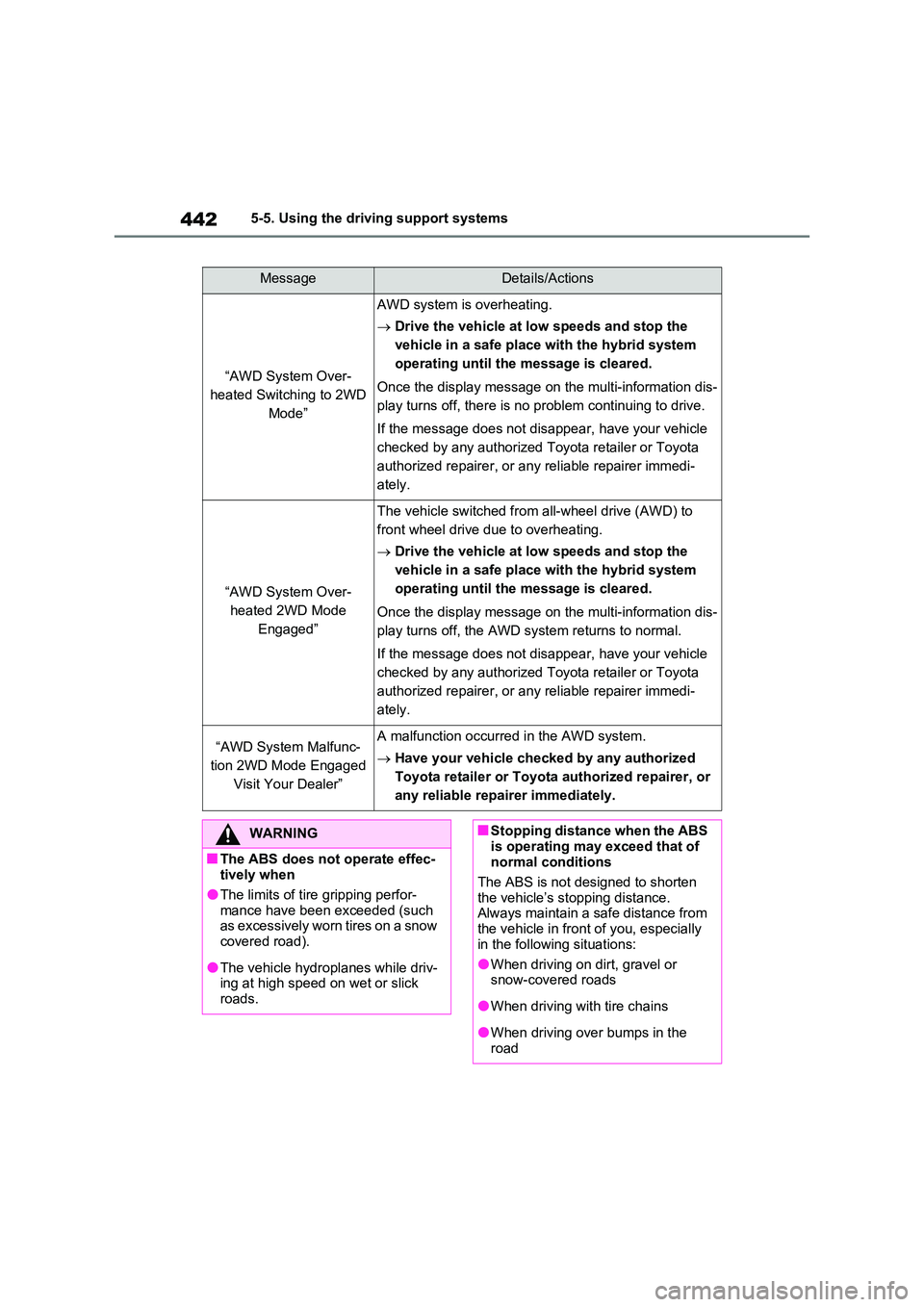
MessageDetails/Actions
“AWD System Over-
heated Switching to 2WD
Mode”
AWD system is overheating.
Drive the vehicle at low speeds and stop the
vehicle in a safe place with the hybrid system
operating until the message is cleared.
Once the display message on the multi-information dis-
play turns off, there is no problem continuing to drive.
If the message does not disappear, have your vehicle
checked by any authorized Toyota retailer or Toyota
authorized repairer, or any reliable repairer immedi-
ately.
“AWD System Over-
heated 2WD Mode
Engaged”
The vehicle switched from all-wheel drive (AWD) to
front wheel drive due to overheating.
Drive the vehicle at low speeds and stop the
vehicle in a safe place with the hybrid system
operating until the message is cleared.
Once the display message on the multi-information dis-
play turns off, the AWD system returns to normal.
If the message does not disappear, have your vehicle
checked by any authorized Toyota retailer or Toyota
authorized repairer, or any reliable repairer immedi-
ately.
“AWD System Malfunc-
tion 2WD Mode Engaged
Visit Your Dealer”
A malfunction occurred in the AWD system.
Have your vehicle checked by any authorized
Toyota retailer or Toyota authorized repairer, or
any reliable repairer immediately.
WARNING
■The ABS does not operate effec- tively when
●The limits of tire gripping perfor-
mance have been exceeded (such as excessively worn tires on a snow covered road).
●The vehicle hydroplanes while driv-ing at high speed on wet or slick
roads.
■Stopping distance when the ABS
is operating may exceed that of normal conditions
The ABS is not designed to shorten
the vehicle’s stopping distance. Always maintain a safe distance from the vehicle in front of you, especially
in the following situations:
●When driving on dirt, gravel or snow-covered roads
●When driving with tire chains
●When driving over bumps in the road
Page 483 of 664
483
6
6-4. Using the other interior features
Interior features
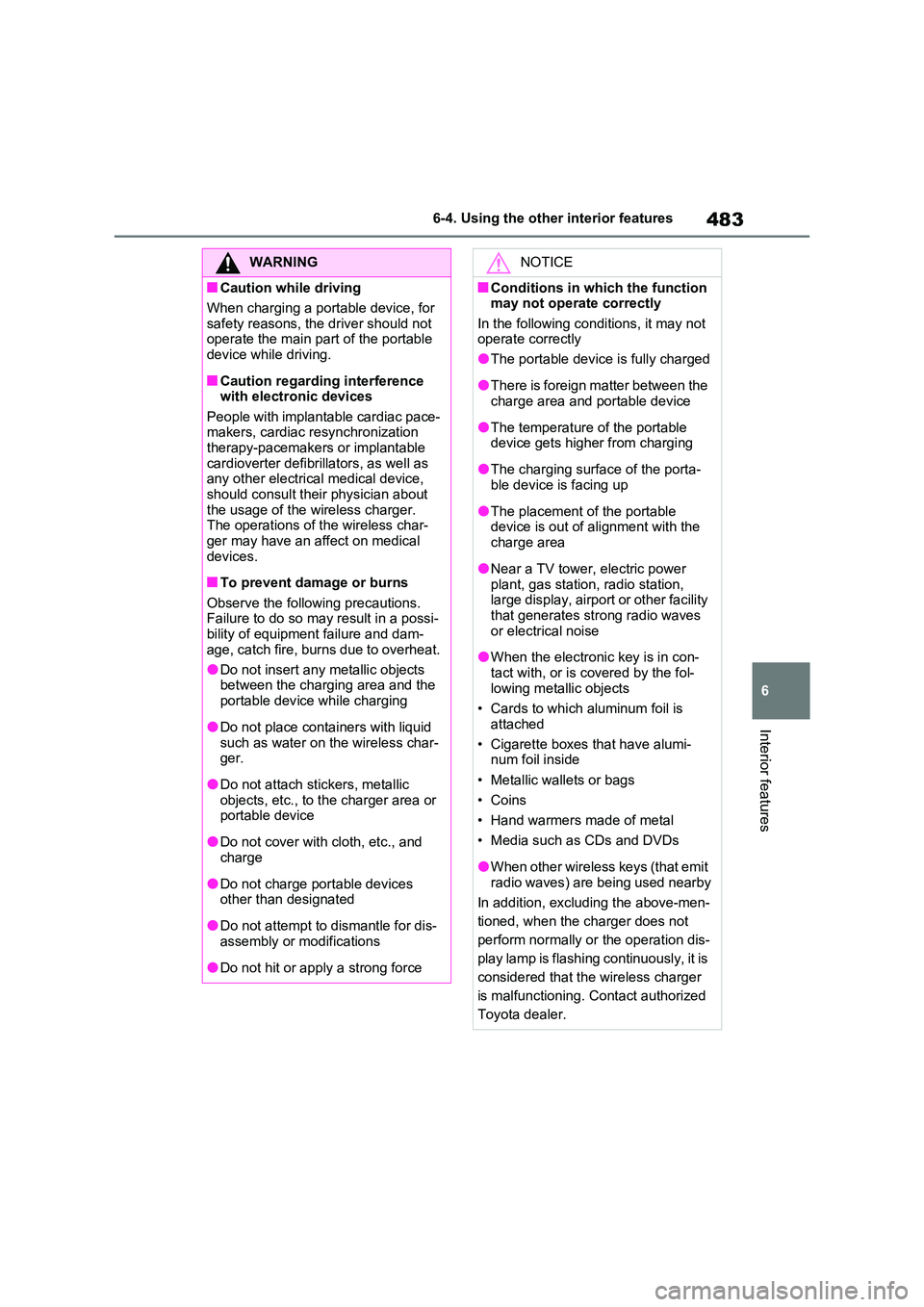
WARNING
■Caution while driving
When charging a portable device, for
safety reasons, the driver should not operate the main part of the portable device while driving.
■Caution regarding interference with electronic devices
People with implantable cardiac pace- makers, cardiac resynchronization therapy-pacemakers or implantable
cardioverter defibrillators, as well as any other electrical medical device, should consult their physician about
the usage of the wireless charger. The operations of the wireless char-ger may have an affect on medical
devices.
■To prevent damage or burns
Observe the following precautions. Failure to do so may result in a possi-bility of equipment failure and dam-
age, catch fire, burns due to overheat.
●Do not insert any metallic objects between the charging area and the
portable device while charging
●Do not place containers with liquid
such as water on the wireless char- ger.
●Do not attach stickers, metallic objects, etc., to the charger area or portable device
●Do not cover with cloth, etc., and charge
●Do not charge portable devices other than designated
●Do not attempt to dismantle for dis-assembly or modifications
●Do not hit or apply a strong force
NOTICE
■Conditions in which the function may not operate correctly
In the following conditions, it may not operate correctly
●The portable device is fully charged
●There is foreign matter between the charge area and portable device
●The temperature of the portable device gets higher from charging
●The charging surface of the porta-ble device is facing up
●The placement of the portable device is out of alignment with the
charge area
●Near a TV tower, electric power
plant, gas station, radio station, large display, airport or other facility that generates strong radio waves
or electrical noise
●When the electronic key is in con-
tact with, or is covered by the fol- lowing metallic objects
• Cards to which aluminum foil is
attached
• Cigarette boxes that have alumi- num foil inside
• Metallic wallets or bags
•Coins
• Hand warmers made of metal
• Media such as CDs and DVDs
●When other wireless keys (that emit
radio waves) are being used nearby
In addition, excluding the above-men-
tioned, when the charger does not
perform normally or the operation dis-
play lamp is flashing continuously, it is
considered that the wireless charger
is malfunctioning. Contact authorized
Toyota dealer.
Page 497 of 664
497
7
7-3. Do-it-yourself maintenance
Maintenance and care
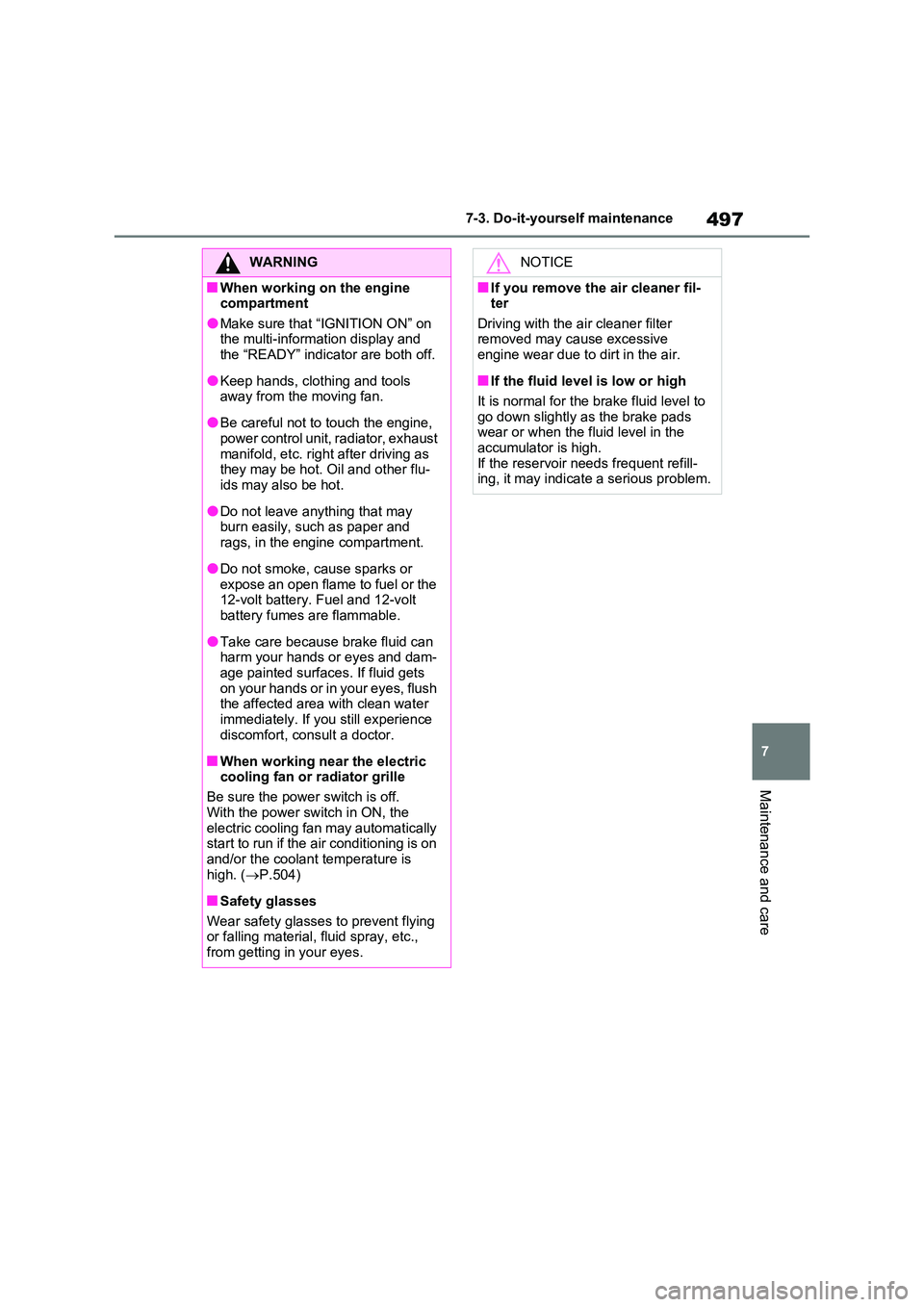
WARNING
■When working on the engine compartment
●Make sure that “IGNITION ON” on the multi-information display and the “READY” indicator are both off.
●Keep hands, clothing and tools away from the moving fan.
●Be careful not to touch the engine, power control unit, radiator, exhaust
manifold, etc. right after driving as they may be hot. Oil and other flu-ids may also be hot.
●Do not leave anything that may burn easily, such as paper and
rags, in the engine compartment.
●Do not smoke, cause sparks or
expose an open flame to fuel or the 12-volt battery. Fuel and 12-volt battery fumes are flammable.
●Take care because brake fluid can harm your hands or eyes and dam-
age painted surfaces. If fluid gets on your hands or in your eyes, flush the affected area with clean water
immediately. If you still experience discomfort, consult a doctor.
■When working near the electric cooling fan or radiator grille
Be sure the power switch is off.
With the power switch in ON, the electric cooling fan may automatically start to run if the air conditioning is on
and/or the coolant temperature is high. ( P.504)
■Safety glasses
Wear safety glasses to prevent flying or falling material, fluid spray, etc.,
from getting in your eyes.
NOTICE
■If you remove the air cleaner fil- ter
Driving with the air cleaner filter removed may cause excessive engine wear due to dirt in the air.
■If the fluid level is low or high
It is normal for the brake fluid level to
go down slightly as the brake pads wear or when the fluid level in the accumulator is high.
If the reservoir needs frequent refill- ing, it may indicate a serious problem.
Page 505 of 664
505
7
7-3. Do-it-yourself maintenance
Maintenance and care
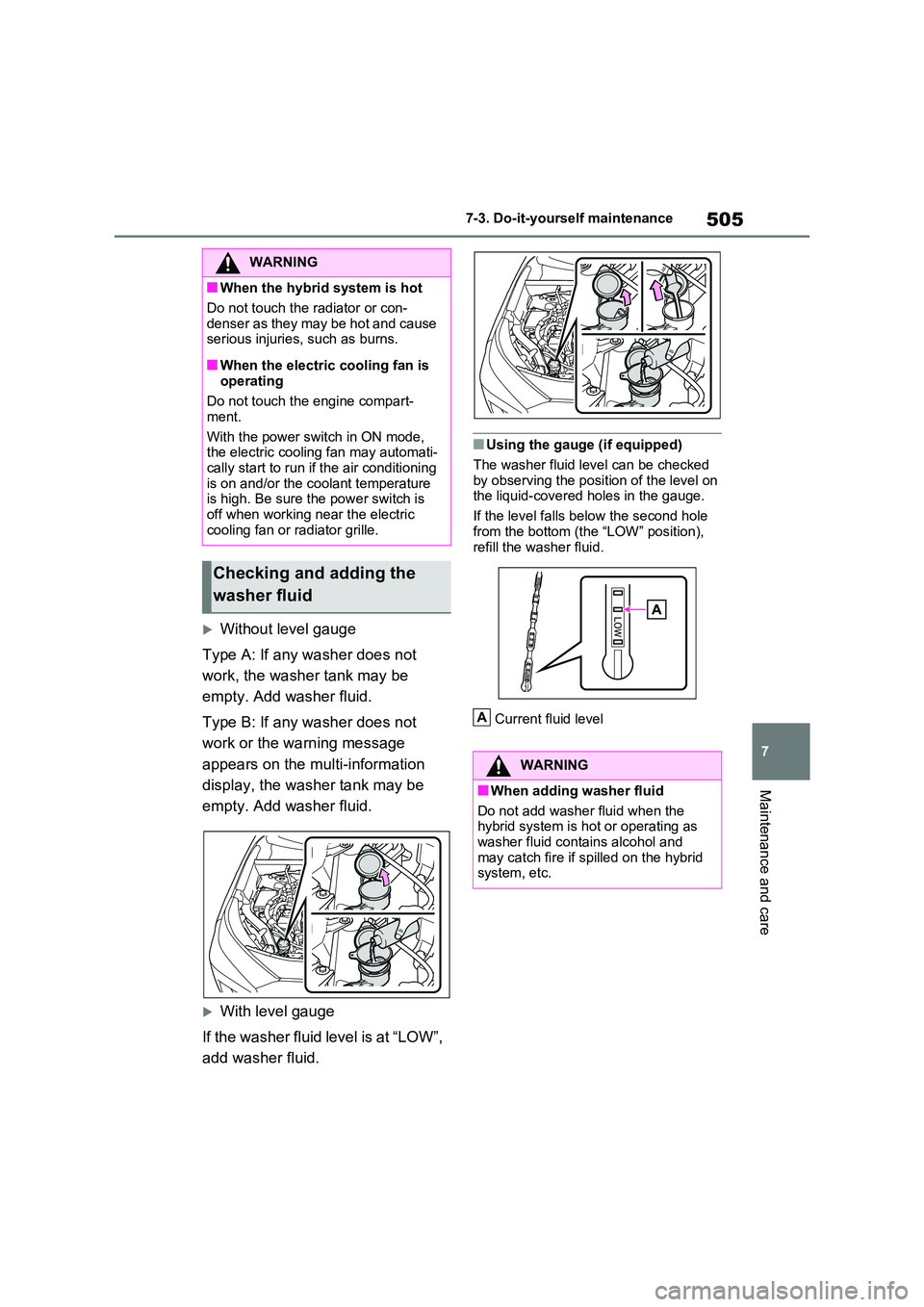
Without level gauge
Type A: If any washer does not
work, the washer tank may be
empty. Add washer fluid.
Type B: If any washer does not
work or the warning message
appears on the multi-information
display, the washer tank may be
empty. Add washer fluid.
With level gauge
If the washer fluid level is at “LOW”,
add washer fluid.
■Using the gauge (if equipped)
The washer fluid level can be checked
by observing the position of the level on the liquid-covered holes in the gauge.
If the level falls below the second hole
from the bottom (the “LOW” position), refill the washer fluid.
Current fluid level
WARNING
■When the hybrid system is hot
Do not touch the radiator or con-
denser as they may be hot and cause serious injuries, such as burns.
■When the electric cooling fan is operating
Do not touch the engine compart-
ment.
With the power switch in ON mode, the electric cooling fan may automati-
cally start to run if the air conditioning is on and/or the coolant temperature is high. Be sure the power switch is
off when working near the electric cooling fan or radiator grille.
Checking and adding the
washer fluid
WARNING
■When adding washer fluid
Do not add washer fluid when the hybrid system is hot or operating as
washer fluid contains alcohol and may catch fire if spilled on the hybrid system, etc.
A
Page 511 of 664
511
7 7-3. Do-it-yourself maintenance
Maintenance and care
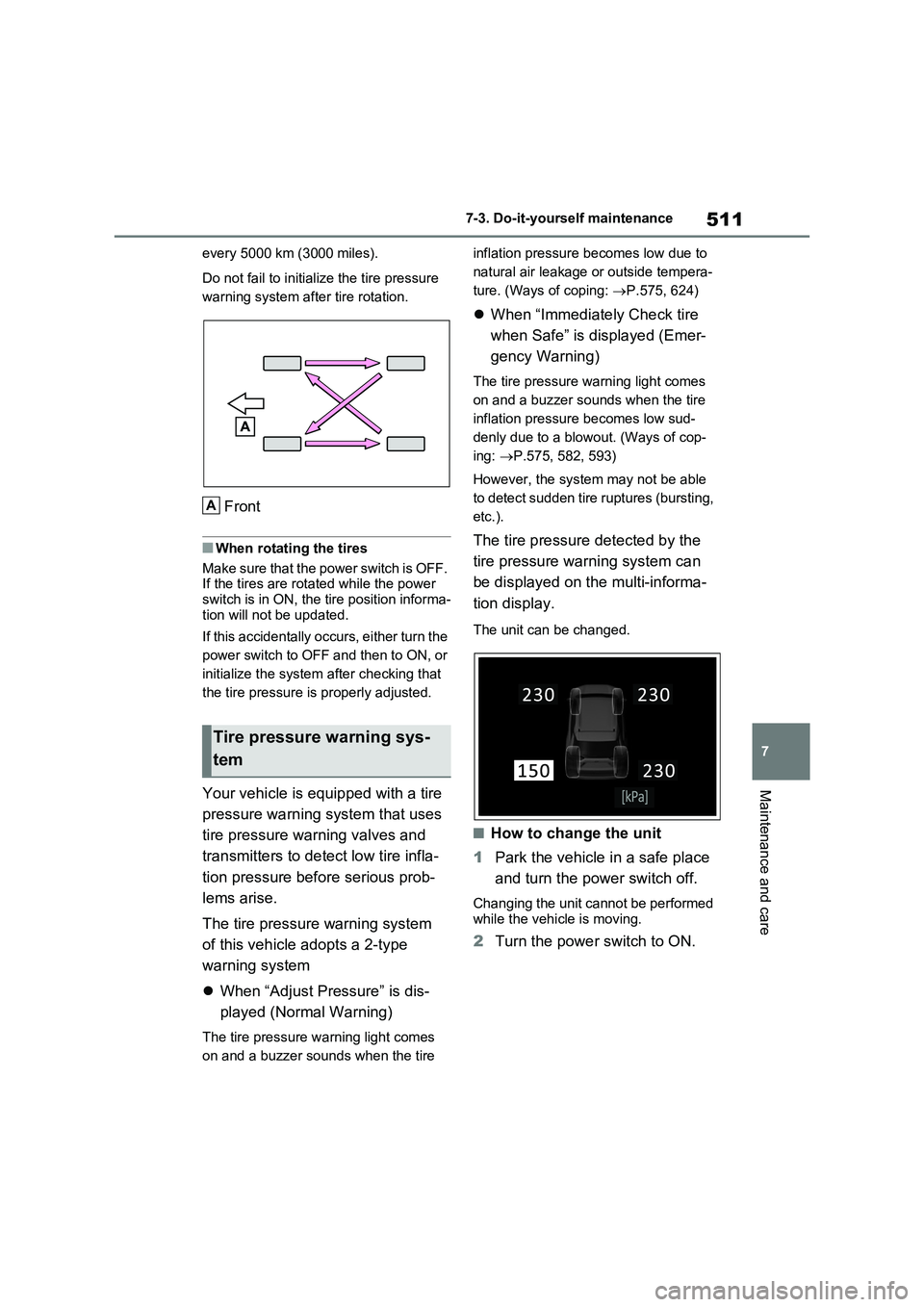
every 5000 km (3000 miles).
Do not fail to initialize the tire pressure
warning system after tire rotation.
Front
■When rotating the tires
Make sure that the power switch is OFF.
If the tires are rotated while the power
switch is in ON, the tire position informa-
tion will not be updated.
If this accidentally occurs, either turn the
power switch to OFF and then to ON, or
initialize the system after checking that
the tire pressure is properly adjusted.
Your vehicle is equipped with a tire
pressure warning system that uses
tire pressure warning valves and
transmitters to detect low tire infla-
tion pressure before serious prob-
lems arise.
The tire pressure warning system
of this vehicle adopts a 2-type
warning system
When “Adjust Pressure” is dis-
played (Normal Warning)
The tire pressure warning light comes
on and a buzzer sounds when the tire inflation pressure becomes low due to
natural air leakage or outside tempera-
ture. (Ways of coping: P.575, 624)
When “Immediately Check tire
when Safe” is displayed (Emer-
gency Warning)
The tire pressure warning light comes
on and a buzzer sounds when the tire
inflation pressure becomes low sud-
denly due to a blowout. (Ways of cop-
ing: P.575, 582, 593)
However, the system may not be able
to detect sudden tire ruptures (bursting,
etc.).
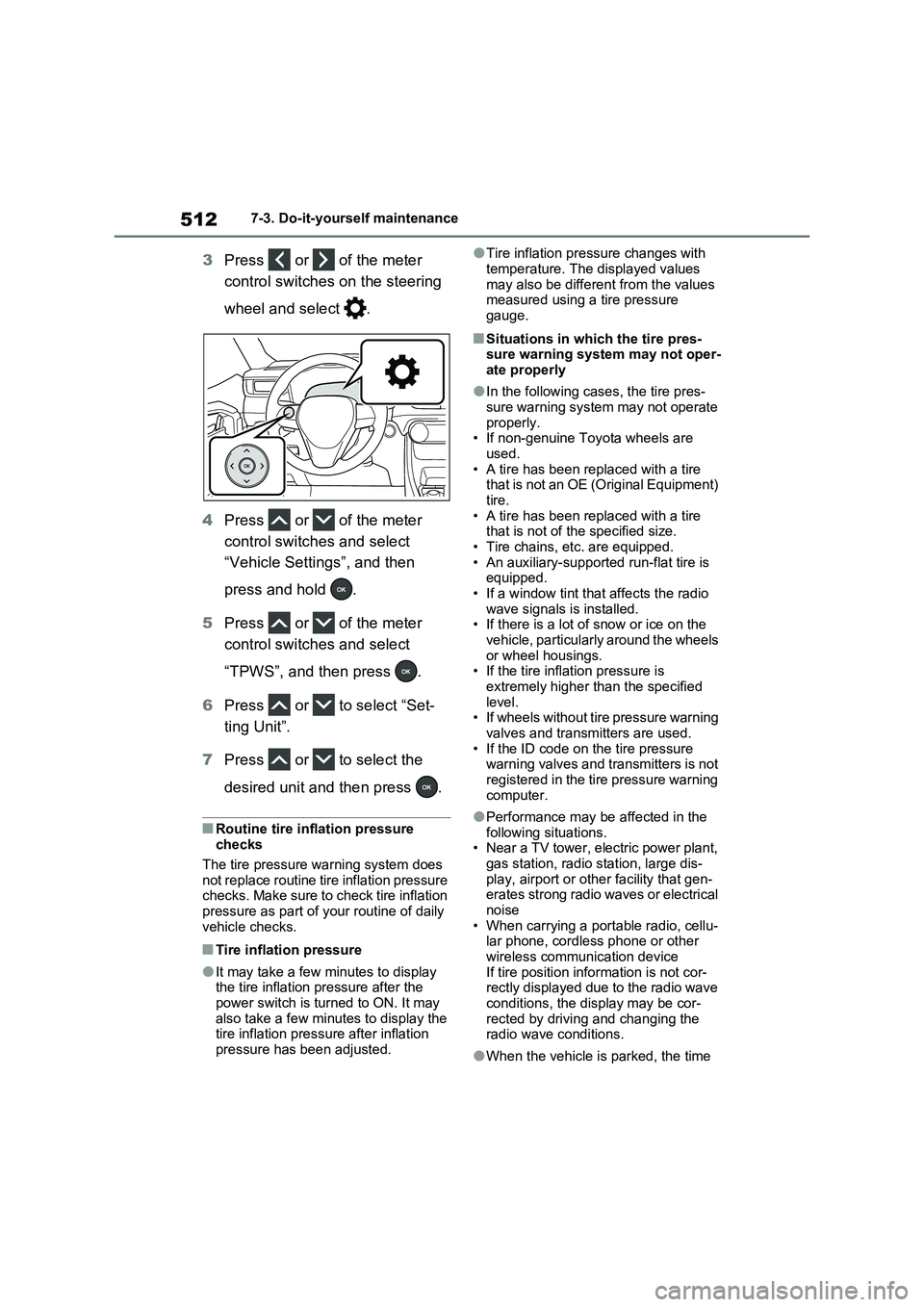
The tire pressure detected by the
tire pressure warning system can
be displayed on the multi-informa-
tion display.
The unit can be changed.
■How to change the unit
1Park the vehicle in a safe place
and turn the power switch off.
Changing the unit cannot be performed
while the vehicle is moving.
2Turn the power switch to ON.
Tire pressure warning sys-
tem
A
Page 512 of 664
5127-3. Do-it-yourself maintenance
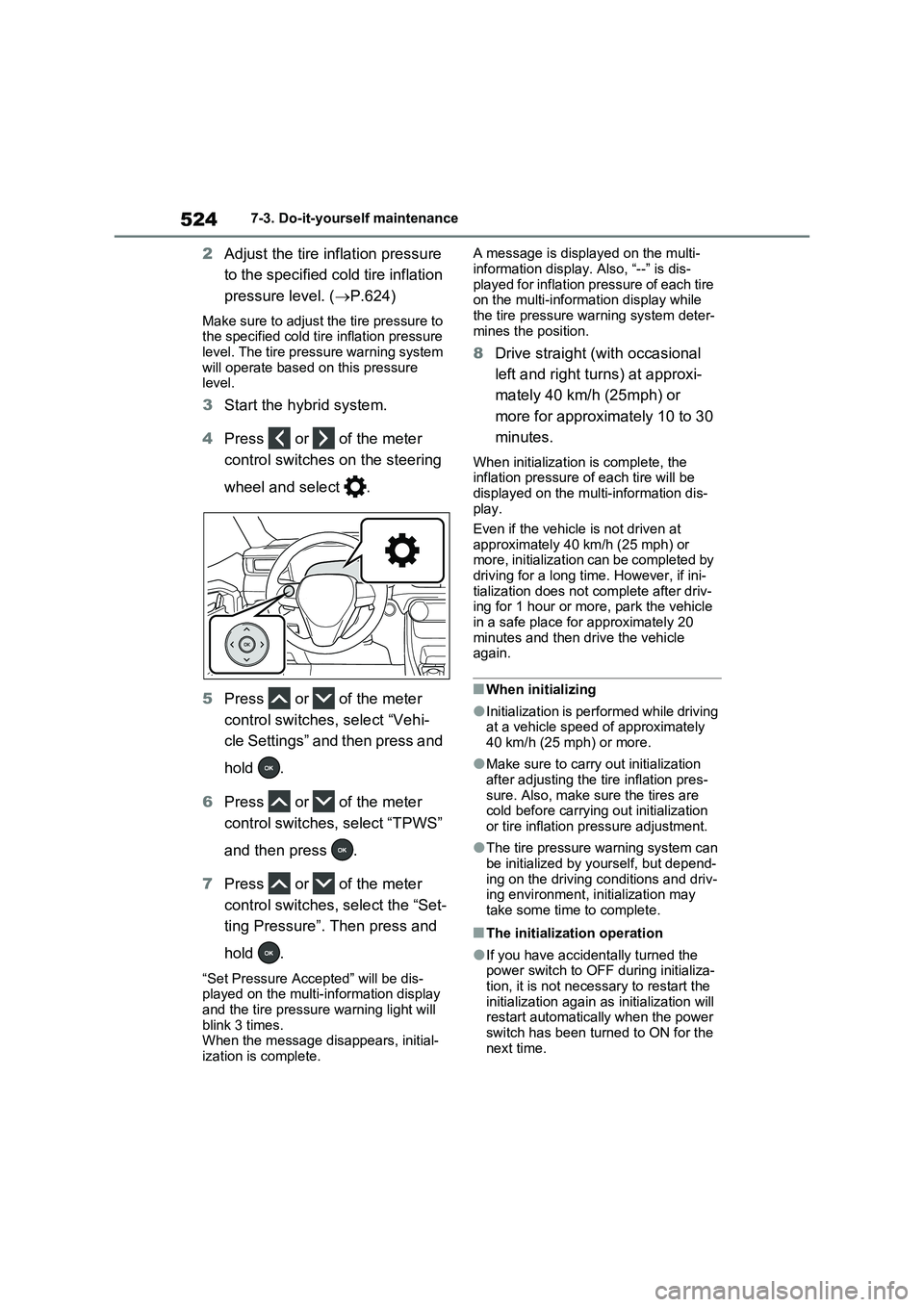
3Press or of the meter
control switches on the steering
wheel and select .
4Press or of the meter
control switches and select
“Vehicle Settings”, and then
press and hold .
5Press or of the meter
control switches and select
“TPWS”, and then press .
6Press or to select “Set-
ting Unit”.
7Press or to select the
desired unit and then press .
■Routine tire inflation pressure
checks
The tire pressure warning system does
not replace routine tire inflation pressure
checks. Make sure to check tire inflation
pressure as part of your routine of daily
vehicle checks.
■Tire inflation pressure
●It may take a few minutes to display
the tire inflation pressure after the
power switch is turned to ON. It may
also take a few minutes to display the
tire inflation pressure after inflation
pressure has been adjusted.
●Tire inflation pressure changes with
temperature. The displayed values
may also be different from the values
measured using a tire pressure
gauge.
■Situations in which the tire pres-
sure warning system may not oper-
ate properly
●In the following cases, the tire pres-
sure warning system may not operate
properly.
• If non-genuine Toyota wheels are
used.
• A tire has been replaced with a tire
that is not an OE (Original Equipment)
tire.
• A tire has been replaced with a tire
that is not of the specified size.
• Tire chains, etc. are equipped.
• An auxiliary-supported run-flat tire is
equipped.
• If a window tint that affects the radio
wave signals is installed.
• If there is a lot of snow or ice on the
vehicle, particularly around the wheels
or wheel housings.
• If the tire inflation pressure is
extremely higher than the specified
level.
• If wheels without tire pressure warning
valves and transmitters are used.
• If the ID code on the tire pressure
warning valves and transmitters is not
registered in the tire pressure warning
computer.
●Performance may be affected in the
following situations.
• Near a TV tower, electric power plant,
gas station, radio station, large dis-
play, airport or other facility that gen-
erates strong radio waves or electrical
noise
• When carrying a portable radio, cellu-
lar phone, cordless phone or other
wireless communication device
If tire position information is not cor-
rectly displayed due to the radio wave
conditions, the display may be cor-
rected by driving and changing the
radio wave conditions.
●When the vehicle is parked, the time
Page 524 of 664
5247-3. Do-it-yourself maintenance
2Adjust the tire inflation pressure
to the specified cold tire inflation
pressure level. (P.624)
Make sure to adjust the tire pressure to
the specified cold tire inflation pressure
level. The tire pressure warning system
will operate based on this pressure
level.
3Start the hybrid system.
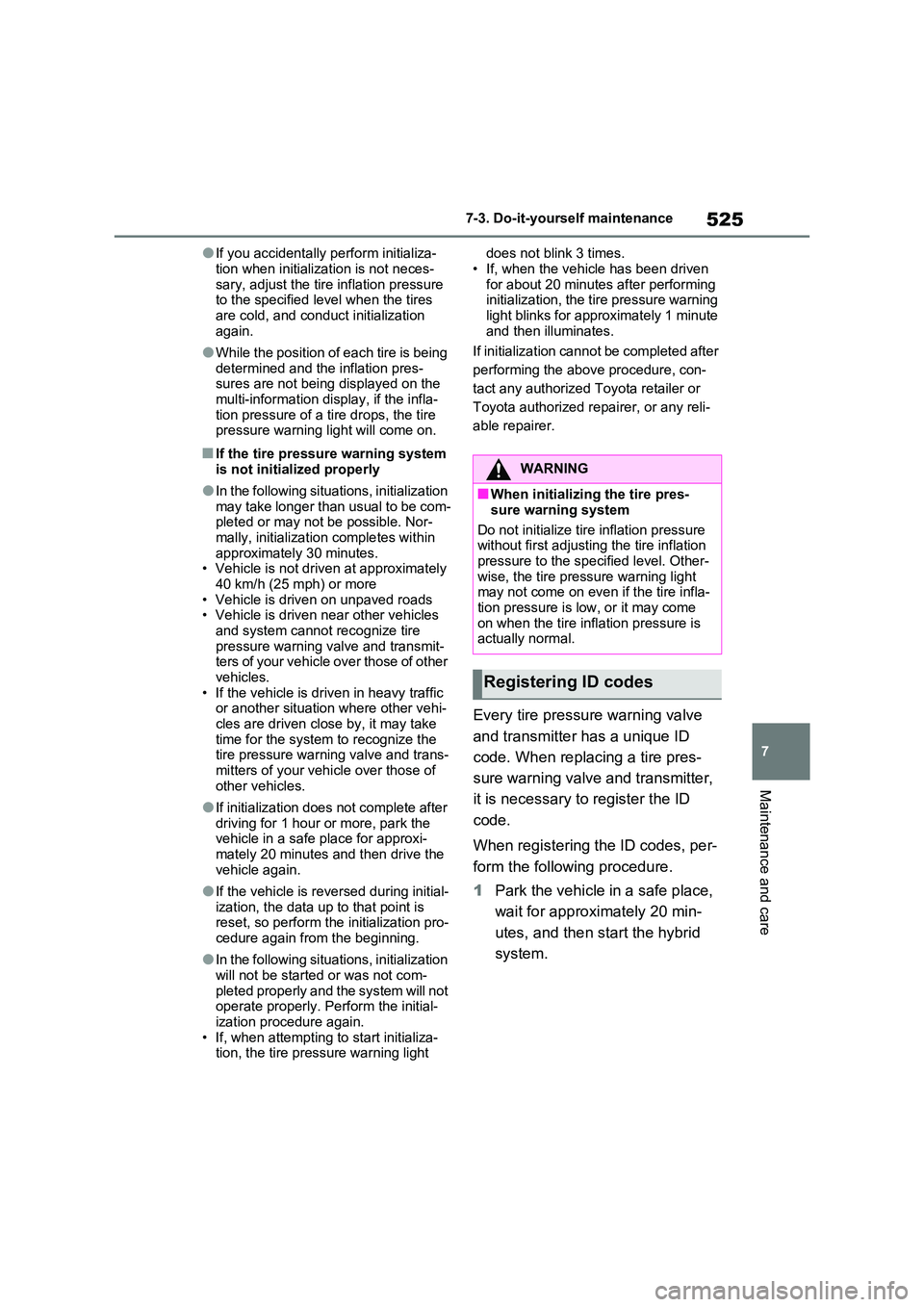
4Press or of the meter
control switches on the steering
wheel and select .
5Press or of the meter
control switches, select “Vehi-
cle Settings” and then press and
hold .
6Press or of the meter
control switches, select “TPWS”
and then press .
7Press or of the meter
control switches, select the “Set-
ting Pressure”. Then press and
hold .
“Set Pressure Accepted” will be dis-
played on the multi-information display
and the tire pressure warning light will
blink 3 times.
When the message disappears, initial-
ization is complete.A message is displayed on the multi-
information display. Also, “--” is dis-
played for inflation pressure of each tire
on the multi-information display while
the tire pressure warning system deter-
mines the position.
8Drive straight (with occasional
left and right turns) at approxi-
mately 40 km/h (25mph) or
more for approximately 10 to 30
minutes.
When initialization is complete, the
inflation pressure of each tire will be
displayed on the multi-information dis-
play.
Even if the vehicle is not driven at
approximately 40 km/h (25 mph) or
more, initialization can be completed by
driving for a long time. However, if ini-
tialization does not complete after driv-
ing for 1 hour or more, park the vehicle
in a safe place for approximately 20
minutes and then drive the vehicle
again.
■When initializing
●Initialization is performed while driving
at a vehicle speed of approximately
40 km/h (25 mph) or more.
●Make sure to carry out initialization
after adjusting the tire inflation pres-
sure. Also, make sure the tires are
cold before carrying out initialization
or tire inflation pressure adjustment.
●The tire pressure warning system can
be initialized by yourself, but depend-
ing on the driving conditions and driv-
ing environment, initialization may
take some time to complete.
■The initialization operation
●If you have accidentally turned the
power switch to OFF during initializa-
tion, it is not necessary to restart the
initialization again as initialization will
restart automatically when the power
switch has been turned to ON for the
next time.
Page 525 of 664
525
7
7-3. Do-it-yourself maintenance
Maintenance and care
●If you accidentally perform initializa-
tion when initialization is not neces- sary, adjust the tire inflation pressure to the specified level when the tires
are cold, and conduct initialization again.
●While the position of each tire is being determined and the inflation pres-sures are not being displayed on the
multi-information display, if the infla- tion pressure of a tire drops, the tire pressure warning light will come on.
■If the tire pressure warning system
is not initialized properly
●In the following situations, initialization
may take longer than usual to be com- pleted or may not be possible. Nor-mally, initialization completes within
approximately 30 minutes. • Vehicle is not driven at approximately 40 km/h (25 mph) or more
• Vehicle is driven on unpaved roads • Vehicle is driven near other vehicles and system cannot recognize tire
pressure warning valve and transmit- ters of your vehicle over those of other vehicles.
• If the vehicle is driven in heavy traffic or another situation where other vehi-cles are driven close by, it may take
time for the system to recognize the tire pressure warning valve and trans-mitters of your vehicle over those of
other vehicles.
●If initialization does not complete after
driving for 1 hour or more, park the vehicle in a safe place for approxi-mately 20 minutes and then drive the
vehicle again.
●If the vehicle is reversed during initial-
ization, the data up to that point is reset, so perform the initialization pro-cedure again from the beginning.
●In the following situations, initialization will not be started or was not com-
pleted properly and the system will not operate properly. Perform the initial-ization procedure again.
• If, when attempting to start initializa- tion, the tire pressure warning light
does not blink 3 times.
• If, when the vehicle has been driven for about 20 minutes after performing initialization, the tire pressure warning
light blinks for approximately 1 minute and then illuminates.
If initialization cannot be completed after
performing the above procedure, con-
tact any authorized Toyota retailer or
Toyota authorized repairer, or any reli-
able repairer.
Every tire pressure warning valve
and transmitter has a unique ID
code. When replacing a tire pres-
sure warning valve and transmitter,
it is necessary to register the ID
code.
When registering the ID codes, per-
form the following procedure.
1 Park the vehicle in a safe place,
wait for approximately 20 min-
utes, and then start the hybrid
system.
WARNING
■When initializing the tire pres-
sure warning system
Do not initialize tire inflation pressure without first adjusting the tire inflation
pressure to the specified level. Other- wise, the tire pressure warning light may not come on even if the tire infla-
tion pressure is low, or it may come on when the tire inflation pressure is actually normal.
Registering ID codes