2011 MERCEDES-BENZ S-Class rest
[x] Cancel search: restPage 263 of 524
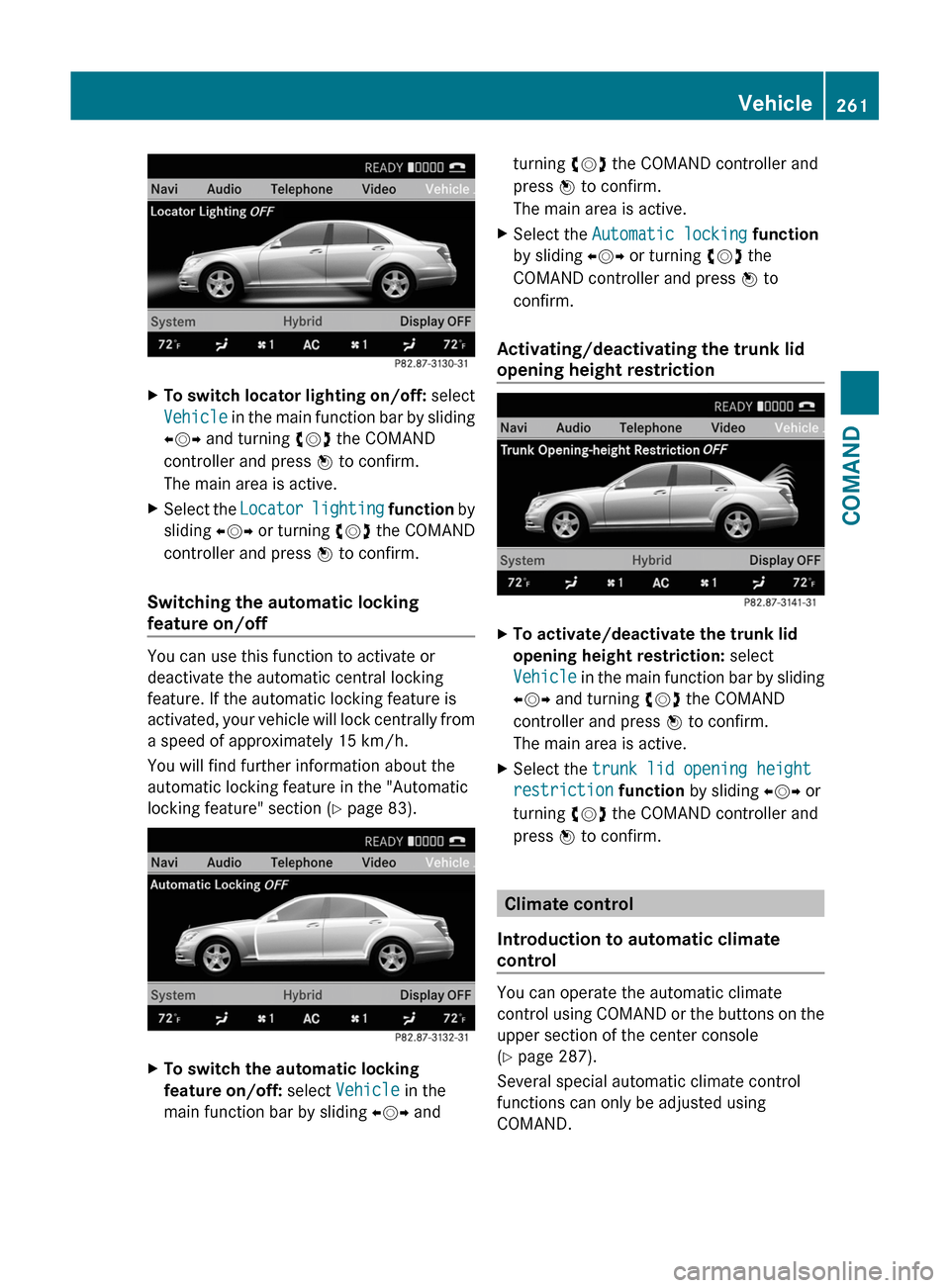
XTo switch locator lighting on/off: select
Vehicle in the main function bar by sliding
XVY and turning cVd the COMAND
controller and press W to confirm.
The main area is active.
XSelect the Locator lighting function by
sliding XVY or turning cVd the COMAND
controller and press W to confirm.
Switching the automatic locking
feature on/off
You can use this function to activate or
deactivate the automatic central locking
feature. If the automatic locking feature is
activated, your vehicle will lock centrally from
a speed of approximately 15 km/h.
You will find further information about the
automatic locking feature in the "Automatic
locking feature" section (Y page 83).
XTo switch the automatic locking
feature on/off: select Vehicle in the
main function bar by sliding XVY and
turning cVd the COMAND controller and
press W to confirm.
The main area is active.
XSelect the Automatic locking function
by sliding XVY or turning cVd the
COMAND controller and press W to
confirm.
Activating/deactivating the trunk lid
opening height restriction
XTo activate/deactivate the trunk lid
opening height restriction: select
Vehicle in the main function bar by sliding
XVY and turning cVd the COMAND
controller and press W to confirm.
The main area is active.
XSelect the trunk lid opening height
restriction function by sliding XVY or
turning cVd the COMAND controller and
press W to confirm.
Climate control
Introduction to automatic climate
control
You can operate the automatic climate
control using COMAND or the buttons on the
upper section of the center console
(Y page 287).
Several special automatic climate control
functions can only be adjusted using
COMAND.
Vehicle261COMANDZ
Page 266 of 524
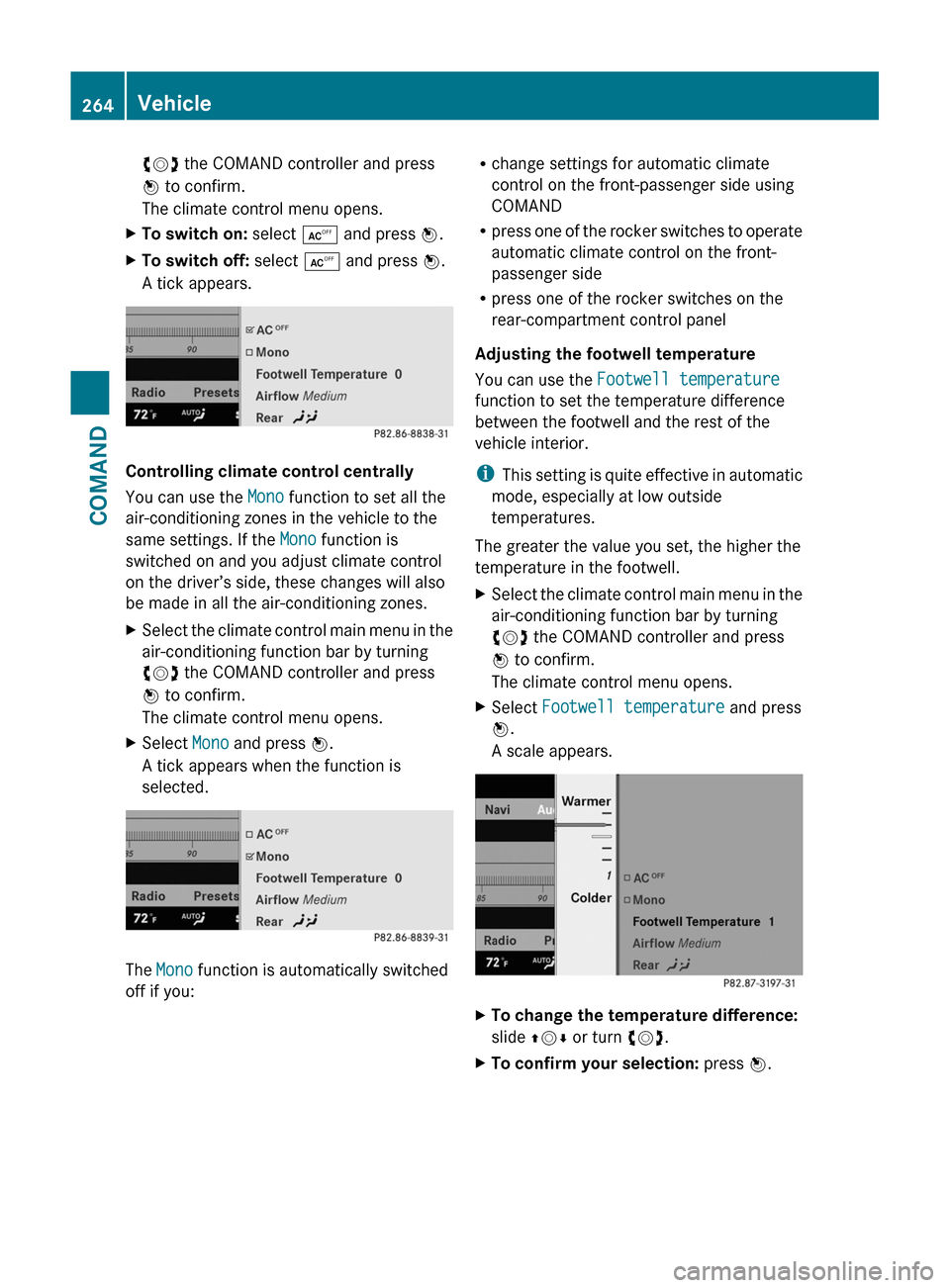
cVd the COMAND controller and press
W to confirm.
The climate control menu opens.
XTo switch on: select Æ and press W.XTo switch off: select Æ and press W.
A tick appears.
Controlling climate control centrally
You can use the Mono function to set all the
air-conditioning zones in the vehicle to the
same settings. If the Mono function is
switched on and you adjust climate control
on the driver’s side, these changes will also
be made in all the air-conditioning zones.
XSelect the climate control main menu in the
air-conditioning function bar by turning
cVd the COMAND controller and press
W to confirm.
The climate control menu opens.
XSelect Mono and press W.
A tick appears when the function is
selected.
The Mono function is automatically switched
off if you:
Rchange settings for automatic climate
control on the front-passenger side using
COMAND
Rpress one of the rocker switches to operate
automatic climate control on the front-
passenger side
Rpress one of the rocker switches on the
rear-compartment control panel
Adjusting the footwell temperature
You can use the Footwell temperature
function to set the temperature difference
between the footwell and the rest of the
vehicle interior.
iThis setting is quite effective in automatic
mode, especially at low outside
temperatures.
The greater the value you set, the higher the
temperature in the footwell.
XSelect the climate control main menu in the
air-conditioning function bar by turning
cVd the COMAND controller and press
W to confirm.
The climate control menu opens.
XSelect Footwell temperature and press
W.
A scale appears.
XTo change the temperature difference:
slide ZVÆ or turn cVd.
XTo confirm your selection: press W.264VehicleCOMAND
Page 268 of 524

To switch back from operation of the rear-
compartment air-conditioning system from
the front:
XIn the climate control main menu, select
Front climate control and press W.
The air conditioning function bar shows the
climate control settings for the driver and
front passenger.
To switch off the rear-compartment air-
conditioning system:
XIn the climate control main menu, select
Rear climate control off and press
W.
To switch on automatic mode for the rear-
compartment air-conditioning system:
XIn the climate control main menu, select
Rear automatic and press W.
Automatic mode for the rear-compartment
air-conditioning system is switched on.
Seats
Lumbar supports
The lumbar support in the backrest of the
driver's and front-passenger seats can be
adjusted to provide optimum support for your
back.
XTo select the seat: press the T
function button.
The main area of the COMAND display is
active. A scale appears.
XTo move to the lower menu bar: select
by sliding ZVÆ the COMAND controller
and press W to confirm.
iWhen you press the T function button,
the previously adjusted seat is active.
XTo adjust the lumbar support: select by
sliding XVY or turning cVd the COMAND
controller and press W to confirm.
Multicontour seat
iInformation about the components and
operating principles of COMAND can be
found on (Y page 116).
The contour of the driver's seat and front-
passenger seat backrests can be individually
adjusted to provide optimum support for your
back. This is achieved by controlling the
pressure in the air chambers in the
multicontour seat.
The adjustments are made using the
COMAND display.
iWhen you adjust the multicontour seat,
you may hear the air being pumped in or
released.
You can adjust the following air cushions:
Rseat side bolsters
Rseat backrest side bolsters
Rbackrest curvature in the lumbar region
Rbackrest curvature in the upper back
region
XMake sure that the key is in position 2 in
the ignition lock.
XPress the T function button.
Selecting the seat
You must first select the seat for which you
wish to make adjustments.
XPress the T function button.
The main area is active.
XTo move to the lower menu bar: select
by sliding ZVÆ the COMAND controller
and press W to confirm.
266VehicleCOMAND
Page 269 of 524
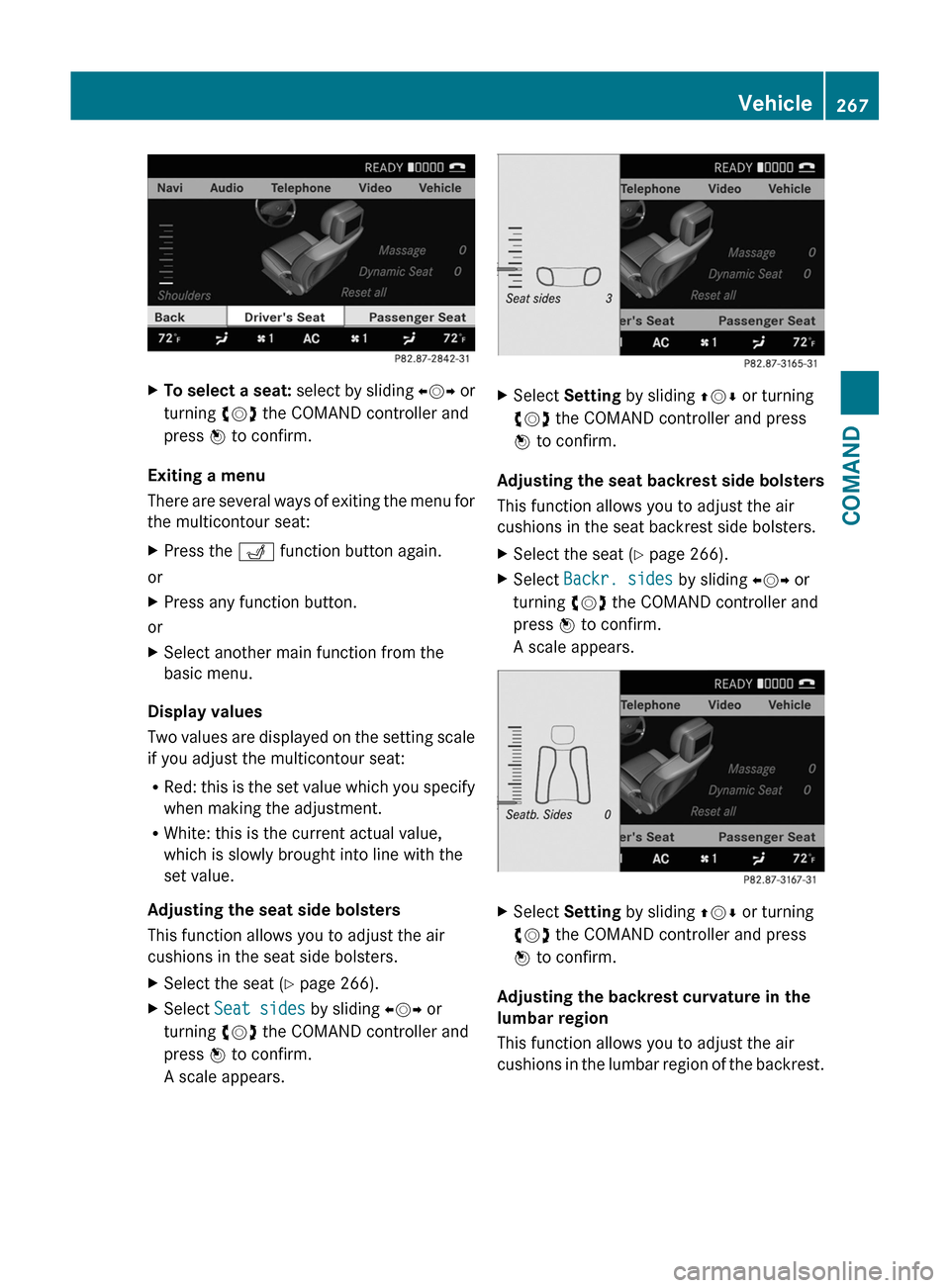
XTo select a seat: select by sliding XVY or
turning cVd the COMAND controller and
press W to confirm.
Exiting a menu
There are several ways of exiting the menu for
the multicontour seat:
XPress the T function button again.
or
XPress any function button.
or
XSelect another main function from the
basic menu.
Display values
Two values are displayed on the setting scale
if you adjust the multicontour seat:
RRed: this is the set value which you specify
when making the adjustment.
RWhite: this is the current actual value,
which is slowly brought into line with the
set value.
Adjusting the seat side bolsters
This function allows you to adjust the air
cushions in the seat side bolsters.
XSelect the seat (Y page 266).XSelect Seat sides by sliding XVY or
turning cVd the COMAND controller and
press W to confirm.
A scale appears.
XSelect Setting by sliding ZVÆ or turning
cVd the COMAND controller and press
W to confirm.
Adjusting the seat backrest side bolsters
This function allows you to adjust the air
cushions in the seat backrest side bolsters.
XSelect the seat (Y page 266).XSelect Backr. sides by sliding XVY or
turning cVd the COMAND controller and
press W to confirm.
A scale appears.
XSelect Setting by sliding ZVÆ or turning
cVd the COMAND controller and press
W to confirm.
Adjusting the backrest curvature in the
lumbar region
This function allows you to adjust the air
cushions in the lumbar region of the backrest.
Vehicle267COMANDZ
Page 270 of 524
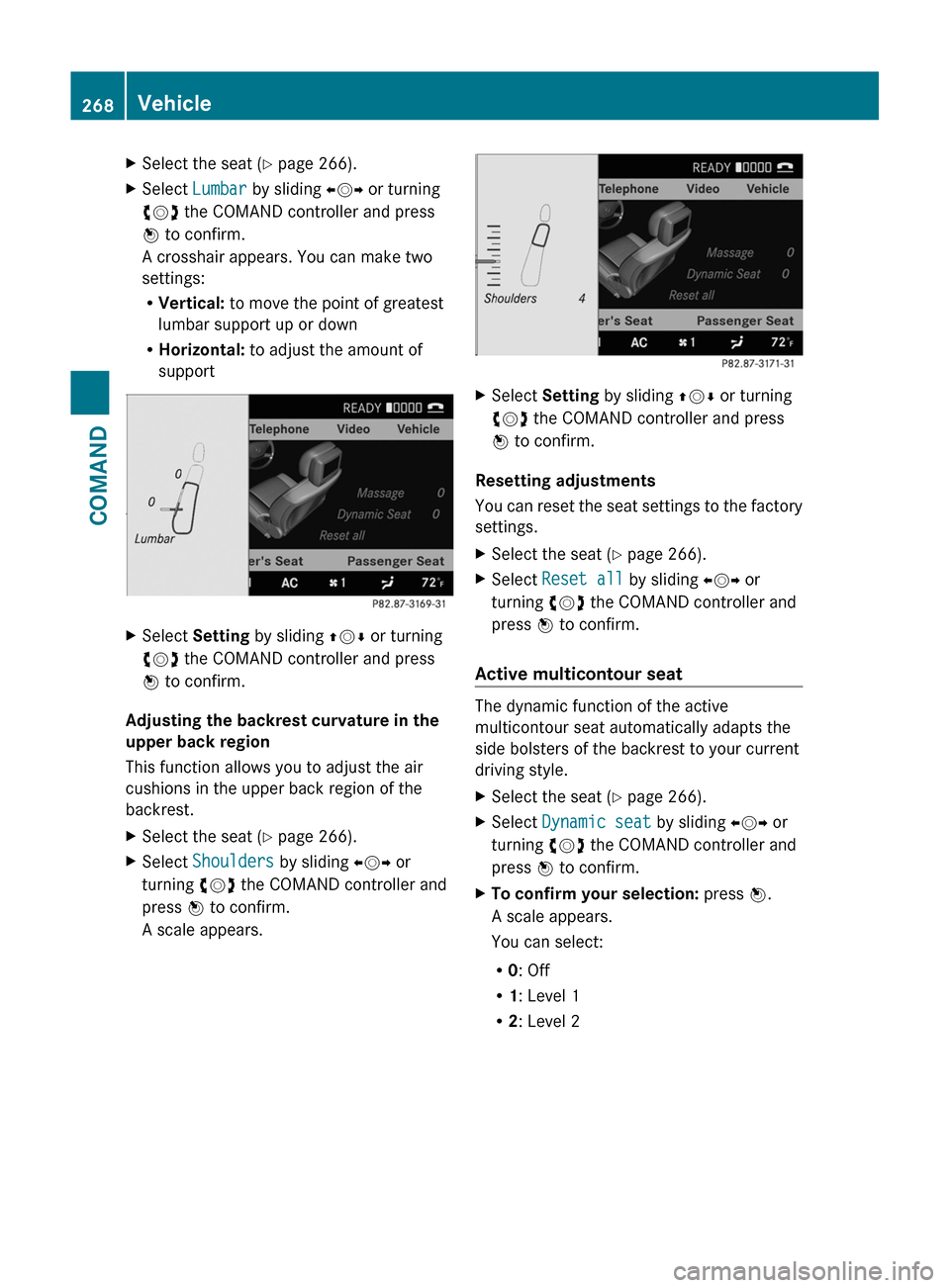
XSelect the seat (Y page 266).XSelect Lumbar by sliding XVY or turning
cVd the COMAND controller and press
W to confirm.
A crosshair appears. You can make two
settings:
RVertical: to move the point of greatest
lumbar support up or down
RHorizontal: to adjust the amount of
support
XSelect Setting by sliding ZVÆ or turning
cVd the COMAND controller and press
W to confirm.
Adjusting the backrest curvature in the
upper back region
This function allows you to adjust the air
cushions in the upper back region of the
backrest.
XSelect the seat (Y page 266).XSelect Shoulders by sliding XVY or
turning cVd the COMAND controller and
press W to confirm.
A scale appears.
XSelect Setting by sliding ZVÆ or turning
cVd the COMAND controller and press
W to confirm.
Resetting adjustments
You can reset the seat settings to the factory
settings.
XSelect the seat (Y page 266).XSelect Reset all by sliding XVY or
turning cVd the COMAND controller and
press W to confirm.
Active multicontour seat
The dynamic function of the active
multicontour seat automatically adapts the
side bolsters of the backrest to your current
driving style.
XSelect the seat (Y page 266).XSelect Dynamic seat by sliding XVY or
turning cVd the COMAND controller and
press W to confirm.
XTo confirm your selection: press W.
A scale appears.
You can select:
R0: Off
R1: Level 1
R2: Level 2
268VehicleCOMAND
Page 272 of 524
XSelect Upload/download data and press
W to confirm.XSelect Copy data to storage medium
and press W to confirm.XSelect the storage medium to which the
data should be copied.XSelect Start copying .
COMAND checks whether the storage
medium has enough storage capacity. If
there is enough storage capacity, the data
is copied to the storage medium.XIf there is not enough storage capacity,
remove the storage medium. Make more
storage space available on the storage
medium. Then, try to copy the COMAND
data to the storage medium again.XRemove the storage medium.
Transferring data to another system
(vehicle)
XInsert/connect the storage medium (SD
card or USB stick) with the saved data into/
to the relevant interface.XSelect Vehicle in the main function bar by
turning cVd the COMAND controller and
press W to confirm.
The "Vehicle" menu appears.XSelect System and press W to confirm.XSelect Upload/download data and press
W to confirm.XSelect Import data from storage
medium and press W to confirm.XSelect Start data import .
A prompt appears, asking whether the
COMAND data should be overwritten.XPress Yes to confirm that the data saved in
COMAND should be overwritten.
COMAND imports the data and restarts the
system.
or
XPress No to cancel the import process.270VehicleCOMAND
Page 301 of 524

gear when the engine is idling normally and
when your right foot is firmly on the brake
pedal.GWarning!
HYBRID vehicles: It is imperative that you read
the HYBRID Supplemental Operating
Instructions included in your vehicle literature
portfolio. You may otherwise not receive all
necessary safety information and warning for
the operation of your vehicle.
! Warm up the engine quickly. Do not use
the engine's full performance until it has
reached operating temperature.
Only shift the automatic transmission to
the desired drive position when the vehicle
is stationary.
Where possible, avoid spinning the drive
wheels when pulling away on slippery
roads. You could otherwise damage the
drive train.
! S 63 AMG: at low engine oil temperatures
below 68 ‡ (+20 † ), the maximum engine
speed is restricted in order to protect the
engine. To protect the engine and maintain
smooth engine operation, avoid driving at
full throttle when the engine is cold.
SmartKey positions
SmartKey
gTo remove the SmartKey1Power supply for some consumers, such
as the windshield wipers2Ignition (power supply for all consumers)
and drive position3To start the engine
As soon as the ignition is switched on, all the
indicator lamps in the instrument cluster light
up. The indicator lamps of the high-beam
headlamps or the turn signal lamps only light
up if the high-beam headlamps or the turn
signal lamps are switched on. If an indicator
lamp does not light up when the ignition is
switched on, check it and replace it if
necessary. If an indicator lamp does not go
out after the engine is started or if it lights up
while the vehicle is in motion, see
( Y page 413).
XRemove the SmartKey when the engine is
switched off.
The battery may otherwise discharge.
If you cannot turn the SmartKey in the ignition
lock, the vehicle battery may not be charged
sufficiently.
XCheck the vehicle battery and charge if
necessary ( Y page 470).
or
XJump-start the vehicle ( Y page 471).
i
The SmartKey can be turned in the
ignition lock even if it is not the correct
SmartKey for the vehicle. The ignition is not
switched on. The engine cannot be started.
KEYLESS-GO
Vehicles with KEYLESS-GO are equipped with
a SmartKey with an integrated KEYLESS-GO
function and a detachable Start/Stop button.
The Start/Stop button must be inserted in the
ignition lock and the SmartKey must be in the
vehicle.
Pressing the Start/Stop button several times
in succession corresponds to the different
key positions in the ignition lock. This is only
Driving299Driving and parkingZ
Page 310 of 524

Rremove the Start/Stop button from the
ignition lock.
Rinsert the SmartKey into the ignition lock.
Rswitch on the ignition.
Rdepress the brake pedal and keep it
depressed.
Rshift to neutral N.
Rrelease the brake pedal.
Rif applied, release the electric parking
brake.
Rswitch off the ignition and leave the
SmartKey in the ignition lock.
Transmission position D with ECO
start/stop function activated
The ECO start/stop function switches the
engine off automatically when the vehicle is
stationary if the vehicle is braked to a
standstill with transmission position N
engaged and the brake depressed.
For further information on the ECO start/stop
function (Y page 302).
Shifting to transmission position D
XWhen the vehicle is stationary, depress the
brake pedal.
XPush the DIRECT SELECT lever down past
the first point of resistance.
Transmission position display
The current transmission position is shown in
the multifunction display.
:Transmission position
iThe arrows in the transmission position
display show how and into which
transmission positions you can change
using the DIRECT SELECT lever.
! If the transmission position display in the
multifunction display is not working, you
should pull away carefully to check whether
the desired transmission position is
engaged. Ideally, you should select
transmission position D and drive program
E (drive program C on AMG vehicles) or S.
Do not restrict the shift range.
308Automatic transmissionDriving and parking