Page 212 of 563
210
3-1. Using the air conditioning system and defogger
ES350_U■
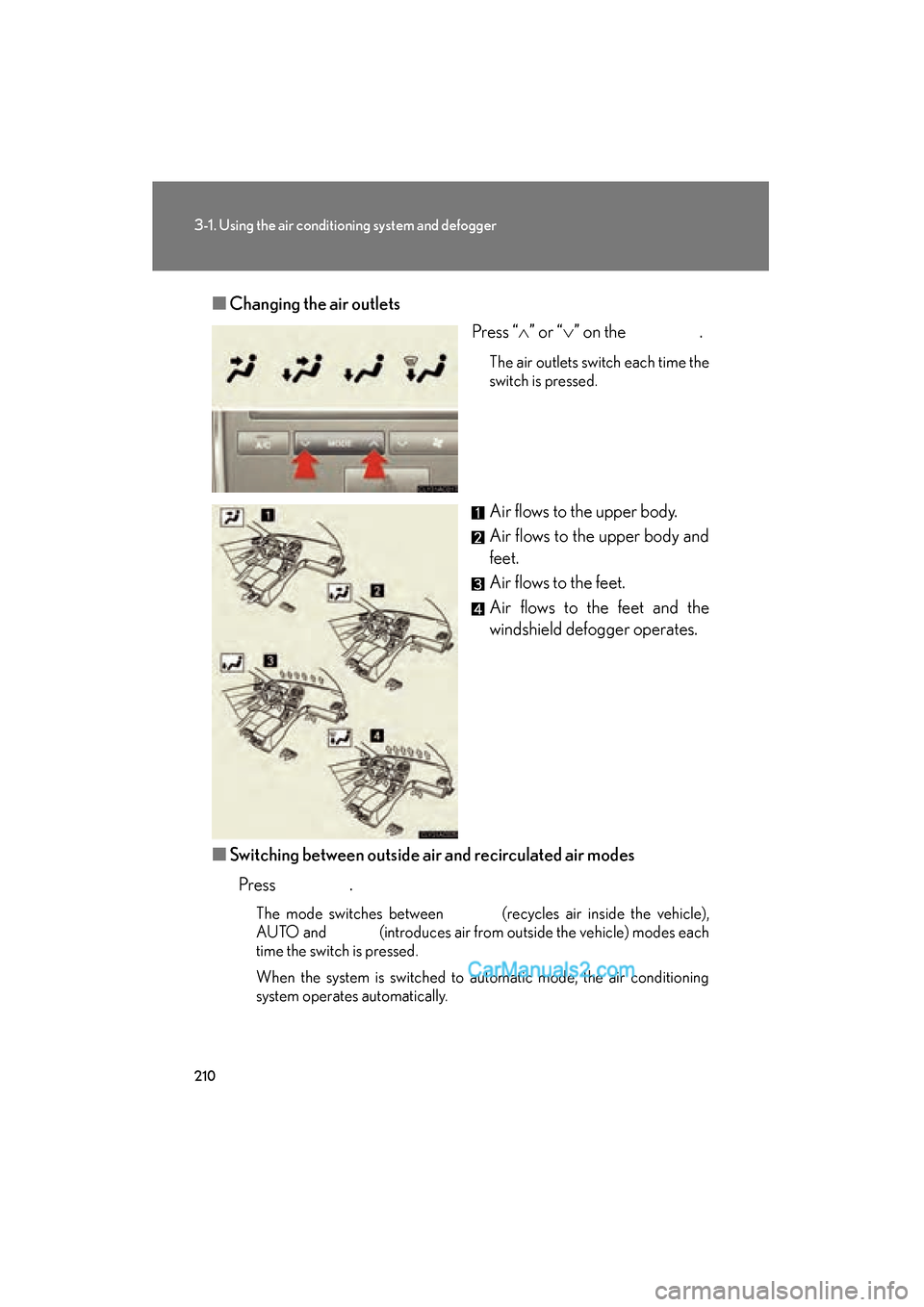
Changing the air outlets
Press “∧” or “ ∨” on the .
The air outlets switch each time the
switch is pressed.
Air flows to the upper body.
Air flows to the upper body and
feet.
Air flows to the feet.
Air flows to the feet and the
windshield defogger operates.
■ Switching between outside air and recirculated air modes
Press .
The mode switches between (recycles air inside the vehicle),
AUTO and (introduces air from outside the vehicle) modes each
time the switch is pressed.
When the system is switched to automatic mode, the air conditioning
system operates automatically.
Page 213 of 563
211
3-1. Using the air conditioning system and defogger
3
Interior features
ES350_U
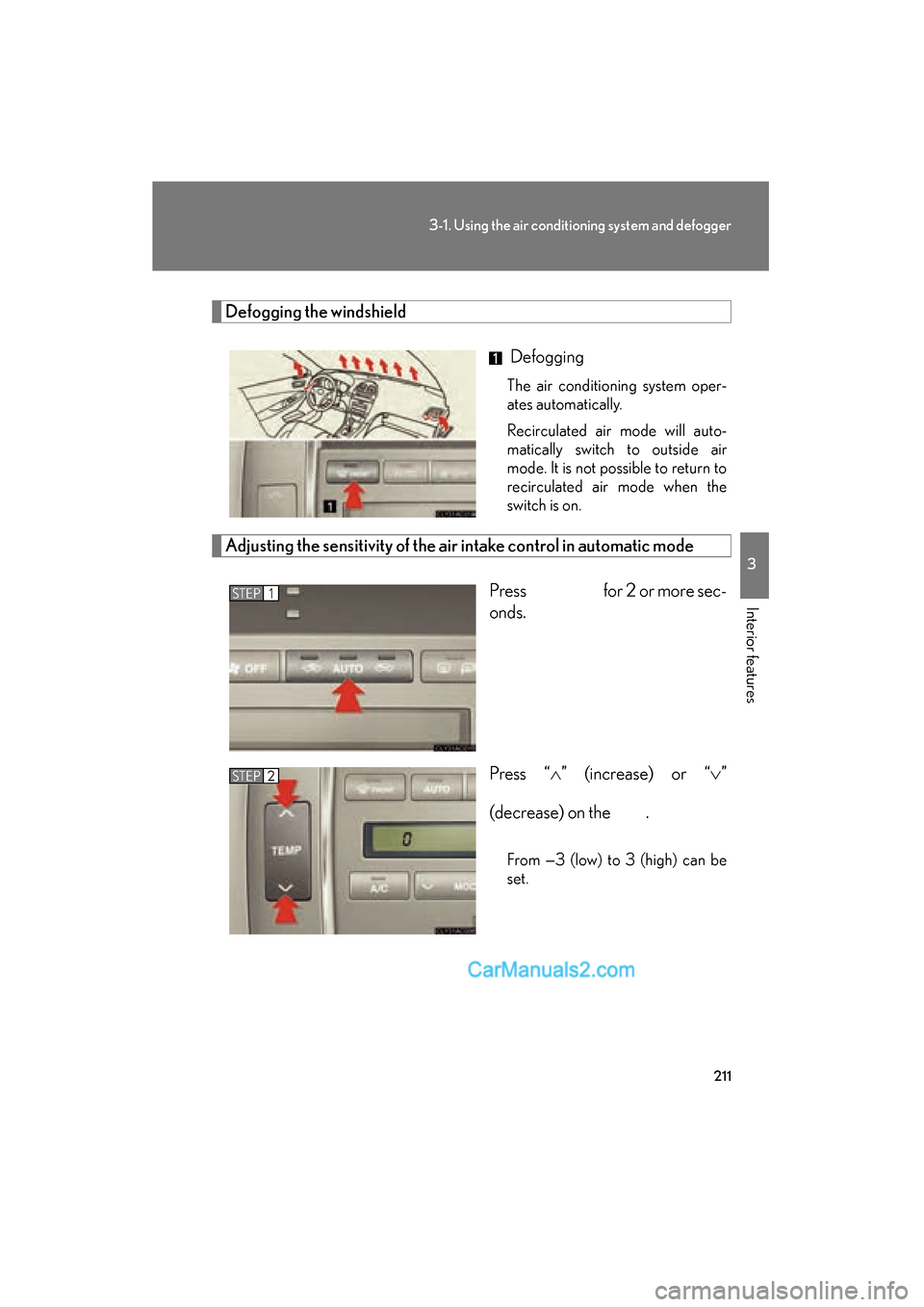
Defogging the windshield
Defogging
The air conditioning system oper-
ates automatically.
Recirculated air mode will auto-
matically switch to outside air
mode. It is not possible to return to
recirculated air mode when the
switch is on.
Adjusting the sensitivity of the air intake control in automatic mode
Press for 2 or more sec-
onds.
Press “ ∧” (increase) or “ ∨”
(decrease) on the .
From —3 (low) to 3 (high) can be
set.
STEP1
STEP2
Page 215 of 563
213
3-1. Using the air conditioning system and defogger
3
Interior features
ES350_U
■Using the automatic mode
Fan speed is adjusted automatically in accordance with the temperature setting and
ambient conditions. As a result, the following may occur.
●Immediately after the switch is pressed, the fan may stop for a while until warm
or cool air is ready to flow.
●Cool air may flow to the area around the upper body when the heater is on.
■Using the system in recirculated air mode
The windows will fog up more easily if the recirculated air mode is used for an
extended period.
■Switching between outside air and recirculated air modes
Recirculated air mode or outside air mode may be automatically switched to in
accordance with the temperature setting and the inside temperature.
■Window defogger feature
Recirculated air mode may automatically switch to
(outside air) mode in sit-
uations where the windows need to be defogged.
■Outside air temperature approaches 32 °F (0 °C).
The air conditioning system may not operate even when
is pressed.
■When the indicator light on flashes
Press
and turn off the air conditioning system before turning it on once
more. There may be a problem in the air conditioning system if the indicator light
continues to flash. Turn the air conditioning system off and have it inspected by your
Lexus dealer.
■Automatic mode for air intake control
In automatic mode, the system detects exhaust gas and other pollutants and auto-
matically switches between outside air and recirculated air modes.
Page 219 of 563
217
3-2. Using the audio system
3
Interior features
ES350_U
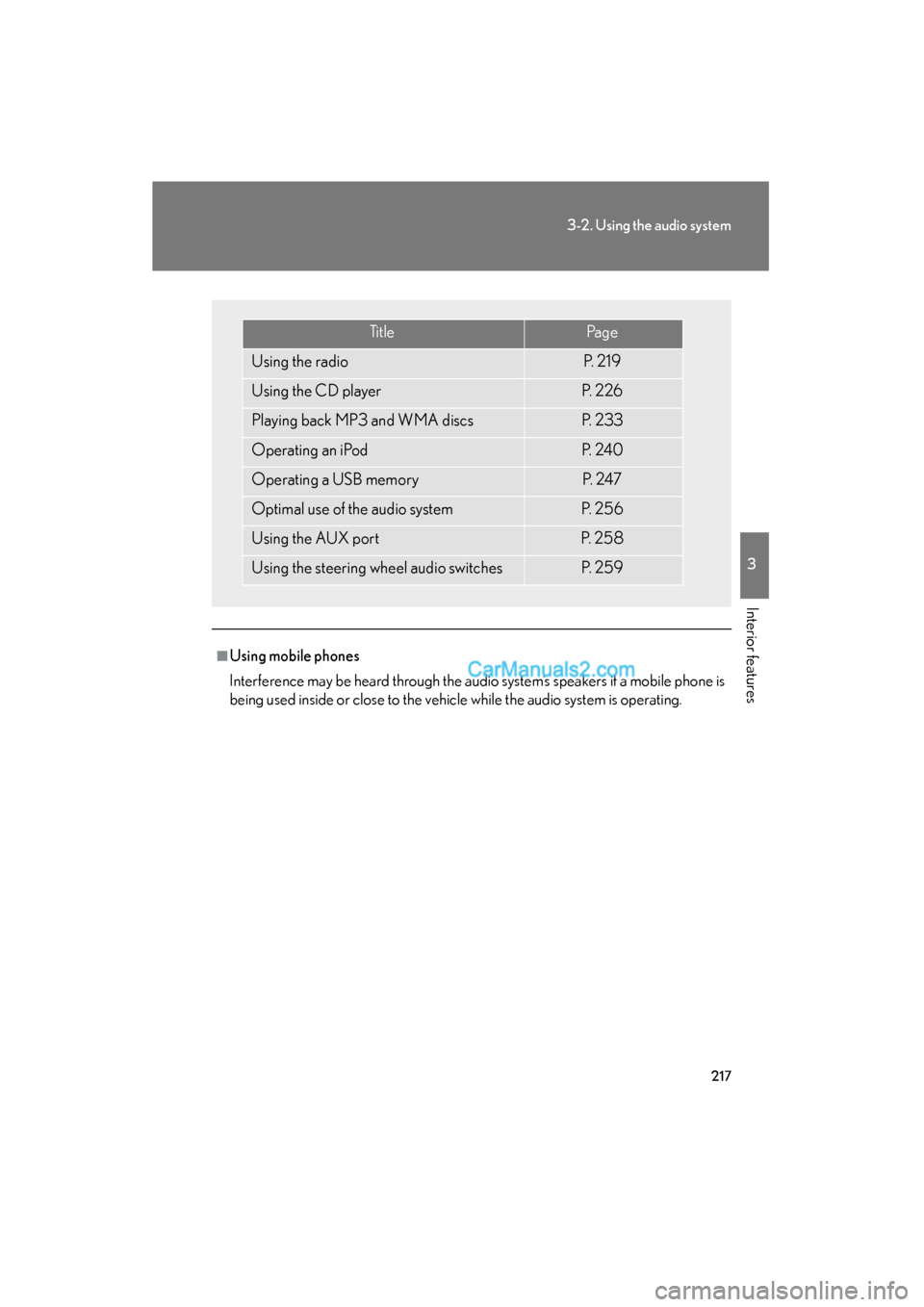
■Using mobile phones
Interference may be heard through the audio system’s speakers if a mobile phone is
being used inside or close to the vehicle while the audio system is operating.
Ti t l ePa g e
Using the radioP. 2 1 9
Using the CD playerP. 2 2 6
Playing back MP3 and WMA discsP. 2 3 3
Operating an iPodP. 2 4 0
Operating a USB memoryP. 2 4 7
Optimal use of the audio systemP. 2 5 6
Using the AUX portP. 2 5 8
Using the steering wheel audio switchesP. 2 5 9
Page 231 of 563
229
3-2. Using the audio system
3
Interior features
ES350_U
Random playback■ Current CD
Press
(RAND).
Tracks are played in random order.
To cancel, press (RAND) again.
■All CDs
Press and hold
(RAND) until you hear a beep.
Tracks on all loaded CDs are played in random order.
To cancel, press (RAND) again.
Repeat play
■ To repeat a track
Press (RPT).
To cancel, press (RPT) again.
■To repeat all of the tracks on a CD
Press and hold (RPT) until you hear a beep.
To cancel, press (RPT) again.
Switching the display
Press .
Each time the button is pressed, the display changes in the following order:
Elapsed time → CD title → Track title
Page 237 of 563
235
3-2. Using the audio system
3
Interior features
ES350_U
Playing and pausing filesTo play or pause a file, press ( ).
Random playback■ Playing files from a folder in random order
Press
(RAND).
To cancel, press (RAND) again.
■Playing all the files from a disc in random order
Press and hold (RAND) until you hear a beep.
To cancel, press (RAND) again.
Repeat play
■ Repeating a file
Press
(RPT).
To cancel, press (RPT) again.
■Repeating all the files in a folder
Press and hold
(RPT) until you hear a beep.
To cancel, press (RPT) again.
Switching the display
Press .
Each time the button is pressed, the display changes in the following order:
Folder no./File no./Elapsed time → Folder name → File name → Album title
(MP3 only) → Track title → Artist name
Page 245 of 563
243
3-2. Using the audio system
3
Interior features
ES350_U
Selecting songsTurn or press “ ∧” or “ ∨” on to select the desired
song.
Playing and pausing songs
To play or pause a song, press ( ).
Fast-forwarding and rewinding songs
To fast-forward or rewind, press and hold “
∧” or “ ∨” on
until you hear a beep.
Shuffle playback
■ Playing songs from one playlist or album in random order
Press (RAND).
To cancel, press (RAND) again.
■Playing songs from all the playli sts or albums in random order
Press and hold (RAND) until you hear a beep.
To cancel, press (RAND) again.
Repeat play
Press (RPT).
To cancel, press (RPT) again.
Switching the displayPress .
Each time the button is pressed, the display changes in the following order:
Elapsed time → Album title → Track title → Artist name
Page 252 of 563
250
3-2. Using the audio system
ES350_U
Fast-forwarding and rewinding filesTo fast-forward or rewind, press and hold “
∧” or “ ∨” on
until you hear a beep.
Random playback
■ Playing files from a folder in random order
Press (RAND).
To cancel, press (RAND) again.
■Playing all the files from a USB memory in random order
Press and hold (RAND) until you hear a beep.
To cancel, press (RAND) again.
Repeat play
■ Repeating a file
Press (RPT).
To cancel, press (RPT) again.
■Repeating all the files in a folder
Press and hold (RPT) until you hear a beep.
To cancel, press (RPT) again.
Switching the display
Press .
Each time the button is pressed, the display changes in the following order:
Elapsed time → Folder name → File name → Album title (MP3 only) →
Track title → Artist name