Page 444 of 722
Insert a dif f erent disc. If the new
disc plays, there is a problem with
the f irst disc. If the error message
cycle repeats and you cannot clear it,
take your vehicle to a dealer. Theaudiosystemwilltrytoplaythe
disc. If there is still a problem, the
error message will reappear. Press
the eject button, and pull out the disc. If you see an error message in the
display while playing a disc, press
the eject button. After ejecting the
disc, check it for damage or
deformation. If there is no damage,
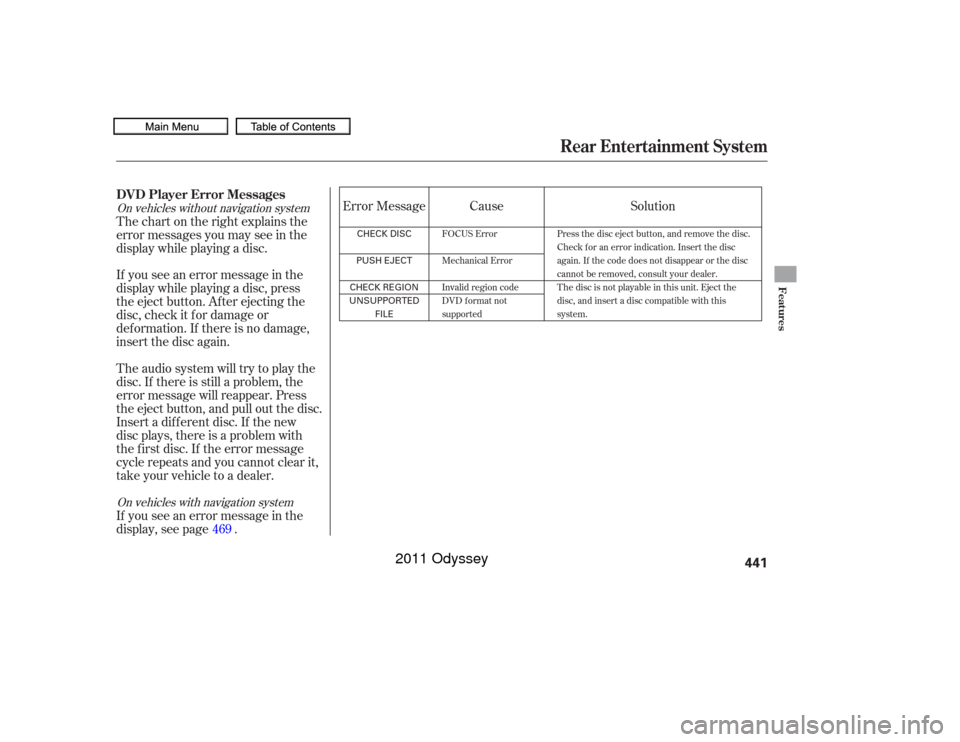
insert the disc again. Thechartontherightexplainsthe
error messages you may see in the
display while playing a disc.
If you see an error message in the
display, see page .Solution
Error Message Cause
469On vehicles without navigation system
On vehicles with navigation system
Press the disc eject button, and remove the disc.
Check for an error indication. Insert the disc
again. If the code does not disappear or the disc
cannot be removed, consult your dealer.
The disc is not playable in this unit. Eject the
disc, and insert a disc compatible with this
system.
FOCUS Error
Mechanical Error
Invalid region code
DVD format not
supportedRear Entertainment System
DVD Player Error Messages
Features
441
CHECK DISC
PUSH EJECT
CHECK REGION
UNSUPPORTED FILE
10/07/17 10:33:24 31TK8600_446
2011 Odyssey
Page 445 of 722
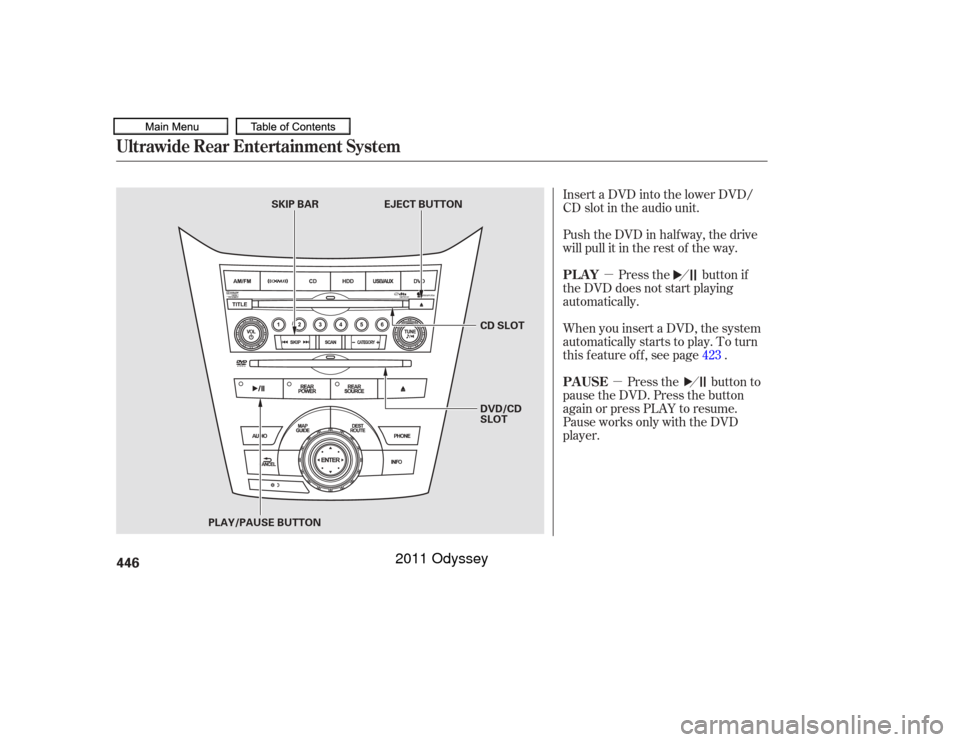
Press the REAR POWER button.
The indicator on the REAR POWER
button will come on. The rear seat
passengers can then operate the rear
system f rom the control panel in the
ceiling. The rear control panel can
also be detached and used as a
remote control, by pushing the
release button, and pulling the
remote toward you.
With this system, the rear
passengers can enjoy a dif f erent
entertainment source (radio, disc,
HDD, USB, iPod
, DVD player or
XM Radio) than the front seat
occupants. The audio is broadcast
through the supplied wireless
headphones. Your vehicle is equipped with a rear
entertainment system that includes a
DVD player f or the enjoyment of the
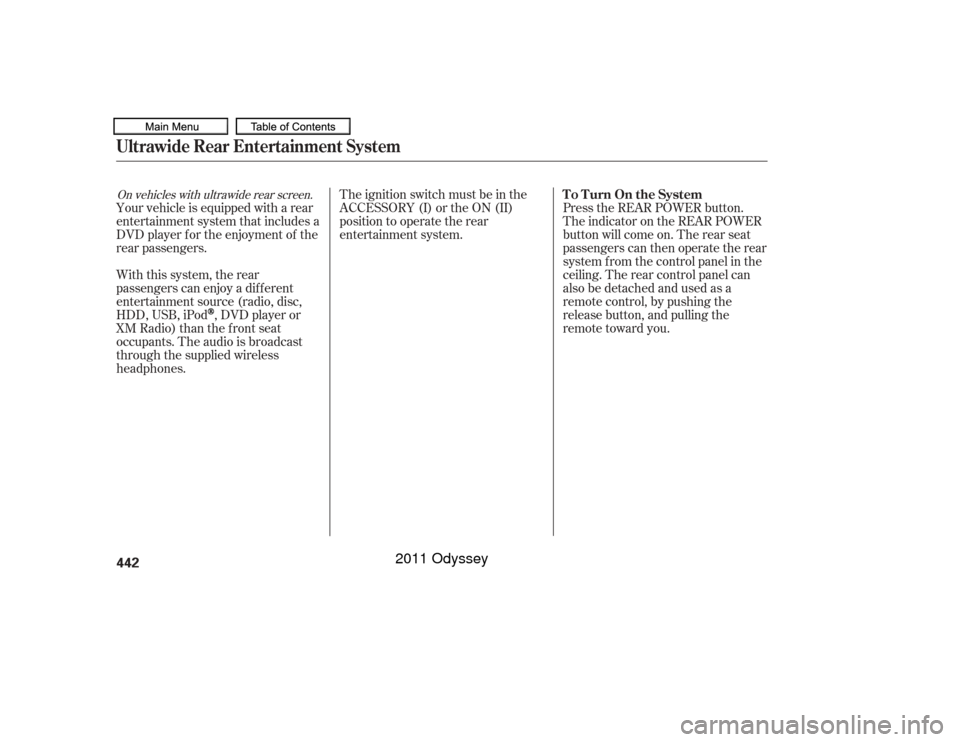
rear passengers. The ignition switch must be in the
ACCESSORY (I) or the ON (II)
position to operate the rear
entertainment system.
On vehicles with ultrawide rear screen.
To Turn On the System
Ultrawide Rear Entertainment System442
10/07/17 10:33:29 31TK8600_447
2011 Odyssey
Page 446 of 722
Whenyouturnonthesystem,the
rear speakers are automatically
turned of f if the rear system selects
a dif f erent entertainment source
than the f ront system. You will see
the Rear Speakers Of f icon in the
audio display. The sound f or the rear
system is sent to the headphones.If youwanttoturntherearspeakers
on again, press and hold the REAR
POWER button until the Rear
Speakers Of f icon goes of f .
The rear speakers are
connected to the f ront system, so
they will always play the source that
the f ront system is set to.
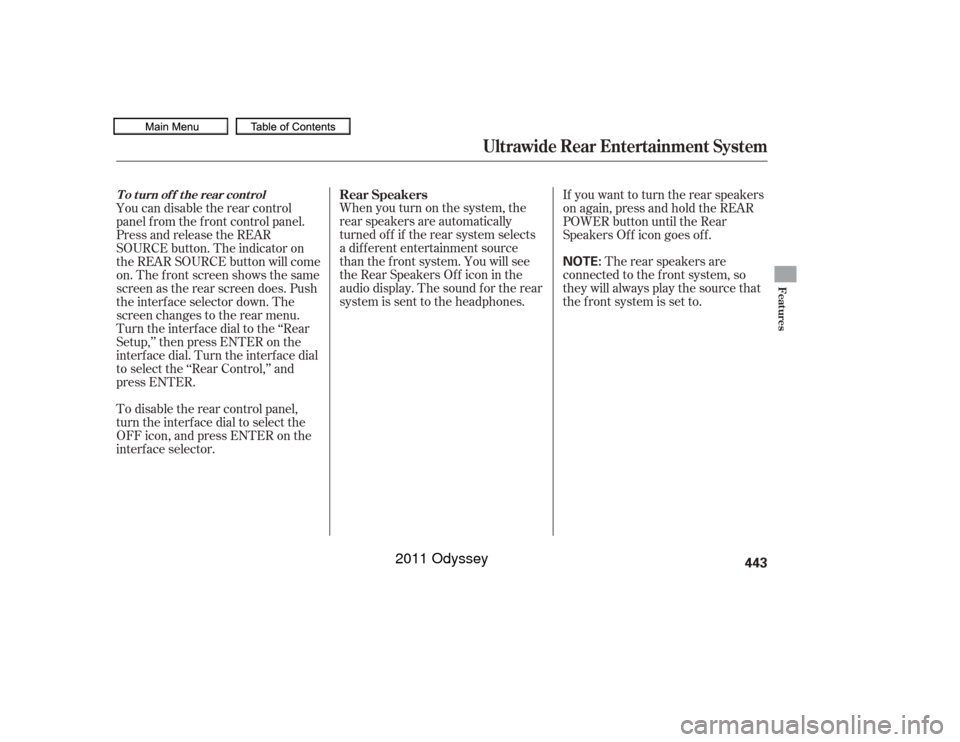
Press and release the REAR
SOURCE button. The indicator on
the REAR SOURCE button will come
on. The f ront screen shows the same
screen as the rear screen does. Push
the interf ace selector down. The
screen changes to the rear menu.
Turn the interface dial to the ‘‘Rear
Setup,’’ then press ENTER on the
interf ace dial. Turn the interf ace dial
to select the ‘‘Rear Control,’’ and
press ENTER. You can disable the rear control
panel f rom the f ront control panel.
To disable the rear control panel,
turn the interface dial to select the
OFFicon,andpressENTERonthe
interf ace selector. Rear Speakers
Ultrawide Rear Entertainment System
To turn of f the rear control
Features
443
NOTE:
10/07/19 15:54:13 31TK8600_448
2011 Odyssey
Page 448 of 722
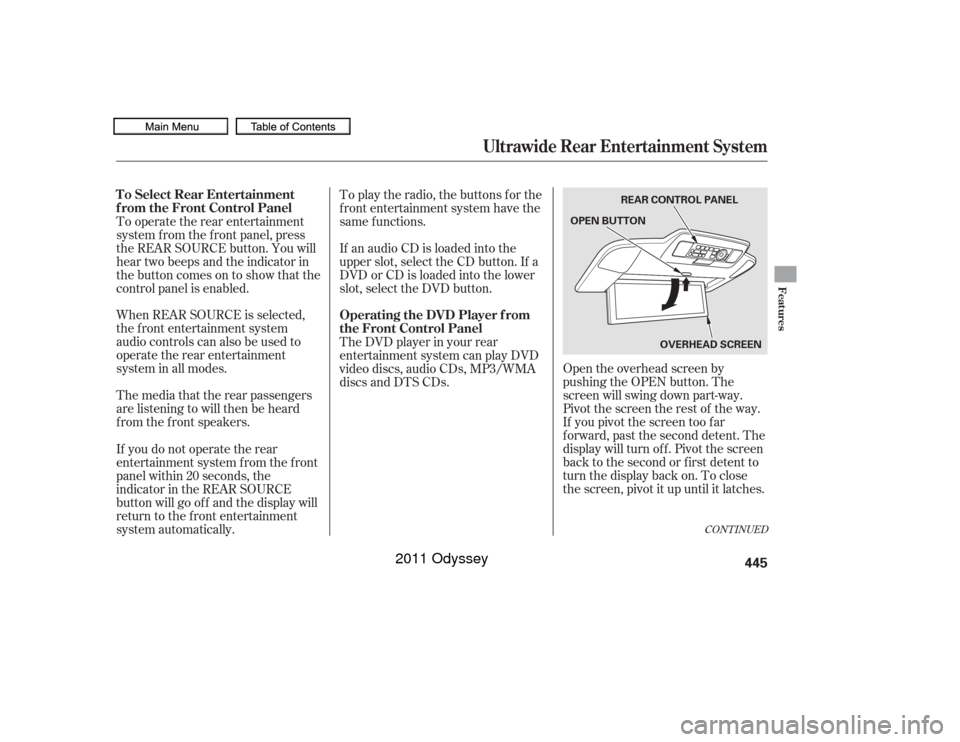
Open the overhead screen by
pushing the OPEN button. The
screen will swing down part-way.
Pivot the screen the rest of the way.
If you pivot the screen too f ar
f orward, past the second detent. The
display will turn of f . Pivot the screen
back to the second or first detent to
turn the display back on. To close
the screen, pivot it up until it latches.
To operate the rear entertainment
system f rom the f ront panel, press
the REAR SOURCE button. You will
hear two beeps and the indicator in
the button comes on to show that the
control panel is enabled.
When REAR SOURCE is selected,
the f ront entertainment system
audio controls can also be used to
operate the rear entertainment
system in all modes.
To play the radio, the buttons for the
f ront entertainment system have the
same f unctions.
The media that the rear passengers
are listening to will then be heard
f rom the f ront speakers. If an audio CD is loaded into the
upper slot, select the CD button. If a
DVDorCDisloadedintothelower
slot, select the DVD button.
The DVD player in your rear
entertainment system can play DVD
video discs, audio CDs, MP3/WMA
discs and DTS CDs.
If you do not operate the rear
entertainment system f rom the f ront
panel within 20 seconds, the
indicator in the REAR SOURCE
button will go of f and the display will
return to the front entertainment
system automatically.
CONT INUED
To Select Rear Entertainment
f rom the Front Control Panel
Operating the DVD Player f rom
the Front Control Panel
Ultrawide Rear Entertainment System
Features
445
REAR CONTROL PANEL
OPEN BUTTON
OVERHEADSCREEN
10/07/17 10:33:49 31TK8600_450
2011 Odyssey
Page 449 of 722
�µ�µ
Insert a DVD into the lower DVD/
CD slot in the audio unit.
Push the DVD in half way, the drive
will pull it in the rest of the way.
Press the button if
the DVD does not start playing
automatically.
When you insert a DVD, the system
automatically starts to play. To turn
this f eature of f , see page .
Press the button to
pause the DVD. Press the button
again or press PLAY to resume.
Pause works only with the DVD
player. 423
PL AY
PAUSE
Ultrawide Rear Entertainment System446
PLAY/PAUSE BUTTON EJECT BUTTON
SKIP BAR
CD SLOT
DVD/CD
SLOT
10/07/17 10:33:57 31TK8600_451
2011 Odyssey
Page 450 of 722
�µ
�µ To turn on the rear entertainment
system f rom the rear control panel,
press the (power) button. Press
the SOURCE button and display the
selectable entertainment sources in
the overhead screen. Turn the
interface dial and press the ENTER
button to set your selection. Make
sure the rear control operation has
not been disabled. When the f ront
audio system is of f or the f ront panel’s
Rear Power is off, the rear control
panel cannot be turned on.
Pressandholdthe
side of the SKIP bar to move
f orward. Press and hold the side of the SKIP bar to move
backward. Release the bar when the
system reaches the point you want.
Each time you press the side of
the SKIP bar and release it, the
system skips f orward to the
beginning of the next track or
chapter. Press and release the side of the SKIP bar to skip
backward to the beginning of the
current track. Press and release it
again to skip to the beginning of the
previous track or chapter.
Press the eject button to
remove the DVD from the drive.
See page . To return f ront panel control to the
f ront audio system, press the REAR
SOURCE button. You will hear a
beep and the indicator in the button
goes of f . The indicator also goes of f
automatically when you do not
operate the rear entertainment
system f or 20 seconds.
421
CONT INUED
Using the Rear Control Panel
SEEK /SK IP
EJECT To Return to Front Audio
Controls
Ultrawide Rear Entertainment System
DVD Set up
Features
447
10/07/17 10:34:05 31TK8600_452
2011 Odyssey
Page 451 of 722
�µ�µ
You can select between the two
screen modes, single or dual, f or the
overhead screen.
In single mode, your selected source
appears in the center of the screen.
In dual mode, two separate screens
appear side to side. In dual mode,
you can only select one output
source f rom the f ront audio system.
The other media f or the other screen
must come f rom ‘‘AUX-VIDEO’’ or
‘‘AUX-HDMI.’’
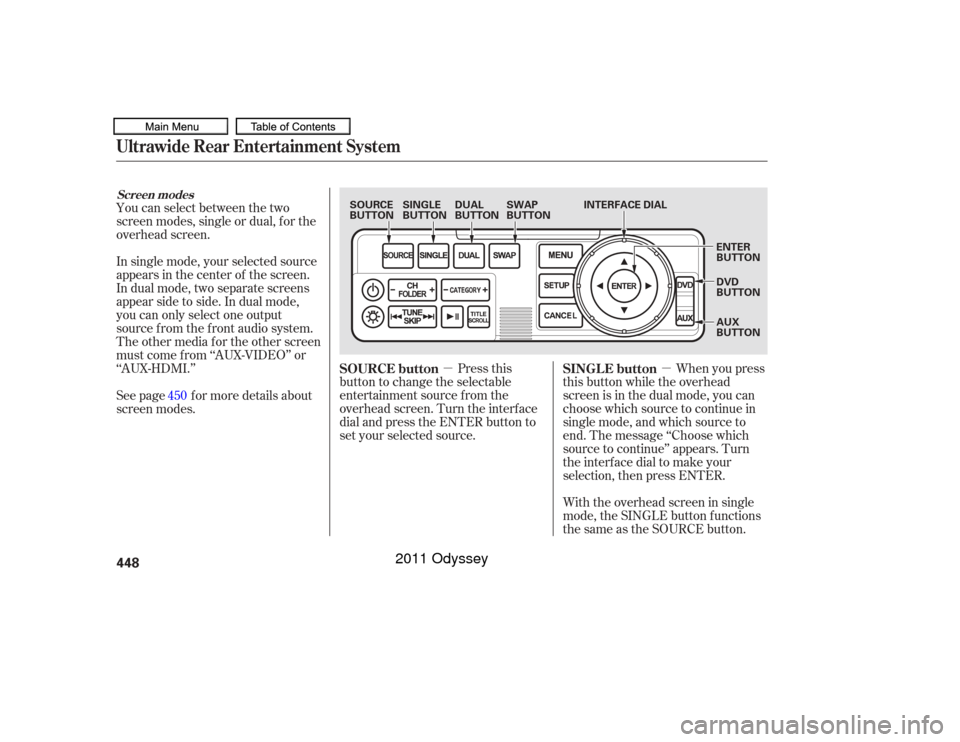
Press this
button to change the selectable
entertainment source f rom the
overhead screen. Turn the interf ace
dial and press the ENTER button to
set your selected source. When you press
this button while the overhead
screen is in the dual mode, you can
choose which source to continue in
single mode, and which source to
end. The message ‘‘Choose which
source to continue’’ appears. Turn
the interf ace dial to make your
selection, then press ENTER.
See page f or more details about
screen modes.
With the overhead screen in single
mode, the SINGLE button f unctions
the same as the SOURCE button.
450
SOURCE button
SINGLE button
Ultrawide Rear Entertainment SystemScreen modes448
SOURCE
BUTTONSINGLE
BUTTONDUAL
BUTTONSWAP
BUTTON INTERFACE DIAL
ENTER
BUTTON
DVD
BUTTON
AUX
BUTTON
10/07/17 10:34:12 31TK8600_453
2011 Odyssey
Page 455 of 722
Press the SOURCE button and turn
the interf ace dial to ‘‘XM1’’ or ‘‘XM2.’’
Press ENTER to listen to the XM
Radio. You can press either side
(or)oftheTUNE/SKIP
bar to scroll up/down and select
channels within a category (in
CATEGORY mode), or to scroll up/
down and select f rom among all
available channels (in CH mode).Press the MENU button to display
theaudiomenuontheoverhead
screen. You can enter the
highlighted f unction by pressing the
ENTER button. These f unctions
have the same features as those of
the f ront audio system.
Pressing and holding the TITLE/
SCROLL button f or 5 seconds
enables you to switch between
search modes.
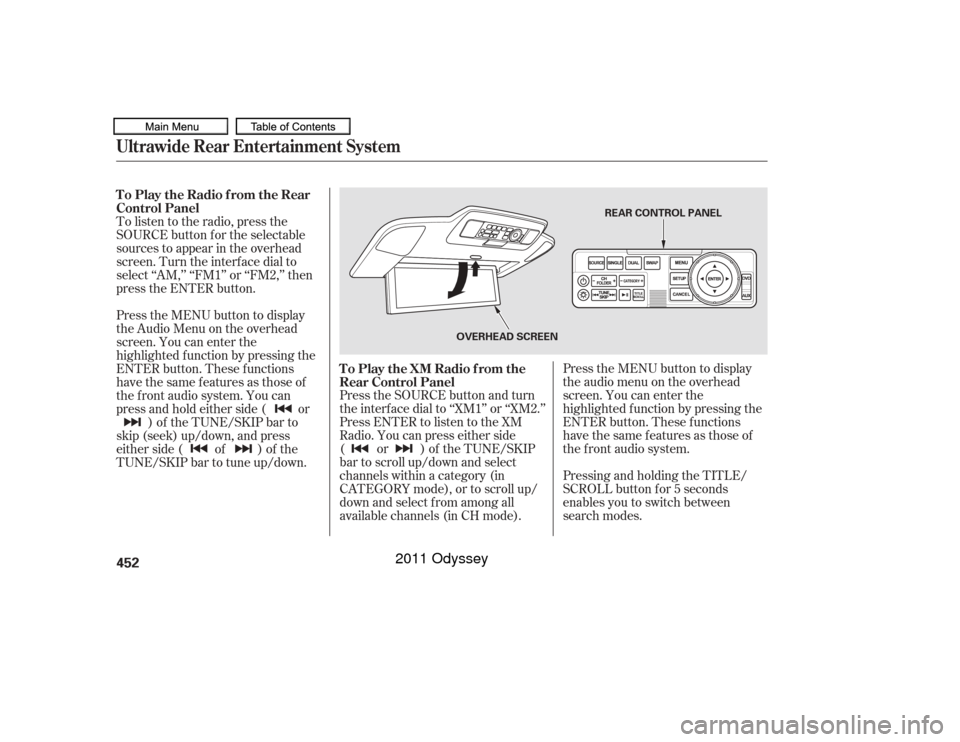
To listen to the radio, press the
SOURCE button for the selectable
sources to appear in the overhead
screen. Turn the interf ace dial to
select ‘‘AM,’’ ‘‘FM1’’ or ‘‘FM2,’’ then
press the ENTER button.
Press the MENU button to display
theAudioMenuontheoverhead
screen. You can enter the
highlighted f unction by pressing the
ENTER button. These f unctions
have the same features as those of
the f ront audio system. You can
press and hold either side ( or
)of theTUNE/SKIPbarto
skip (seek) up/down, and press
either side ( of ) of the
TUNE/SKIP bar to tune up/down. To Play the Radio f rom the Rear
Control Panel
To Play the XM Radio f rom the
Rear Control Panel
Ultrawide Rear Entertainment System452
REAR CONTROL PANEL
OVERHEAD SCREEN
10/07/17 10:34:48 31TK8600_457
2011 Odyssey