Page 481 of 722
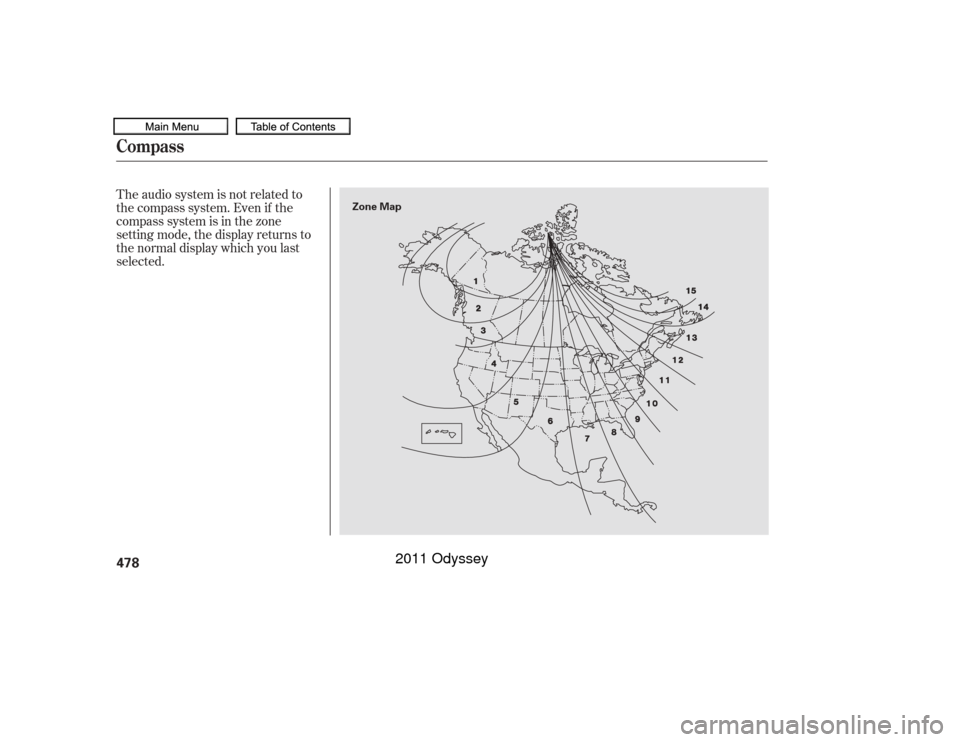
The audio system is not related to
the compass system. Even if the
compasssystemisinthezone
setting mode, the display returns to
the normal display which you last
selected.Compass478
Zone Map
10/07/17 10:38:31 31TK8600_483
2011 Odyssey
Page 482 of 722

The alarm will also be activated if a
passenger inside the locked vehicle
turns the ignition switch on.
The security system will not set if
the hood, tailgate, or any door is not
f ully closed. Bef ore you leave the
vehicle, make sure the doors,
tailgate, and hood are securely
closed.To see if the system is set
af ter you exit the vehicle, press the
LOCK button on the remote
transmitter within 5 seconds. If the
system is set, the horn will beep
once.
Do not attempt to alter this system
or add other devices to it.
The security system helps to protect
your vehicle and valuables f rom thef t.
The horn sounds and a combination
of headlights, parking lights, side
marker lights, and taillights f lash if
someone attempts to break into your
vehicleorremovetheradio.This
alarm continues f or 2 minutes, then
the system resets. To reset an
activated system before the 2
minutes have elapsed, unlock the
driver’s door with the key or the
remote transmitter.
The security system automatically
sets 15 seconds after you lock the
doors, hood, and the tailgate. For the
system to activate, you must lock the
doorsandthetailgatefromthe
outside with the key, driver’s lock
tab, door lock master switch, or
remote transmitter. The security
system indicator on the instrument
panel starts blinking immediately to
show you the system is setting itself .
Once the security system is set,
opening any door, the tailgate, or the
hood without using the key or the
remote transmitter, will cause it to
alarm. It also alarms if the audio unit
is removed f rom the dashboard or
the wiring is cut.
On all models except LX
Security System
Features
479
NOTE:
SECURITY SYSTEM INDICATOR
10/07/17 10:38:38 31TK8600_484
2011 Odyssey
Page 490 of 722
CONT INUED
When you turn the system on, a
beeper sounds once.When the system senses an obstacle,
the appropriate indicator comes on,
and a beeper sounds as shown in the
f ollowing tables.
The parking sensor indicators are
automatically displayed on the audio
screen when an obstacle is detected.
Indicators and Beeper Operation
on the Multi-Inf ormation
Display/Instrument Panel/Audio
Screen
Parking Sensor System
Features
487
Multi-Information Display
Audio Screen
Instrument Panel
10/07/19 15:58:37 31TK8600_492
2011 Odyssey
Page 491 of 722
Example shown: Obstacle is at the lef t f ront of the vehicle.Beeper Indicator
Audio
Screen
Indicator
Color Distance About 14 in
(35 cm) or less
About 14-18 in
(35-45 cm)
About 18-24 in
(45-60 cm)
Short beeps
Very short beepsContinuous
beeps
Red
Amber Upper lef t indicator stays on.
Indicator blinks.Corner Sensor Operat ionParking Sensor System488
AUDIO SCREEN
MULTI-INFORMATION DISPLAY INDICATOR
INSTRUMENT PANEL
10/07/19 15:58:45 31TK8600_493
2011 Odyssey
Page 492 of 722
CONT INUED
Distance
Indicator
Beeper
Audio
Screen
Indicator
ColorAbout 28-43 in
(70-110 cm)
About 18 in
(45 cm) or less
About 18-22 in
(45-55 cm)
About 22-28 in
(55-70 cm)
Long beeps Continuous
beeps
Very short beeps
Short beeps
Yellow Red
Amber
Bottom indicator stays on.
Indicator blinks.Rear Cent er Sensor Operat ion
Parking Sensor System
Features
489
AUDIO SCREEN
MULTI-INFORMATION DISPLAY INDICATOR
INSTRUMENT PANEL
10/07/19 15:58:53 31TK8600_494
2011 Odyssey
Page 496 of 722
Whenever you shif t to reverse (R)
with the ignition switch in the ON
(II) position, the rearview is shown
on the display.The camera display has parking
guidelines that indicate distance
f rom your vehicle.
The parking sensor indicators are
automatically displayed on the audio
screen when an obstacle is detected. 1st Line
2nd Line
3rd Line
4th Line
20 in (0.5 m)
39 in (1 m)
79 in (2 m)
118 in (3 m)
CONT INUED
On Canadian EX and EX-L without
navigation system
Canadian EX-L models
Rearview Camera and Monitor
Features
493
4th Line 3rd Line 2nd Line 1st Line
SCREEN DISPLAY
ACTUAL DISTANCE
10/07/17 10:40:30 31TK8600_498
2011 Odyssey
Page 499 of 722
�µ�µ
�µ
�µ To change the volume level of
HFL, use the audio system volume
knob or the steering wheel volume
controls. Try to reduce all background
noise. If the microphone picks up
voices other than yours,
commands may be misinterpreted.
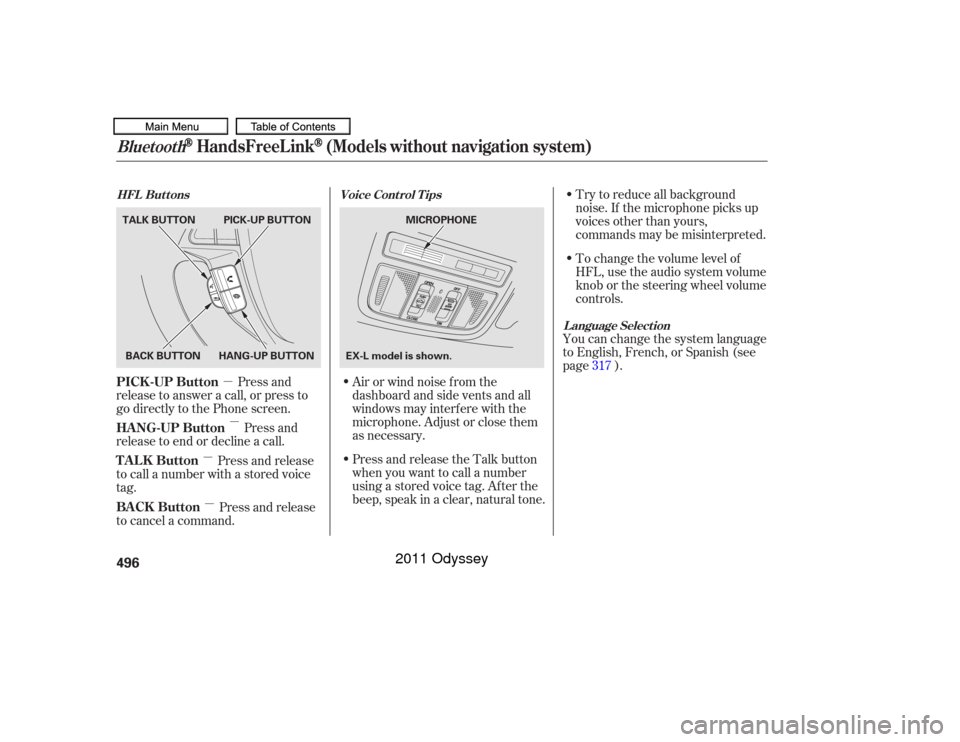
Press and
release to answer a call, or press to
go directly to the Phone screen.
Press and
release to end or decline a call. Airorwindnoisefromthe
dashboard and side vents and all
windows may interfere with the
microphone. Adjust or close them
as necessary.You can change the system language
to English, French, or Spanish (see
page ).
Press and release
to call a number with a stored voice
tag.
Press and release
to cancel a command. Press and release the Talk button
when you want to call a number
using a stored voice tag. Af ter the
beep, speak in a clear, natural tone. 317
Voice Cont rol T ips
HFL Buttons
L anguage Select ion
Bluetooth
HandsFreeL ink
(Models without navigation system)
PICK -UP Button
HANG-UP Button
TALK Button
BACK Button496BACK BUTTON
TALK BUTTON PICK-UP BUTTON
HANG-UP BUTTON MICROPHONE
EX-L model is shown.
10/07/17 10:40:57 31TK8600_501
2011 Odyssey
Page 511 of 722
�Î
�ΠUp to three category icons appear
next to the phonebook entries .
These indicate how many numbers
are stored f or the name. If a name
has more than three category icons,
‘‘…’’ is displayed.Availableonsomephones
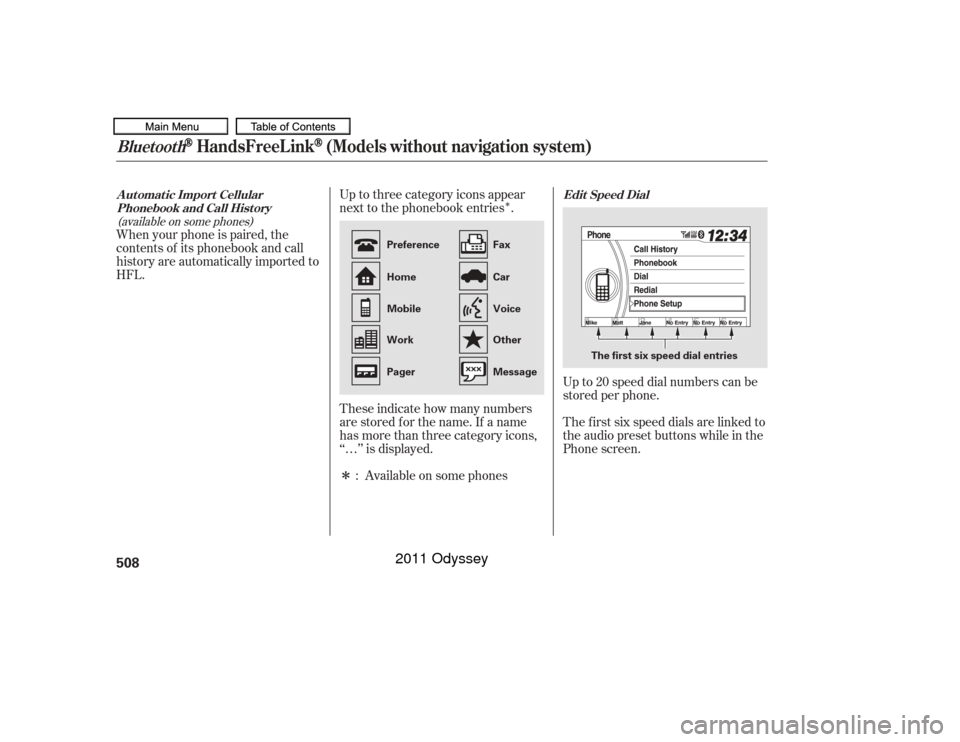
When your phone is paired, the
contents of its phonebook and call
history are automatically imported to
HFL.
Up to 20 speed dial numbers can be
stored per phone.
The f irst six speed dials are linked to
the audio preset buttons while in the
Phone screen.
:
(available on some phones) Edit Speed Dial
A ut omat ic Import Cellular
Phonebook and Call Hist oryBluetooth
HandsFreeL ink
(Models without navigation system)
508
The first six speed dial entries
Home
Work
OtherVoice
Car
Preference
Mobile Fax
Message
Pager
10/07/17 10:42:31 31TK8600_513
2011 Odyssey