Page 275 of 722
�µ�µ �µ
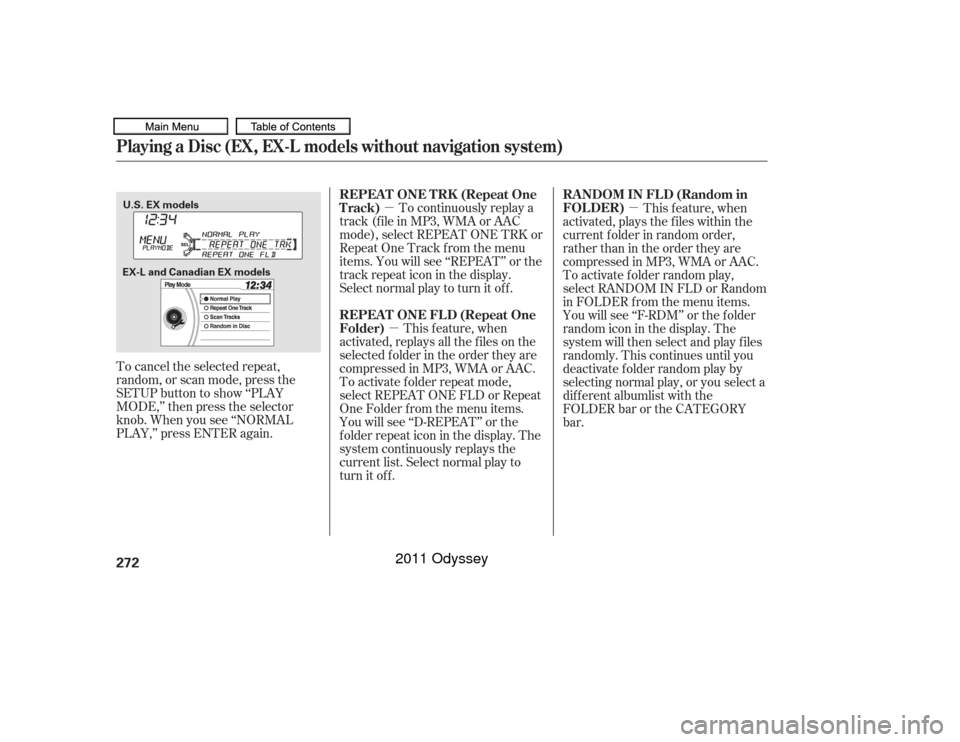
To cancel the selected repeat,
random, or scan mode, press the
SETUP button to show ‘‘PLAY
MODE,’’ then press the selector
knob. When you see ‘‘NORMAL
PLAY,’’ press ENTER again. To continuously replay a
track (f ile in MP3, WMA or AAC
mode), select REPEAT ONE TRK or
Repeat One Track f rom the menu
items. You will see ‘‘REPEAT’’ or the
track repeat icon in the display.
Select normal play to turn it of f .
This f eature, when
activated, replays all the files on the
selectedfolderintheordertheyare
compressed in MP3, WMA or AAC.
To activate f older repeat mode,
select REPEAT ONE FLD or Repeat
One Folder f rom the menu items.
You will see ‘‘D-REPEAT’’ or the
f older repeat icon in the display. The
system continuously replays the
current list. Select normal play to
turn it off. This f eature, when
activated, plays the f iles within the
current f older in random order,
rather than in the order they are
compressed in MP3, WMA or AAC.
To activate folder random play,
select RANDOM IN FLD or Random
in FOLDER from the menu items.
You will see ‘‘F-RDM’’ or the f older
random icon in the display. The
system will then select and play f iles
randomly. This continues until you
deactivate f older random play by
selecting normal play, or you select a
dif f erent albumlist with the
FOLDERbarortheCATEGORY
bar.
Playing a Disc (EX, EX-L models without navigation system)
REPEAT ONE TRK (Repeat One
Track)
REPEA T ONE FL D (Repeat One
Folder) RANDOM IN FLD (Random in
FOLDER)
272U.S. EX models
EX-L and Canadian EX models
10/07/17 10:10:50 31TK8600_277
2011 Odyssey
Page 276 of 722
�µ�µ �µ
CONT INUED
This f eature plays the tracks on disc
(the f iles in MP3, WMA or AAC
mode) in random order. To activate
random play, select RANDOM or
Random in Disc f rom the menu
items. You will see ‘‘RANDOM’’ or
disc random icon in the display.
Select normal play to return to
normal play.The
SCAN f unction samples all the
tracks on the disc in the order they
are recorded on the disc (all f iles in
the selected f older in MP3, WMA or
AAC mode). To activate the scan
f eature, press and release the SCAN
button. You will see ‘‘SCAN’’ in the
display. You will get a 10 second
sampling of each track/f ile in the
disc/f older. Press and hold the
SCAN button to get out of scan
mode and play the last track sampled.
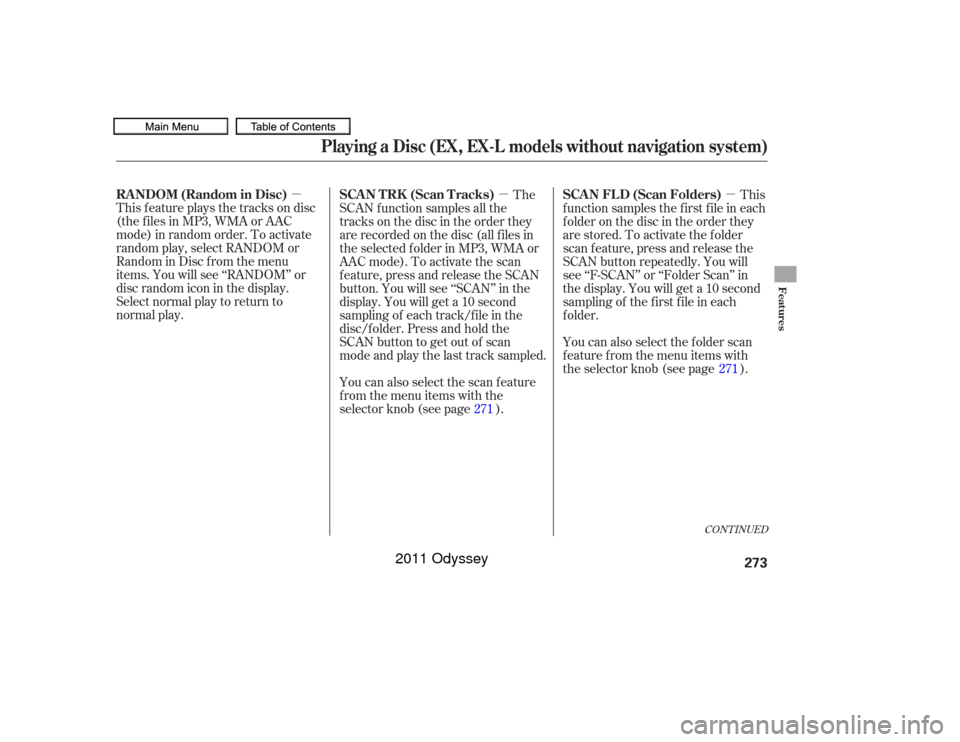
You can also select the scan feature
from the menu items with the
selector knob (see page ). This
f unction samples the f irst f ile in each
folder on the disc in the order they
are stored. To activate the folder
scan feature, press and release the
SCAN button repeatedly. You will
see ‘‘F-SCAN’’ or ‘‘Folder Scan’’ in
the display. You will get a 10 second
sampling of the f irst f ile in each
f older.
You can also select the folder scan
f eature f rom the menu items with
the selector knob (see page ).
271 271
Playing a Disc (EX, EX-L models without navigation system)
RANDOM (Random in Disc) SCAN TRK (Scan Tracks)
SCAN FLD (Scan Folders)
Features
273
10/07/17 10:10:56 31TK8600_278
2011 Odyssey
Page 278 of 722
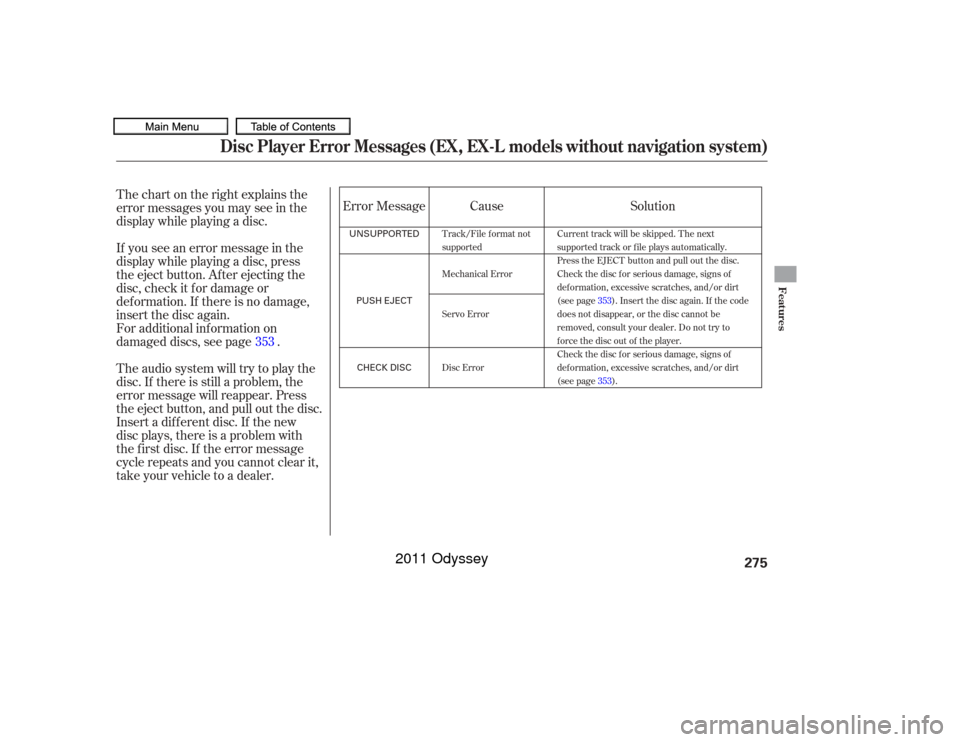
Thechartontherightexplainsthe
error messages you may see in the
display while playing a disc.
If you see an error message in the
display while playing a disc, press
the eject button. After ejecting the
disc, check it for damage or
deformation. If there is no damage,
insert the disc again.
For additional information on
damaged discs, see page .
Theaudiosystemwilltrytoplaythe
disc. If there is still a problem, the
error message will reappear. Press
the eject button, and pull out the disc.
Insert a dif f erent disc. If the new
disc plays, there is a problem with
the f irst disc. If the error message
cycle repeats and you cannot clear it,
take your vehicle to a dealer.Cause
Error Message Solution
353
Track/File format not
supported
Mechanical Error
Servo Error
Disc Error Current track will be skipped. The next
supported track or file plays automatically.
Press the EJECT button and pull out the disc.
Check the disc for serious damage, signs of
deformation, excessive scratches, and/or dirt
(see page
353). Insert the disc again. If the code
does not disappear, or the disc cannot be
removed, consult your dealer. Do not try to
force the disc out of the player.
Check the disc for serious damage, signs of
deformation, excessive scratches, and/or dirt
(see page 353).
Disc Player Error Messages (EX, EX-L models without navigation system)
Features
275
UNSUPPORTED
PUSH EJECTCHECK DISC
10/07/17 10:11:09 31TK8600_280
2011 Odyssey
Page 280 of 722
�µ
�µ
�µ
�µ
�µ
�µ
�µ
�µ
�µ
If equippedThe CD Library Audio f unction can
record tracks from music CDs to the
f lash memory. Each music CD is
stored on an albumlist. This audio
system can store up to 18 albums.Digital music f iles, such as MP3,
WMA, AAC etc., from CD-R,
DVD-R and USB f lash memory
devices cannot be copied to the
CD Library. Likewise, digital
musicfilesrecordedintheCD
Library cannot be copied to CD-R,
DVD-R and USB devices. Music data recorded in the CD
Library can only be used f or
personal use.
Title inf ormation will be displayed
when the inf ormation is f ound in
the Gracenote
Album Inf o
(Gracenote
Media Database) in
the built-in f lash memory. See
page .
If the CD Library is ever replaced,
all data will be lost and stored
music will not be recovered.
Only recordings f rom a standard
CD-DA (44.1 kHz, 16 bit stereo
PCM digital sound data) to CD
Library are supported.
Although data is recorded using
ultra-ef f icient compression
technology, sound quality may
vary slightly f rom the original.Recording f unction f rom f ollowing
media is not supported.
CD-DA which prohibits the
copying by SCMS
CD-DA with copy control
SACD (Super Audio CD)
DTS-CD
DVD-A
CD-R/RW
DVD-R/RW
Copy controlled CDs (Playback
cannot be guaranteed)
DTS-CDs (Only enabled f or
playback)
380
Playing CD L ibrary A udio (EX, EX-L models without navigation system)
Features
277
NOTE:
10/07/17 10:11:27 31TK8600_282
2011 Odyssey
Page 281 of 722
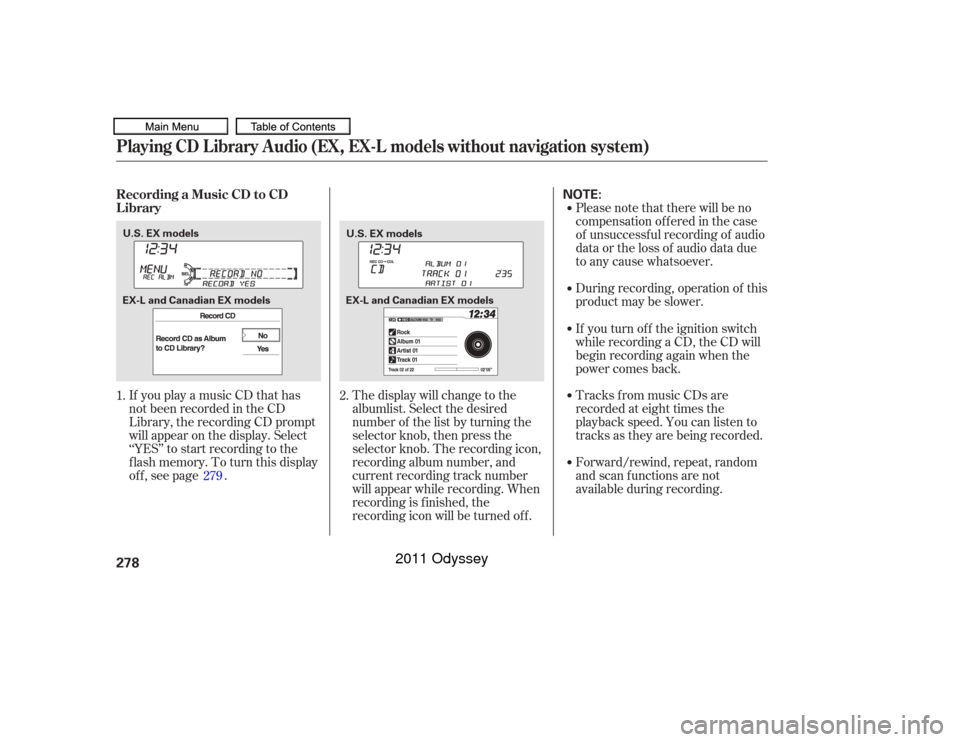
If you play a music CD that has
not been recorded in the CD
Library, the recording CD prompt
will appear on the display. Select
‘‘YES’’ to start recording to the
f lash memory. To turn this display
off, see page .Please note that there will be no
compensation of f ered in the case
of unsuccessf ul recording of audio
data or the loss of audio data due
to any cause whatsoever.
During recording, operation of this
product may be slower.
Tracks from music CDs are
recorded at eight times the
playback speed. You can listen to
tracks as they are being recorded.
Forward/rewind, repeat, random
and scan f unctions are not
available during recording.
The display will change to the
albumlist. Select the desired
number of the list by turning the
selector knob, then press the
selector knob. The recording icon,
recording album number, and
current recording track number
will appear while recording. When
recording is f inished, the
recording icon will be turned of f . If you turn of f the ignition switch
while recording a CD, the CD will
begin recording again when the
power comes back.
1. 2.
279
Playing CD L ibrary A udio (EX, EX-L models without navigation system)Recording a Music CD to CD
L ibrary278
NOTE:
U.S. EX models U.S. EX models
EX-L and Canadian EX models EX-L and Canadian EX models
10/07/17 10:11:38 31TK8600_283
2011 Odyssey
Page 282 of 722
Youcanlistentotracksfromother
albumlists that have already been
recorded while recording. Press
the CD-L button and switch over
to CD Library Audio.
Recording settings cannot be
changed during recording.Each time you press and release the
selector knob, this f eature turns on
and off.
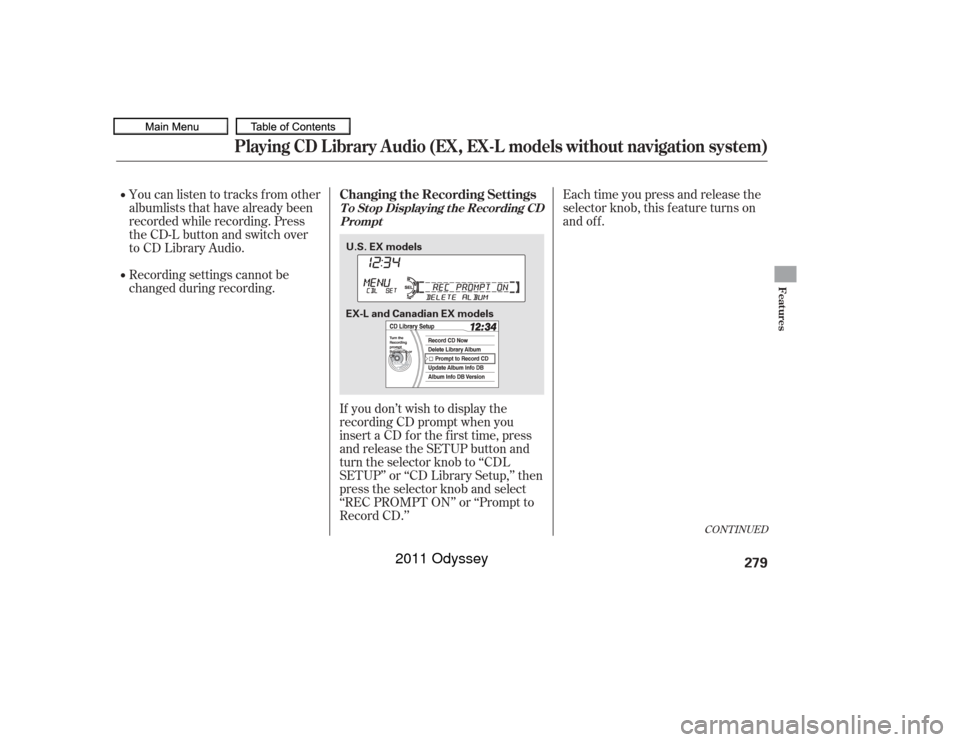
If you don’t wish to display the
recording CD prompt when you
insert a CD f or the f irst time, press
and release the SETUP button and
turn the selector knob to ‘‘CDL
SETUP’’ or ‘‘CD Library Setup,’’ then
press the selector knob and select
‘‘REC PROMPT ON’’ or ‘‘Prompt to
Record CD.’’
CONT INUED
Playing CD L ibrary A udio (EX, EX-L models without navigation system)
Changing the Recording SettingsT o St op Displaying t he Recording CD Prompt
Features
279
U.S. EX models
EX-L and Canadian EX models
10/07/17 10:11:46 31TK8600_284
2011 Odyssey
Page 283 of 722
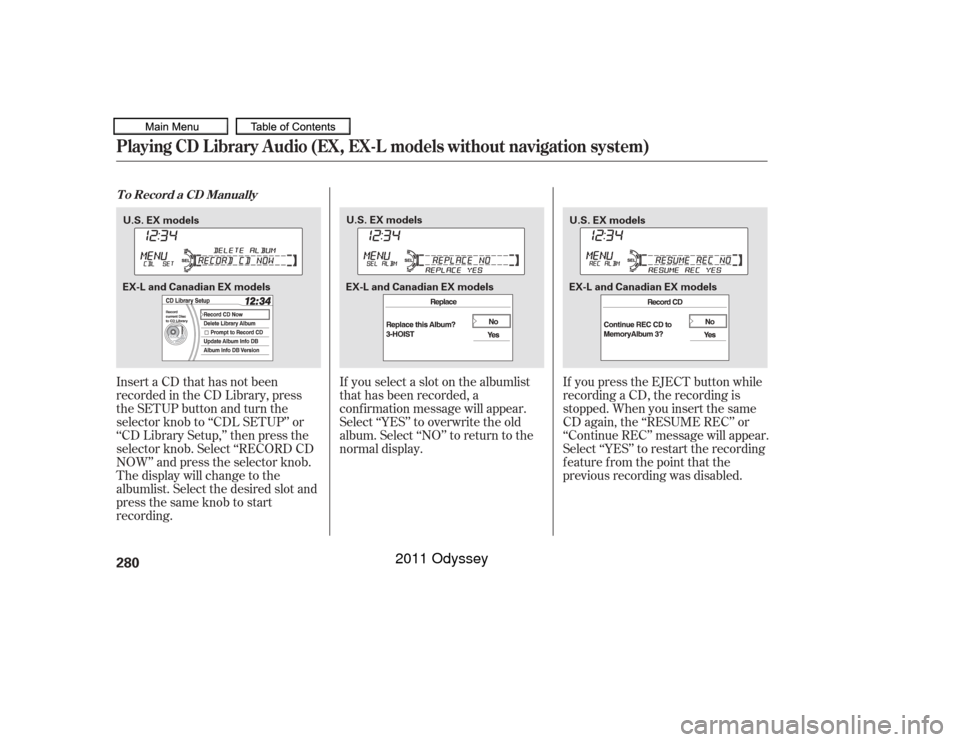
InsertaCDthathasnotbeen
recorded in the CD Library, press
the SETUP button and turn the
selector knob to ‘‘CDL SETUP’’ or
‘‘CD Library Setup,’’ then press the
selector knob. Select ‘‘RECORD CD
NOW’’ and press the selector knob.
The display will change to the
albumlist. Select the desired slot and
press the same knob to start
recording.If you select a slot on the albumlist
that has been recorded, a
conf irmation message will appear.
Select ‘‘YES’’ to overwrite the old
album. Select ‘‘NO’’ to return to the
normal display.
If you press the EJECT button while
recording a CD, the recording is
stopped. When you insert the same
CD again, the ‘‘RESUME REC’’ or
‘‘Continue REC’’ message will appear.
Select ‘‘YES’’ to restart the recording
f eature f rom the point that the
previous recording was disabled.Playing CD L ibrary A udio (EX, EX-L models without navigation system)T o Record a CD Manually280U.S. EX models
U.S. EX models
U.S. EX models
EX-L and Canadian EX models EX-L and Canadian EX modelsEX-L and Canadian EX models
10/07/17 10:11:56 31TK8600_285
2011 Odyssey
Page 284 of 722
�´
�µ
�µ �´
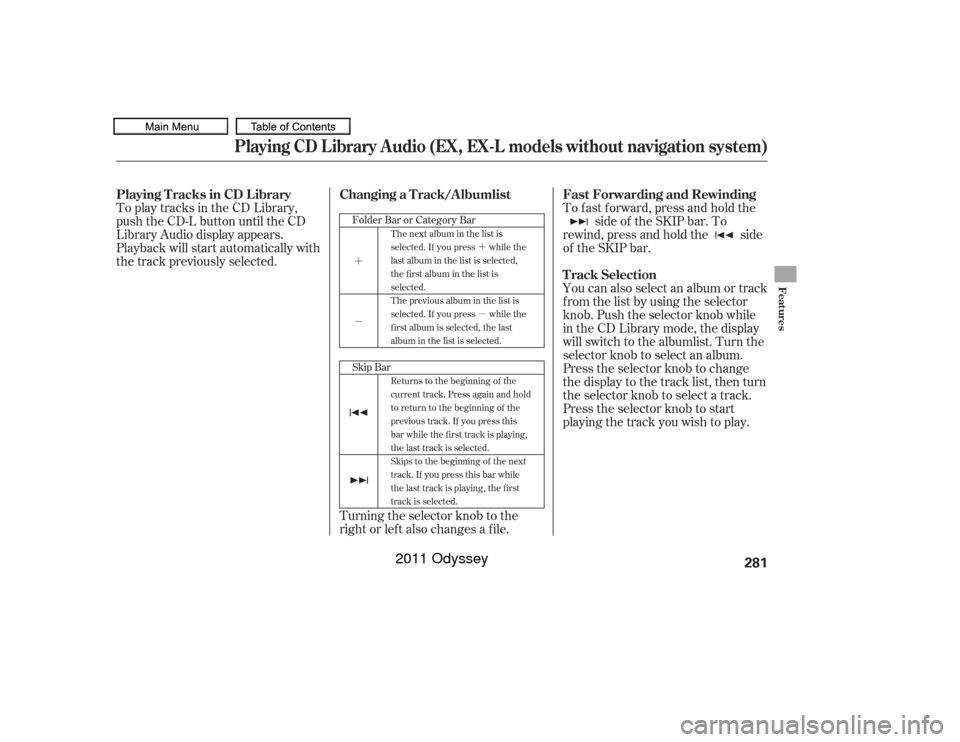
To fast forward, press and hold theside of the SKIP bar. To
rewind, press and hold the side
of the SKIP bar.
To play tracks in the CD Library,
push the CD-L button until the CD
Library Audio display appears.
Playback will start automatically with
the track previously selected.
You can also select an album or track
from the list by using the selector
knob. Push the selector knob while
in the CD Library mode, the display
will switch to the albumlist. Turn the
selector knob to select an album.
Press the selector knob to change
the display to the track list, then turn
the selector knob to select a track.
Press the selector knob to start
playing the track you wish to play.
Turning the selector knob to the
right or lef t also changes a f ile.
Skip Bar FolderBarorCategoryBar
The next album in the list is
selected. If you press while the
last album in the list is selected,
the first album in the list is
selected.
The previous album in the list is
selected. If you press while the
first album is selected, the last
album in the list is selected.
Returns to the beginning of the
current track. Press again and hold
to return to the beginning of the
previous track. If you press this
bar while the first track is playing,
the last track is selected.
Skips to the beginning of the next
track. If you press this bar while
the last track is playing, the first
track is selected.
Fast Forwarding and Rewinding
Playing Tracks in CD Library
T rack Selection
Changing a Track/Albumlist
Playing CD L ibrary A udio (EX, EX-L models without navigation system)
Features
281
10/07/17 10:12:05 31TK8600_286
2011 Odyssey