Page 325 of 722
�µ
�µ
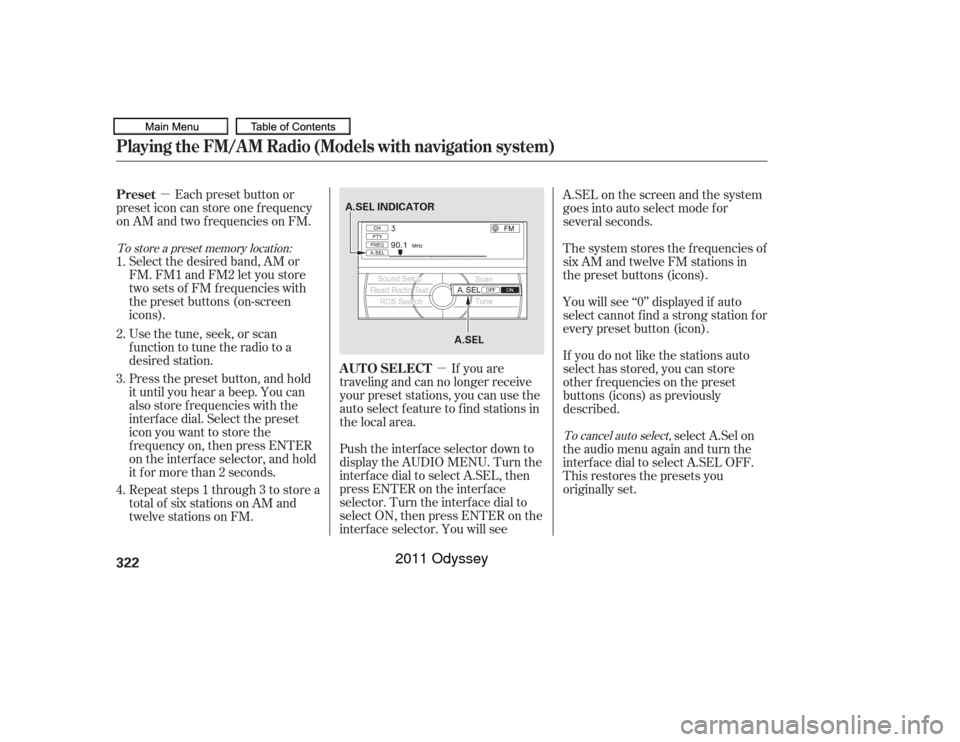
If you are
traveling and can no longer receive
your preset stations, you can use the
auto select feature to find stations in
the local area.
Each preset button or
preset icon can store one f requency
on AM and two f requencies on FM.
Select the desired band, AM or
FM. FM1 and FM2 let you store
twosetsof FMfrequencieswith
the preset buttons (on-screen
icons).
Usethetune,seek,orscan
function to tune the radio to a
desired station.
Press the preset button, and hold
it until you hear a beep. You can
also store f requencies with the
interf ace dial. Select the preset
icon you want to store the
f requency on, then press ENTER
on the interf ace selector, and hold
it f or more than 2 seconds.
Repeat steps 1 through 3 to store a
total of six stations on AM and
twelve stations on FM. Push the interf ace selector down to
display the AUDIO MENU. Turn the
interf ace dial to select A.SEL, then
press ENTER on the interf ace
selector. Turn the interf ace dial to
select ON, then press ENTER on the
interf ace selector. You will see A.SEL on the screen and the system
goes into auto select mode for
several seconds.
The system stores the f requencies of
six AM and twelve FM stations in
the preset buttons (icons).
You will see ‘‘0’’ displayed if auto
select cannot f ind a strong station f or
every preset button (icon).
If you do not like the stations auto
select has stored, you can store
other f requencies on the preset
buttons (icons) as previously
described.
select A.Sel on
the audio menu again and turn the
interf ace dial to select A.SEL OFF.
This restores the presets you
originally set.
1.
2.
3.
4.
To store a preset memory location:
To cancel auto select,
AUTO SELECT
Preset
Playing the FM/A M Radio (Models with navigation system)322
A.SEL INDICATOR
A.SEL
10/07/17 10:17:08 31TK8600_327
2011 Odyssey
Page 335 of 722
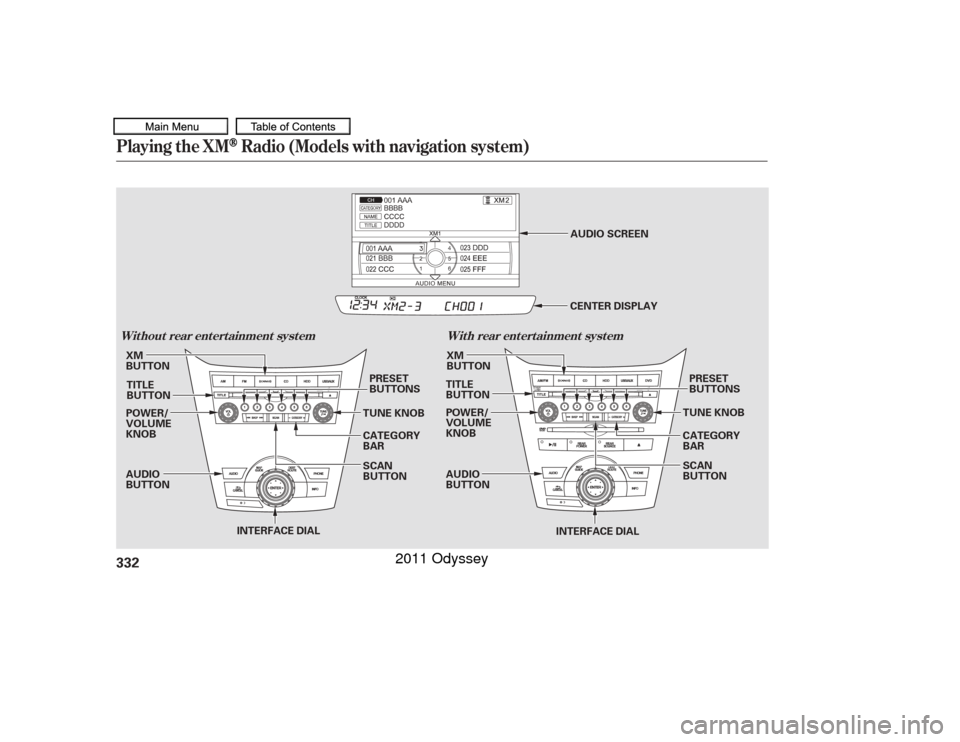
Playing the XM
Radio (Models with navigation system)
Wit hout rear ent ert ainment syst emWit h rear ent ert ainment syst em332
INTERFACE DIAL
AUDIO
BUTTON POWER/
VOLUME
KNOB
POWER/
VOLUME
KNOB
AUDIO
BUTTONPRESET
BUTTONS
PRESET
BUTTONS
INTERFACE DIAL
XM
BUTTON
TITLE
BUTTON TUNE KNOB
CATEGORY
BARXM
BUTTON
TITLE
BUTTON
CATEGORY
BAR TUNE KNOB
SCAN
BUTTON CENTER DISPLAY
AUDIO SCREEN
SCAN
BUTTON
10/07/17 10:18:19 31TK8600_337
2011 Odyssey
Page 338 of 722
�µ
�µ
�µ
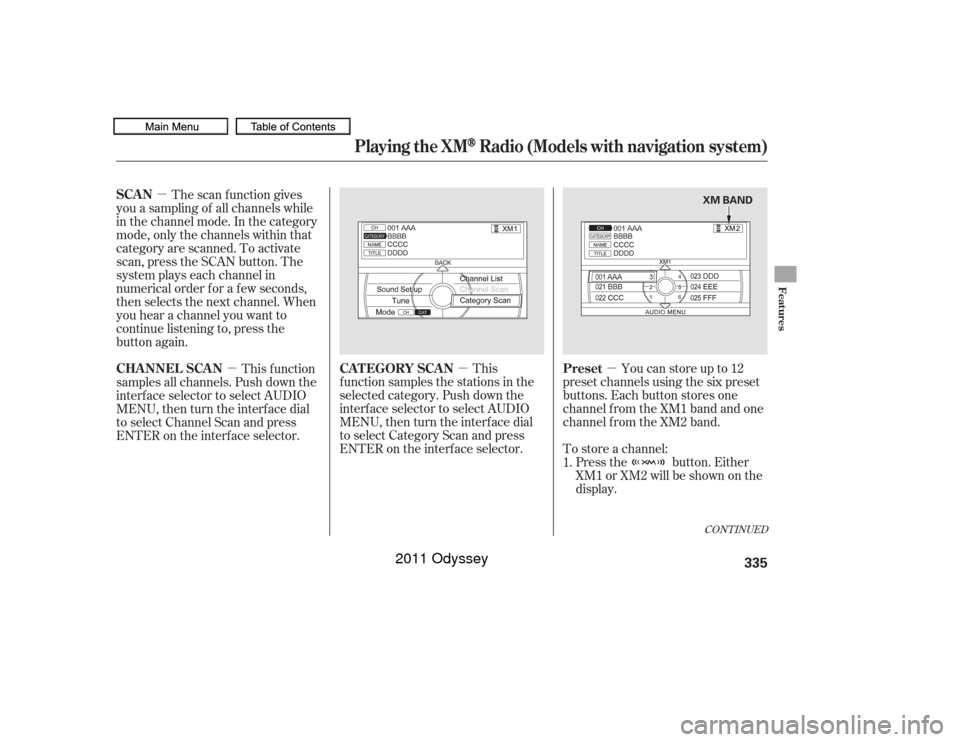
�µ Press the button. Either
XM1 or XM2 will be shown on the
display.
To store a channel: Youcanstoreupto12
preset channels using the six preset
buttons. Each button stores one
channel f rom the XM1 band and one
channel f rom the XM2 band.
This
f unction samples the stations in the
selected category. Push down the
interf ace selector to select AUDIO
MENU,thenturntheinterfacedial
to select Category Scan and press
ENTER on the interf ace selector.
The scan f unction gives
you a sampling of all channels while
in the channel mode. In the category
mode, only the channels within that
category are scanned. To activate
scan, press the SCAN button. The
system plays each channel in
numerical order f or a f ew seconds,
then selects the next channel. When
you hear a channel you want to
continue listening to, press the
button again.
This f unction
samples all channels. Push down the
interf ace selector to select AUDIO
MENU,thenturntheinterfacedial
to select Channel Scan and press
ENTER on the interf ace selector.
1.
CONT INUED
Preset
CAT EGORY SCAN
SCAN
CHA NNEL SCA N
Playing the XM
Radio (Models with navigation system)
Features
335
XM BAND
10/07/17 10:18:43 31TK8600_340
2011 Odyssey
Page 339 of 722
�µ�µ
�µ
�µ
�µ
�µ �µ
Once a channel is stored, press
and release the proper preset
button to tune to it.
Press the button or scroll
up again. The other XM band will
be shown. Store the next six
channels using steps 2 and 3. Repeat steps 2 and 3 to store the
f irst six channels. Pick the preset button you want
f or that channel. Press and hold
the preset button until you hear a
beep. You can also pick the
number with the interf ace dial.
Select your desired number and
press and hold ENTER on the
interf ace selector. In category mode, only channels
within that category can be
selected. In channel mode, all
channels can be selected. Use the tune, list, or scan f unction
to tune to a desired channel. The selected
channel has no artist or title
inf ormation at this time.
There is
a problem with the XM antenna.
Please consult your dealer.
The signal is
currently too weak. Move the vehicle
to an area away from tall buildings,
and with an unobstructed view of the
southern horizon. XM is loading the
audio or program inf ormation. The channel
currently selected is no longer
broadcasting.
The
encryption code is being updated.
Wait until the encryption code is
f ully updated. Channels 0 and 1
should still work normally. The selected
channel number does not exist, is
not part of your subscription, or this
channel has no artist or title
inf ormation at this time.
5. 3.
4. 2. XM Radio Display Messages‘‘NO INFO’’
‘‘CHECK A NT ENNA ’’
‘‘NO SIGNA L ’’ ‘‘L OA DING’’ ‘‘OFF A IR’’
‘‘UNA UT HORIZED’’ ‘‘UNA VA IL A BL E’’
Playing the XM
Radio (Models with navigation system)
336
10/07/17 10:18:53 31TK8600_341
2011 Odyssey
Page 389 of 722
�µEach time you press and
releasethe sideof theSKIPbar,
the system skips forward to the
beginning of the next track. Press
and release the side of the bar
to skip backward to the beginning of
the current track. Press it again to
skip to the beginning of the previous
track. Use the SKIP bar while an iPod is
playing to select passages and
change f iles.
To move rapidly within playing track,
press and hold either side ( or ) of the SKIP bar.
If the iPod indicator does not appear
in the audio display, check the
connections, and try to reconnect the
iPod a f ew times.
If the audio system still does not
recognize the iPod, the iPod may
need to be reset. Follow the
instructions that came with your
iPod, or you can f ind reset
instructions online at
The current f ile number and total of
the selected playable f iles are
displayed in the center display.
Pressing the AUDIO button displays
the artist, album and track (f ile)
names on the navigation screen.
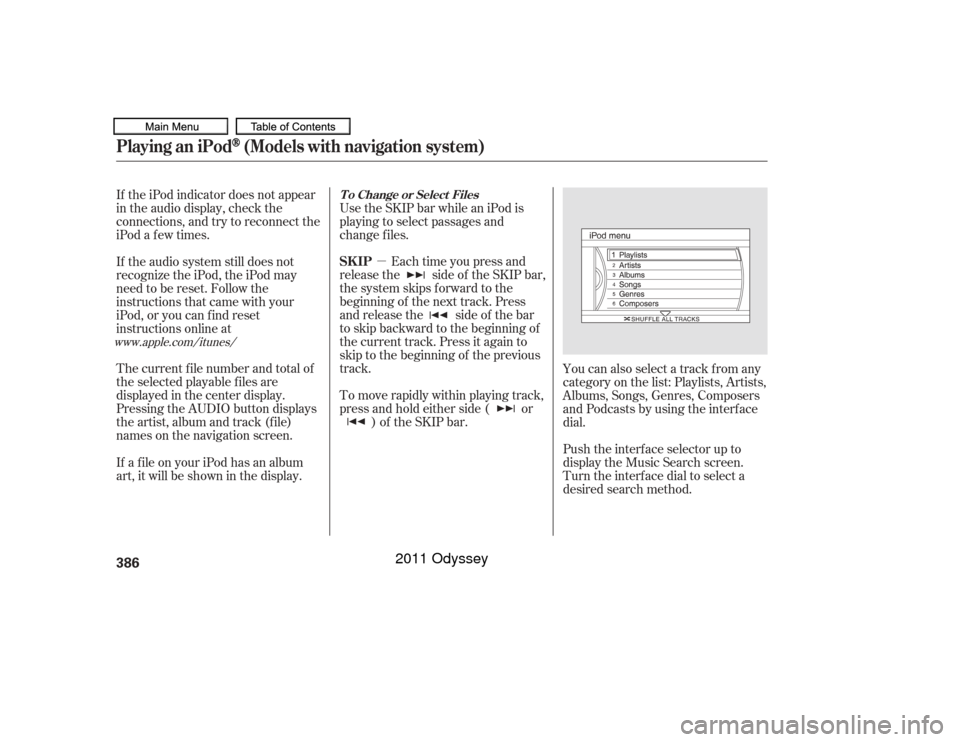
You can also select a track from any
category on the list: Playlists, Artists,
Albums, Songs, Genres, Composers
andPodcastsbyusingtheinterface
dial.
Push the interf ace selector up to
display the Music Search screen.
Turn the interf ace dial to select a
desired search method.
If a f ile on your iPod has an album
art, it will be shown in the display.
www.apple.com/
itunes/ T o Change or Select Files
SK IP
Playing an iPod
(Models with navigation system)
386
10/07/17 10:25:47 31TK8600_391
2011 Odyssey
Page 414 of 722
�´
�µ �´�µ
�´
�µ
The MODE button changes the
mode.
Pressing the MODE button
repeatedly cycles through all
possible media sources whether they
are present or not.
Pressing the MODE button
repeatedly cycles through all present,
connected media sources. Media
sources that are not present or
connected will not appear when
cycling with the MODE button.
If you are listening to the radio, use
the CH button to change stations.
Each time you press the top ( ) of
the button, the system goes to the
next preset station on the band you
are listening to. Press the bottom
( ) to go back to the previous
station. To search up and down f rom the
current f requency and f ind a station
with a strong signal, press the top
( ) or bottom ( ) of the button for
1 second.
If you are playing a disc, the system
skips to the beginning of the next
track each time you press the top
( ) of the CH button. Press the
bottom ( ) to return to the
beginning of the current track. Press
it again to return to the previous
track. You will see the disc and track
numbers in the upper display.
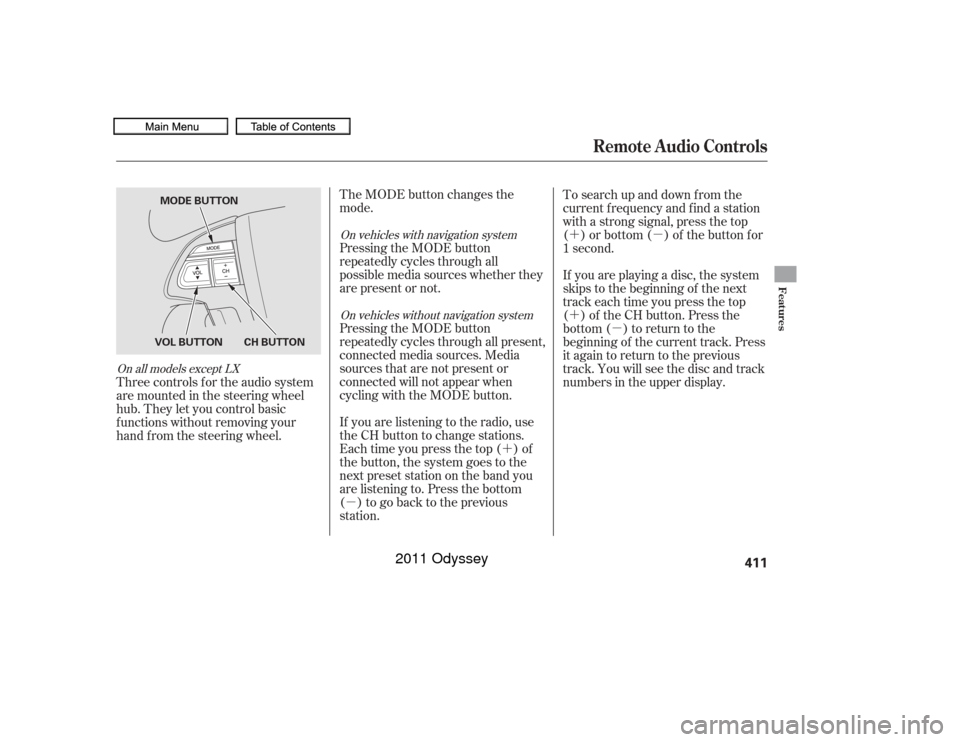
Three controls f or the audio system
are mounted in the steering wheel
hub. They let you control basic
f unctions without removing your
hand f rom the steering wheel.
On vehicles with navigation system
On vehicles without navigation system
On all models except LX
Remote Audio Controls
Features
411
CH BUTTON
VOL BUTTON MODE BUTTON
10/07/17 10:29:09 31TK8600_416
2011 Odyssey
Page 416 of 722
�µ
�µ
On all models except LXIf your vehicle’s battery is
disconnected or goes dead, or the
radio f use is removed, the audio
system will disabled itself . If this
happens, there are two methods to
make it work again. Turn the ignition
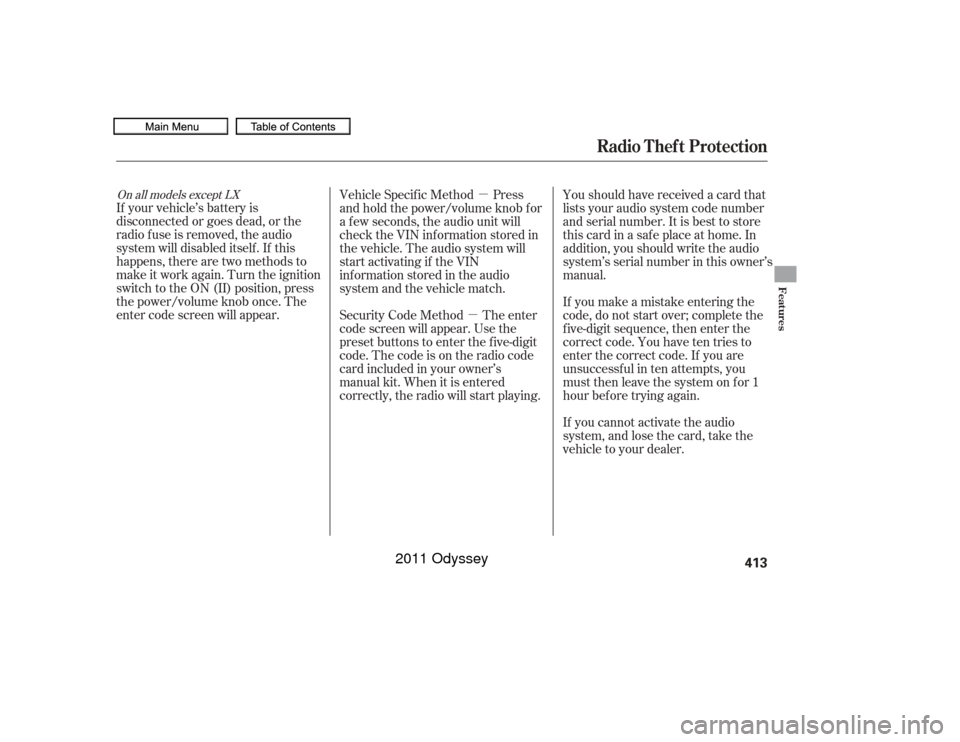
switch to the ON (II) position, press
the power/volume knob once. The
enter code screen will appear. Vehicle Specif ic Method Press
and hold the power/volume knob f or
a f ew seconds, the audio unit will
check the VIN inf ormation stored in
the vehicle. The audio system will
start activating if the VIN
informationstoredintheaudio
system and the vehicle match.
Security Code Method The enter
code screen will appear. Use the
preset buttons to enter the five-digit
code. The code is on the radio code
card included in your owner’s
manual kit. When it is entered
correctly, the radio will start playing. Youshouldhavereceivedacardthat
lists your audio system code number
and serial number. It is best to store
this card in a saf e place at home. In
addition, you should write the audio
system’s serial number in this owner’s
manual.
If you make a mistake entering the
code, do not start over; complete the
f ive-digit sequence, then enter the
correct code. You have ten tries to
enter the correct code. If you are
unsuccessful in ten attempts, you
must then leave the system on for 1
hour bef ore trying again.
If you cannot activate the audio
system, and lose the card, take the
vehicle to your dealer.
Radio Thef t Protection
Features
413
10/07/17 10:29:19 31TK8600_418
2011 Odyssey
Page 434 of 722
�Û�Ý
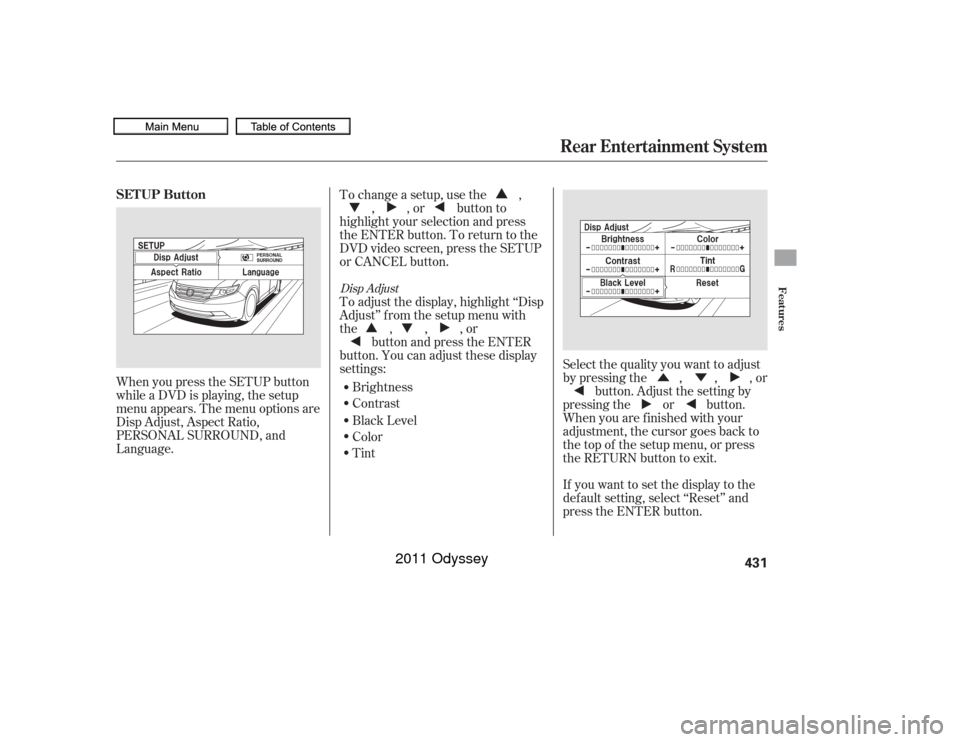
When you press the SETUP button
while a DVD is playing, the setup
menu appears. The menu options are
Disp Adjust, Aspect Ratio,
PERSONAL SURROUND, and
Language.
If you want to set the display to the
def ault setting, select ‘‘Reset’’ and
press the ENTER button. Select the quality you want to adjust
by pressing the , , , orbutton. Adjust the setting by
pressing the or button.
When you are f inished with your
adjustment, the cursor goes back to
the top of the setup menu, or press
the RETURN button to exit.
To change a setup, use the ,
, , or button to
highlight your selection and press
the ENTER button. To return to the
DVD video screen, press the SETUP
or CANCEL button.
To adjust the display, highlight ‘‘Disp
Adjust’’ f rom the setup menu with
the,,,or button and press the ENTER
button. You can adjust these display
settings:
Brightness
Contrast
Black Level
Color
Tint
Disp Adjust
SETUP Button
Rear Entertainment System
Features
431
10/07/17 10:31:56 31TK8600_436
2011 Odyssey