2010 MITSUBISHI L200 change
[x] Cancel search: changePage 104 of 369
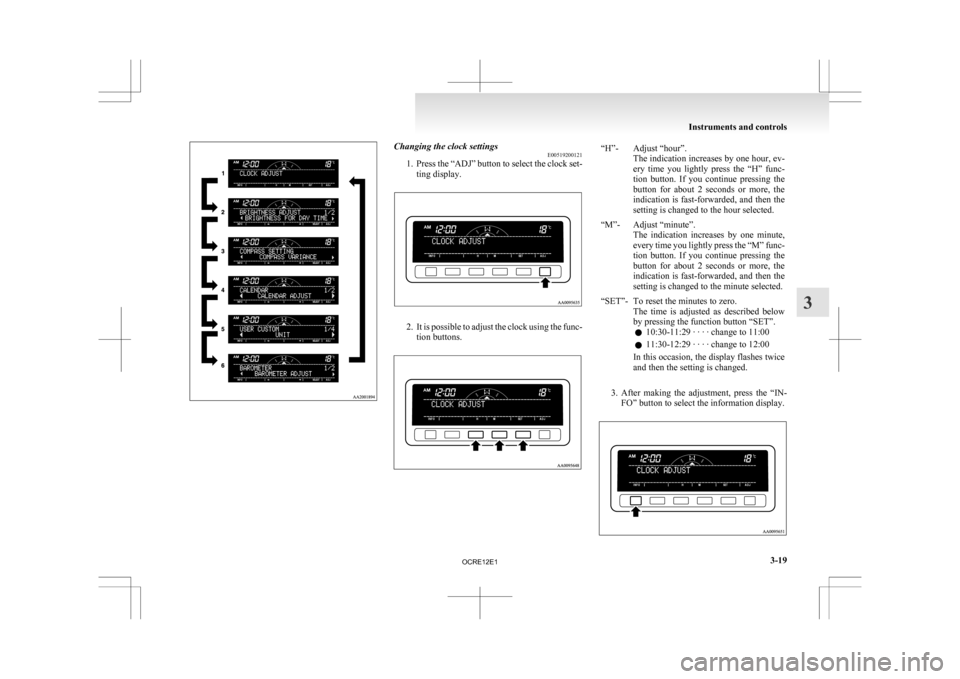
Changing the clock settings
E00519200121
1. Press
the “ADJ” button to select the clock set-
ting display. 2. It
is possible to adjust the clock using the func-
tion buttons. “H”- Adjust “hour”.
The
indication increases by one hour, ev-
ery time you lightly press the “H” func-
tion button. If you continue pressing the
button for about 2 seconds or more, the
indication is fast-forwarded, and then the
setting is changed to the hour selected.
“M”- Adjust “minute”. The
indication increases by one minute,
every time you lightly press the “M” func-
tion button. If you continue pressing the
button for about 2 seconds or more, the
indication is fast-forwarded, and then the
setting is changed to the minute selected.
“SET”- To reset the minutes to zero. The
time is adjusted as described below
by pressing the function button “SET”.
l 10:30-11:29 · · · · change to 11:00
l 11:30-12:29 · · · · change to 12:00
In this occasion, the display flashes twice
and then the setting is changed.
3. After
making the adjustment, press the “IN- FO” button to select the information display. Instruments and controls
3-19 3
OCRE12E1
Page 106 of 369
NOTE
l As
the display brightness can be adjusted in
the center information display only, the bright-
ness inside the meter cannot be changed.
Correcting the compass E00519400178
This compass shows the direction of the vehicle by
the 8 azimuth
system.NOTE
l This
system uses the earth’s magnetic field,
and so may not show the correct direction de-
pending on the traffic condition or in the fol-
lowing places where the earth’s magnetic
field is disrupted. • Car parks located in buildings and tunnels
• Expressways and underground cables
• Area over the subway
• Transforming station
• Areas along the railroad
In these cases, the correct direction will be
displayed once the vehicle returns to a place
where the earth’s magnetic field is stable. l
Do
not install ski racks, antennas, etc. which
are attached to the vehicle by means of a mag-
net. They affect the operation of the compass.
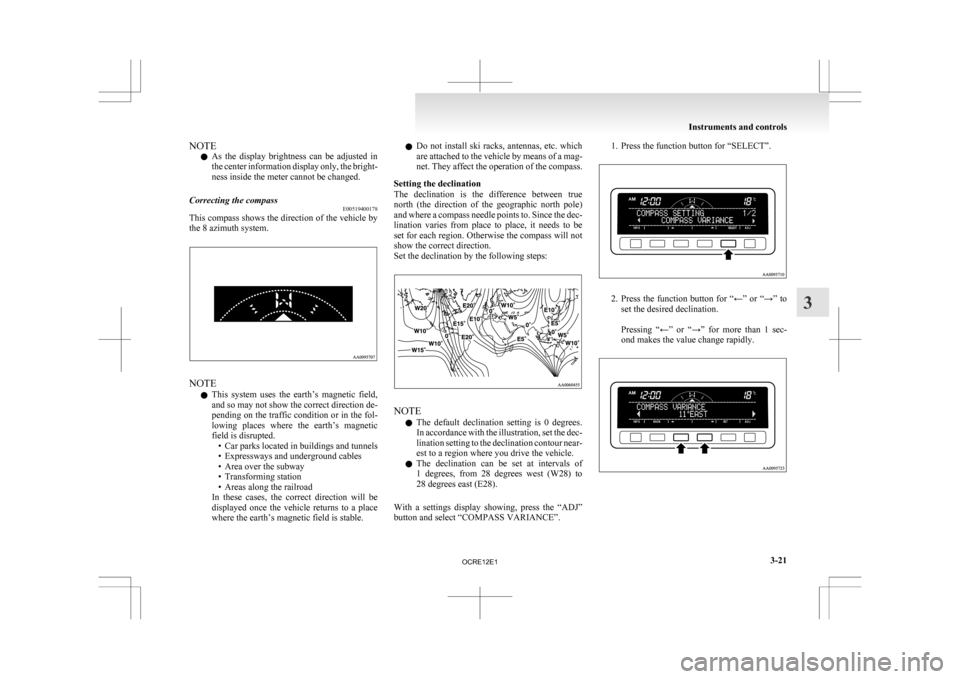
Setting the declination
The declination is the difference between true
north (the direction of the geographic north pole)
and where a compass needle points to. Since the dec-
lination varies from place to place, it needs to be
set for each region. Otherwise the compass will not
show the correct direction.
Set the declination by the following steps: NOTE
l The
default declination setting is 0 degrees.
In accordance with the illustration, set the dec-
lination setting to the declination contour near-
est to a region where you drive the vehicle.
l The declination can be set at intervals of
1 degrees, from 28 degrees west (W28) to
28 degrees east (E28).
With a settings display showing, press the “ADJ”
button and select “COMPASS VARIANCE”. 1. Press the function button for “SELECT”.
2. Press
the function button for “←” or “→” to
set the desired declination.
Pressing “←” or “→” for more than 1 sec-
ond makes the value change rapidly. Instruments and controls
3-21 3
OCRE12E1
Page 108 of 369
NOTE
l The
“Completed the calibration”. message
may be displayed even if you terminate the
turn before it is complete and return to the ve-
hicle’s original direction. The compass may
not be properly calibrated in this case, so you
must turn the vehicle through at least
360 degrees.
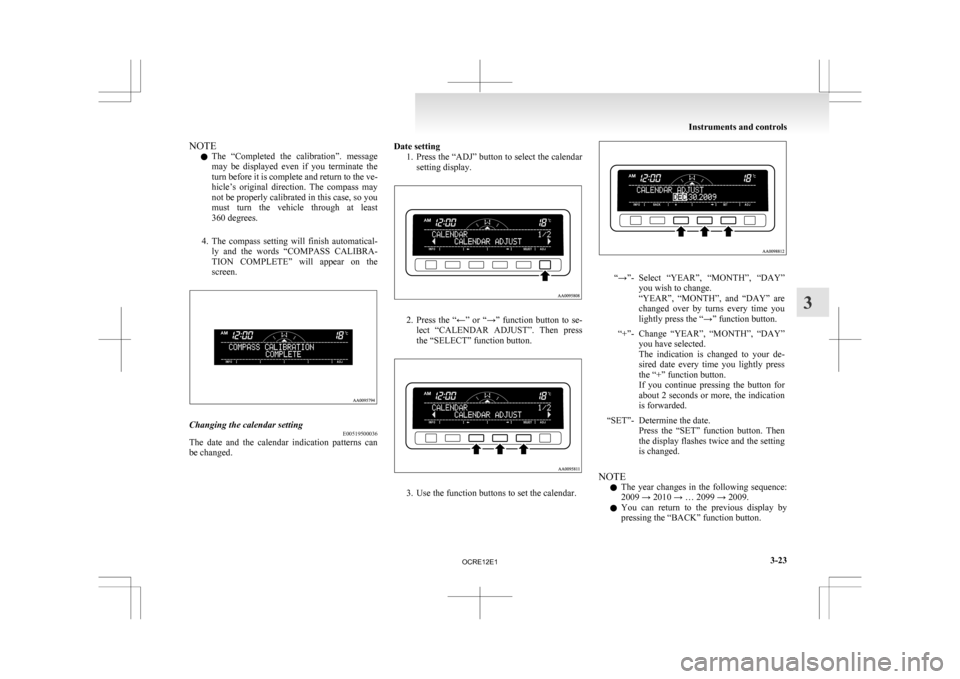
4. The compass setting will finish automatical- ly and the words “COMPASS CALIBRA-
TION COMPLETE” will appear on the
screen. Changing the calendar setting
E00519500036
The date and the calendar indication patterns can
be changed. Date setting
1. Press the “ADJ” button to select the calendar
setting display. 2. Press
the “←” or “→” function button to se-
lect “CALENDAR ADJUST”. Then press
the “SELECT” function button. 3. Use the function buttons to set the calendar. “→”- Select “YEAR”, “MONTH”, “DAY”
you wish to change.
“YEAR”,
“MONTH”, and “DAY” are
changed over by turns every time you
lightly press the “→” function button.
“+”- Change “YEAR”, “MONTH”, “DAY” you have selected.
The
indication is changed to your de-
sired date every time you lightly press
the “+” function button.
If you continue pressing the button for
about 2 seconds or more, the indication
is forwarded.
“SET”- Determine the date. Press
the “SET” function button. Then
the display flashes twice and the setting
is changed.
NOTE l The
year changes in the following sequence:
2009 → 2010 → … 2099 → 2009.
l You can return to the previous display by
pressing the “BACK” function button. Instruments and controls
3-23 3
OCRE12E1
Page 110 of 369
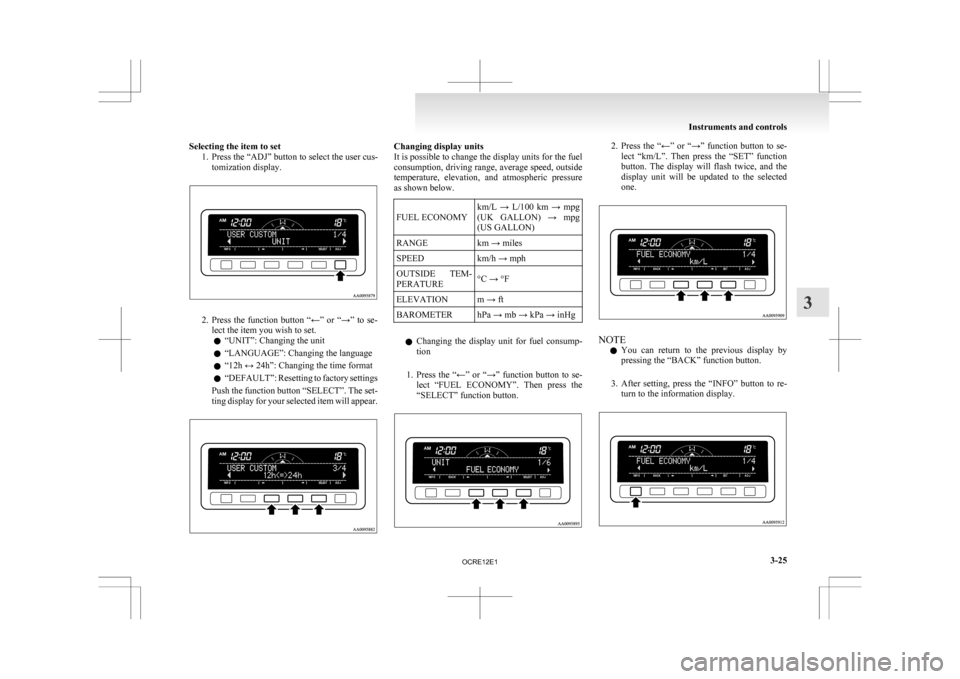
Selecting the item to set
1. Press the “ADJ” button to select the user cus-tomization display. 2. Press
the function button “←” or “→” to se-
lect the item you wish to set.
l “UNIT”: Changing the unit
l “LANGUAGE”: Changing the language
l “12h ↔ 24h”: Changing the time format
l “DEFAULT”: Resetting to factory settings
Push the function button “SELECT”. The set-
ting display for your selected item will appear. Changing display units
It is possible to change the display units for the fuel
consumption,
driving range, average speed, outside
temperature, elevation, and atmospheric pressure
as shown below.
FUEL ECONOMY km/L → L/100 km → mpg
(UK
GALLON) → mpg
(US GALLON)
RANGE km → miles
SPEED km/h → mph
OUTSIDE TEM-
PERATURE °C → °F
ELEVATION m → ft
BAROMETER hPa → mb → kPa → inHg
l Changing
the display unit for fuel consump-
tion
1. Press the “←” or “→” function button to se- lect “FUEL ECONOMY”. Then press the
“SELECT” function button. 2. Press
the “←” or “→” function button to se-
lect “km/L”. Then press the “SET” function
button. The display will flash twice, and the
display unit will be updated to the selected
one. NOTE
l You
can return to the previous display by
pressing the “BACK” function button.
3. After setting, press the “INFO” button to re- turn to the information display. Instruments and controls
3-25 3
OCRE12E1
Page 111 of 369
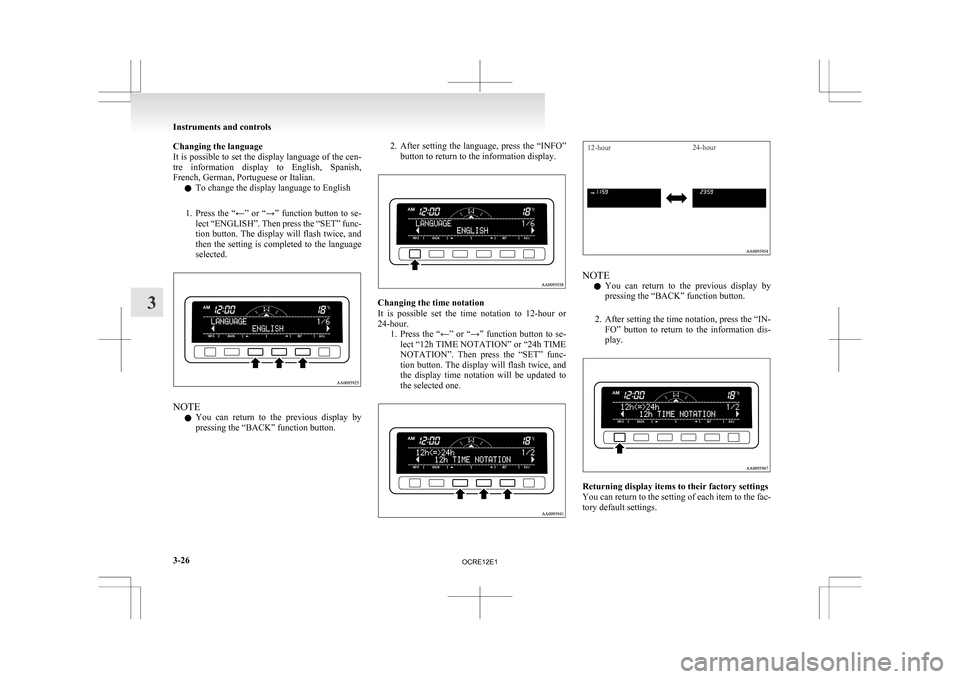
Changing the language
It
is possible to set the display language of the cen-
tre information display to English, Spanish,
French, German, Portuguese or Italian.
l To change the display language to English
1. Press the “←” or “→” function button to se- lect “ENGLISH”. Then press the “SET” func-
tion button. The display will flash twice, and
then the setting is completed to the language
selected. NOTE
l You
can return to the previous display by
pressing the “BACK” function button. 2. After
setting the language, press the “INFO”
button to return to the information display. Changing the time notation
It
is possible set the time notation to 12-hour or
24-hour. 1. Press the “←” or “→” function button to se-lect “12h TIME NOTATION” or “24h TIME
NOTATION”. Then press the “SET” func-
tion button. The display will flash twice, and
the display time notation will be updated to
the selected one.
12-hour 24-hour NOTE
l You
can return to the previous display by
pressing the “BACK” function button.
2. After setting the time notation, press the “IN- FO” button to return to the information dis-
play. Returning display items to their factory settings
You
can return to the setting of each item to the fac-
tory default settings. Instruments and controls
3-26
3
OCRE12E1
Page 114 of 369
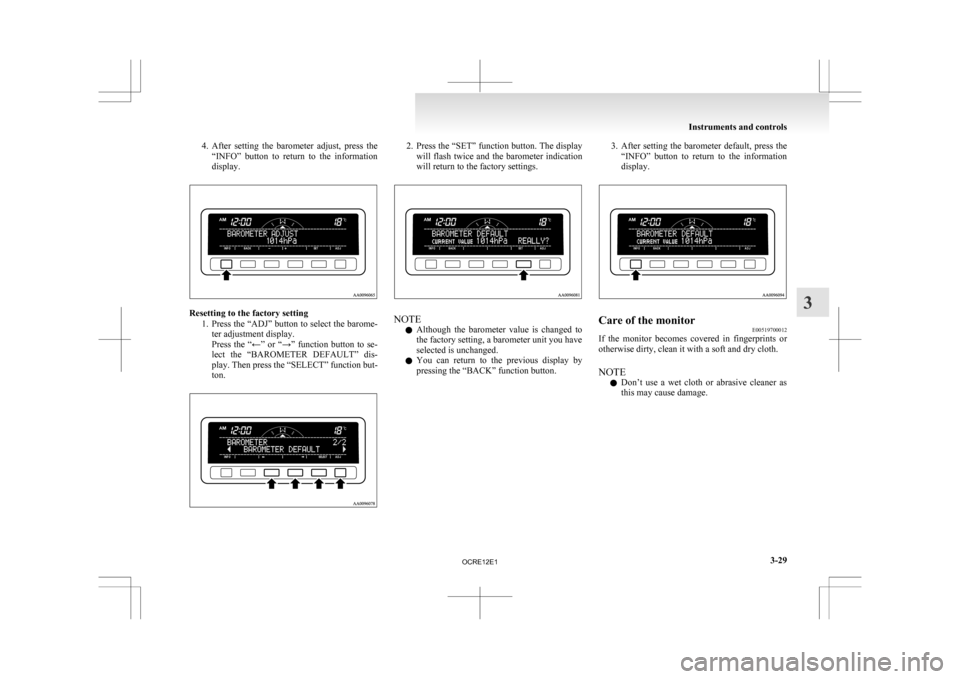
4. After setting the barometer adjust, press the
“INFO” button to return to the information
display. Resetting to the factory setting
1. Press
the “ADJ” button to select the barome-
ter adjustment display.
Press the “←” or “→” function button to se-
lect the “BAROMETER DEFAULT” dis-
play. Then press the “SELECT” function but-
ton. 2. Press
the “SET” function button. The display
will flash twice and the barometer indication
will return to the factory settings. NOTE
l Although
the barometer value is changed to
the factory setting, a barometer unit you have
selected is unchanged.
l You can return to the previous display by
pressing the “BACK” function button. 3. After
setting the barometer default, press the
“INFO” button to return to the information
display. Care of the monitor
E00519700012
If the monitor becomes covered in fingerprints or
otherwise dirty, clean it with a soft and dry cloth.
NOTE
l Don’t
use a wet cloth or abrasive cleaner as
this may cause damage. Instruments and controls
3-29 3
OCRE12E1
Page 116 of 369
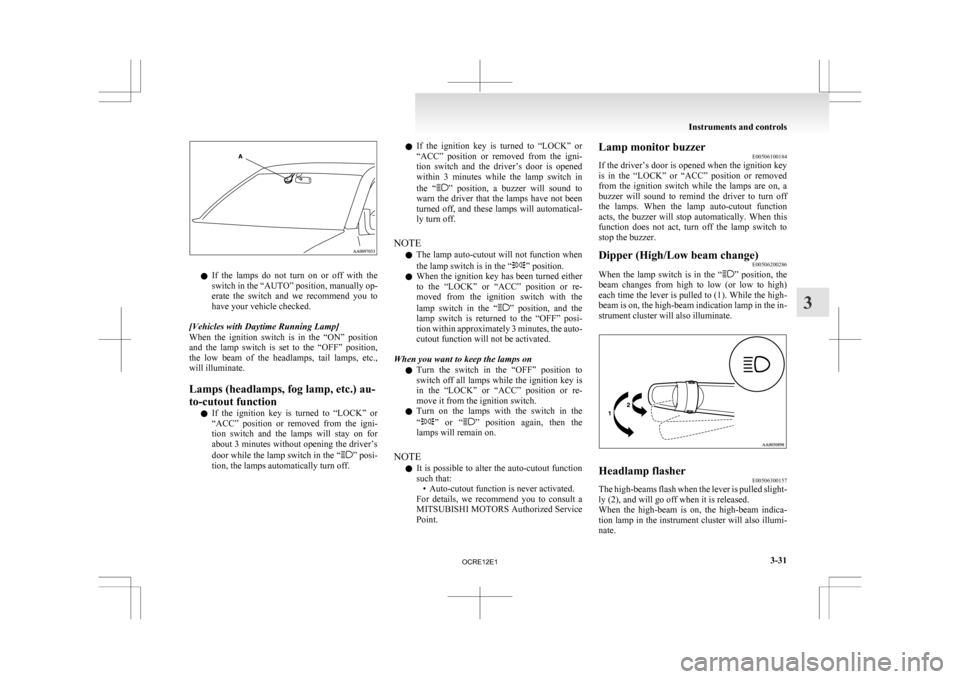
l
If the lamps do not turn on or off with the
switch in the “AUTO” position, manually op-
erate the switch and we recommend you to
have your vehicle checked.
[Vehicles with Daytime Running Lamp]
When the ignition switch is in the “ON” position
and the lamp switch is set to the “OFF” position,
the low beam of the headlamps, tail lamps, etc.,
will illuminate.
Lamps (headlamps, fog lamp, etc.) au-
to-cutout function l If the ignition key is turned to “LOCK” or
“ACC” position or removed from the igni-
tion switch and the lamps will stay on for
about 3 minutes without opening the driver’s
door while the lamp switch in the “ ” posi-
tion, the lamps automatically turn off. l
If
the ignition key is turned to “LOCK” or
“ACC” position or removed from the igni-
tion switch and the driver’s door is opened
within 3 minutes while the lamp switch in
the “ ”
position, a buzzer will sound to
warn the driver that the lamps have not been
turned off, and these lamps will automatical-
ly turn off.
NOTE l The lamp auto-cutout will not function when
the lamp switch is in the “ ” position.
l When
the ignition key has been turned either
to the “LOCK” or “ACC” position or re-
moved from the ignition switch with the
lamp switch in the “ ”
position, and the
lamp switch is returned to the “OFF” posi-
tion within approximately 3 minutes, the auto-
cutout function will not be activated.
When you want to keep the lamps on l Turn the switch in the “OFF” position to
switch off all lamps while the ignition key is
in the “LOCK” or “ACC” position or re-
move it from the ignition switch.
l Turn on the lamps with the switch in the
“ ”
or “ ” position again, then the
lamps will remain on.
NOTE l It is possible to alter the auto-cutout function
such that:
• Auto-cutout function is never activated.
For details, we recommend you to consult a
MITSUBISHI MOTORS Authorized Service
Point. Lamp monitor buzzer
E00506100184
If
the driver’s door is opened when the ignition key
is in the “LOCK” or “ACC” position or removed
from the ignition switch while the lamps are on, a
buzzer will sound to remind the driver to turn off
the lamps. When the lamp auto-cutout function
acts, the buzzer will stop automatically. When this
function does not act, turn off the lamp switch to
stop the buzzer.
Dipper (High/Low beam change) E00506200286
When the lamp switch is in the “ ”
position, the
beam changes from high to low (or low to high)
each time the lever is pulled to (1). While the high-
beam is on, the high-beam indication lamp in the in-
strument cluster will also illuminate. Headlamp flasher
E00506300157
The high-beams flash when the lever is pulled slight-
ly (2), and will go off when it is released.
When
the high-beam is on, the high-beam indica-
tion lamp in the instrument cluster will also illumi-
nate. Instruments and controls
3-31 3
OCRE12E1
Page 118 of 369
Switch position 0- Driver only
Switch position 3- Driver + Full luggage load-
ing
{Vehicles
with heavy duty
suspension}
Switch position 4- Driver + Full luggage load- ing
{Vehicles
without heavy du-
ty suspension}
Double cab Vehicle condi-
tion Switch position “0”
“2” or “3” or
“4” ●: 1 person
: Full luggage loading Switch position 0- Driver only
Switch position 2- Driver + Full luggage load-
ing
{Vehicles
with heavy duty
suspension for Russia, Ka-
zakhstan and Ukraine}
Switch position 3- Driver + Full luggage load- ing
{Vehicles
with heavy duty
suspension except for Rus-
sia, Kazakhstan and Uk-
raine}
{Vehicles without heavy du-
ty suspension for Russia,
Kazakhstan and Ukraine}
Switch position 4- Driver + Full luggage load- ing
{Vehicles
without heavy du-
ty suspension except for
Russia, Kazakhstan and Uk-
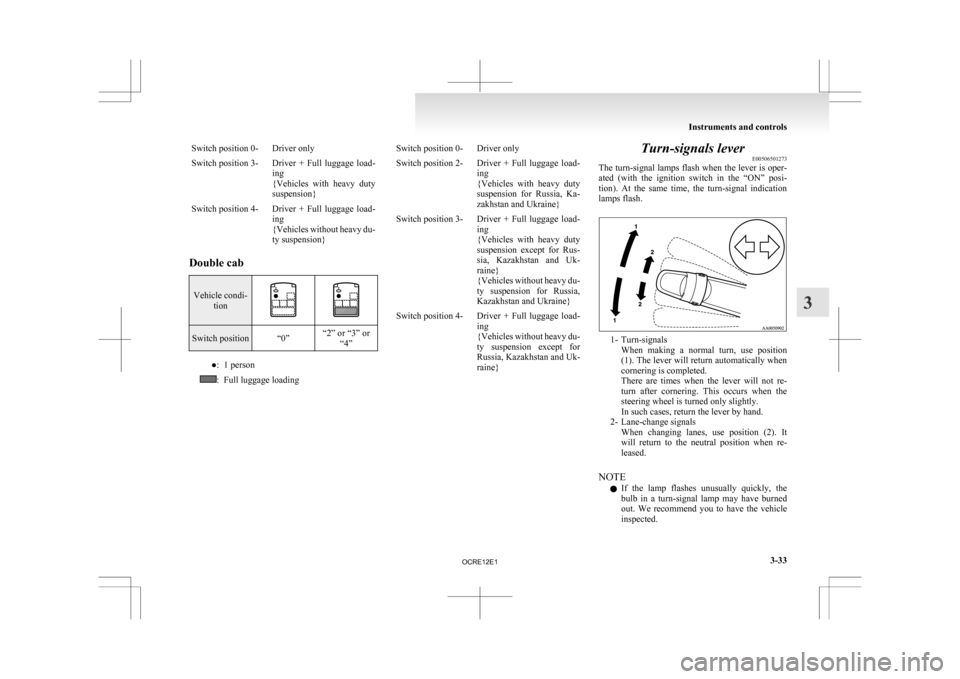
raine} Turn-signals lever
E00506501273
The
turn-signal lamps flash when the lever is oper-
ated (with the ignition switch in the “ON” posi-
tion). At the same time, the turn-signal indication
lamps flash. 1- Turn-signals
When
making a normal turn, use position
(1). The lever will return automatically when
cornering is completed.
There are times when the lever will not re-
turn after cornering. This occurs when the
steering wheel is turned only slightly.
In such cases, return the lever by hand.
2- Lane-change signals When changing lanes, use position (2). It
will return to the neutral position when re-
leased.
NOTE l If the lamp flashes unusually quickly, the
bulb in a turn-signal lamp may have burned
out. We recommend you to have the vehicle
inspected. Instruments and controls
3-33 3
OCRE12E1