2010 MITSUBISHI L200 change
[x] Cancel search: changePage 68 of 369

L (Genuine part information)
Genuine parts No. ECE No.
* 1
MZ314393 E1-04301146
* 2
MZ314509#2
E1-04301146
* 3
MZ313045 E1-04301133
* 4
MZ314451 E1-04301203
* 5
MZ314250 E1-04301169#2
: To be available in 2012
NOTE l There is no applicable
MITSUBISHI MOTORS Genuine Parts to the Mass Group “0-Up to 10 kg”.
MITSUBISHI MOTORS Europe B.V. reserves the right to changes without any prior announcement.
For further information, please contact a MITSUBISHI MOTORS Authorized Service Point. Seat and seat belts
2-23 2
OCRE12E1
Page 89 of 369

Every time the reset button (C) is pressed lightly
(less
than 1 second), the tripmeter display changes
(between TRIP and ).
Type 1
Type 2
To reset the tripmeter
To
return the display to “0”, press the reset button
(C) for more than 1 second. Only the currently dis-
played value will be reset. If TRIP is dis-
played, for example, only TRIP will be reset.NOTE
l Display TRIP and each have a maxi-
mum distance of 999.9 km
(999.9 miles).
l When disconnecting the battery terminal for
a long time, the memory of tripmeter display
TRIP and are cleared, and the dis-
play returns to “0”.
Fuel gauge E00500700902
The fuel gauge indicates the fuel level in the fuel
tank
when the ignition switch is in the “ON” position. F- Full
E- Empty
NOTE l When
the engine on diesel-powered vehicles
fails to operate due to running out of fuel, it
may sometimes be difficult to start after refu-
eling. This is due to air entering the fuel sys-
tem. Therefore, air must be bled from the sys-
tem. (Refer to “Bleeding the fuel system” on
page 6-05.) Fuel lid mark
The
fuel lid mark (A) indicates that the fuel tank fill-
er door is located on the left side of the vehicle (Re-
fer to “Filling the fuel tank” on page 02).
Low fuel warning lamp E00508100739
The warning lamp (A) comes on when the fuel lev-
el
is getting low (approx. 11 litres) with the igni-
tion switch in the “ON” position. Refuel as soon as
possible. NOTE
l On
inclines or curves, due to the movement
of fuel in the tank, the low fuel warning lamp
may indicate incorrectly. Instruments and controls
3-04
3
OCRE12E1
Page 95 of 369

Door ajar warning lamp
E00503300475
This
lamp illuminates when a door is ei-
ther open or not completely closed.
If the vehicle speed reaches approximate-
ly 8 km/h (5 mph) with a door open or
incompletely closed, the warning lamp
flashes 16 times and a buzzer simultane-
ously sounds 16 times as a warning. CAUTION
l
Before
moving your vehicle,
check that the warning lamp is
OFF.
NOTE l It
is possible to change the buzzer
setting for either of the following
types of operation. For further in-
formation, we recommend you to
consult a MITSUBISHI
MOTORS Authorized Service
Point. • No buzzer operation (buzzerdisabled)
• Continuous buzzer operation Centre information display*
E00517800279 WARNING
l When
operating the system for a pro-
longed period, make sure the vehicle is
parked in a well-ventilated area to avoid
the accumulation of toxic fumes inside
and outside of the passenger compartment. CAUTION
l
The
driver should not operate the display
while the vehicle is in motion.
l When operating the system, stop the vehi-
cle in a safe area.
When the ignition switch is turned to the “ACC” po-
sition, the screen switches on automatically. NOTE
l Placing
a cellular phone in the monitor’s
small storage compartment may weaken the
phone’s reception. This does not indicate a
fault with the system.
l Use of wireless devices such as transceivers
or a cellular phone near the monitor may
make the following condition on the display.
This does not indicate a fault with the system.
• The screen goes dark temporarily.
• The compass may not show the correct di-rection.
l Depending on the angle of view, you may
see reddish horizontal lines on the monitor.
The lines are a characteristic of the vacuum
fluorescent display (VFD) used in the moni-
tor. They do not indicate a fault. Instruments and controls
3-10
3
OCRE12E1
Page 97 of 369
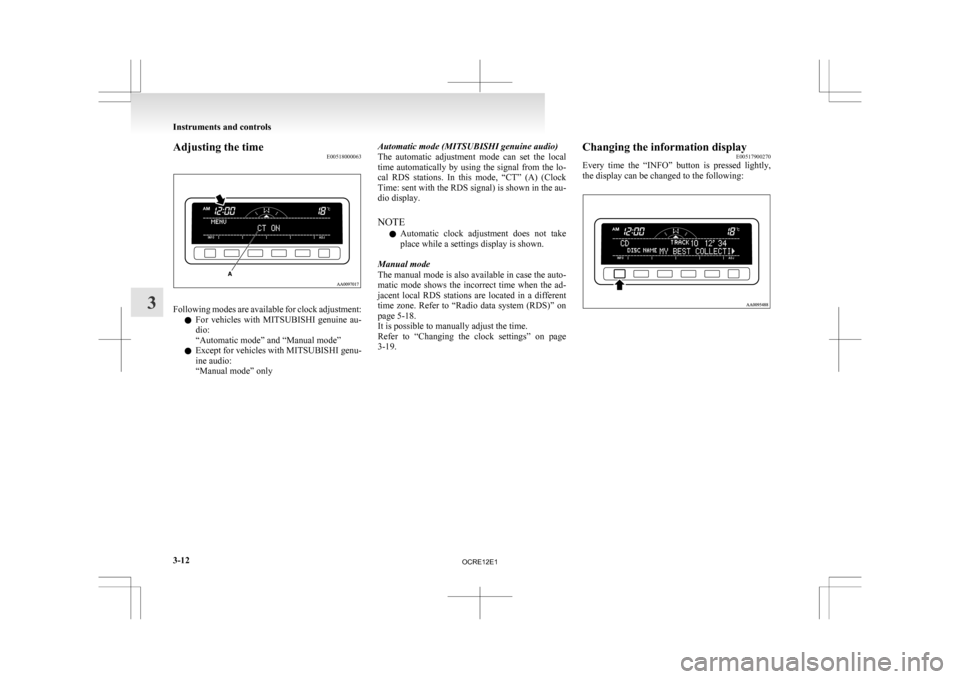
Adjusting the time
E00518000063Following modes are available for clock adjustment:
l For
vehicles with MITSUBISHI genuine au-
dio:
“Automatic mode” and “Manual mode”
l Except for vehicles with MITSUBISHI genu-
ine audio:
“Manual mode” only Automatic mode (MITSUBISHI genuine audio)
The
automatic adjustment mode can set the local
time automatically by using the signal from the lo-
cal RDS stations. In this mode, “CT” (A) (Clock
Time: sent with the RDS signal) is shown in the au-
dio display.
NOTE
l Automatic clock adjustment does not take
place while a settings display is shown.
Manual mode
The manual mode is also available in case the auto-
matic mode shows the incorrect time when the ad-
jacent local RDS stations are located in a different
time zone. Refer to “Radio data system (RDS)” on
page 5-18.
It is possible to manually adjust the time.
Refer to “Changing the clock settings” on page
3-19. Changing the information display
E00517900270
Every
time the “INFO” button is pressed lightly,
the display can be changed to the following: Instruments and controls
3-12
3
OCRE12E1
Page 99 of 369
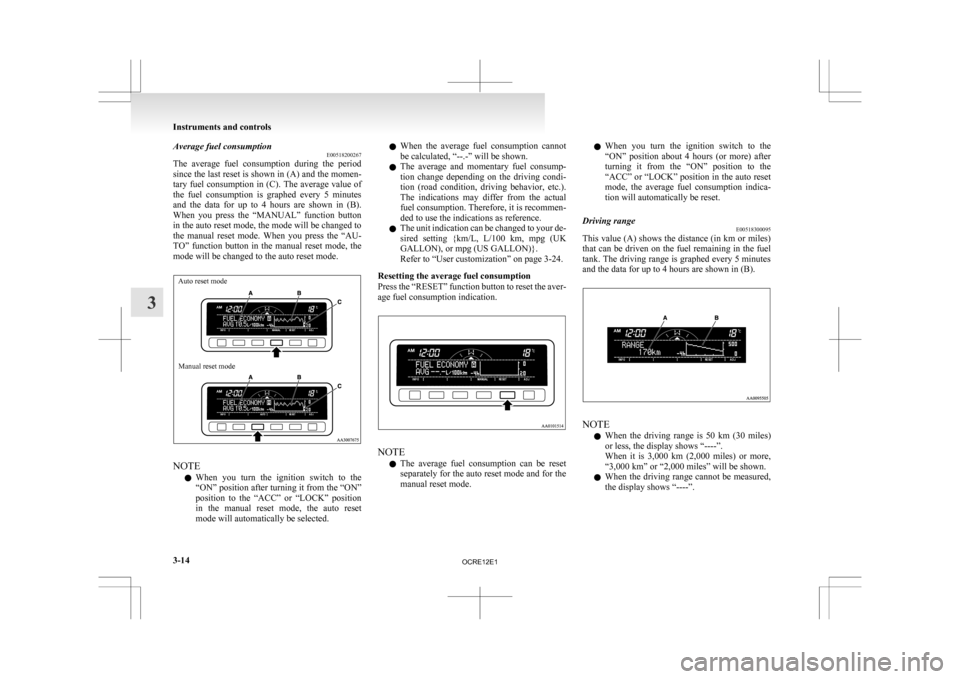
Average fuel consumption
E00518200267
The
average fuel consumption during the period
since the last reset is shown in (A) and the momen-
tary fuel consumption in (C). The average value of
the fuel consumption is graphed every 5 minutes
and the data for up to 4 hours are shown in (B).
When you press the “MANUAL” function button
in the auto reset mode, the mode will be changed to
the manual reset mode. When you press the “AU-
TO” function button in the manual reset mode, the
mode will be changed to the auto reset mode.
Auto reset mode
Manual reset mode NOTE
l When
you turn the ignition switch to the
“ON” position after turning it from the “ON”
position to the “ACC” or “LOCK” position
in the manual reset mode, the auto reset
mode will automatically be selected. l
When
the average fuel consumption cannot
be calculated, “--.-” will be shown.
l The average and momentary fuel consump-
tion change depending on the driving condi-
tion (road condition, driving behavior, etc.).
The indications may differ from the actual
fuel consumption. Therefore, it is recommen-
ded to use the indications as reference.
l The unit indication can be changed to your de-
sired setting {km/L, L/100 km, mpg (UK
GALLON), or mpg (US GALLON)}.
Refer to “User customization” on page 3-24.
Resetting the average fuel consumption
Press the “RESET” function button to reset the aver-
age fuel consumption indication. NOTE
l The
average fuel consumption can be reset
separately for the auto reset mode and for the
manual reset mode. l
When
you turn the ignition switch to the
“ON” position about 4 hours (or more) after
turning it from the “ON” position to the
“ACC” or “LOCK” position in the auto reset
mode, the average fuel consumption indica-
tion will automatically be reset.
Driving range E00518300095
This value (A) shows the distance (in km or miles)
that
can be driven on the fuel remaining in the fuel
tank. The driving range is graphed every 5 minutes
and the data for up to 4 hours are shown in (B). NOTE
l When
the driving range is 50 km (30 miles)
or less, the display shows “----”.
When it is 3,000 km (2,000 miles) or more,
“3,000 km” or “2,000 miles” will be shown.
l When the driving range cannot be measured,
the display shows “----”. Instruments and controls
3-14
3
OCRE12E1
Page 100 of 369
l
The driving range is shown based on the ac-
cumulated fuel consumption data, however,
may be changed depending on the driving con-
dition (road condition, driving behavior,
etc.). If the battery terminals are disconnec-
ted, the accumulated fuel consumption data
will be erased. It is recommended to use the
indication as reference.
l When the vehicle is fueled, the driving range
will be updated. However, if the amount of
fueling is small, the indication may not be cor-
rect. Therefore, fill up the tank as much as
possible in case of fueling.
l When the vehicle is stopped on a steep slope,
the value of the driving range may increase.
This is caused by the fuel movement inside
the tank on the slope and is not deemed as a
failure.
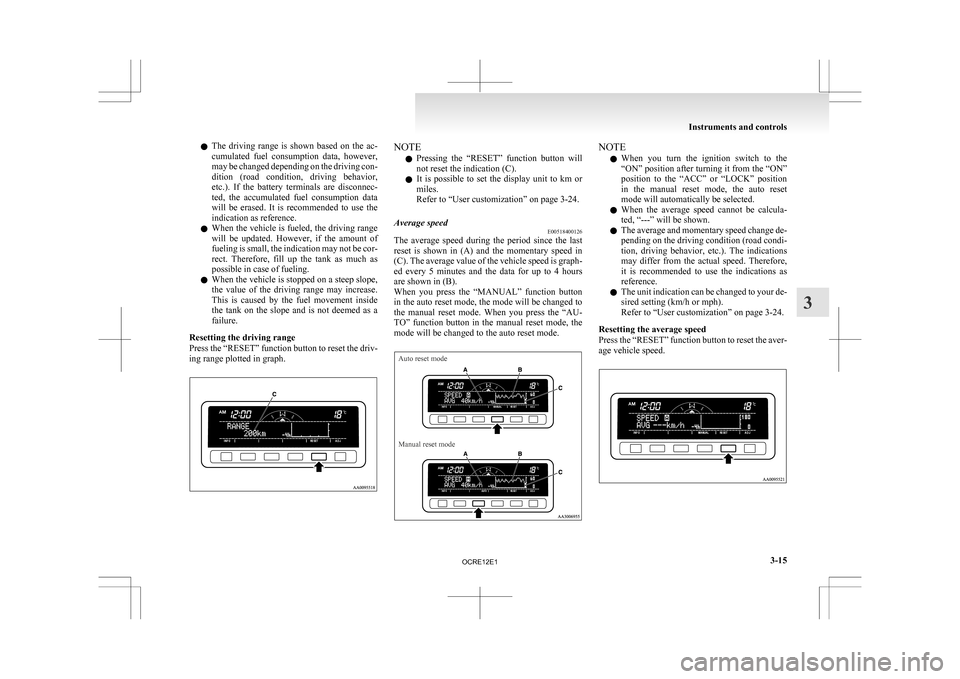
Resetting the driving range
Press the “RESET” function button to reset the driv-
ing range plotted in graph. NOTE
l Pressing
the “RESET” function button will
not reset the indication (C).
l It is possible to set the display unit to km or
miles.
Refer to “User customization” on page 3-24.
Average speed E00518400126
The average speed during the period since the last
reset
is shown in (A) and the momentary speed in
(C). The average value of the vehicle speed is graph-
ed every 5 minutes and the data for up to 4 hours
are shown in (B).
When you press the “MANUAL” function button
in the auto reset mode, the mode will be changed to
the manual reset mode. When you press the “AU-
TO” function button in the manual reset mode, the
mode will be changed to the auto reset mode.
Auto reset mode
Manual reset mode NOTE
l When
you turn the ignition switch to the
“ON” position after turning it from the “ON”
position to the “ACC” or “LOCK” position
in the manual reset mode, the auto reset
mode will automatically be selected.
l When the average speed cannot be calcula-
ted, “---” will be shown.
l The average and momentary speed change de-
pending on the driving condition (road condi-
tion, driving behavior, etc.). The indications
may differ from the actual speed. Therefore,
it is recommended to use the indications as
reference.
l The unit indication can be changed to your de-
sired setting (km/h or mph).
Refer to “User customization” on page 3-24.
Resetting the average speed
Press the “RESET” function button to reset the aver-
age vehicle speed. Instruments and controls
3-15 3
OCRE12E1
Page 102 of 369
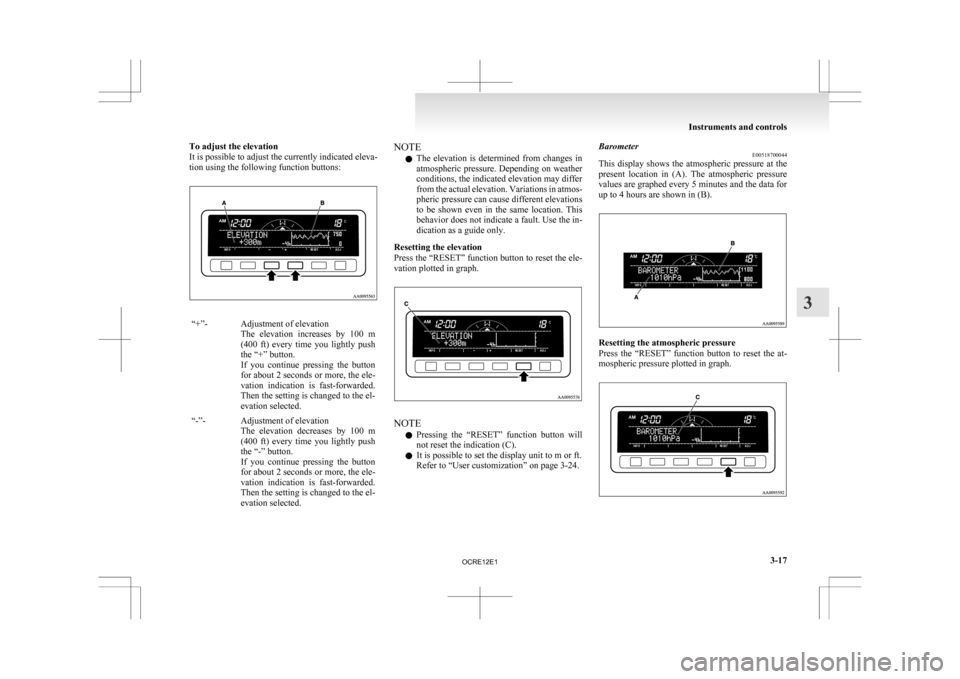
To adjust the elevation
It is possible to adjust the currently indicated eleva-
tion using the following function buttons:
“+”- Adjustment of elevation
The elevation increases by 100 m
(400 ft) every time you lightly push
the “+” button.
If you continue pressing the button
for about 2 seconds or more, the ele-
vation indication is fast-forwarded.
Then the setting is changed to the el-
evation selected.
“-”- Adjustment of elevation The
elevation decreases by 100 m
(400 ft) every time you lightly push
the “-” button.
If you continue pressing the button
for about 2 seconds or more, the ele-
vation indication is fast-forwarded.
Then the setting is changed to the el-
evation selected. NOTE
l The
elevation is determined from changes in
atmospheric pressure. Depending on weather
conditions, the indicated elevation may differ
from the actual elevation. Variations in atmos-
pheric pressure can cause different elevations
to be shown even in the same location. This
behavior does not indicate a fault. Use the in-
dication as a guide only.
Resetting the elevation
Press the “RESET” function button to reset the ele-
vation plotted in graph. NOTE
l Pressing
the “RESET” function button will
not reset the indication (C).
l It is possible to set the display unit to m or ft.
Refer to “User customization” on page 3-24. Barometer
E00518700044
This
display shows the atmospheric pressure at the
present location in (A). The atmospheric pressure
values are graphed every 5 minutes and the data for
up to 4 hours are shown in (B). Resetting the atmospheric pressure
Press
the “RESET” function button to reset the at-
mospheric pressure plotted in graph. Instruments and controls
3-17 3
OCRE12E1
Page 103 of 369
NOTE
l Pressing
the “RESET” function button will
not reset the indication (C).
l It is possible to set the display unit to hPa,
mb, kPa, or inHg.
Refer to “User customization” on page 3-24.
Calendar E00518800032
The date is shown. The calendar pattern can be
changed to your desired setting.
Refer
to “Changing the calendar setting” on page
3-23. Clock-only
E00518900033
Only the clock is shown. The time notation can be
changed to your desired setting. (12 hour/24 hour) Refer to “User customization” on page 3-24.
Blank
E00519000015
The whole display can be turned into blank. In this
case, buttons remain illuminated. NOTE
l If
you operate the audio system, the audio dis-
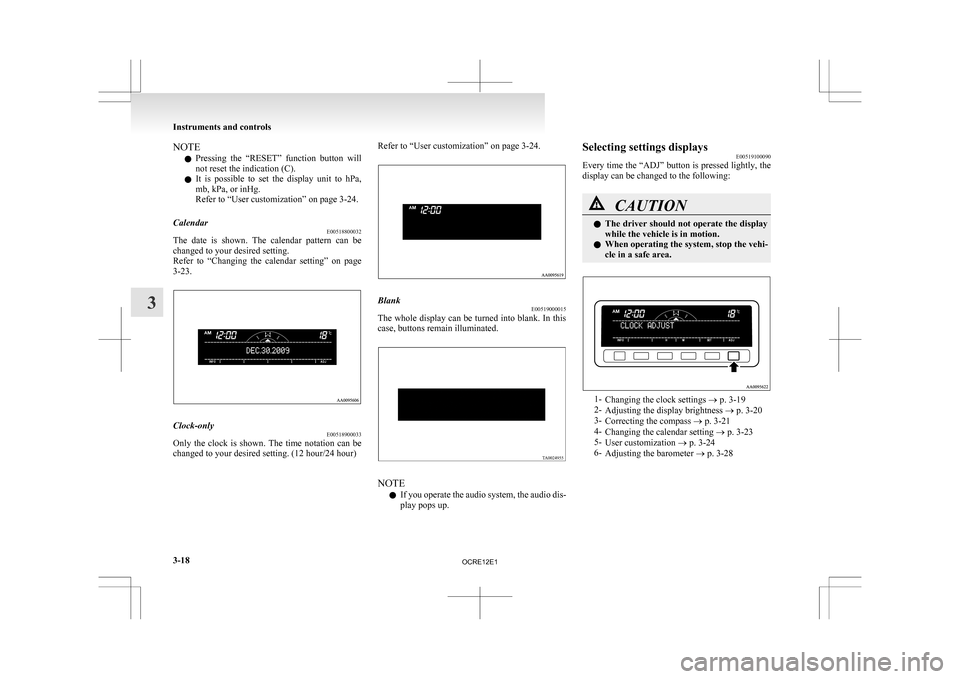
play pops up. Selecting settings displays
E00519100090
Every
time the “ADJ” button is pressed lightly, the
display can be changed to the following: CAUTION
l
The
driver should not operate the display
while the vehicle is in motion.
l When operating the system, stop the vehi-
cle in a safe area. 1-
Changing the clock settings
® p. 3-19
2- Adjusting the display brightness ® p. 3-20
3- Correcting the compass ® p. 3-21
4- Changing the calendar setting ® p. 3-23
5- User customization ® p. 3-24
6- Adjusting the barometer ® p. 3-28 Instruments and controls
3-18
3
OCRE12E1